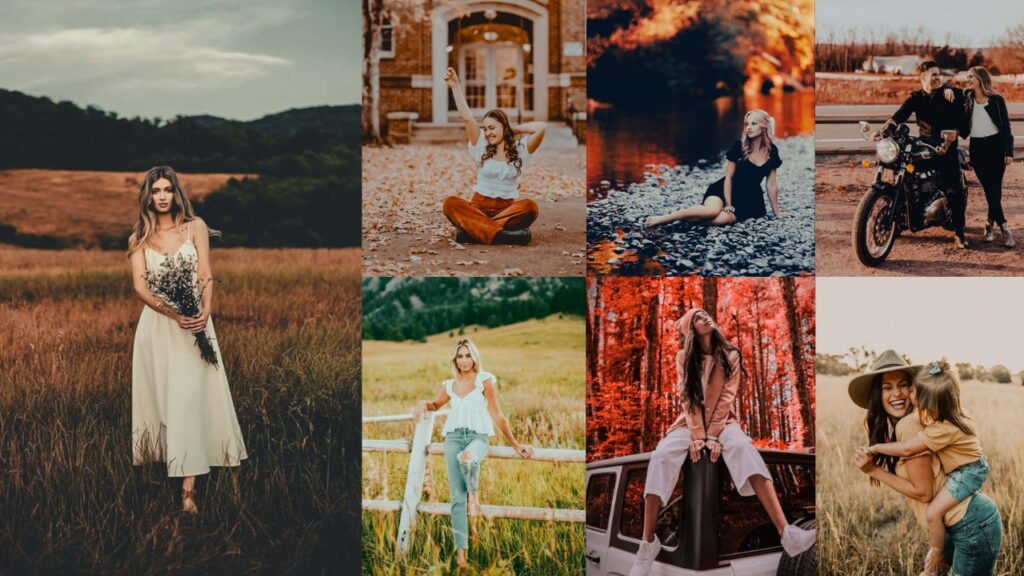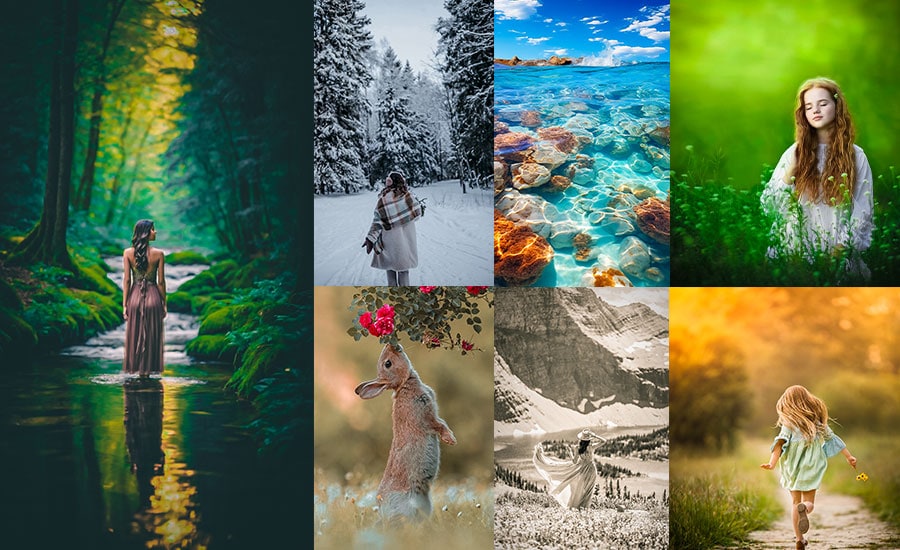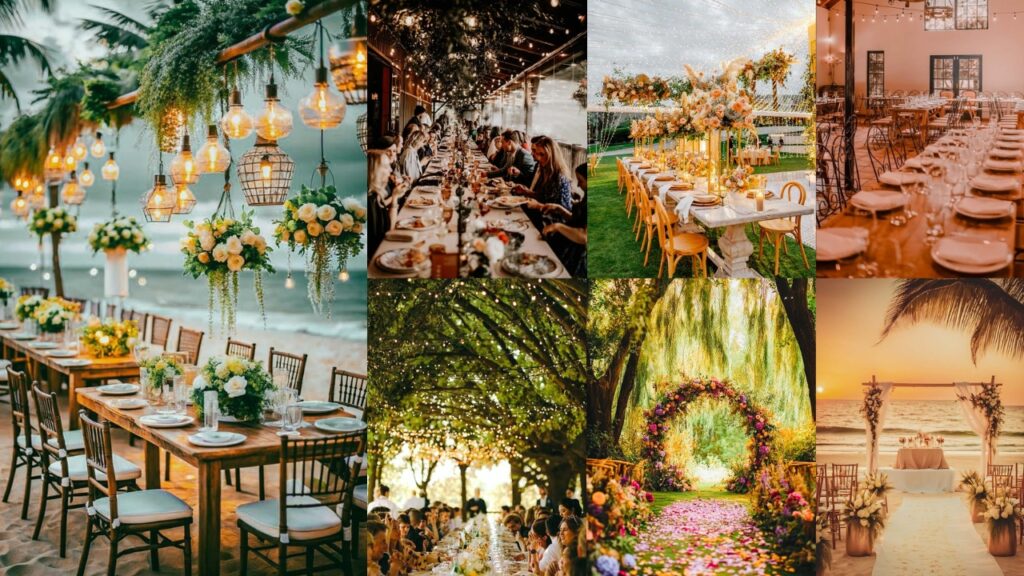
Event photography is one of the most technically demanding genres. You’re dealing with shifting light, crowded venues, high ISO noise, and no time to manually edit hundreds of frames. The right Lightroom preset does the heavy lifting, applying a consistent, polished look in one click so you can focus on selecting your best shots.
In this guide, you’ll find selected event photography presets across seven styles: cinematic, bright & airy, moody nightlife, B&W classic, vintage film, HDR, and nightlife. Each section includes the preset download, a detailed breakdown of editing, and guidance on when to use each style. All files are available in DNG and XMP formats and are compatible with Lightroom Classic, Lightroom CC, and Lightroom Mobile.
Pauline Jackson
I’m a Lightroom Presets Specialist passionate about helping photographers create polished, professional-looking edits with less time and effort. I specialize in developing presets that enhance color, lighting, and overall image quality while keeping edits clean and natural.
60 Event Photography Lightroom Presets Free Download
Events move fast, like, “Did that toddler just steal the bride’s bouquet?” fast!!! You don’t have hours to tweak every slider for hundreds of photos. Presets are pre-baked editing recipes that apply a polished look in one click. For example, a Moody Nightlife preset can instantly make that rooftop party glow with neon vibes, cutting your editing time from “all-nighter” to “done by dinner.” There’s nothing like the “OMG, these are amazing!” email to make your day. Here we go…
1. Cinematic Event Presets
Cinematic presets use rich contrast, selectively desaturated tones, and subtle film grain to give event photos a narrative, editorial quality. They work especially well in venues with controlled lighting: candlelit receptions, spotlit stage performances, or golden-hour outdoor ceremonies.
Light Panel: Exposure +10 | Tone Curve: Contrast +15 | Highlights −10 | Shadows +10.
Color Panel: Temp −5 | Tint +10.
HSL / Color Mix: Greens −20 | Oranges −15 | Blues +10.
Effects Panel: Clarity +20 | Vignette −30 | Grain +15.
Detail Panel: Sharpening +25 | Noise Reduction +15.
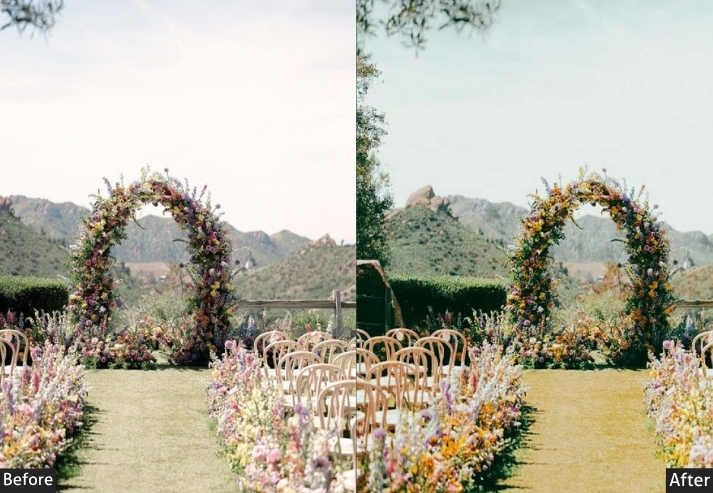
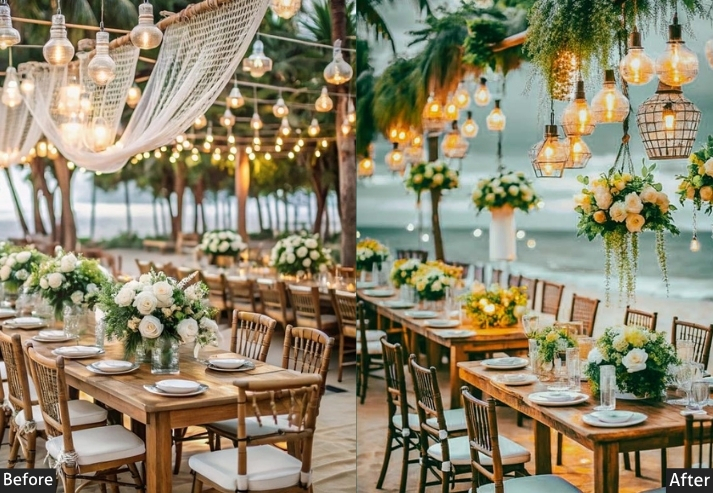
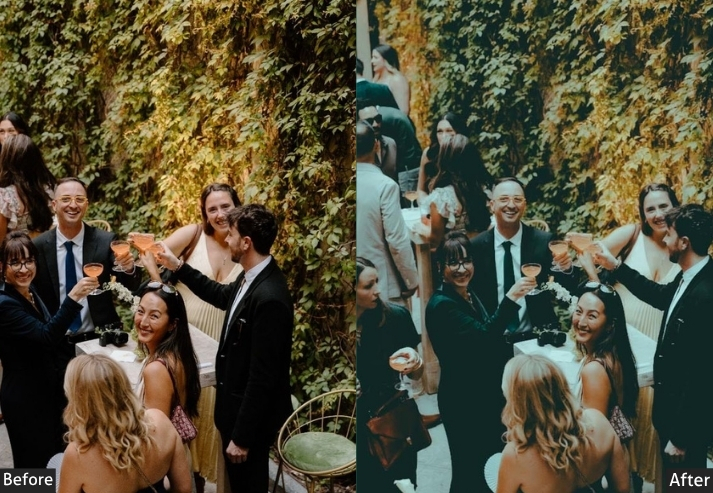
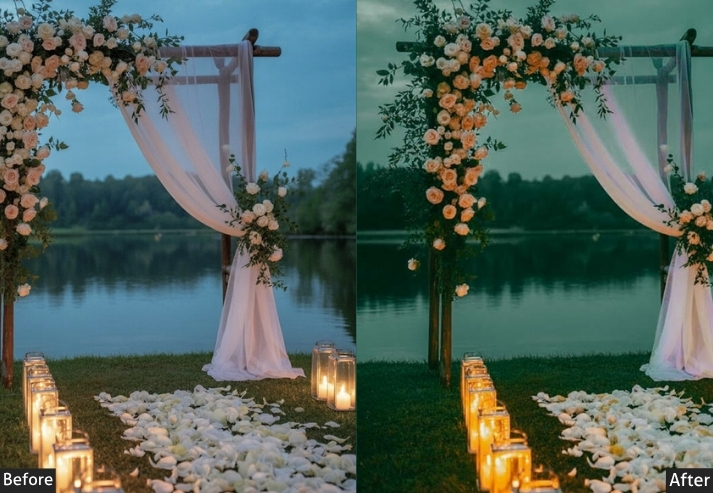
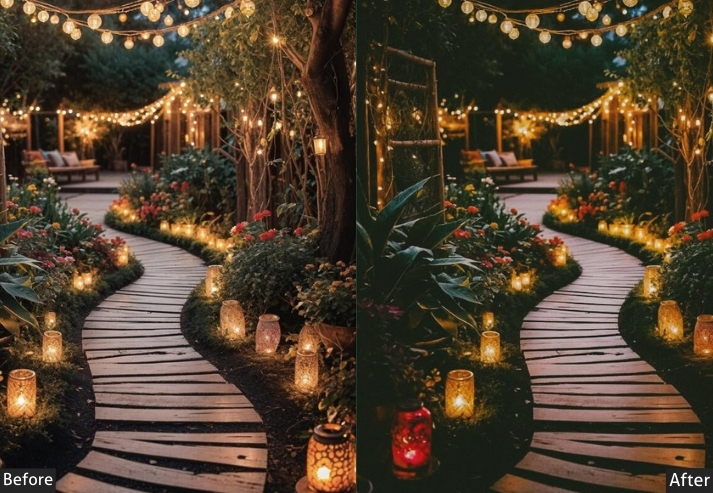
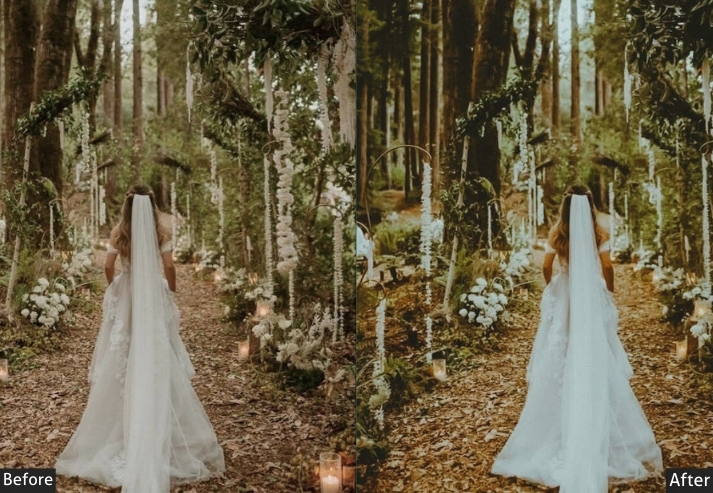
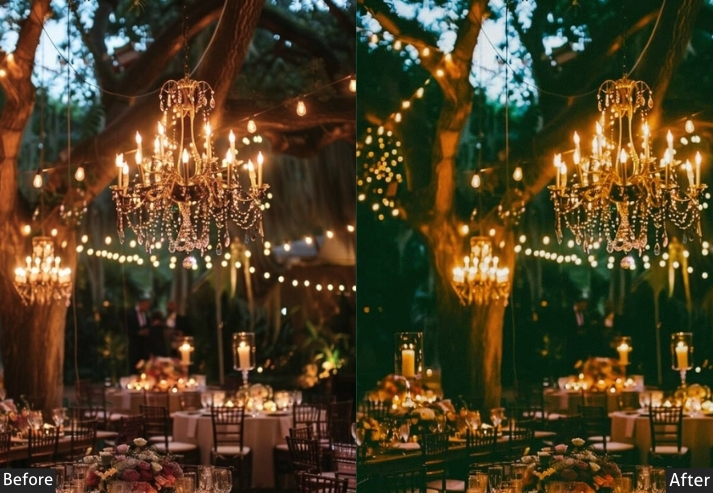
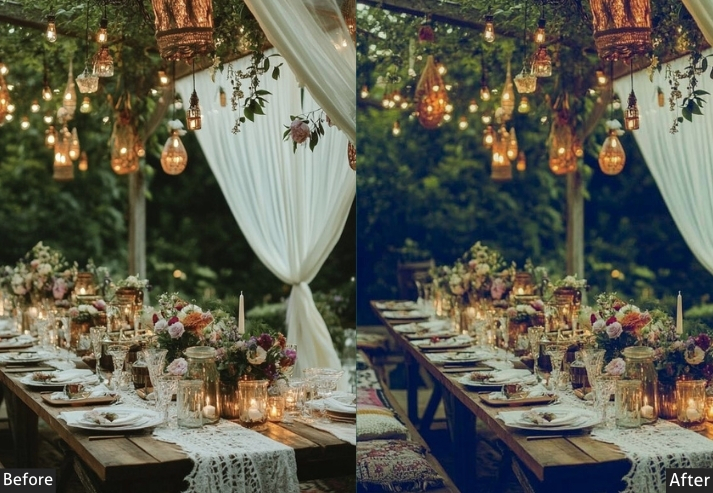
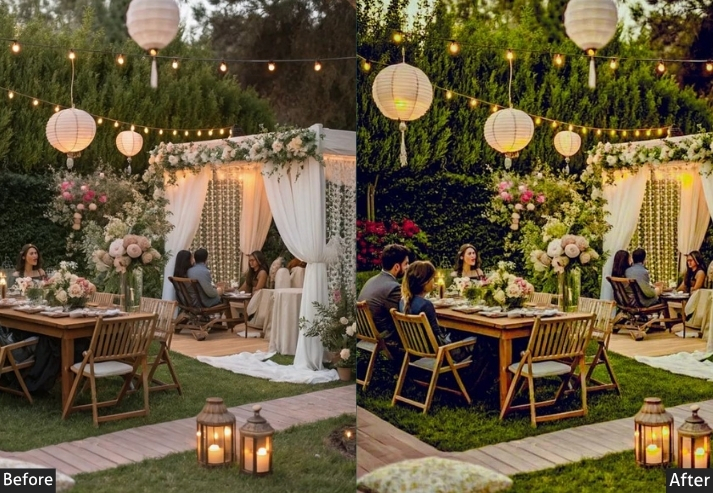
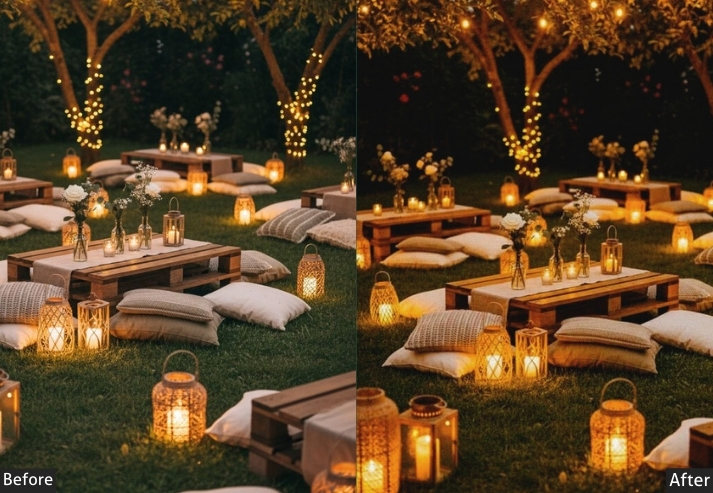
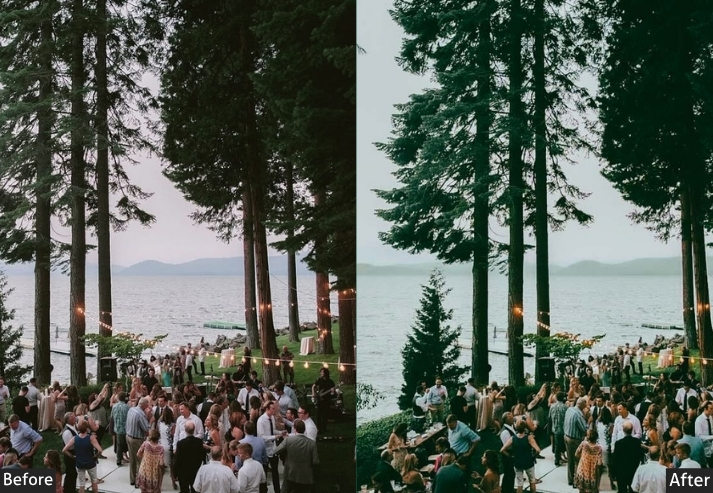
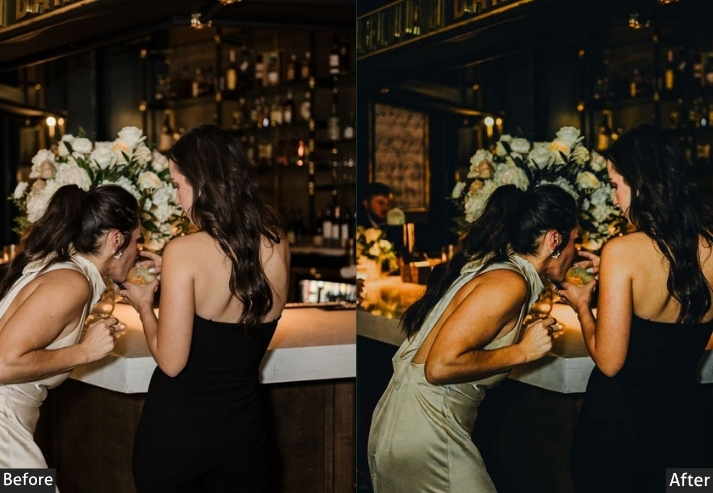
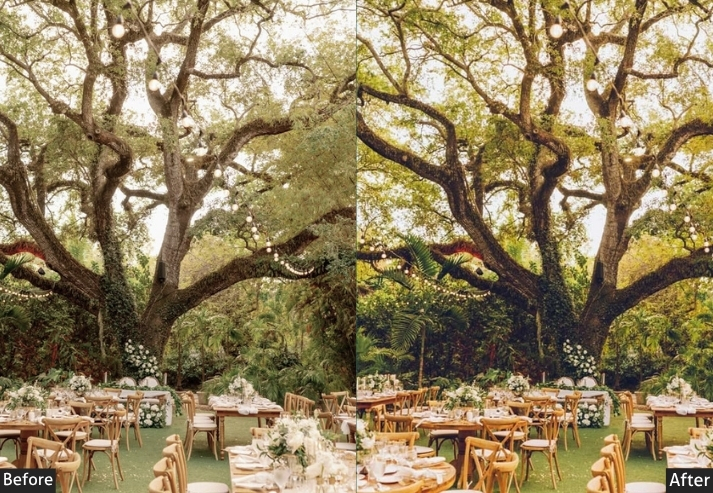
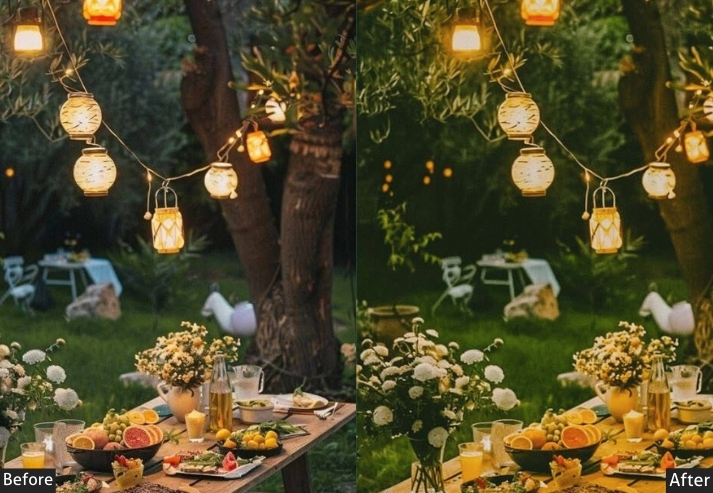
Purpose: dramatic, movie-like aesthetic.
Best For: Weddings, concerts, or galas where you want to evoke a storytelling vibe.
Usage: tweak exposure and white balance to match the venue’s lighting.
Style: Bold, moody, with a touch of Hollywood glamour.
2. Bright & Airy Event Presets
Bright and airy presets lift shadows, warm highlights, and boost pastel saturation to create clean, inviting images suited to daytime events. They are the go-to choice for outdoor ceremonies, garden parties, and any event photographed in natural light.
Light Panel: Exposure +20 | Highlights +15 | Shadows +25.
Color Panel: Temp +10 | Tint +5.
HSL / Color Mix: Pinks +15 | Yellows +10 | Greens −10.
Effects Panel: Clarity −10 | Vignette −10 | Grain 0.
Detail Panel: Sharpening +10 | Noise Reduction +20.
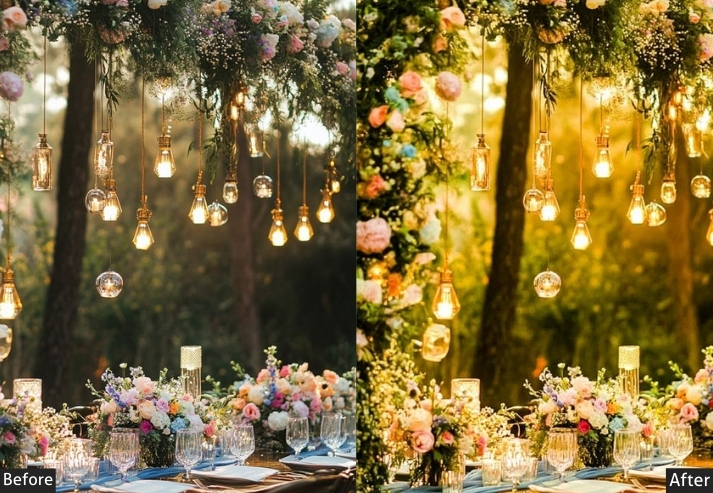
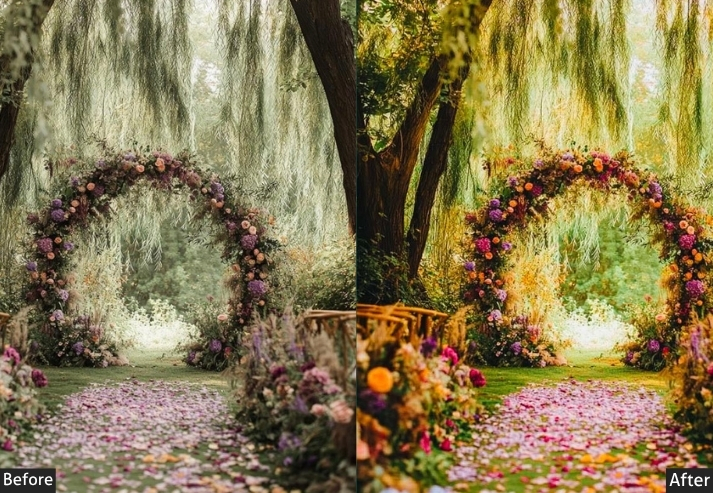
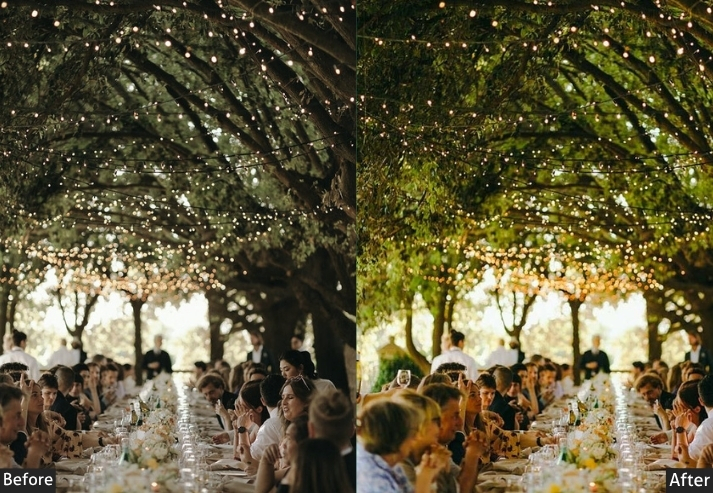
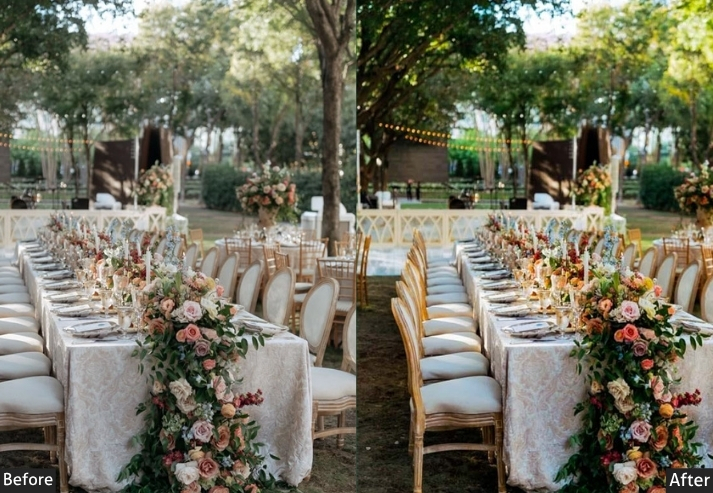
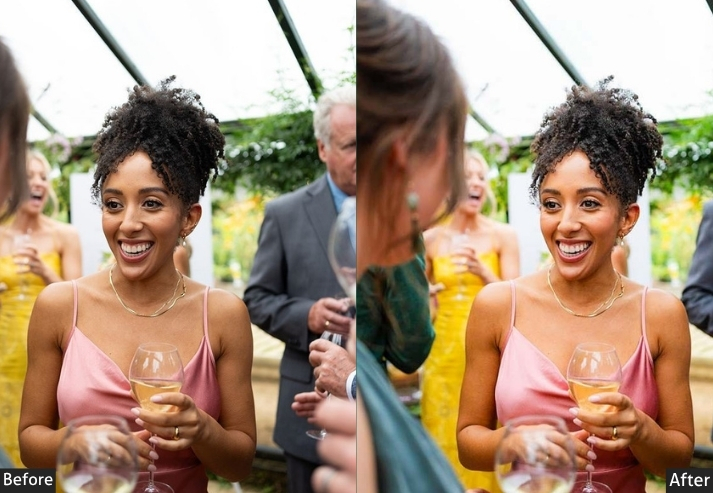
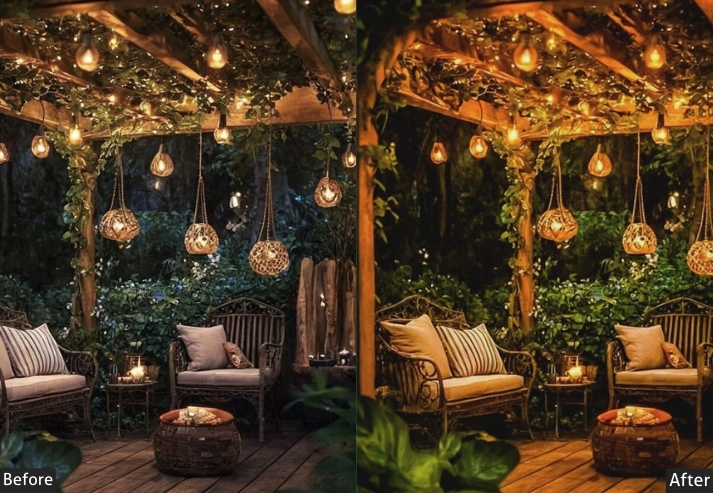
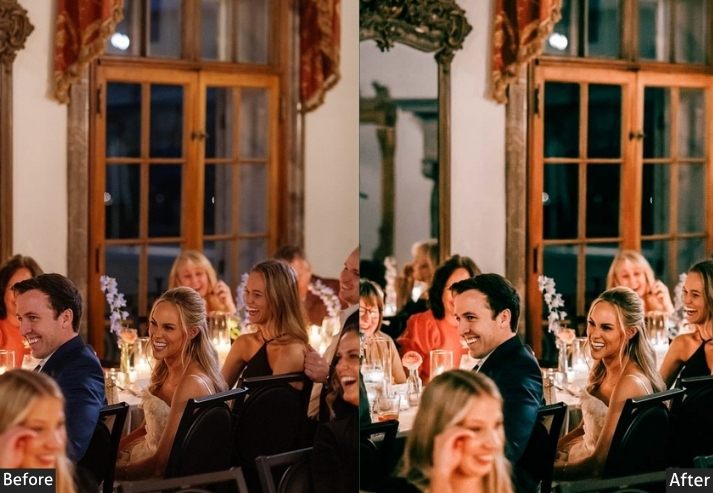
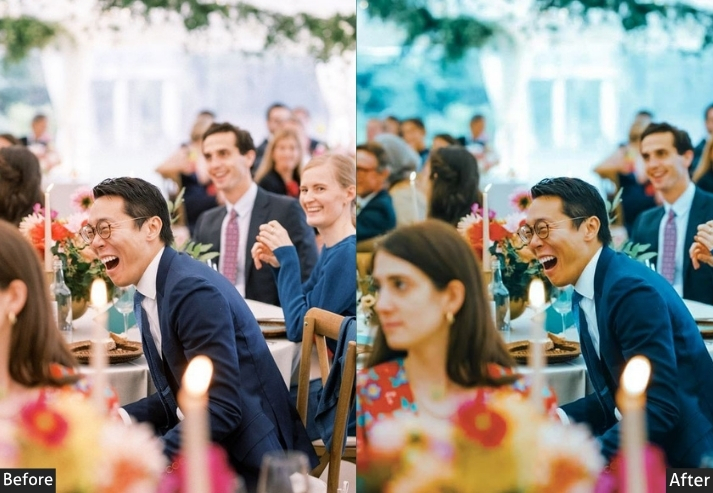
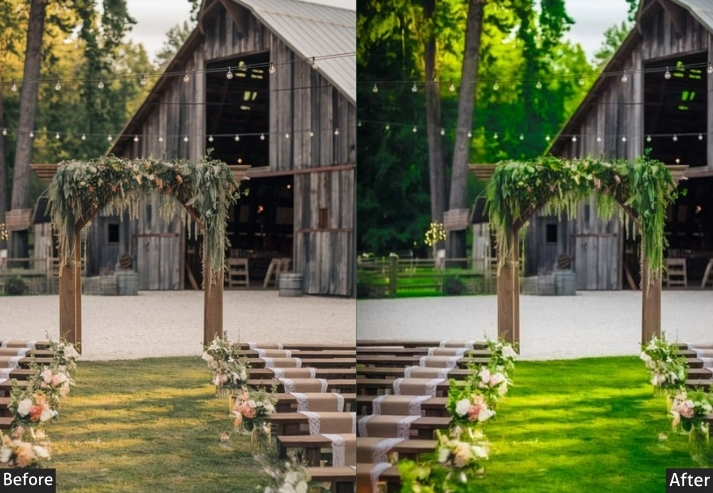
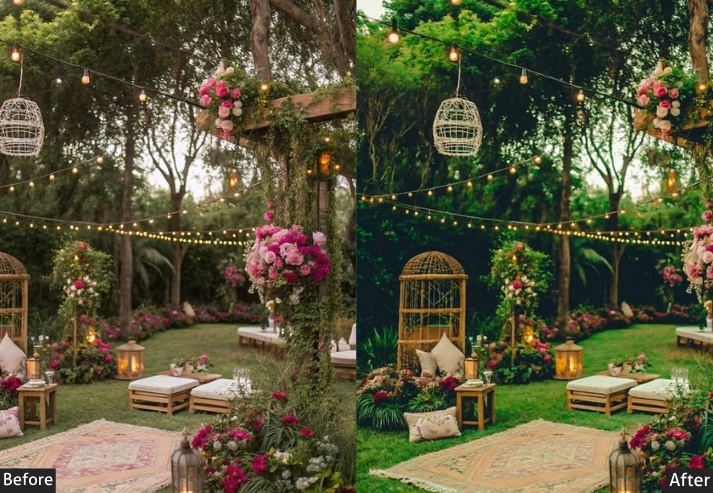
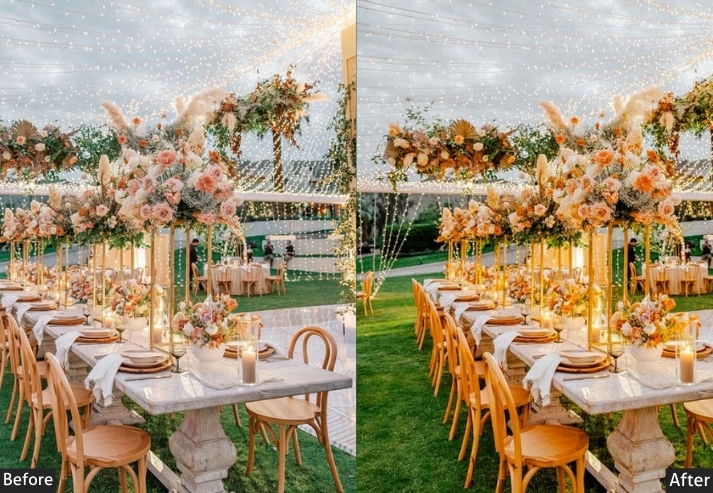
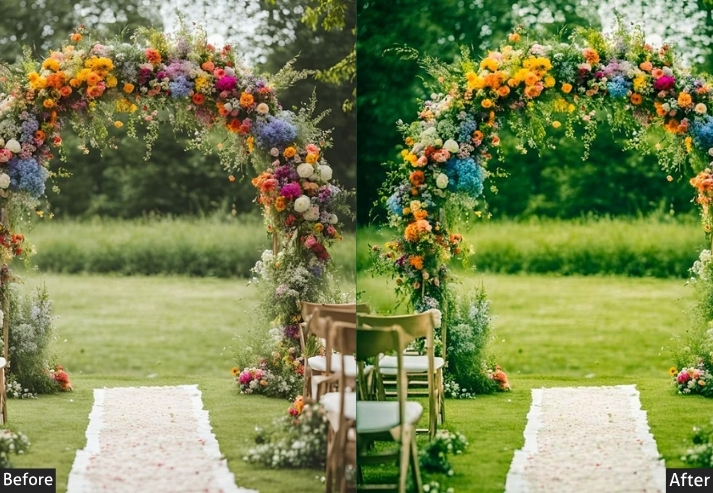
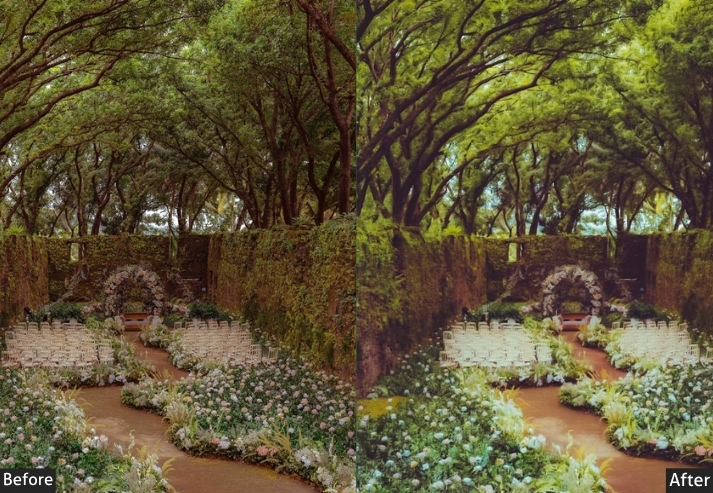
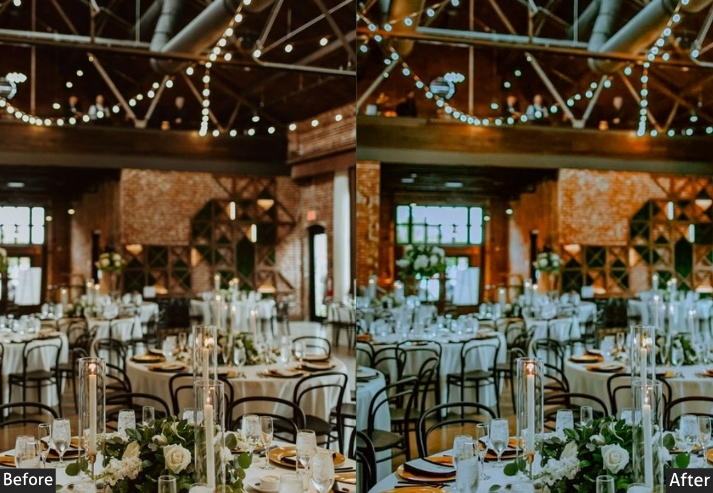
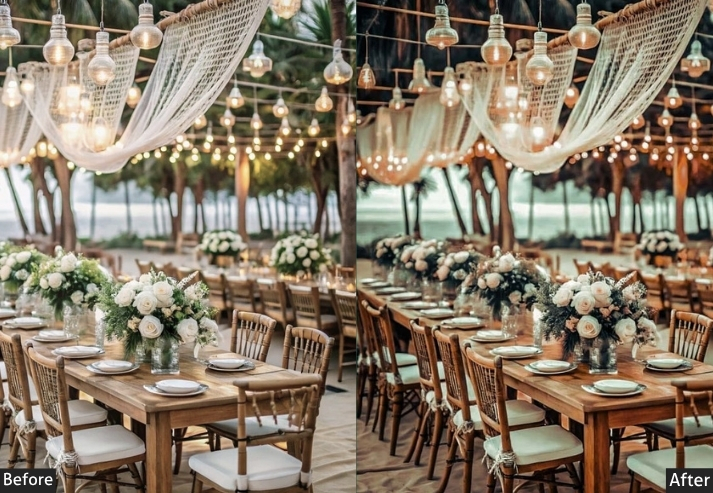
Purpose: a light, ethereal aesthetic that feels uplifting and clean.
Best For: Daytime weddings, baby showers, or outdoor festivals with natural light.
Usage: well-lit events; adjust highlights if the image feels too bright.
Style: Soft, pastel, and effortlessly cheerful.
If you’re shooting a sunny event, this preset will make your clients feel like they’re living in a Pinterest board.
3. Moody Nightlife Presets
Moody nightlife presets are engineered for low-light event conditions: concert stages, club floors, and dimly lit reception halls. They amplify artificial light sources (neon, LED, strobe), deepen shadows, and introduce cool color shifts that make high-ISO images look intentional rather than underexposed.
Light Panel: Exposure −5 | Blacks −15 | Tone Curve: Contrast +20 | Highlights −20.
Color Panel: Temp −10.
HSL / Color Mix: Blues +20 | Magentas +15 | Yellows −15.
Effects Panel: Clarity +25 | Texture +20 | Vignette −20 | Grain +10.
Detail Panel: Sharpening +30 | Noise Reduction +25 | Color NR +20.
Color Grading (Optional): Blue Highlights | Magenta Shadows.
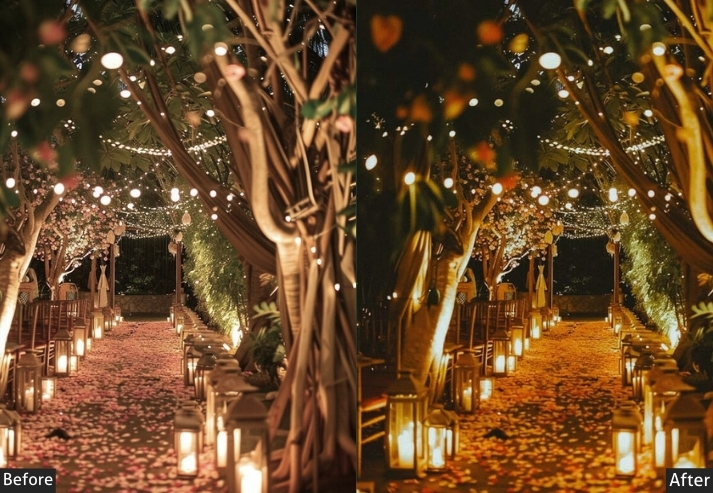
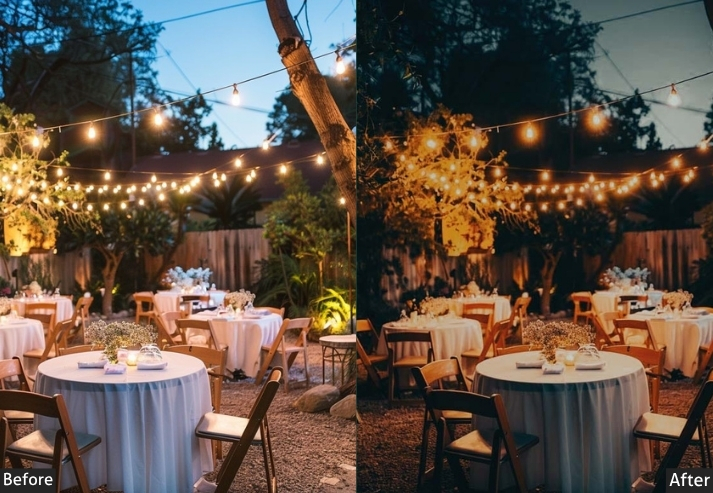
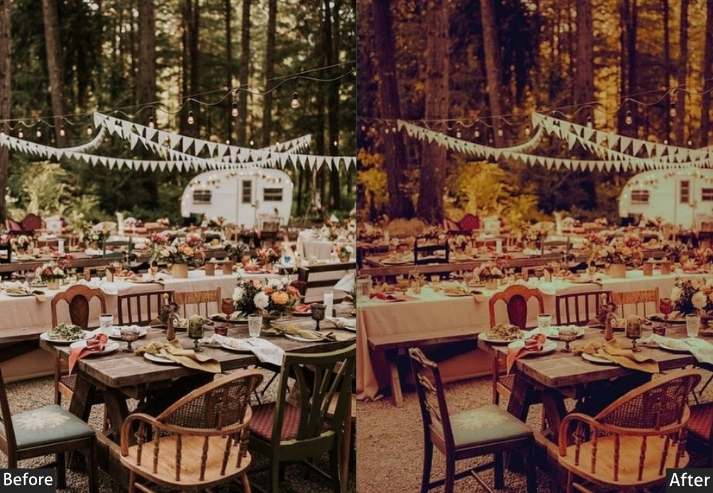
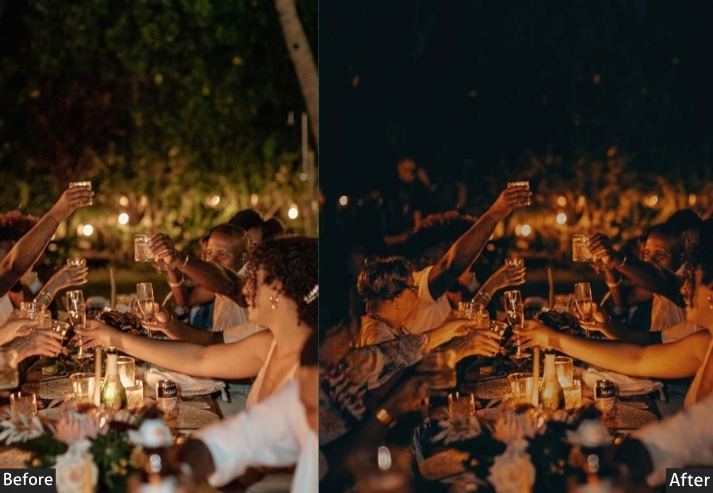
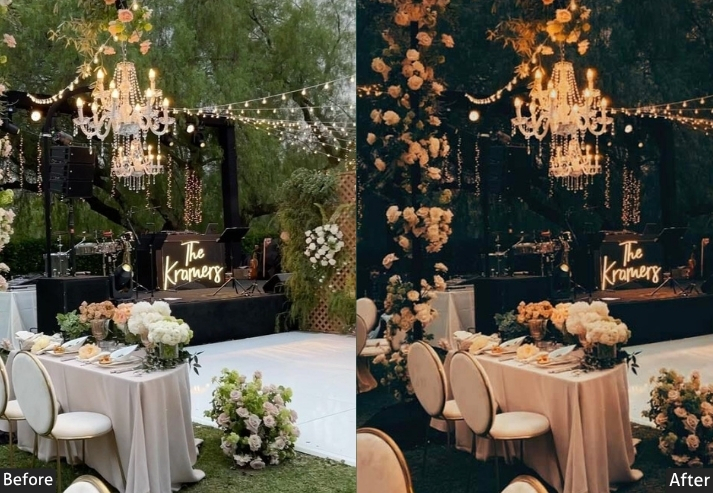
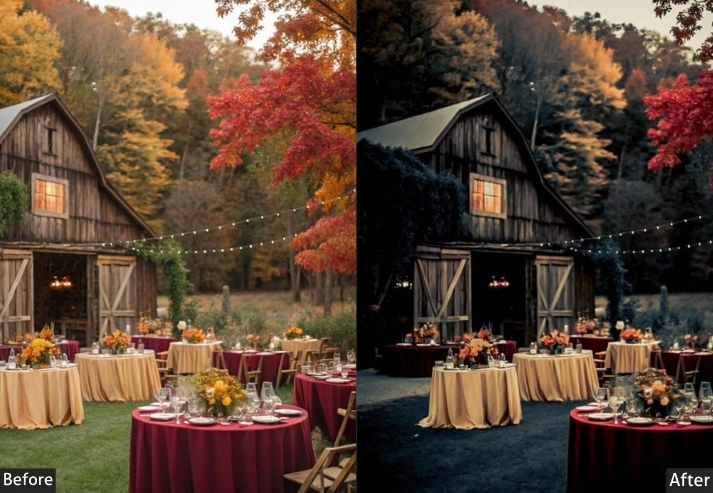
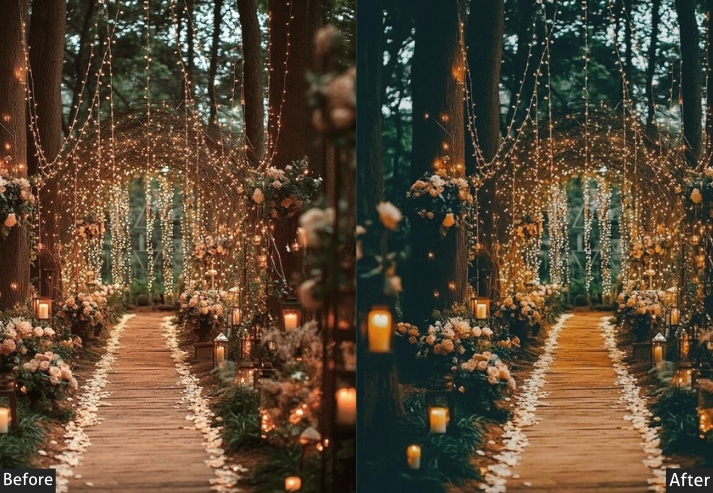
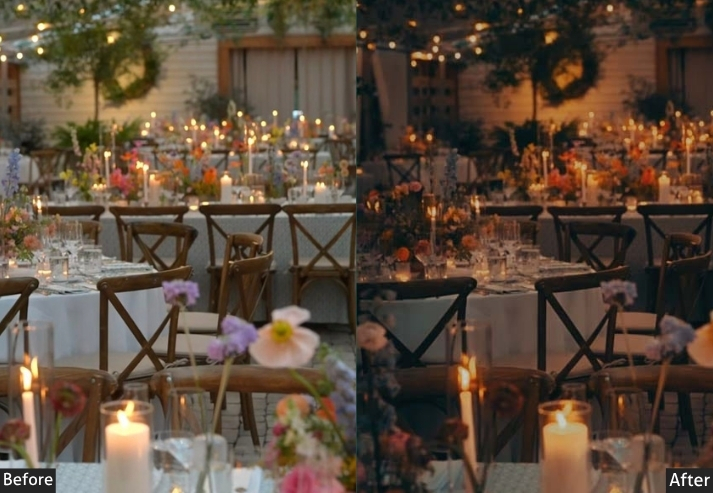
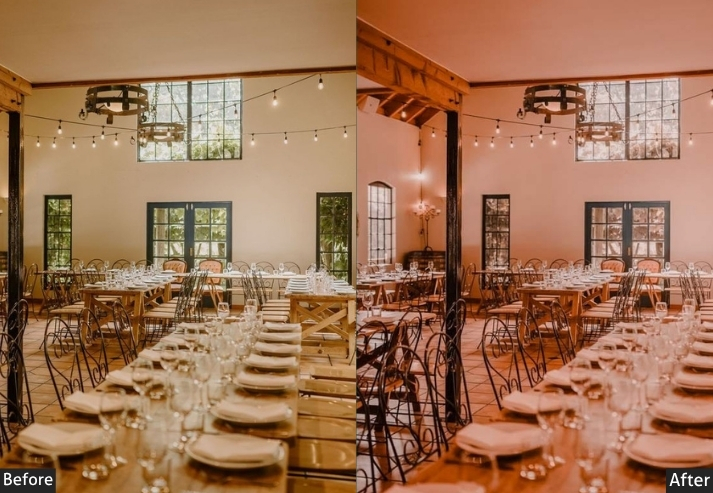
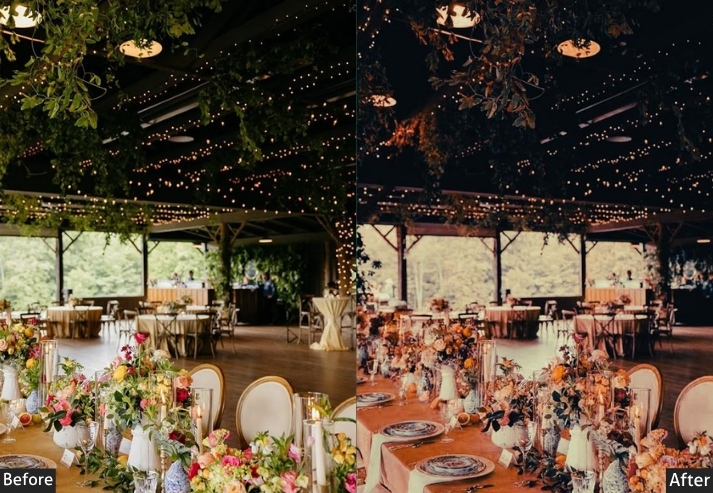
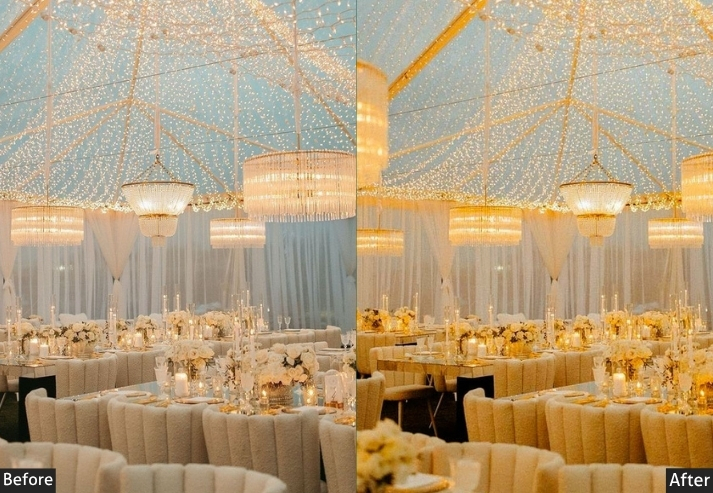
Purpose: the vibrant, energetic feel of nighttime events with bold colors and contrast.
Best For: Concerts, club events, or evening galas with artificial lighting.
Usage: Apply to high-ISO shots and tweak noise reduction to balance grain and clarity.
Style: Bold, vibrant, with a neon-charged edge.
4. Nightlife Event Preset
While Moody presets lean toward the atmospheric, these Nightlife presets prioritize boldness: saturated colors, deep shadows, and a vibrant edge that suits concerts, club nights, and rooftop parties where the light is artificial and the energy is high.
Light Panel: Exposure −5 | Contrast +20 | Highlights −20 | Shadows +10 | Blacks −15.
Tone Curve: Midtones +15 | Shadows −10.
Color Panel: Temp −10 | Vibrance +15.
HSL / Color Mix: Blues Hue +5 | Blues Sat +20 | Magentas +15 | Yellows −15 | Greens −10 | Blues Lum +10 | Oranges Lum −10.
Effects Panel: Clarity +25 | Texture +20 | Vignette −20 | Grain +10.
Detail Panel: Sharpening +30 | Noise Reduction +25 | Color NR +20.
Color Grading (Optional): Blue Highlights +5 | Magenta Shadows +5.
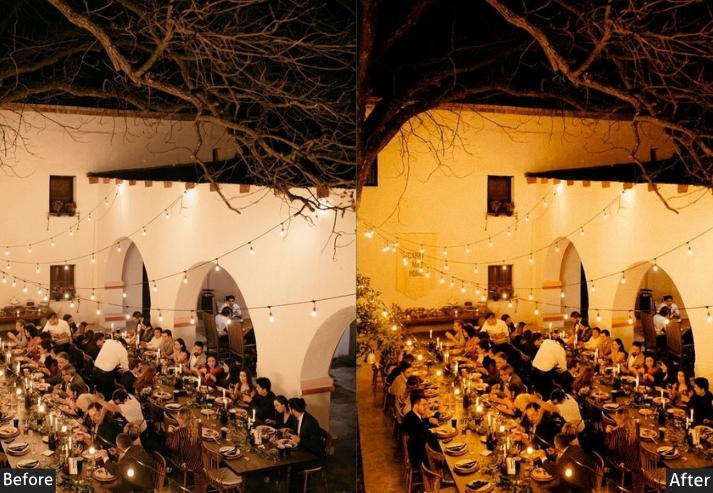
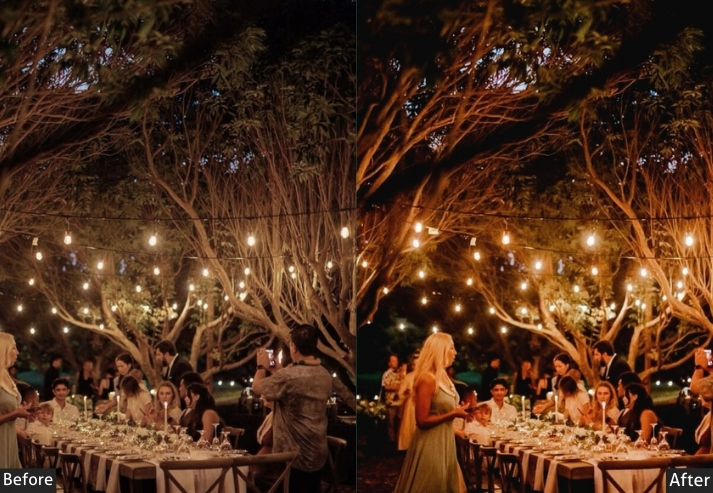
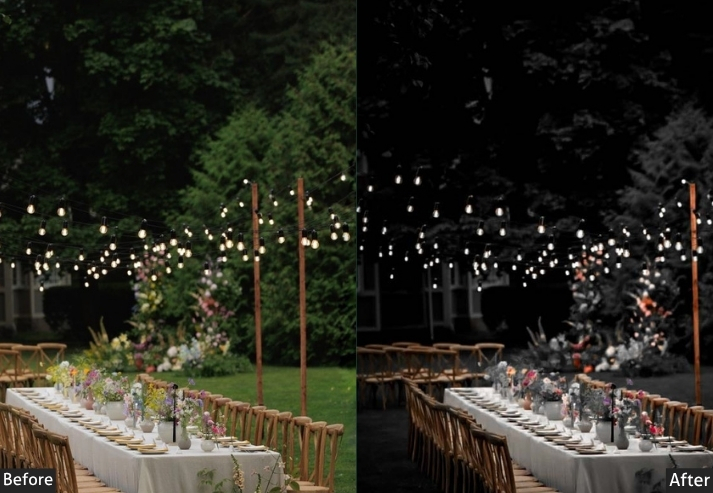
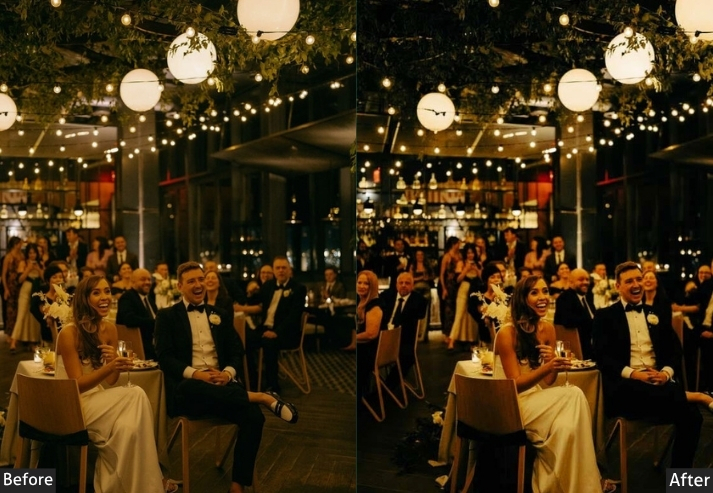
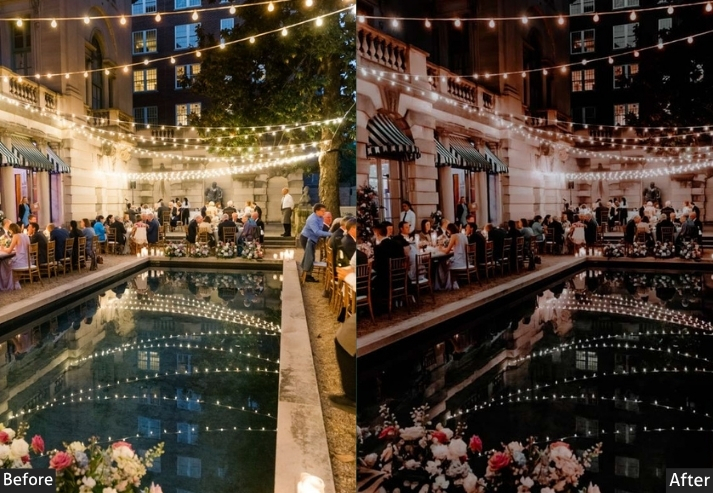
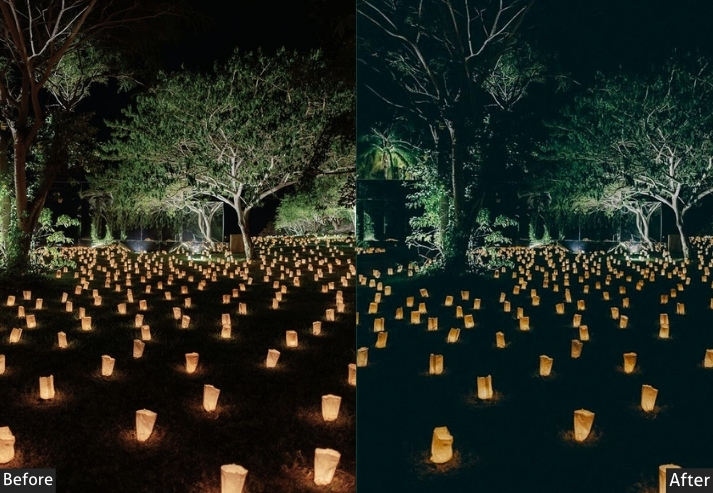
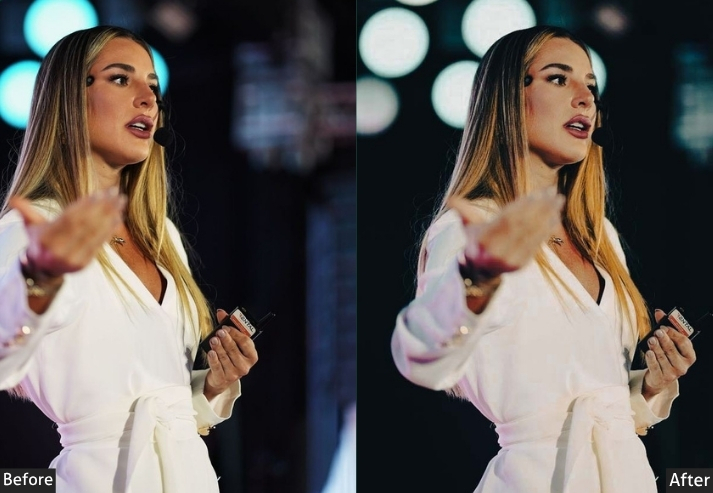
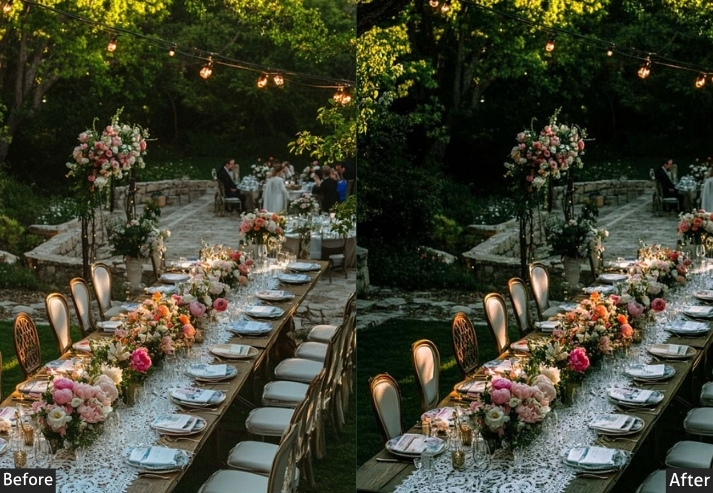
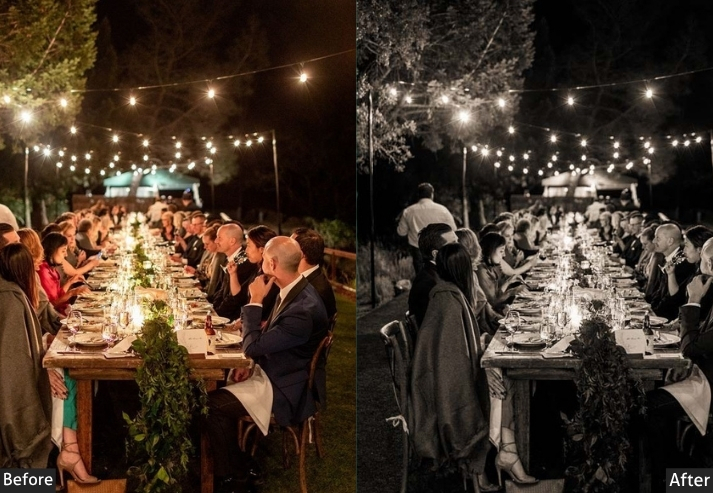
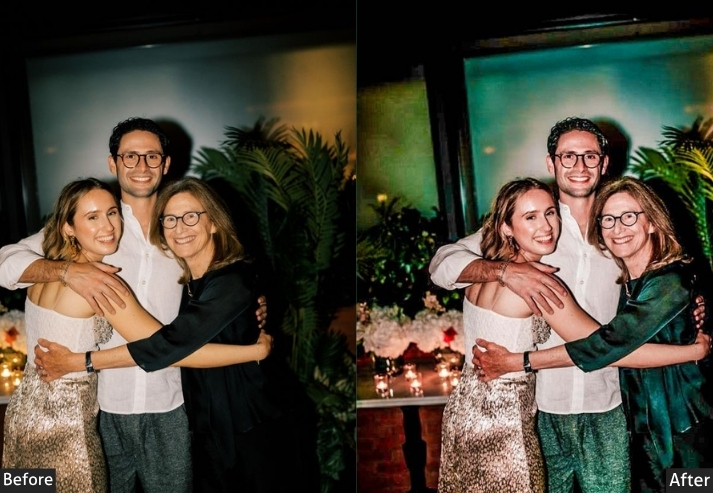
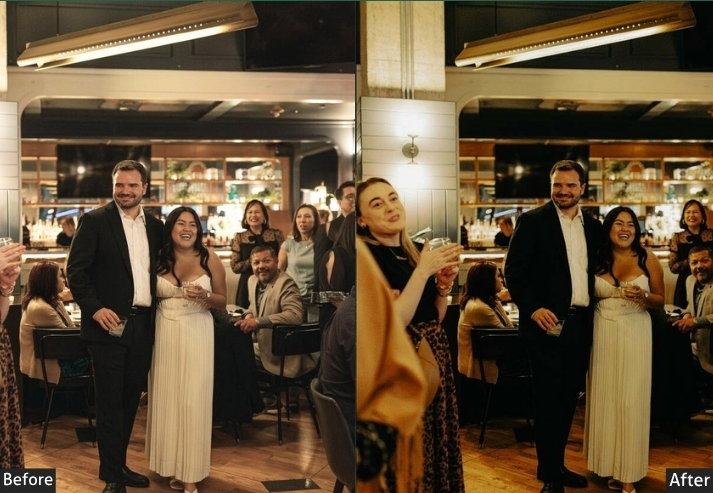
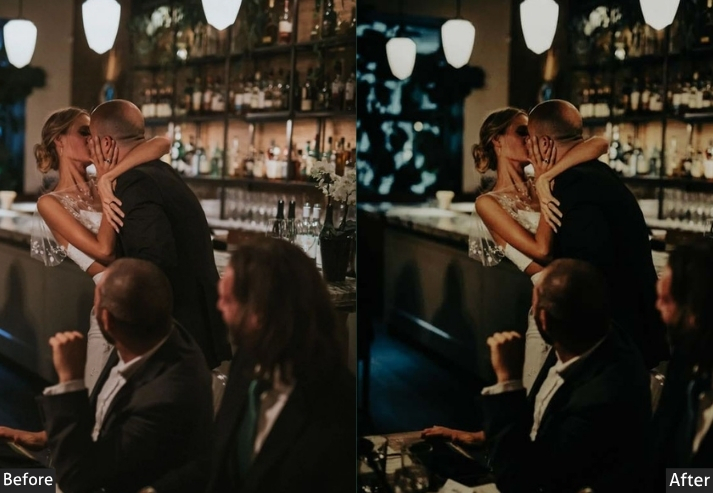
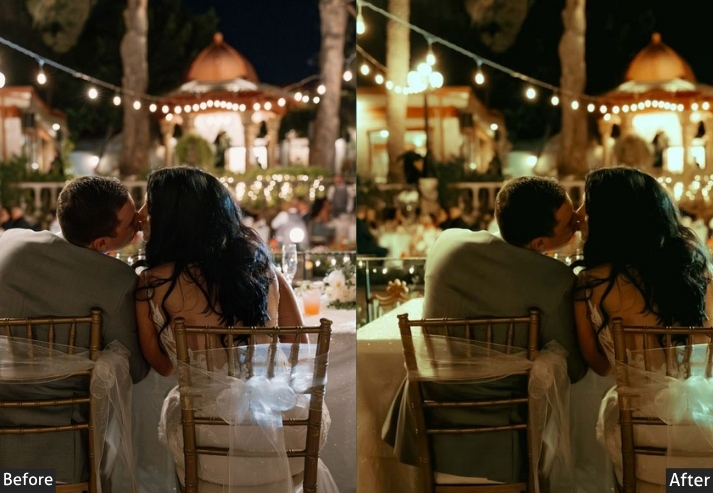
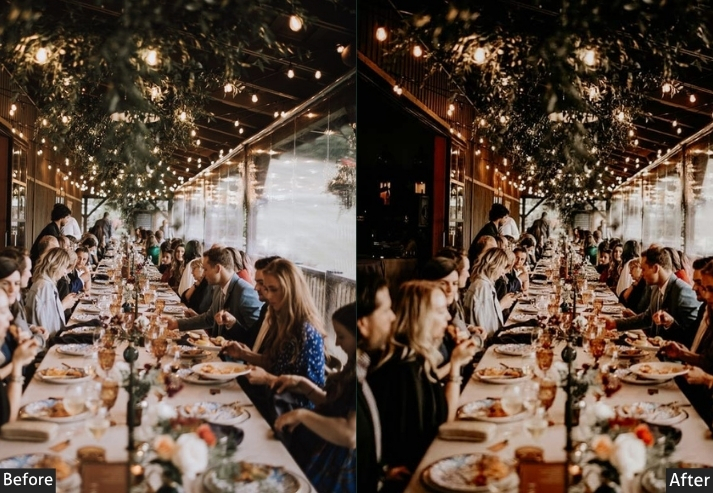
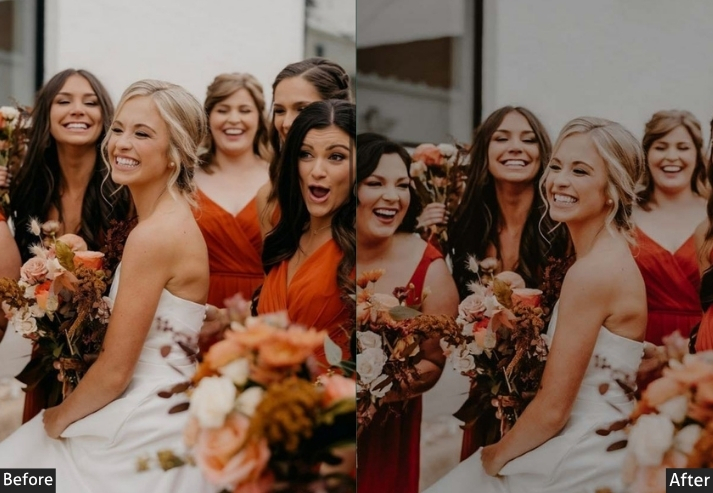
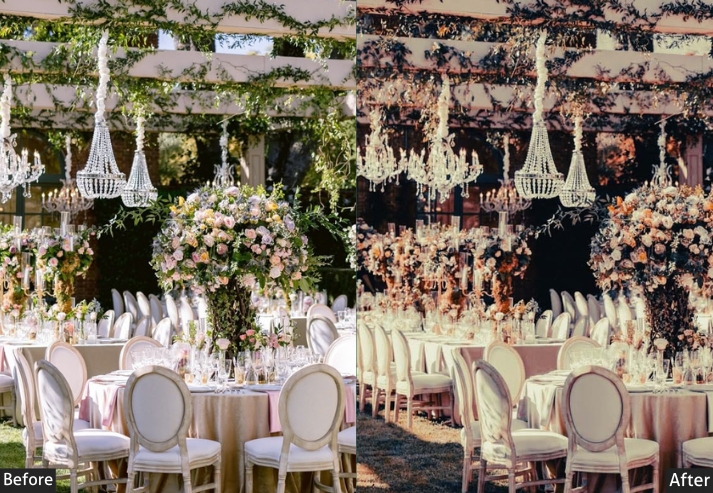
Pro Tip: Since night events often have wild lighting, tweak the white balance and HSL sliders after applying the preset to match the venue’s unique vibe. If the image feels too dark, nudge up the exposure or shadows a smidge.
Best For:
- Concerts and Festivals: performers under colorful stage lights or crowds under strobes.
- Club Nights: dancefloors, DJ booths, or bar scenes with neon or LED lighting.
- Evening Galas or Rooftop Parties: Great for upscale events with dramatic lighting setups, like cityscape backdrops or candlelit vibes.
- Urban Night Shoots: Works for street festivals or events with gritty, urban energy.
Usage:
- When to Apply: Use this preset on RAW images shot in low-light conditions with high ISO (think ISO 800–3200). It’s built to handle the challenges of artificial lighting and noisy sensors.
- Tweak Tips: Adjust noise reduction if your camera’s high-ISO noise is too prominent. If the venue’s lighting leans warm (e.g., tungsten bulbs), warm up the white balance slightly (+5% temp) to balance the cool tones. For extra pop, play with split toning to match the event’s color scheme.
- Gear Tip: Pair with fast lenses (f/1.4 or f/1.8) and cameras that handle high ISO well to maximize the preset’s potential.
5. Black & White Classic Event Presets
Black-and-white conversion shifts the focus from color to composition: contrast, texture, and expression become the story. For event photography, B&W works best when emotion is the subject: a first dance, a tearful speech, a candid laugh in a crowd.
Light Panel: Exposure +10 | Contrast +25.
Tone Curve: Highlights +20 | Shadows −20.
B&W Mix: Oranges +20 | Yellows +15 | Blues −15 | Greens −10.
Effects Panel: Clarity +30 | Texture +25 | Vignette −15.
Detail Panel: Sharpening +35 | Noise Reduction +20.
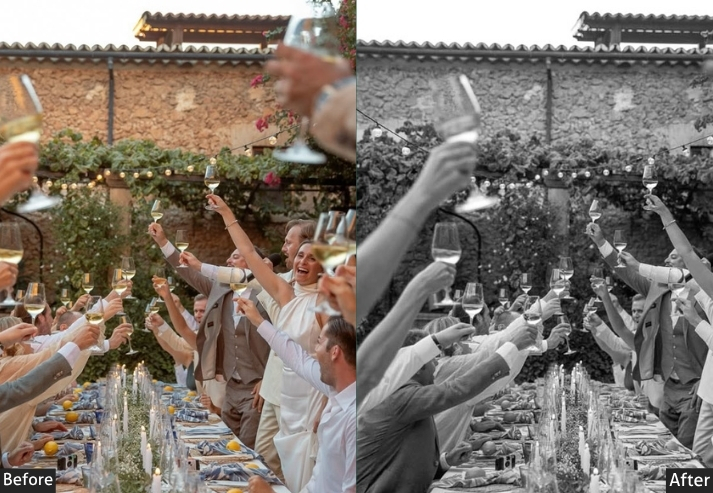
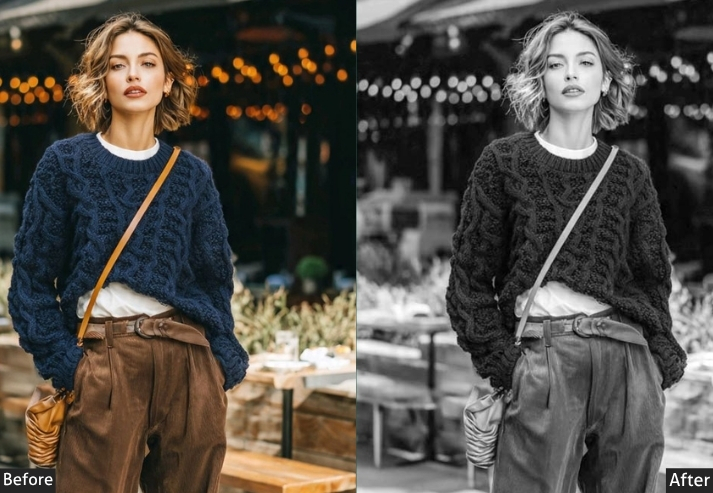
Purpose: timeless, high-contrast images that focus on emotion and texture.
Best For: Weddings, formal events, or candid moments where emotion is key.
Usage: tweak the B&W mix to improve skin-tone accuracy.
Style: Elegant, timeless, with a nod to vintage photography.
6. Vintage Film Event Presets
Vintage film replicates the look of 35mm film stock: warm shadows, faded highlights, analog grain, and slightly desaturated tones. They are best used for intimate events where warmth and nostalgia are part of the story: anniversary dinners, family reunions, rustic outdoor weddings.
Light Panel: Exposure −10 | Highlights −15.
Tone Curve: Contrast +10 | Highlights −10.
Color Panel: Temp +15 | Tint +10.
HSL / Color Mix: Global Saturation −10 | Oranges +15.
Effects Panel: Clarity −15 | Grain +25 | Vignette −10.
Detail Panel: Sharpening +5 | Noise Reduction +10.
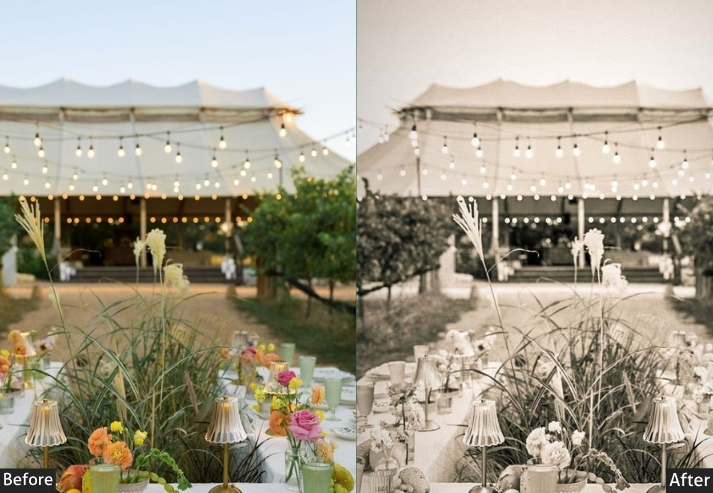
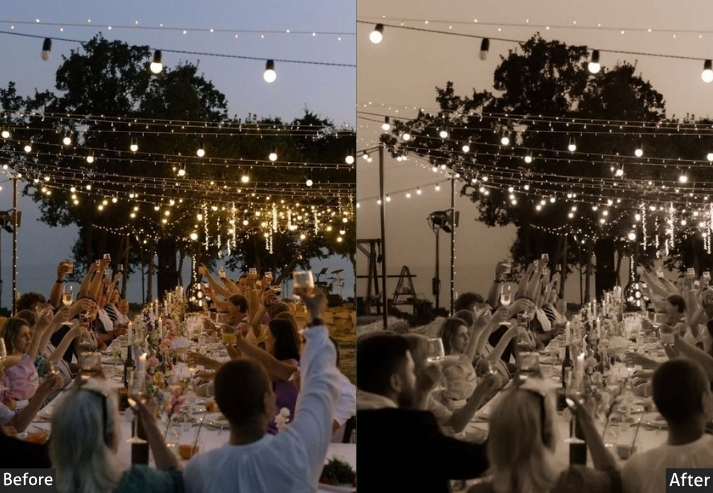
Purpose: a nostalgic, retro aesthetic that feels personal and warm.
Best For: Intimate events like anniversaries, family reunions, or rustic weddings.
Usage: Apply to softly lit images and adjust grain intensity to the desired retro level.
Style: Warm, faded, with a cozy, analog vibe.
7. HDR Event Presets
HDR presets balance extreme tonal ranges, pulling detail from blown-out chandeliers while simultaneously lifting shadow detail in dark corners. They work best at large, complex venues where a single exposure struggles to capture both the ambient light and the subject detail.
Light Panel: Exposure +15 | Highlights −20 | Shadows +20 | Blacks +15 | Contrast Curve +25.
Color Panel: Temp 0 | Tint 0 | Vibrance +20.
HSL / Color Mix: Saturation +15 (all colors).
Effects Panel: Clarity +35 | Texture +30 | Vignette −10.
Detail Panel: Sharpening +40 | Noise Reduction +25.
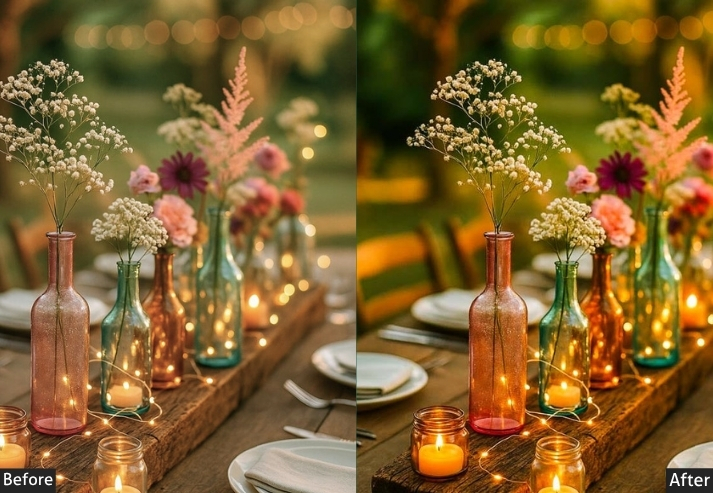
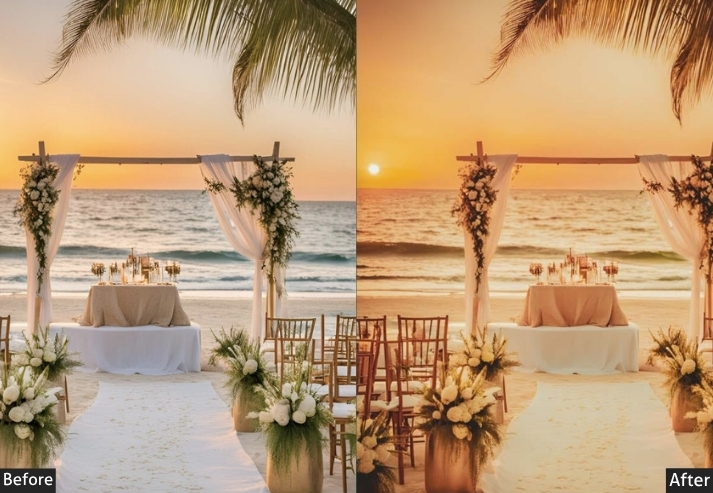
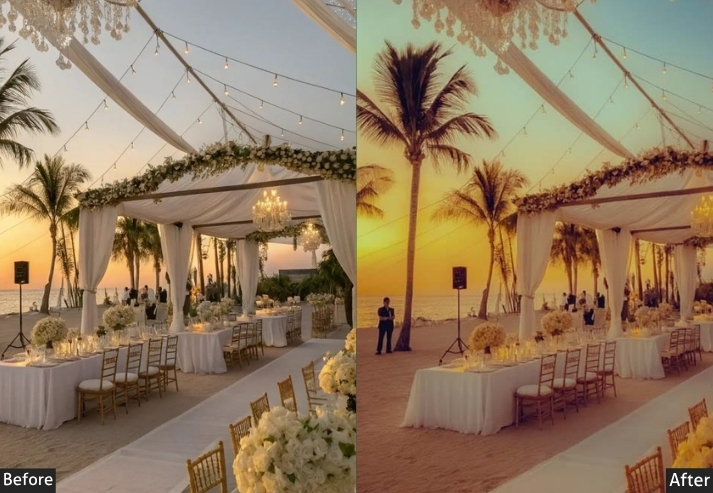
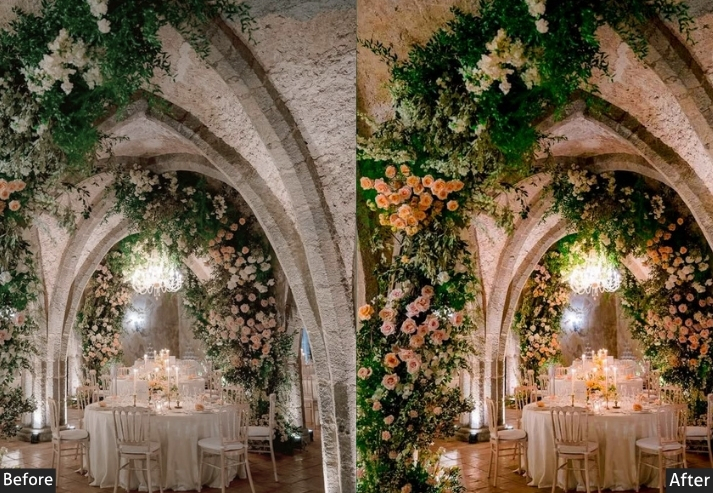
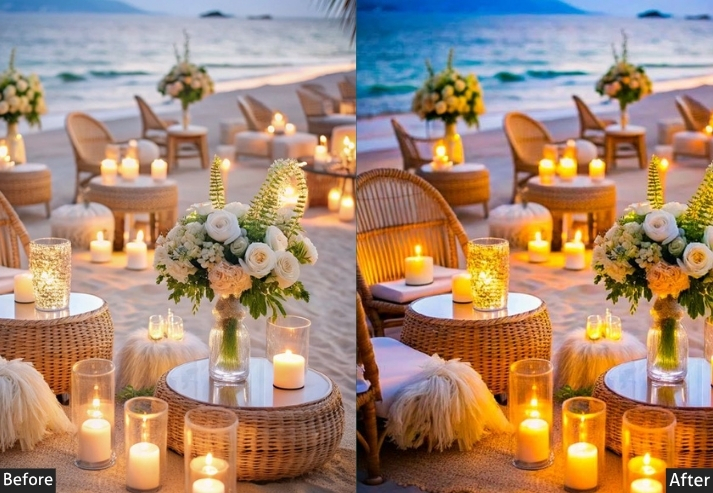
Purpose: maximize detail and vibrancy, making every element in the frame stand out.
Best For: Corporate events, festivals, or large venues with complex lighting.
Usage: Apply to images with varied lighting. Adjust clarity if details feel too intense.
Style: Bold, vibrant, and hyper-detailed.
How to Install Lightroom Presets?
All presets are available in DNG (for Lightroom Mobile and Classic) and XMP (for Lightroom Classic and Camera Raw).
Lightroom Classic (Desktop)
- Open Lightroom Classic and go to the Develop module.
- In the left panel, right-click the Presets header and select Import Presets.
- Navigate to the folder containing your downloaded XMP or DNG files, then click Import.
- The preset will appear in your Presets panel. Click any photo to apply it instantly.
Lightroom Mobile (iOS & Android)
- Open the Lightroom app and tap any photo to open the editor.
- Tap the Presets icon at the bottom of the screen.
- Tap the three-dot (…) menu and select Import Presets.
- Select the downloaded DNG file. It will be saved to your User Presets folder.
For a visual walkthrough, see our full preset installation guide.
Last Words
These presets cover the full range of event photography lighting conditions from bright outdoor ceremonies to low-light concert halls. Start by applying a preset that matches your venue’s dominant light source, then make minor exposure and white balance adjustments to fit the specific image.
If you have before-and-after results to share or questions about specific lighting situations, leave a comment below. It’s useful to other photographers working with the same presets.
More Lightroom Presets For You:
Newborn Photography Lightroom Presets Free Download
Download Free Wedding Lightroom Presets
Fujifilm Lightroom Presets Free Download
Free Night Lightroom Presets Download
Christmas Lightroom Presets Free Download