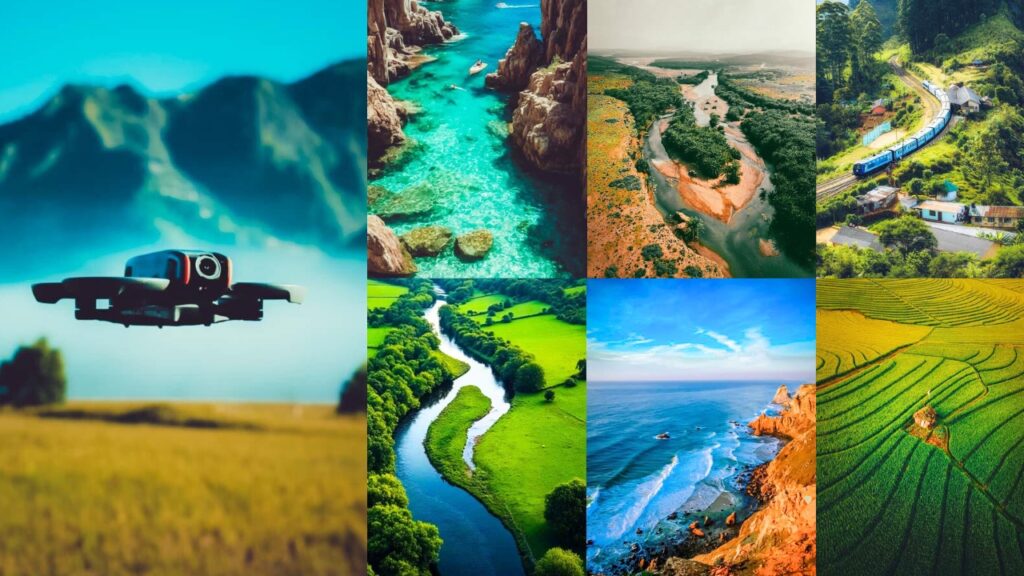
Drone images come with unique challenges that standard presets don’t handle well: flat, hazy skies at atmospheric distances, compressed color depth at altitude, and harsh midday light that reads differently from ground-level shots. The presets here are tuned to solve exactly those problems: covering cinematic, moody, golden hour, vibrant, urban, dark, and classic editing styles.
Each section below includes a free download link, a before/after preview, and exact Lightroom slider values so you can recreate or customize the look yourself.

Pauline Jackson
I create and refine preset collections, experiment with color grading techniques, and share practical editing insights for photographers and content creators of all experience levels.
50 Drone Photography Lightroom Presets Free Download
Drone presets are your secret for ditching the grind and embracing the joy of creation, because life’s too short for endless edits when the skies are calling. If my bush-crashing escapades taught me anything, it’s that tools like these keep the fun in flying. What’s your go-to preset story, or are you tempted to try one now? Hit me up! I’d love to geek out over more drone tales. Keep soaring, you magnificent mavens, your next amazing creation is just a preset away!
1. Cinematic Drone Presets
Cinematic punch up the drama with deep shadows, glowing highlights, and strong contrast, turning standard aerial shots into frames that look pulled from a feature film or documentary. They work especially well for cityscapes, action sequences, and any aerial that needs large-screen intensity.
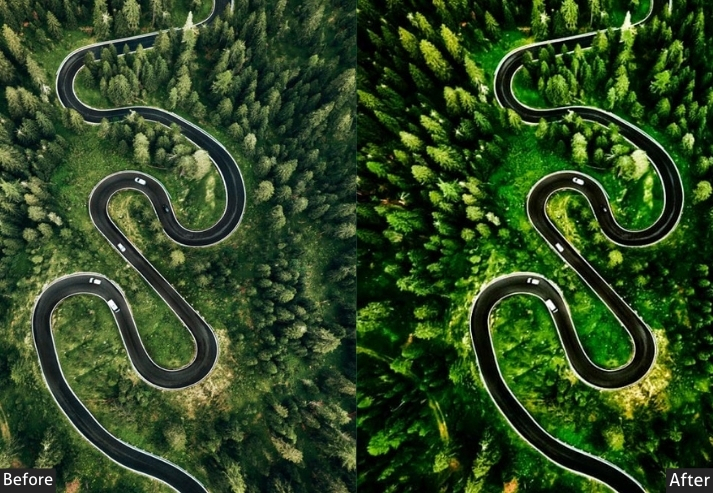
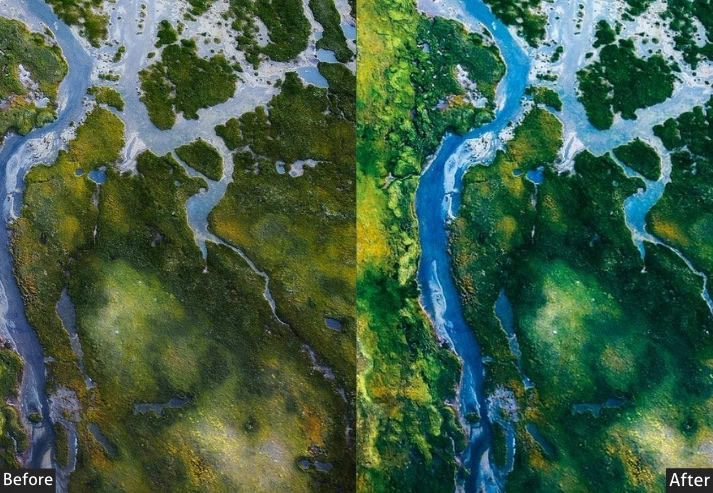
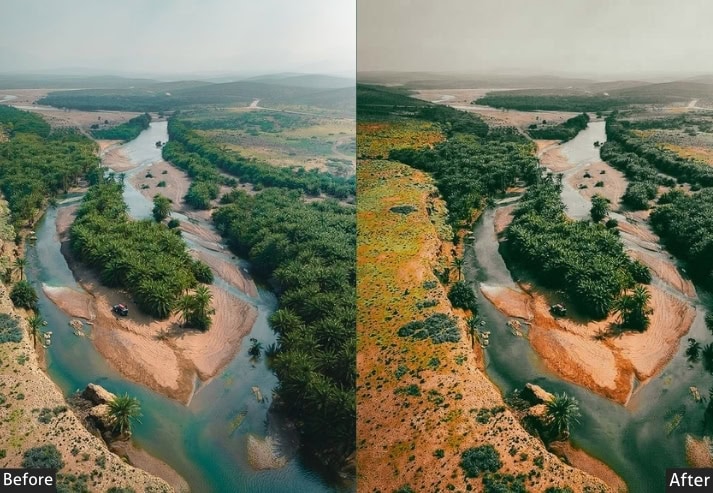
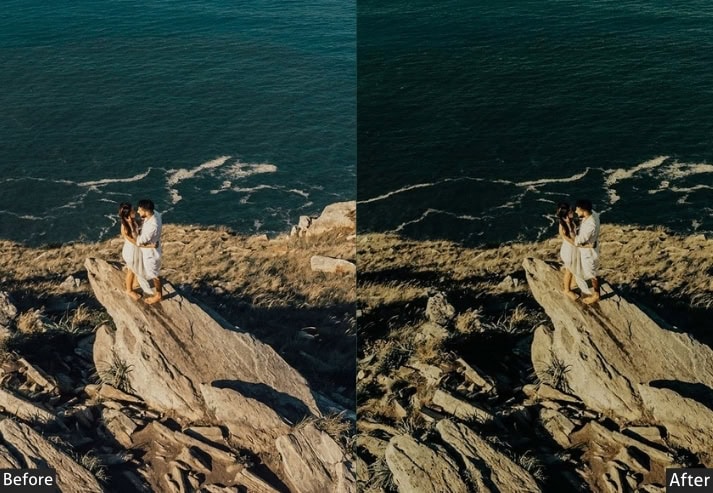
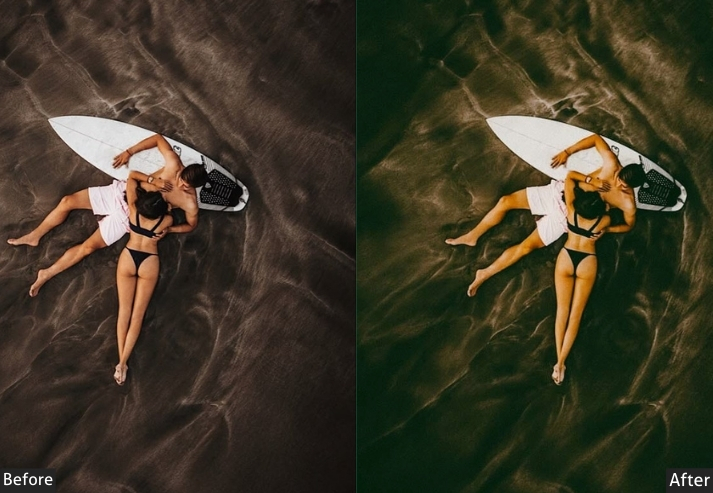
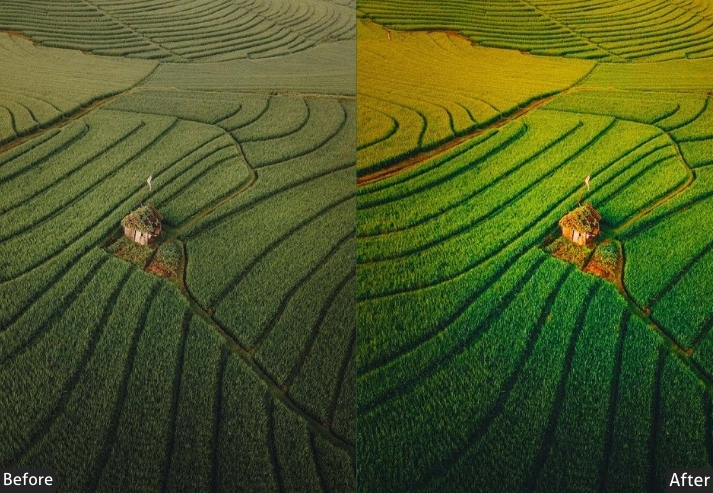
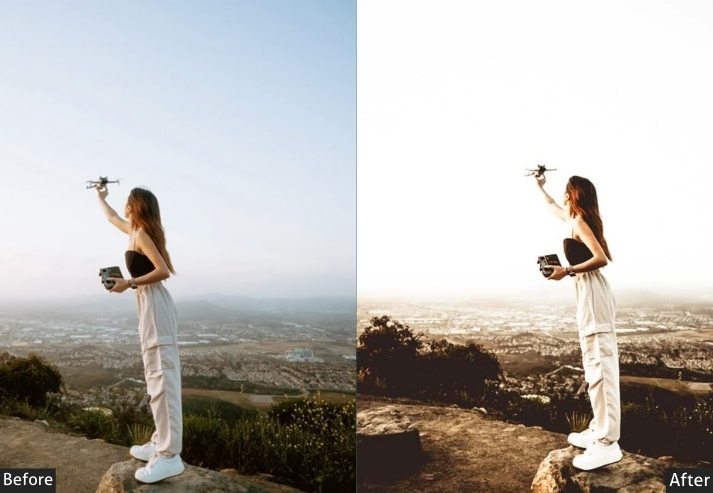
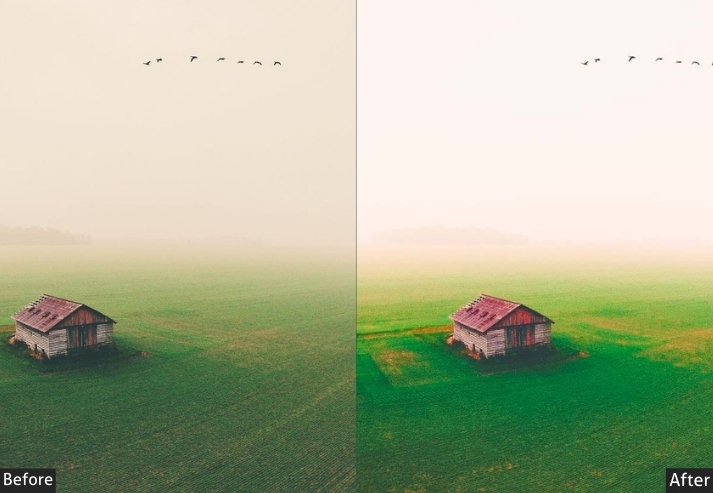
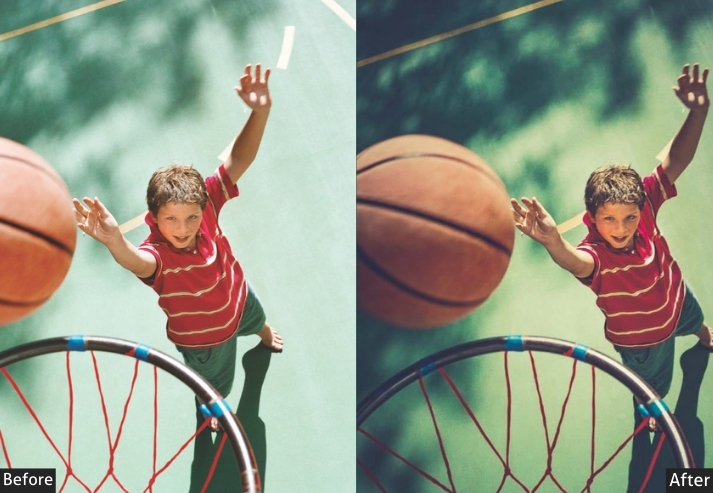
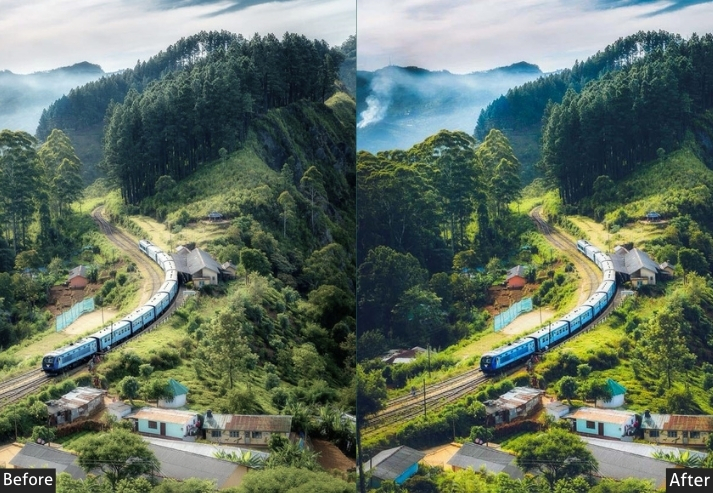
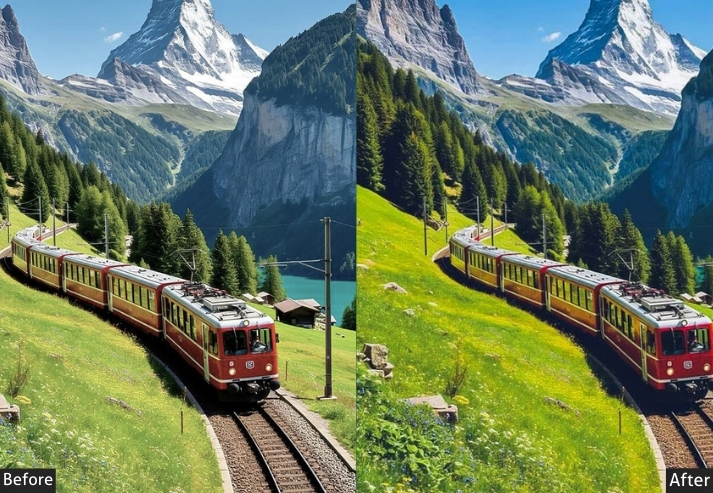
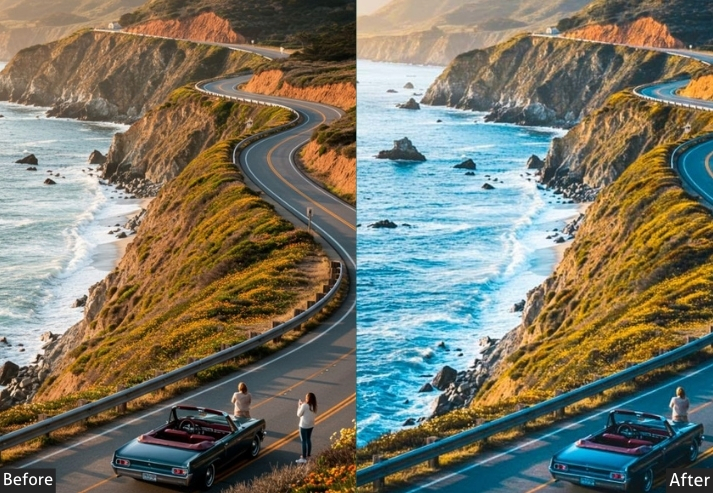
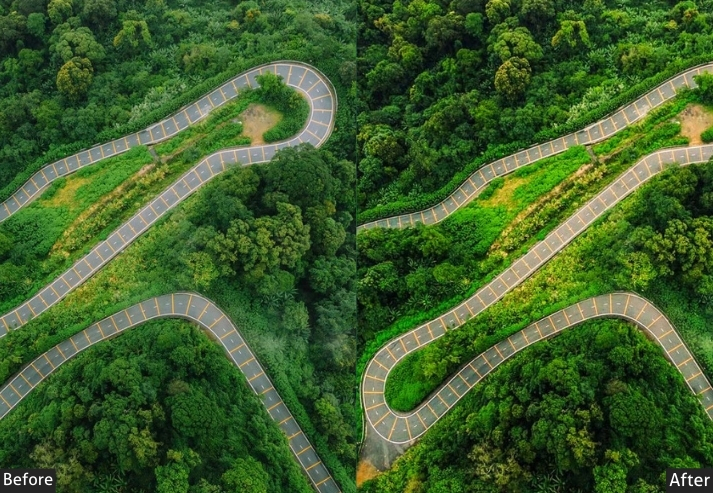
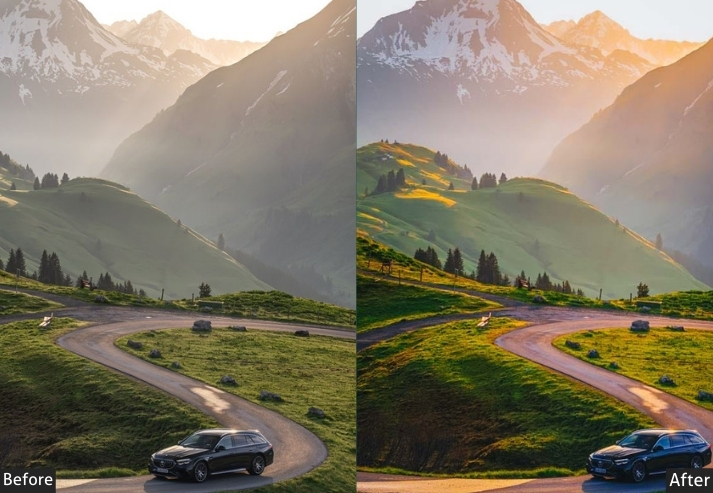
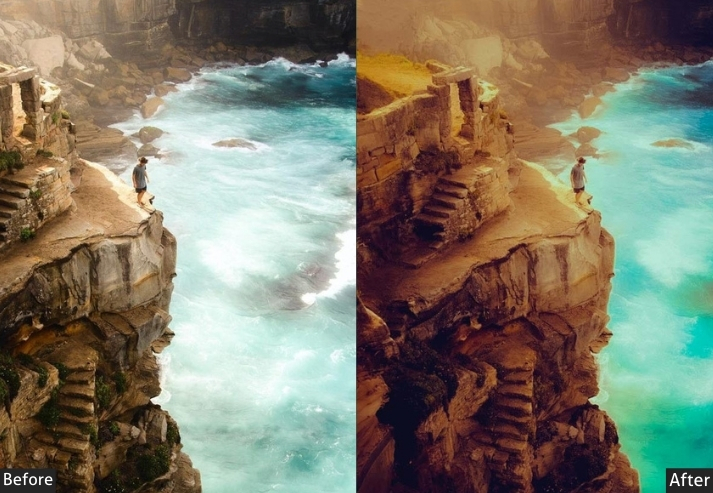
Light Panel: Exposure +15 | Contrast +30 | Highlights −20 | Shadows +25 | Whites +10 | Blacks −15.
Color Panel: Temp +8 | Tint +5 | Vibrance +20 | Saturation +15.
HSL / Color Mix: Blue Saturation +10 | Blue Luminance −5.
Effects Panel: Clarity +25 | Dehaze +20 | Vignette −15.
Detail Panel: Sharpening Amount +40 | Radius 1.2 | Masking 20 | Luminance Noise Reduction +15.
Purpose: a narrative, movie-quality polish that elevates storytelling.
Best For: Cityscapes, action sequences, or any aerial shot needing that big-screen intensity.
Usage: tweak for lighting variations, and export for video thumbnails or social reels-super quick for busy creators.
Style: Bold, dramatic, with a touch of grit that screams “adventure film”.
2. Moody Drone Presets
Moody desaturates selectively and deepens shadows to create an atmospheric, emotional quality. Suitable for overcast skies, misty lakes, and forest canopies where the goal is feeling, not spectacle. They layer on tension without losing the scene’s natural structure.
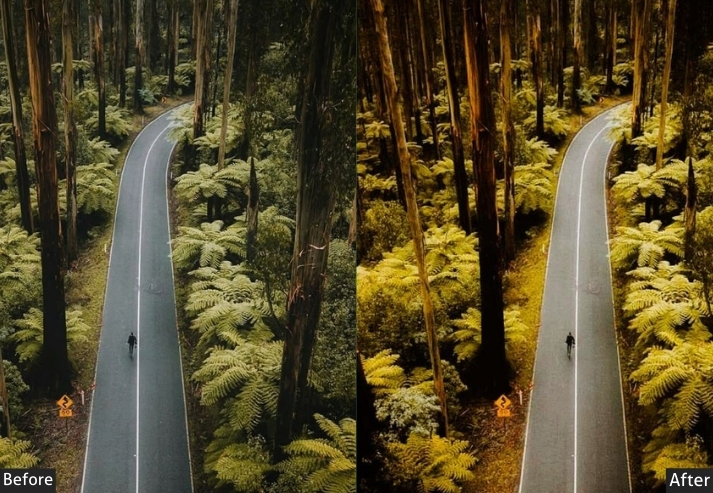
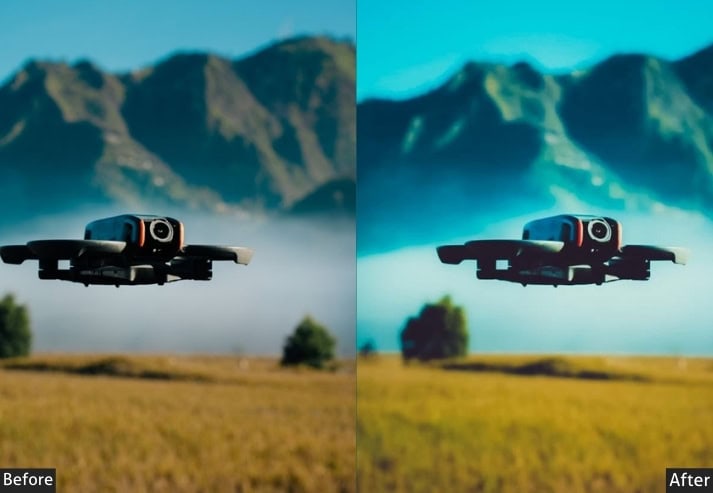
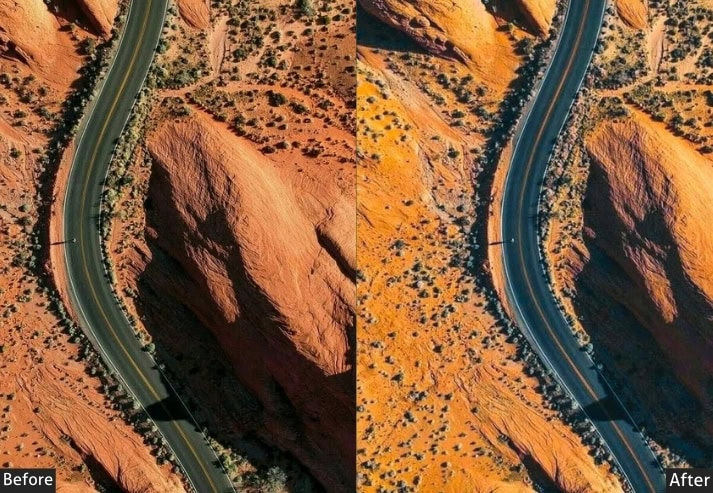
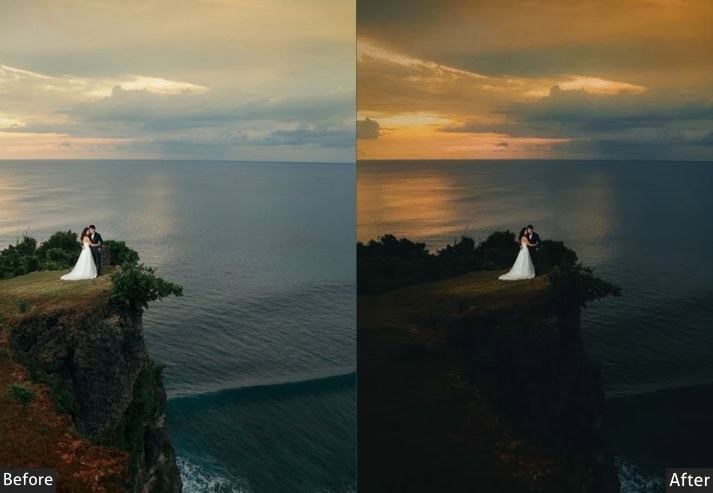
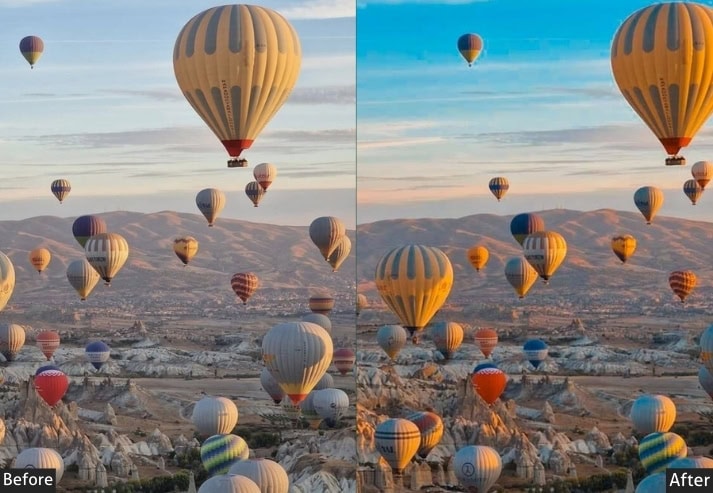
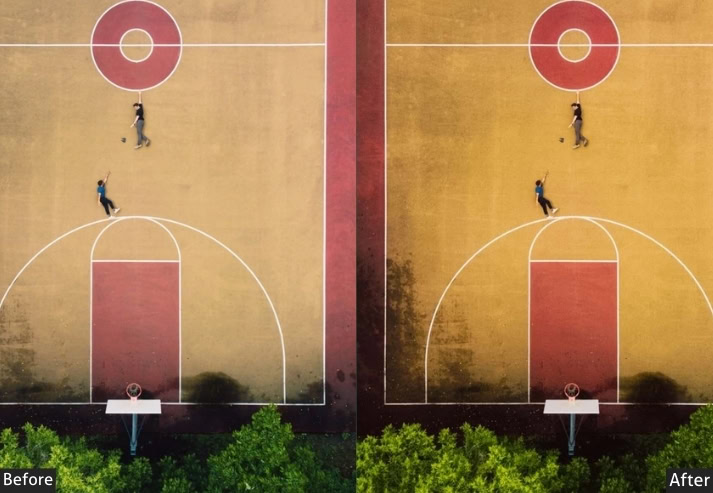
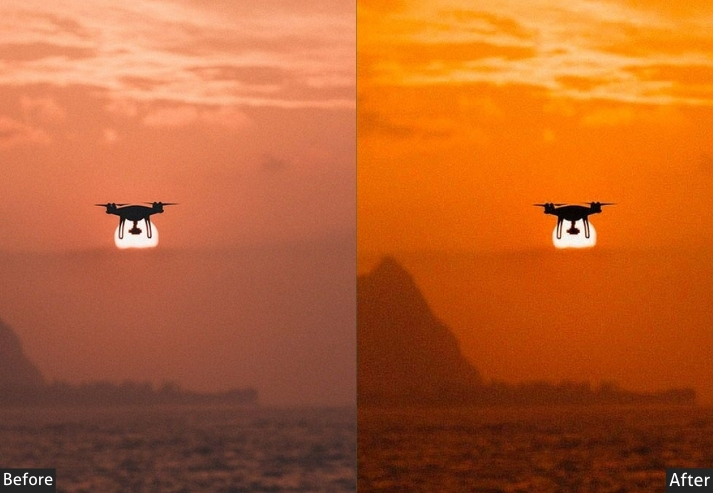
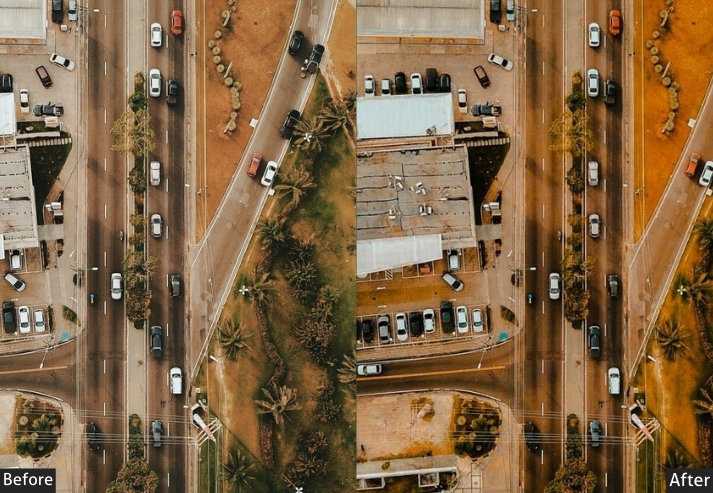
Light Panel: Exposure −10 | Contrast +40 | Highlights −30 | Shadows +15 | Whites −20 | Blacks −25.
Color Panel: Temp −12 | Tint −5 | Vibrance −15 | Saturation −20.
HSL / Color Mix: Orange Saturation −10 | Blue Saturation +5.
Effects Panel: Clarity +15 | Dehaze +10 | Vignette −20.
Detail Panel: Sharpening Amount +30 | Radius 1.0 | Masking 25 | Luminance Noise Reduction +20.
Purpose: an emotional, introspective vibe that draws viewers into the scene’s soul.
Best For: Misty landscapes, overcast days, or forest canopies where subtlety shines.
Usage: instant depth, fine-tune shadows for personal flair.
Style: Subtle, evocative, with a whisper of melancholy.
3. Vibrant Landscape Drone Presets
Aerial landscape shots, particularly over forests, fields, and water, often lose color punch due to atmospheric haze and sensor compression at altitude. Vibrant presets counter this by intelligently saturating greens, blues, and earth tones, giving landscapes the richness and depth your eye actually saw from the air.
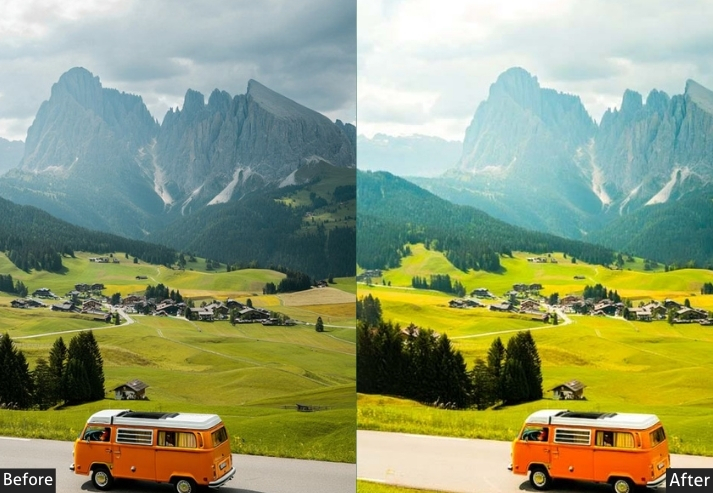
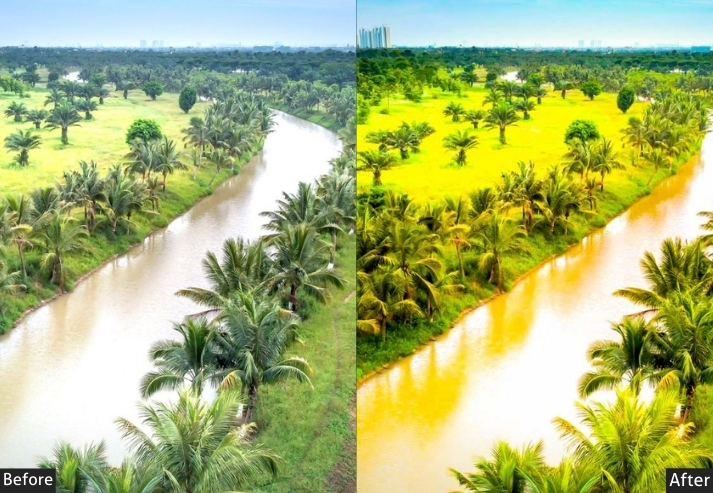
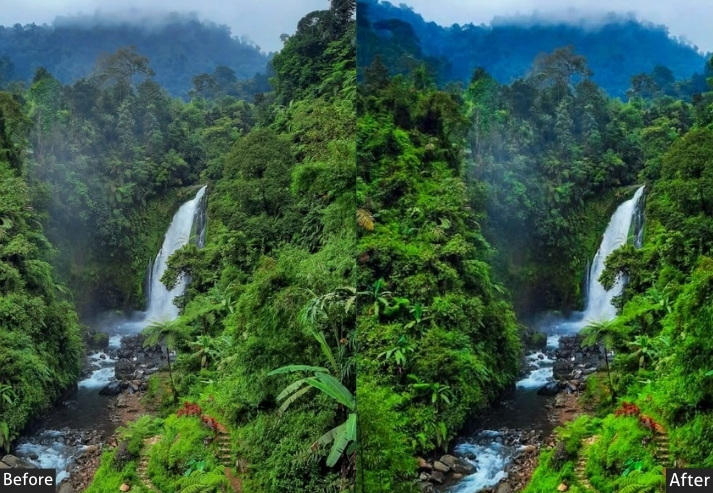
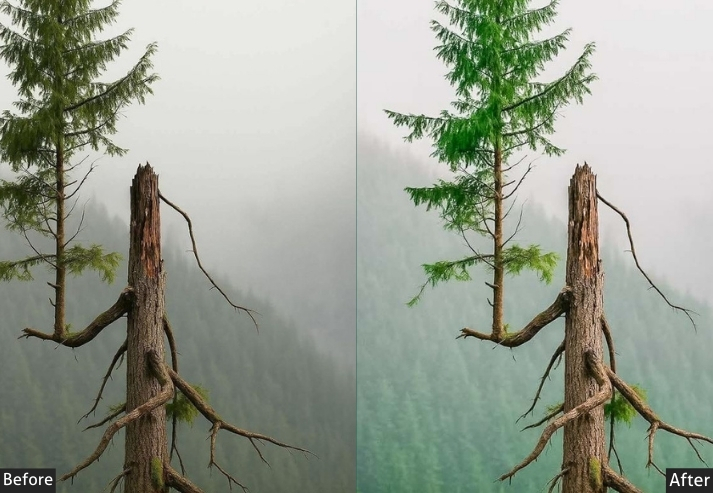
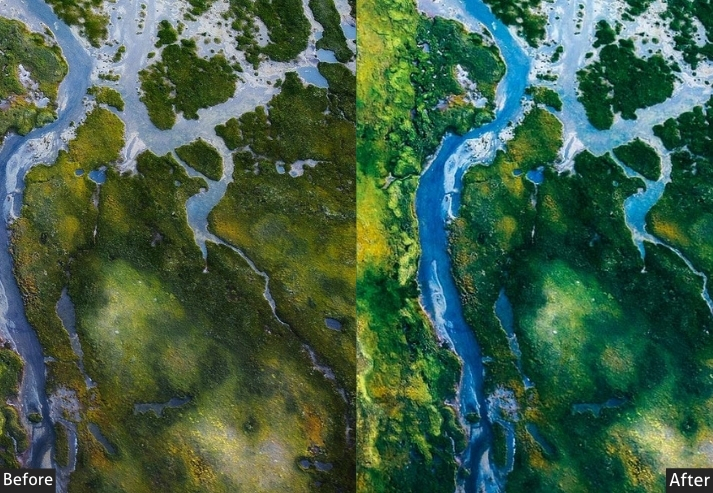
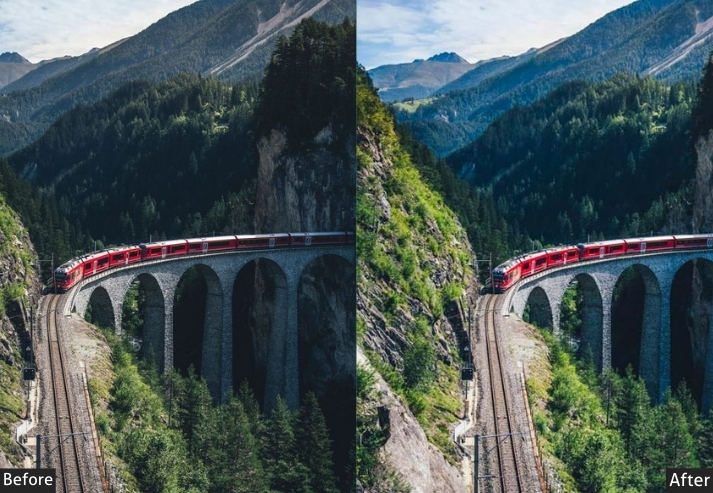
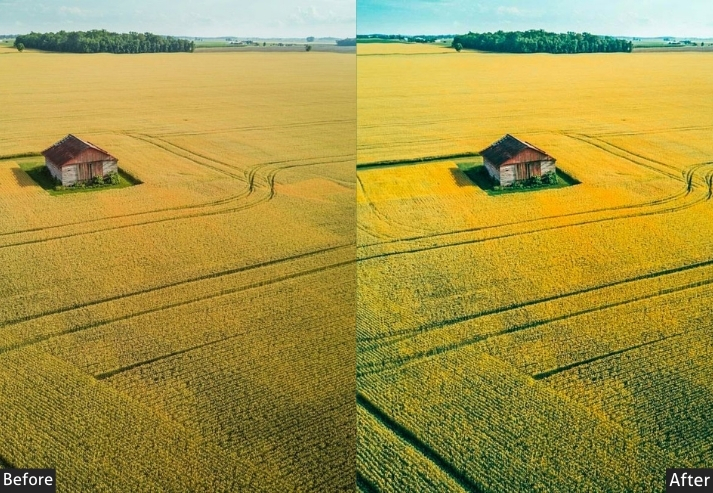
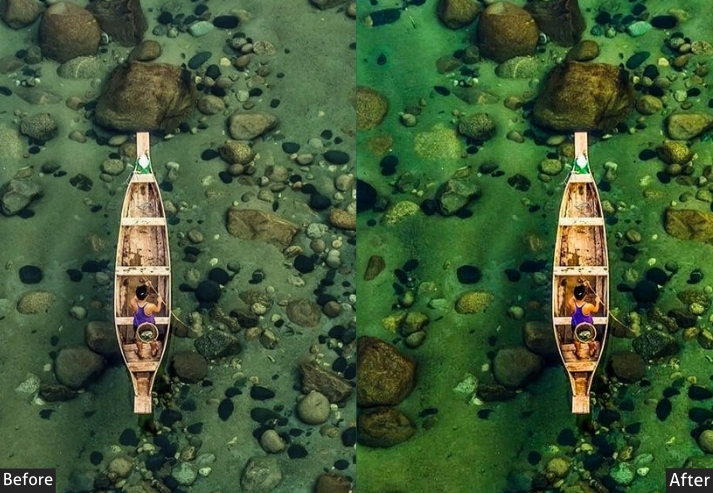
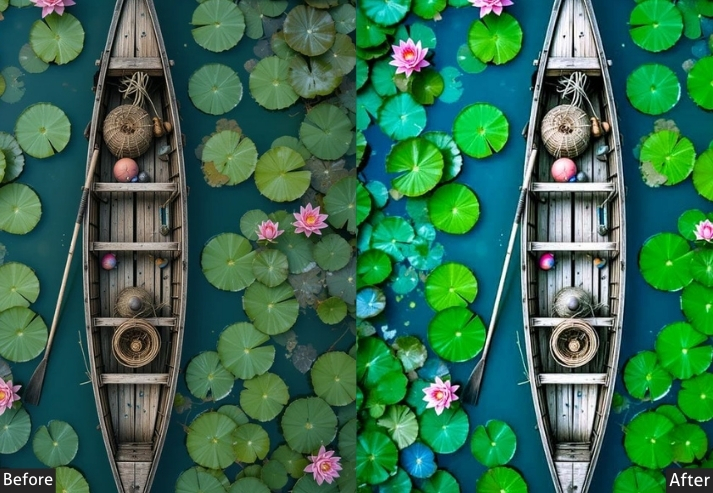
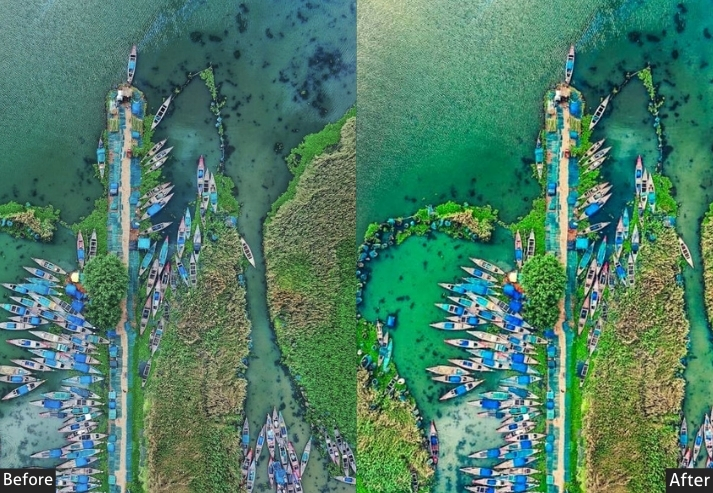
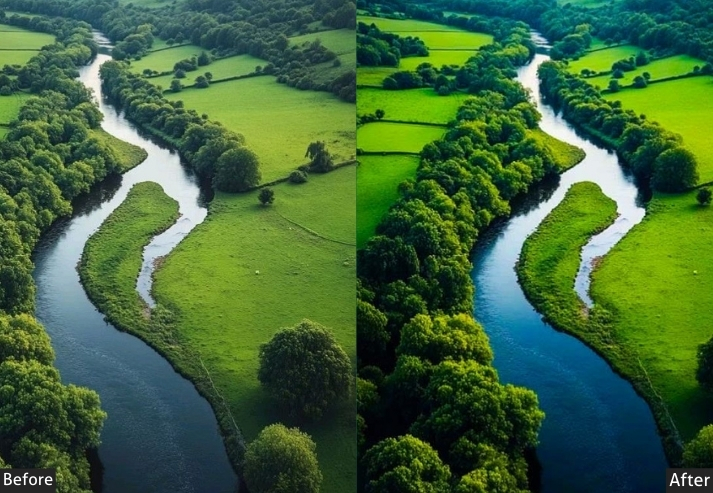
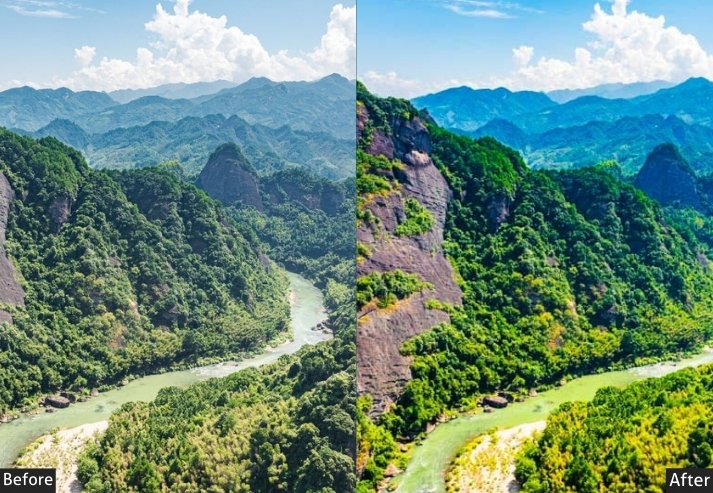
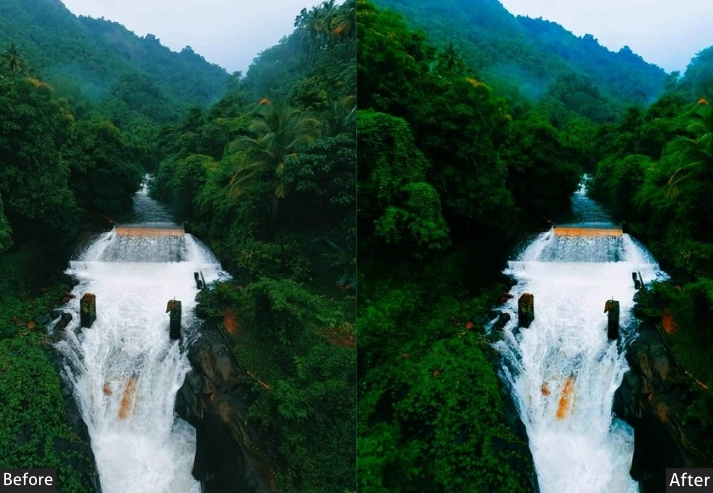
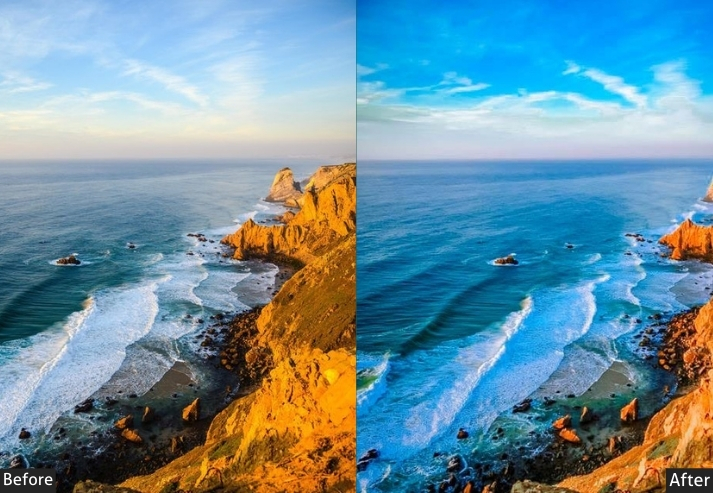
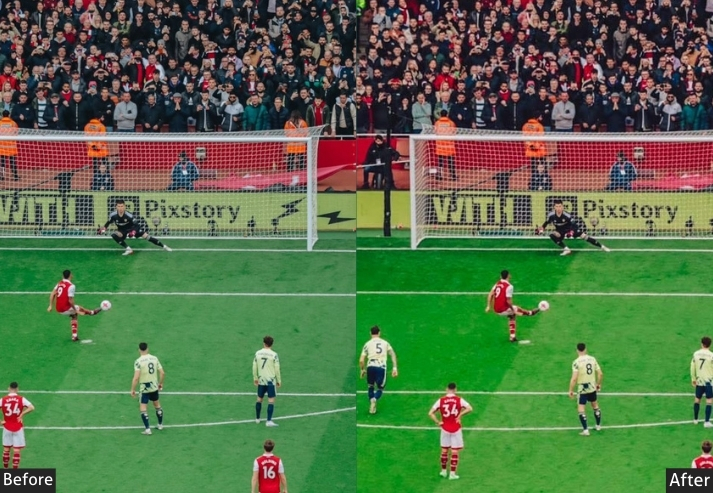
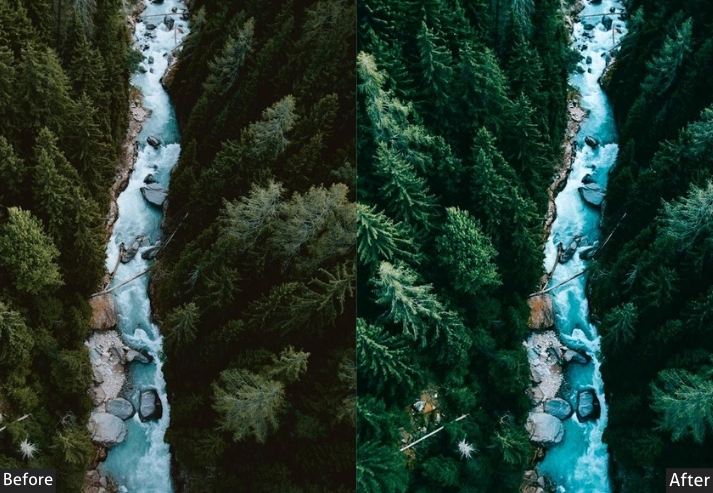
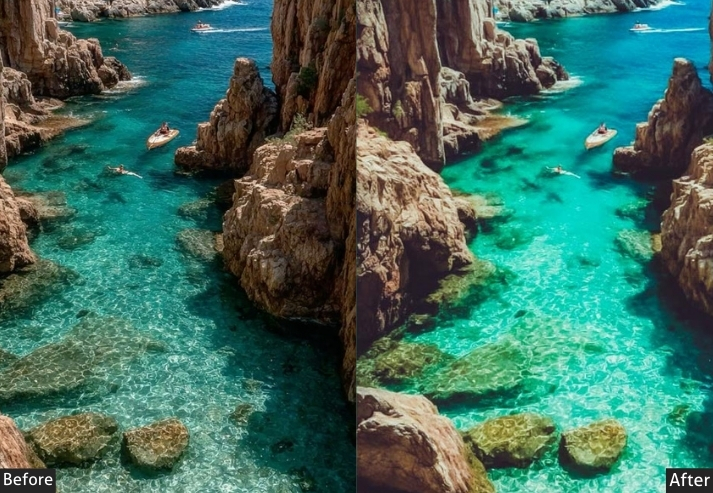
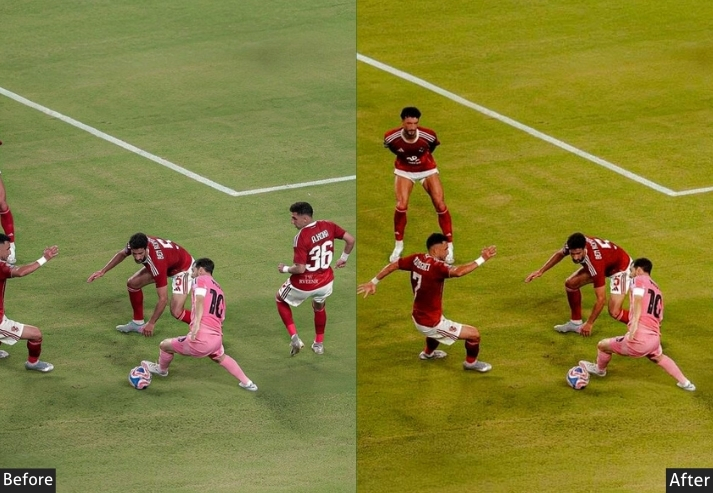
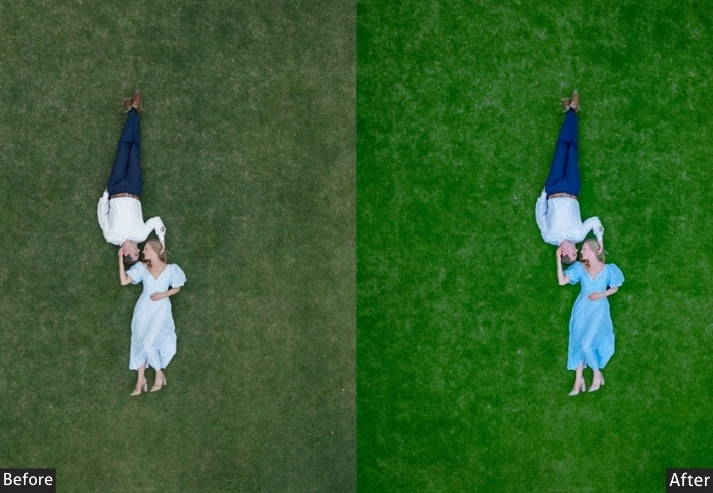
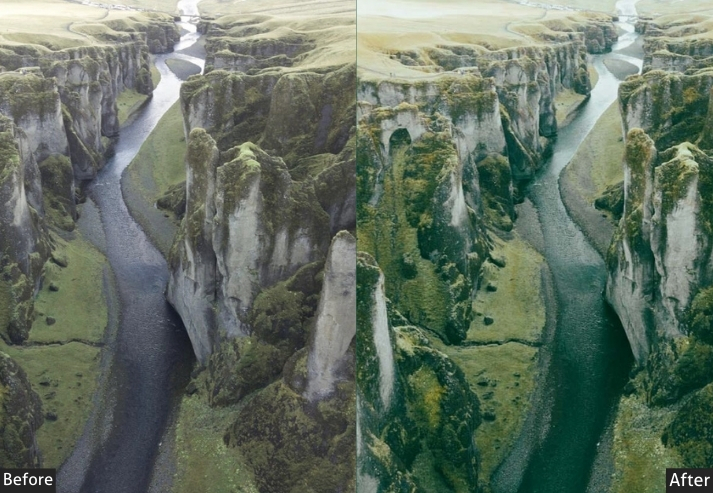
Light Panel: Exposure +20 | Contrast +25 | Highlights −15 | Shadows +30 | Whites +15 | Blacks −10.
Color Panel: Temp +5 | Tint +3 | Vibrance +30 | Saturation +25.
HSL / Color Mix: Green Saturation +15 | Green Luminance +10.
Effects Panel: Clarity +20 | Dehaze +15 | Vignette −10.
Detail Panel: Sharpening Amount +45 | Radius 1.5 | Masking 15 | Luminance Noise Reduction +10.
Purpose: natural colors and details for eye-catching, immersive landscapes.
Best For: Rolling hills, forests, or coastal views under clear skies.
Usage: sync across similar shots, and share on blogs for that wow factor.
Style: Energetic, colorful, bursting with joy.
4. Golden Hour Drone Presets
Golden hour light is the most prized window for drone photography, but RAW files often fail to capture its warmth, leaving the magic looking washed out. This one amplifies orange-gold tones, recovers sun flares in highlights, and fills in the shadow areas that dusk naturally darkens, giving your sunrise and sunset aerials that warm, cinematic glow without manual slider work.
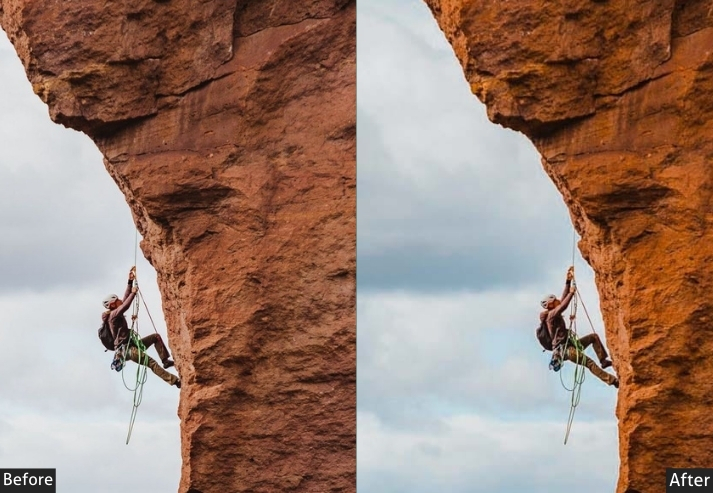
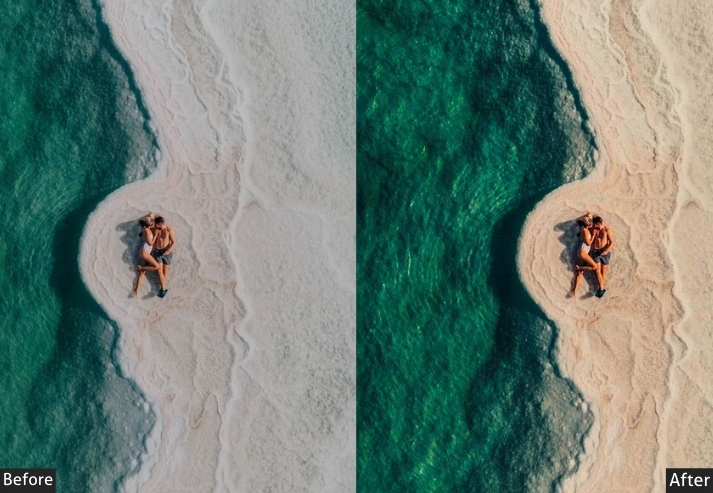
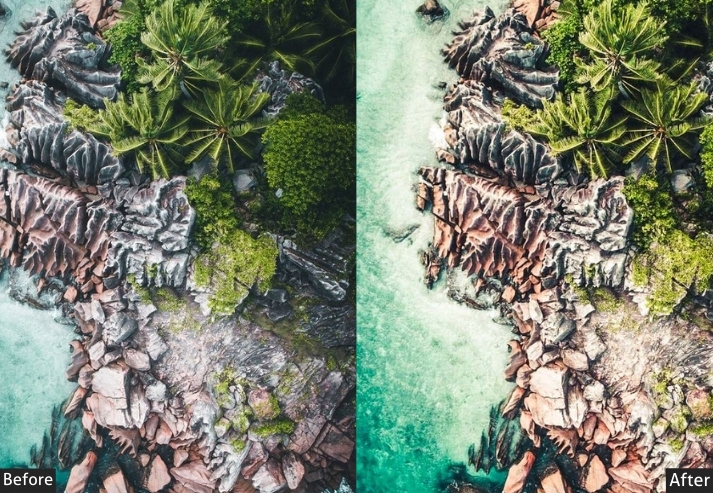
Light Panel: Exposure +10 | Contrast +20 | Highlights −25 | Shadows +35 | Whites +20 | Blacks −5.
Color Panel: Temp +15 | Tint +10 | Vibrance +25 | Saturation +20.
HSL / Color Mix: Orange Saturation +20 | Red Saturation +10.
Effects Panel: Clarity +10 | Dehaze +5 | Vignette −15.
Detail Panel: Sharpening Amount +35 | Radius 1.2 | Masking 20 | Luminance Noise Reduction +15.
Purpose: warm, ethereal light of dawn or dusk.
Best For: Sunrise/sunsets over oceans, mountains, or fields.
Usage: Use on bracketed exposures for HDR vibes, adjust warmth per season, great for wall prints that warm up a room.
Style: Warm, dreamy, with a nostalgic hug.
5. Urban Drone Presets
City aerials present a unique editing challenge, with mixed artificial and natural light, reflective glass surfaces, and complex color temperatures across neon lights, streetlights, and the sky. These presets sharpen architectural lines, balance competing color casts, and bring out the energy of skylines and street grids from above, whether shot at midday or after dark.
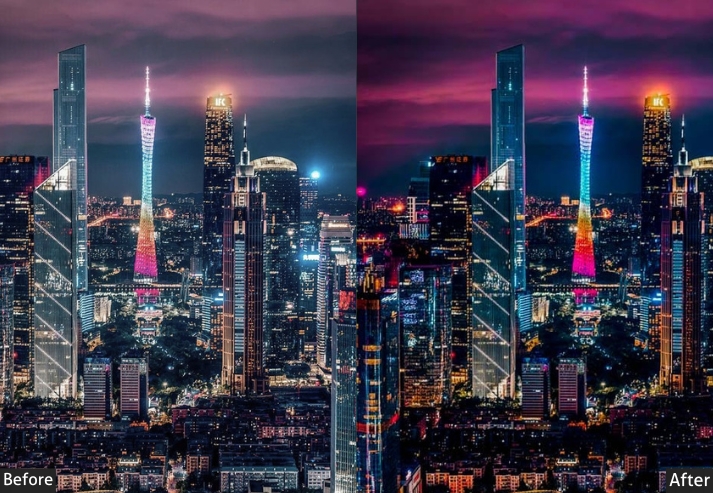
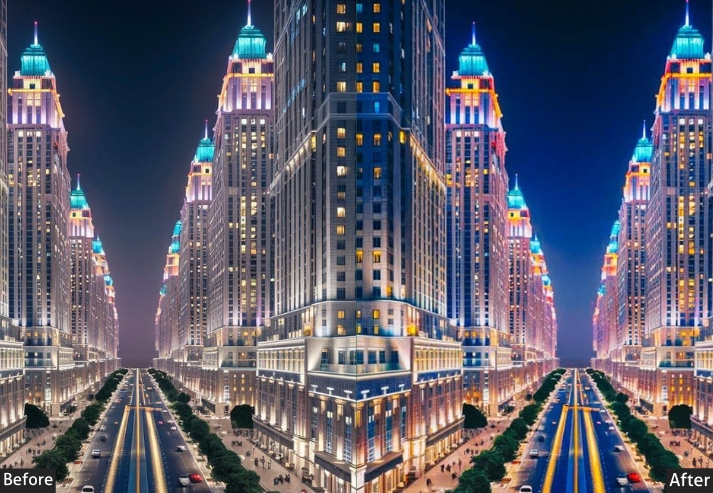
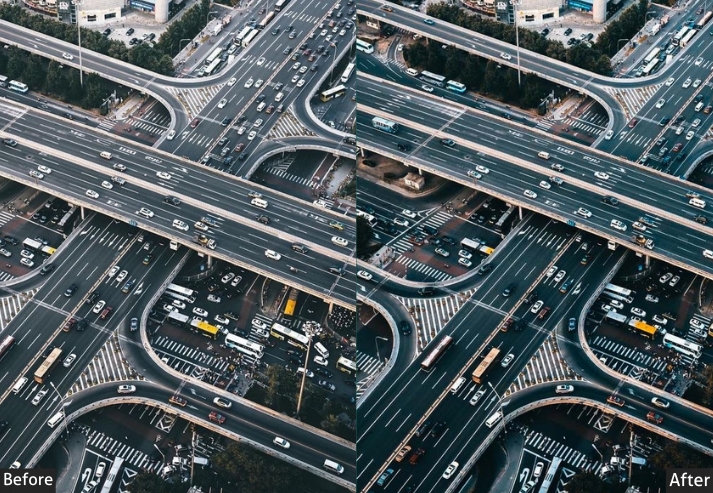
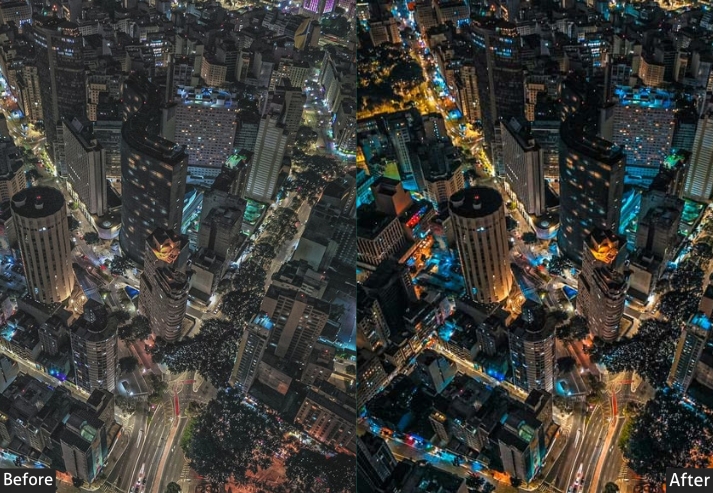
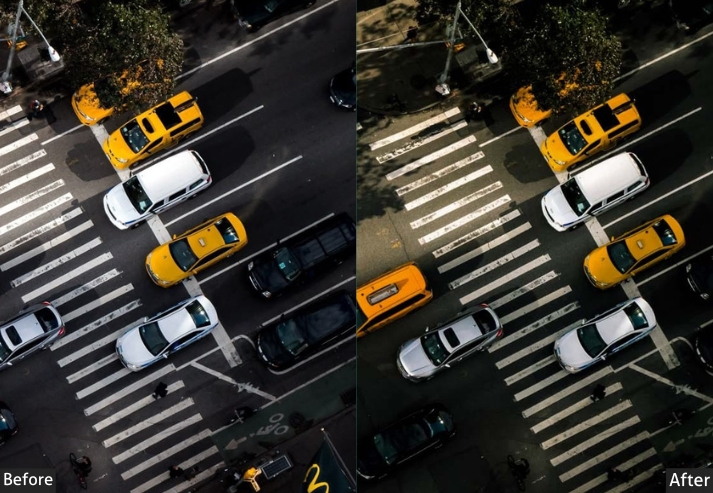
Light Panel: Exposure +5 | Contrast +35 | Highlights −20 | Shadows +20 | Whites +10 | Blacks −20.
Color Panel: Temp −5 | Tint −3 | Vibrance +15 | Saturation +10.
HSL / Color Mix: Yellow Saturation −10 | Blue Saturation +15.
Effects Panel: Clarity +30 | Dehaze +25 | Vignette −20.
Detail Panel: Sharpening Amount +50 | Radius 1.8 | Masking 10 | Luminance Noise Reduction +25.
Purpose: city architecture and energy with clean, dynamic edits.
Best For: Skylines, traffic patterns, or nighttime city lights.
Usage: tweak for pollution levels, export for client proofs.
Style: Sleek, modern, with a pulse of city rhythm.
6. Dark Drone Presets
This one pulls down exposure, crushes the shadows, and selectively desaturates to create an intense, low-key aesthetic. The result is brooding, atmospheric aerial imagery well-suited to nighttime cityscapes, foggy wilderness, stormy coastlines, or any scene where you want mood over brightness.
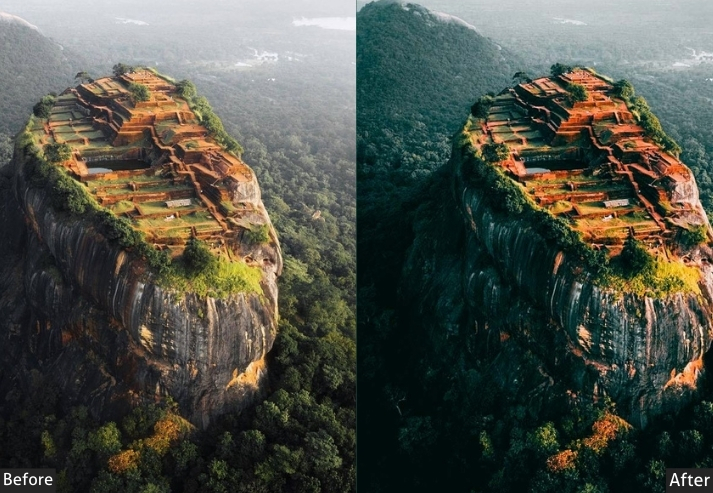
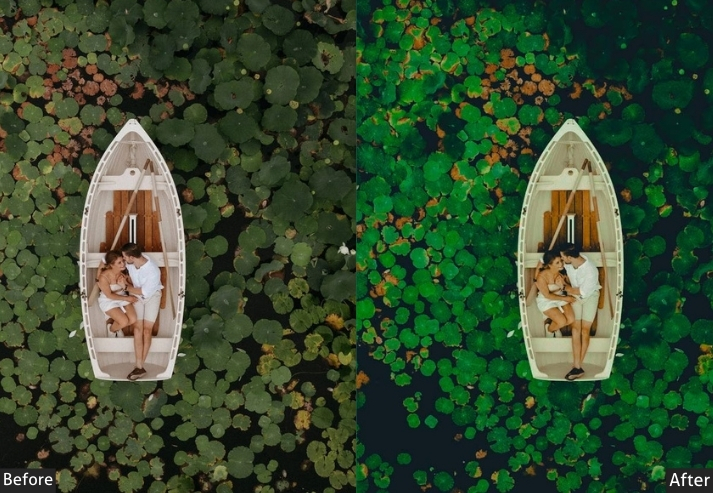
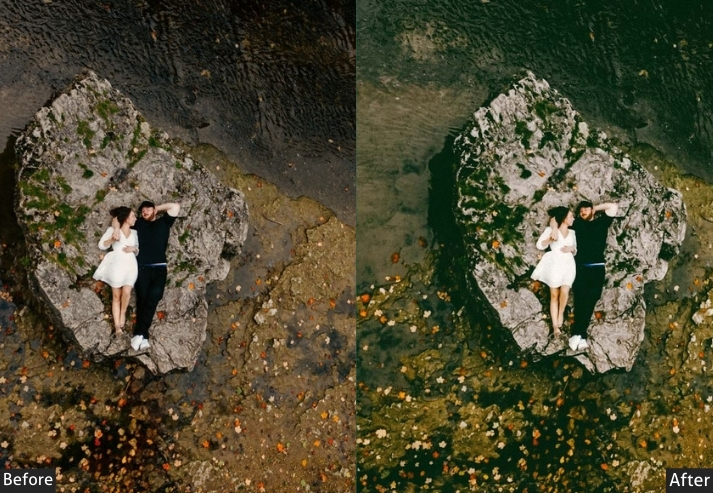
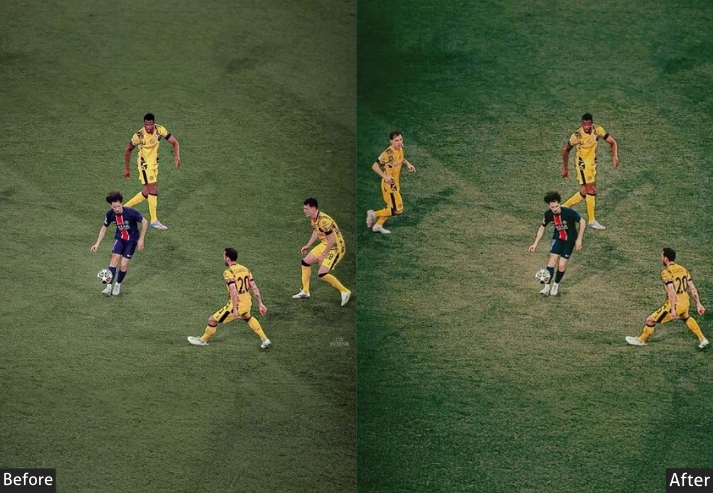
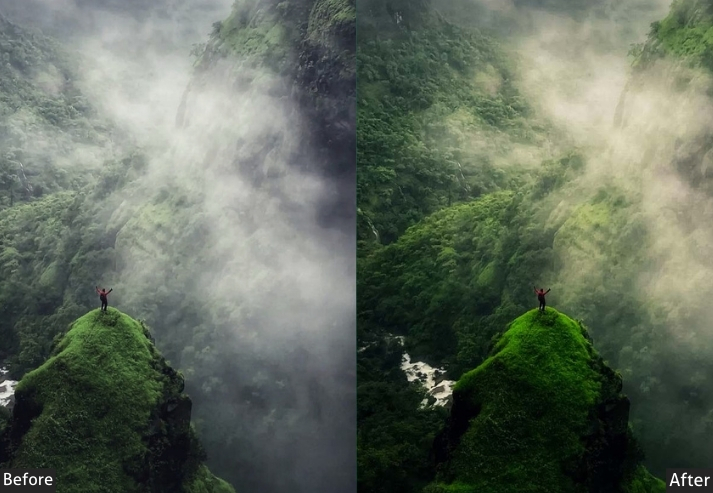
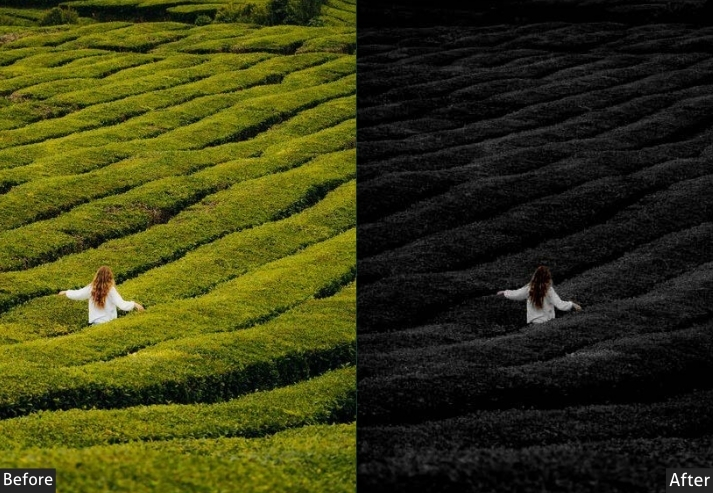
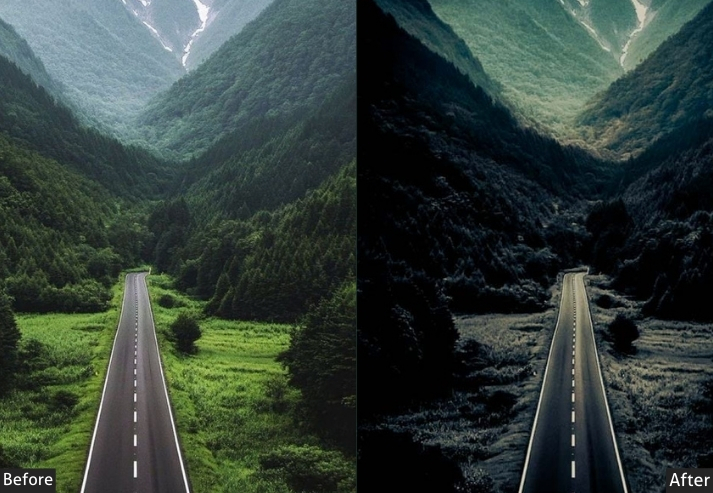
Light Panel: Exposure −20 | Contrast +45 | Highlights −35 | Shadows +10 | Whites −25 | Blacks −30.
Color Panel: Temp −15 | Tint −8 | Vibrance −25 | Saturation −30.
HSL / Color Mix: Blue Saturation +10 | Blue Luminance −15 | Green Saturation −20.
Effects Panel: Clarity +35 | Dehaze +15 | Vignette −25.
Detail Panel: Sharpening Amount +40 | Radius 1.5 | Masking 30 | Luminance Noise Reduction +25.
Purpose: the shadowy intrigue and emotional depth, transforming ordinary drone captures into captivating, low-light narratives that grip the viewer.
Best For: Nighttime cityscapes, foggy wilderness, or abandoned sites where you want that thrilling, almost foreboding atmosphere to shine.
Usage: killer for horror-themed portfolios or social posts that stop scrolls dead.
Style: Intense, enigmatic, with a dash of thriller suspense.
7. Classic Drone Presets
Classic presets deliver balanced, restrained enhancement that keeps your aerial shots looking natural and true to life. No heavy stylization, just clean tones, improved contrast, and polished clarity. These are the go-tos for real estate photography, travel editorial, architecture, and any context where the subject needs to speak for itself rather than the edit.
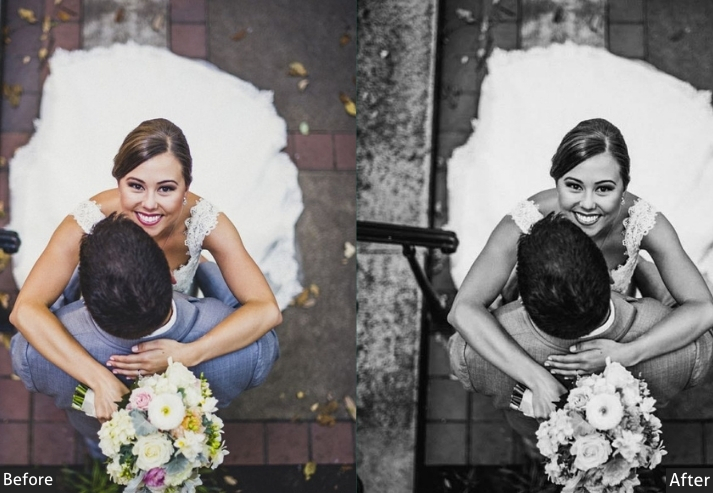
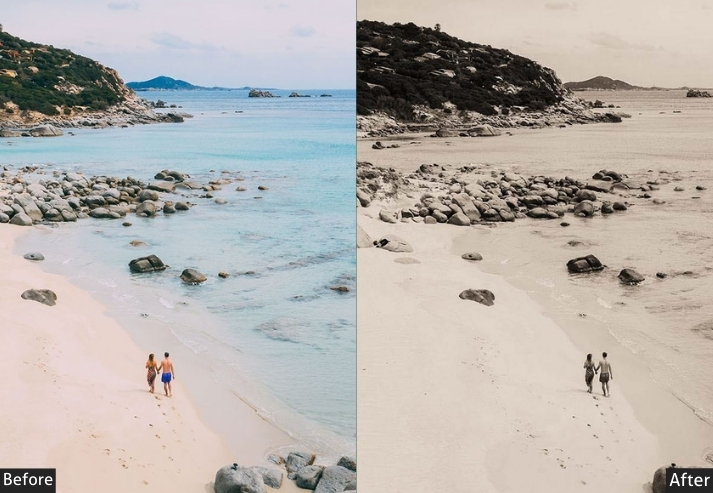
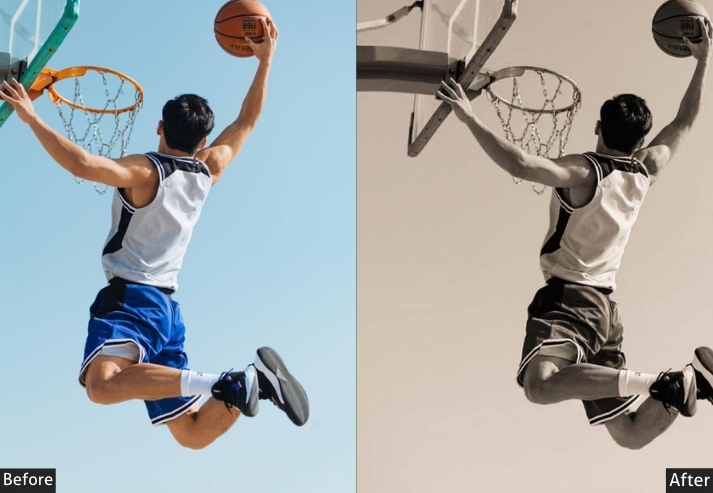
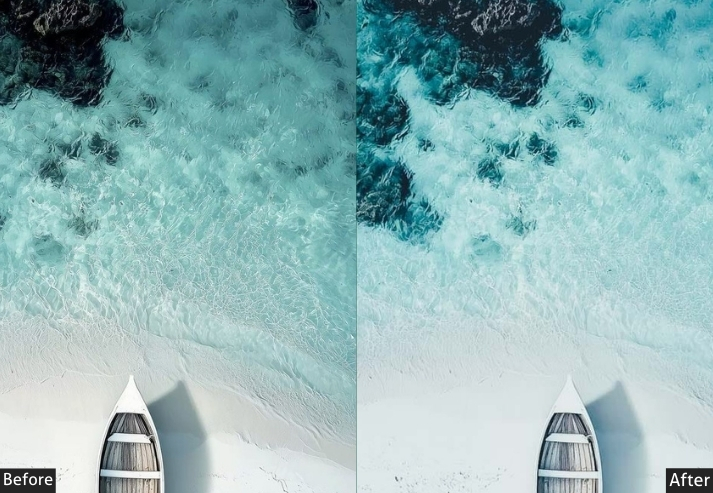
Light Panel: Exposure +10 | Contrast +20 | Highlights −15 | Shadows +20 | Whites +5 | Blacks −10.
Color Panel: Temp +2 | Tint +3 | Vibrance +15 | Saturation +10.
HSL / Color Mix: Blue Saturation +5 | Green Luminance +10.
Effects Panel: Clarity +20 | Dehaze +10 | Vignette −10.
Detail Panel: Sharpening Amount +35 | Radius 1.2 | Masking 25 | Luminance Noise Reduction +15.
Purpose: a balanced, timeless enhancement that preserves the photo’s natural essence while subtly refining details for professional polish.
Best For: Everyday landscapes, architectural overviews, or rural scenes where you crave authenticity over bold effects.
Usage: adjust exposure for different lighting conditions, and export for prints or websites.
Style: Elegant, neutral, with a nod to film-era simplicity.
Few Words
We’ve dodged digital doldrums, slayed editing dragons, and emerged with a toolkit that’ll make your drone shots sing louder than a rock concert in the Grand Canyon. Don’t just hover, dive in, experiment wildly. tag me in the comments. I live for those “aha!” moments and shared chuckles. Your next adventure awaits up there in the blue yonder-grab those presets, tweak till you tingle, and keep chasing horizons that leave jaws on the floor. Safe travels, creative comrades… may your batteries be full and your creativity endless!
Learn more: Lightroom Presets Installing Process
More Free Presets For You:
Event Photography Lightroom Presets Free Download
Wildlife Lightroom Presets Free Download
Travel Lightroom Presets Free Download
Beach Lightroom Presets Free Download
Street Lightroom Presets Free Download