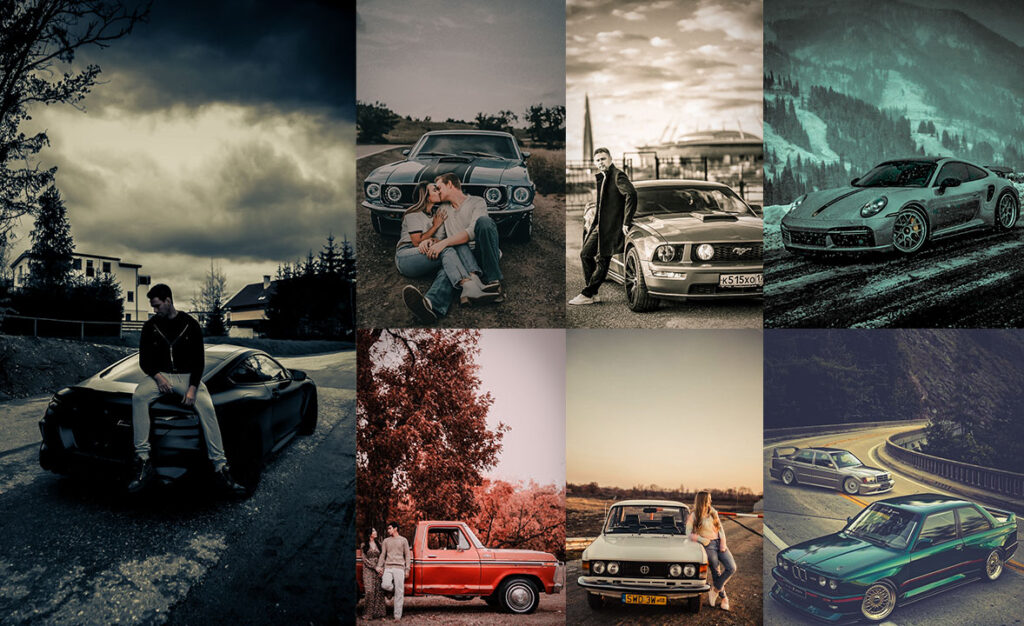
Car photography looks deceptively simple: point, shoot, done. But anyone who has spent time editing automotive shots knows the reality: the paint looks flat, reflections blow out the highlights, and that deep metallic sheen that looked so good in person just disappears in post. I’ve gone through that exact frustration on hundreds of car shoots, tweaking exposure, pulling back highlights, and manually adjusting HSL channels one at a time.
These presets are the result of that trial and error. Each one was built specifically for car photography. They handle reflective paint surfaces, chrome details, and the tricky mixed lighting you get in parking garages and evening shoots. Whether you shoot with a DSLR, a mirrorless camera, or even your phone, these presets give you a solid starting point rather than a blank slate.
Below you’ll find 20 distinct styles, each with its recommended settings and a note on the shooting situations in which it works best. There’s also a quick installation guide at the bottom if you’ve never loaded presets into Lightroom before.

Pauline Jackson
I created a preset library to make professional-quality Lightroom editing accessible to photographers of all levels. My presets have been downloaded over a thousand times and are used by car enthusiasts, dealers, and professional photographers worldwide.
100 Automobile Lightroom Presets Free Download
All presets come in both DNG (for Lightroom Mobile) and XMP (for Lightroom Classic/CC on desktop). The download links are organized by style below. If you want all 100 in one go, grab the full bundle from the link at the end of each section.
After applying one, always check your exposure. Different lighting conditions at the time the photo was taken will cause the preset to land slightly differently each time. A small ±0.3 EV tweak after applying is completely normal.
- Pauline Jackson
- 1. Moody Automobile Preset
- 2. Bright & Clean Car Preset
- 3. Rustic/Vintage Automobile Preset
- 4. Urban Automobile Preset
- 5. Sunset Automotive Preset
- 6. High Contrast Black & White Automobile Preset
- 7. HDR Automobile Preset
- 8. Dark Tones – Night Automobile Preset
- 9. Blue Tones Automobile Preset
- 10. Reddish Tones Automobile Preset
- 11. Teal & Orange Automobile Preset
- 12. Golden Tones Automobile Preset
- 13. Matte Finish Automobile Preset
- 14. Classic – Old Automobile Preset
- 15. Street Automobile Preset
- 16. Cinematic Automobile Preset
- 17. Cool/Winter Automobile Preset
- 18. Minimalist Automobile Preset
- 19. Green Automobile Presets
- 20. Brownish Red Automobile Presets
- On Lightroom Mobile (iPhone & Android)
- On Lightroom Classic (Windows & Mac)
- On Lightroom CC (Cloud Version)
1. Moody Automobile Preset
This is my go-to preset for overcast days and evening shoots in open parking lots. The reduced exposure and boosted contrast pull out the drama in reflective paint without blowing out the sky. Works especially well on dark-colored cars: blacks, navies, and dark greys look almost three-dimensional after applying it.
Light: Exposure -15, Contrast +25.
Color: Greens & Blues -20 Saturation, Reds +15.
Effects: Clarity +10, Vignette -10.
Details: Sharpening +20.
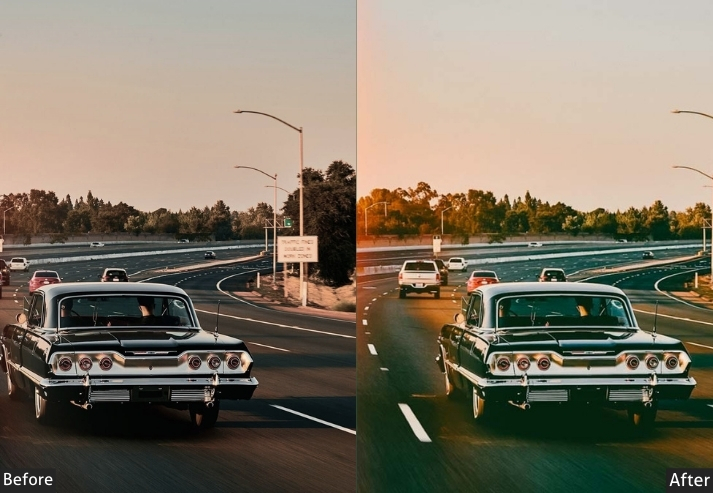
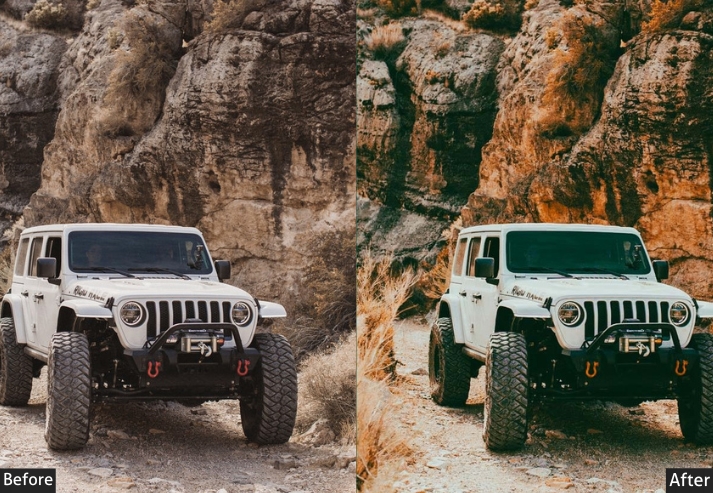
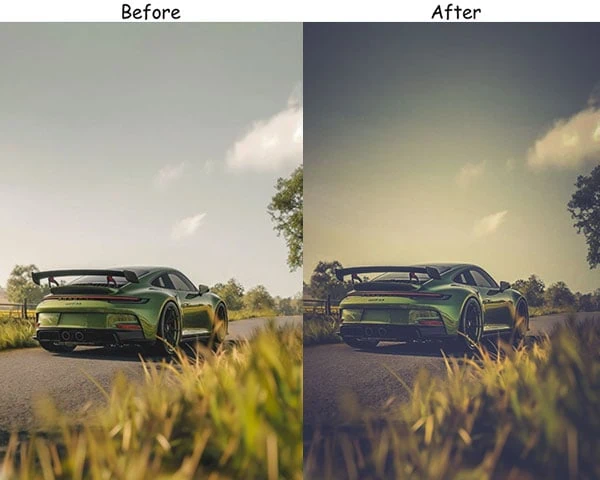
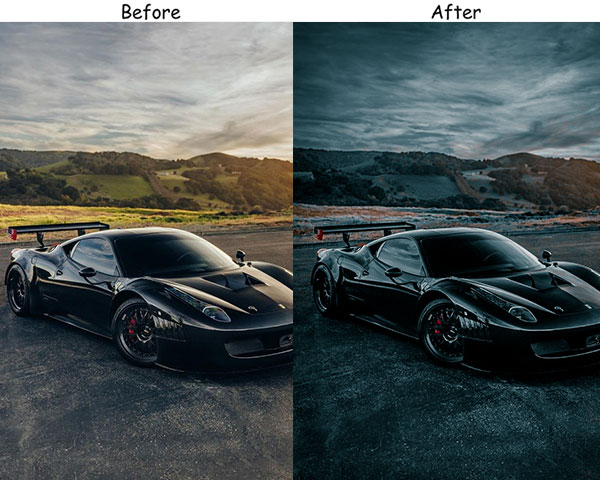
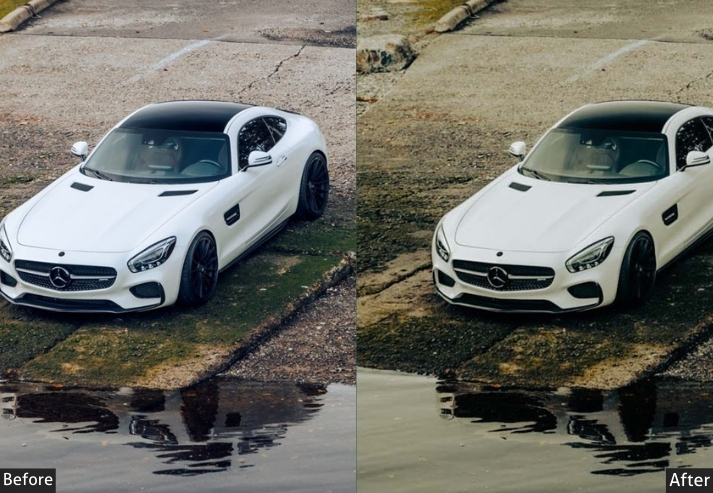
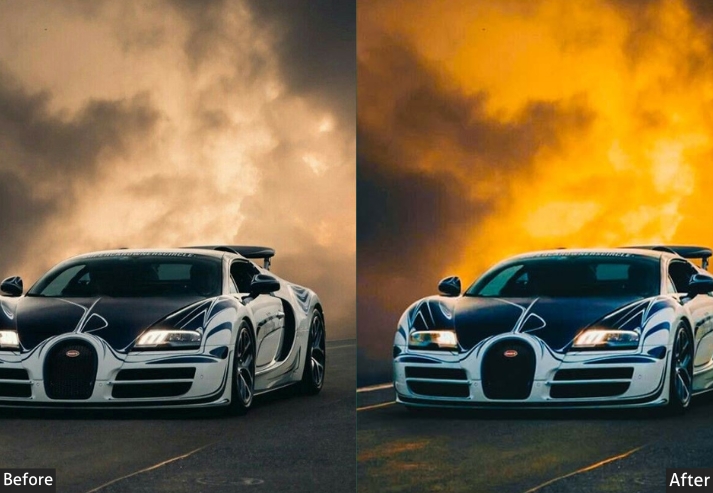
Purpose: darker, mysterious vibe in your car photos.
Best For: Night shots or moody, overcast settings.
Usage: When you want to make your car look like it’s about to star in an action-packed thriller.
Style: Gritty, cinematic, intense.
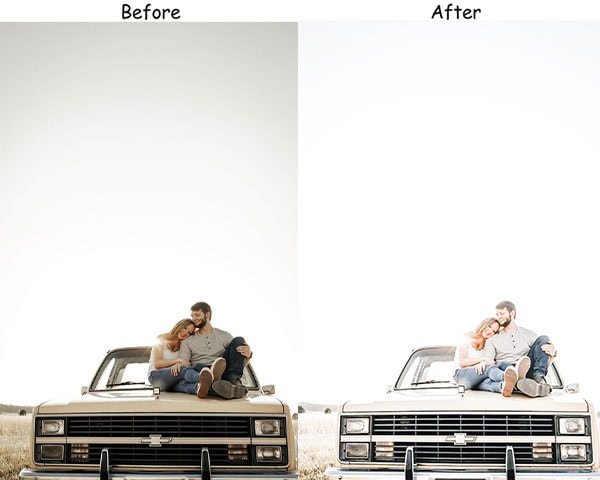
2. Bright & Clean Car Preset
Designed for showroom-style shots in natural daylight. If you’re photographing a car for a listing, a dealer post, or a clean editorial look, this is the one to start with. It lifts the overall brightness while keeping the paint color accurate. no artificial over-saturation that makes the car look like a toy.
Light: Exposure +30, Highlights -20.
Color: Saturation +10, Temp +5.
Effects: Clarity +15, Texture +10.
Details: Noise Reduction +20, Sharpening +15.
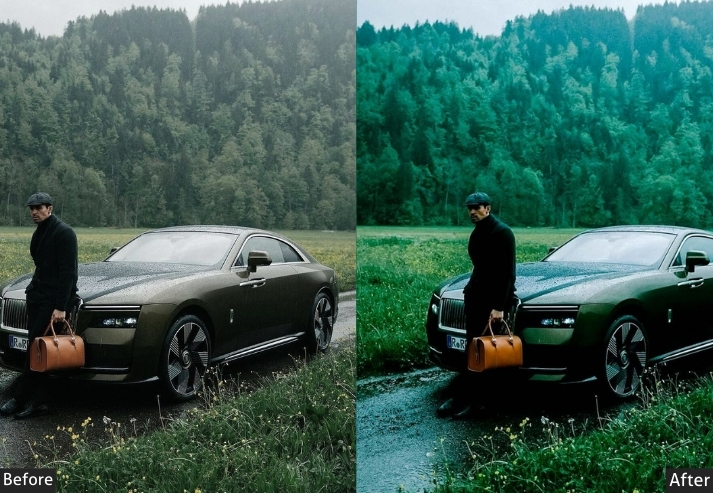
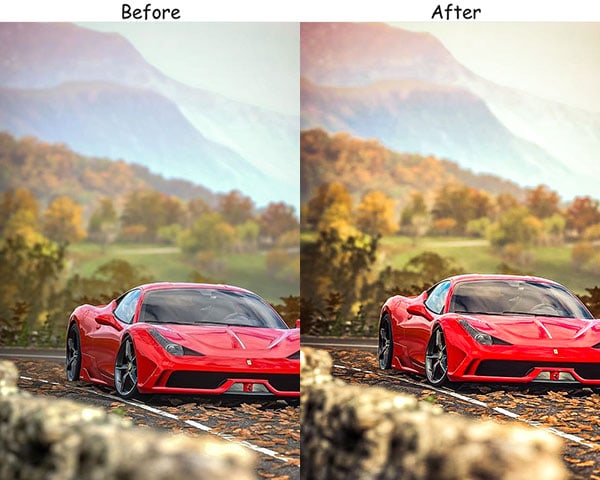
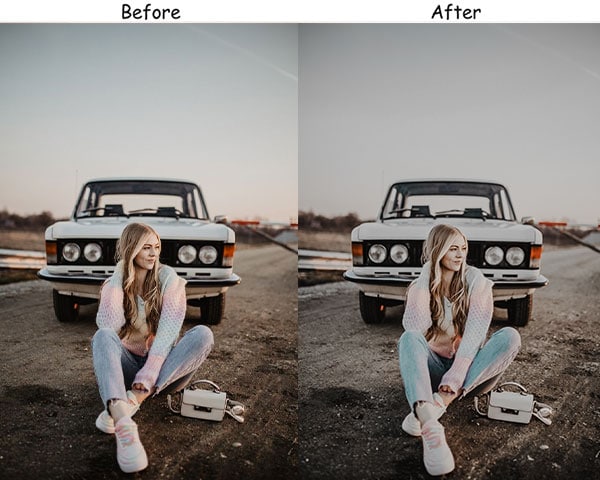
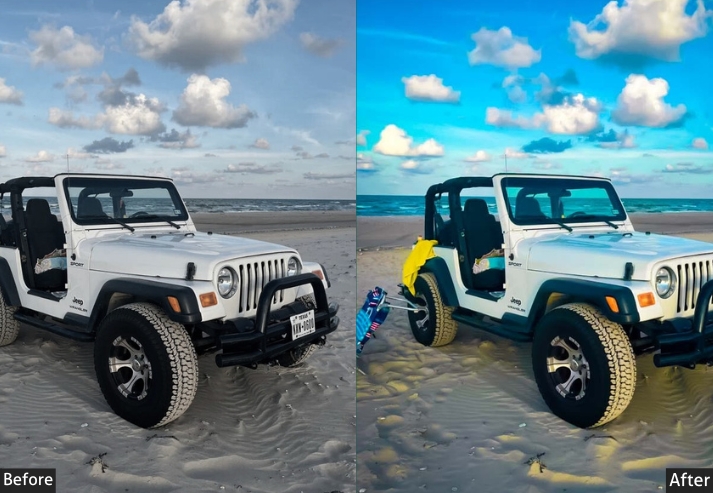
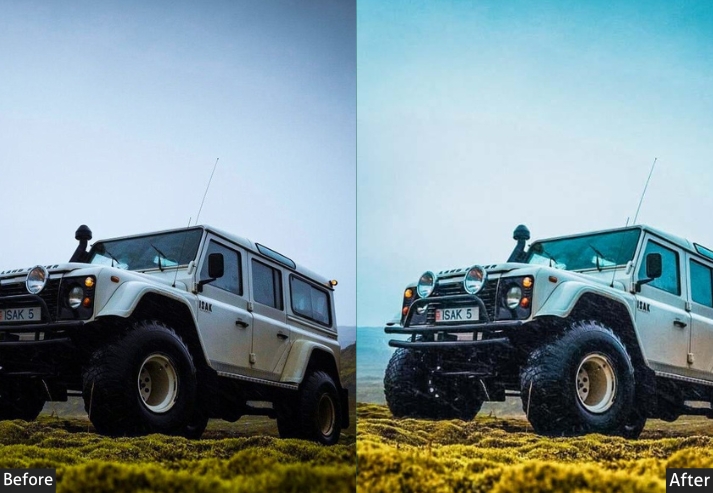
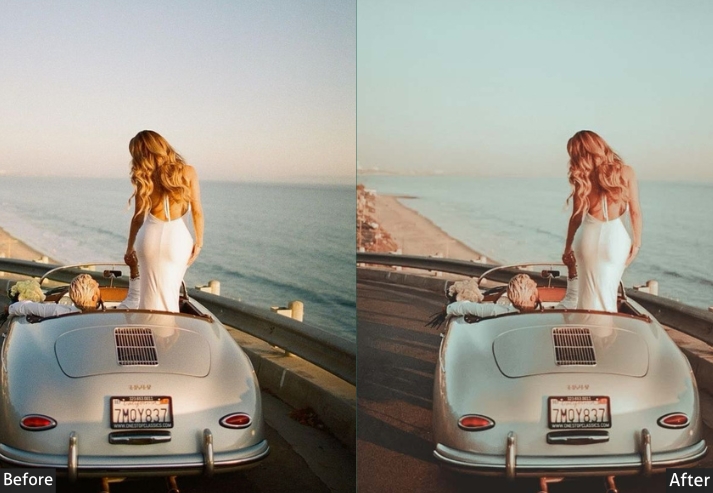
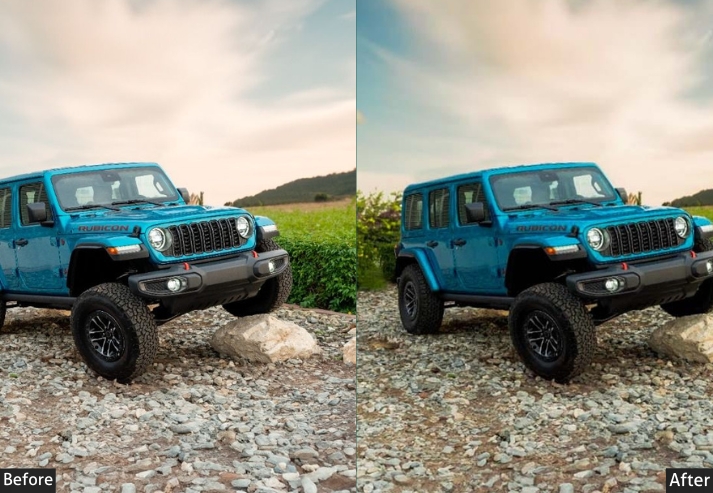
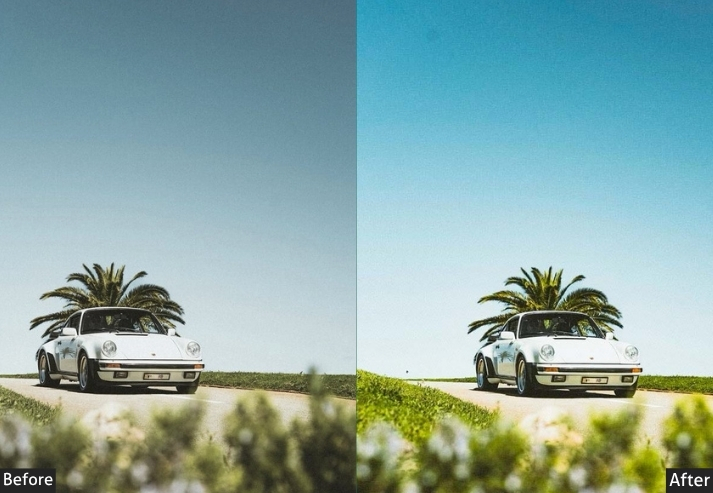
Purpose: highlight the car’s design without any distracting effects.
Best For: Daylight shots, car dealerships, or showcasing modifications.
Usage: When you want your car to look like it just rolled out of a glossy magazine.
Style: Clean, crisp, professional.
3. Rustic/Vintage Automobile Preset
Built for classic and vintage vehicles, though it works surprisingly well on modern cars when you want a nostalgic feel. The slight grain and warm shift mimic the look of 1970s film photography. It pairs beautifully with cars shot on gravel roads or against weathered walls.
Light: Exposure -10, Shadows -15.
Color: Temp +25, Saturation -20, Tint +10.
Effects: Vignette -15, Grain +20.
Details: Sharpening +10.
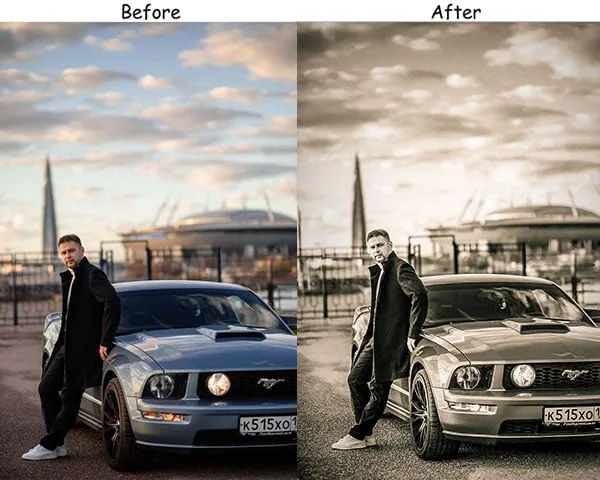
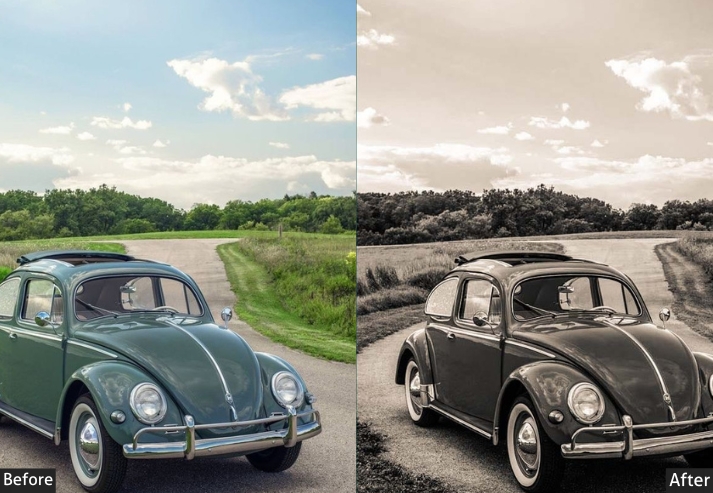
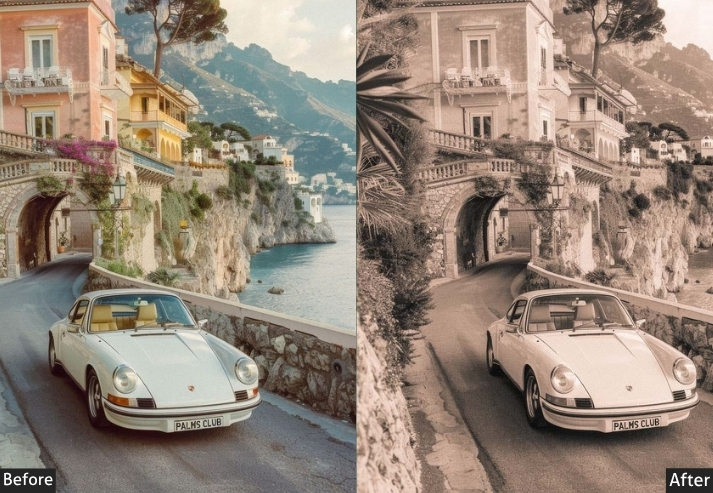
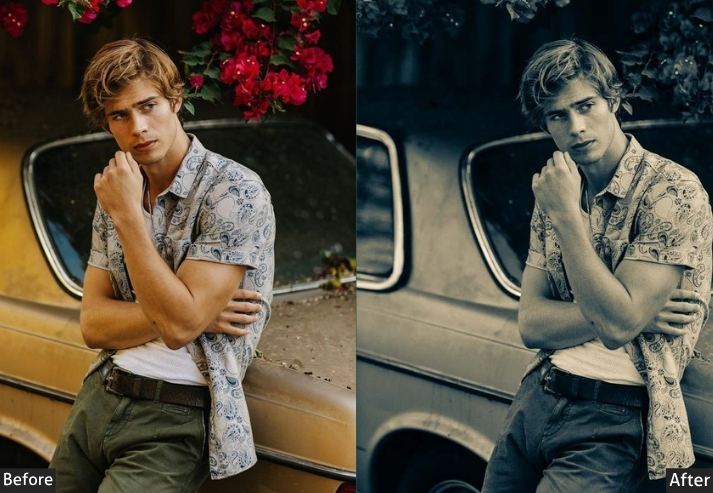
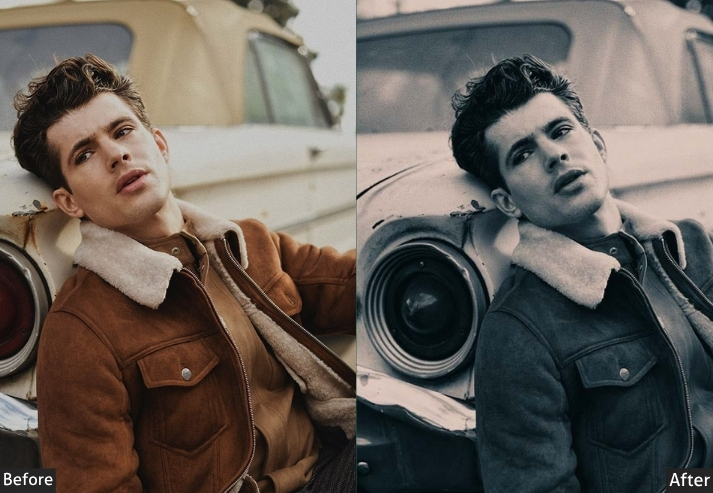
Purpose: timeless, vintage look with soft, warm vibes.
Best For: Old-school vehicles or turning your everyday car into a classic.
Usage: When your car photos need to evoke memories of the good ol’ days.
Style: Nostalgic, warm, retro.
4. Urban Automobile Preset
City environments create a unique editing challenge: neon signs, sodium streetlights, and harsh artificial lighting all compete for attention. This preset cuts through the noise by boosting contrast and pulling the color palette toward cool blues and warm oranges. The classic split-tone that makes urban car shots look polished rather than chaotic.
Light: Contrast +30, Shadows -20.
Color: Blues & Oranges +20, Greens -15.
Effects: Clarity +25, Texture +15.
Details: Sharpening +25, Noise Reduction +10.
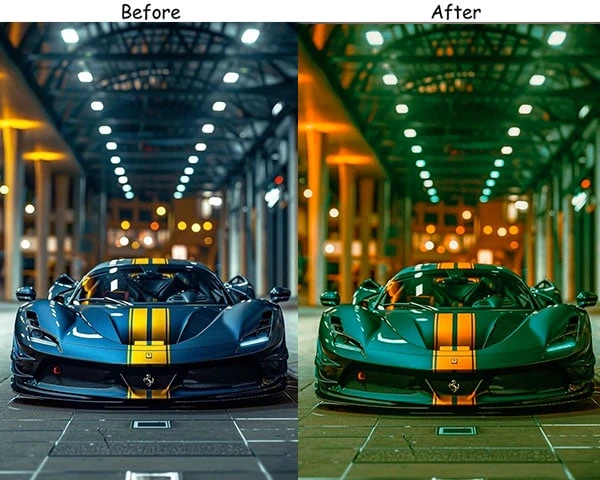
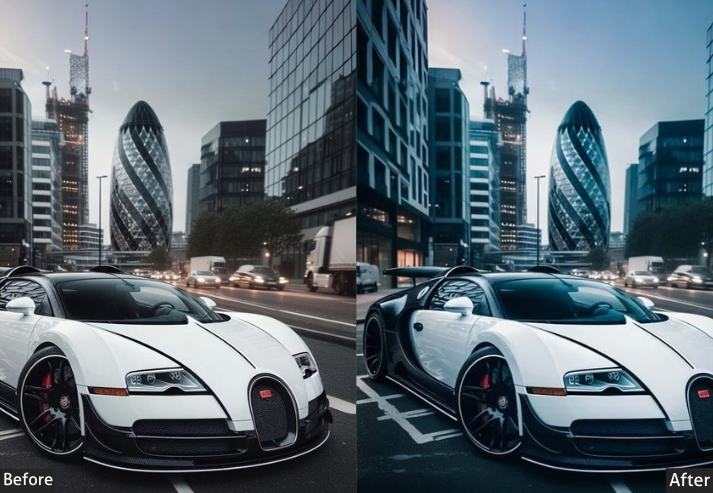
Purpose: urban landscapes, especially at night.
Best For: Night shots in the city, street photography, or cool snaps of parking garages.
Usage: When you want to capture that late-night city vibe with your car front and center.
Style: Edgy, modern, vibrant.
5. Sunset Automotive Preset
Golden hour is the best time to photograph any car. The low-angle light wraps around curved bodywork in a way that no artificial light can replicate. This preset amplifies those warm tones without turning the car orange. The slight dehaze addition also handles the atmospheric haze you often get right at sunset.
Light: Highlights +10.
Color: Temp +30, Orange Sat +25, Blues -10.
Effects: Clarity +5, Dehaze +10.
Details: Sharpening +15, Vignette -5.
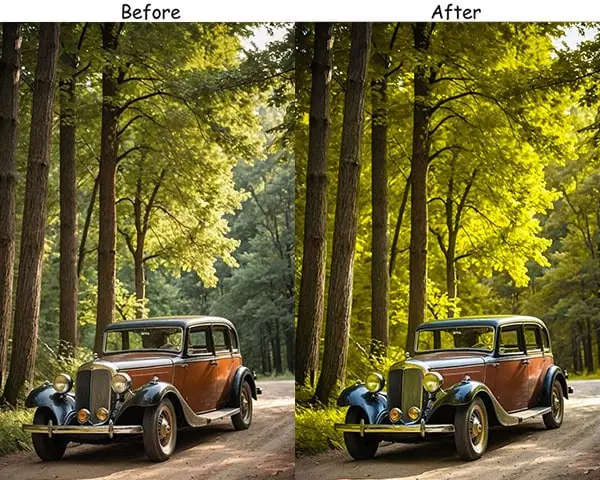
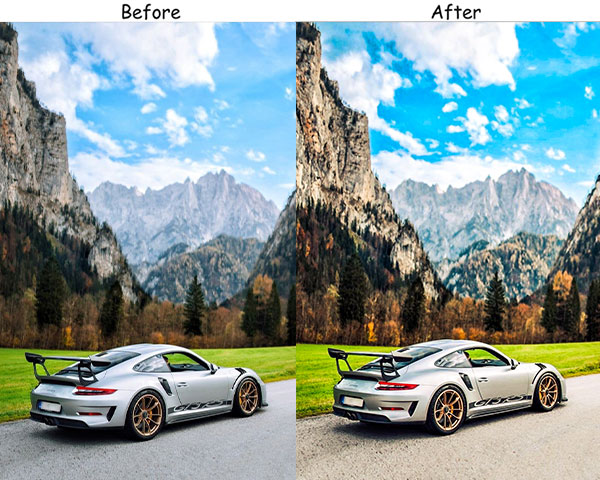
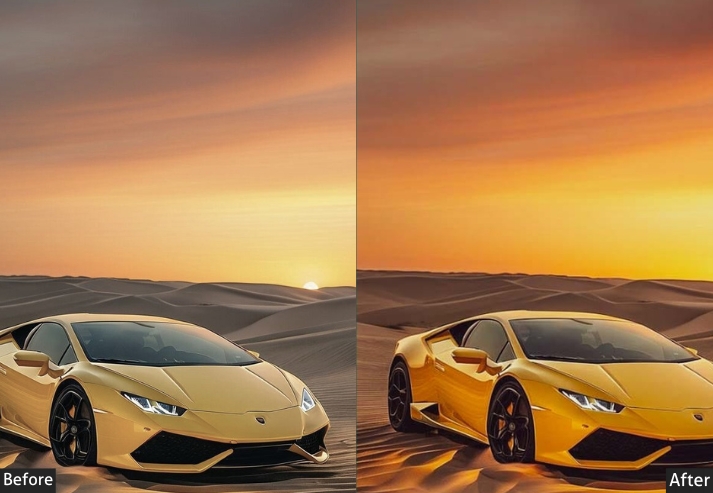
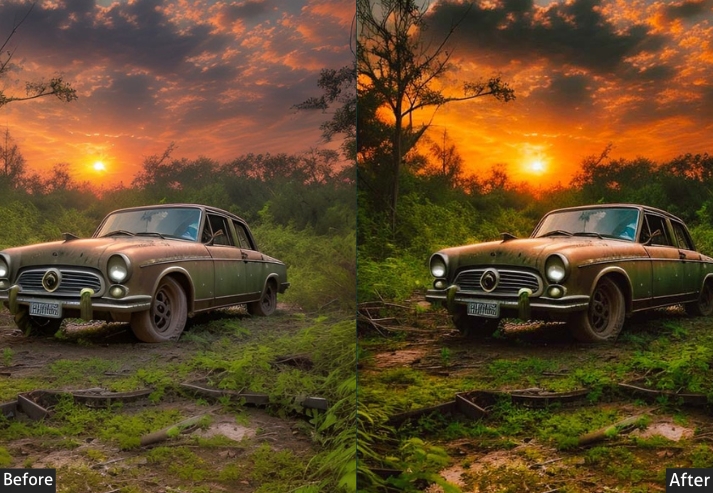
Purpose: breathtaking sunset shots.
Best For: during the golden hour, when the sun is low, and the sky is rich with color.
Usage: For when your car looks like it’s basking in the glow of a perfect evening.
Style: Warm, glowy, dreamy.
6. High Contrast Black & White Automobile Preset
Stripping color from a car photo draws attention to the design: the curves, the bodywork lines, the chrome trim. This B&W preset uses a strong tone curve to create deep blacks in the background while keeping the car’s surface detail bright. It’s the closest you can get in Lightroom to a studio car photograph from the 1960s.
Light: Contrast +50, Shadows -30.
Color: Saturation -100 (full B&W via tone curve).
Effects: Clarity +20, Vignette -10.
Details: Sharpening +30.
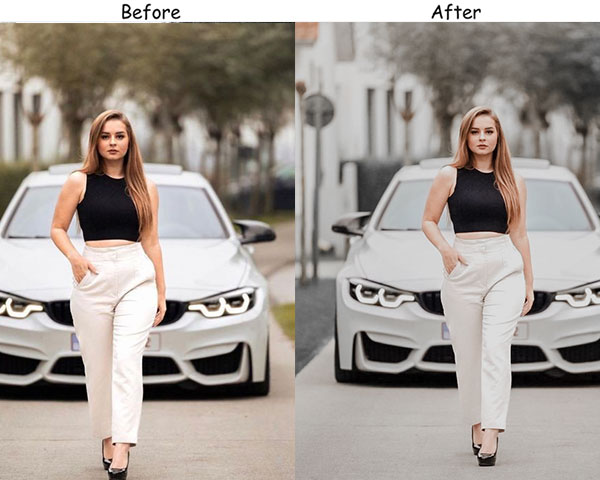
Purpose: artistic and timeless.
Best For: Classic cars, high-contrast environments, or adding a touch of class.
Usage: When you want to strip away distractions and focus on the shape and form of the vehicle.
Style: Classic, bold, elegant.
7. HDR Automobile Preset
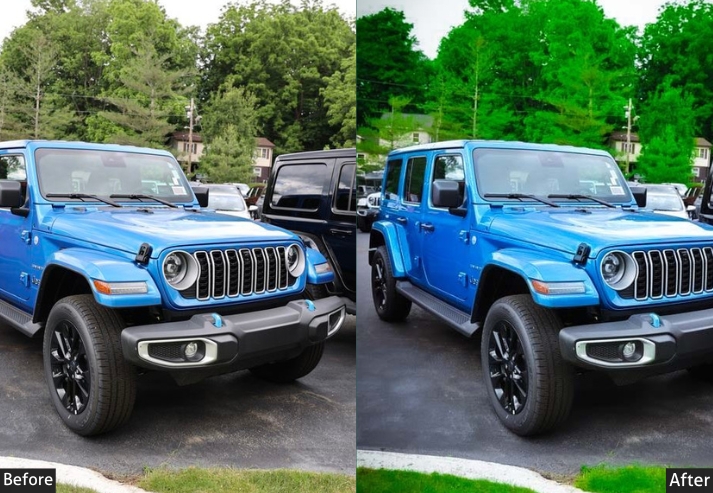
When a car has a lot of surface complexity: chrome badges, multi-tone paint, intricate wheel designs. This preset brings it all out. The high clarity and texture values reveal details that are usually buried in flat edits. Use it for detail shots and close-ups rather than wide environmental shots, where the effect can look overdone.
Light: Exposure +10, Contrast +40, Shadows +20.
Color: Saturation +30, Vibrance +20.
Effects: Clarity +40, Texture +30.
Details: Sharpening +40, Noise Reduction +10.
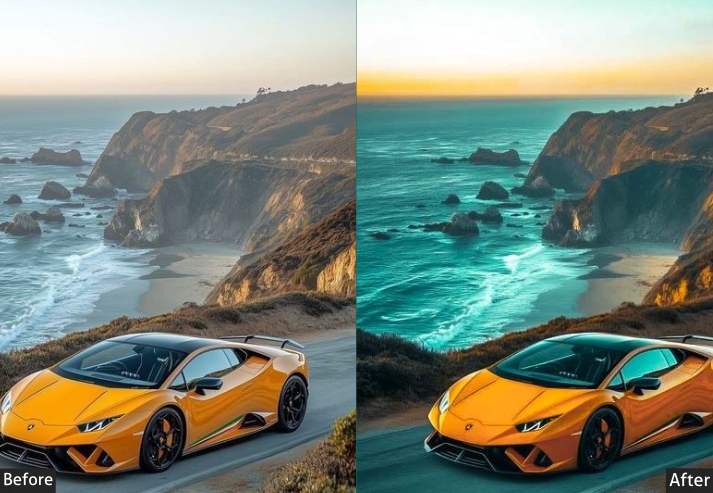
Purpose: hyper-detailed, vibrant car photos that demand attention.
Best For: Automotive shots that need that extra “wow” factor, especially with complex reflections or chrome details.
Usage: When you want your car to look like it’s ready for a close-up in a high-end commercial.
Style: Bold, vivid, eye-popping.
8. Dark Tones – Night Automobile Preset
Night car photography is unforgiving. One wrong move on the exposure slider and you either blow out the headlights or lose the car in the darkness. This preset is calibrated to sit in the middle: deep shadows that preserve mystery, but enough controlled exposure on the car body to clearly show the paint. The selective blue boost gives night photos that cinematic quality you see in car commercials.
Light: Exposure -20, Contrast +30, Shadows -25.
Color: Saturation -30, Dark Blues +15.
Effects: Clarity +20, Vignette -10.
Details: Sharpening +25, Noise Reduction +10.
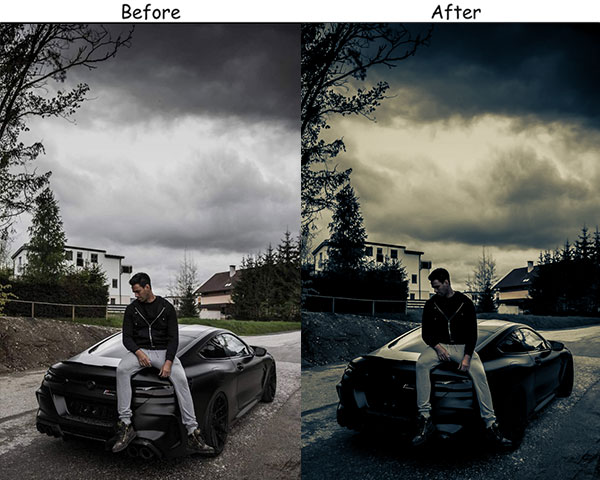
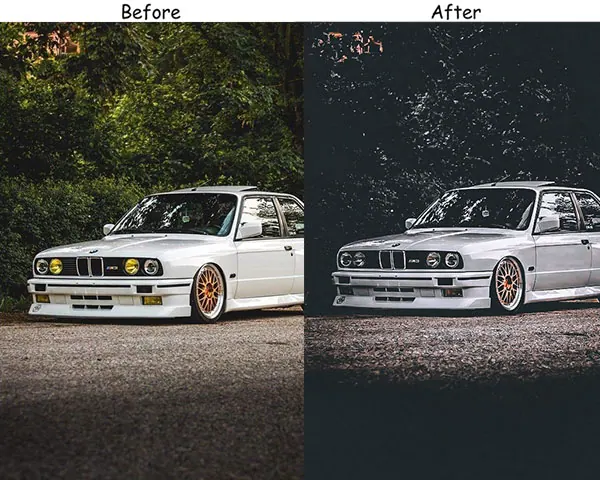
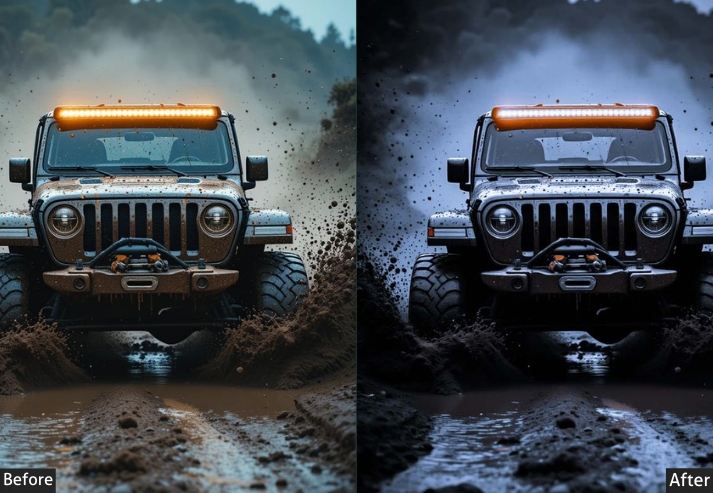
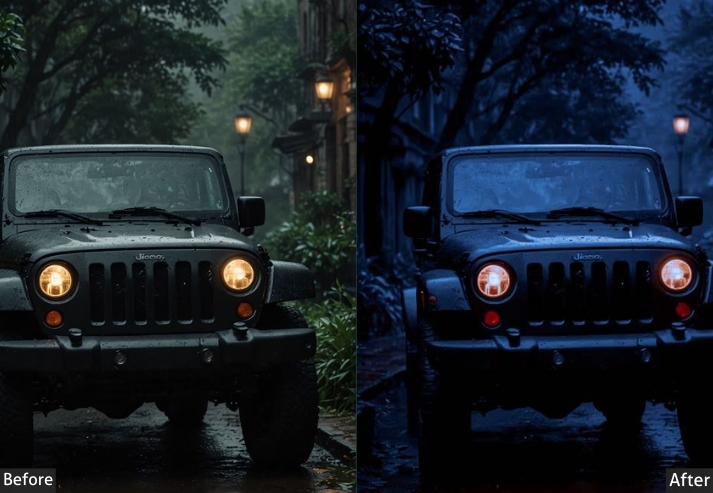
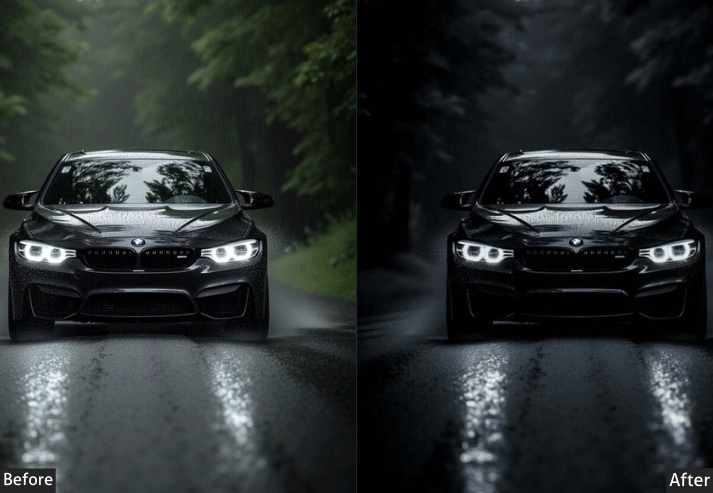
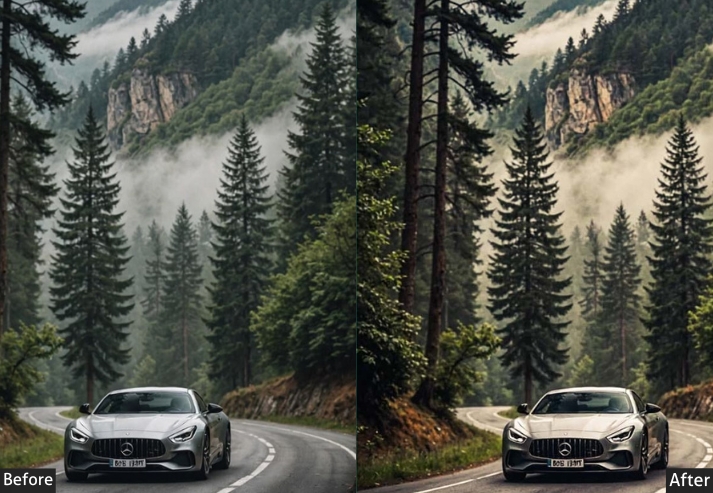
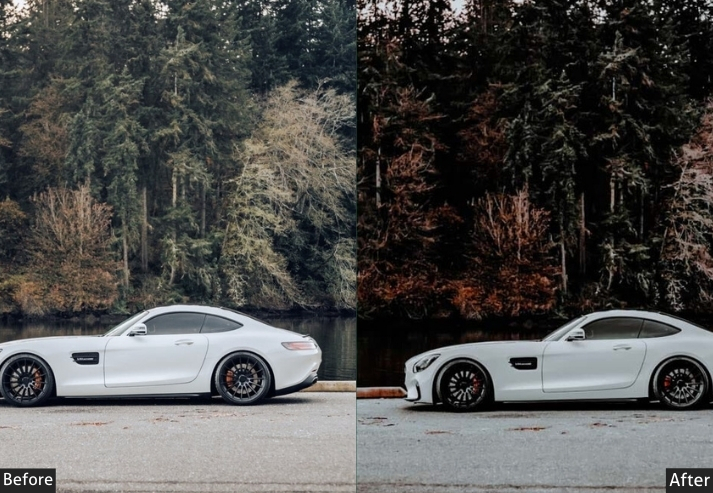
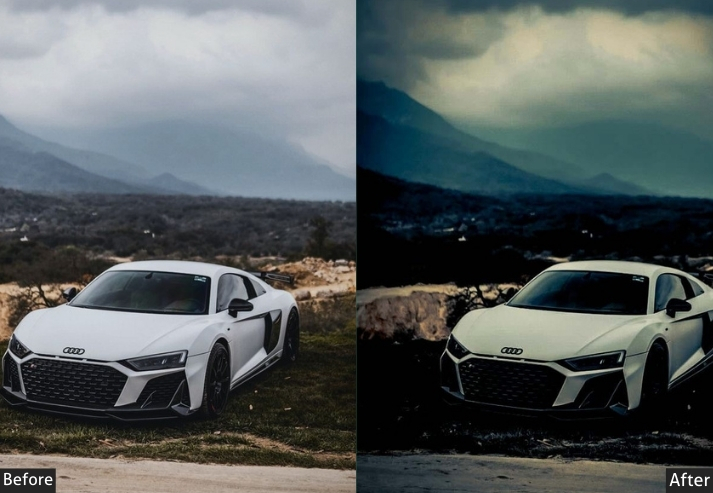
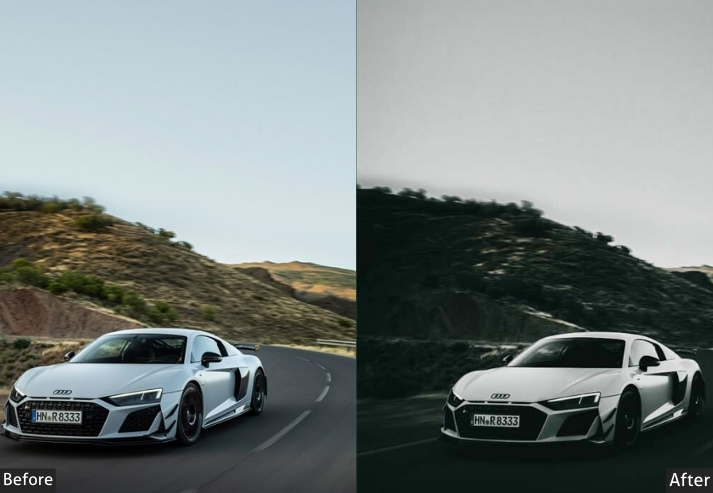
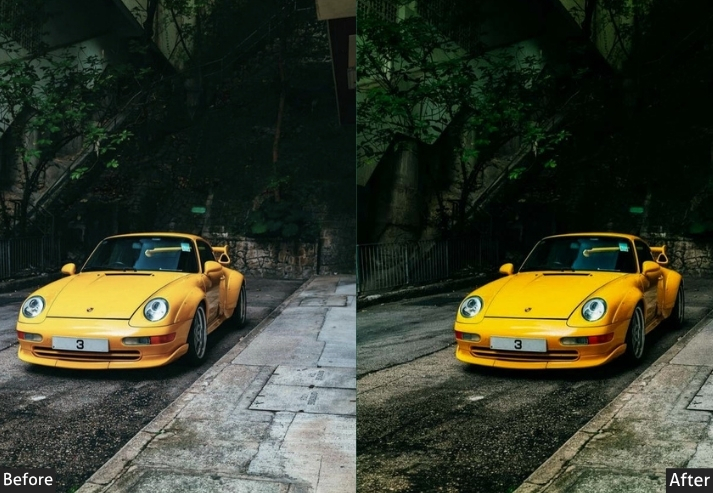
Purpose: the power and sleekness of the car, especially in dark settings.
Best For: Black cars or low-light photography.
Usage: When you want your car to look like it’s cruising through Gotham City.
Style: Moody, bold, stealthy.
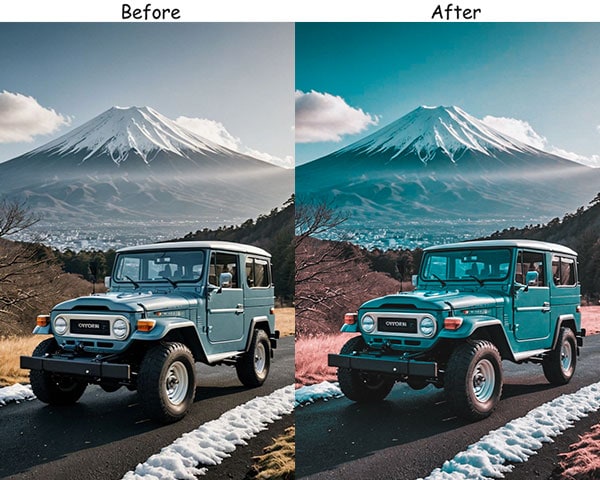
9. Blue Tones Automobile Preset
Cool-toned edits have a clean, modern feel that works well for EVs, luxury sedans, and tech-focused car brands. This preset shifts the image toward a controlled blue palette: not a blue filter, but a subtle cool grade that makes silver, white, and blue cars look particularly sharp.
Light: Exposure +10, Contrast +20.
Color: Blue Sat +40, Greens & Yellows -20, Cool Tint +20.
Effects: Clarity +15, Dehaze +10.
Details: Sharpening +30.
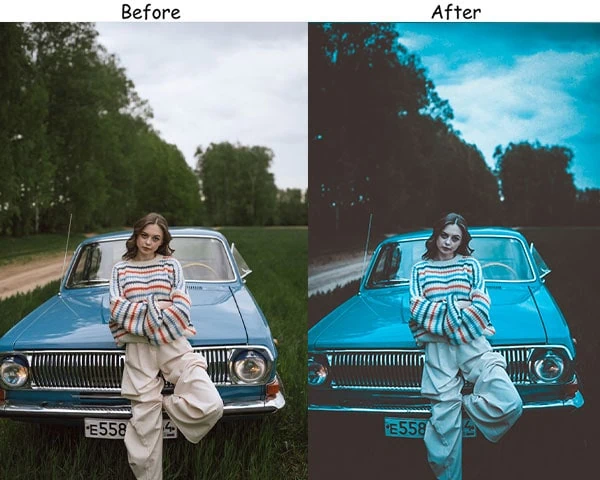
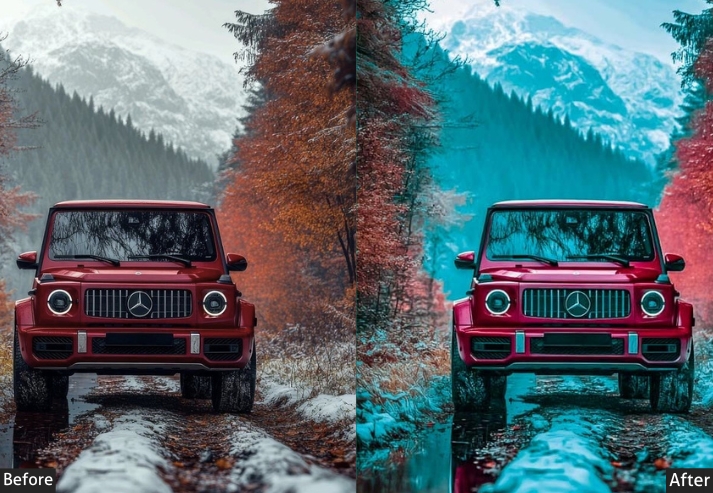
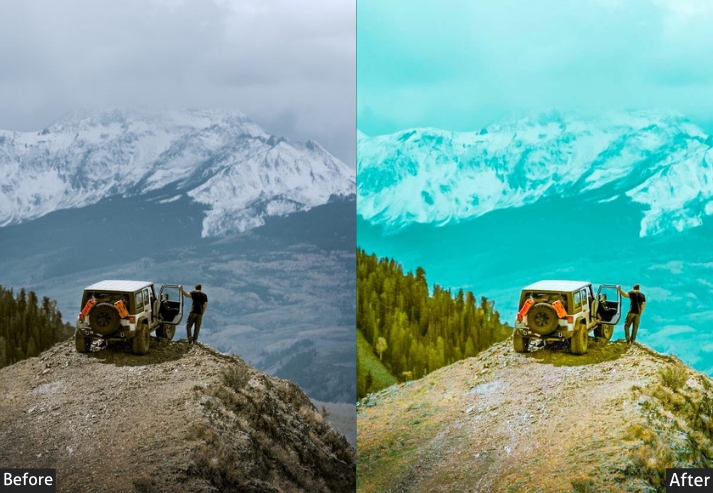
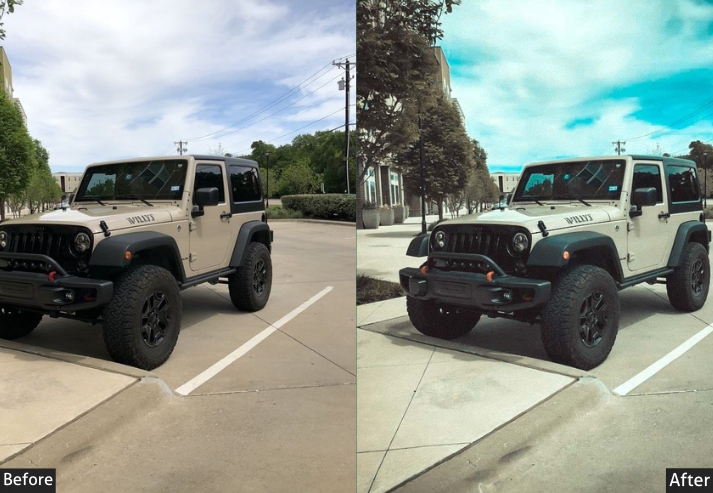
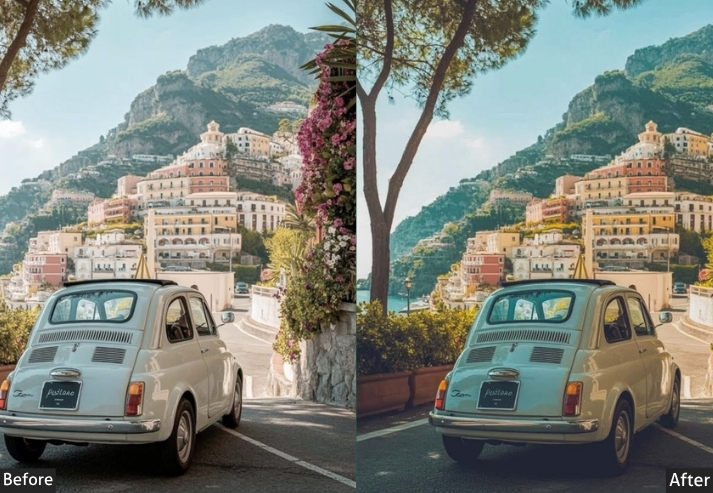
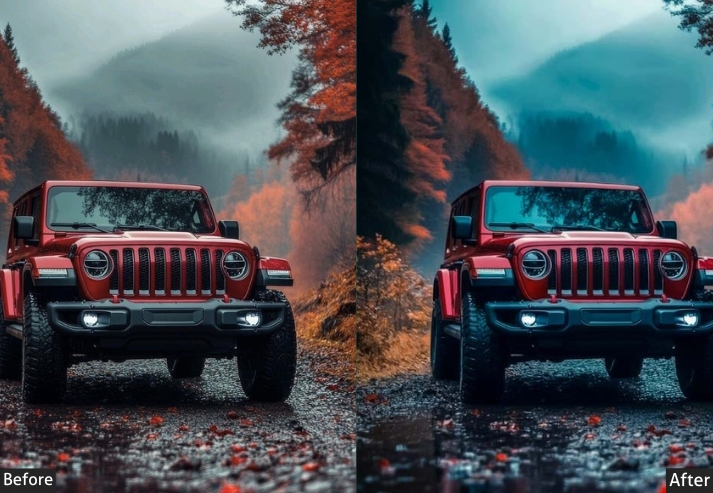
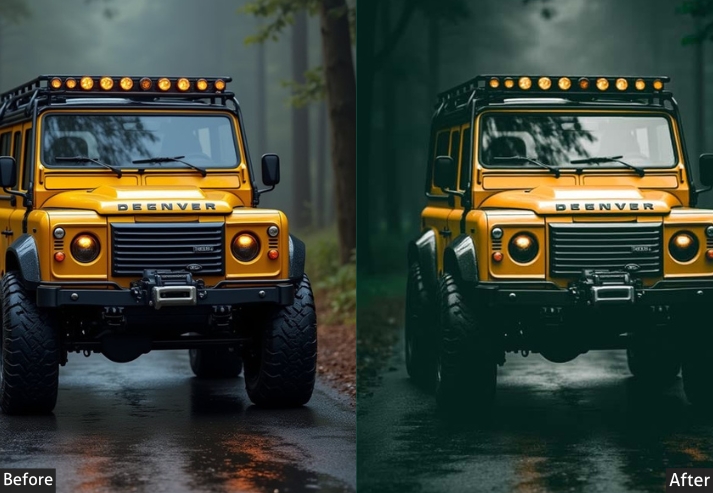
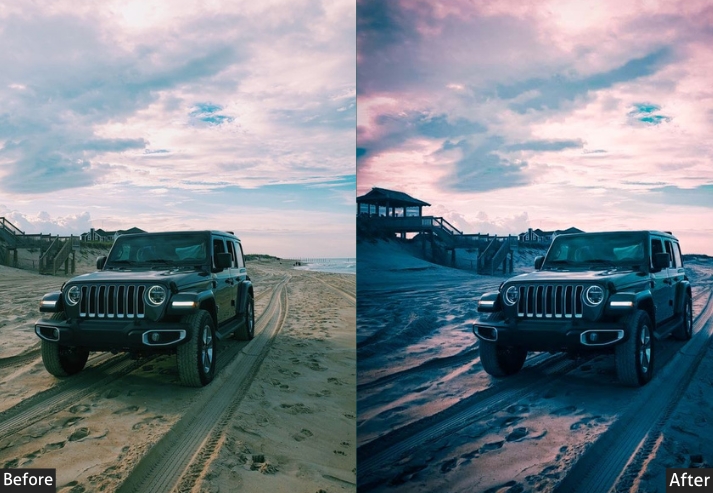
Purpose: sleek, modern look with cool tones.
Best For: Cars with blue paint, or cityscapes with neon lights in the background.
Usage: When you want to give your car a futuristic, almost sci-fi vibe.
Style: Cool, modern, techy.
10. Reddish Tones Automobile Preset
Red cars already command attention. This preset ensures the photo stays up. By boosting warmth and red channel saturation, it enhances the stop-sign intensity without making the paint look artificially neon. Pair it with a desert road, a warm concrete background, or a sunset backdrop for maximum impact.
Light: Exposure +15, Contrast +25.
Color: Reds +40, Oranges +30, Blues -20, Temp +20.
Effects: Texture +20, Clarity +10.
Details: Sharpening +20.
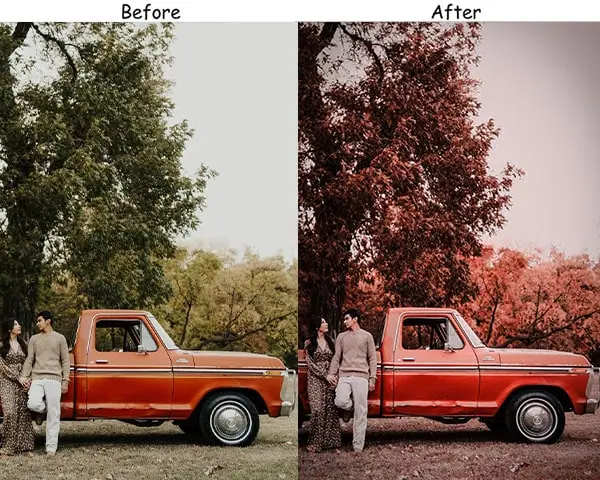
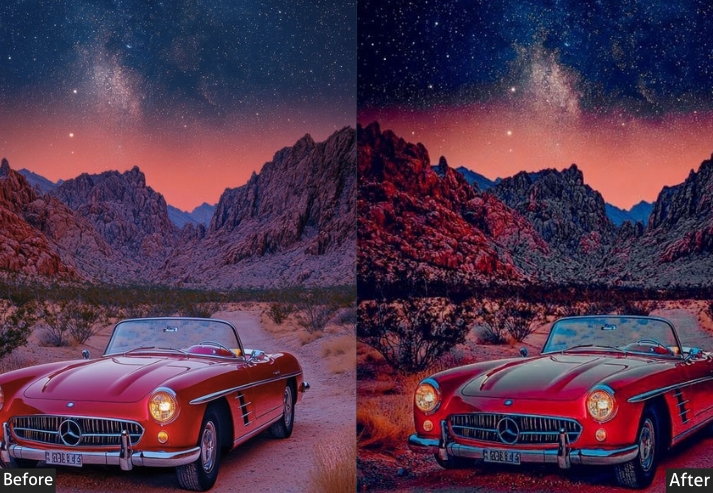
Purpose: To inject energy and warmth into your car shots with vibrant reddish hues.
Best For: Cars in desert environments or during sunset/sunrise.
Usage: When you want your car to look like it’s radiating heat and speed.
Style: Warm, fiery, energetic.
11. Teal & Orange Automobile Preset
The teal-orange split is the most popular color grade in professional car photography for a reason: it creates an almost automatic visual separation between the warm car body and the cooler background. This preset applies that grade with enough subtlety that it doesn’t look like an Instagram filter. It looks like a deliberate color decision.
Light: Exposure +10, Contrast +30.
Color: Oranges +40, Teals +30, Greens -15, Temp +10.
Effects: Clarity +10, Vignette -10.
Details: Sharpening +20, Noise Reduction +10.
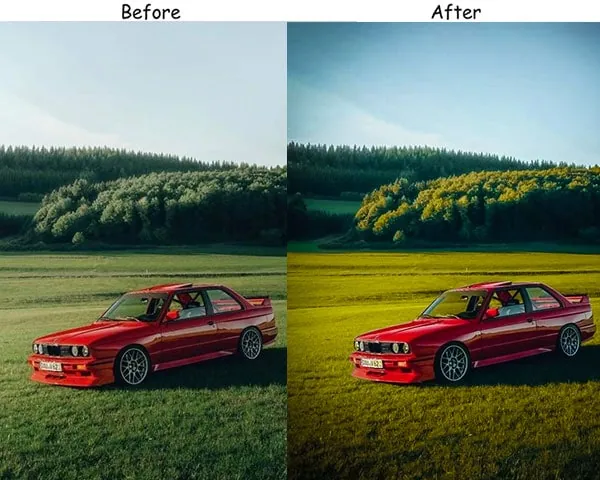
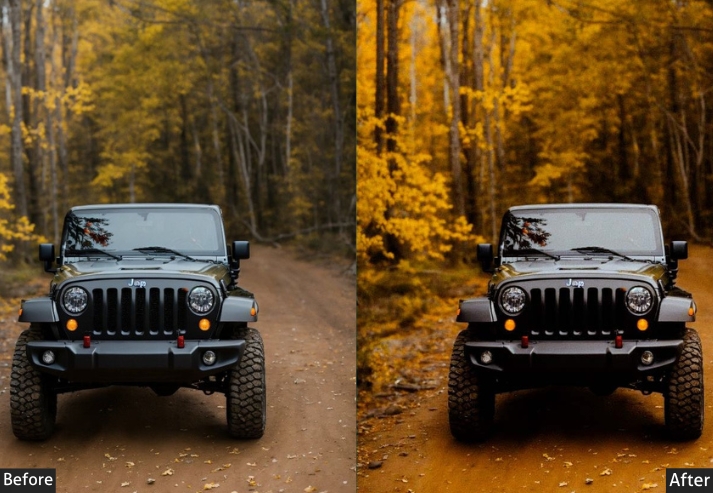
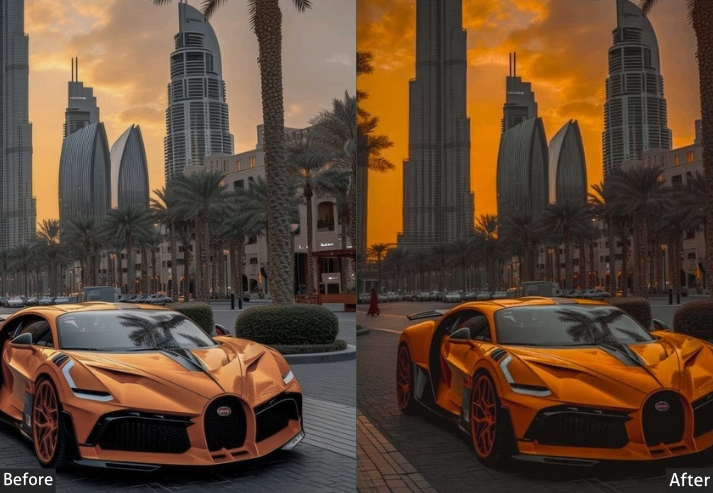
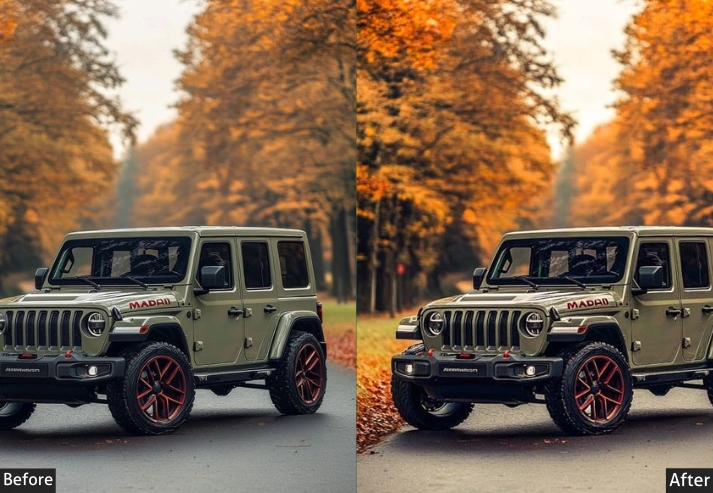
Purpose: modern, stylish contrast that makes your car stand out in any environment.
Best For: Urban car photography or lifestyle shots with contrasting background colors.
Usage: On social media.
Style: Trendy, modern, high-contrast.
12. Golden Tones Automobile Preset
Unlike the Sunset preset (which mimics late golden hour), this preset simulates a softer mid-afternoon warmth. It’s the preset I use when I want a lifestyle-magazine feel. the kind of shot where the car looks like an accessory to a good day rather than the main subject of a technical photo shoot.
Light: Exposure +20, Highlights +15, Shadows -10.
Color: Oranges +40, Yellows +30, Blues -25, Temp +30.
Effects: Dehaze +10.
Details: Sharpening +15, Noise Reduction +5.
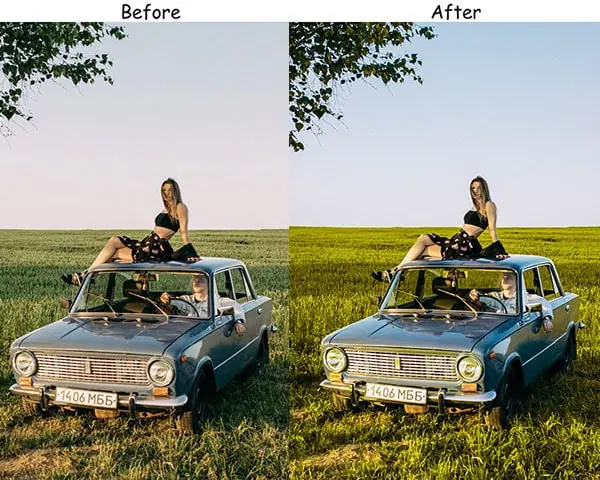
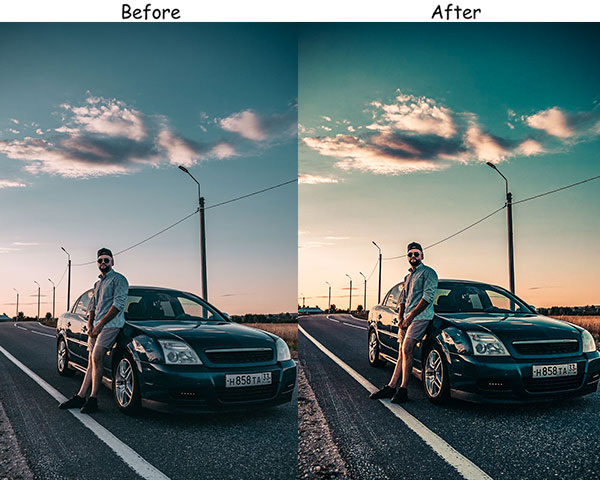
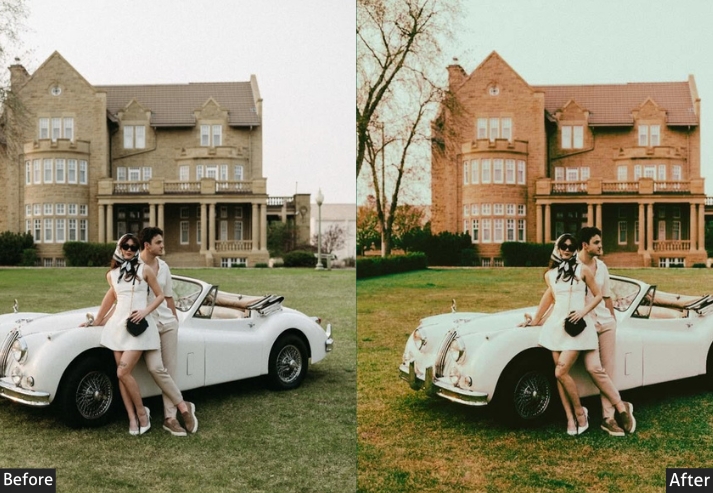
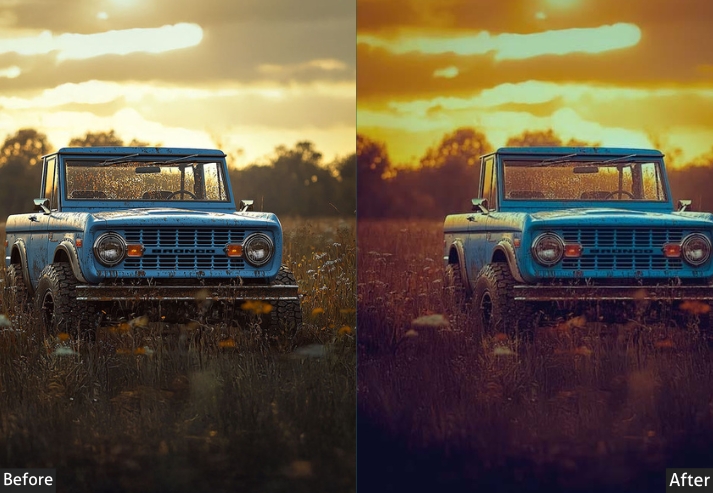
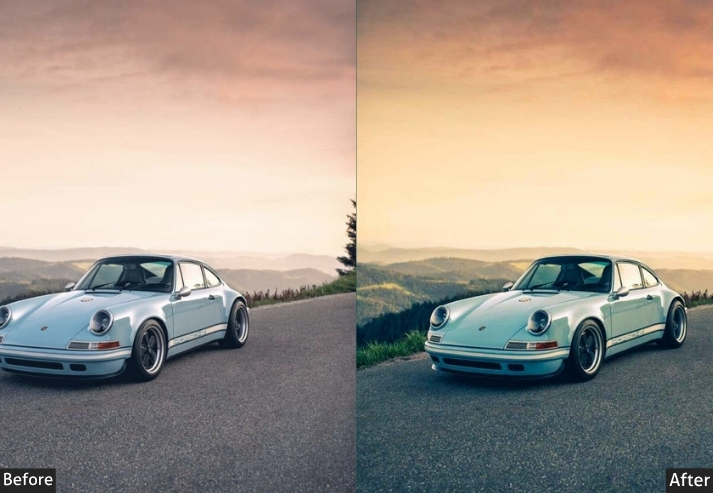
Purpose: dreamy, sun-soaked look.
Best For: Photos taken during the golden hour or sunny days.
Usage: When you want your car to look like it’s glowing under the perfect sunbeam.
Style: Warm, dreamy, glowing.
13. Matte Finish Automobile Preset
Matte looks have dominated automotive culture for the past decade: matte wraps, flat-black stealth builds, satin finishes. This preset recreates that aesthetic in post. It’s particularly effective when you have a car with a glossy finish but want to see what it would look like with a matte wrap without the actual cost of one.
Light: Exposure -15, Highlights -20, Contrast +10.
Color: Saturation -20, Temp -10.
Effects: Clarity +15, Texture +10.
Details: Sharpening +25.
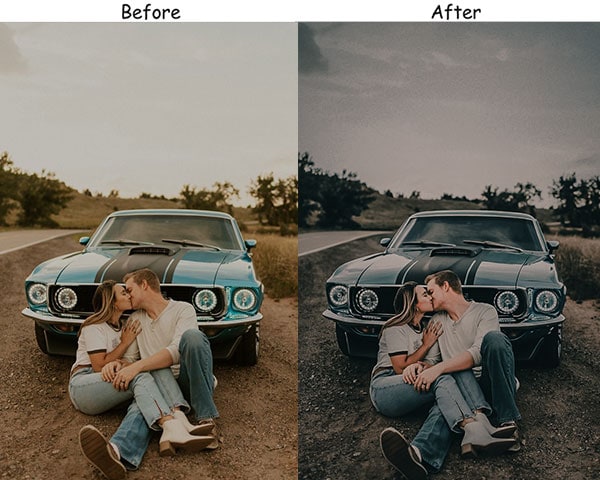
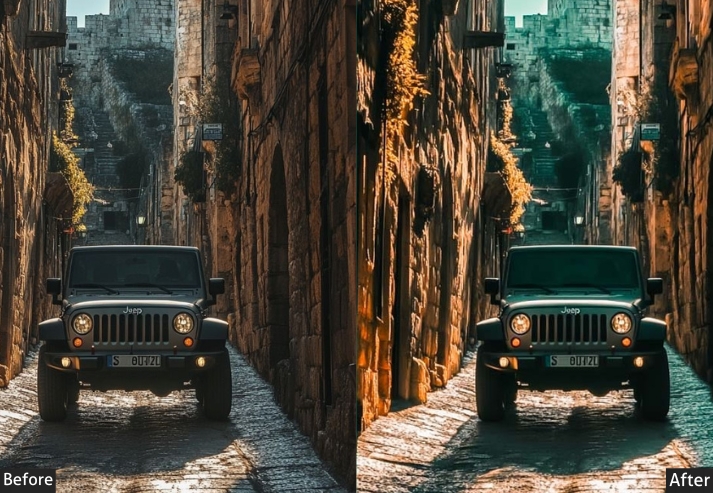
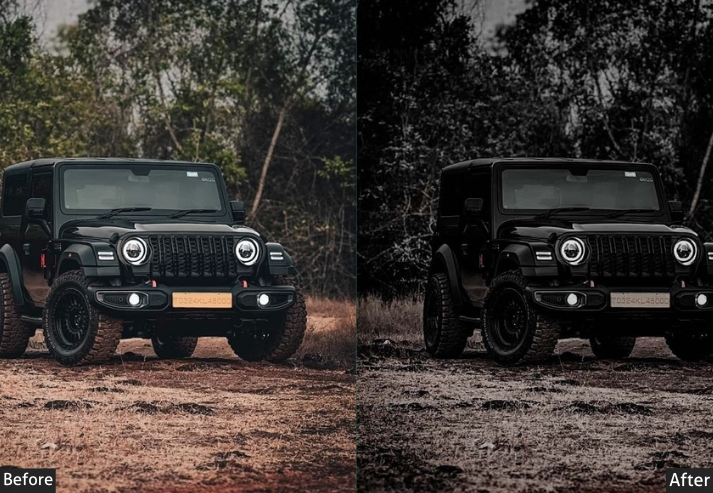
Purpose: Sleek, matte look for cars that don’t need that glossy shine.
Best For: Cars with matte paint jobs or for a subtle, modern vibe.
Usage: When you want your car to look sleek without the gloss.
Style: Flat, muted, stylish.
14. Classic – Old Automobile Preset
Vintage cars deserve vintage edits. This preset was built with 1950s–1970s American classics in mind, but it also does something interesting with modern supercars. It makes them look like they’ve been discovered as a barn find, creating a compelling visual story. The grain is heavier here than in the Rustic preset, which gives it a more authentic film feel.
Light: Exposure -15, Shadows -10, Contrast -10.
Color: Temp +20, Saturation -15, Magentas +10, Oranges +15.
Effects: Grain +25, Vignette -15.
Details: Sharpening +10.
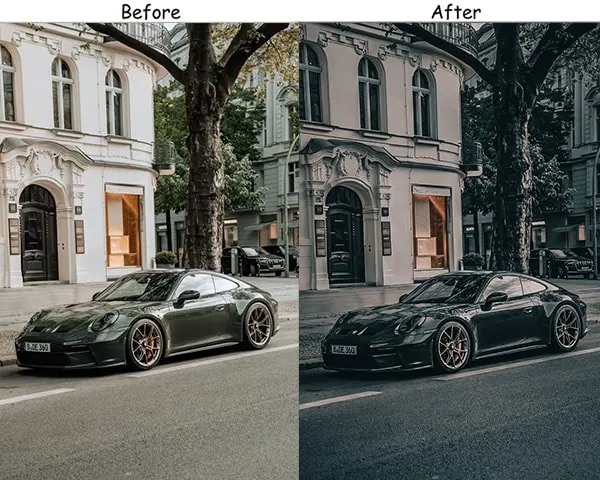
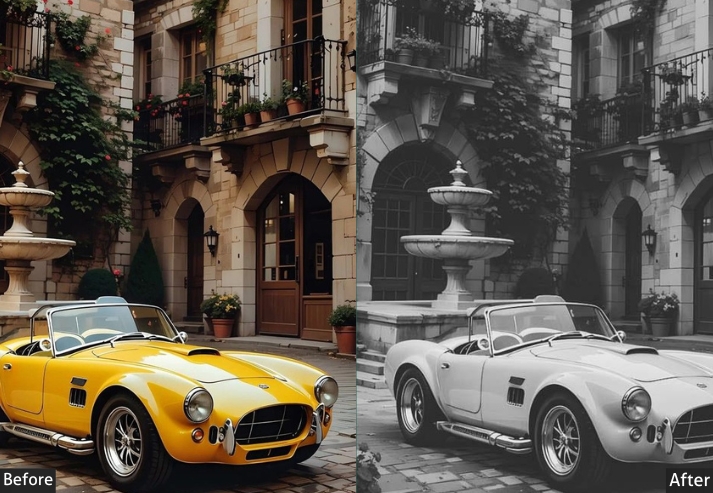
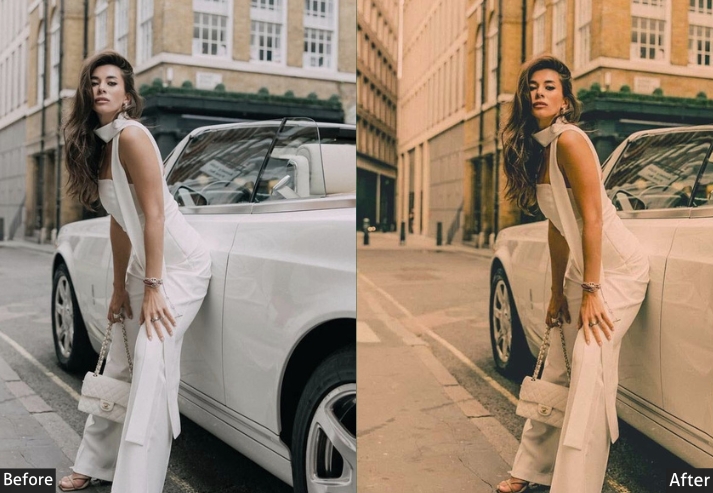
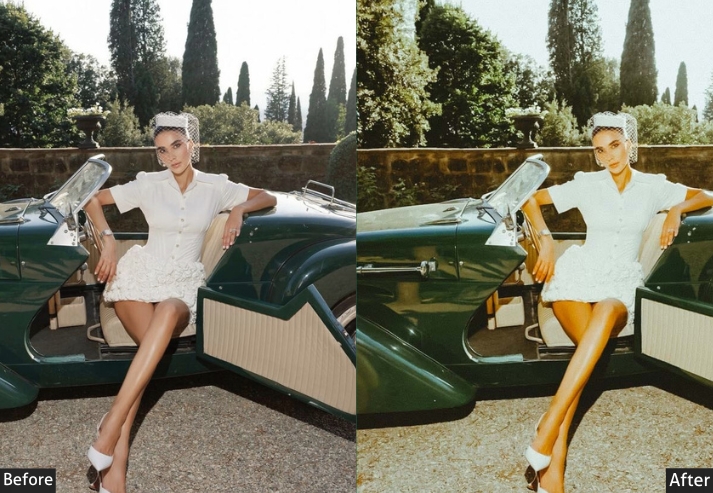
Purpose: a classic, aged look, perfect for retro enthusiasts.
Best For: Classic cars, vintage settings, or giving modern cars a timeless feel.
Usage: When you want your car photos to feel like they were taken decades ago.
Style: Nostalgic, warm, faded.
15. Street Automobile Preset
Modified cars, lowered suspensions, aftermarket wheels. Streetcar culture has its own visual language, and this preset speaks it. The strong clarity and cool blue shift in the shadows give photos a raw, underground quality. It’s not polished in the commercial sense, which is exactly the point.
Light: Contrast +25, Shadows -20, Highlights +10.
Color: Blues +20, Greens -15, Vibrance +10.
Effects: Clarity +20, Texture +15.
Details: Sharpening +25, Noise Reduction +5.
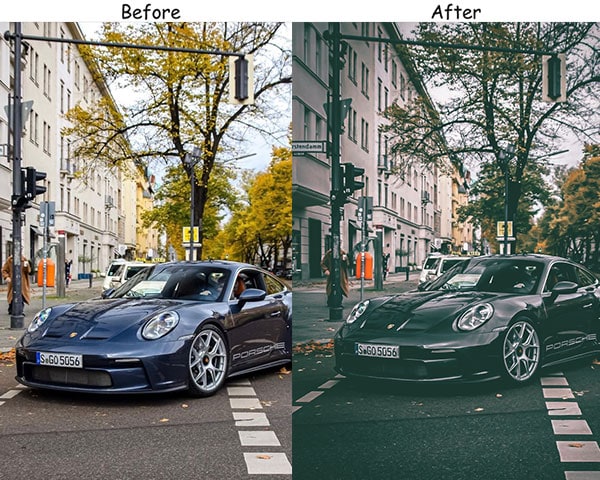
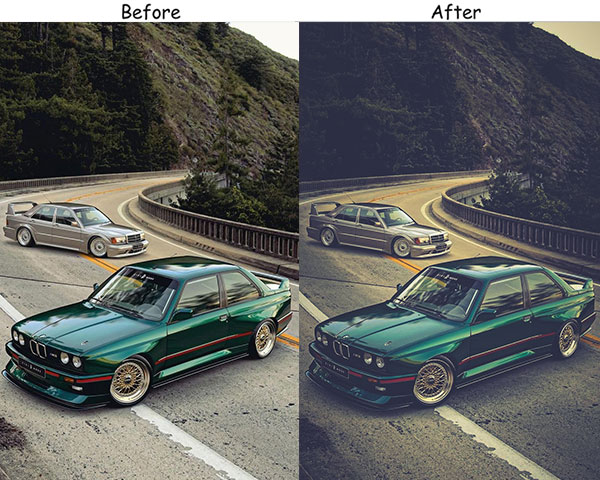
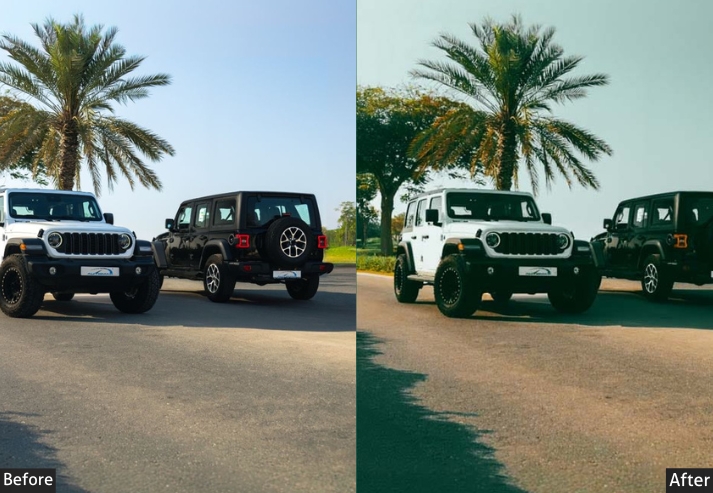
Purpose: the bold, edgy style of your car in an urban setting.
Best For: City shots, street photography, or cool parking garages.
Usage: When you want your car to feel at home in the concrete jungle.
Style: Gritty, cool, sharp.
16. Cinematic Automobile Preset
Every Hollywood car chase scene has a recognizable look: lifted shadows, reduced midtone saturation, warm highlights, and a slightly crushed black point. This preset reverse-engineers to look for still photography. It doesn’t make photos look like screenshots; it gives them a filmic quality that suggests motion even in a static image.
Light: Contrast +30, Shadows -20, Highlights +15.
Color: Saturation -10, Reds & Oranges +20, Blues -10.
Effects: Clarity +10, Dehaze +15.
Details: Sharpening +30, Noise Reduction +10.
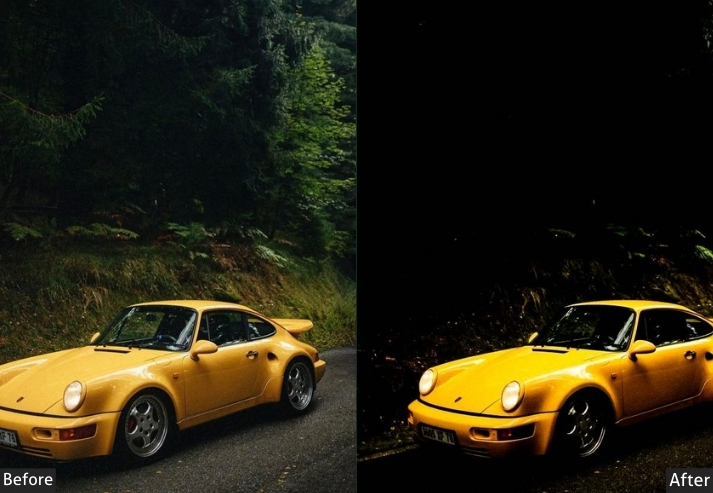
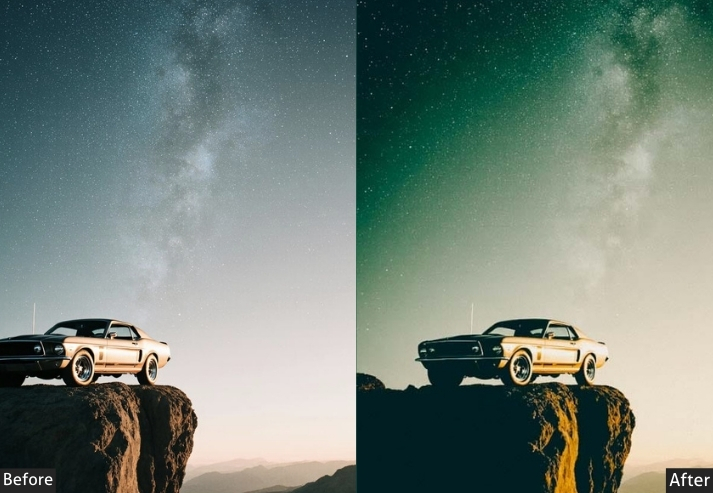
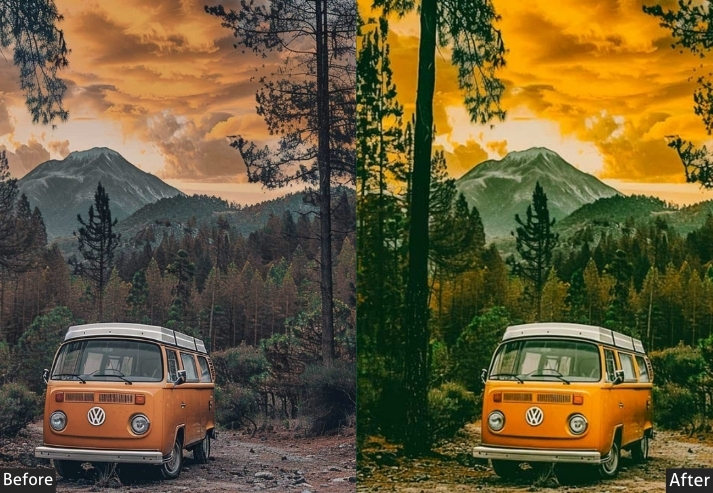
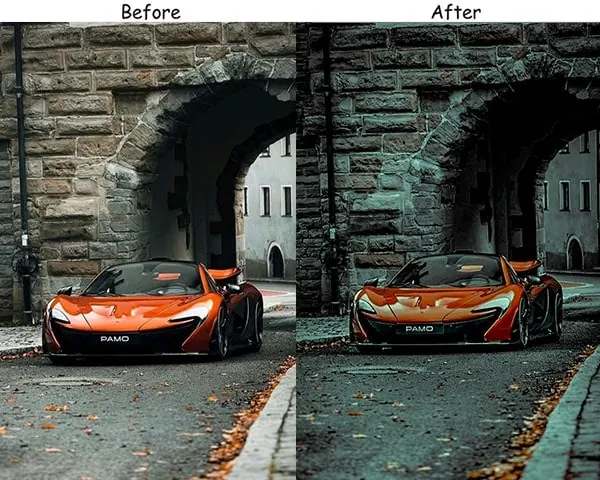
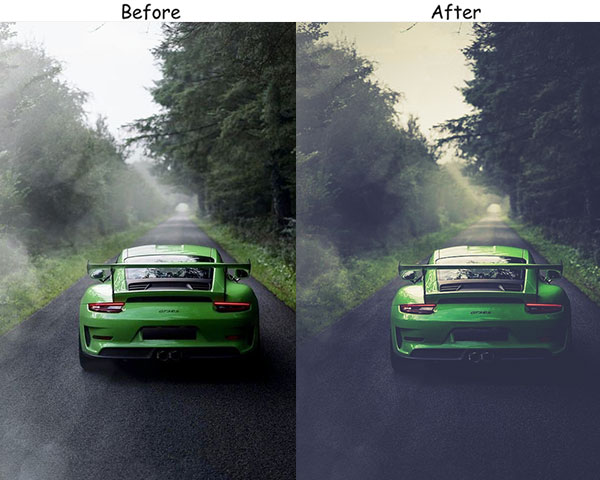
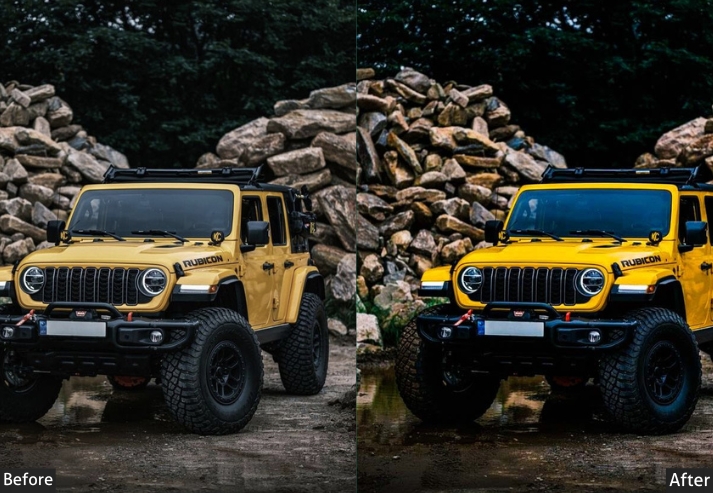
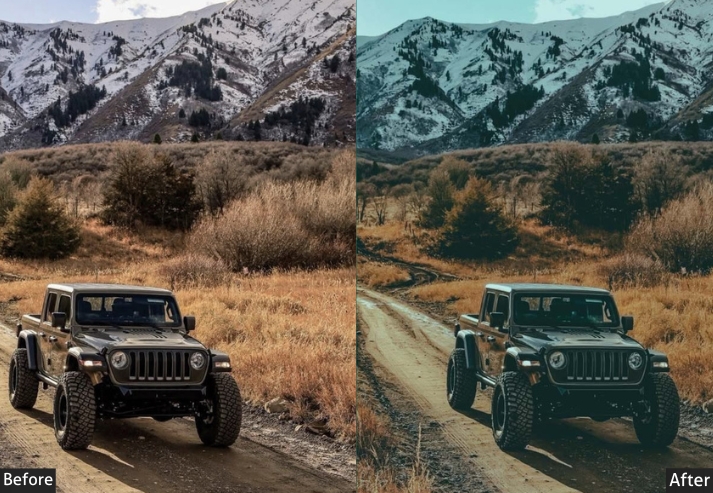
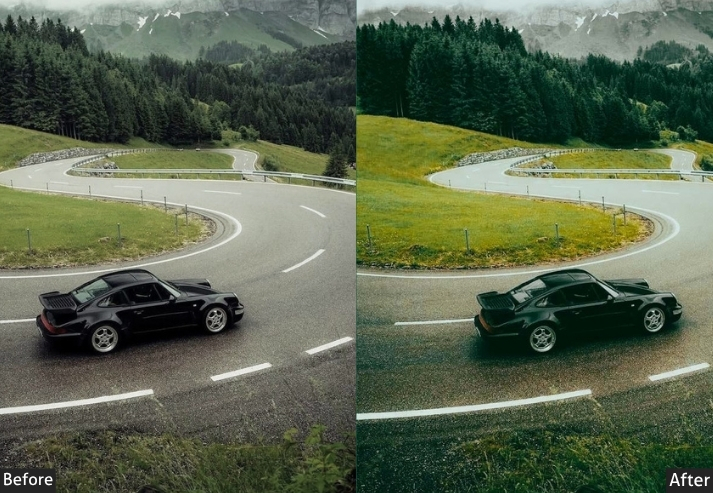
Purpose: an epic, movie-like atmosphere around your car.
Best For: Night shots, high-contrast environments, or moody lighting.
Usage: When you want your car to look like it’s about to zoom across the big screen.
Style: Bold, cinematic, dramatic.
17. Cool/Winter Automobile Preset
Snow and ice create a natural studio environment for car photography: even, diffused light and a clean white background. The challenge is that winter light tends to go flat. This preset counters that by boosting the blue channel and adding clarity to bring out the texture of frost and snow in the scene without making the image look cold and uninviting.
Light: Exposure +15, Contrast -10, Shadows -20.
Color: Temp -30, Blues +20, Warm Tones -20, Greens -15.
Effects: Clarity +10, Dehaze -10.
Details: Sharpening +20, Noise Reduction +5.
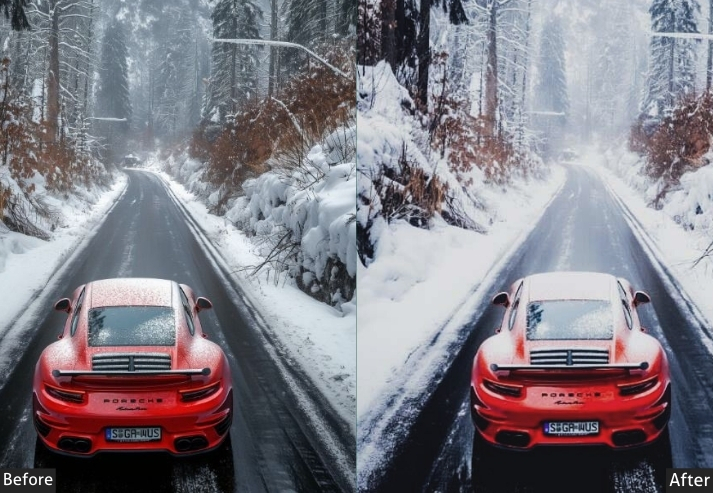
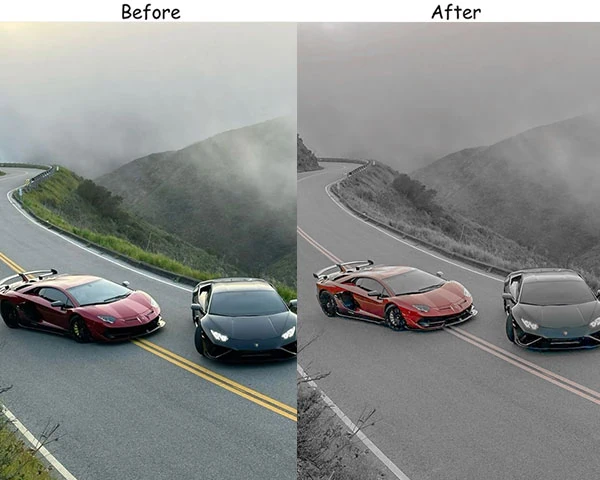
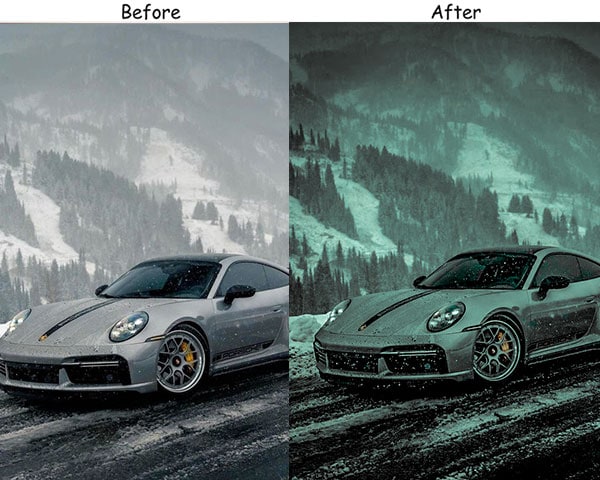
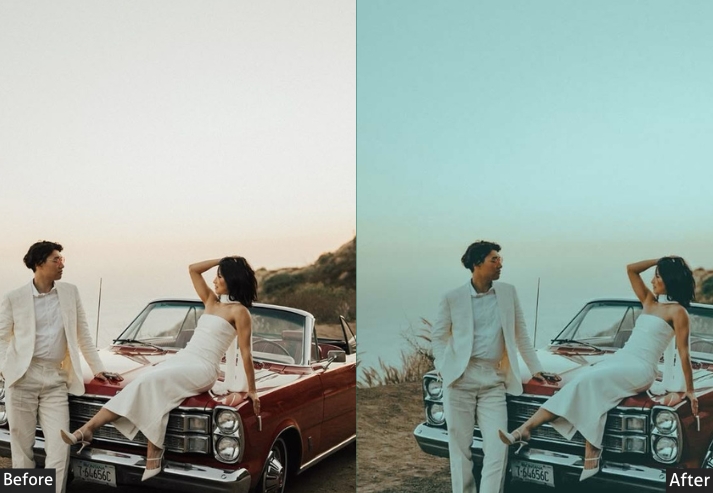
Purpose: snowy, frosty car photos and bring out that winter wonderland vibe.
Best For: Cars in snowy environments, icy mornings, or shots with a cool, crisp atmosphere.
Usage: when your car is the star in a winter setting.
Style: Cool, frosty, clean.
18. Minimalist Automobile Preset
Minimalist car photography is harder than it looks. Removing clutter from the edit means the composition has to do all the work. This preset reduces competing visual noise: it pulls down saturation, softens the overall texture, and lowers highlights to create a soft, even tone across the frame. It’s the right choice when the car’s design is clean enough to speak for itself.
Light: Exposure -10, Highlights -15, Shadows +10.
Color: Saturation -30, Whites +10, Primary Color +15.
Effects: Clarity +5, Texture -10.
Details: Sharpening +10, Noise Reduction +10.
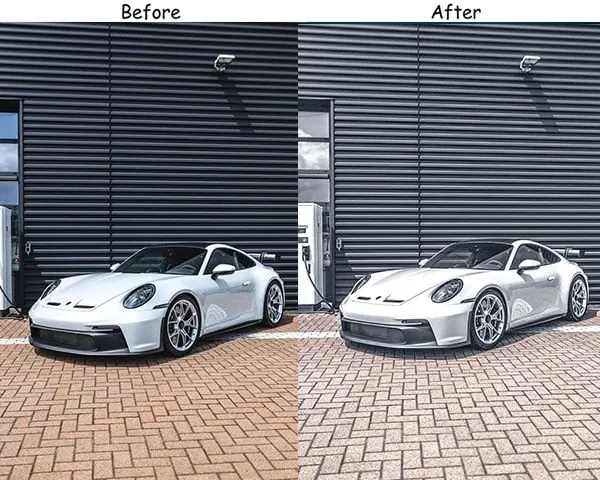
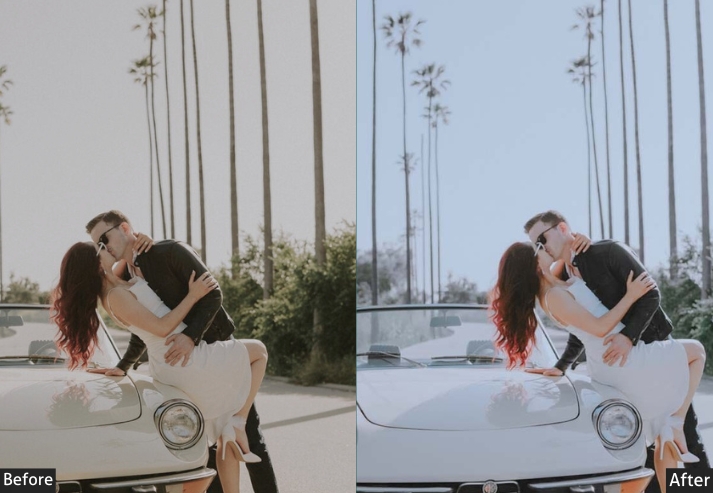
Purpose: a clean, simple look that puts all the focus on the car.
Best For: Studio shots, close-ups, or when you want minimal distractions.
Usage: When simplicity is key, and you want your car to look elegant and refined.
Style: Clean, sleek, modern.
19. Green Automobile Presets
Green cars are rare enough to deserve their own edit. This preset was built for cars shot in natural outdoor environments: forest roads, green paddocks, and countryside routes. The boosted green channel makes the environment feel lush and alive while the car’s bodywork stays the clear focal point.
Light: Exposure -20, Contrast +15.
Color: Green Sat +35, Other Colors -muted, Temp -10.
Effects: Vignette -5, Dehaze +10.
Details: Sharpening +20, Noise Reduction +15.
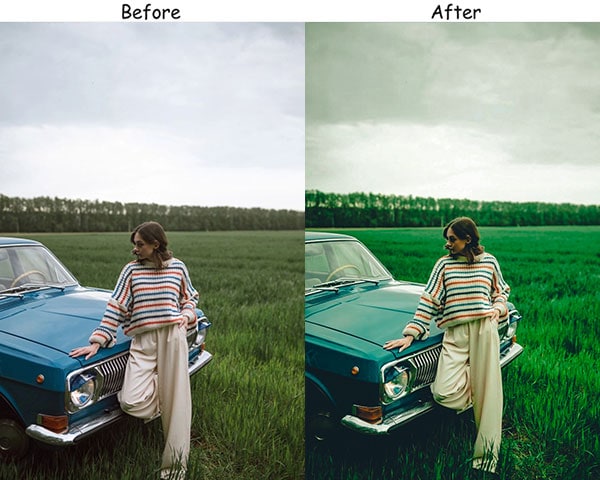
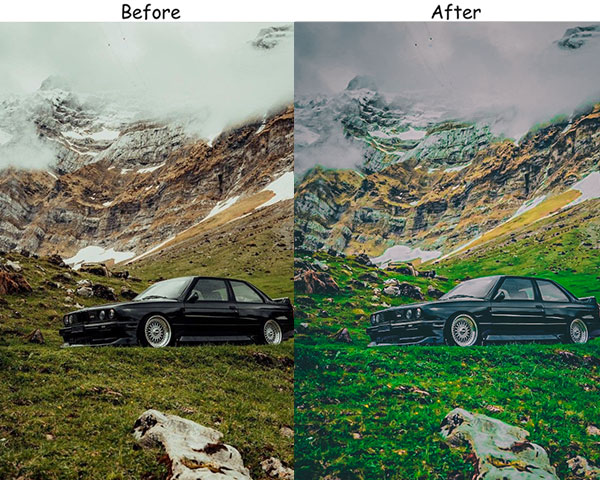
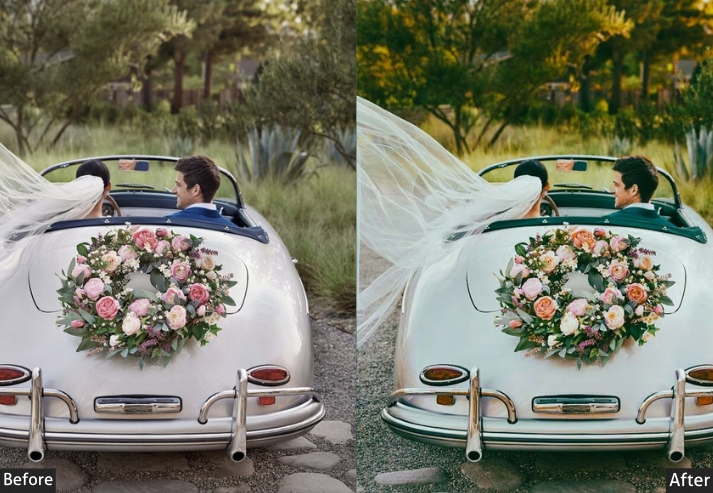
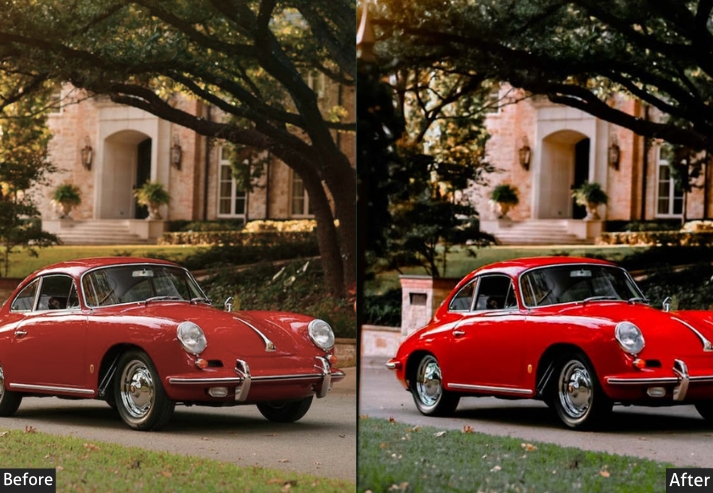
Purpose: a natural, fresh look, making them stand out with an eco-friendly, energetic aura.
Best For: Cars in outdoor settings, especially those surrounded by greenery or nature-inspired photoshoots.
Usage: travel bloggers or eco-conscious car enthusiasts who want to showcase their vehicles with a natural, earthy vibe.
Style: Vibrant, fresh, and energetic with a touch of nature’s tranquility.
20. Brownish Red Automobile Presets
Classic muscle cars in burgundy, maroon, or copper tones look almost completely lost in modern automotive photography. Everything goes teal-orange now. This preset is a deliberate throwback: it amplifies warm red-brown tones and deepens the shadows to give those classic color palettes the respect they deserve.
Light: Exposure +10, Highlights +20, Shadows -15.
Color: Red Sat +40, Red Hue Warm +25, Blues & Greens -20.
Effects: Clarity +15, Vignette -10.
Details: Sharpening +30, Noise Reduction +10.
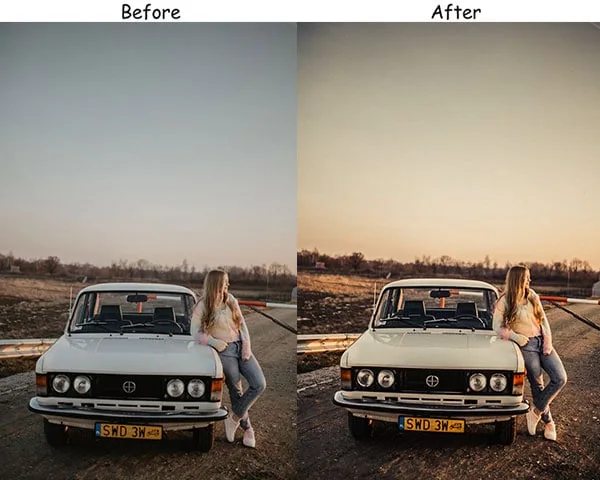
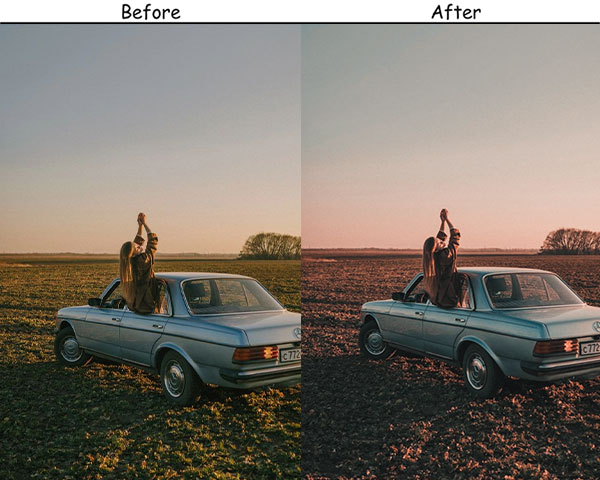
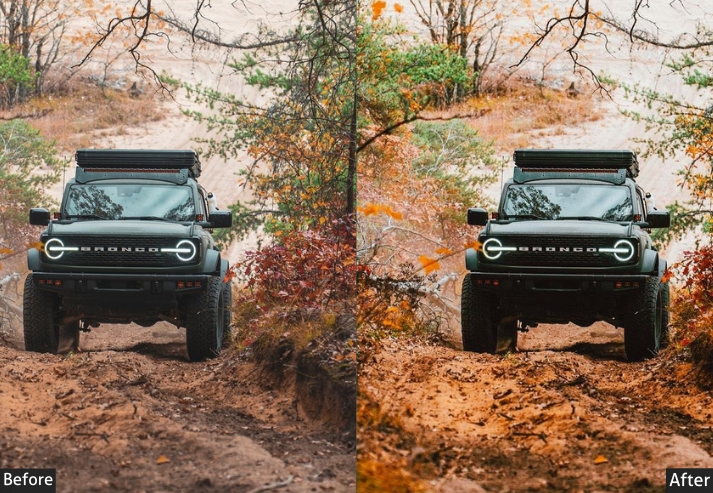
Purpose: dynamic, powerful, and bold look.
Best For: Sports cars, luxury vehicles, or high-energy photoshoots that want to highlight speed and power.
Usage: car enthusiasts, dealerships, or anyone looking to make their red automobile stand out dramatically.
Style: Bold, fiery, and full of energy-ideal for conveying passion and intensity.
Compatibility
These presets come in both DNG and XMP format, which covers every version of Adobe Lightroom currently in use:
- Lightroom Mobile: iOS (iPhone & iPad) and Android (use DNG files)
- Lightroom Classic: Windows and macOS (use XMP files)
- Lightroom CC / Cloud: Windows and macOS (use XMP files)
- Lightroom 4, 5, 6: Older desktop versions also supported via XMP
These presets are not compatible with Photoshop, Capture One, or other non-Adobe editing software. If you use Capture One, you can manually replicate the settings in each preset section using the Color Editor and Exposure tools.
How to Install Automobile Lightroom Presets
Once you download the files, you’ll have two formats: DNG (for mobile) and XMP (for desktop). Here’s how to install each:
On Lightroom Mobile (iPhone & Android)
- Save the .DNG file to your phone’s camera roll or Files app.
- Open Lightroom Mobile and tap the + icon to import the DNG file.
- Open the imported DNG photo, then tap the three-dot menu (···) in the top right.
- Tap Create Preset and name it (e.g., “Moody Automobile”).
- The preset now appears in your User Presets folder and can be used on any photo.
On Lightroom Classic (Windows & Mac)
- Unzip the downloaded file to access the .XMP preset files.
- Open Lightroom Classic and go to the Develop module.
- In the left panel, right-click on User Presets and select Import Presets.
- Navigate to your XMP files, select all of them, and click Import.
- The presets will appear under User Presets immediately — no restart needed.
On Lightroom CC (Cloud Version)
- Go to File > Import Profiles & Presets.
- Select your XMP files and click Import.
- Find the presets in the Presets panel under the Develop tab.
If you want details with an image guide, check the Lightroom Presets Installing and Settings Guide.
Last Words
Car photography rewards attention to detail: both in how you shoot and how you edit. These 100+ automobile presets give you a solid shortcut through the editing process, but they work best when you understand what each one is doing to your image. Take five minutes to review the settings in the presets you use most often. Once you know what the Clarity and Shadow sliders are doing, you’ll be able to adapt any preset to any photo in under a minute.
If you try any of these presets and want to share the results, drop a link in the comments. It’s always useful to see how different cars and lighting conditions interact with the same preset. And if you shoot in a style not covered here (motorcycle photography, truck builds, race track shots), let me know in the comments. I’m always working on new styles to add to the collection.
More Presets For You:
Automotive Lightroom Presets Free Download
Sports Lightroom Presets Free Download
Travel Lightroom Presets Free Download
Retro Lightroom Presets Free Download
Beach Lightroom Presets Free Download