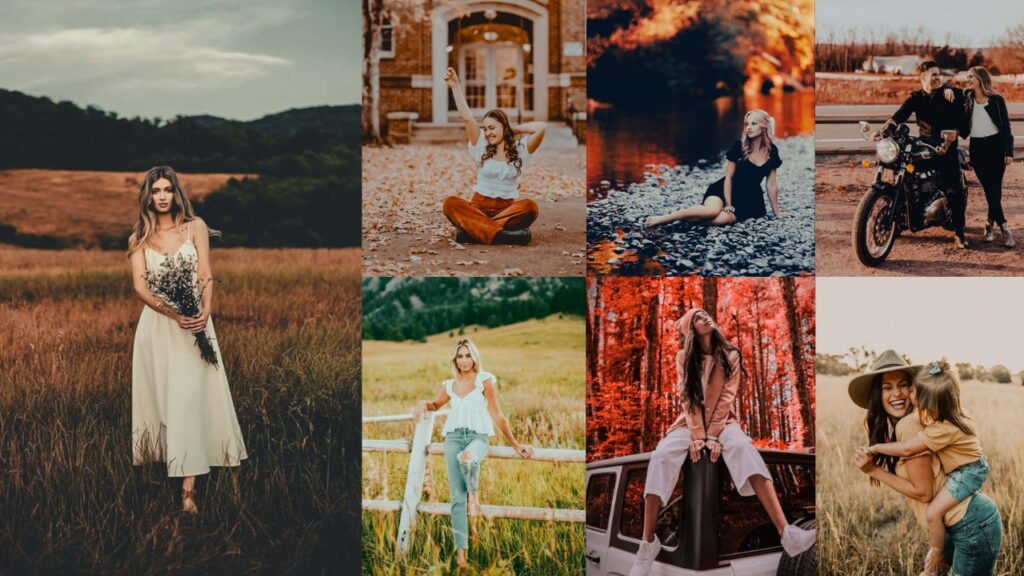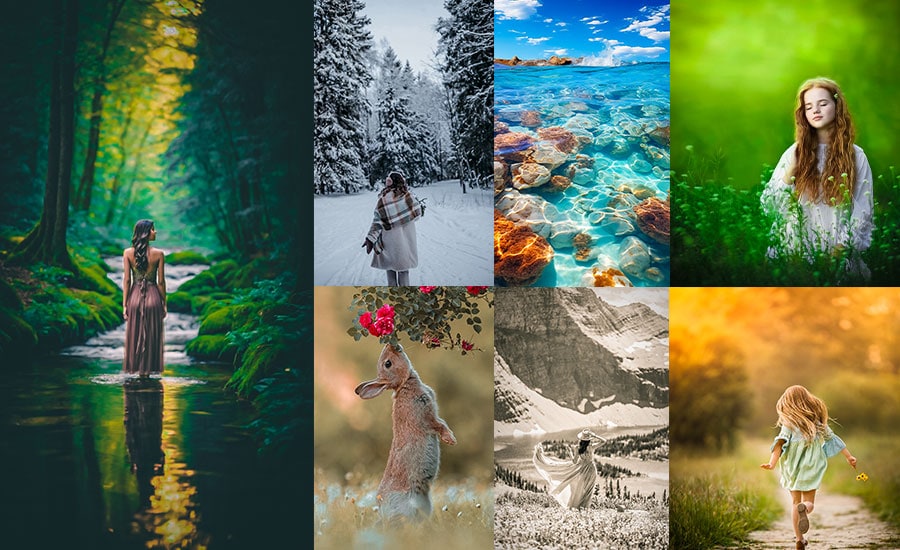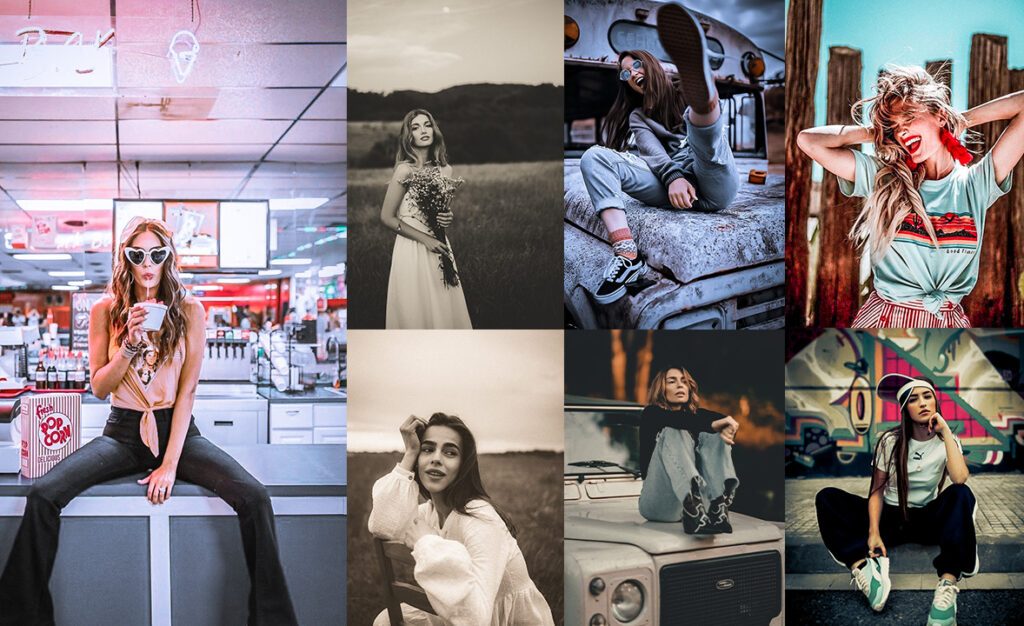
Retro-style editing has surged in popularity because it taps into something deeply human: the longing for moments that feel real, warm, and lived-in. Whether you’re recreating the punchy Kodachrome reds of a 1960s road trip, the faded pastel haze of a Polaroid left on a sunny windowsill, or the grainy, washed-out look of a 1990s disposable camera, the right preset can do the heavy lifting in seconds.
This collection covers the full spectrum of retro aesthetics:
- Film emulation presets: Kodachrome, Fujifilm, and classic analog grain.
- Era-specific presets: dedicated looks for the 1960s, 70s, 80s, and 90s.
- Format presets: Polaroid, VHS, instant camera, and newsprint.
- Mood presets: moody, dreamy, warm glow, dramatic, and pastel.
All presets are completely free. Each one includes the exact Lightroom slider values so you can apply the look manually in any version of Lightroom: Classic, CC, or Mobile. For the fastest workflow, use the download links to get the ready-made XMP or DNG files.
Pauline Jackson
My approach focuses on practical presets that work naturally across portraits, travel shots, lifestyle photography, and everyday content.
50 Retro Lightroom Presets Free Download
If you’re ready to add film-inspired tones, grainy textures, and old-school charm to your shots, without spending a dime, let’s begin!
- Pauline Jackson
- 1. Vintage Film Preset
- 2. Sepia Tone Preset
- 3. 1980s Retro Preset
- 4. Faded Polaroid Preset
- 5. Royal Age Preset
- 6. 1970s Retro Preset
- 7. 90s Film Preset
- 8. Kodachrome Film Preset
- 9. VHS Film Preset
- 10. Classic Sepia Preset
- 11. Retro Color Pop Preset
- 12. Faded Memories Preset
- 13. Instant Camera Preset
- 14. Vintage Dark Tone Preset
- 15. Retro Dramatic Preset
- 16. Analog Warmth Preset
- 17. Classic Monochrome Preset
- 18. Retro Pastel Preset
- 19. Warm Sunset Film Preset
- 20. Old Newspaper Print Preset
- 21. Retro Lomo Preset
- 22. Washed-Out Retro Preset
- 23. Retro Hollywood Preset
- 24. Nostalgic Warm Glow Preset
- 25. 1960s Color Film Preset
- 26. Dreamy Soft Film Preset
- 27. Very Old Retro Preset
- 28. Retro Orange & Brown Preset (Old Warm Film Look)
- 29. Colorful Retro Preset (Bold & Saturated Vintage)
- 30. Old Style Retro Preset (Warm, Faded, & Groovy)
- 31. Urban Retro Preset (Neon Lights & Cinematic City Vibes)
- 32. Winter Retro Preset (Cool, Icy & Vintage Film)
- 33. Street Retro Preset (Gritty, Bold & High Contrast)
- 34. Moody Retro Preset (Dark, Neon, & Gritty)
1. Vintage Film Preset
The Film preset produces a soft, slightly underexposed look with lifted shadows and muted colors. It’s the go-to choice when you want a photo to feel timeless, as if it were taken on a well-used 35mm camera decades ago. Skin tones come out warm and natural, and landscapes take on a quiet, painterly quality.
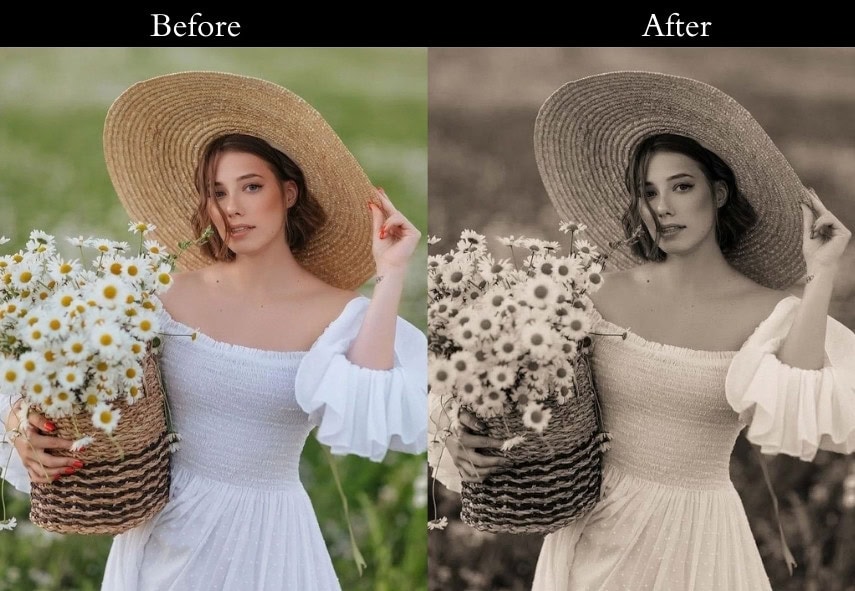
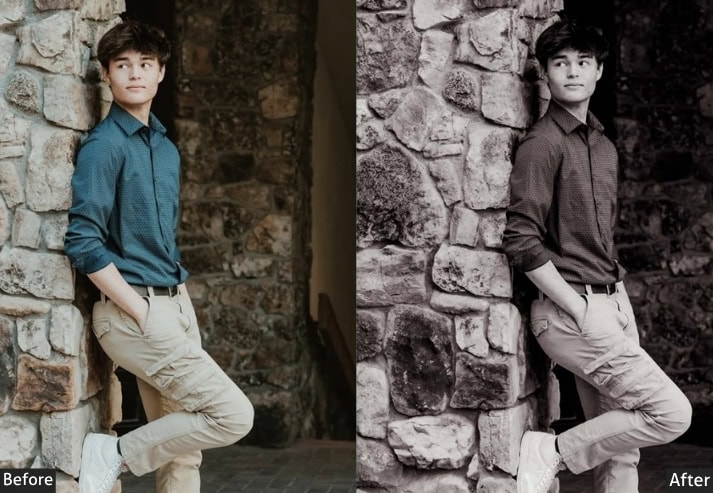
Light Panel: Exposure +0.20 | Contrast −15 | Highlights −20 | Shadows +25 | Whites −10 | Blacks −15.
Color Panel: Temperature +5 | Tint +10 | Vibrance −30 | Saturation −10.
Tone Curve: Lift blacks (raise left end of curve).
Effects Panel: Grain +20 | Vignette −10.
Purpose: the look of classic film photography, a sense of nostalgia.
Best For: Portraits, street photography, and landscapes.
Usage: timeless feel in your images.
Style: Soft contrasts with muted colors and a touch of grain.
2. Sepia Tone Preset
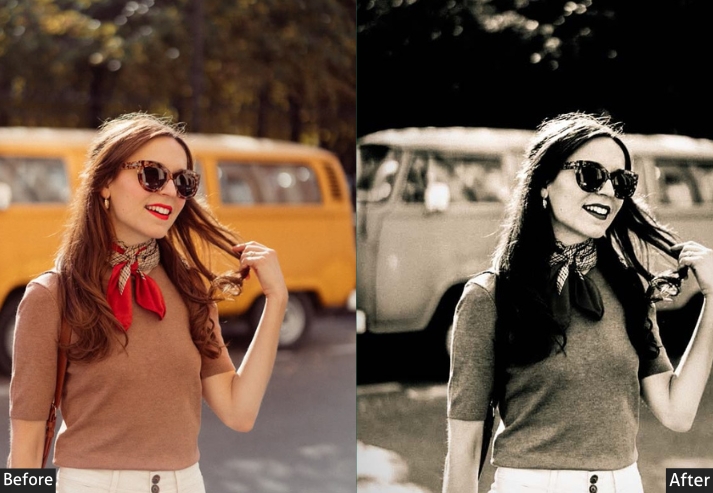
A rich, warm brown tint washes over the entire image, stripping away color and replacing it with the amber-toned palette of 19th-century photographs. Shadows deepen to a dark chocolate, while highlights glow with a faint gold warmth. Suitable for portraits that should feel like they belong in an old family album.
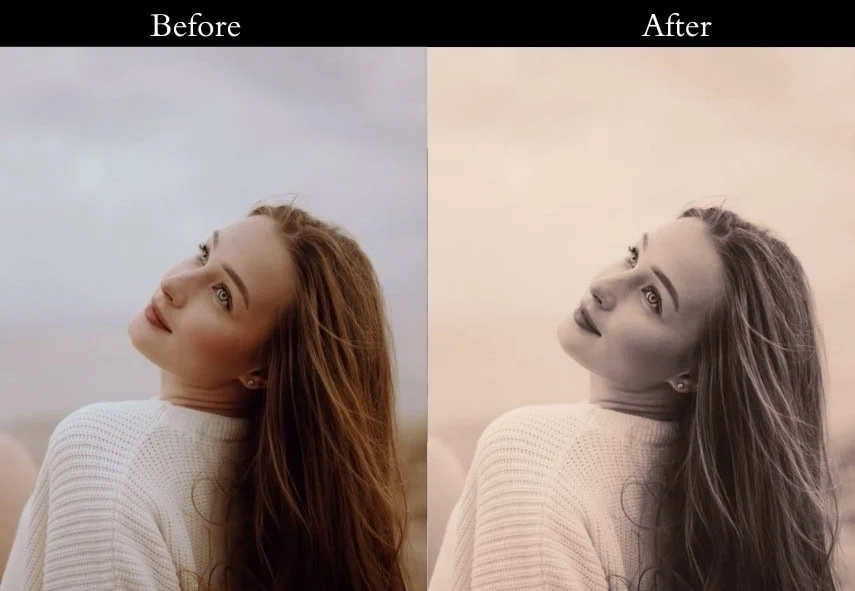
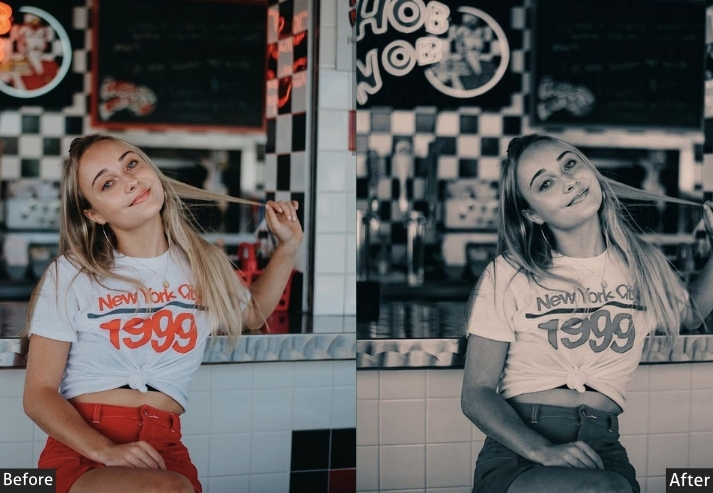
Light Panel: Exposure +0.10 | Contrast −10 | Highlights −15 | Shadows +20 | Whites −10 | Blacks −20.
Color Panel: Temperature +15 | Tint +5 | Vibrance −40 | Saturation −30.
Color Grading: Shadows Hue 40, Saturation 20 | Midtones Hue 50, Saturation 15 | Highlights Hue 60, Saturation 10.
Effects Panel: Grain +25 | Vignette −15.
Purpose: the warm, brownish tones of early photography.
Best For: Portraits and historical-themed images.
Usage: For adding a vintage touch to your photos.
Style: Warm sepia tones with a soft, aged appearance.
3. 1980s Retro Preset
Think neon lights, bold contrast, and colors that feel like they were designed to pop on a CRT television. The 1980s preset pushes warmth into the highlights and injects a subtle magenta-purple into the shadows: capturing that unmistakable era of big hair, bold fashion, and electric energy. Ideal for nightlife, concerts, and any scene with strong artificial lighting.
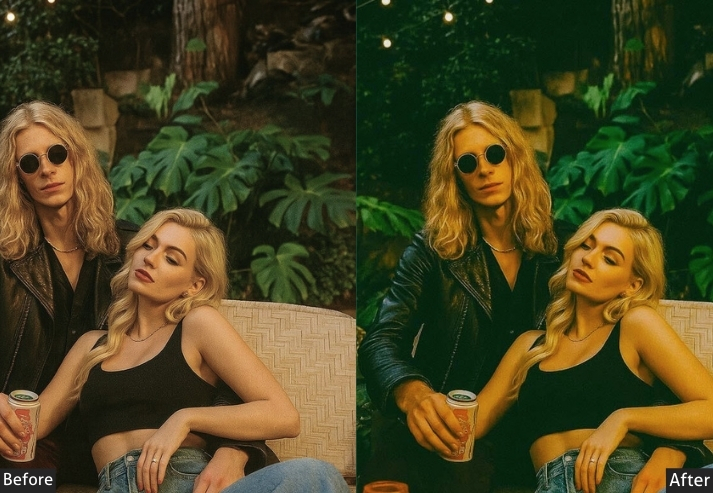
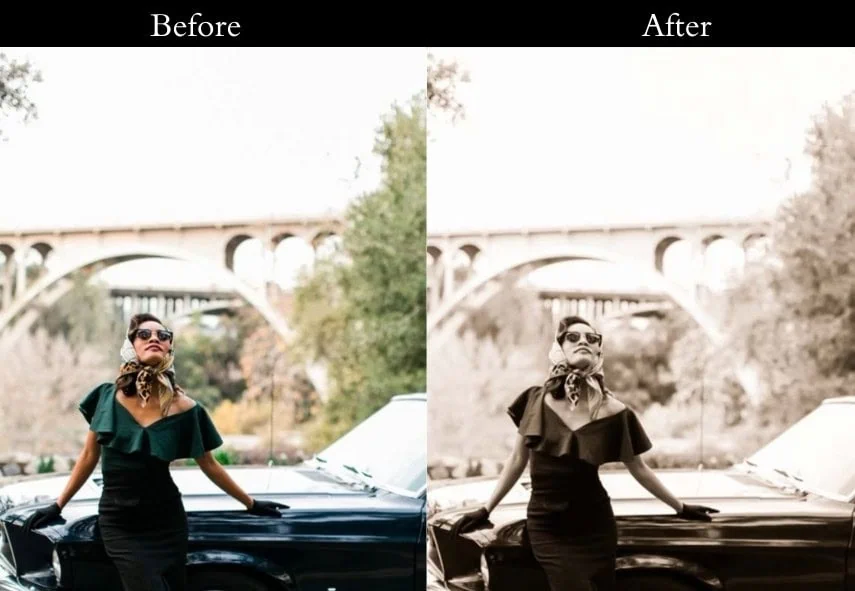
Light Panel: Exposure +0.30 | Contrast +10 | Highlights −10 | Shadows +15 | Whites +5 | Blacks −5.
Color Panel: Temperature +10 | Tint +5 | Vibrance +20 | Saturation +10.
Color Grading: Shadows Hue 280, Saturation 20 | Midtones Hue 50, Saturation 15 | Highlights Hue 60, Saturation 10.
Effects Panel: Grain +15 | Vignette −5.
Purpose: the vibrant and bold aesthetics of the 1980s.
Best For: Urban scenes, nightlife, and fashion photography.
Usage: For adding a retro pop to your images.
Style: Bold contrasts with vibrant colors and a hint of grain.
4. Faded Polaroid Preset
The lifted blacks and crushed highlights recreate the signature “faded square” look of an old Polaroid print that’s been sitting in a shoebox for years. Colors are softly desaturated without being completely washed out, and the tonal range is intentionally compressed so the image feels like a captured memory rather than a crisp digital photo.
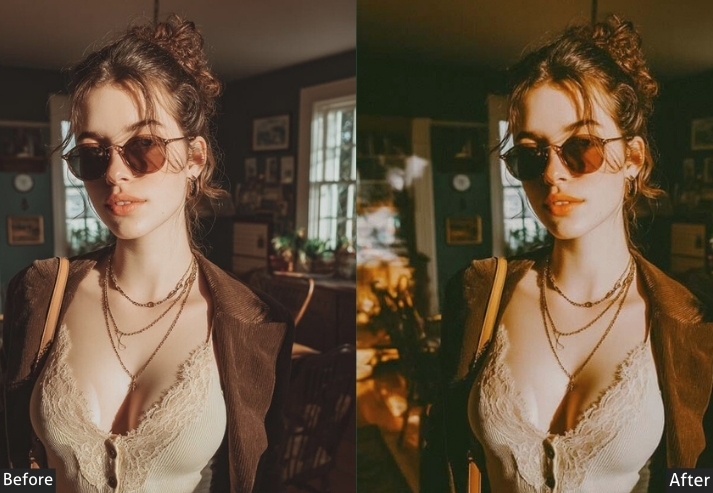
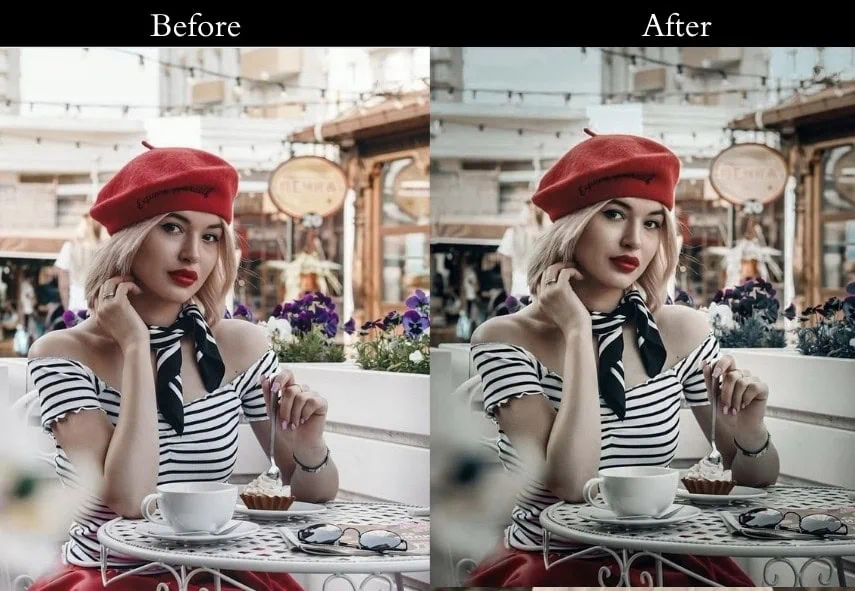
Light Panel: Exposure +0.20 | Contrast −20 | Highlights −15 | Shadows +20 | Whites −10 | Blacks −25.
Color Panel: Temperature +5 | Tint +5 | Vibrance −20 | Saturation −10.
Tone Curve: Lift blacks | Slightly lower highlights.
5. Royal Age Preset
Similar to the Polaroid preset but with slightly more neutral tones, less yellow warmth, and a greener midrange that evokes the damp, slightly overcast feel of old European photography. It’s great for architectural shots, moody portraits, or any scene where you want an air of quiet dignity.
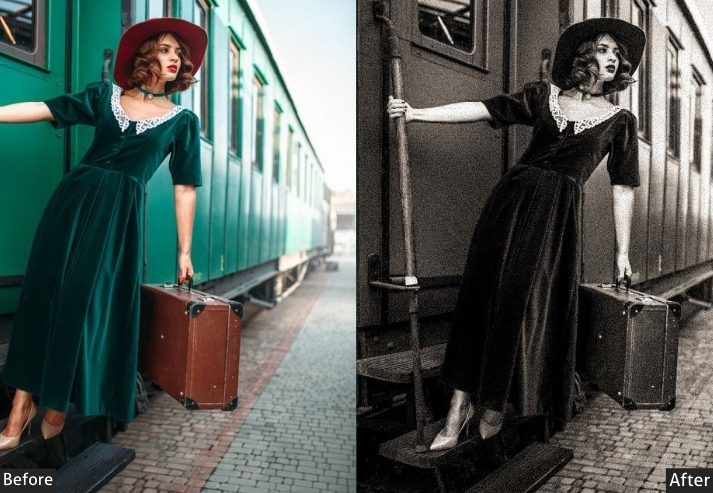
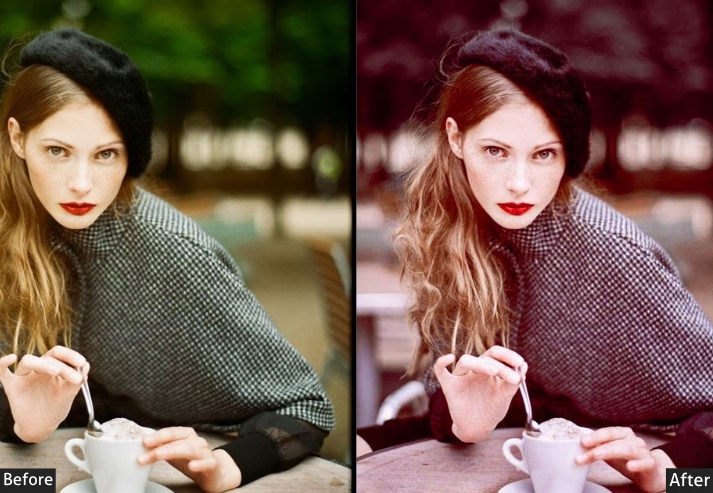
Light Panel: Exposure +0.20 | Contrast −20 | Highlights −15 | Shadows +20 | Whites −20 | Blacks +15.
Color Panel: Temperature +1 | Tint +5 | Vibrance −5 | Saturation −5.
Tone Curve: Lift blacks | Slightly lower highlights (Polaroid fade effect).
Effects Panel: Grain +30 | Vignette −10.
Purpose: the soft, faded look of old Polaroid photos with muted tones and a touch of grain.
Best For: Portraits, travel photography, and nostalgic storytelling.
Usage: the timeless charm of instant film prints.
Style: Soft, low-contrast tones with a dreamy, faded finish.
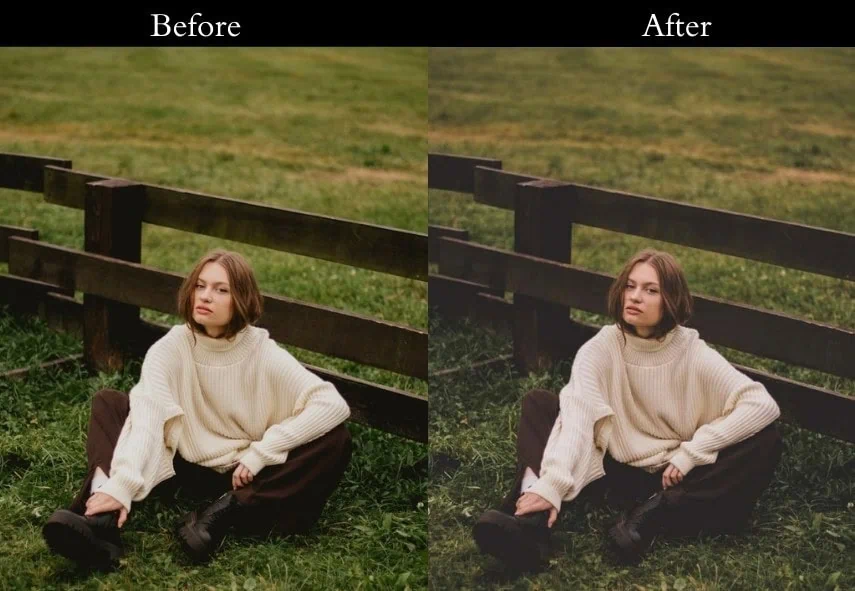
6. 1970s Retro Preset
Earthy, warm, and unmistakably groovy. The 70s preset pushes yellows and oranges into the midtones and wraps the shadows in a rich amber-brown. Colors are slightly desaturated, never oversaturated like the 80s look, giving every shot the feel of a slide photo from a summer road trip. Works beautifully on outdoor scenes bathed in natural light.
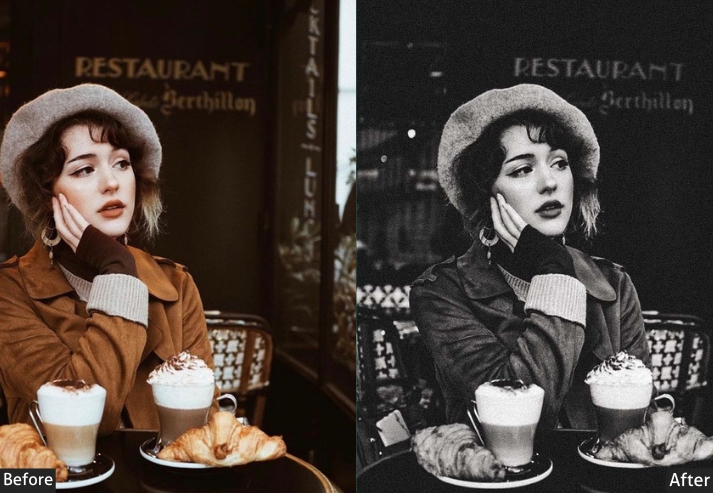
Light Panel: Exposure +0.30 | Contrast −10 | Highlights −20 | Shadows +25 | Whites −5 | Blacks −15.
Color Panel: Temperature +10 | Tint +3 | Vibrance −5 | Saturation −10.
Color Grading: Shadows Hue 30, Saturation 15 | Midtones Hue 45, Saturation 20 | Highlights Hue 50, Saturation 10.
Effects Panel: Grain +25 | Vignette −15.
Purpose: Brings back the golden, grainy film aesthetics of the ‘70s.
Best For: Vintage portraits, urban street scenes, retro aesthetics.
Usage: Warm, nostalgic edits with soft shadows and rich tones.
Style: Earthy browns, warm yellows, soft greens, and a signature grainy texture.
7. 90s Film Preset
Slightly washed out, cool in the shadows, and loaded with texture, this is the look of a disposable camera from the nineties. The shadows lean towards a muted teal-blue, the highlights stay soft, and the overall image feels as if it were scanned from a print rather than captured digitally. Perfect for that effortless, “I didn’t even try” grunge aesthetic.
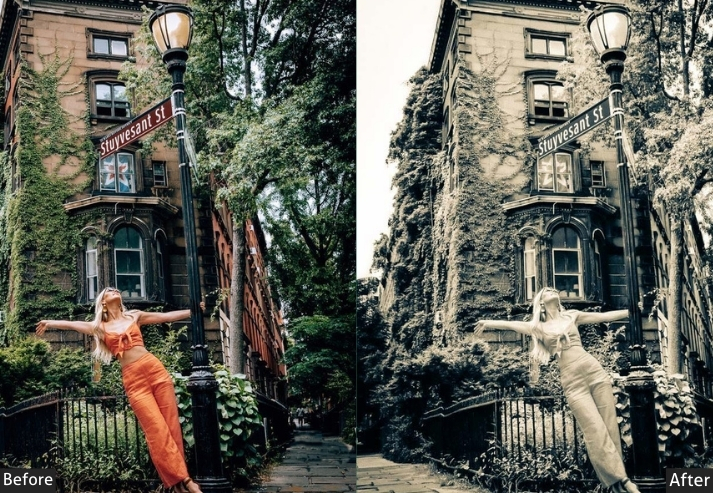
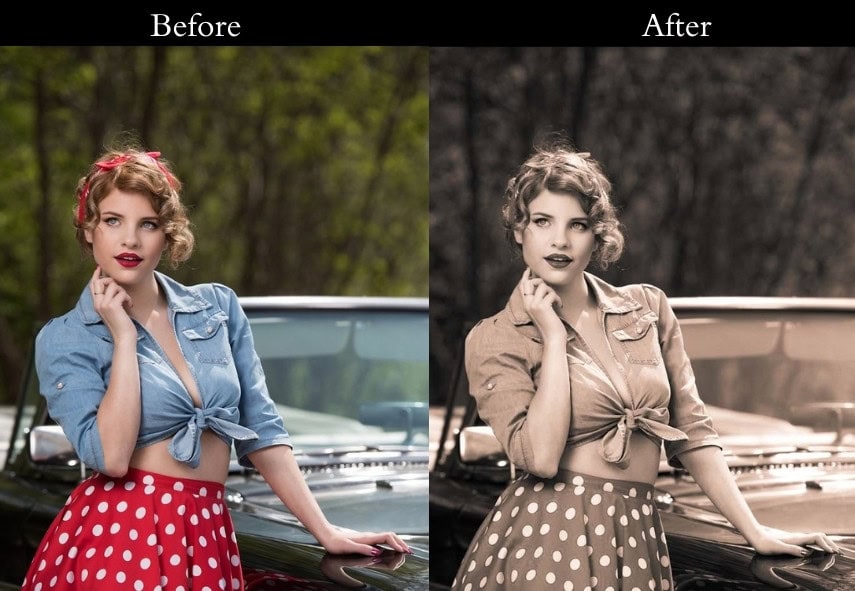
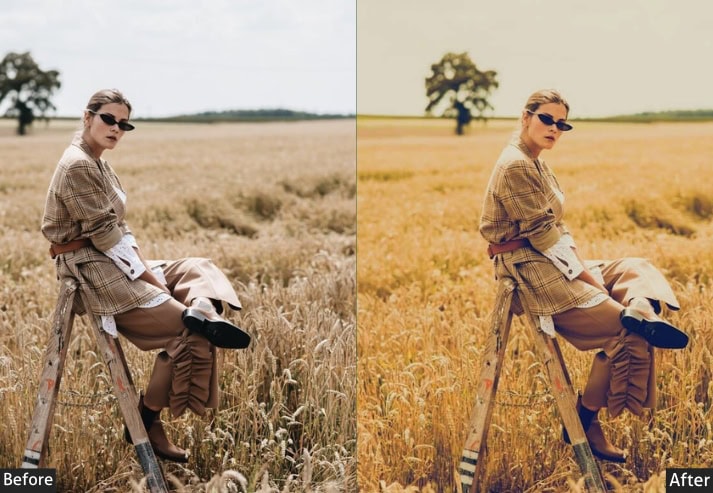
Light Panel: Exposure +0.10 | Contrast −5 | Highlights −10 | Shadows +10 | Whites −10 | Blacks −20.
Color Panel: Temperature −5 | Tint +2 | Vibrance −15 | Saturation −10.
Color Grading: Shadows Hue 220, Saturation 10 | Midtones Hue 190, Saturation 15 | Highlights Hue 60, Saturation 10.
Effects Panel: Grain +35 | Vignette −5.
Purpose: Brings back the slightly desaturated, cool-toned film look of the 90s.
Best For: Urban street photography, grunge aesthetics, old-school nostalgia.
Usage: Moody edits with a washed-out finish.
Style: Desaturated, cooler tones with deep shadows and a grainy, textured feel.
8. Kodachrome Film Preset
Kodachrome is probably the most iconic film stock ever made, known for its punchy reds, deep blacks, and almost hyper-real color rendering. This preset nails that look: reds and oranges are rich and saturated, shadows are deep but not muddy, and the overall image has a sharpness and vitality that feels alive. This is the preset for golden-hour portraits and vibrant street scenes.
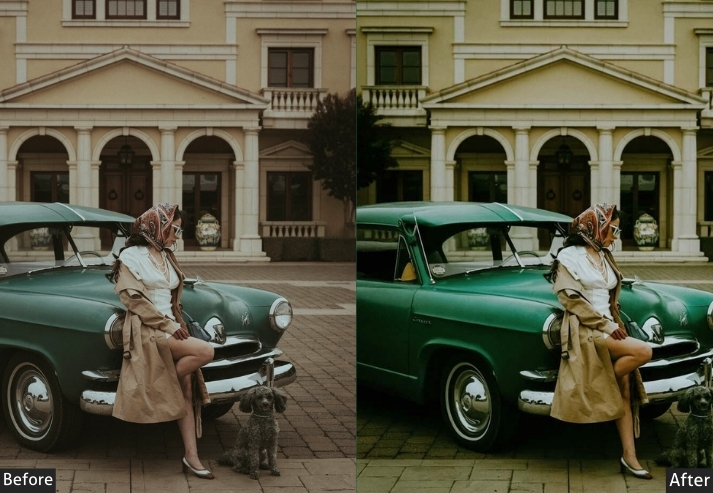
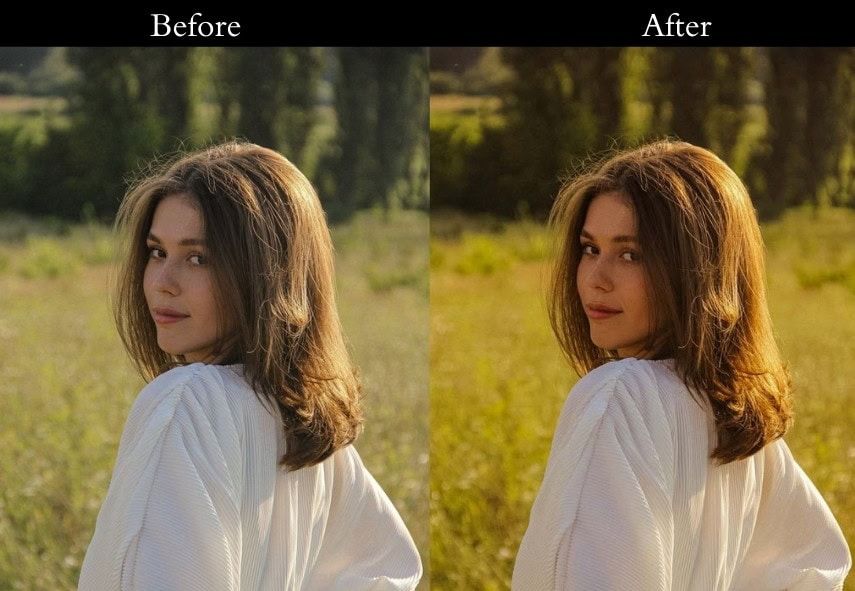
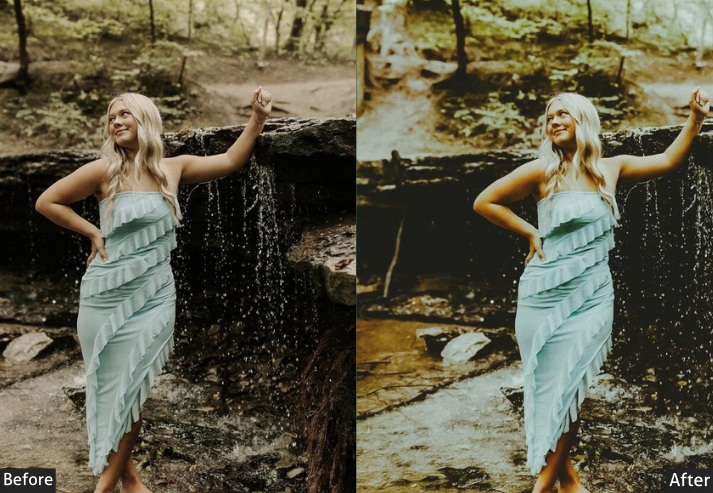
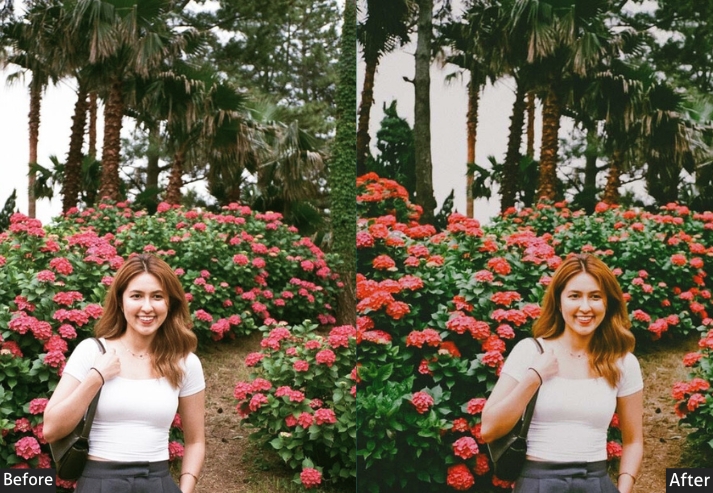
Light Panel: Exposure +0.50 | Contrast +15 | Highlights −10 | Shadows +10 | Whites −5 | Blacks −10.
Color Panel: Temperature +8 | Tint +2 | Vibrance +20 | Saturation +15.
Color Grading: Shadows Hue 35, Saturation 20 | Midtones Hue 50, Saturation 25 | Highlights Hue 60, Saturation 15.
Effects Panel: Grain +20 | Vignette −5.
Purpose: Recreates the sharp, punchy, high-contrast tones of classic Kodachrome film.
Best For: Bright outdoor scenes, street photography, classic retro aesthetics.
Usage: bold, eye-catching edits with rich reds and yellows.
Style: High contrast, warm reds, deep blacks, and vibrant tones.
9. VHS Film Preset
If the 90s Film preset is a disposable camera, the VHS preset is the family camcorder. Expect heavy desaturation, a subtle purple-green color bleed in the shadows, and plenty of grain that mimics magnetic tape noise. The result is dreamy, lo-fi, and nostalgic in a way that feels more like moving memories than still photography.
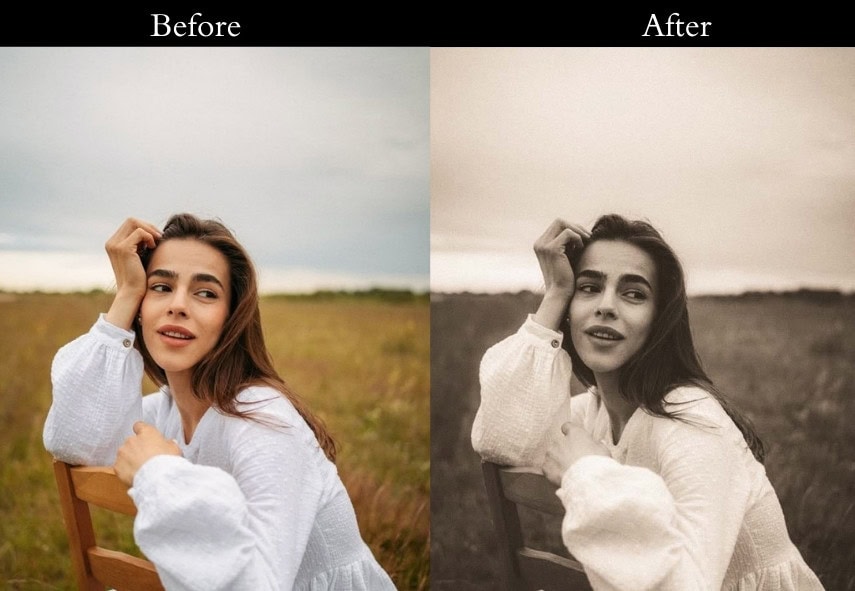
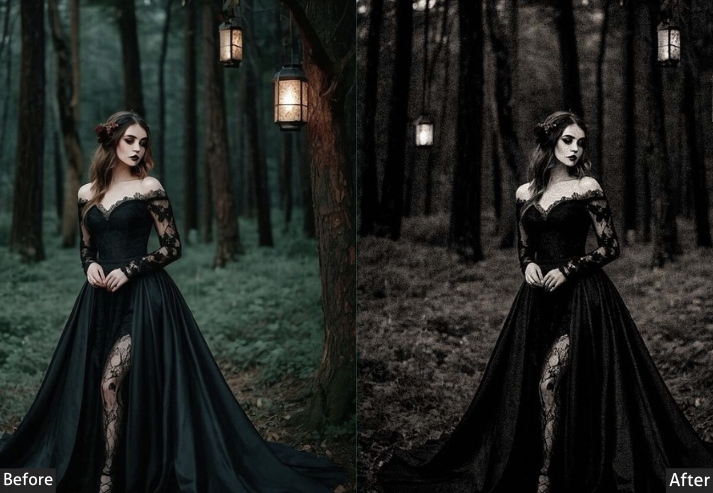
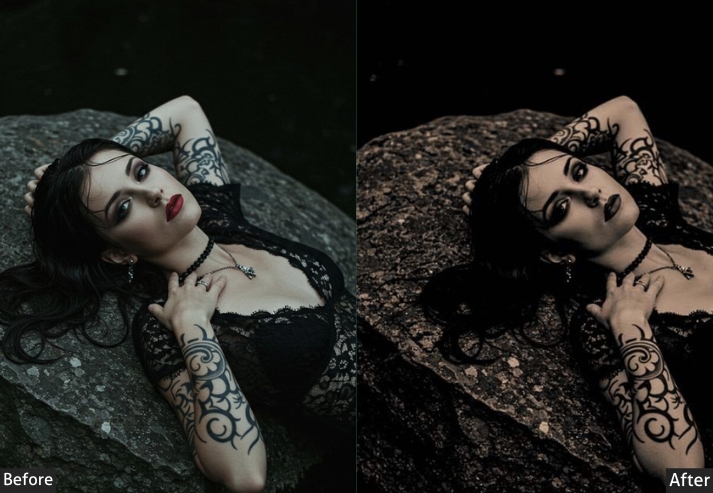
Light Panel: Exposure +0.20 | Contrast −10 | Highlights −10 | Shadows +15 | Whites −10 | Blacks −25.
Color Panel: Temperature −5 | Tint +2 | Vibrance −30 | Saturation −15.
Color Grading: Shadows Hue 280, Saturation 25 | Midtones Hue 50, Saturation 20 | Highlights Hue 60, Saturation 10.
Effects Panel: Grain +40 | Vignette −10.
Purpose: Simulates the fuzzy, desaturated look of old VHS tapes.
Best For: Retro digital photography, music video aesthetics, grunge style.
Usage: For nostalgic edits with deep shadows and dreamy color shifts.
Style: Muted colors, grainy texture, slightly blurred details, and vintage film-like noise.
10. Classic Sepia Preset
A stronger, more saturated version of the Sepia Tone preset (Preset #2). Where that one is subtle and aged, Classic Sepia is deliberately warm and golden, the kind of look you see on historical portrait prints framed in old study rooms. Architectural shots and formal portraits especially benefit from this richer color grading treatment.
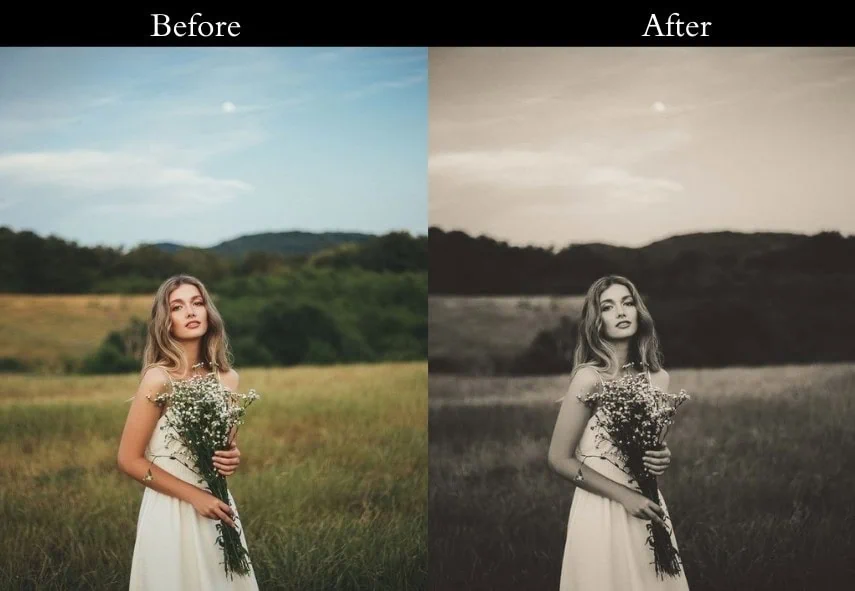
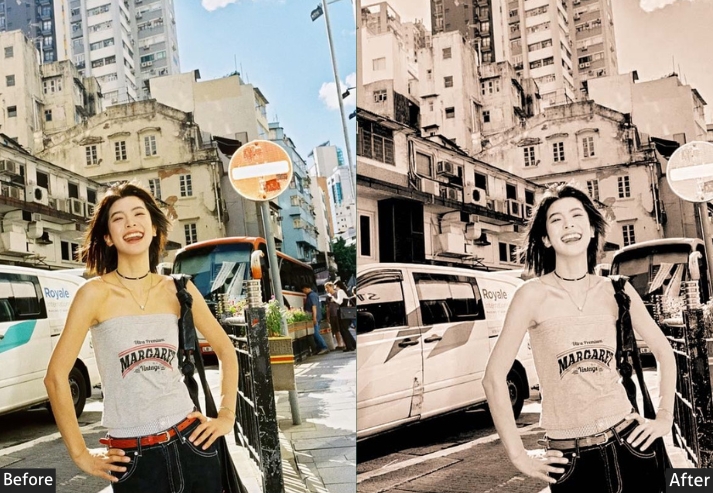
Light Panel: Exposure +0.20 | Contrast −10 | Highlights −20 | Shadows +15 | Whites −10 | Blacks −15.
Color Panel: Temperature +20 | Tint +10 | Vibrance −30 | Saturation −20.
Color Grading: Shadows Hue 40, Saturation 30 | Midtones Hue 50, Saturation 20 | Highlights Hue 60, Saturation 10.
Effects Panel: Grain +25 | Vignette −10.
Purpose: the warm, brownish tones of early photography, giving images an aged, classic appearance.
Best For: Portraits, historical scenes, and architectural shots.
Usage: a sense of history and timelessness to your photos.
Style: Warm sepia tones with softened contrasts and a touch of grain.
11. Retro Color Pop Preset
Saturated, punchy, and unapologetically bold like a retro advertisement poster brought to life. Colors are pushed well beyond natural, creating an almost pop-art quality. Works best on images with strong, isolated subjects against simple backgrounds.
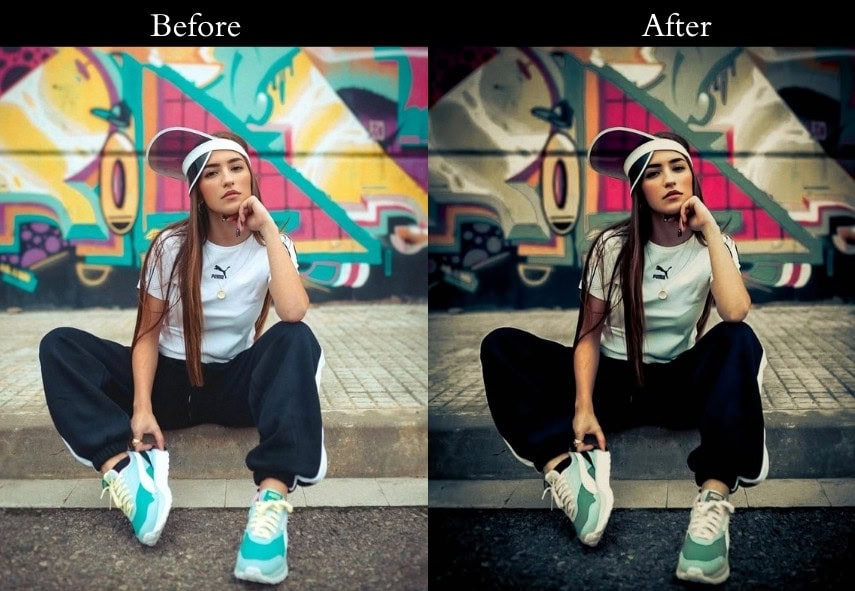
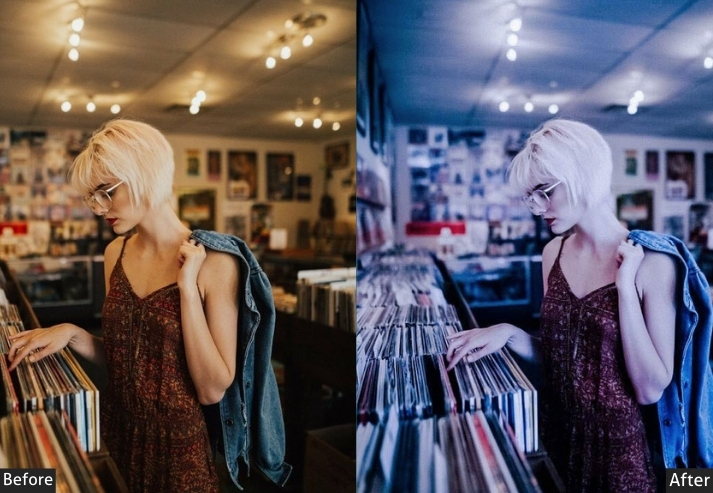
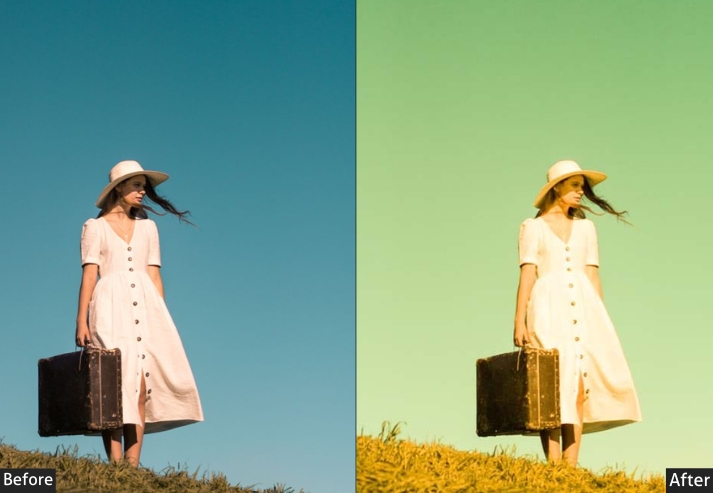
Light Panel: Exposure +0.30 | Contrast +20 | Highlights −10 | Shadows +10 | Whites +15 | Blacks −10.
Color Panel: Temperature +5 | Tint +5 | Vibrance +30 | Saturation +20.
Color Grading: Shadows Hue 200, Saturation 25 | Midtones Hue 50, Saturation 30 | Highlights Hue 60, Saturation 20.
Effects Panel: Grain +15 | Vignette −5.
Purpose: The bold and vibrant color palettes of retro advertisements and pop art.
Best For: Fashion photography, urban scenes, and creative projects.
Usage: For making subjects stand out with enhanced, lively colors.
Style: High saturation with strong contrasts and vivid hues.
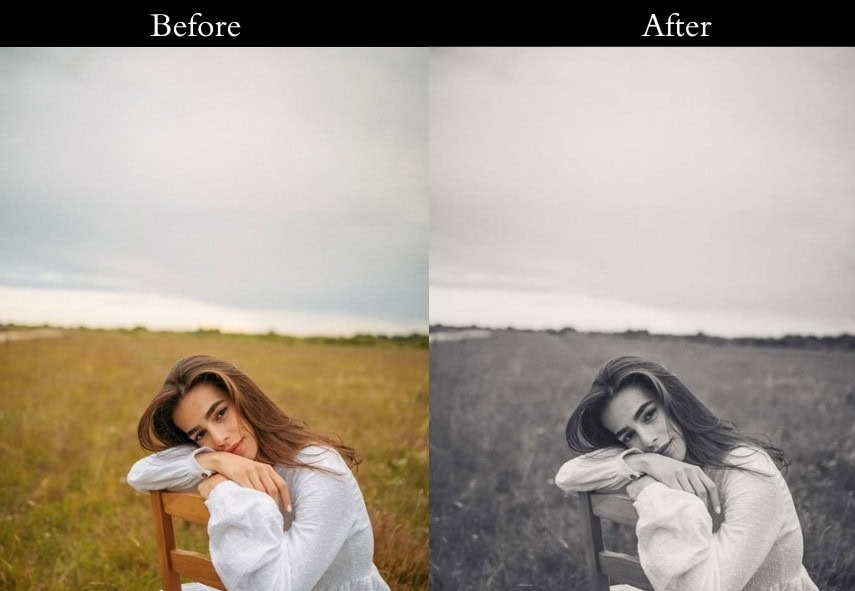
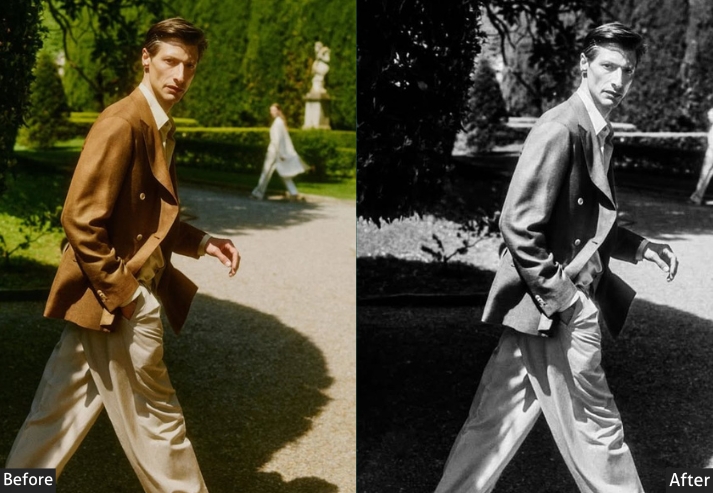
12. Faded Memories Preset
Ideal for any shot where you want the emotion to carry more weight than the sharp detail.
13. Instant Camera Preset
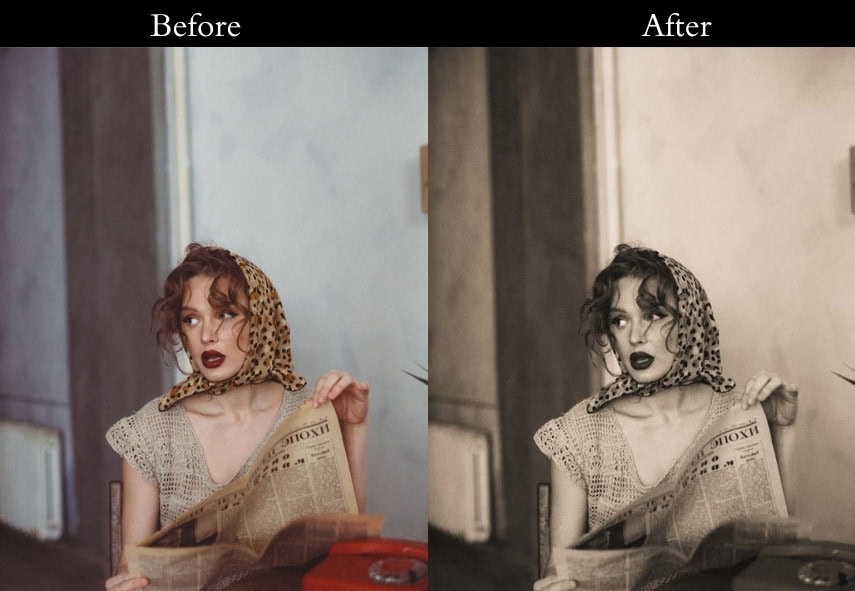
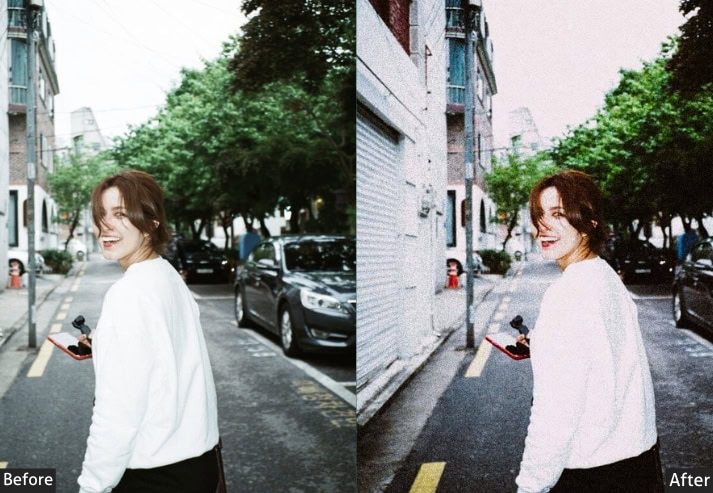
Somewhere between a Polaroid and a Fujifilm Instax, warm shadows, slightly faded midtones, and a gentle overall softness. It’s one of the most versatile presets in this list because it flatters almost any subject and lighting condition without feeling overdone.
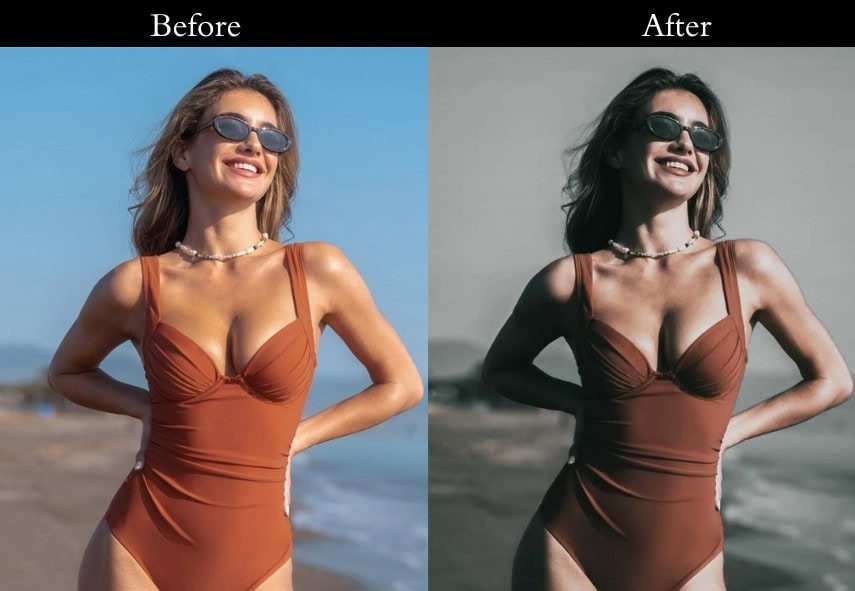
14. Vintage Dark Tone Preset
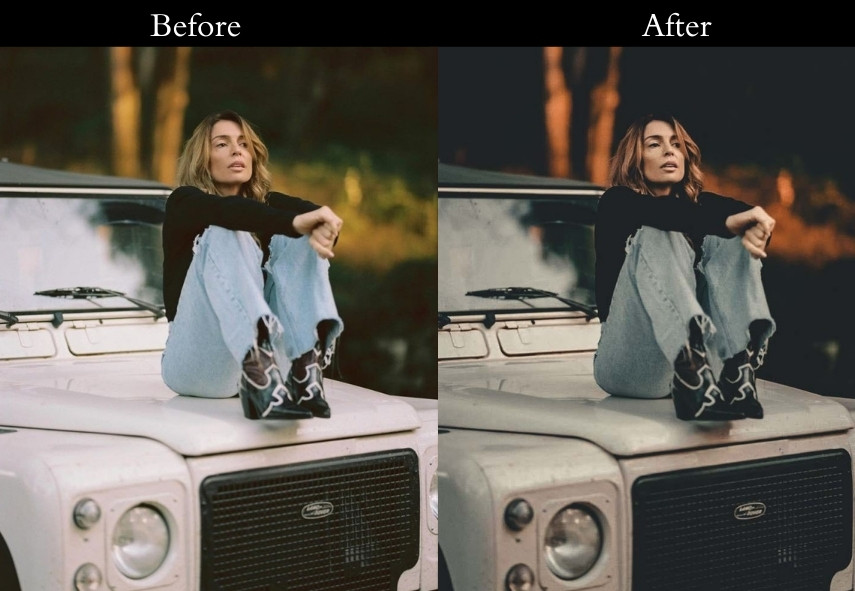
A moodier take on vintage: the shadows are deeper, the warmth is controlled, and the result is something that feels elegant rather than cheerful.
15. Retro Dramatic Preset
This preset leans into the high-grain, slightly cooler shadow tones of documentary film photography. The result is grounded and gritty, a photo that looks like it was shot on a professional’s 35mm camera during a decisive street moment.
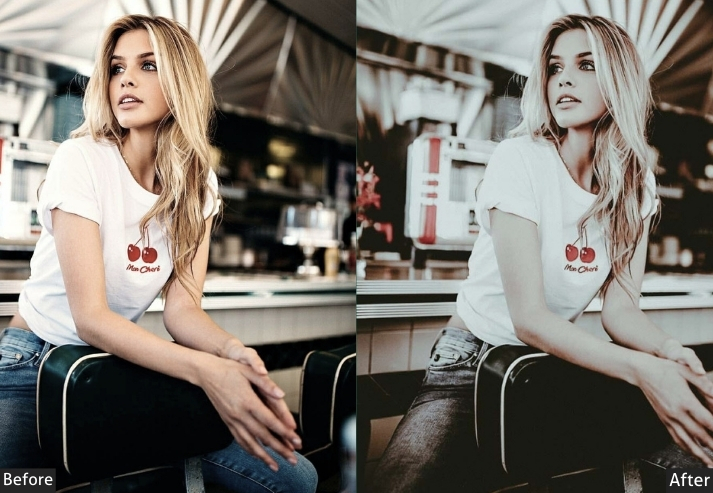
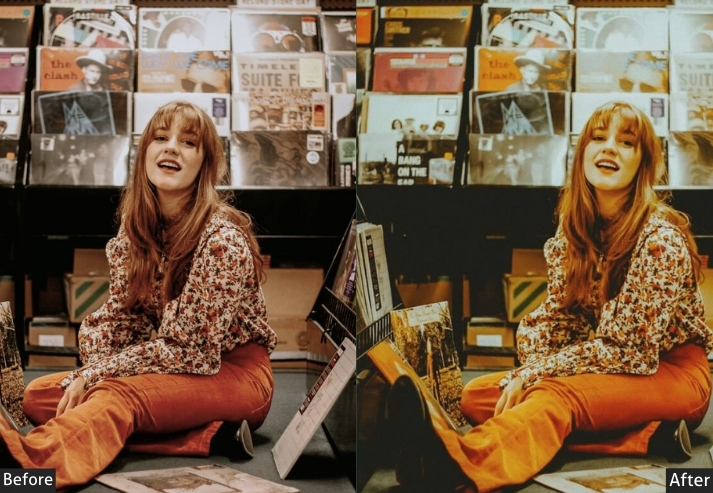
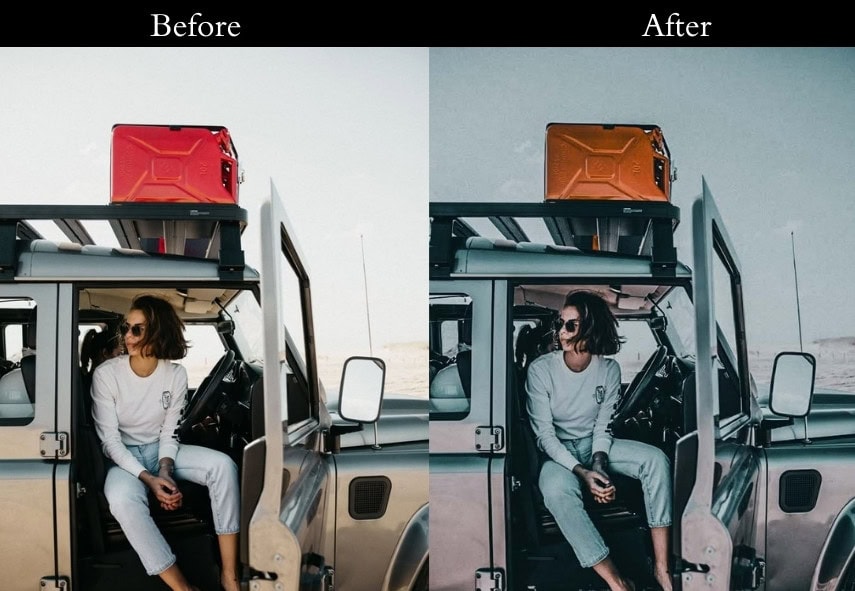
Light Panel: Exposure +0.20 | Contrast −15 | Highlights −10 | Shadows +20 | Whites −5 | Blacks −10.
Color Panel: Temperature +5 | Tint +5 | Vibrance −25 | Saturation −15.
Color Grading: Shadows Hue 220, Saturation 20 | Midtones Hue 190, Saturation 15 | Highlights Hue 60, Saturation 10.
Effects Panel: Grain +30 | Vignette −5.
Purpose: the look of retro film photography, with its characteristic grain and color tones.
Best For: Street photography, portraits, and documentary-style images.
Usage: An authentic film aesthetic for digital photos.
Style: Muted colors with a pronounced grain and subtle vignetting.
16. Analog Warmth Preset
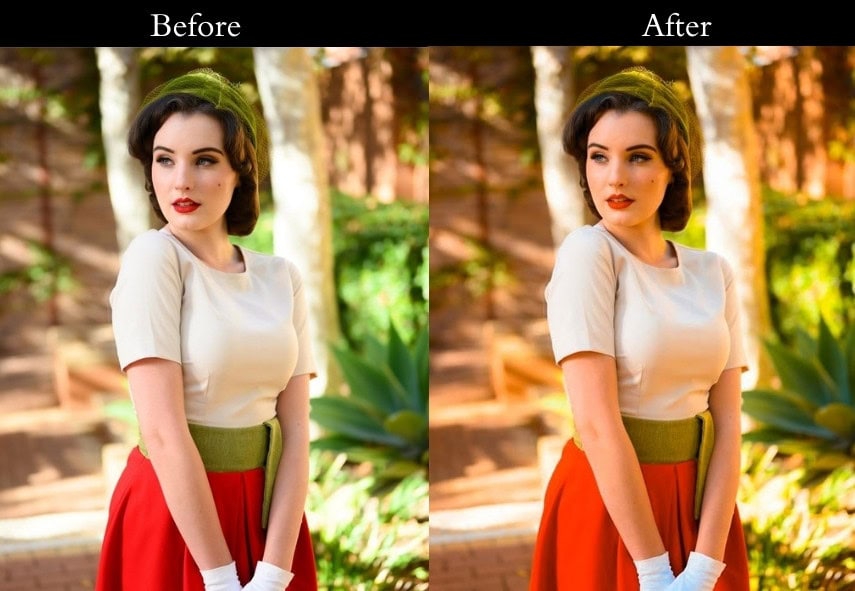
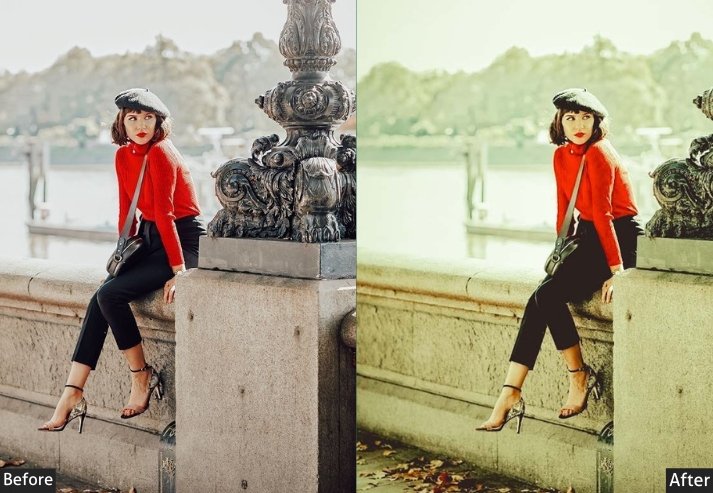
Cozy, amber-tinted, and deeply comfortable, like being inside a warm room, photographed through a window on a winter evening. Highlights bloom softly, shadows are gentle brown rather than cold, and grain adds just enough texture to feel organic. One of the best presets for indoor candid portraits.
17. Classic Monochrome Preset
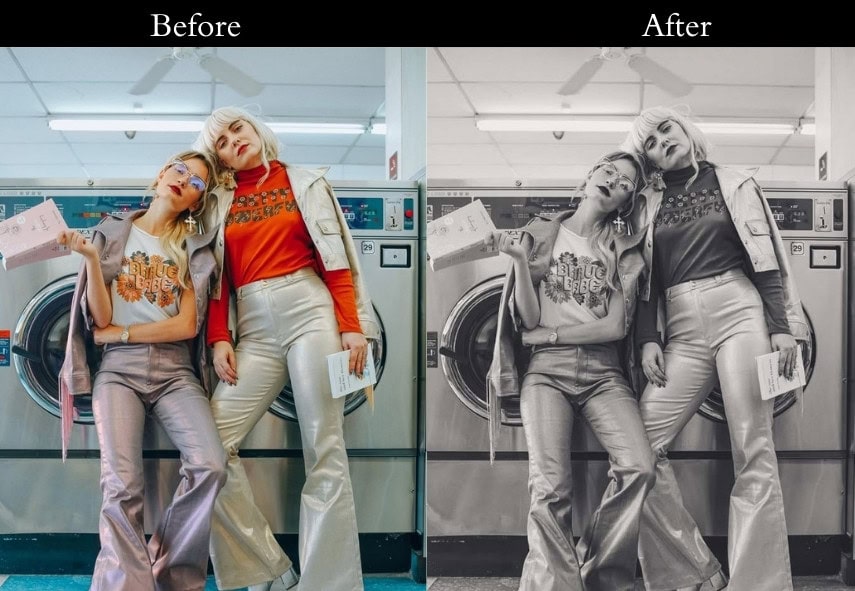
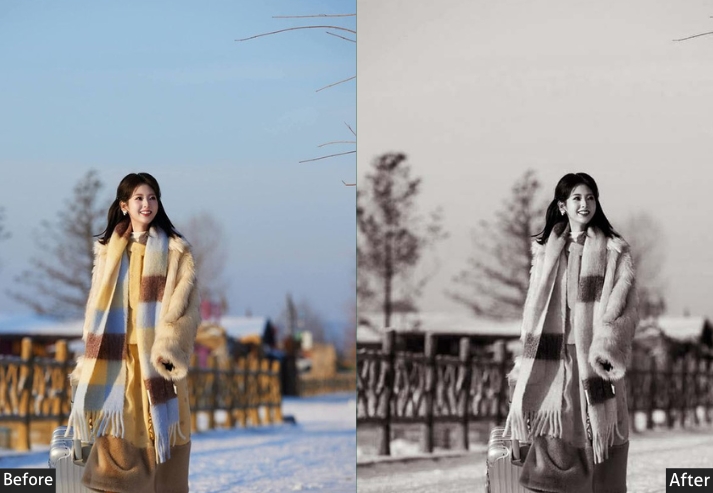
Full desaturation with elevated contrast, this is not a flat grey. It’s rich in black-and-white, with deep shadows and bright, clean highlights. The slight shadow lift prevents the image from going fully crushed black, keeping detail in the darker areas. A timeless choice for any subject that benefits from emotional simplicity.
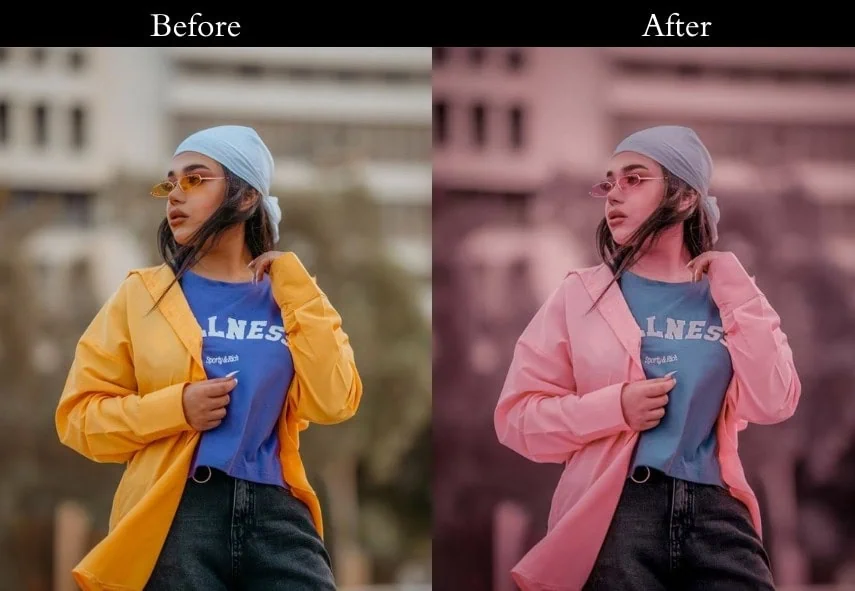
18. Retro Pastel Preset
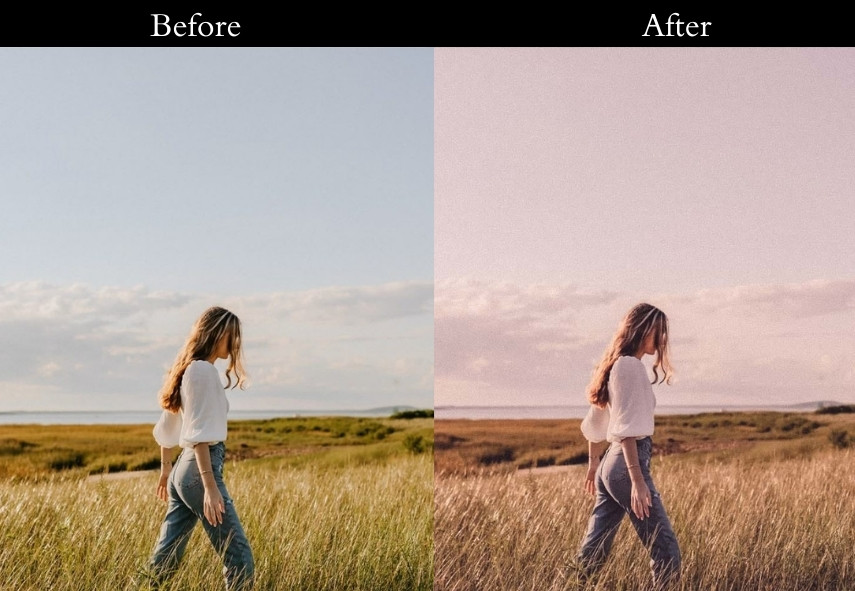
Delicate lavender and peach tones wash through the midtones and shadows, creating a soft, dreamy aesthetic that feels closer to a vintage postcard than a photograph. This is the preset for romantic, feminine, and whimsical content: floaty dresses, flower markets, golden-hour beach walks.
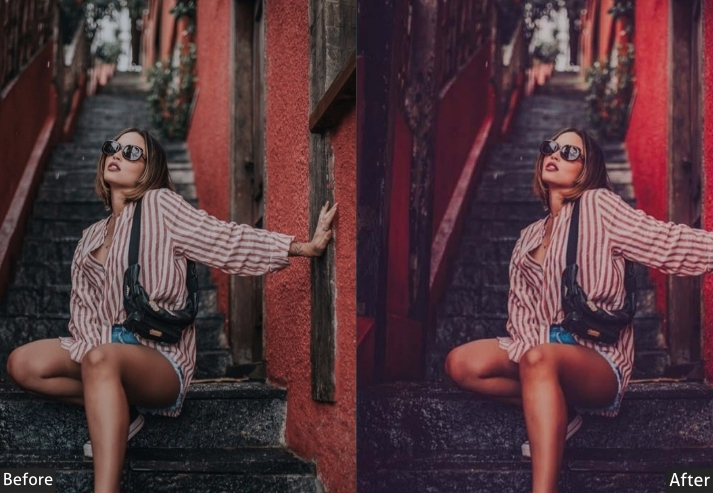
19. Warm Sunset Film Preset
Everything glows. Warm yellows and oranges dominate the midtones while the shadows pick up a soft amber-brown. It’s the preset equivalent of capturing the last 20 minutes of golden hour, which works best when the original photo already has warm light, as it amplifies rather than fabricates the warmth.
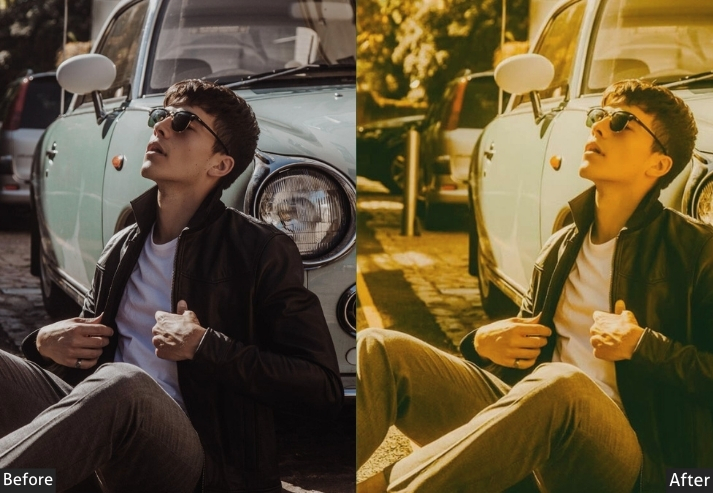
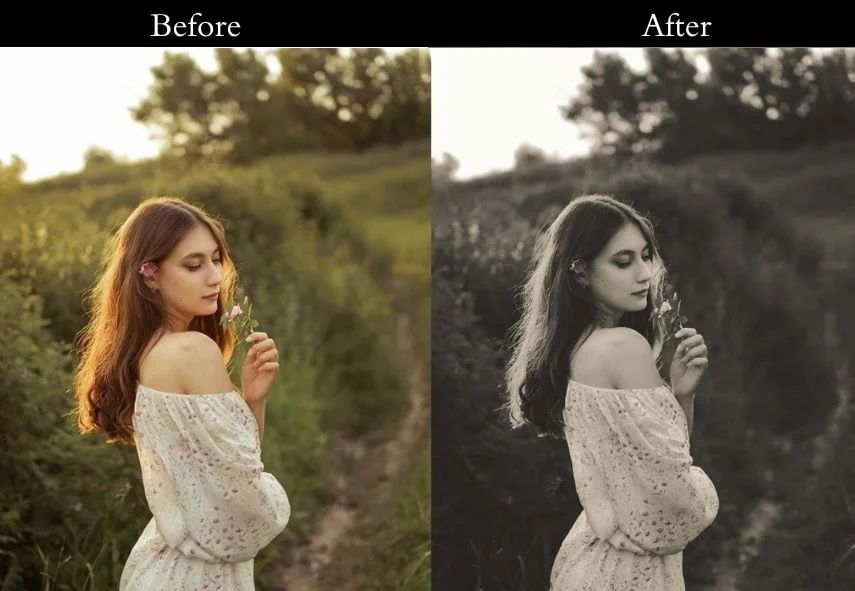
20. Old Newspaper Print Preset
Near-monochrome with high grain and slightly cooled shadows, it’s as if your photo was printed in a broadsheet from the 1950s and then scanned. This is a highly stylized preset best used intentionally on street or documentary subjects where the “aged newspaper” aesthetic adds a layer of storytelling.
21. Retro Lomo Preset
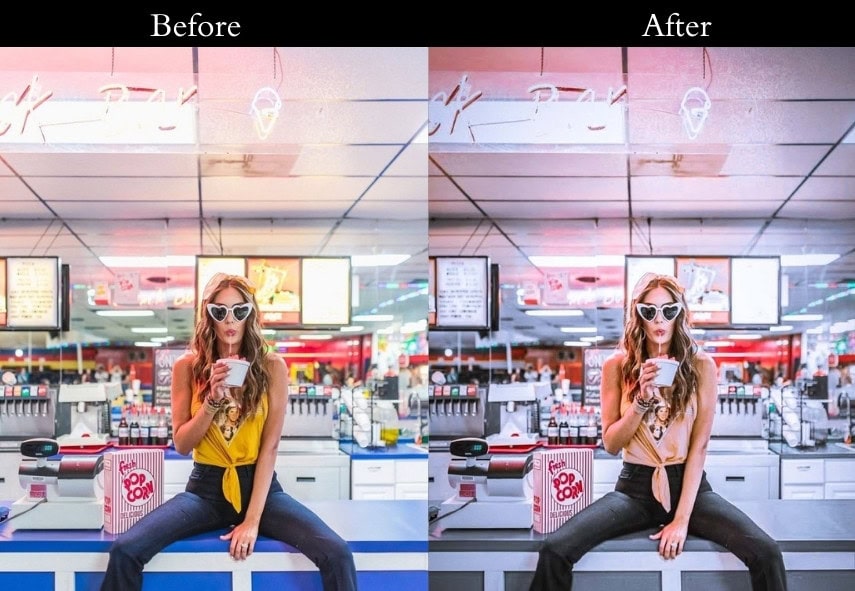
Deep vignetting, punchy colors, and rich grain, the Lomo aesthetic is fun, intentional, and chaotic in the best way. Colors are pushed and slightly shifted, edges darken dramatically, and the result is a photo that announces itself as artistic rather than documentary. Street scenes, festivals, and bold subjects thrive here.
22. Washed-Out Retro Preset
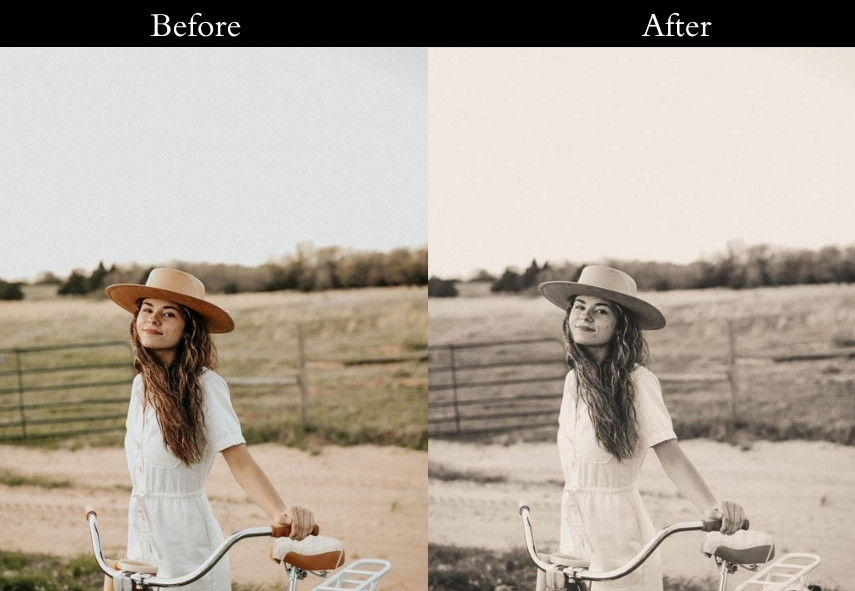
Low contrast, lifted blacks, and reduced saturation create a floating, ethereal quality, like a memory you can almost, but not quite, fully see. Works beautifully for lifestyle content, minimalist compositions, and any image where you want a light, airy quality with a vintage edge.
23. Retro Hollywood Preset
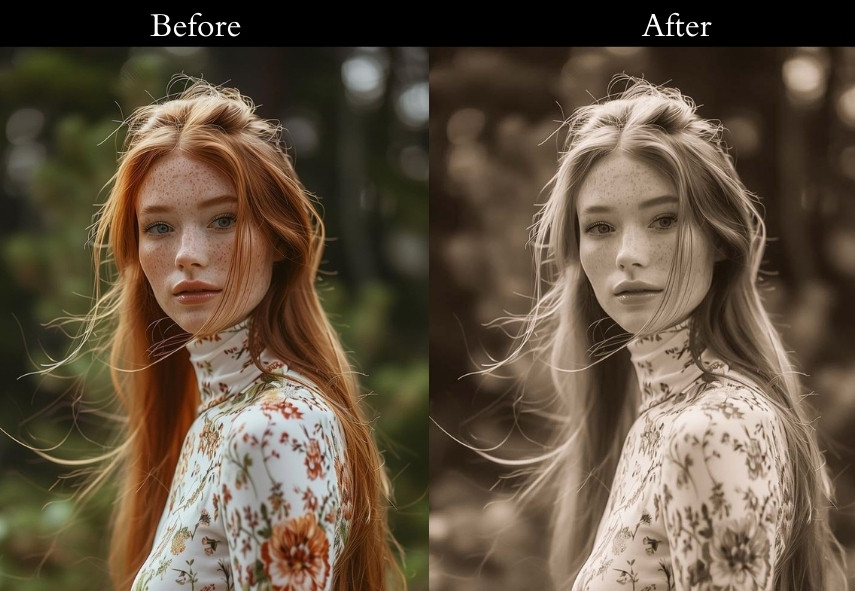
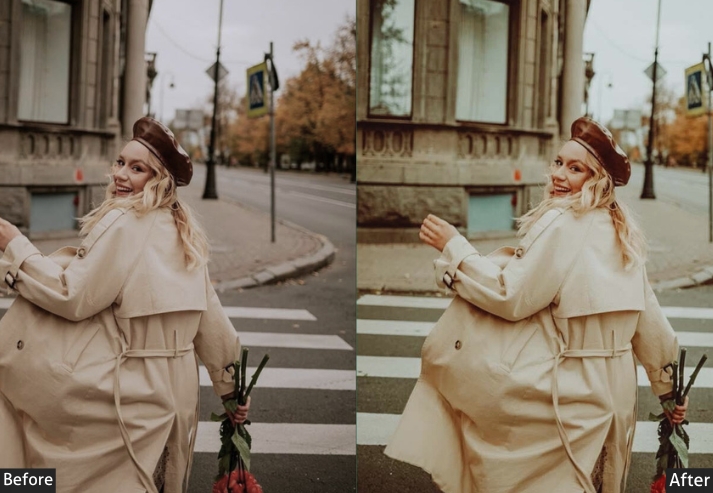
The golden age of cinema: warm and glamorous, with deep shadows that add weight and drama to every face. Skin tones glow, backgrounds recede into rich darkness, and the whole image feels like it belongs in the lobby of a 1940s movie theatre. Use it on dramatic portraits and any image with strong, directional lighting.
24. Nostalgic Warm Glow Preset
Soft-edged, slightly overexposed highlights and warm, enveloping tones the visual equivalent of late afternoon light coming through a thin curtain. This preset works on almost any photo and produces results that feel universally pleasant, making it a reliable go-to for social media content.
25. 1960s Color Film Preset
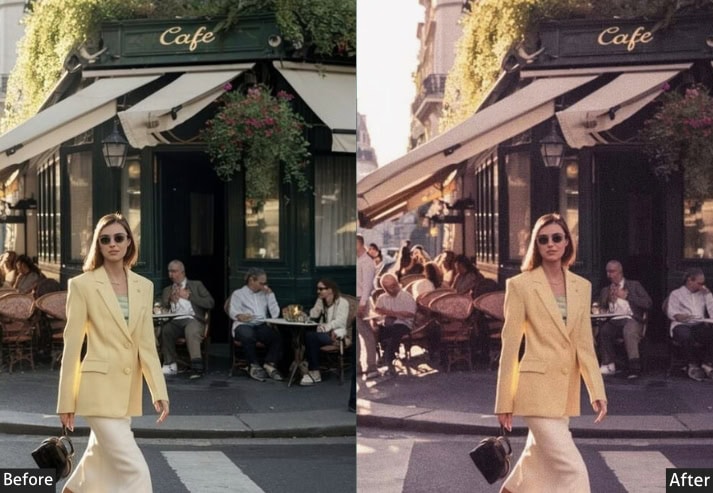
Bold, primary colors with high contrast and a slight grain, capturing the optimism and energy of the 1960s when color film was still a relatively new and exciting medium. Reds are vivid, greens are saturated, and the overall image has a punchy clarity that makes subjects stand out forcefully from their backgrounds.
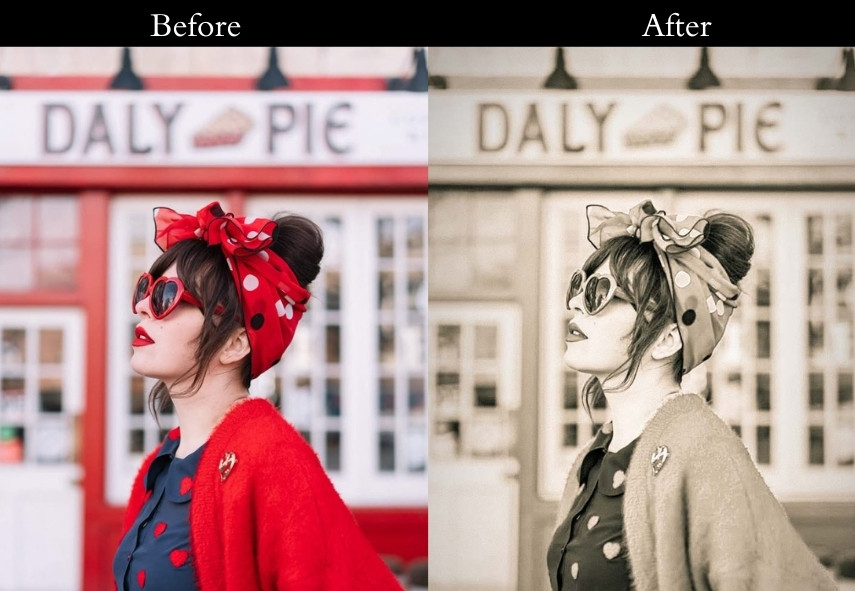
Light Panel: Exposure +0.30 | Contrast +15 | Highlights −5 | Shadows +10 | Whites +5 | Blacks −10.
Color Panel: Temperature +5 | Tint +3 | Vibrance +20 | Saturation +15.
Effects Panel: Grain +30 | Vignette −10.
Purpose: the bright, bold colors of 1960s film cameras.
Best For: Retro fashion, bold color portraits, vintage street photography.
Usage: punchy, vibrant retro edits.
Style: Saturated colors, deep contrast, slightly grainy texture.
26. Dreamy Soft Film Preset
Hazy highlights, soft grain, and a very slight warm-pink undertone combine to create a preset that feels romantic and slightly unreal, as if the photo was taken through gauze. Best for wedding photography, couple portraits, and any shoot where you want the image to feel like a daydream.
27. Very Old Retro Preset
This preset aggressively lifts the blacks, reduces saturation, and adds enough grain to suggest the photo has genuinely been sitting in storage for fifty years. The warm cast keeps it from looking desaturated rather than old, and the result is something that feels genuinely historical rather than just stylized.
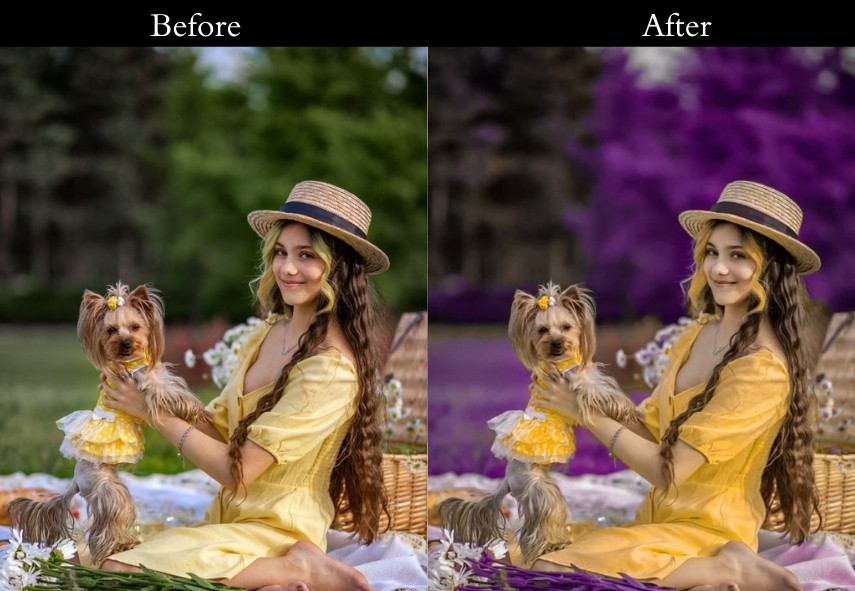
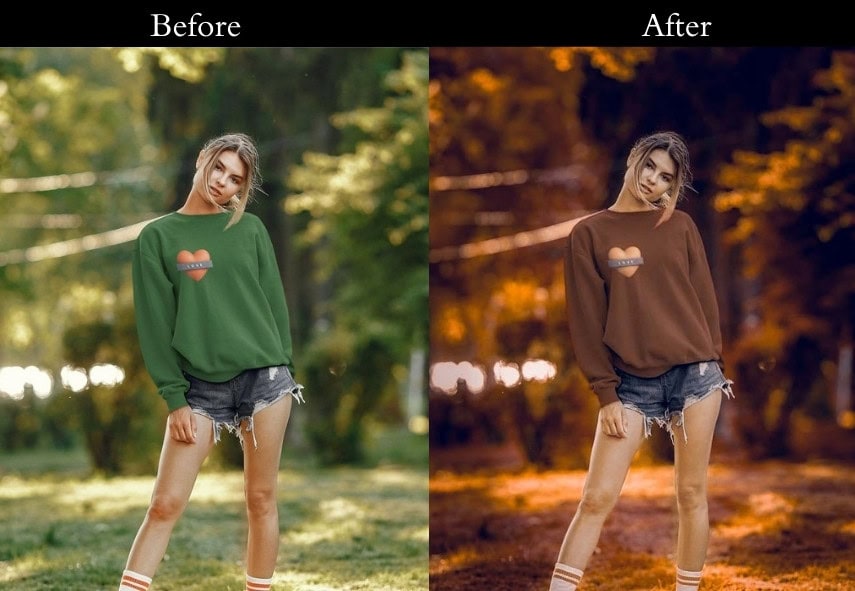
28. Retro Orange & Brown Preset (Old Warm Film Look)
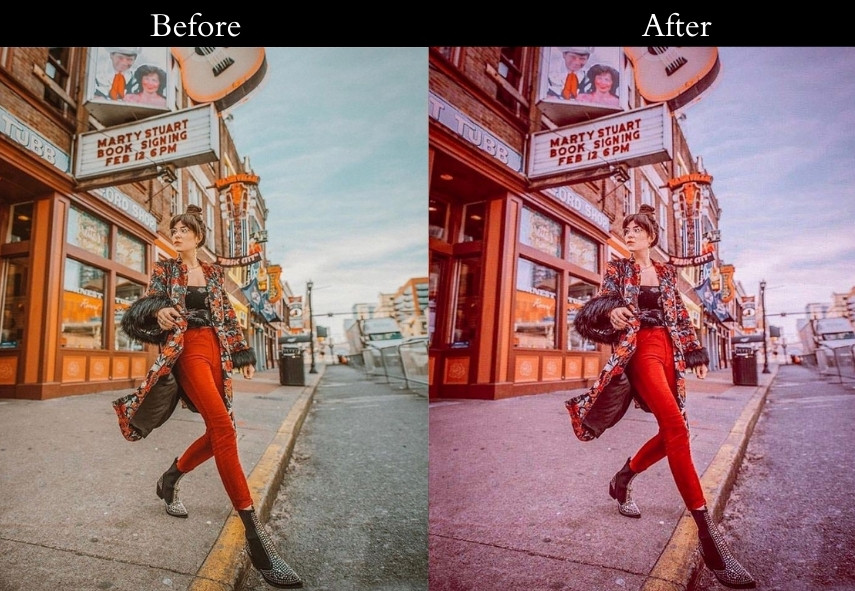
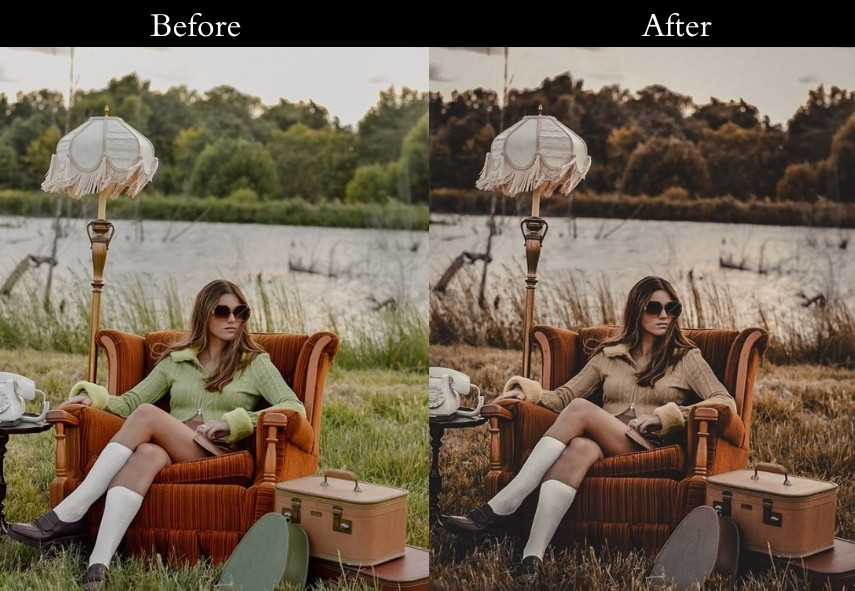
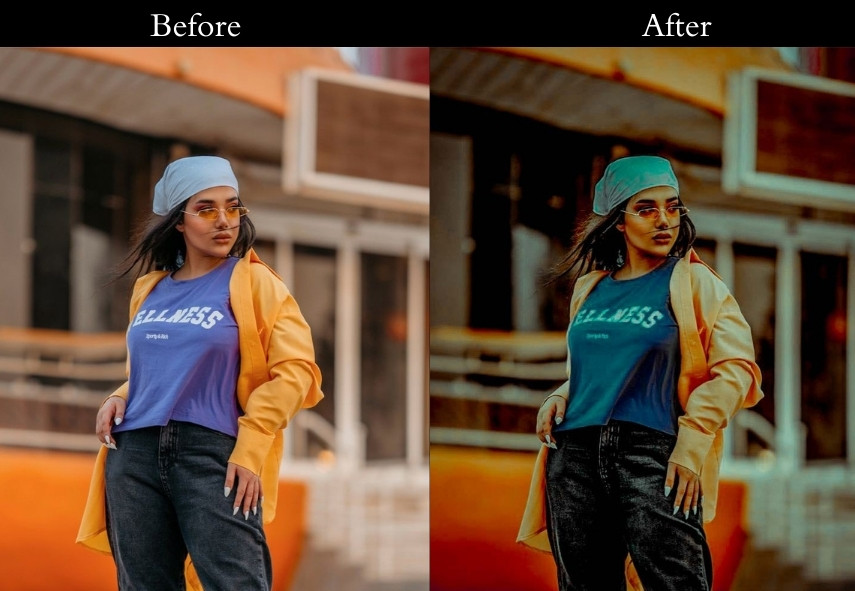
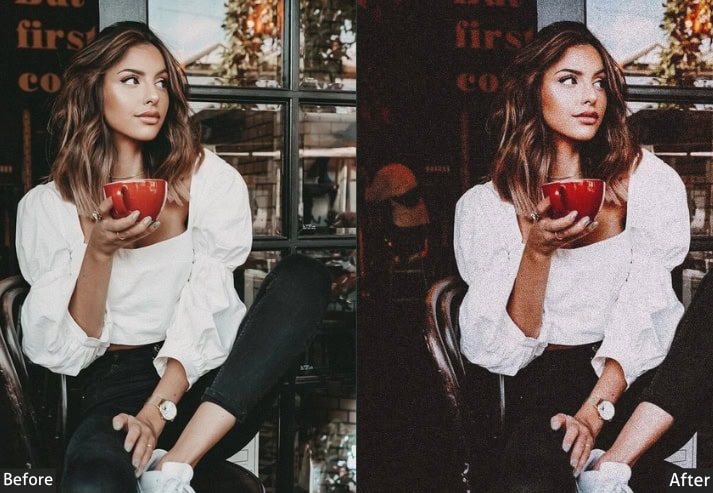
Warm autumn in a preset: deep orange shadows, soft brown midtones, and a golden highlight glow. This one is ideal for autumn-season shoots, forest walks, and any image where warm, earthy tones are already present in the scene. It amplifies the season rather than imposing it.
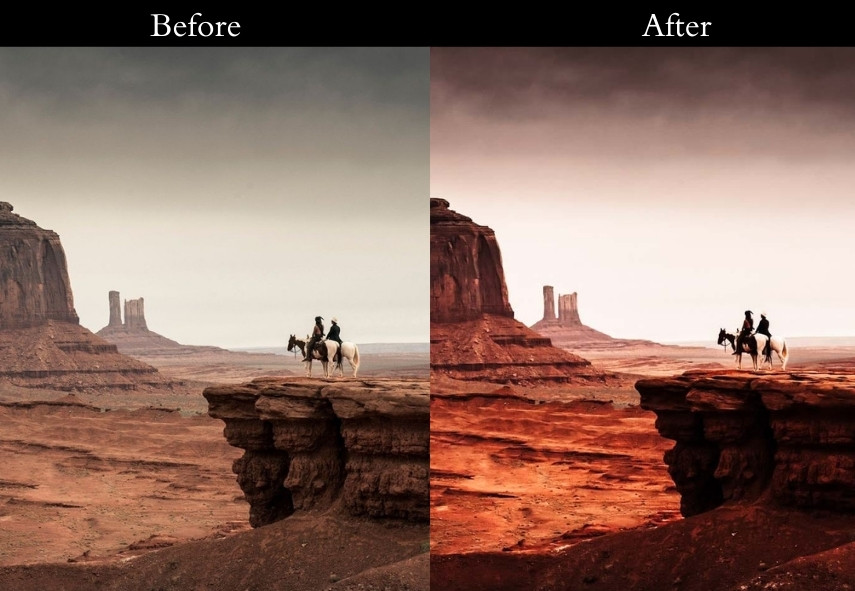
29. Colorful Retro Preset (Bold & Saturated Vintage)
Bold pinks in the shadows, rich greens in the midtones, and golden highlights, this split creates a psychedelic retro pop look that’s maximalist and joyful. Best on images with high natural color that can absorb the intensification without becoming garish.
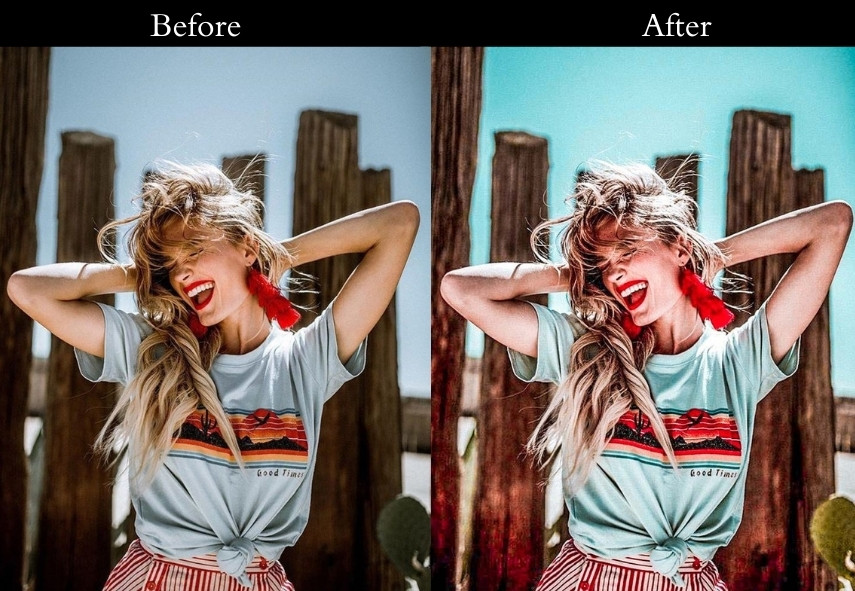
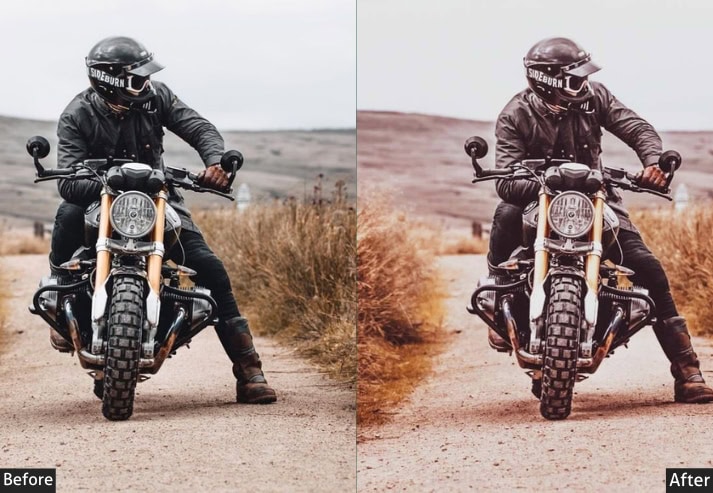
30. Old Style Retro Preset (Warm, Faded, & Groovy)
Warm, faded, and naturally aged, soft orange shadows and creamy highlights give images a boho-film quality that sits between the earthy 70s look and the faded Polaroid aesthetic. One of the most versatile warm presets in the collection.
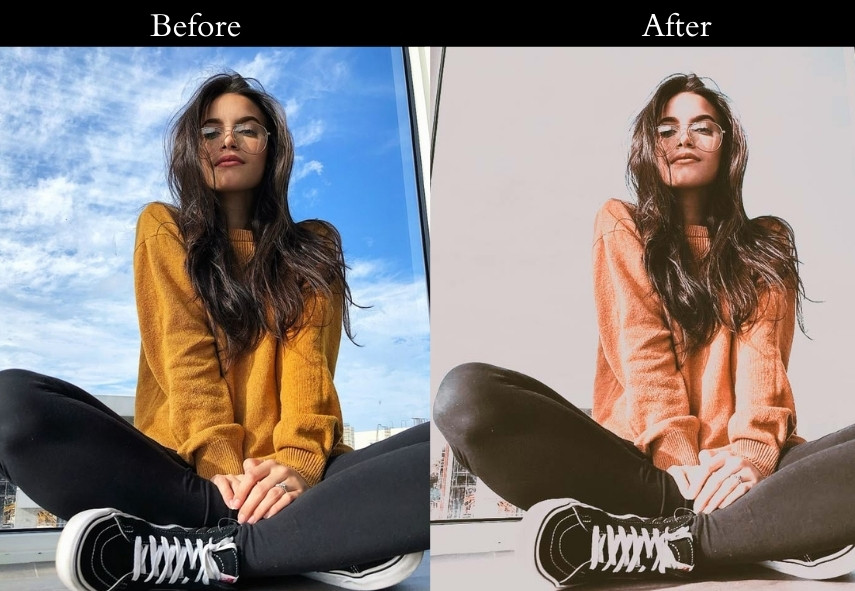
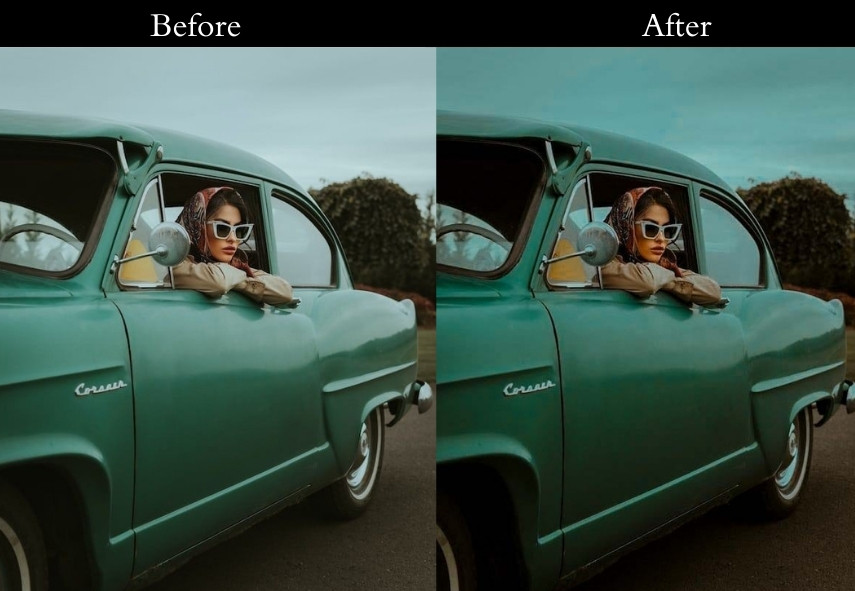
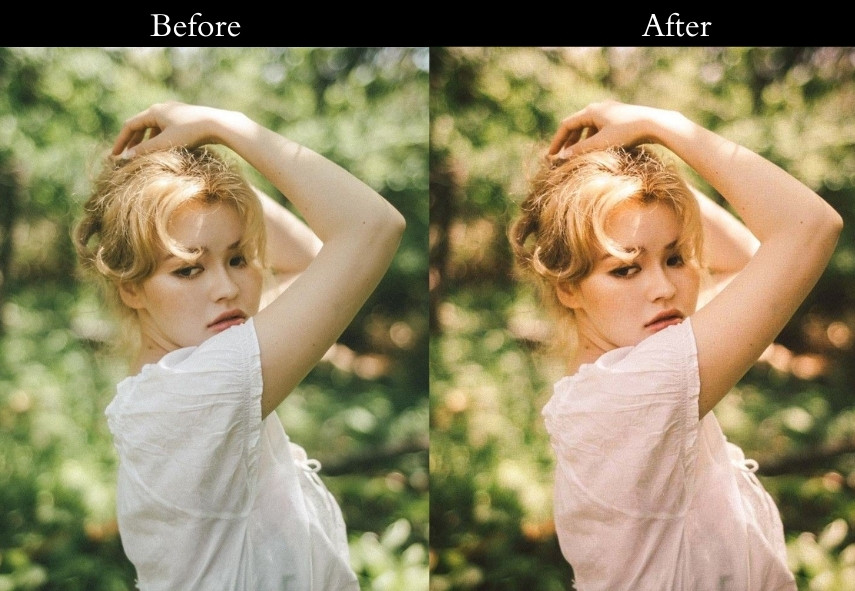
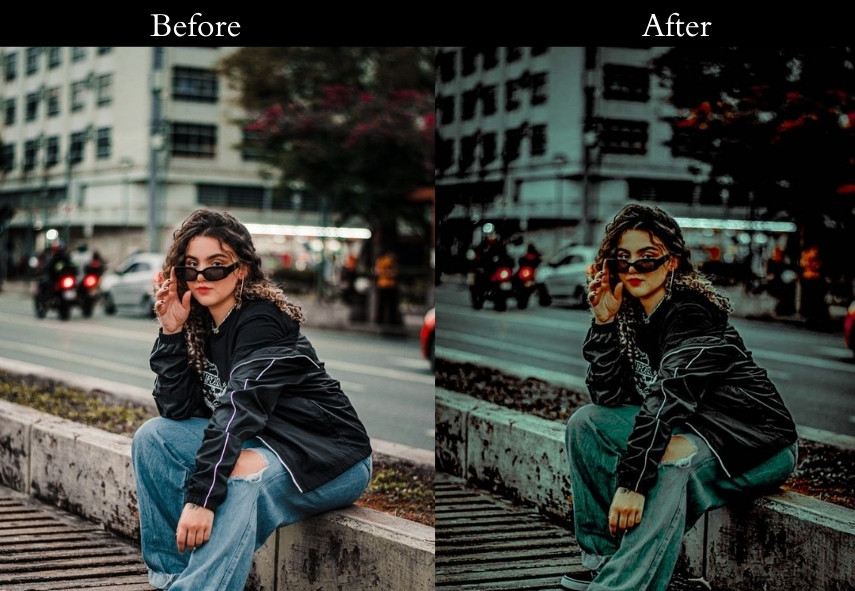

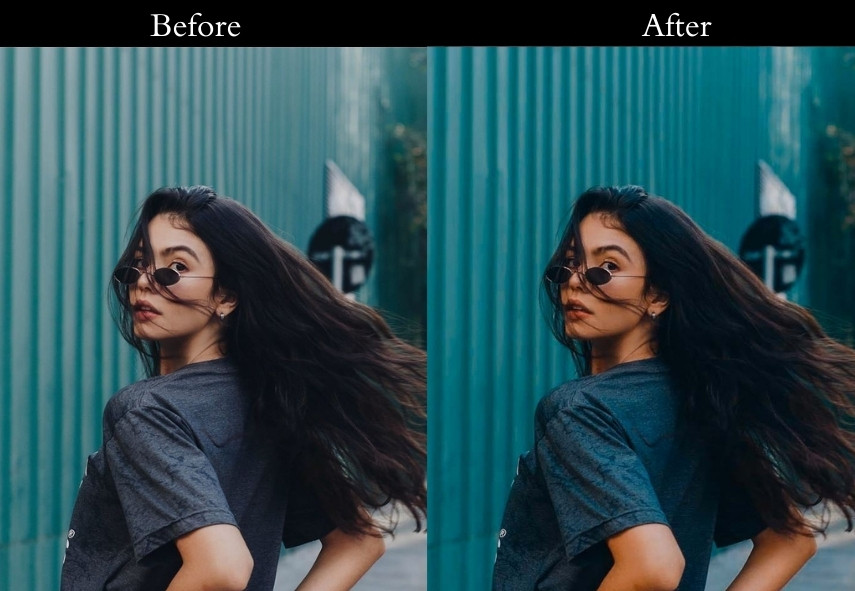
31. Urban Retro Preset (Neon Lights & Cinematic City Vibes)
The city at night, rendered in teal and orange, this preset is purpose-built for urban environments where neon signs, streetlights, and lit windows compete for dominance in the frame. The deep teal shadows separate the cool, shaded zones from the warm pools of artificial light, creating a cinematic depth that’s hard to achieve manually.
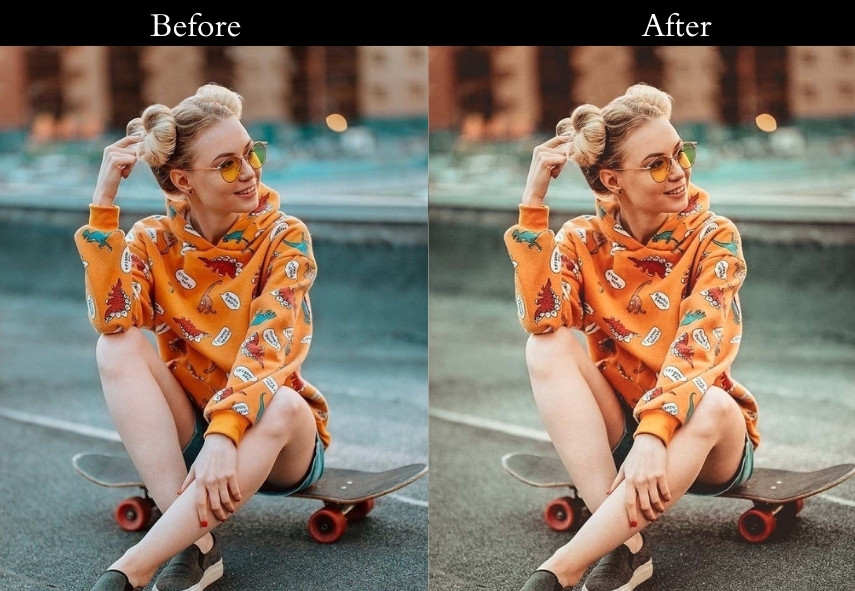
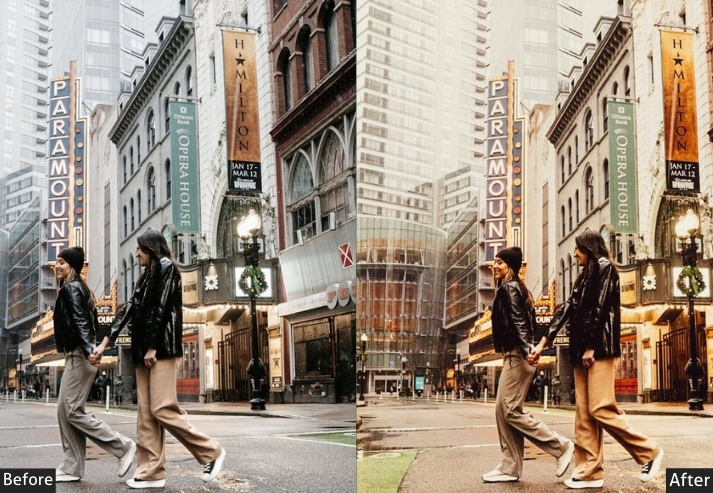
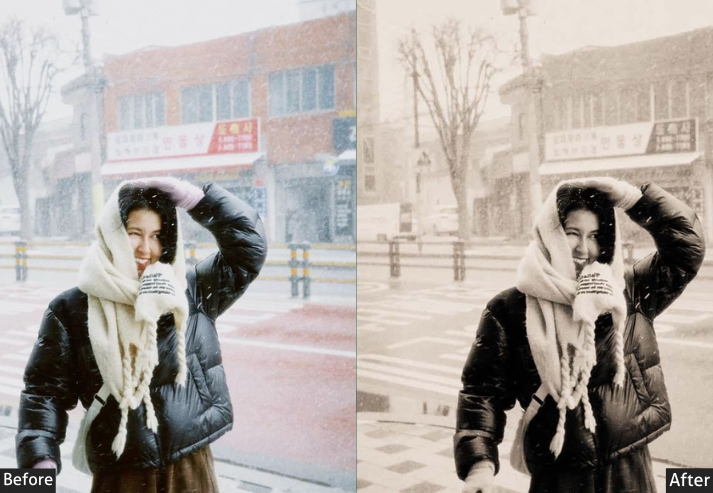
32. Winter Retro Preset (Cool, Icy & Vintage Film)
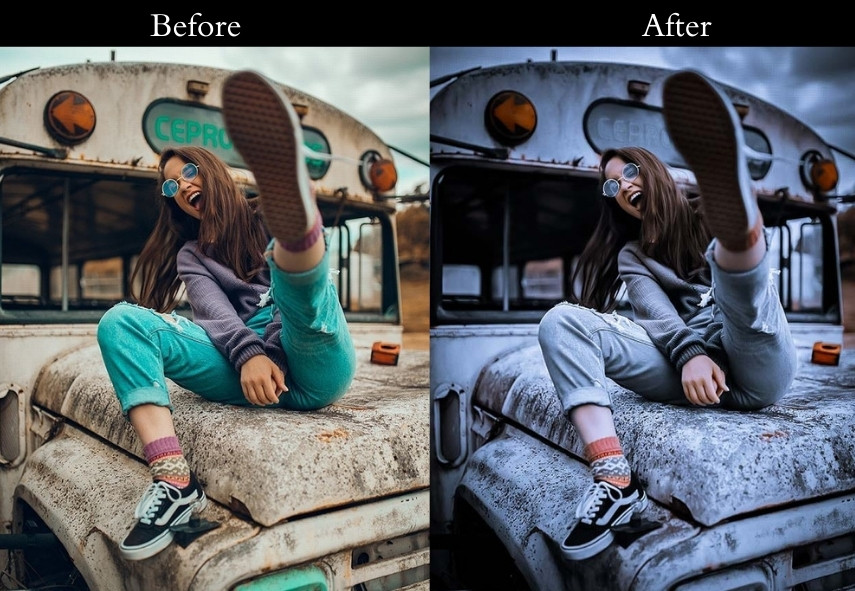
Icy blue shadows and faded, desaturated highlights recreate the quiet, cold stillness of a winter landscape or a snowy street. The preset removes warmth from the image without making it feel clinical. Instead, it feels serene, still, and slightly melancholic in a beautiful way.
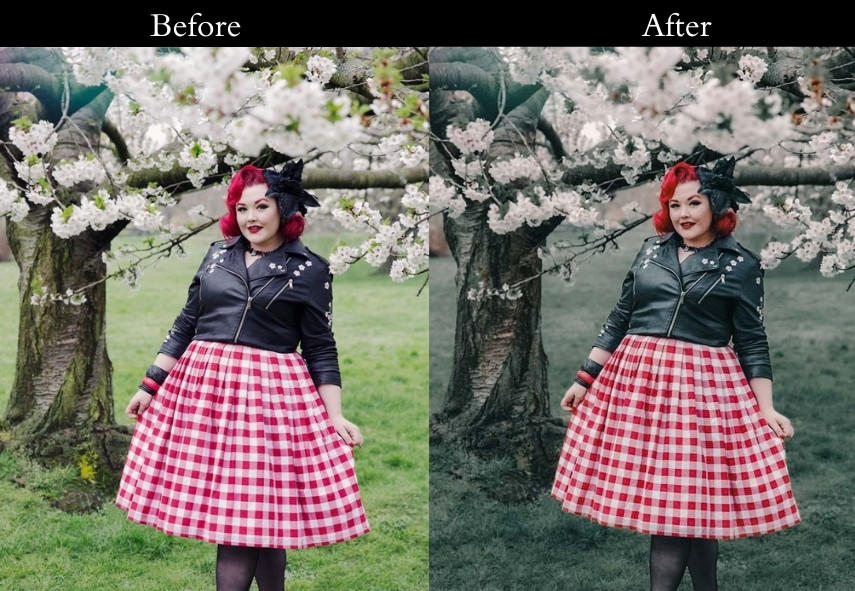
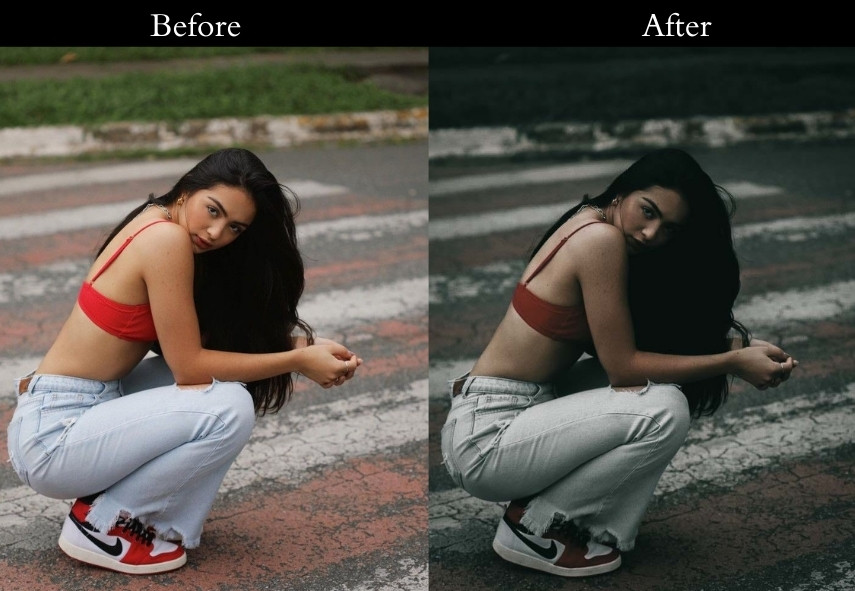
33. Street Retro Preset (Gritty, Bold & High Contrast)
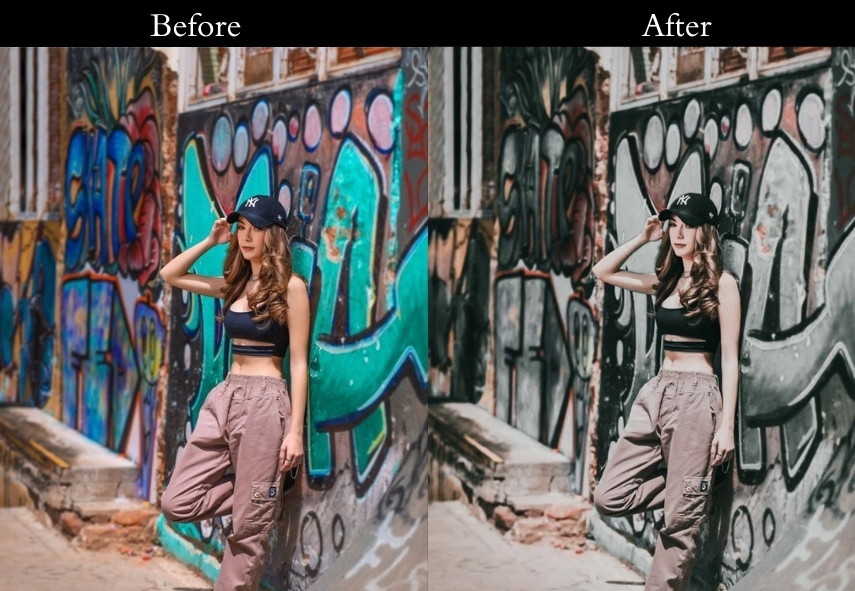
This is the preset for photographers who shoot street, graffiti, skate culture, or anything where polish would undermine authenticity. The bold pink shadows and golden highlights create an unexpected energy against concrete urban backdrops.
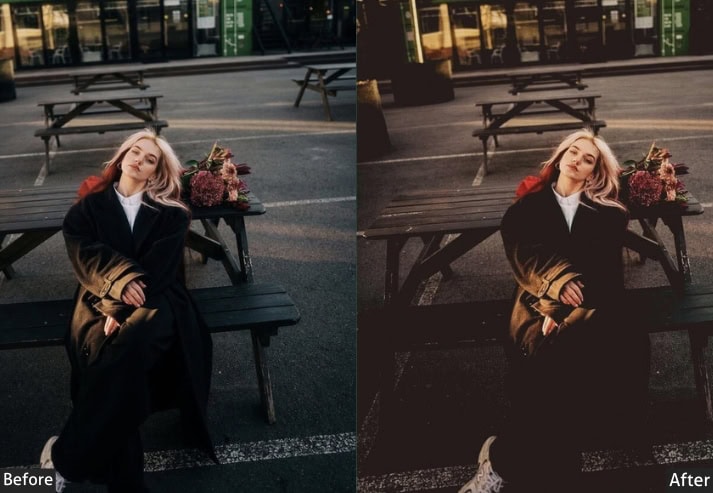
34. Moody Retro Preset (Dark, Neon, & Gritty)
The shadows are pulled deep, the overall image is slightly underexposed, and pinks and teals compete in the color grading to create a vivid, almost synthetic glow. This is the most cyberpunk-adjacent preset in the collection, ideal for night photography in urban environments with strong colored light sources.
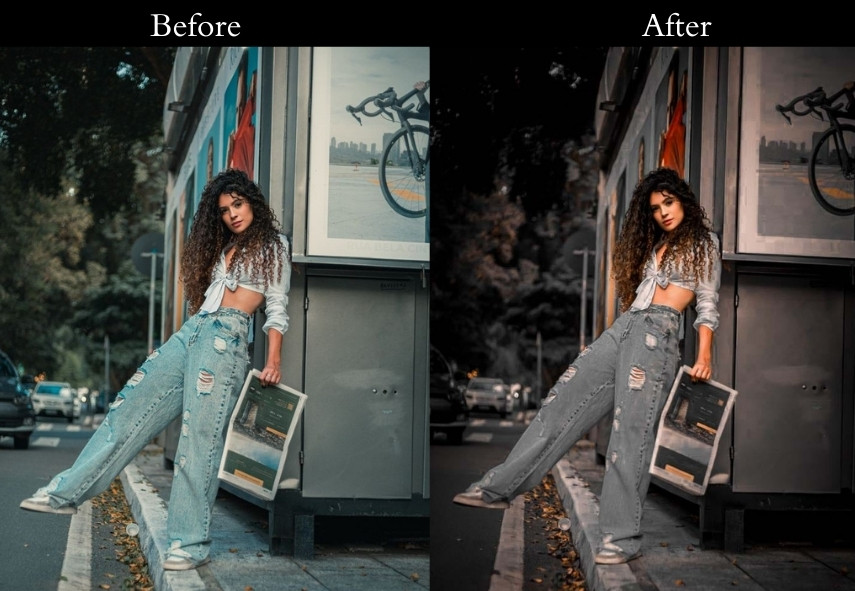
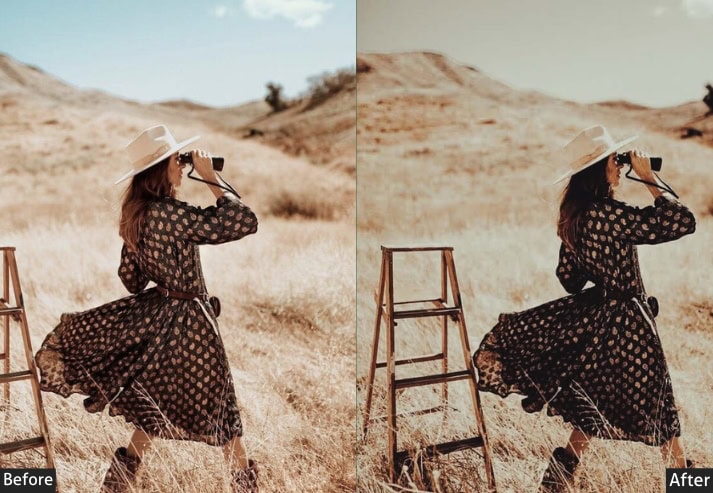
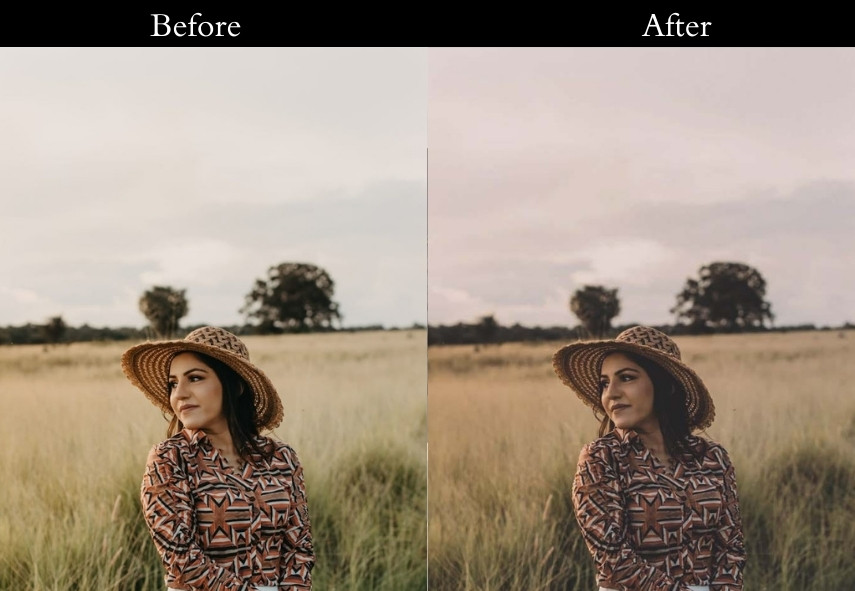
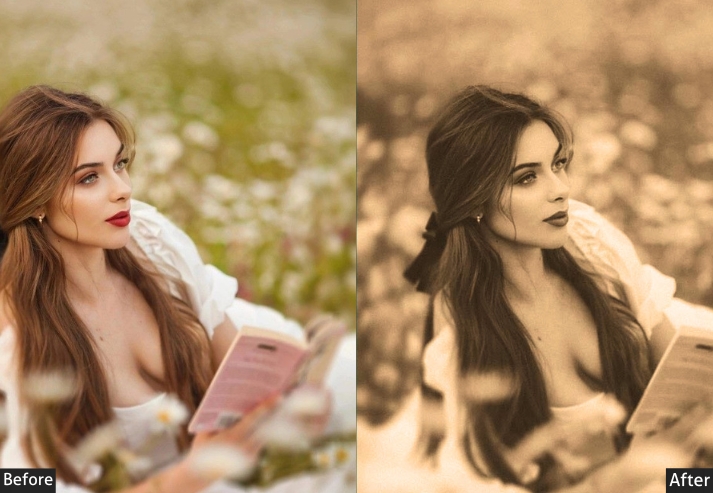
Light Panel: Exposure +0.30 | Contrast −10 | Shadows +25 | Whites −10.
Color Panel: Temperature +10 | Tint +5 | Vibrance +15 | Saturation −10.
Color Grading: Shadows Hue 30 | Midtones Hue 50 | Highlights Hue 60.
Effects Panel: Grain +35 | Vignette −10.
Final Pro Tips for Retro Edits
Getting the most out of any retro preset comes down to understanding what it’s doing and knowing when to pull back.
Customize for your lighting: Every photo is different. Adjust Exposure, Shadows, and Temperature after applying a preset to account for your specific shot.
Use presets as a starting point, not an end point: The best retro edits come from applying a preset at 70–80% opacity (use the Amount slider in Lightroom) and then adding your own adjustments on top. This gives the photo a personal touch instead of a generic look.
Match the preset era to the subject: A 70s preset looks strange on a modern smartphone or car. It works brilliantly on architecture, nature, and fashion, where the technology of the era isn’t visible in the frame.
Grain and resolution interact: High grain (+35 and above) on a low-resolution image can look too rough. If you’re editing for social media (smaller output), reduce the grain by 10–15 points from the recommended settings.
The Tone Curve is your secret weapon: Most of these presets use a “faded film” curve: blacks lifted, highlights pulled down. If the preset doesn’t feel retro enough, try slightly lifting the bottom-left point of your tone curve. It instantly adds that film-print quality.
Play with Color Grading: Want deeper blues? Shift the shadow hue value higher. Want a warmer, more orange tone? Push the midtone hue toward the 30–50 range.
More Details: Lightroom Presets Installing Guide Step By Step With Settings
Final Thoughts: Let’s Make Every Shot Timeless!
So why not give them a try? Experiment, play around, and watch your photos transform with just one click! It’s time to get creative, experiment, and make magic happen! Which retro preset style are you excited to try first? Let me know-I’d love to see your edits!
Happy editing, and may your photos always have that perfect vintage glow! 🌟📸
More Presets:
Kodak Portra Lightroom Presets Free Download
Classic Lightroom Presets Free Download
Vintage Lightroom Presets Free Download
Moody Lightroom Presets Free Download
Urban Lightroom Presets Fre Download