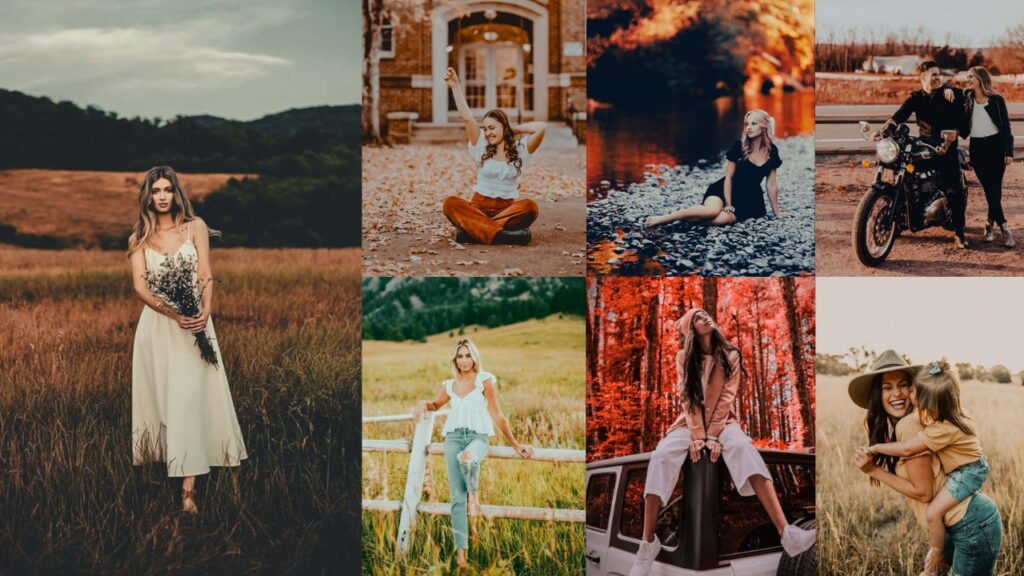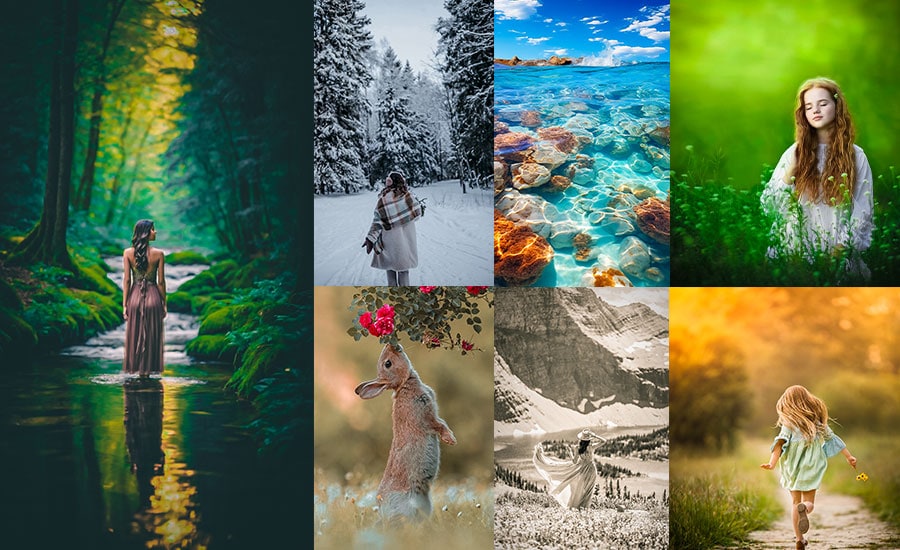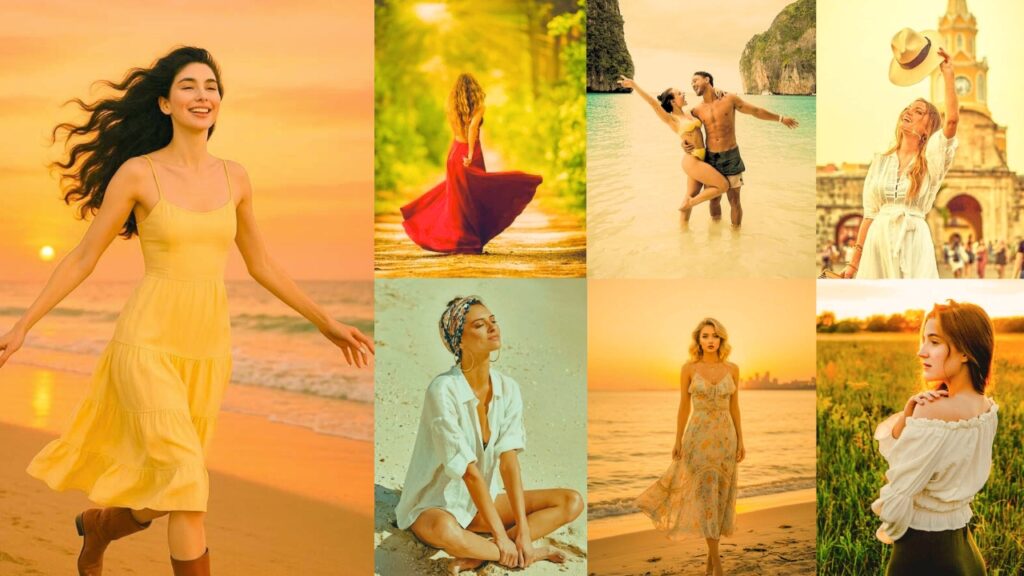
Golden hour produces some of the most coveted light in photography. During this window, sunlight passes through a thicker slice of Earth’s atmosphere, scattering shorter blue wavelengths and leaving behind warm, low-angle orange and amber tones with a color temperature between roughly 2,000K and 4,000K. The result is soft, flattering, directional light that wraps around subjects beautifully.
Capturing that magic in-camera is only half the job. The right Lightroom preset is what locks in that warmth, lifts the shadows, and brings your golden hour images to life in editing. In this guide, I’ve built out precise presets. each with exact Lightroom settings that cover every golden-hour style, from airy and bright to dark and cinematic.
Pauline Jackson
My presets handle the boring first steps, fixing exposure, correcting color issues, and setting a clean tonal base so editing doesn’t feel like starting from zero every time.
30 Golden Hour Lightroom Presets Free Download
Real photographers work smarter, not harder. Golden hour presets help you do justice to that incredible light. They’re not about faking anything-they’re about revealing the magic that was already there. You’ve got the context, the motivation, and the permission. Let’s make some magic!
1. Airy & Bright Golden Preset
This preset is designed for photographers who want their golden-hour images to feel open, clean, and editorial. By pushing exposure and lifting shadows while pulling back highlights and reducing clarity, it creates that floating, magazine-quality softness that works especially well for lifestyle and wedding photography.
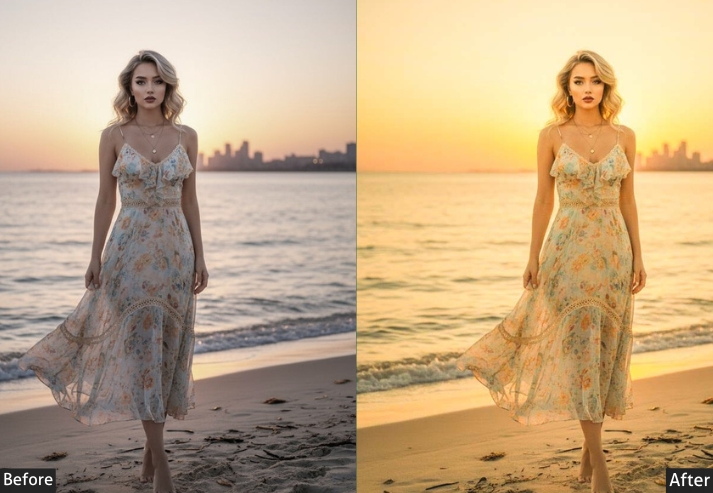
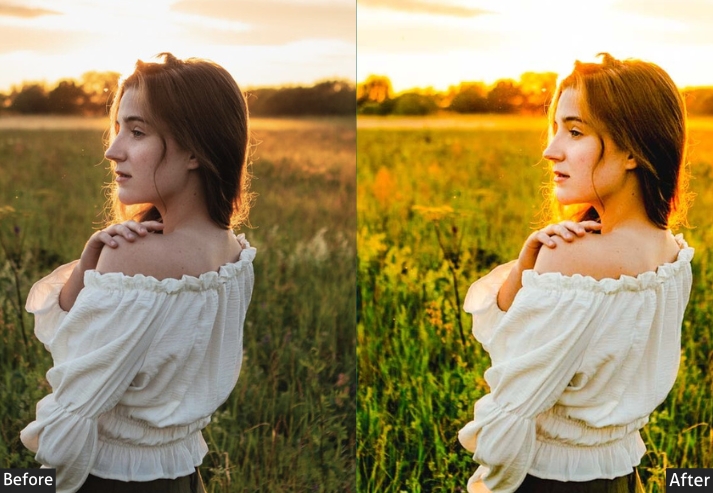
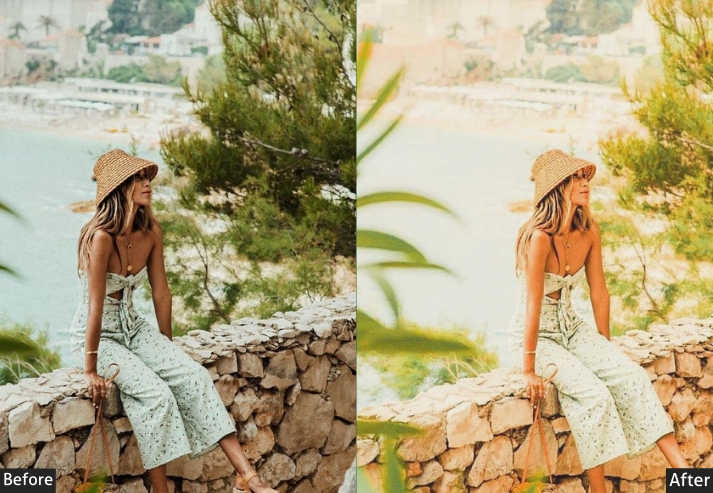
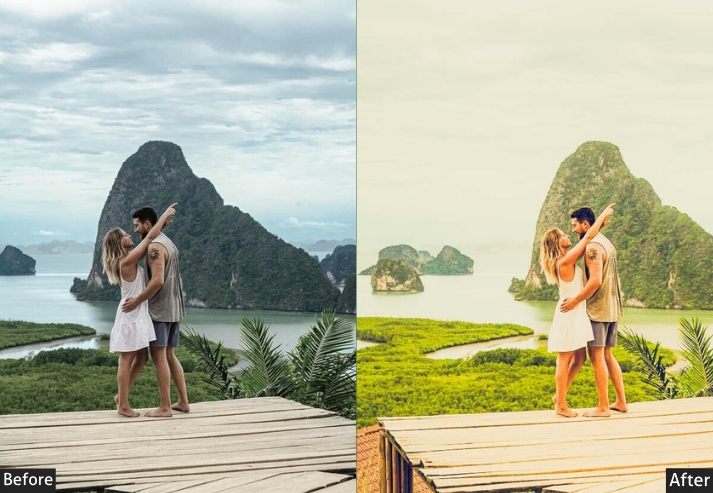
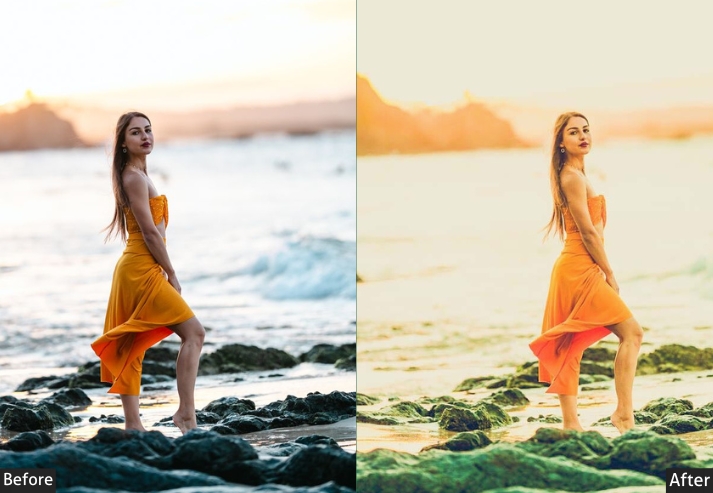
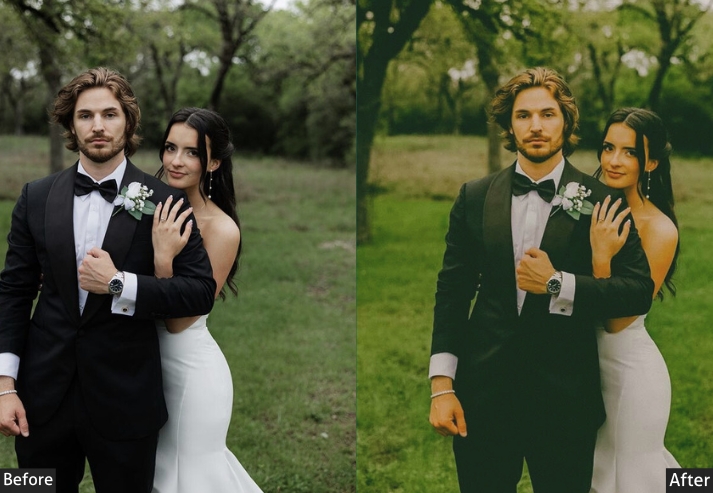
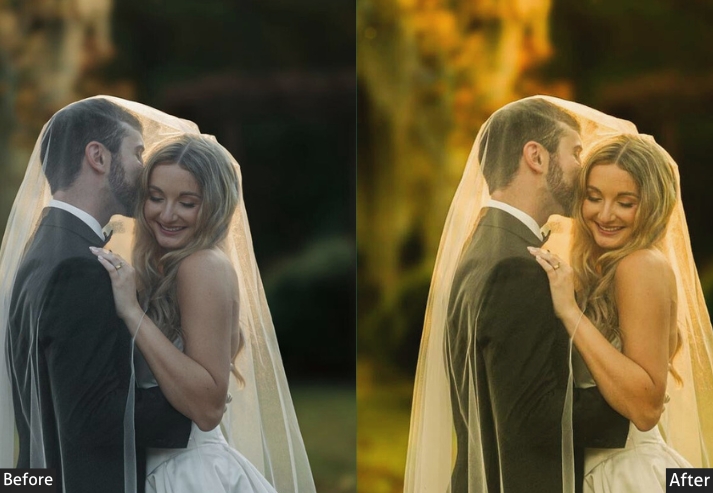
Light Panel: Exposure +30% | Contrast -10% | Highlights -30% | Shadows +50% | Whites +30% | Blacks +10%. Color Panel: Temperature +15 | Vibrance +25% | Saturation -5%. Tone Curve: Lifted shadows | Gentle S-Curve. Effects Panel: Clarity -15% | Dehaze -15% | Grain +5 | Vignette +5 (bright corners). Detail Panel: Sharpening +30% | Noise Reduction +20%.
Purpose: light, airy, magazine-editorial.
Best For: Lifestyle photography, newborn sessions, beach portraits, fashion editorials, dreamy wedding photos.
Usage: For overcast days that need brightening or golden hour shots, you want to push even lighter.
Style: Soft, ethereal, bright, and whimsical. Instagram-perfect!
2. Vivid & Saturated Golden Preset
When subtlety isn’t the goal, this is your preset. The Vivid & Saturated style cranks up contrast, boosts orange and yellow saturation in the HSL panel, and applies an aggressive S-curve that makes landscape and travel golden hour shots jump off the screen. It’s calibrated for maximum color richness without losing skin tone accuracy.
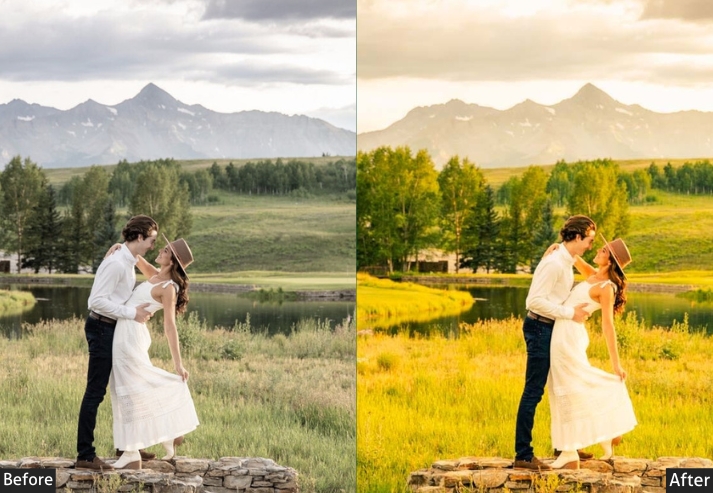
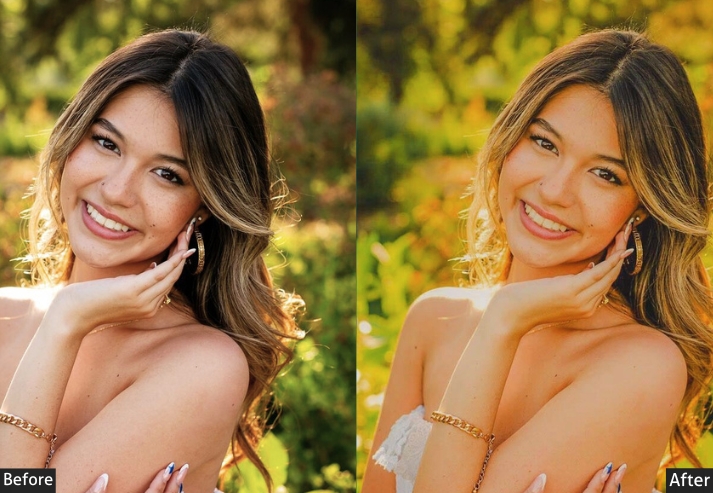
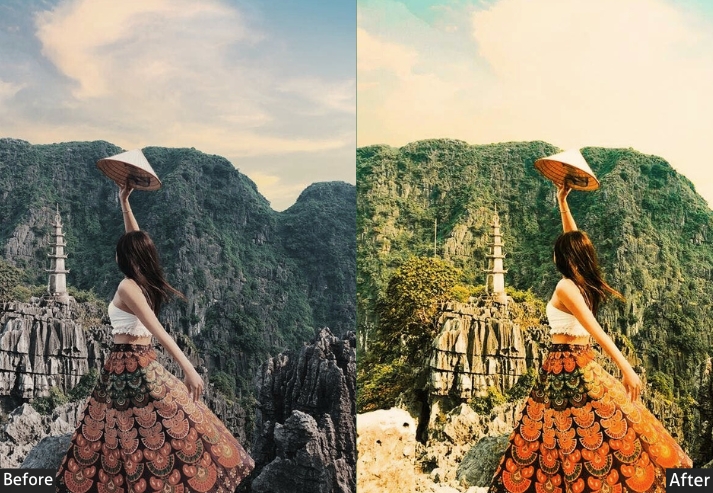
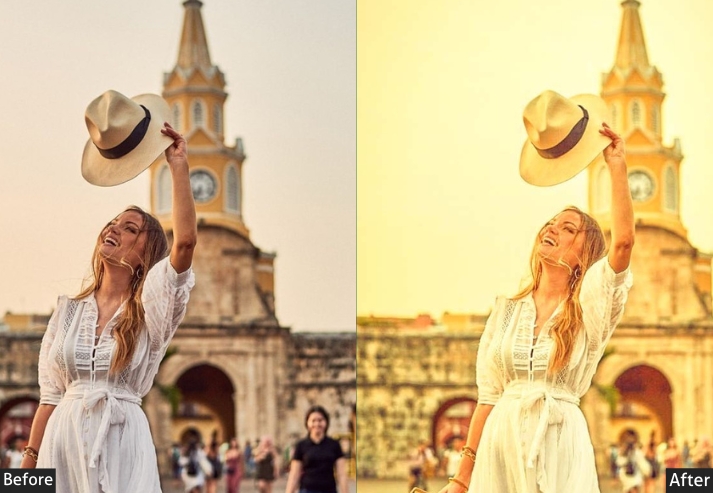
Light Panel: Exposure +10% | Contrast +40% (bring the drama!) | Highlights -25% | Shadows +25% | Whites +15% | Blacks -30% (deep darks). Color Panel: Temperature +25 | Tint +10 | Vibrance +40% (let’s GO!) | Saturation +30%. HSL Magic: Oranges Saturation +50% | Oranges Luminance +25% | Yellows Saturation +45% | Yellows Luminance +30% | Reds Saturation +35% | Reds Hue -10 | Blues Saturation -20% (muted). Tone Curve: Aggressive S-Curve | Lift highlights | Crush blacks. Effects Panel: Clarity +30% | Dehaze +10% | Vignette -20 | Grain +10.
Purpose: rich, vibrant colors.
Best For: Landscape photography, adventure shots, travel content, sunset portraits with bold personalities.
Usage: When subtle isn’t in your vocabulary, and you want ALL the drama!
Style: Bold, vibrant, punchy, and unapologetically intense. Social media gold! 💛
3. Dark & Moody Golden Hour Preset
This is one of the most sought-after aesthetics in fine art and editorial photography. It pulls exposure down, crushes the blacks, applies a strong split-tone with warm orange in the highlights and teal in the shadows, and adds heavy vignetting and grain for a cinematic film feel. The resulting image has depth, drama, and a timeless quality that doesn’t look over-edited.
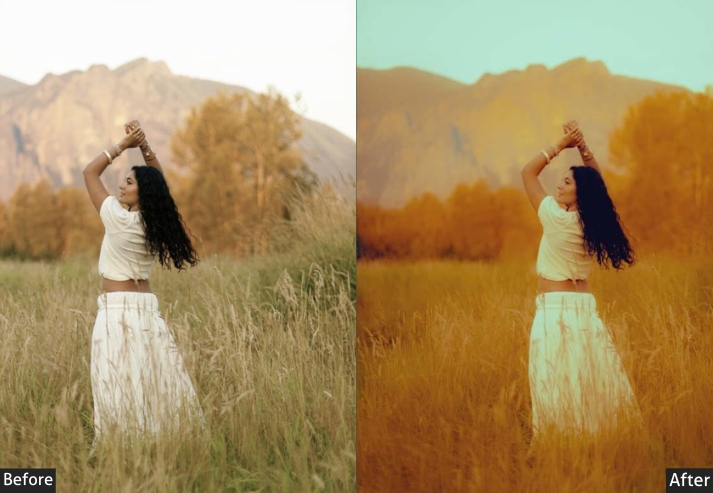
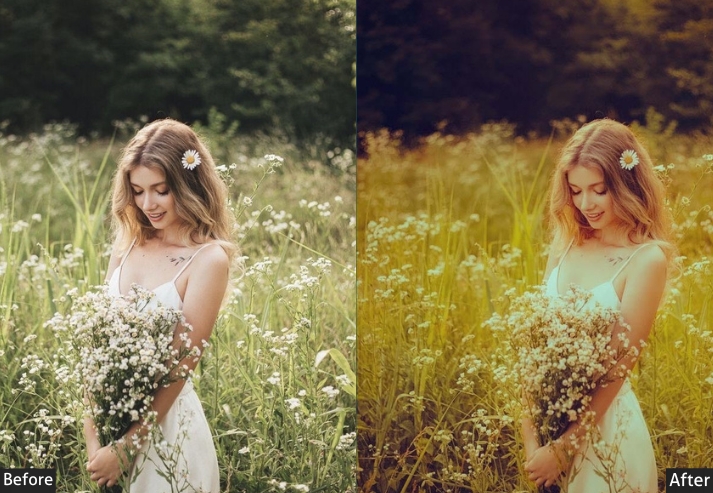
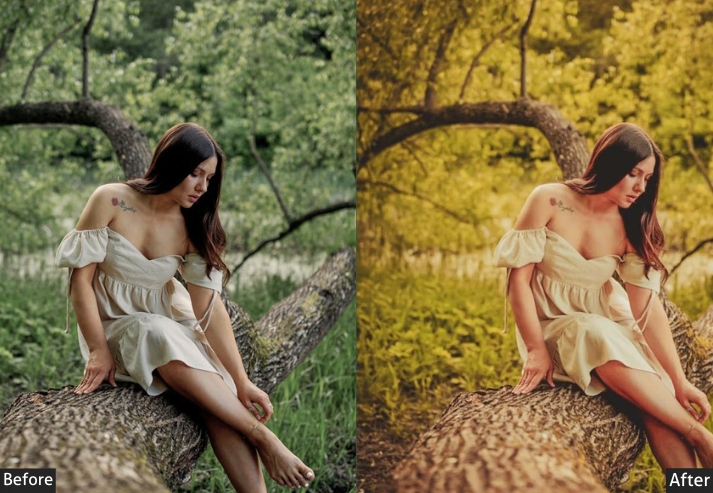
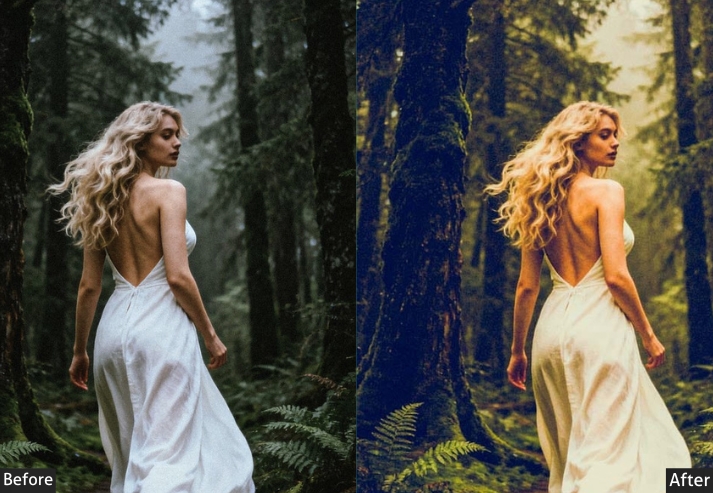
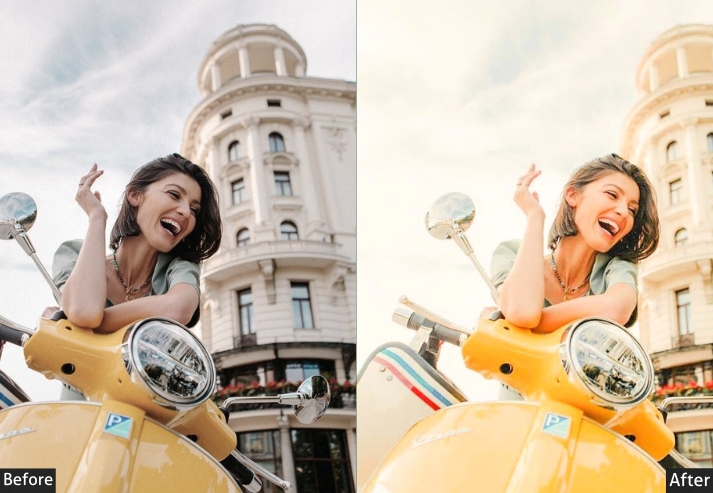
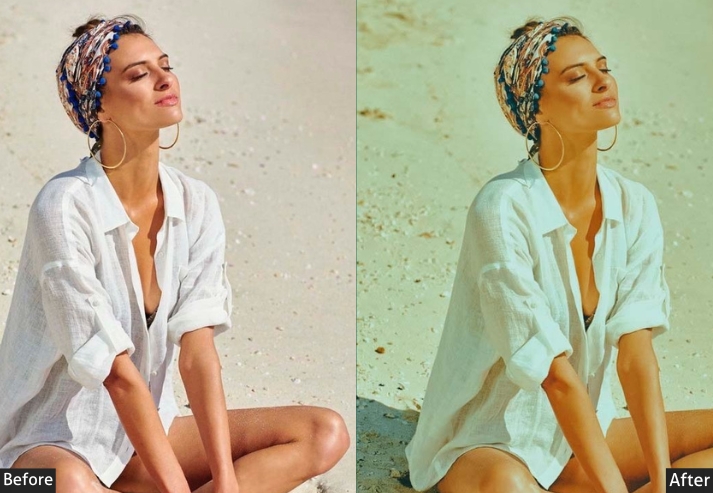
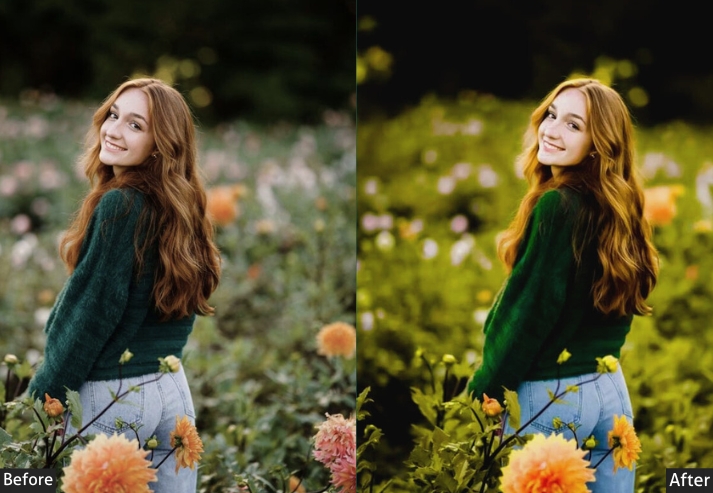
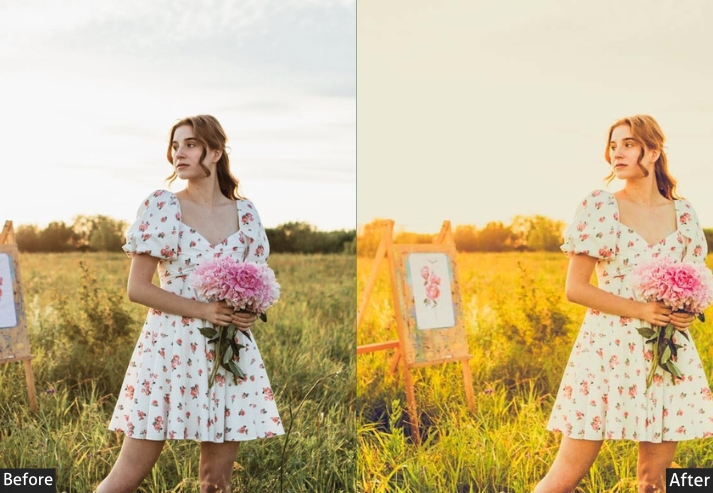
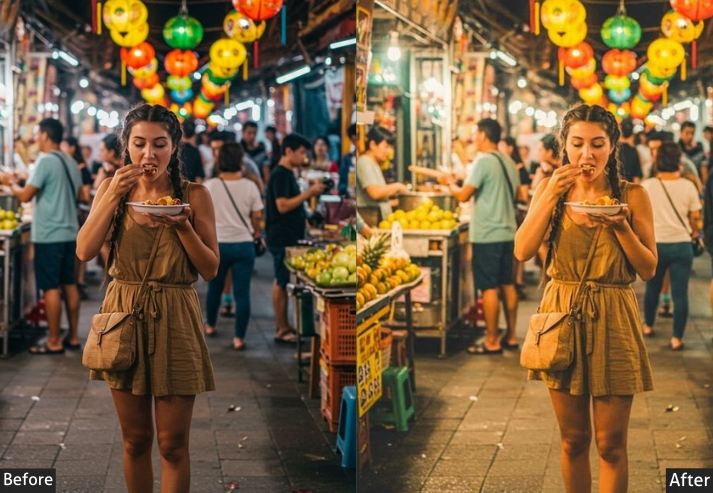
Light Panel: Exposure -20% | Contrast +45% | Highlights -40% | Shadows -20% (deep mood) | Whites -15% | Blacks -40% (drama). Color Panel: Temperature +18 | Tint -5 (slight magenta shift) | Vibrance +15% | Saturation -10%. HSL Adjustments: Oranges Saturation +25% | Oranges Luminance -15% | Blues Saturation +20% | Blues Luminance -30% | Greens Saturation -20% | Greens Luminance -20%. Color Grading: Highlights Hue 45 / Sat 30 (gold tones) | Shadows Hue 210 / Sat 25 (teal tones). Tone Curve: Strong S-Curve | Crush blacks heavily. Effects Panel: Clarity +25% | Dehaze +20% | Vignette -35 (strong framing) | Grain +25. Detail Panel: Sharpening +45%.
Purpose: cinematic, dramatic photos with rich shadows and intense atmosphere.
Best For: Portrait photography, urban scenes, editorial work, fine art photography, and moody landscapes.
Usage: Best applied to photos with good lighting contrast already present.
Style: Dark, cinematic, mysterious, and totally Instagram-worthy.
4. Cinematic Golden Hour Preset
The teal-and-orange color grade is the most iconic look in cinema, and this preset brings that Hollywood standard to your still photography. It uses split-tone color grading to push warm orange into the highlights while pulling teal into the shadows, combined with strong S-curve contrast and calibration tweaks for that unmistakable big-screen look. Commercial photographers, wedding videographers, and editorial shooters love this style for its polished, professional output.
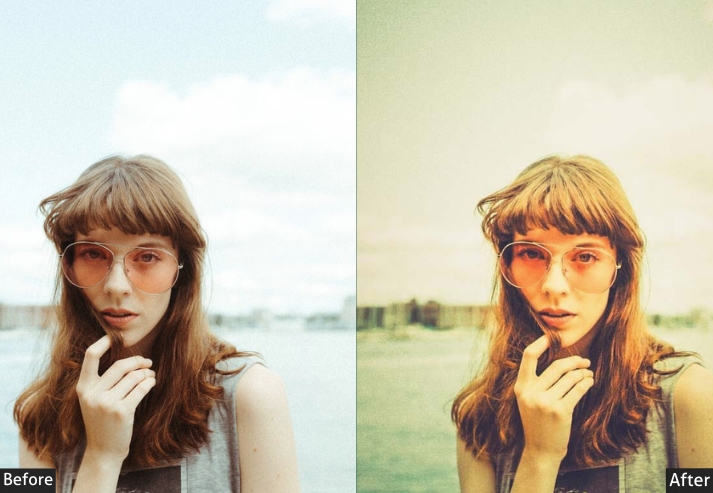
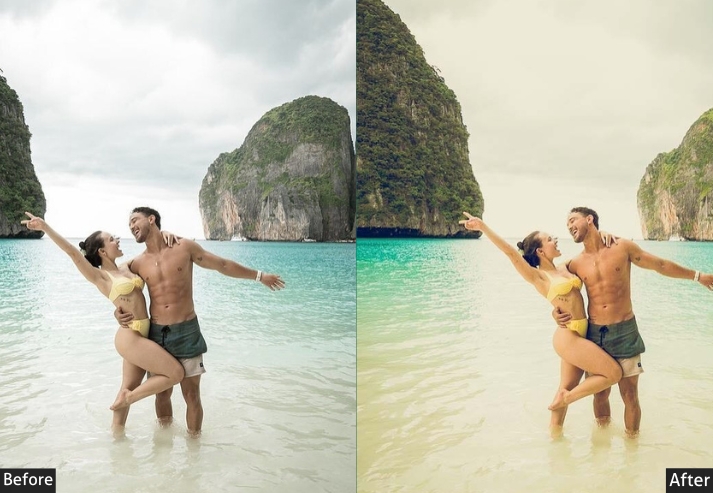
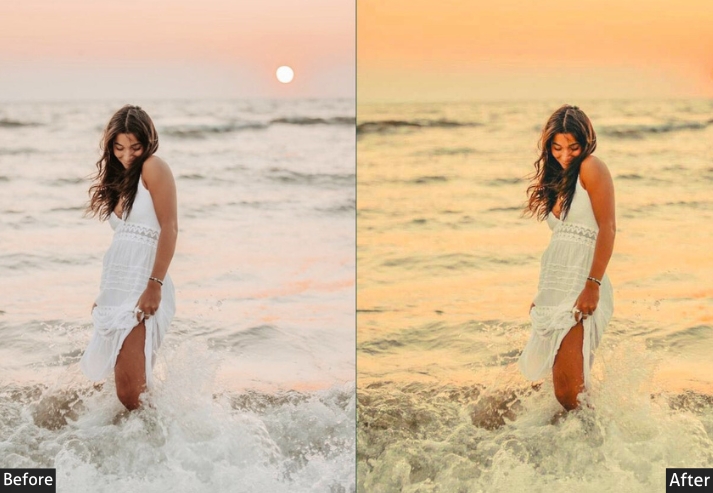
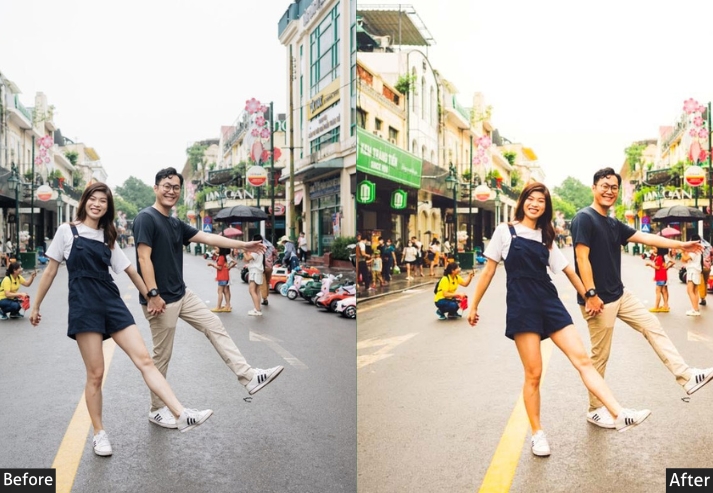
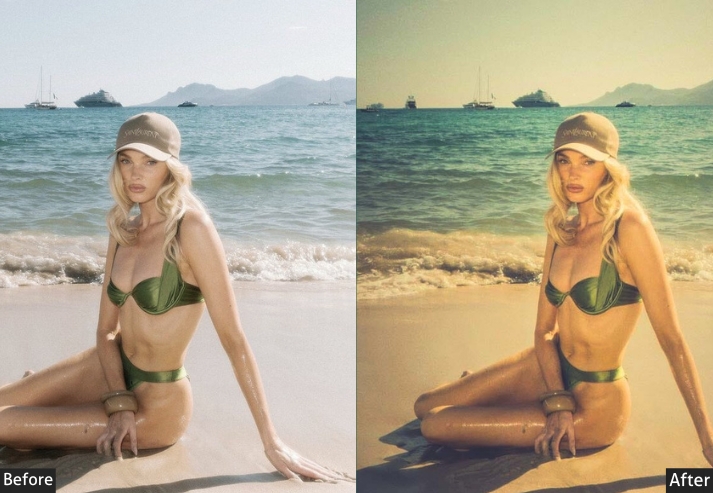
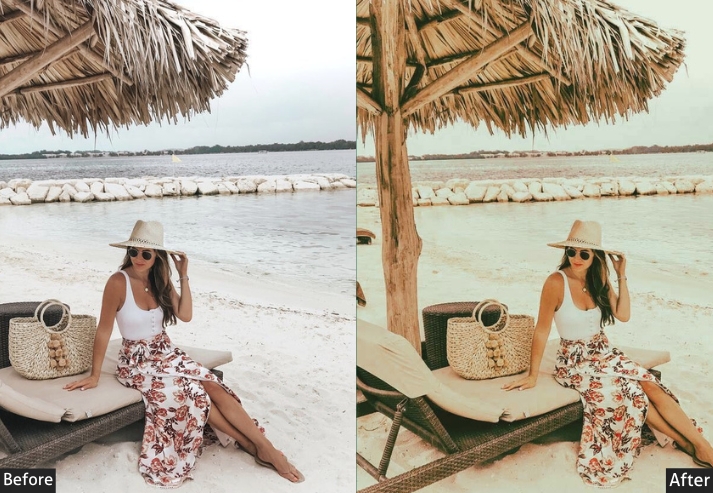
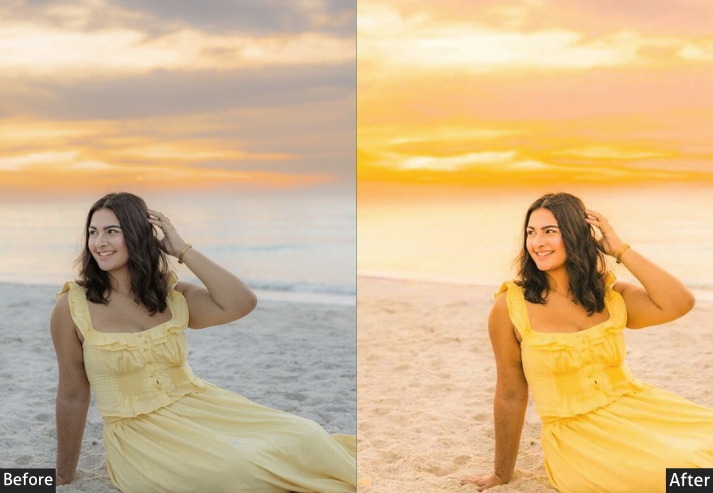
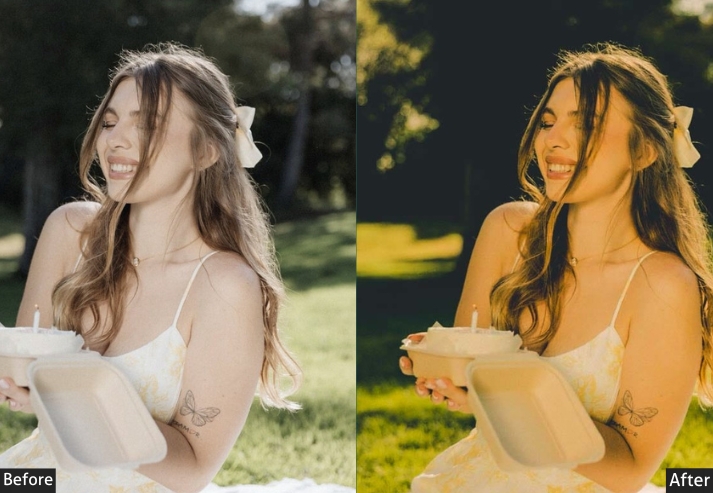
Light Panel: Exposure +5% | Contrast +35% | Highlights -30% | Shadows +15% | Whites -10% | Blacks -35%. Color Panel: Temperature +22 | Vibrance +20% | Saturation +5%. Color Grading (Split Toning): Highlights Hue 50 / Sat 35 (warm orange) | Shadows Hue 220 / Sat 30 (teal-blue) | Balance -10 (favor highlights). HSL: Oranges Saturation +30% | Blues Saturation +25% | Blues Luminance -25% | Teals Saturation +20%. Tone Curve: Strong S-Curve | Cinematic contrast. Effects Panel: Clarity +20% | Dehaze +15% | Vignette -25 | Grain +20%. Calibration Panel: Primary colors adjusted for cinematic teal-orange look.
Purpose: big-screen, Hollywood movie aesthetic with professional color grading.
Best For: Commercial work, cinematic portraits, wedding films, music videos, and editorial photography.
Usage: When you want your photos to look like they cost a million bucks!
Style: Cinematic, professional, rich color contrast with the iconic teal-orange Hollywood look.
5. Sun Flare & Glow Effect Preset
Backlit golden hour photography is one of the hardest looks to nail in-camera and one of the most rewarding to edit properly. This preset is engineered specifically for backlit scenes. It leans into the overexposure around light sources, reduces Dehaze to enhance the atmospheric haze, and uses warm color grading in the highlights to make your sun flares and halos look intentional rather than accidental. Pair it with a radial mask over your light source for maximum glow effect.
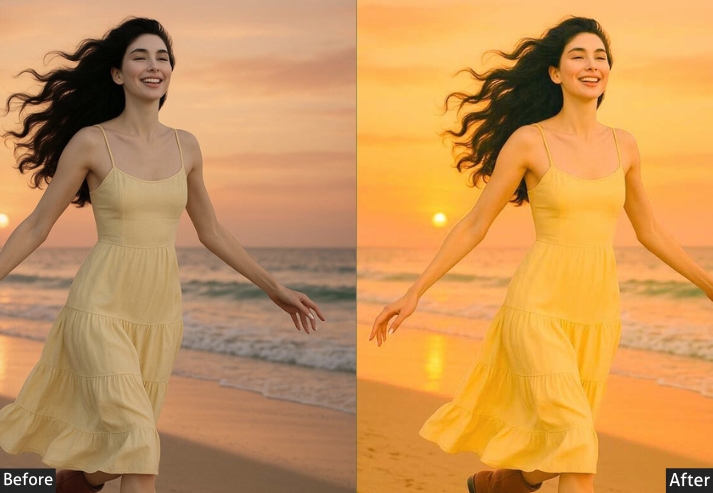
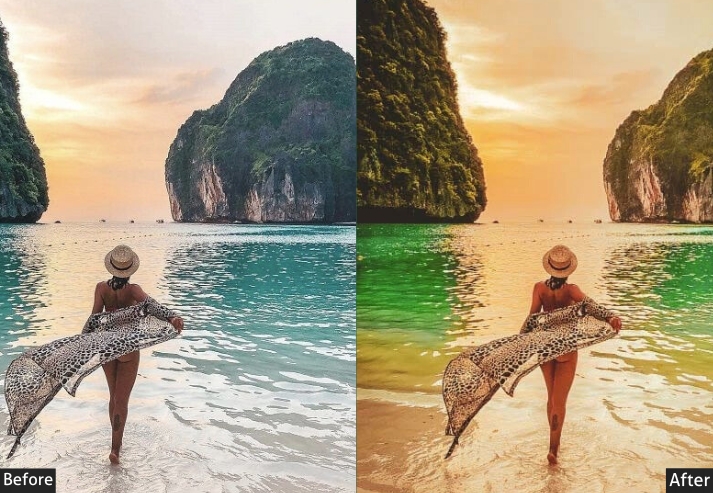
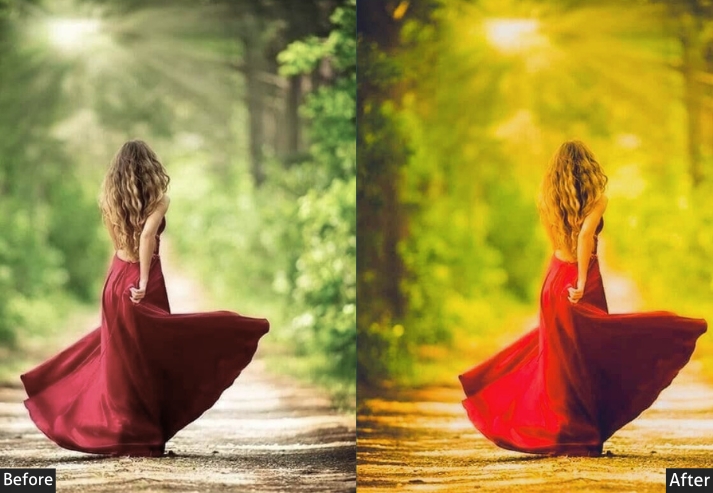
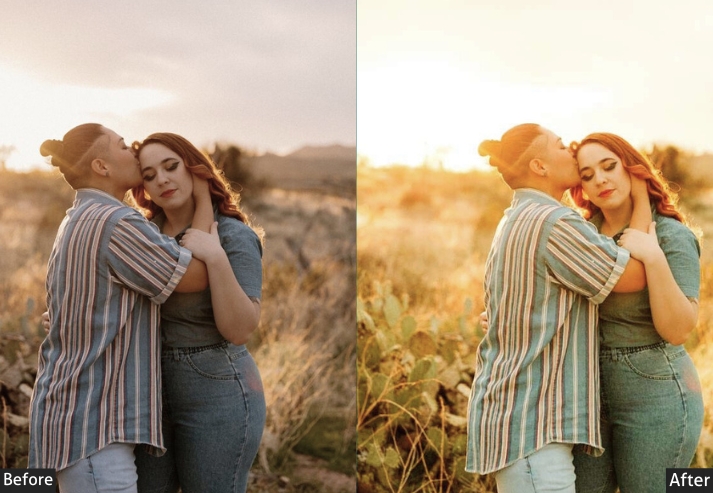
Light Panel: Exposure +18% | Contrast +20% | Highlights +15% (glow) | Shadows +35% | Whites +30% | Blacks -5%. Color Panel: Temperature +28 (maximum warmth) | Vibrance +20% | Saturation +10%. Local Adjustments (Masking): Radial masks on light sources | Exposure increased | Texture & Clarity decreased | Temperature warmed in glow zones. Effects Panel: Clarity -15% (softened look) | Dehaze -30% (hazy atmosphere) | Vignette -15 | Grain +10. Color Grading: Highlights Hue 40 / Sat 45 (intense warm orange). HSL: Oranges +40% | Yellows +40% | Luminance +25%. Detail Panel: Sharpening +20% (avoiding glow areas) | Reduced clarity around light sources.
Purpose: sun flares, halos, and glowing effects in backlit golden hour photos.
Best For: Backlit portraits, silhouettes, sun-star shots, romantic couples photography, beach sunsets.
Usage: Works best when there’s already some natural flare or backlighting in your image.
Style: Glowy, dreamy, ethereal with pronounced light effects. Fairy-tale vibes!
6. Natural True-to-Life Golden Preset
Not every golden hour photo needs heavy treatment. This preset is built for photographers who want to enhance, not transform. It applies gentle exposure, contrast, and color corrections that make your images look like the best, most polished version of what you actually captured. The HSL adjustments are subtle (up to 5–10%), and the tone curve remains nearly linear. It’s the everyday workhorse preset that works across the broadest range of subjects and lighting conditions.
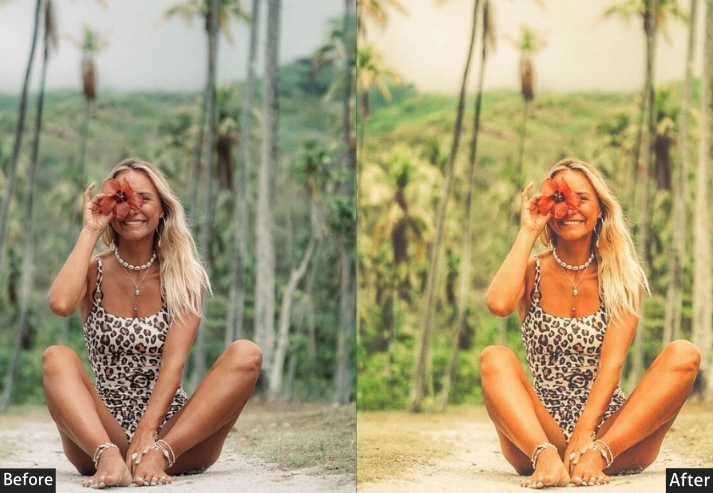
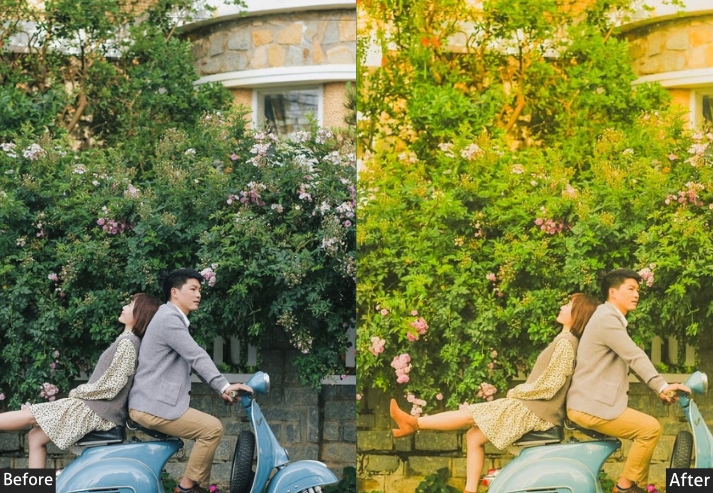
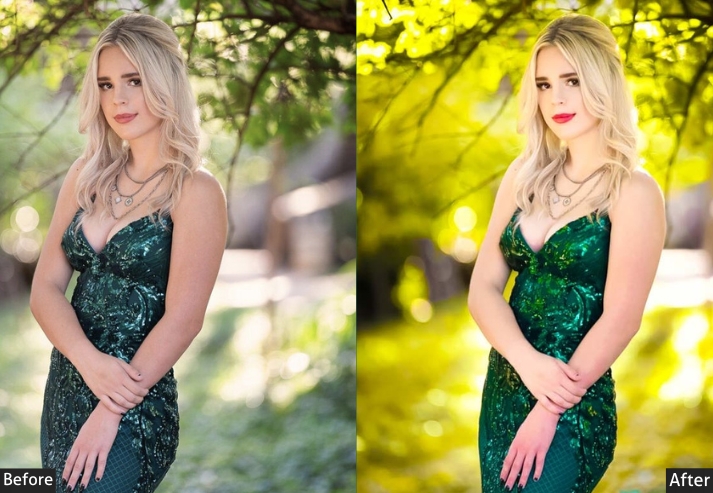
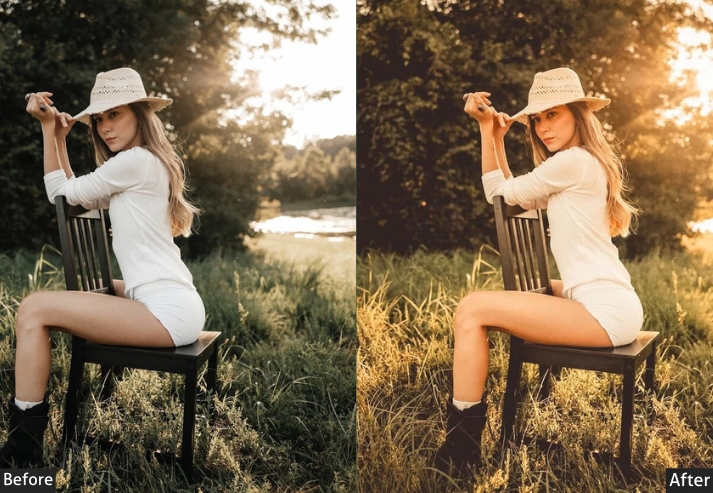
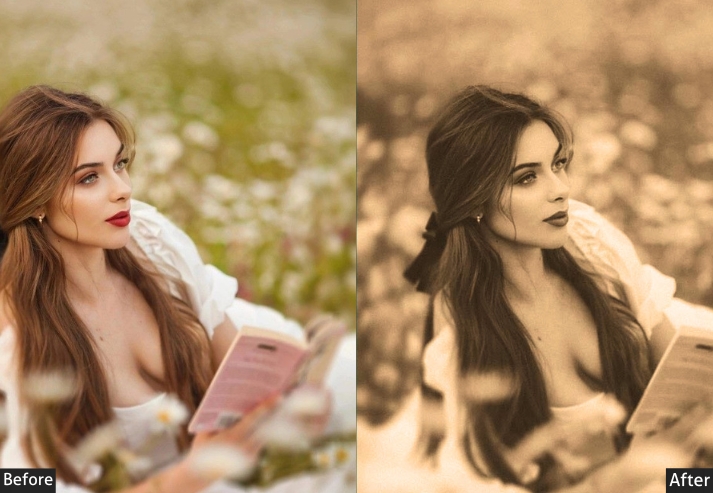
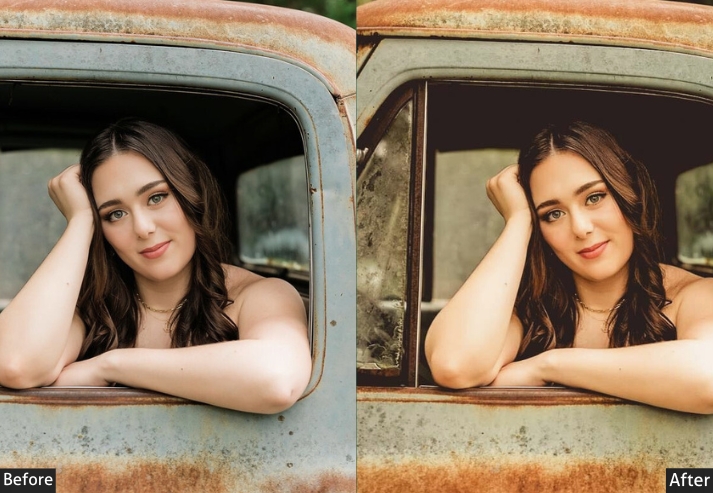
Light Panel: Exposure +8% | Contrast +18% | Highlights -15% | Shadows +15% | Whites +5% | Blacks -10%. Color Panel: Temperature +12 (subtle warmth) | Vibrance +15% | Saturation +5%. HSL Balance: All colors 5–10% adjustments | Oranges Saturation +15% | Oranges Luminance +10% | Greens Saturation +10%. Tone Curve: Gentle S-Curve | Natural contrast. Effects Panel: Clarity +15% | Texture +10% | Dehaze +5% | Vignette -8 | Grain +8. Detail Panel: Sharpening +35% | Noise Reduction +15%.
Purpose: golden hour light naturally, without over-processing or losing authenticity.
Best For: Documentary photography, photojournalism, real estate, food photography, product shots, candid moments.
Usage: Universal preset that works across multiple genres without looking over-edited.
Style: Natural, authentic, clean, and professionally polished. Timeless quality! 🌿
Few Words
Golden hour light is fleeting. It changes by the second and disappears entirely within 30 minutes. Having the right preset loaded and ready means you can focus entirely on capturing the moment rather than spending hours in post-production trying to recreate warmth and depth that should have been locked in at the edit stage.
Each of the presets above is a starting point. Real editing skill comes from applying a preset and then making the 2–3 targeted adjustments that take it from “close” to “exactly right” for your specific image. Download the pack, load it up for your next golden hour shoot, and start building intuition about which settings move the needle in your work.
More Free Presets For You:
Cinematic Lightroom Presets Free Download
Warm Lightroom Presets Free Download
Light And Airy Lightroom Presets Free Download
Orange Teal Lightroom Presets Free Download