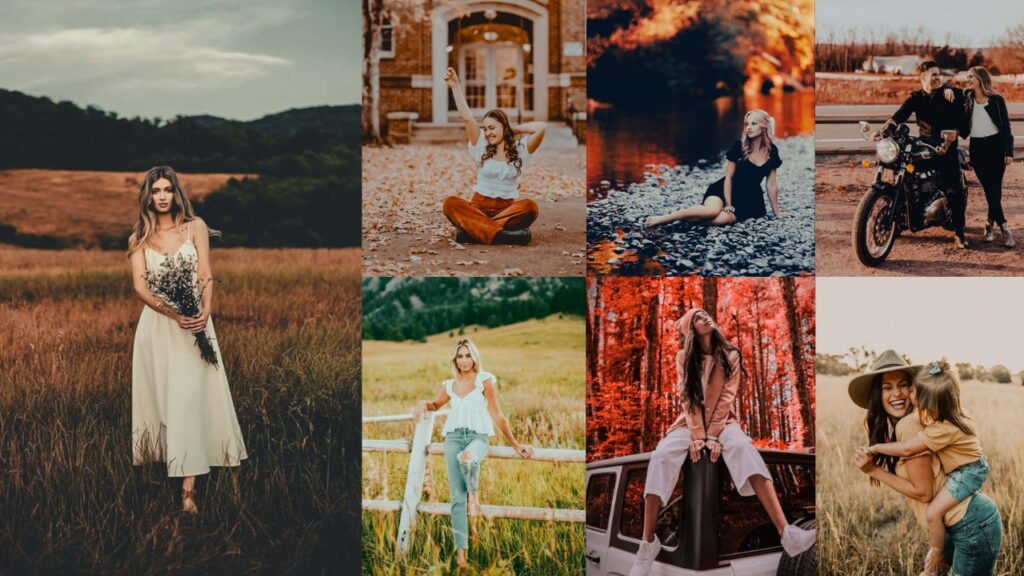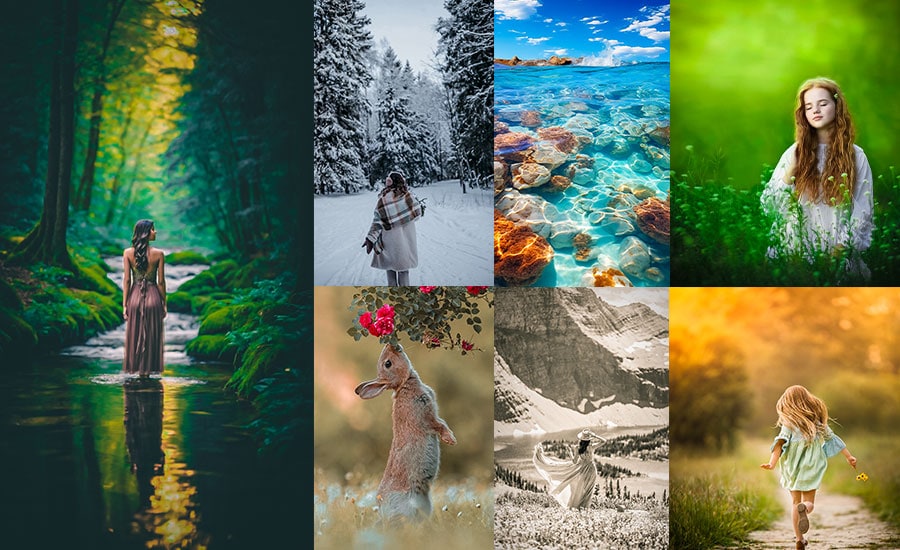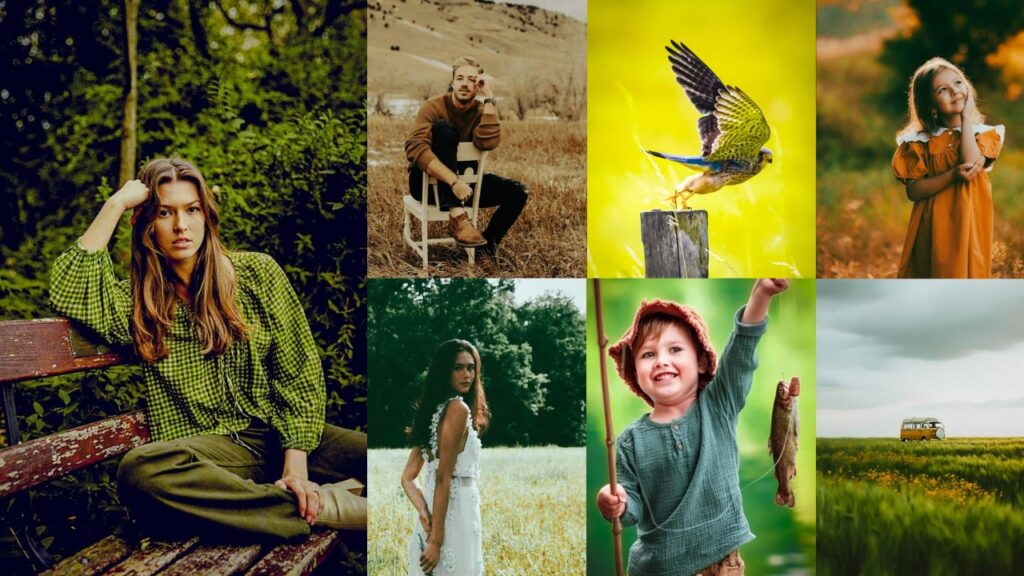
Fujifilm’s color science is legendary. The way it renders greens, handles skin tones, and builds that organic grain structure is something photographers have chased since the days of Velvia slide film. These Fujifilm presets bring that same analog character to your digital RAW files, without spending hours at the Tone Curve.
Each preset in this collection is inspired by a specific Fujifilm film simulation: Provia for natural, everyday shots; Velvia for saturated landscapes; Classic Chrome for moody street work; Eterna for cinematic stills; and more. Below you’ll find the exact Lightroom settings for each look, which subjects they work best for, and direct download links.

Pauline Jackson
My work focuses on developing presets that improve color, tone, and lighting while maintaining a natural look across different photography styles. My goal is to make photo editing simpler, faster, and more creative for photographers of all experience levels.
70 Fujifilm Lightroom Presets Free Download
As a graphic designer and photo editing geek, I’ve spent way too many late nights tweaking sliders and sipping espresso to perfect these looks. Fujifilm’s iconic film vibes meet Lightroom’s magic here, and I’m stoked to share a hefty list of presets you’ll find floating around the internet. ones people rave about and search for like hidden treasure. Each one’s got its own personality, and I’ll spin you a little tale about what they do, how to tweak them, and where they shine brightest. Let’s make your photos filmy, shall we?
| Preset Group | Best For | Mood / Style |
|---|---|---|
| Provia | Landscapes, casual portraits. | Natural, vibrant, clean. |
| Velvia | Nature, outdoor landscapes. | Bold, saturated, punchy. |
| Astia | Portraits, soft natural light. | Warm, flattering, smooth. |
| Classic Chrome | Street, urban, documentary. | Muted, retro, editorial. |
| Dark Fujifilm | Low-light, moody portraits. | Dark, cinematic, dramatic. |
| Eterna | Portraits, dreamy landscapes. | Hazy, filmic, soft contrast. |
| Pro Neg Hi | Any subject, professional use. | Punchy, clean, versatile. |
| Pro Neg Std | Portraits, fine art stills. | Subtle, elegant, gallery. |
| X100V Style | Street, daily documentary. | Rich, crisp, Fujifilm-true. |
| Portrait | Studio & outdoor portraits. | Warm, glowing, skin-focused. |
| Landscape | Mountains, nature, travel. | Vivid, sharp, epic. |
| Remaining Styles | Street, a daily documentary. | Various. |
- Pauline Jackson
- 1. Provia Preset
- 2. Velvia Preset
- 3. Astia Preset
- 4. Classic Chrome Preset
- 5. Dark Fujifilm Preset
- 6. Eterna Preset
- 7. Pro Neg Hi Preset
- 8. Pro Neg Std Preset
- 9. Fujifilm X100V Preset
- 10. Fujifilm Portrait Preset
- 11. Fujifilm Landscape Preset
- 12. Fujifilm Street Preset
- 13. Fujifilm Vintage Preset
- 14. Fujifilm Cinematic Preset
- 15. Fujifilm Moody Preset
- Lightroom Classic (Desktop – XMP)
- Lightroom Mobile (iOS & Android – DNG)
1. Provia Preset
Inspired by Fujifilm’s Provia/Standard film simulation, this preset delivers accurate, slightly punchy colors with a natural tonal range. It boosts micro-contrast without clipping highlights or crushing shadows, making it one of the most versatile starting points in the collection. Works across lighting conditions: daylight, golden hour, and overcast.
Light Panel: Exposure +10% | Contrast +15% | Highlights −10% | Shadows +10% | Whites +5% | Blacks −5%.
Color Panel: Vibrance +20% | Saturation +5%.
Effects Panel: Clarity +15% | Dehaze +5%.
Detail Panel: Sharpening +10% | Noise Reduction +5%.
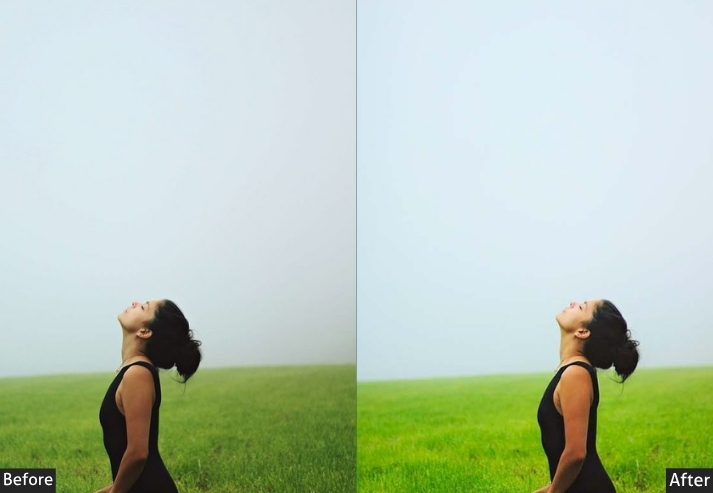
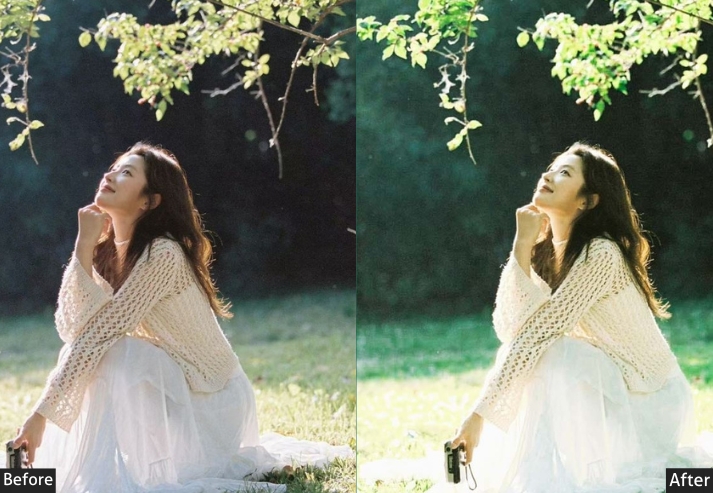
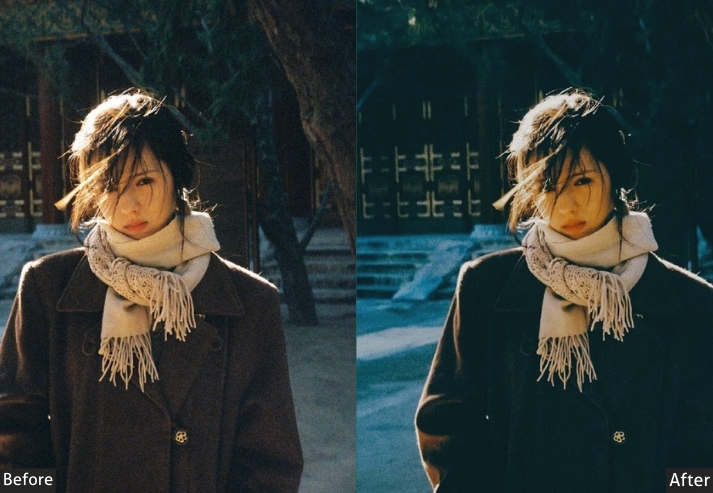
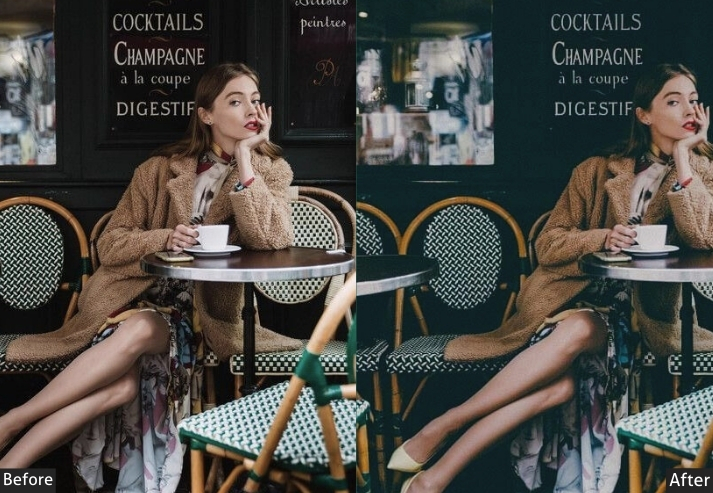

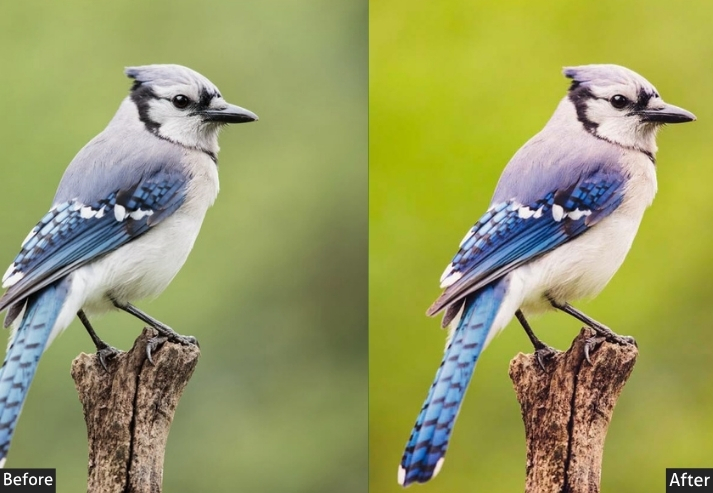
Purpose: vibrant yet grounded.
Best For: Casual snaps, landscapes, or portraits where you want a life-like sparkle.
Usage: bright, well-lit shots and tweak exposure if it’s too punchy.
Style: Fresh, clean, and a little peppy.
2. Velvia Preset
Velvia is Fujifilm’s high-saturation slide film, famous among landscape photographers for its vivid greens, electric blues, and deep reds. This preset faithfully replicates that look: expect boosted contrast, rich color depth, and a natural vignette pull that draws the eye into the frame. Not recommended for portraits unless a stylized, high-color look is intentional.
Light Panel: Exposure +5% | Contrast +20% | Highlights −15% | Shadows +15% | Whites +10% | Blacks −10%.
Color Panel: Vibrance +30% | Saturation +15%.
Effects Panel: Clarity +20% | Dehaze +10%.
Detail Panel: Sharpening +15% | Noise Reduction +5%.
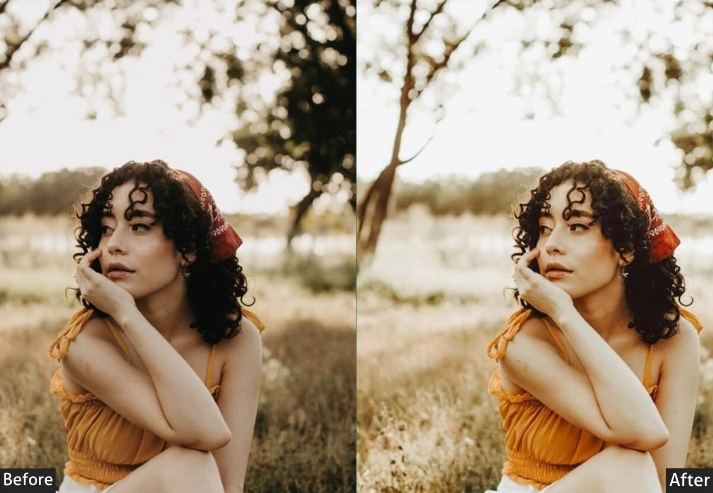
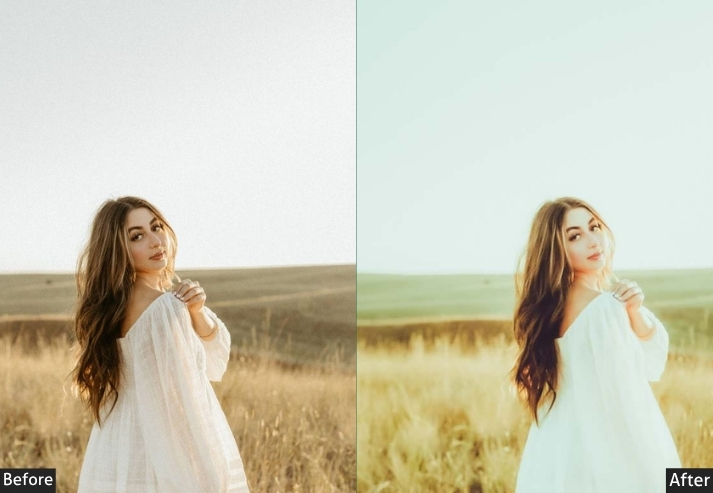
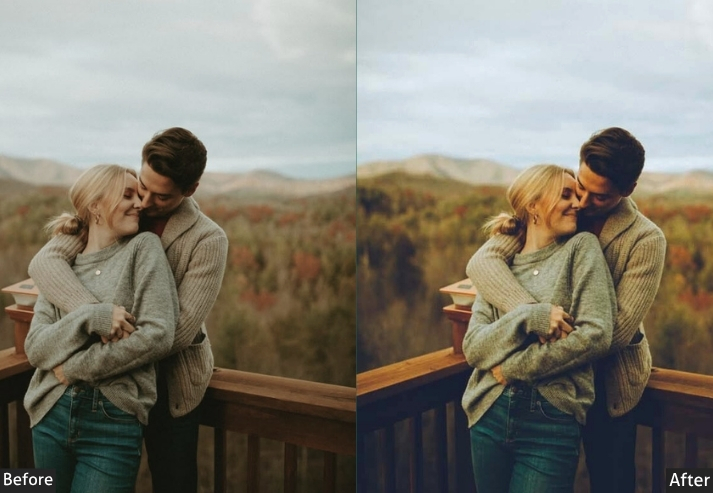
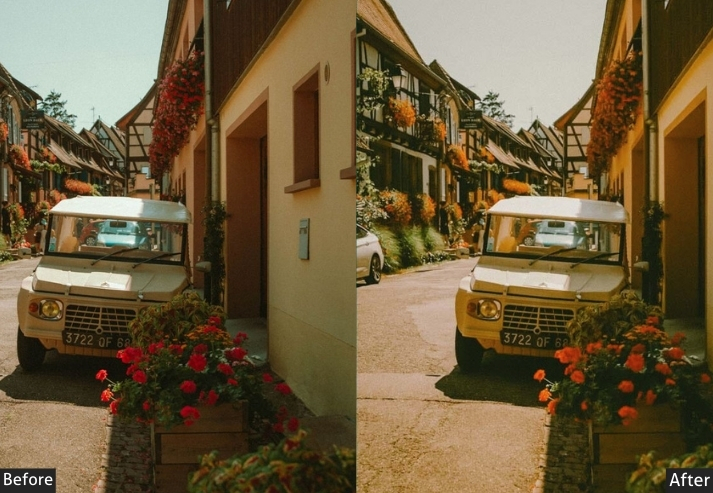
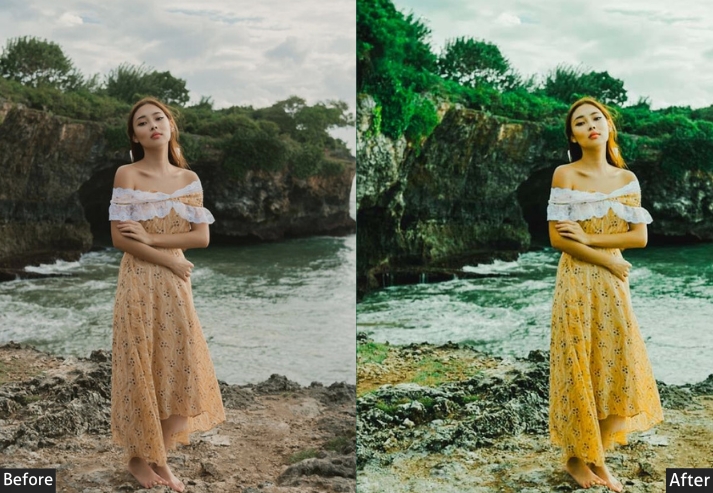
Purpose: vivid colors on steroids.
Best For: Landscapes or nature shots.
Usage: dial it back for portraits unless you want neon skin!
Style: Loud, proud, and in-your-face vibrant.
3. Astia Preset
Astia (also called Fujifilm’s “Soft” simulation) was designed specifically to render skin tones with warmth and naturalness. This preset reduces highlight contrast to protect facial detail, lifts shadows for a clean mid-tone, and applies subtle HSL shifts to warm reds and oranges without oversaturating. The result is a flattering, professional portrait look straight out of Lightroom.
Light Panel: Exposure +10% | Contrast +10% | Highlights −20% | Shadows +20% | Whites +5% | Blacks −5%.
Color Panel: Vibrance +15% | Saturation +5% | HSL: Warm Skin Tone Tweaks.
Effects Panel: Clarity +10% | Vignette −10%.
Detail Panel: Sharpening +10% | Noise Reduction +10%.
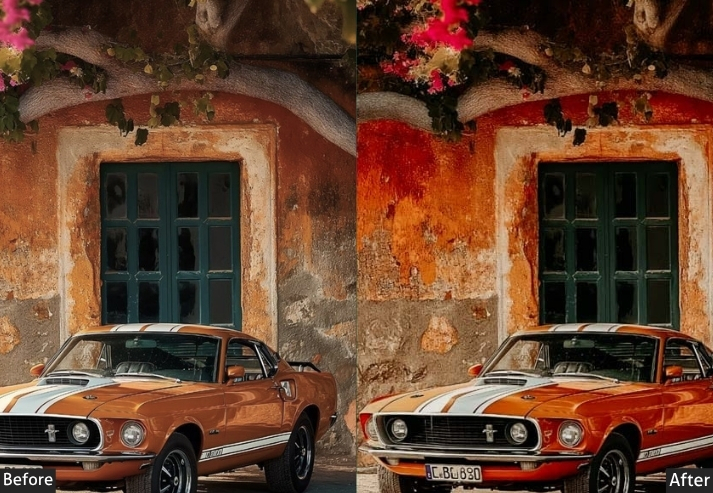
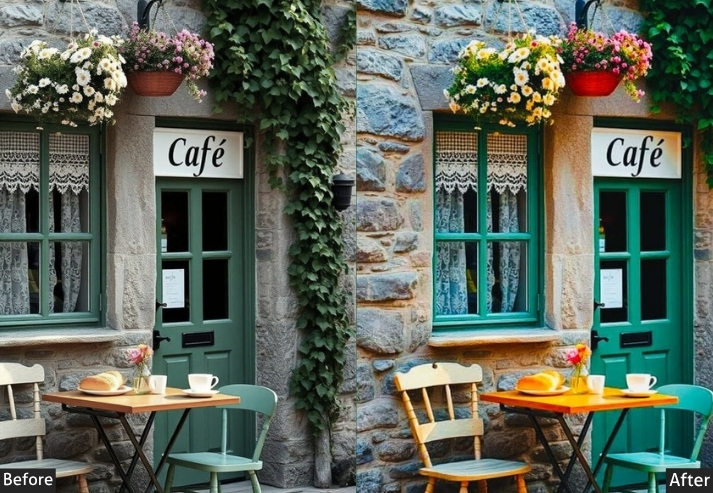
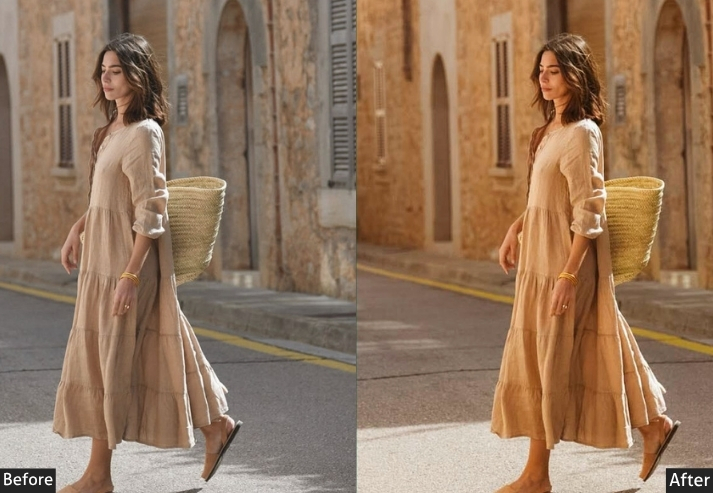
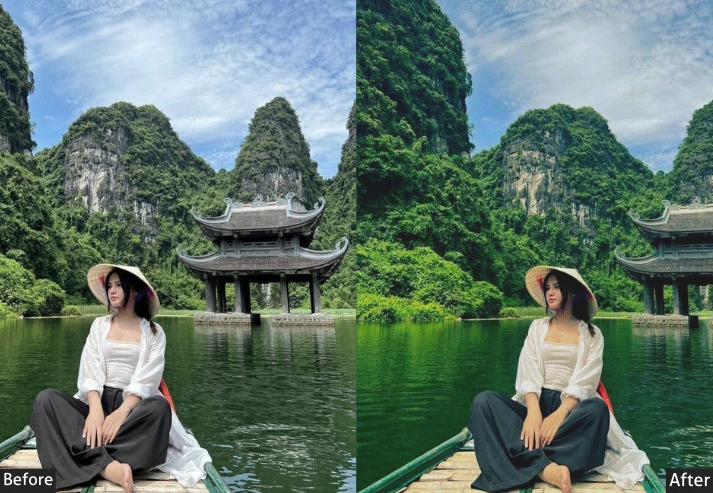
Purpose: Mimics Fujifilm’s Astia film, gentle and flattering.
Best For: Portraits in soft, natural light.
Usage: play with HSL to nail those skin tones just right.
Style: Warm, tender, and oh-so-smooth.
4. Classic Chrome Preset
Classic Chrome is one of Fujifilm’s most popular film simulations for street and documentary photographers. It desaturates colors toward a muted, slightly green-toned palette while boosting mid-tone contrast. the same tonal signature you’ll find in classic photojournalism. This preset faithfully recreates that look, adding controlled film grain for texture without looking artificial.
Light Panel: Exposure +5% | Contrast +15% | Highlights −10% | Shadows +10% | Whites +5% | Blacks −5%.
Color Panel: Vibrance −10% | Saturation −15% | HSL: Tone Down Loud Hues.
Effects Panel: Clarity +10% | Grain +15%.
Detail Panel: Sharpening +10% | Noise Reduction +5%.
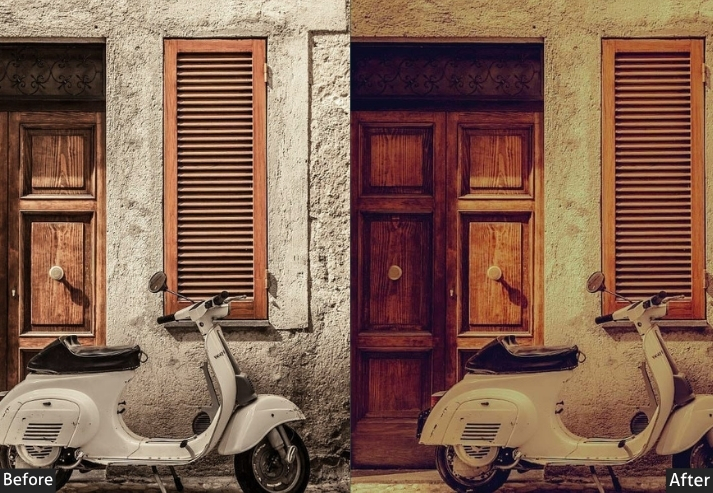
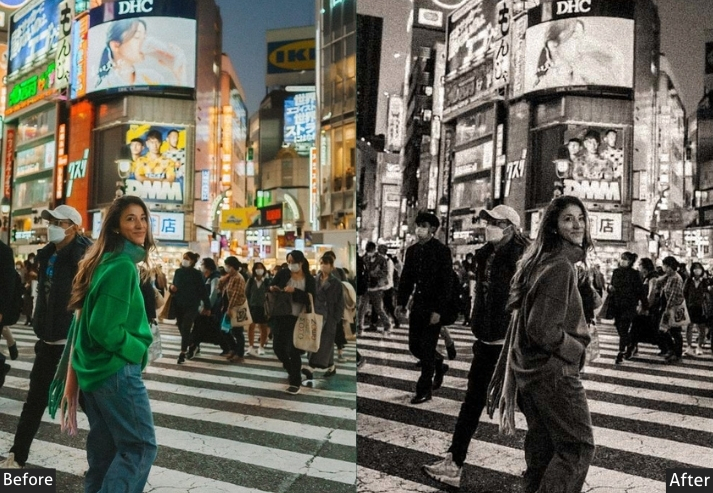
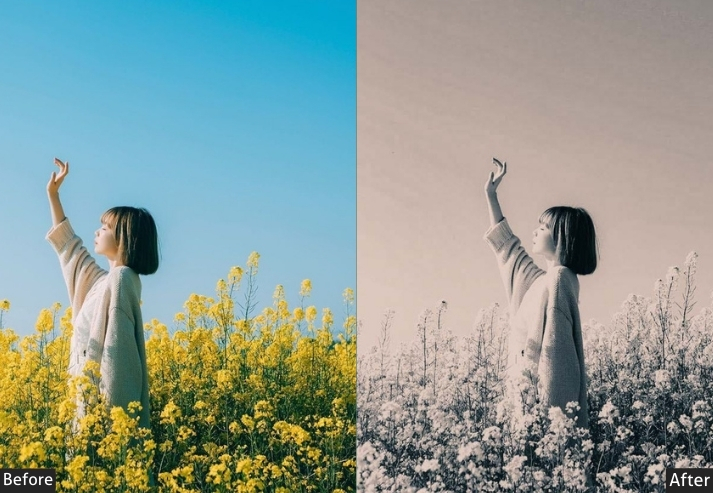
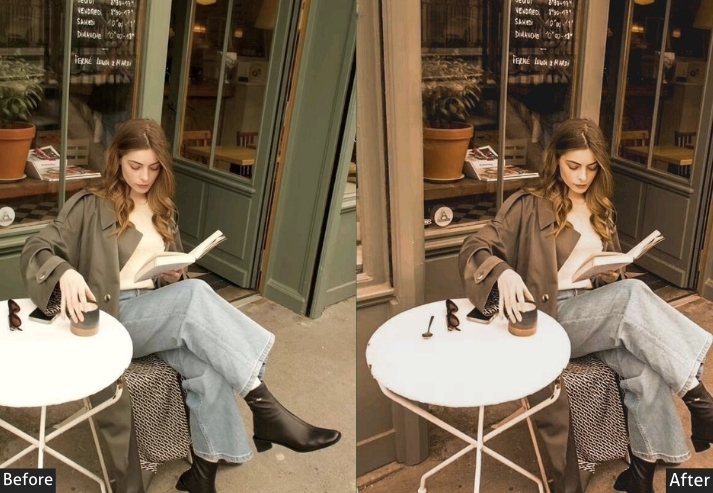
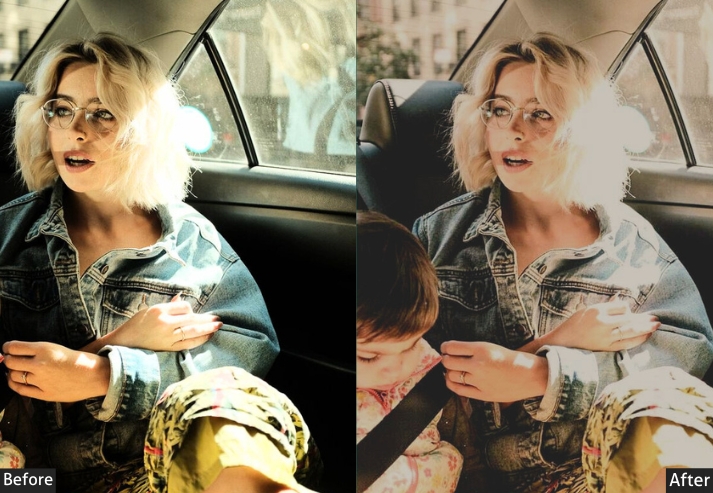
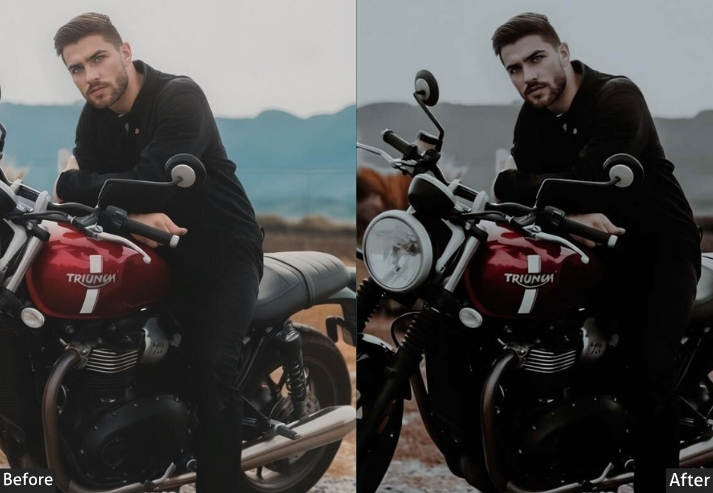
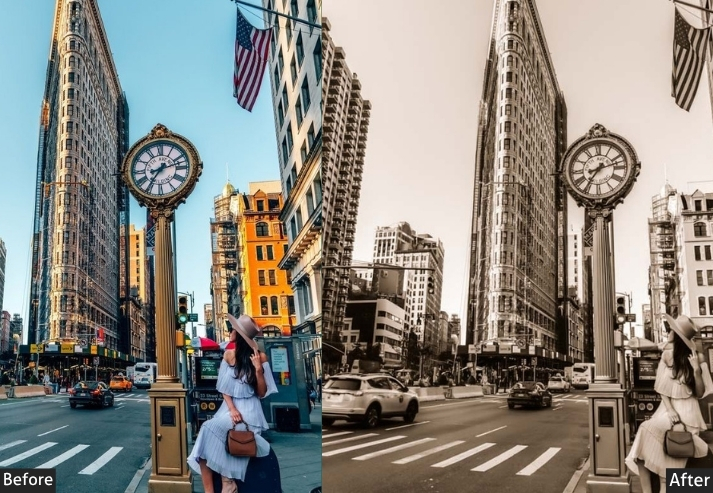
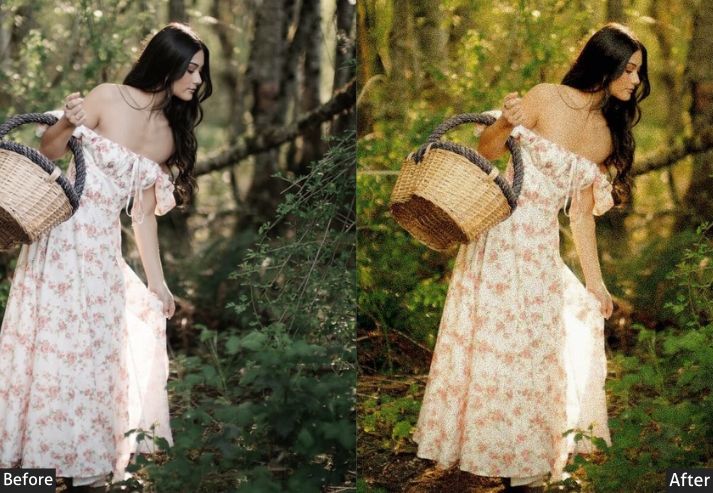
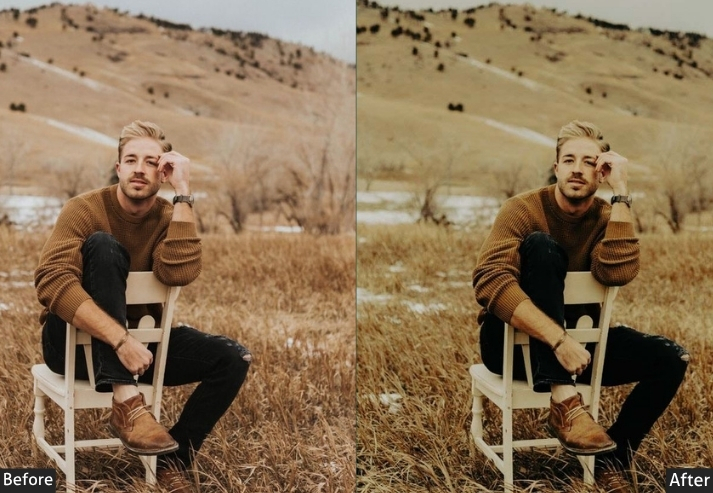
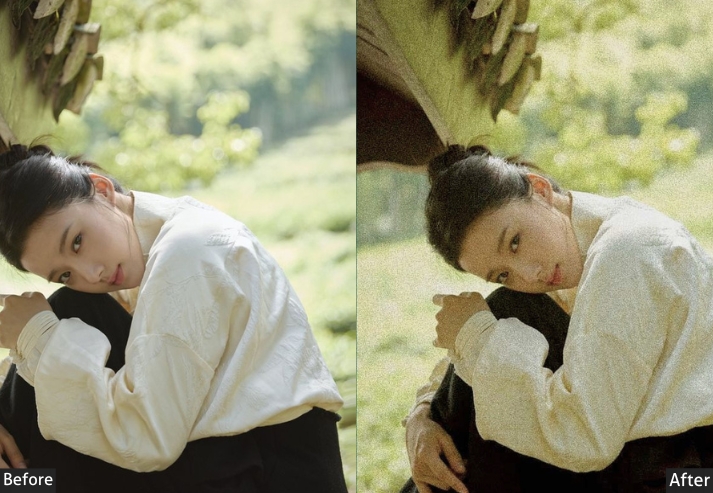
Purpose: quiet and timeless.
Best For: Street shots or urban scenes craving mood over flash.
Usage: Use it where atmosphere trumps color. tweak the grain for extra grit.
Style: Retro, muted, and editorial-cool.
5. Dark Fujifilm Preset
This dark preset is built around deep shadows, crushed blacks, and a desaturated palette, creating a moody, cinematic look that works well for night photography, low-key portraits, and atmospheric urban scenes. The negative exposure shift is balanced by lifted shadows to retain mid-tone detail, while the strong vignette pulls focus to the subject.
Light Panel: Exposure −10% | Contrast +30% | Highlights −30% | Shadows +15% | Whites −10% | Blacks −20%.
Color Panel: Vibrance −10% | Saturation −15% | HSL: Desaturate Greens/Blues | Warm Reds Slightly.
Effects Panel: Clarity +25% | Dehaze +15% | Vignette −20%.
Detail Panel: Sharpening +20% | Noise Reduction +10%.
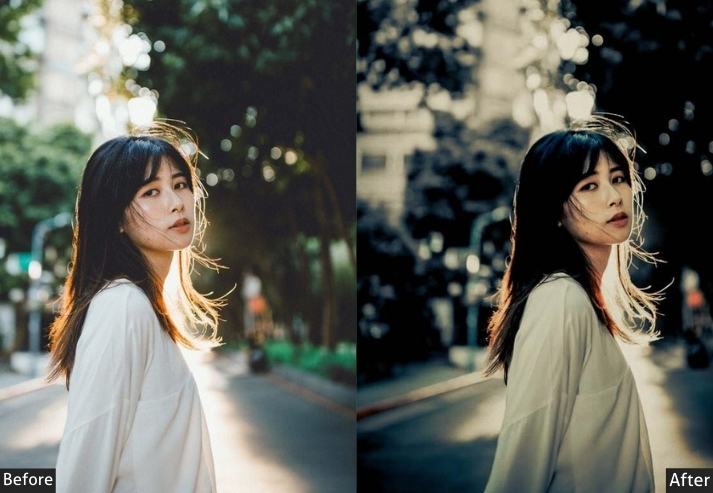
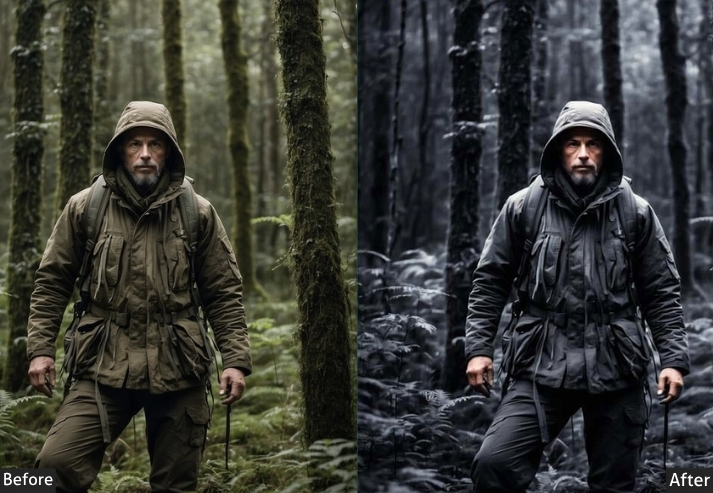
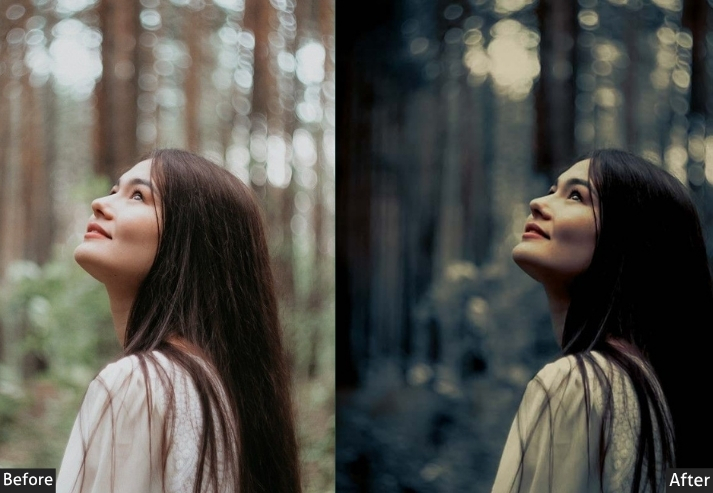
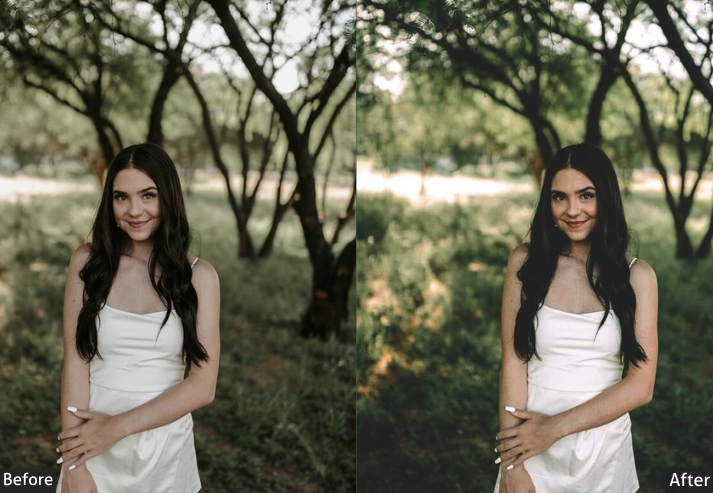
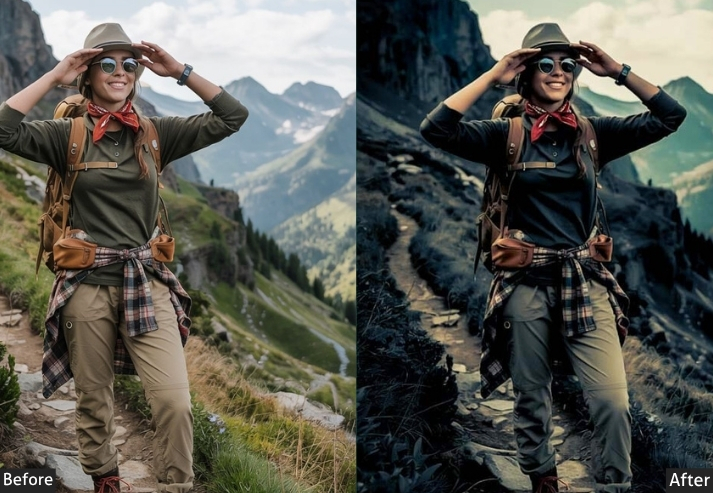
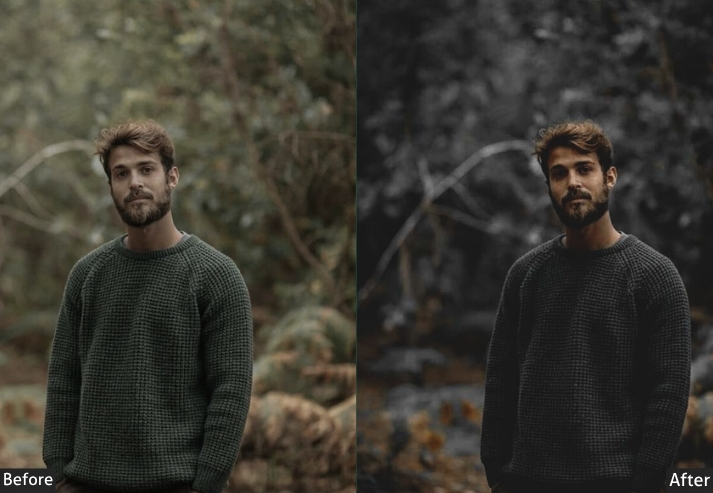
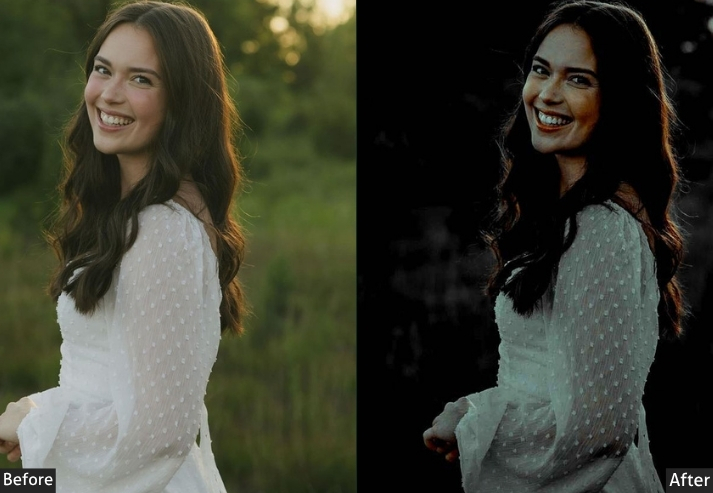
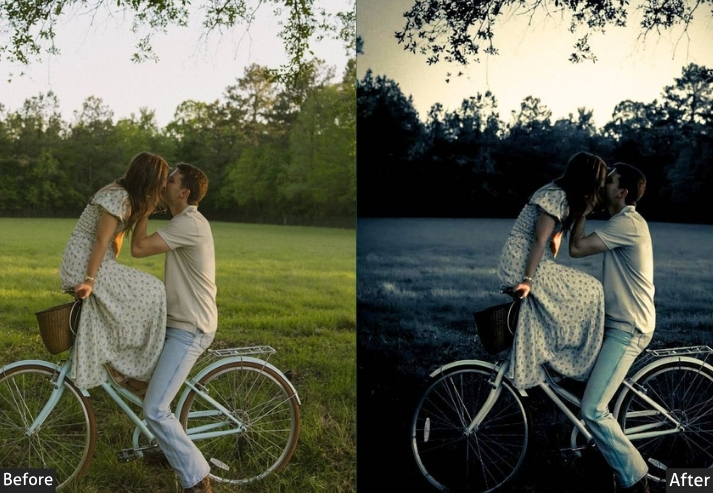
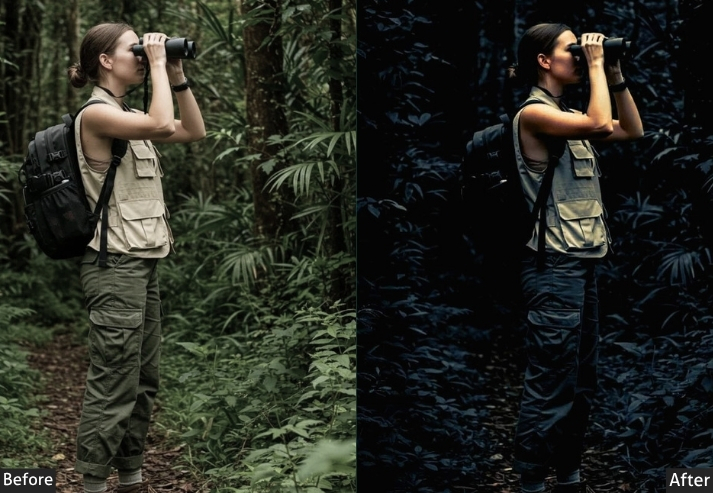
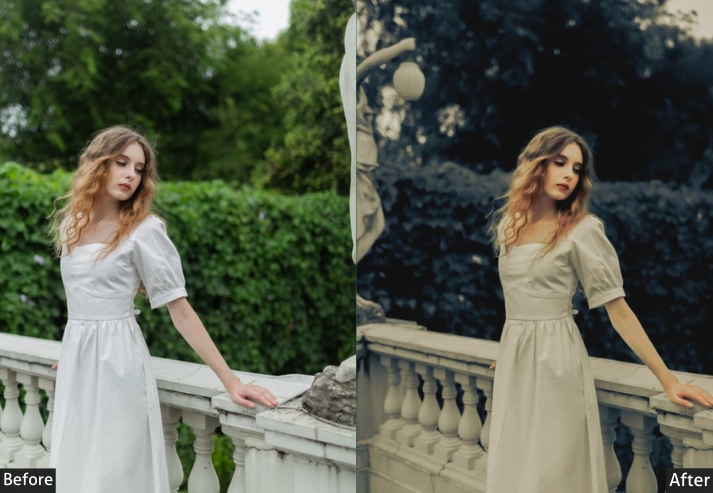
Purpose: inspired look with deep shadows and subdued colors, evoking mystery and mood.
Best For: Low-light urban shots, moody portraits, or atmospheric landscapes.
Usage: tweak exposure and HSL to balance the darkness without losing detail.
Style: Dark, cinematic, and dripping with intrigue.
6. Eterna Preset
Fujifilm’s Eterna simulation was designed for motion picture work. It lowers contrast, lifts shadow detail, and introduces a subtle matte fade that makes images look like stills from a film set. This preset replicates that look: reduced highlights, a gentle HSL grade toward cool mids, and a soft vignette. The result is understated, sophisticated, and immediately cinematic.
Light Panel: Exposure +5% | Contrast −10% | Highlights −20% | Shadows +20% | Whites +5% | Blacks −5%.
Color Panel: Vibrance −5% | Saturation −10% | HSL: Filmic Grade.
Effects Panel: Clarity +5% | Vignette −15%.
Detail Panel: Sharpening +10% | Noise Reduction +10%.
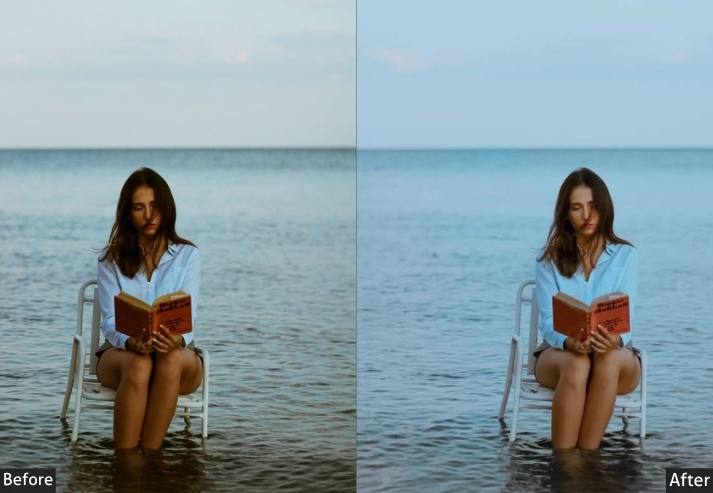
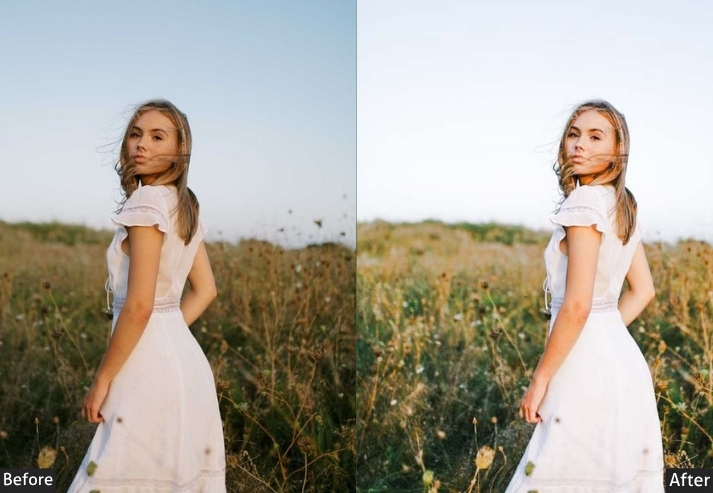
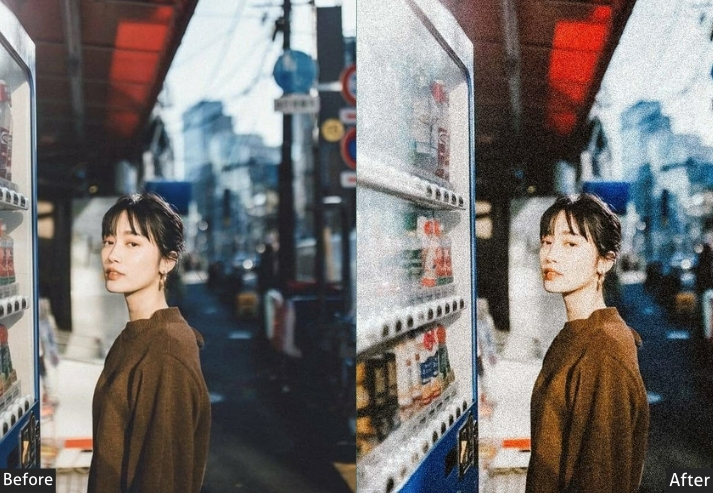
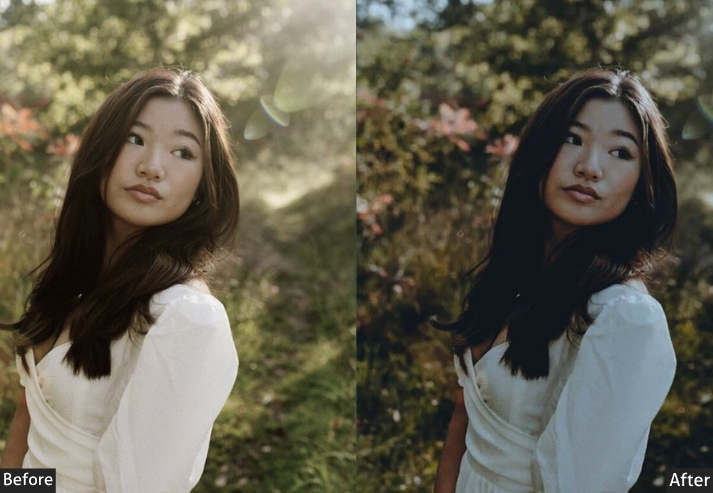
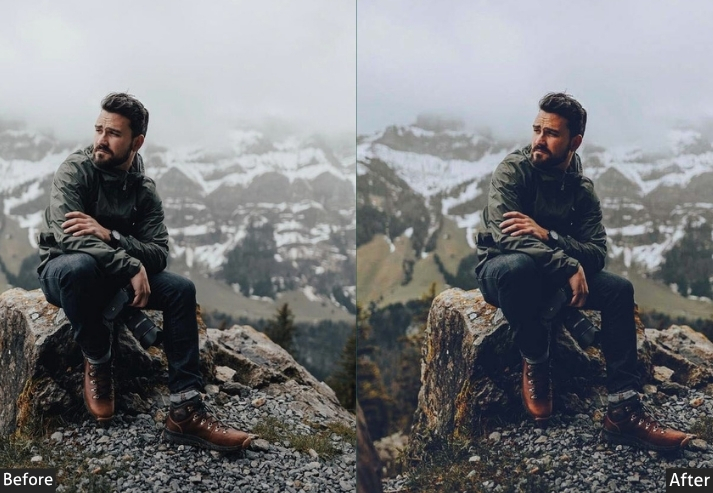
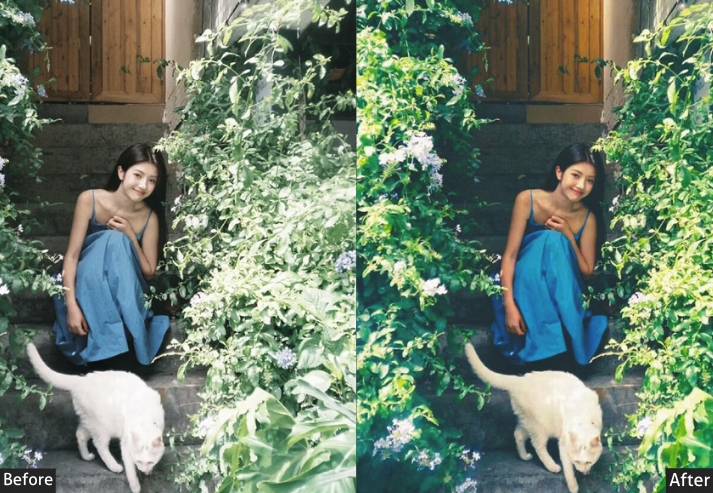
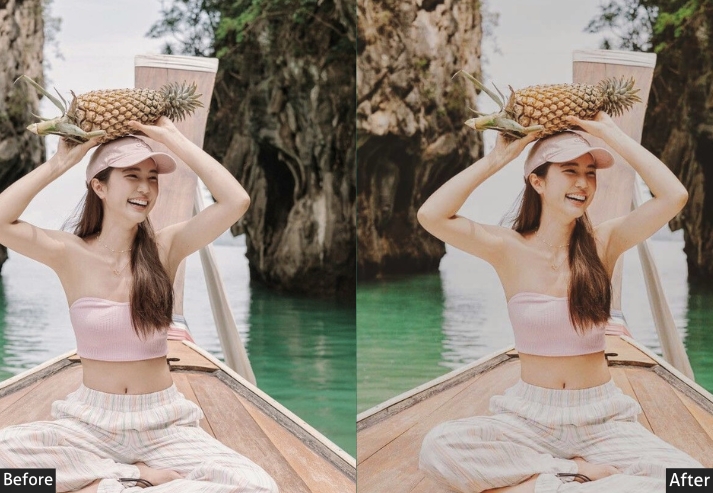
Purpose: Mirrors Fujifilm’s Eterna-low-key and cinematic.
Best For: Portraits or landscapes needing a dreamy touch.
Usage: tweak HSL to match your vision.
Style: Hazy, filmic, and effortlessly chic.
7. Pro Neg Hi Preset
Pro Neg Hi is Fujifilm’s high-contrast negative simulation. It adds punch and depth to colors without the oversaturation of Velvia. The preset boosts clarity for crisp subject definition and uses a gentle Dehaze to cut through haze in outdoor shots. It’s one of the most versatile presets in this collection: equally strong on portraits, architecture, and travel.
Light Panel: Exposure +10% | Contrast +15% | Highlights −10% | Shadows +10% | Whites +5% | Blacks −5%.
Color Panel: Vibrance +15% | Saturation +10%.
Effects Panel: Clarity +15% | Dehaze +5%.
Detail Panel: Sharpening +10% | Noise Reduction +5%.
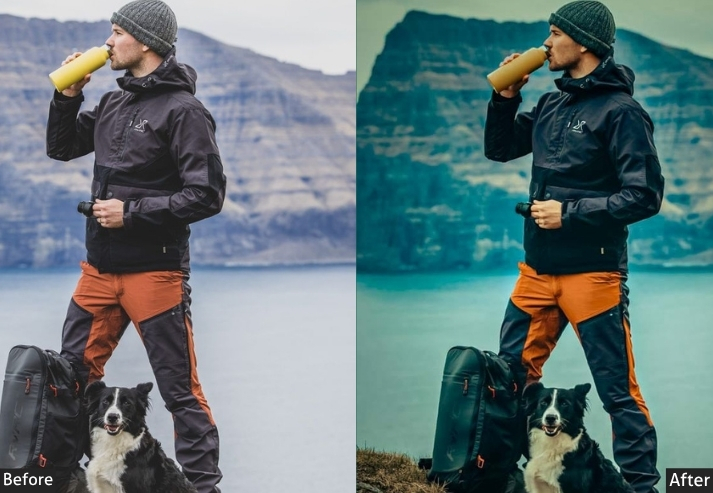
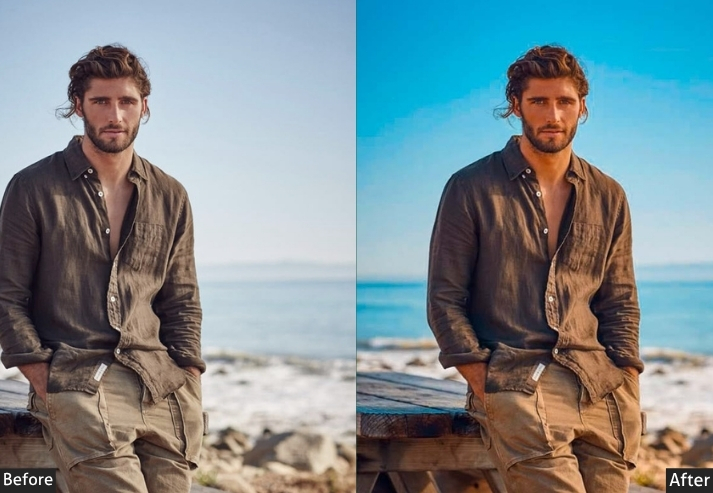
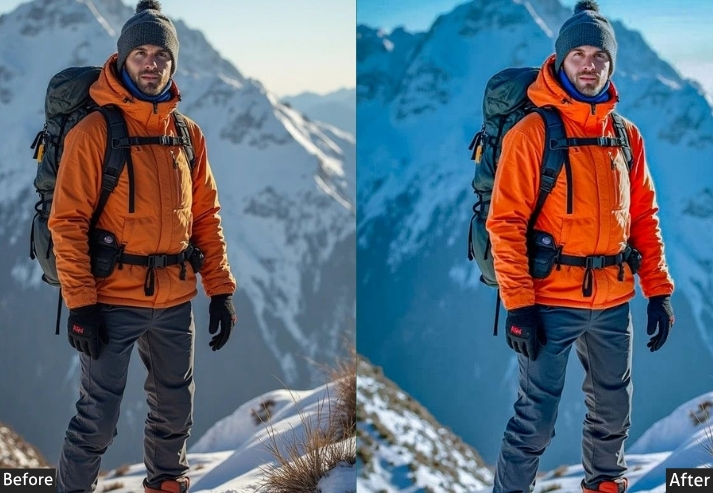
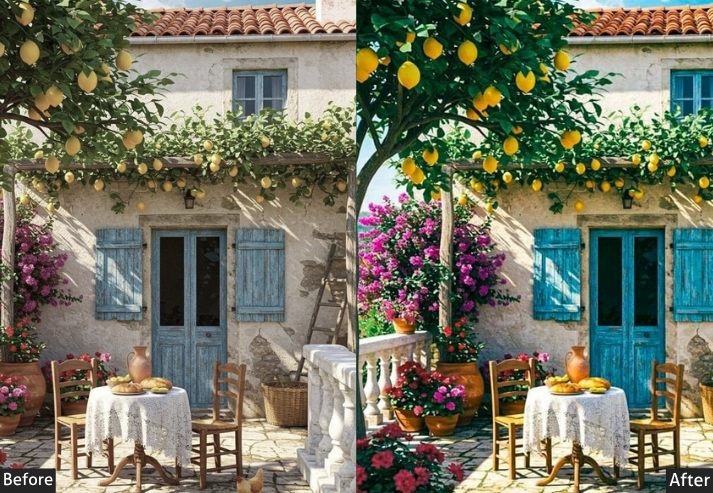
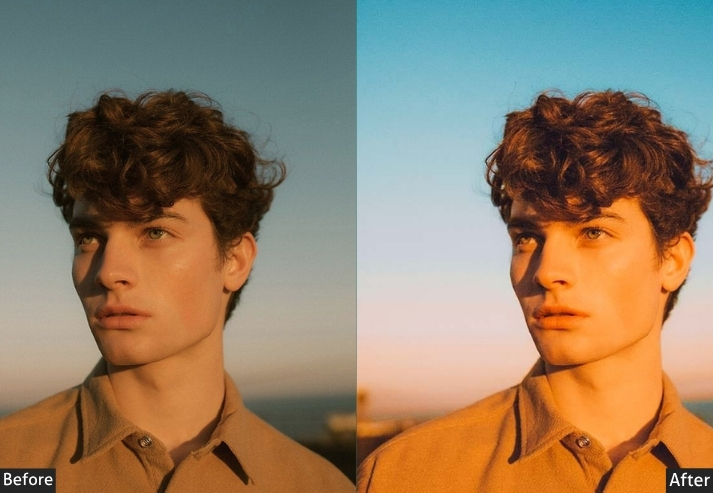
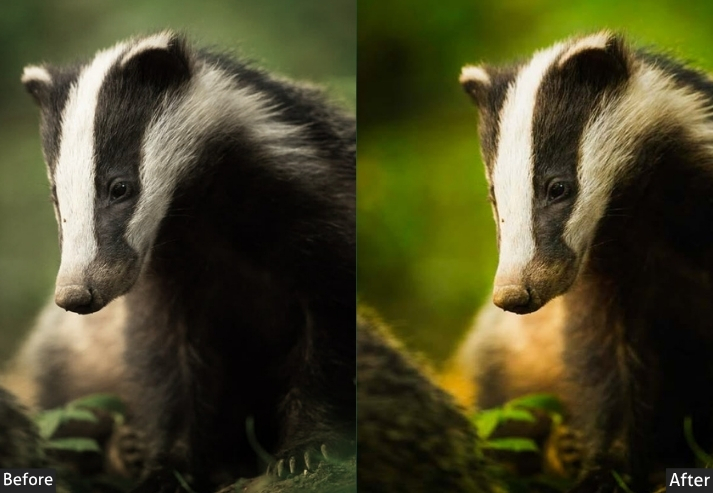
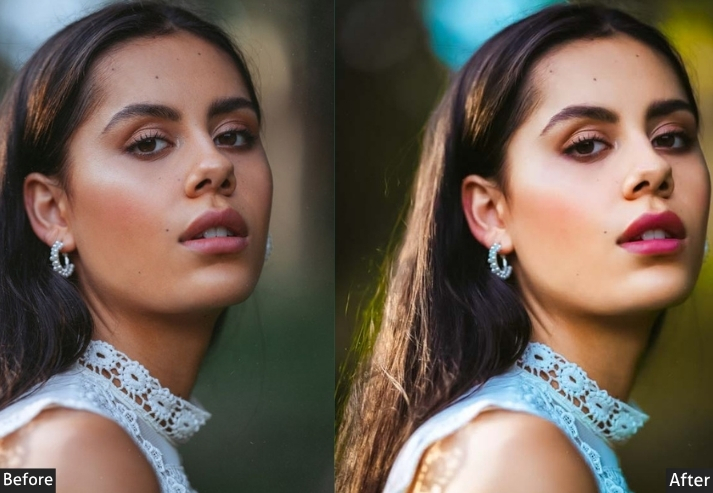
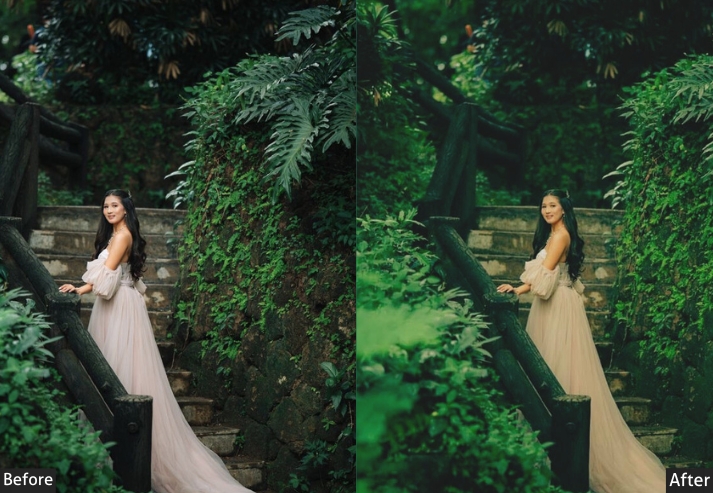
Purpose: A pro-level look with punchy yet natural tones.
Best For: Anything needing a clean, professional edge.
Usage: Works across the board; adjust exposure for balance.
Style: Sleek, versatile, and pro-ready.
8. Pro Neg Std Preset
Where Pro Neg Hi adds punch, Pro Neg Std keeps things refined: lower saturation, gentler contrast, and smooth midtones that work beautifully for fine-art portraiture and studio shots. The preset’s subtle vignette adds depth without being obvious.
Light Panel: Exposure +5% | Contrast +10% | Highlights −5% | Shadows +5% | Whites +5% | Blacks −5%.
Color Panel: Vibrance +10% | Saturation +5%.
Effects Panel: Clarity +10% | Vignette −5%.
Detail Panel: Sharpening +10% | Noise Reduction +5%.
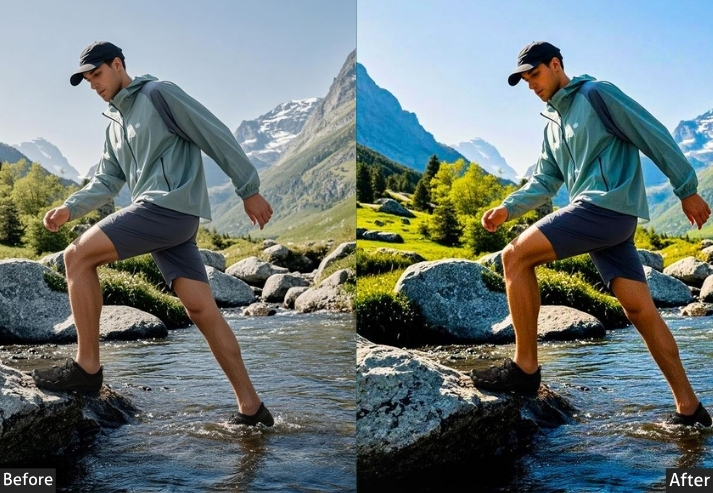
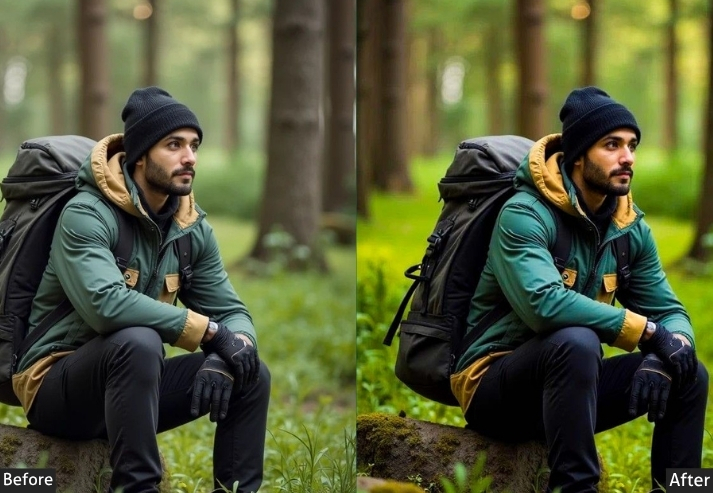
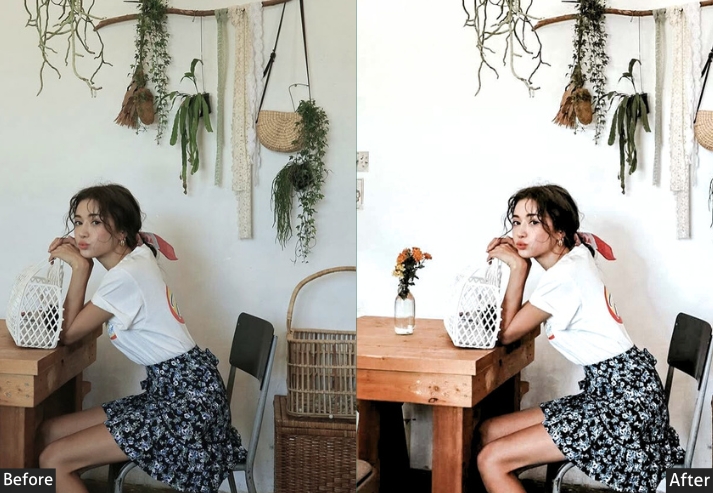
Purpose: Subtle elegance inspired by Fujifilm’s Pro Neg Std film.
Best For: Portraits or stills craving a classic feel.
Usage: Use it for understated beauty. tweak lightly as needed.
Style: Graceful, natural, and gallery vibes.
9. Fujifilm X100V Preset
The Fujifilm X100V has one of the most praised color profiles among modern cameras. Its JPEG output straight from the camera is considered near-perfect by many photographers. This preset replicates that in-camera color science for your RAW files from any camera: balanced saturation, precise skin tones, characteristic grain structure, and micro-contrast that makes street shots feel three-dimensional.
Light Panel: Exposure +10% | Contrast +15% | Highlights −10% | Shadows +10% | Whites +5% | Blacks −5%.
Color Panel: Vibrance +20% | Saturation +10% | HSL: X100V Flair.
Effects Panel: Clarity +15% | Grain +10%.
Detail Panel: Sharpening +15% | Noise Reduction +5%.
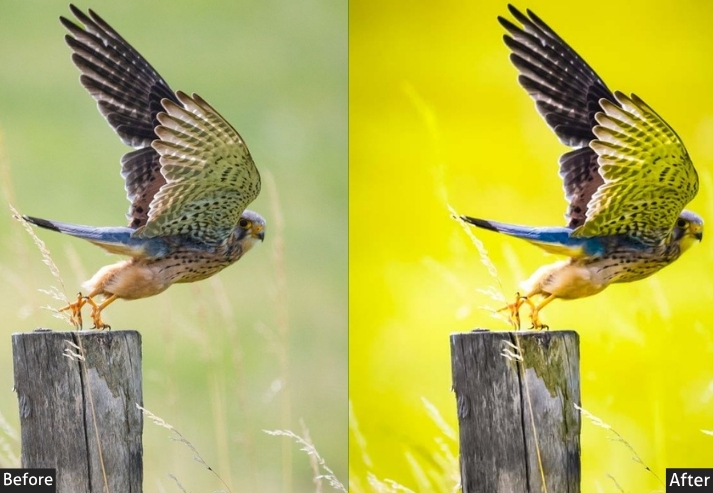
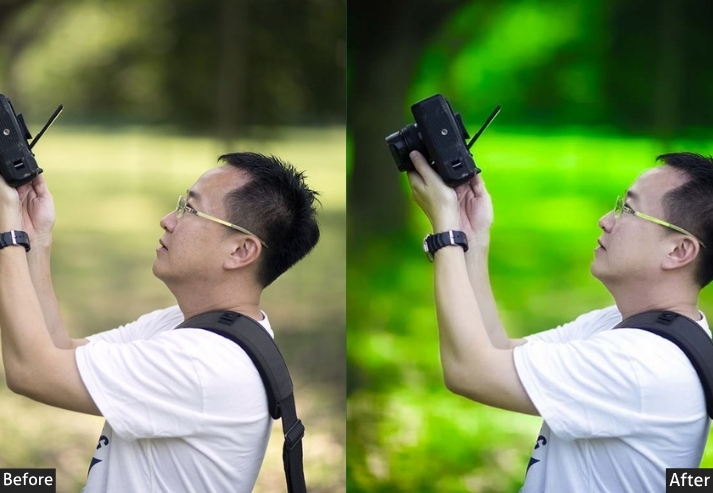
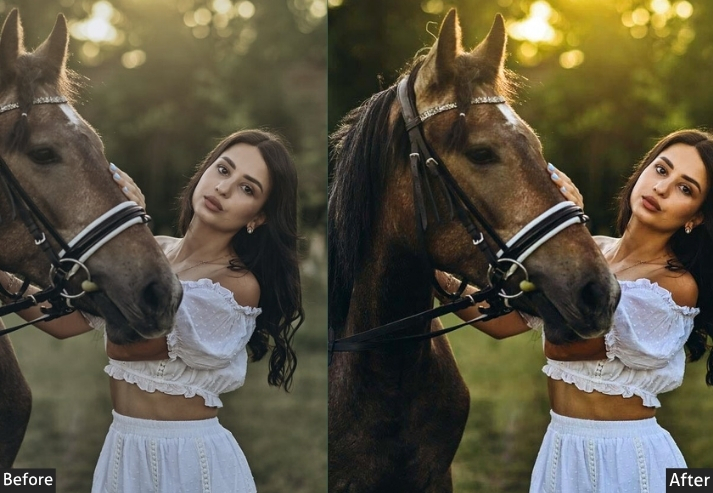
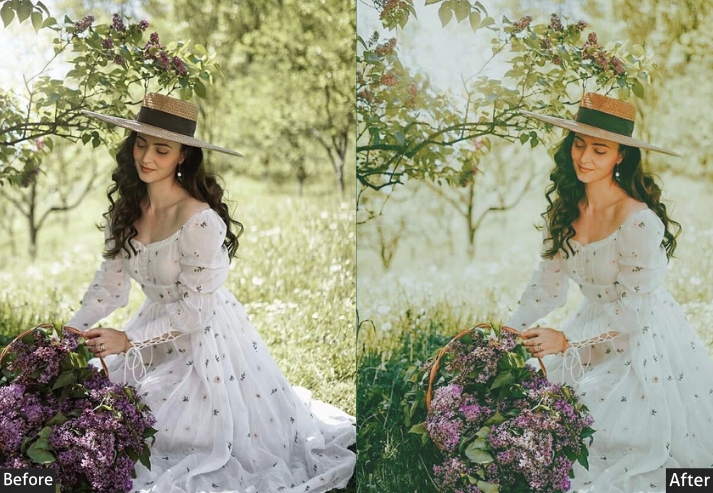
Purpose: Replicates the X100V’s iconic color and detail.
Best For: Street pics or daily snaps craving Fujifilm charm.
Usage: Toss it on any photo for that X100V glow.
Style: Rich, crisp, and Fujifilm-true.
10. Fujifilm Portrait Preset
Built specifically for portrait photography, this preset prioritizes skin tone accuracy and a flattering tonal curve. Highlights are pulled down to protect facial details, and shadows are lifted to open up the under-eye area. and the HSL panel warms oranges and yellows without pushing into an unnatural tan. The soft vignette naturally draws focus to the subject.
Light Panel: Exposure +10% | Contrast +10% | Highlights −20% | Shadows +20% | Whites +5% | Blacks −5%.
Color Panel: Vibrance +15% | Saturation +5% | HSL: Perfect Skin Tones.
Effects Panel: Clarity +10% | Vignette −10%.
Detail Panel: Sharpening +10% | Noise Reduction +10%.
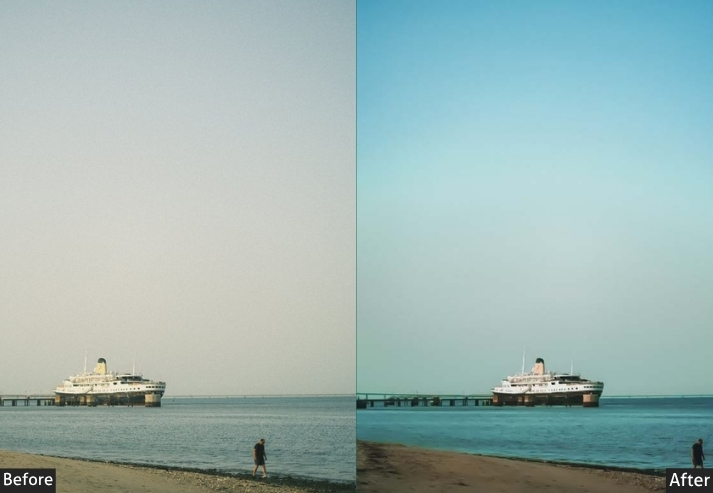
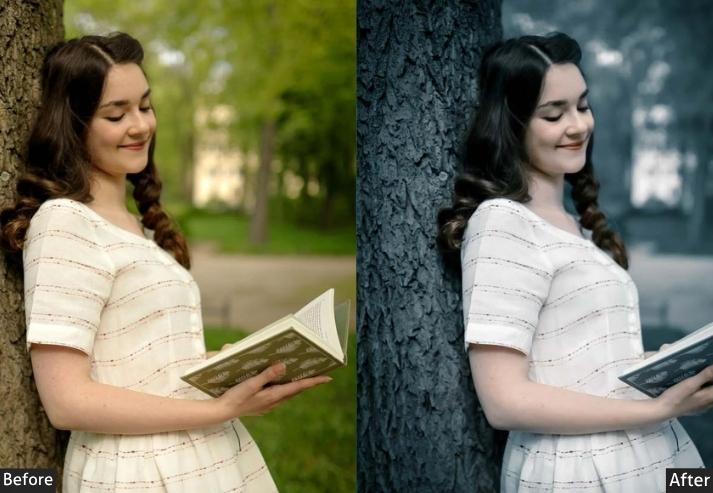
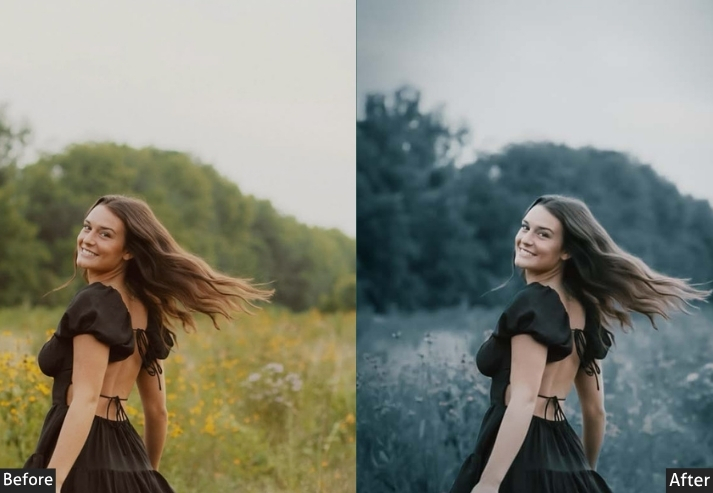
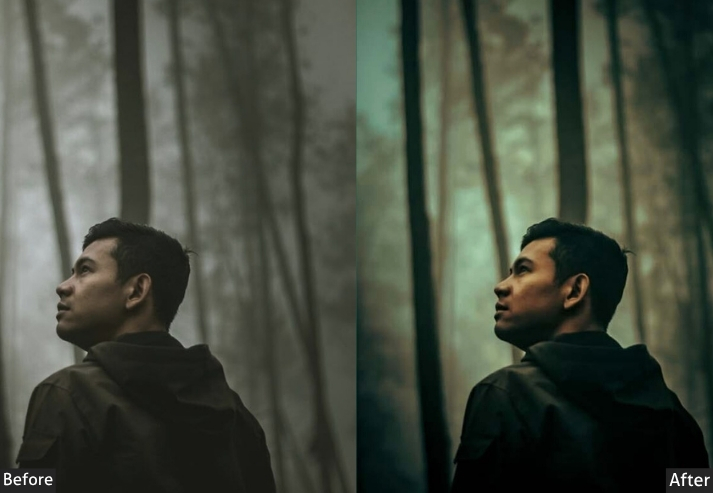
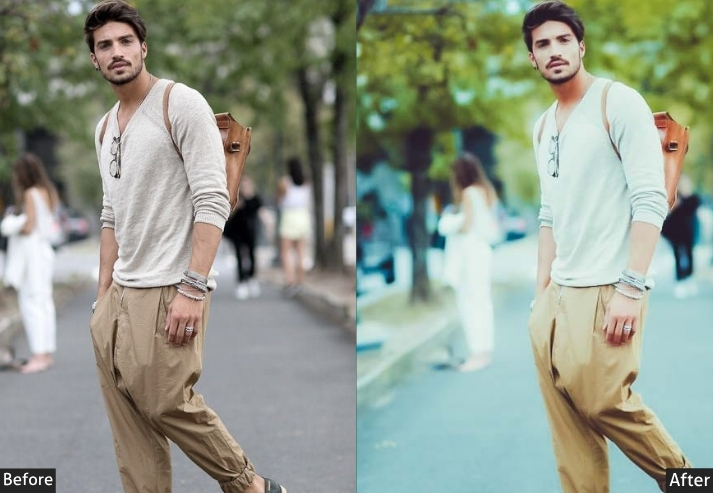
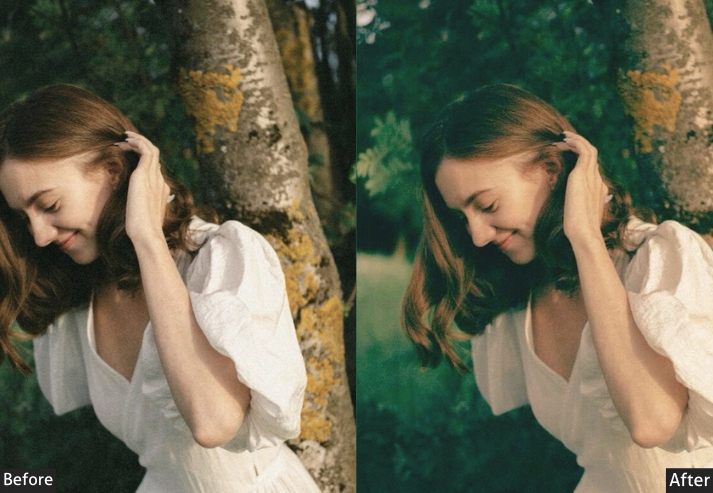
Purpose: Boosts portraits with natural, glowing skin.
Best For: Studio or outdoor portraits.
Usage: fine-tune HSL for skin perfection.
Style: Warm, glowing, and pro-portrait-ready.
11. Fujifilm Landscape Preset
Designed for outdoor and travel photography, where vivid skies, rich foliage, and sharp detail are priorities. This preset pushes greens and blues in the HSL panel, boosts Dehaze to cut atmospheric haze, and adds a strong Clarity bump for edge definition, especially effective on mountains, forests, and wide open seascapes.
Light Panel: Exposure +10% | Contrast +20% | Highlights −15% | Shadows +15% | Whites +10% | Blacks −10%.
Color Panel: Vibrance +25% | Saturation +15%.
Effects Panel: Clarity +25% | Dehaze +10%.
Detail Panel: Sharpening +20% | Noise Reduction +5%.
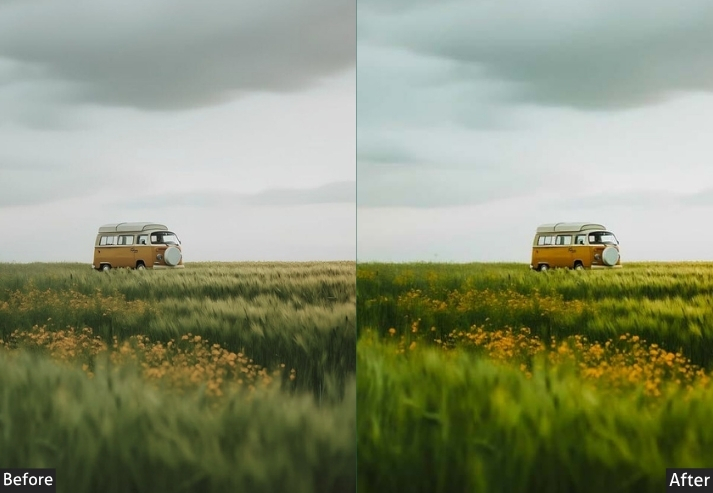
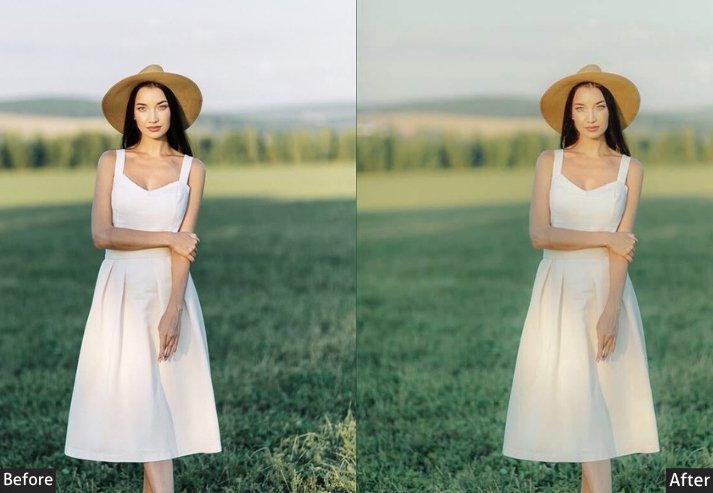
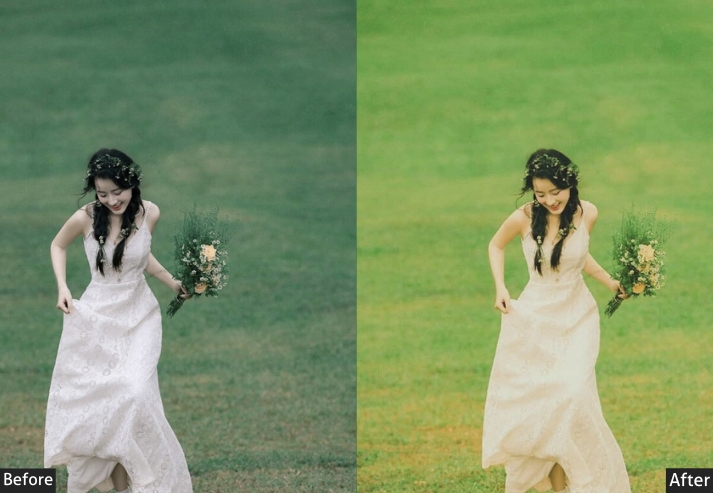
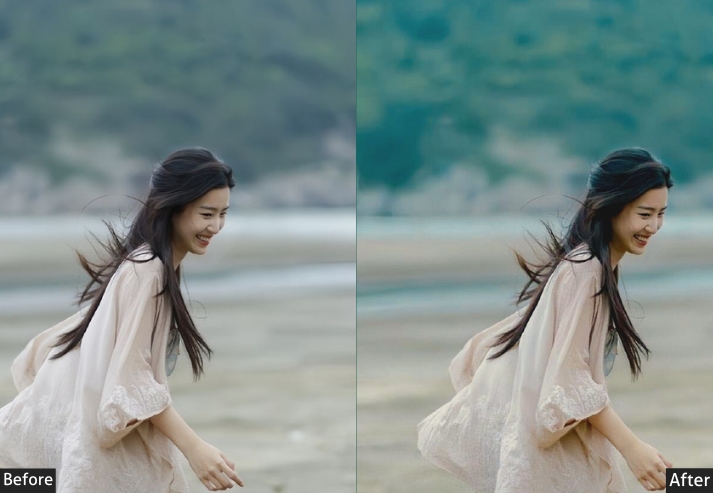
Purpose: Pumps up landscapes with bold, clear beauty.
Best For: Nature shots or grand vistas.
Usage: Hit it on wide shots. Adjust Dehaze for depth.
Style: Big, bold, and breathtaking.
12. Fujifilm Street Preset
This preset’s your urban wingman. High contrast and gritty clarity make every corner real, just like the streets.
Light Panel: Exposure +10% | Contrast +25% | Highlights −10% | Shadows +10% | Whites +5% | Blacks −5%.
Color Panel: Vibrance +15% | Saturation +10%.
Effects Panel: Clarity +30% | Grain +15%.
Detail Panel: Sharpening +20% | Noise Reduction +5%.
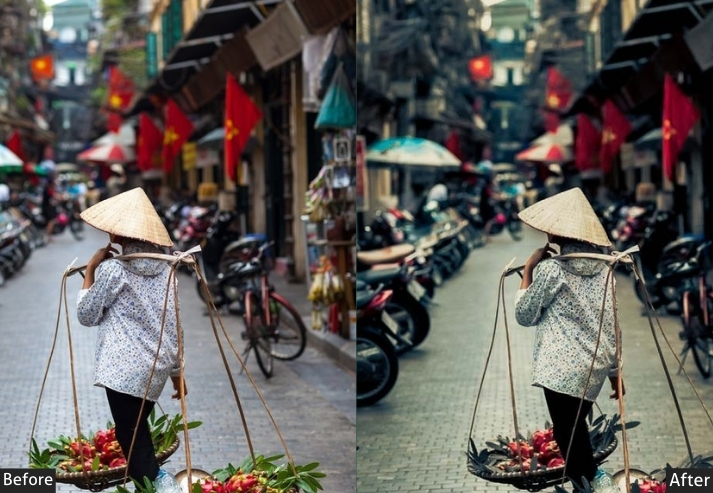
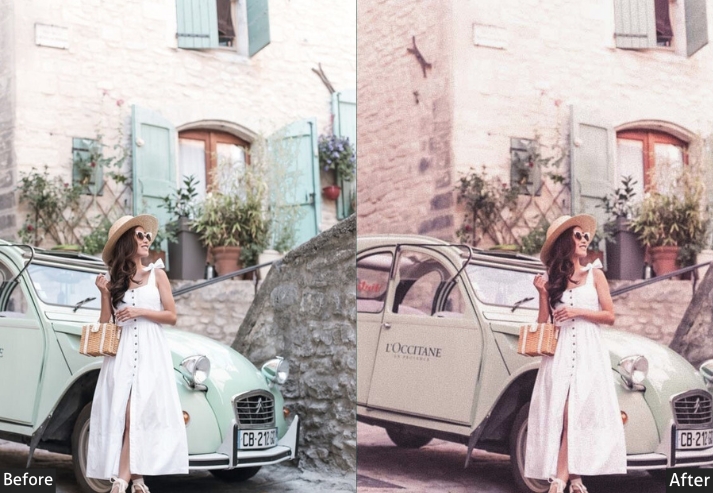
Purpose: Gives street shots a rugged, lively edge.
Best For: Urban candids or cityscapes.
Usage: tweak Clarity for that extra bite.
Style: Gritty, sharp, and street-smart.
13. Fujifilm Vintage Preset
This preset fades colors and adds grain, turning “now” into “then”. It’s nostalgia in a click.
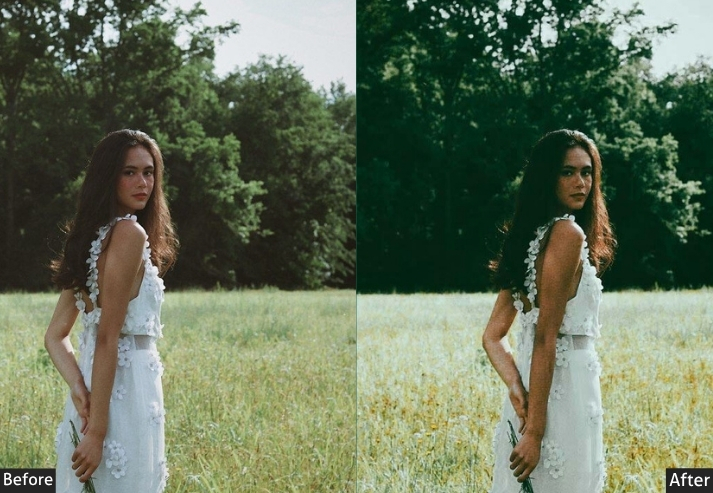
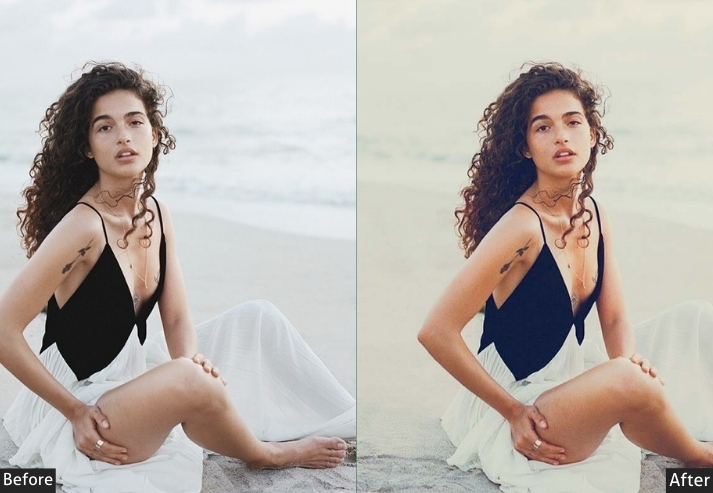
Light Panel: Exposure +5% | Contrast −10% | Highlights −20% | Shadows +20% | Whites −10% | Blacks +10%.
Color Panel: Vibrance −20% | Saturation −25% | HSL: Faded Tones.
Effects Panel: Clarity −10% | Grain +20%.
Detail Panel: Sharpening +5% | Noise Reduction +10%.
Purpose: Crafts a vintage, memory-lane look.
Best For: Shots needing a throwback feel.
Usage: play with Grain for texture.
Style: Worn, wistful, and retro-cool.
14. Fujifilm Cinematic Preset
This one deepens shadows and boosts highlights for that big-screen feel. It’s your director’s cut.
Light Panel: Exposure +10% | Contrast +30% | Highlights −30% | Shadows +30% | Whites +10% | Blacks −10%.
Color Panel: Vibrance +20% | Saturation +15% | HSL: Cinematic Tones.
Effects Panel: Clarity +20% | Vignette −20%.
Detail Panel: Sharpening +15% | Noise Reduction +5%.
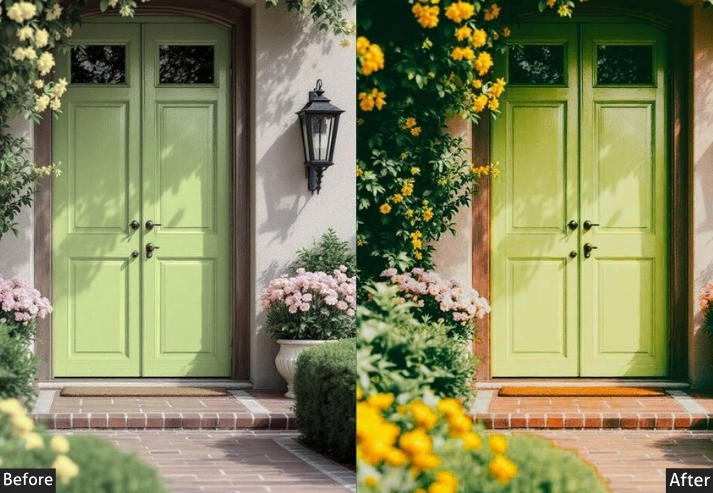
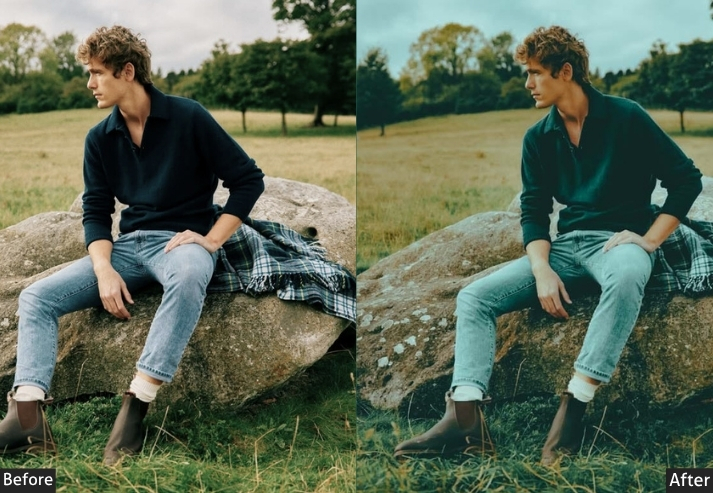
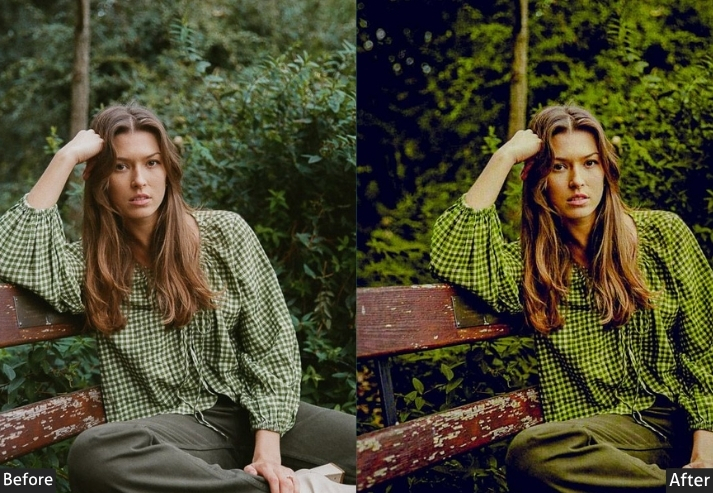
Purpose: Turns shots into cinematic stunners.
Best For: Any pic craving drama-portraits to landscapes.
Usage: tweak HSL for your blockbuster vibe.
Style: Bold, filmic, and larger-than-life.
15. Fujifilm Moody Preset
Storm clouds roll in, and the air’s thick with feeling. This preset desaturates and contrasts for that brooding, emotional kick.
Light Panel: Exposure +5% | Contrast +25% | Highlights −20% | Shadows +20% | Whites +5% | Blacks −5%.
Color Panel: Vibrance −15% | Saturation −20% | HSL: Moody Hues.
Effects Panel: Clarity +20% | Dehaze +10%.
Detail Panel: Sharpening +15% | Noise Reduction +5%.
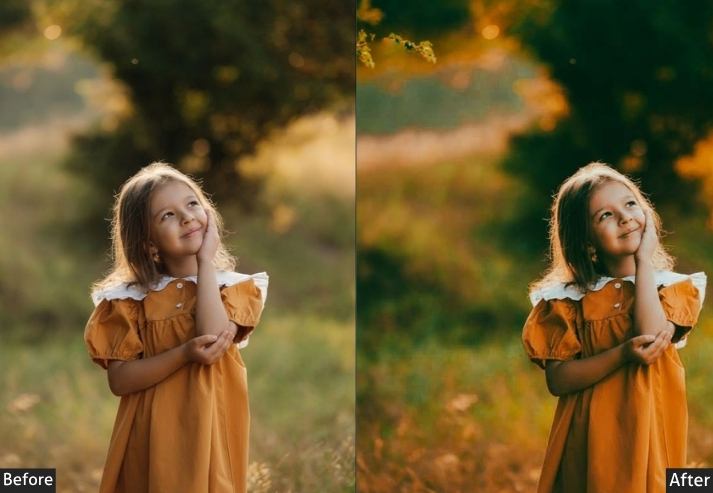
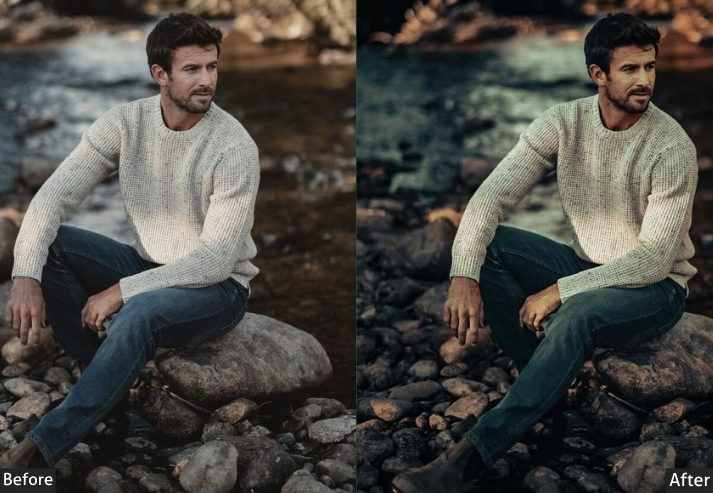
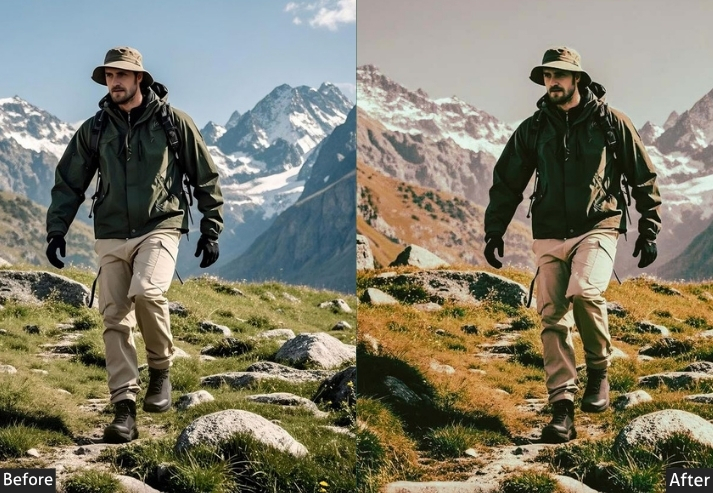
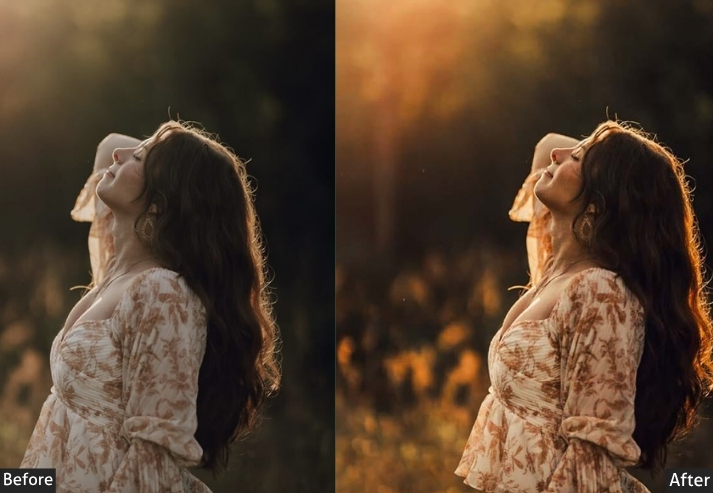
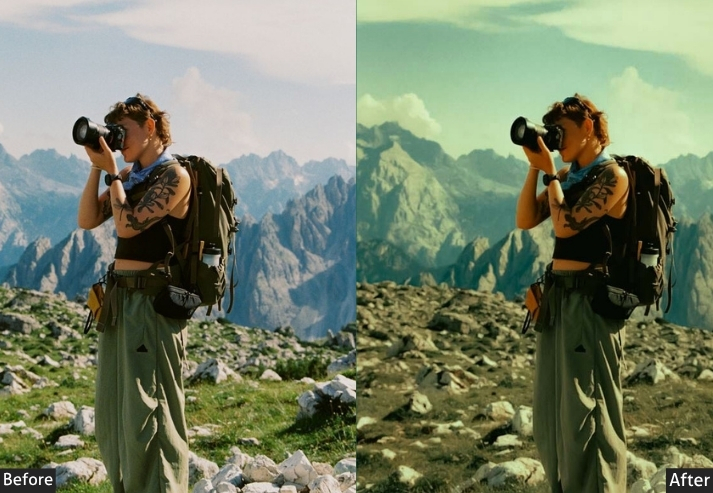
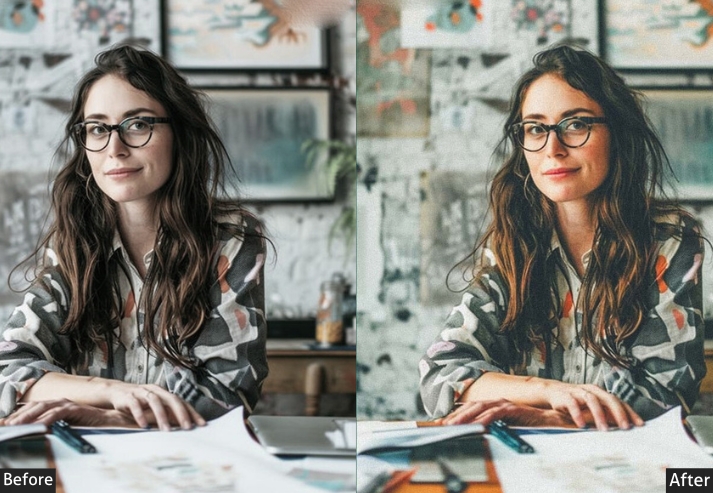
Purpose: Builds a dark, atmospheric mood.
Best For: Stormy scenes or intense portraits.
Usage: adjust Dehaze for the vibe.
Style: Deep, dramatic, and full of feels.
How to Install Fujifilm Presets in Lightroom
Installing presets takes under two minutes. Follow the steps for your version of Lightroom:
Lightroom Classic (Desktop – XMP)
- Download and unzip the preset file to your Desktop.
- Open Lightroom Classic → go to the Develop module.
- In the Presets panel (left sidebar), click the + icon → Import Presets.
- Go to your unzipped folder and select the .xmp files → click Import.
- Your presets will appear in the Presets panel. Click any to apply.
Lightroom Mobile (iOS & Android – DNG)
- Download the .dng file to your phone’s camera roll.
- Open Lightroom Mobile → tap the + to add a photo → select the DNG file.
- Tap the three-dot menu → Create Preset → name it and save.
- The preset is now in your Presets panel for future use.
More Details: Lightroom Presets Installing Guide With Settings
Few Words
These presets cover the full range of Fujifilm’s film simulations from the clean versatility of Provia to the deep drama of the Dark preset and the cinematic softness of Eterna. Whether you shoot portraits, landscapes, street photography, or weddings, there’s a starting point here that fits your style.
Download the formats you need (XMP for desktop, DNG for mobile), apply the preset, and use the Lightroom settings listed above to guide fine-tuning. Have a question about a specific preset? Leave a comment below. We read and reply to everyone.
More Presets for You:
Kodak Portra Lightroom Presets Free Download
Cinematic Lightroom Presets Free Download
Street Lightroom Presets Free Download
Urban Lightroom Presets Free Download