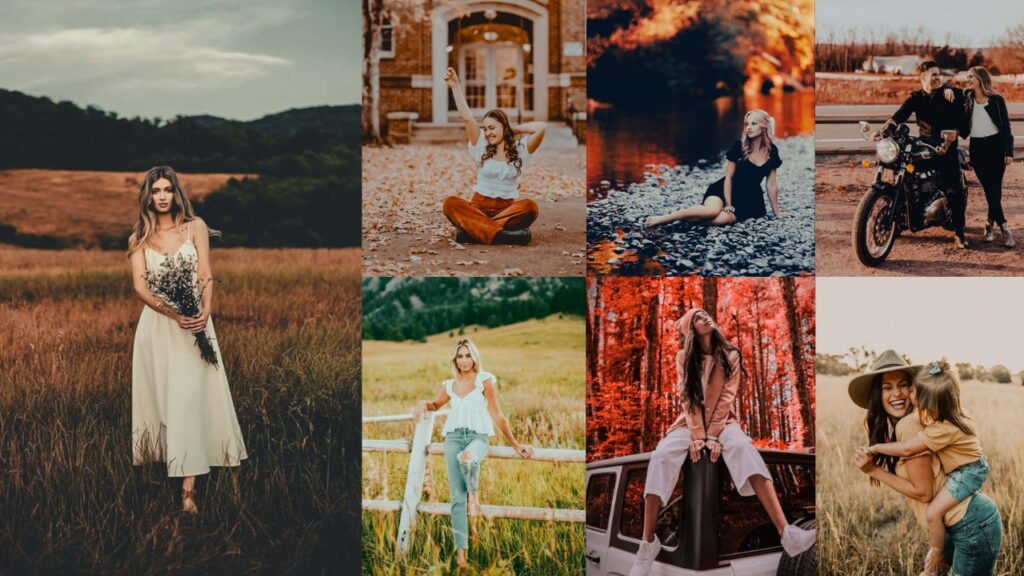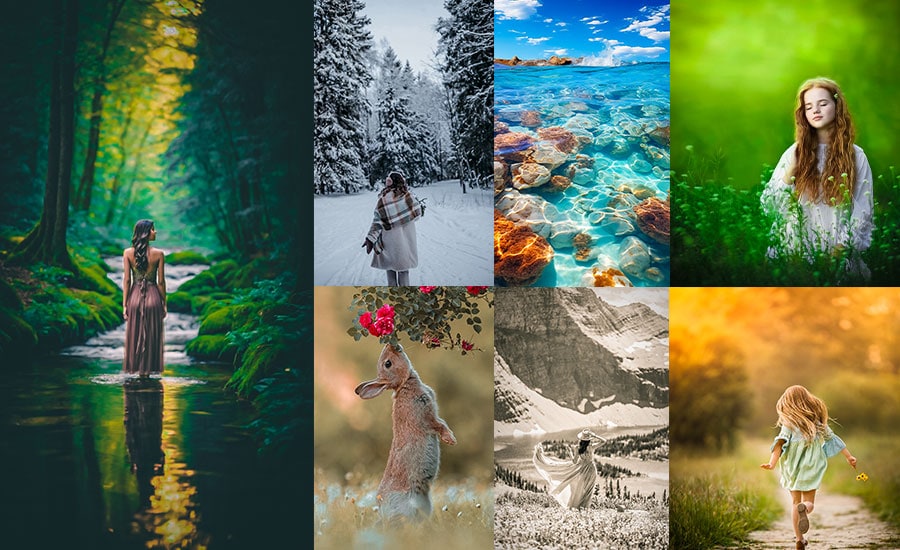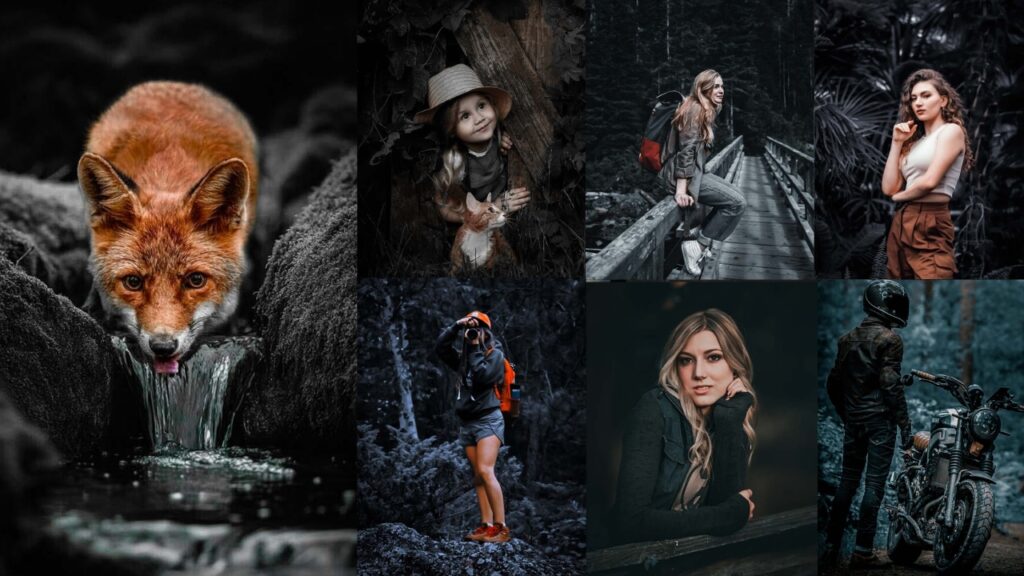
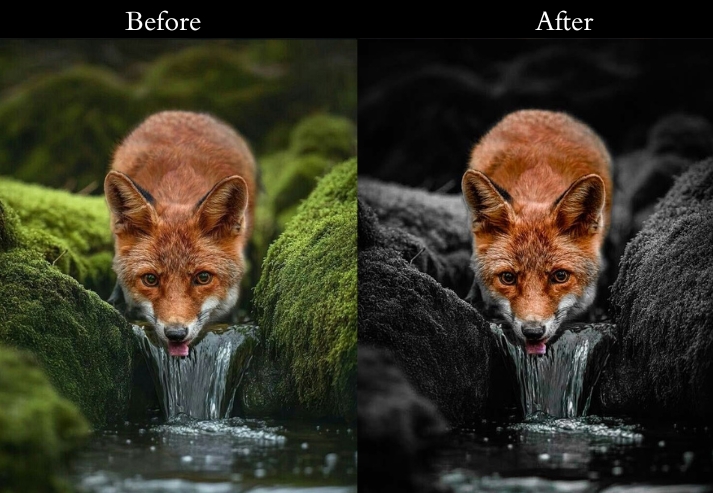
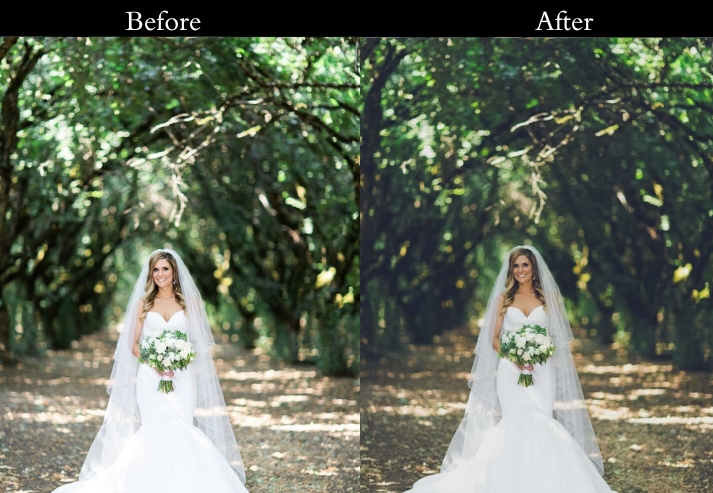
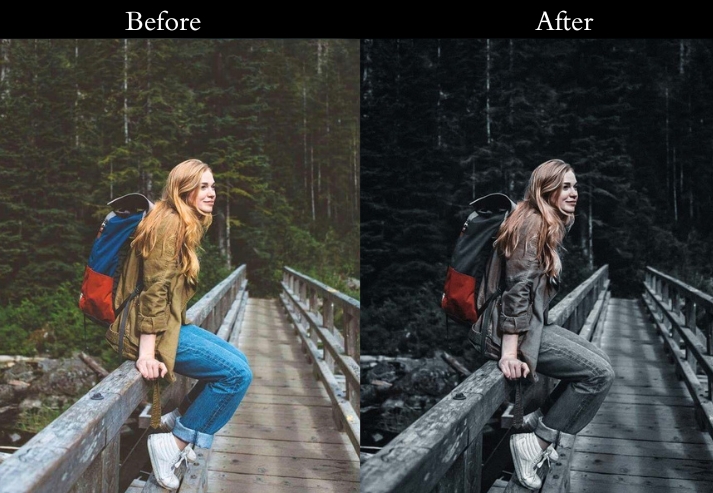
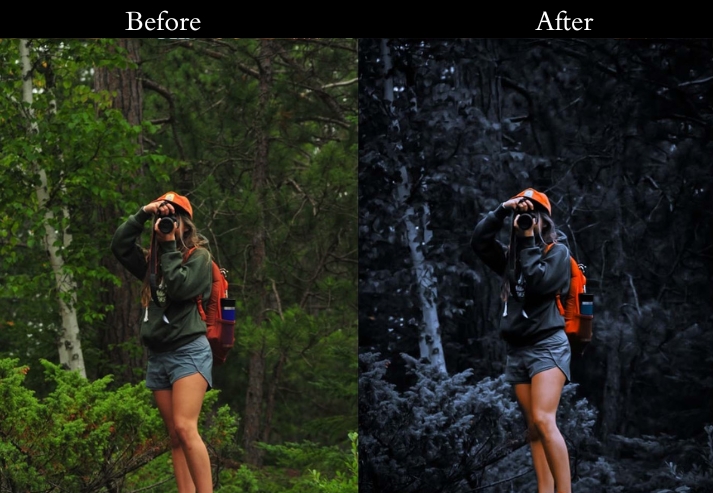
Dark photo editing is one of the most-searched Lightroom styles, and for good reason. A well-applied dark preset transforms an ordinary shot into something cinematic, emotionally charged, and visually striking. Whether you shoot portraits, urban landscapes, or moody still life, the right dark preset can dramatically cut your editing time while producing consistent, professional results.
In this post, I’ve put together Dark Presets across 10 distinct styles from Film Noir and Gothic Glam to Urban Nightlife and Vintage Fade. Each preset includes the exact Lightroom settings used, so you can fine-tune or recreate the look from scratch.
All presets are available in XMP format and DNG format. Download links are below each section.
Pauline Jackson
I explore different editing styles, refine preset workflows, and test every collection on actual photography projects. My goal is to make editing more efficient while still giving creators full control over their final look.
100 Dark Lightroom Presets Free Download
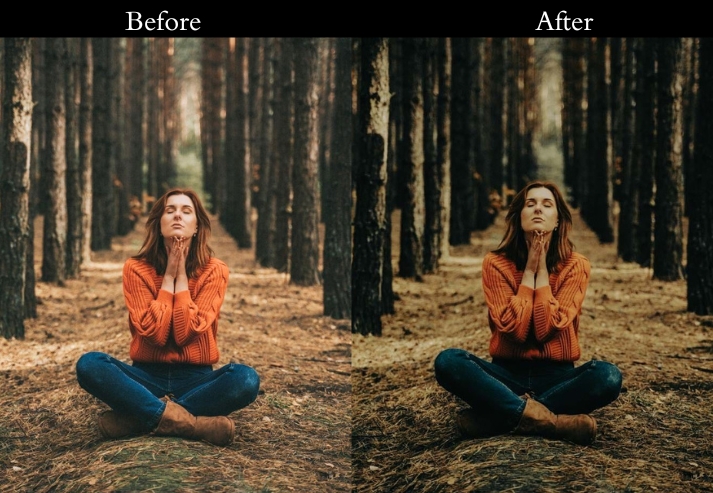
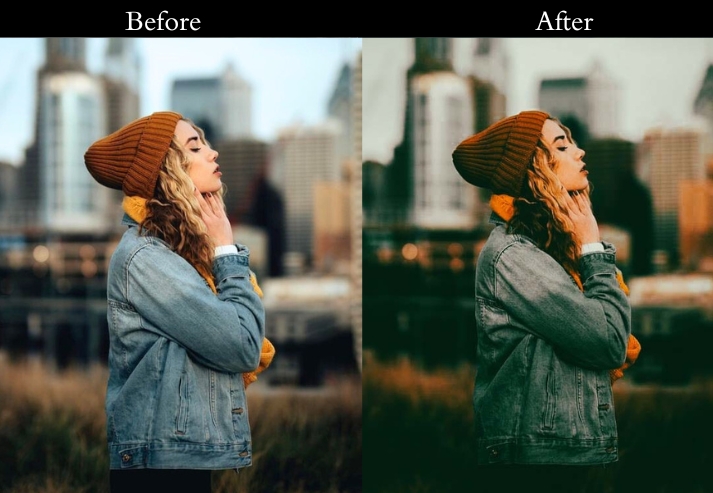
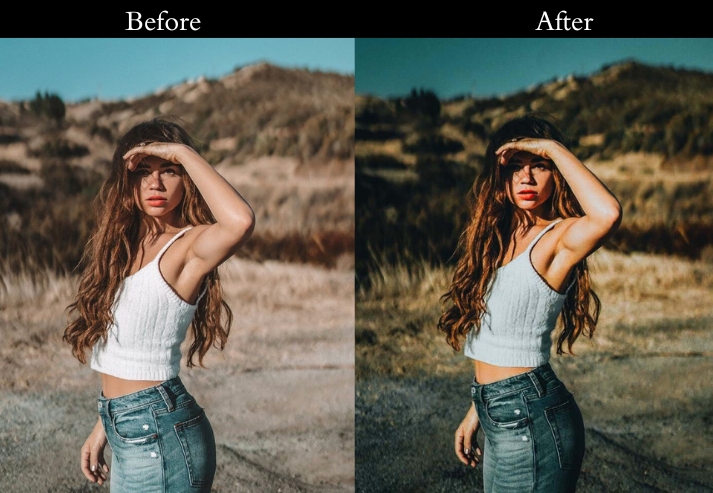
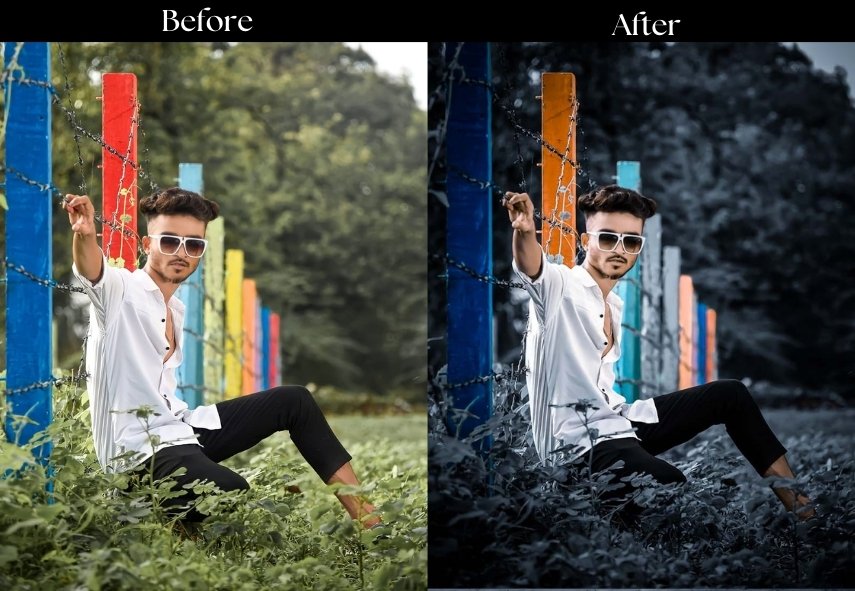
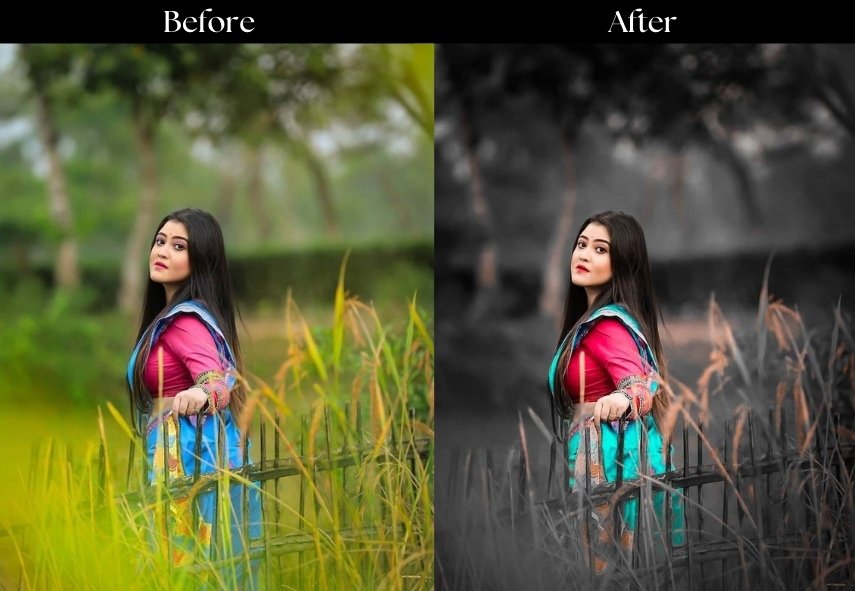
These presets are pre-saved editing configurations that instantly apply a low-key, moody look to your photos. Instead of manually adjusting dozens of sliders: exposure, shadows, tone curves, color grading, HSL, a preset applies all those changes with a single click.
A typical dark preset will:
- Lower overall exposure and blacks to create a deeper, moodier base.
- Boost contrast to dramatically separate shadows and highlights.
- Reduce vibrance and saturation for a desaturated, cinematic palette.
- Add a vignette to draw the eye toward the subject.
- Apply split toning or color grading (e.g., teal shadows, orange highlights) for a distinctive look.
The result is a consistent aesthetic across your photo library.
| Preset | Best For | Mood / Tone |
|---|---|---|
| Dark Moody Vibes | Portraits, Landscapes | Emotional, Atmospheric |
| Film Noir | Street, Architecture | Dramatic, Vintage B&W |
| Dark Fantasy | Landscapes, Creative | Mystical, Cool |
| Gothic Glam | Fashion, Editorial | Luxurious, Ornate |
| Urban Nightlife | Cityscapes, Street | Vibrant, Dynamic |
| Vintage Fade | Weddings, Lifestyle | Nostalgic, Soft |
| Dark Photography | All-purpose | Cinematic, Teal-Orange |
| Shadow Play | Studio, Silhouettes | Deep, Artistic |
| Dark and Dreamy | Romance, Weddings | Soft, Intimate |
| Dark Aesthetic | Urban, Documentary | Gritty, Raw |
- Pauline Jackson
- 1. Dark Moody Vibes Preset
- 2. Film Noir Preset
- 3. Dark Fantasy Preset
- 4. Gothic Glam Preset
- 5. Urban Nightlife Preset
- 6. Vintage Fade Preset
- 7. Dark Photography Preset
- 8. Shadow Play Preset
- 9. Dark and Dreamy Preset
- 10. Dark Aesthetic Preset
- On Lightroom Classic / CC (Desktop & XMP files)
- On Lightroom Mobile (DNG files)
1. Dark Moody Vibes Preset
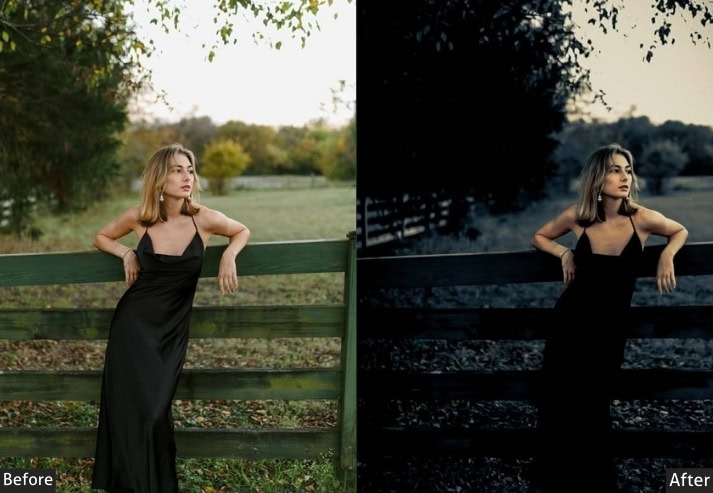
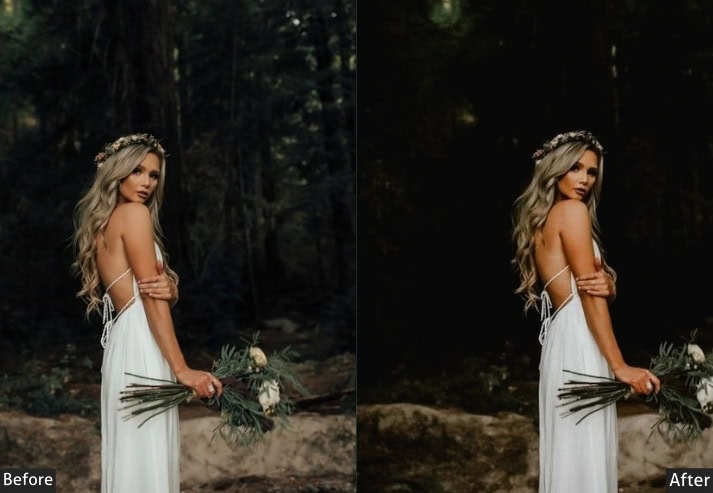
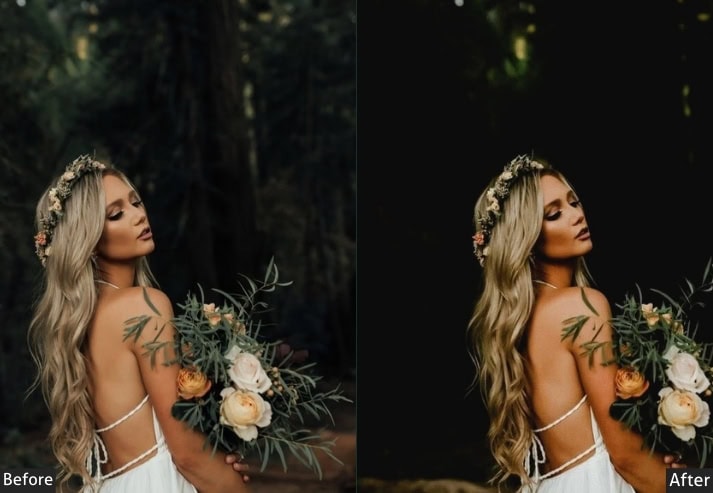
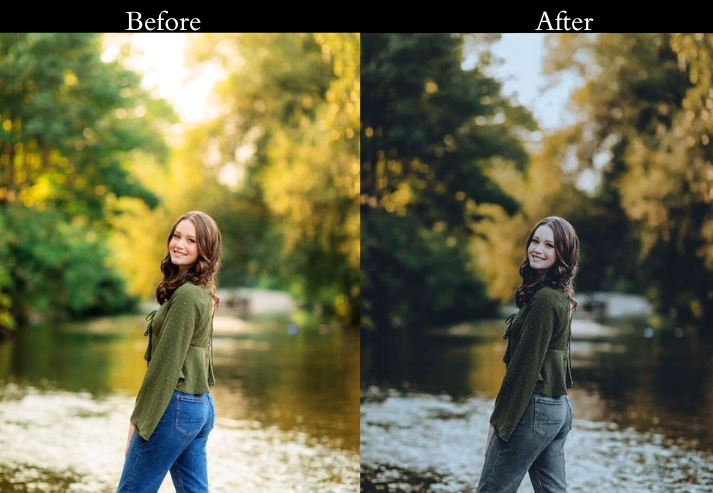
The Moody Vibes is built for photographers who want emotional weight in their images. It slightly lowers exposure, deepens the blacks, and adds a cool-to-neutral color balance that lends portraits and landscapes a reflective, introspective mood. The vignette guides the viewer’s eye inward, while the modest clarity boost keeps edges crisp without looking over-processed.
This preset works particularly well on golden hour portraits where you want to pull back the warmth and add gravitas, and on misty or overcast landscapes that already have natural depth of shadow.
ight Panel: Exposure −10% | Contrast +20% | Highlights −30% | Shadows +20% | Whites −15% | Blacks −25%.
Color Panel: Vibrance −15% | Saturation −10% | Temp +5%.
Effects Panel: Clarity +15% | Vignette −20%.
Detail Panel: Sharpening +10% | Noise Reduction +15%.
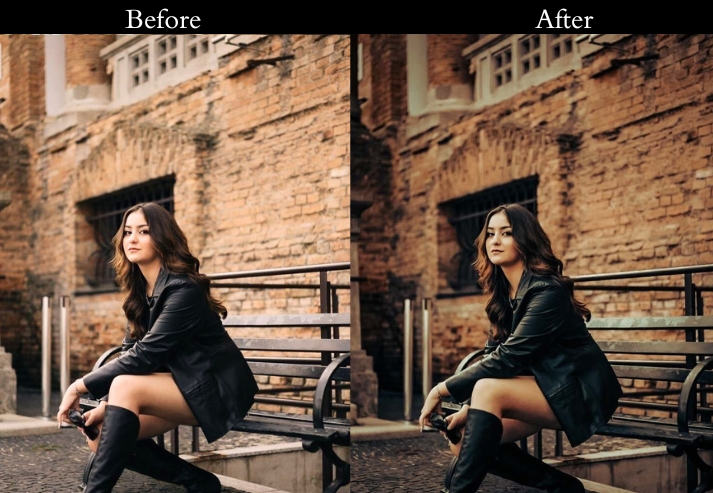
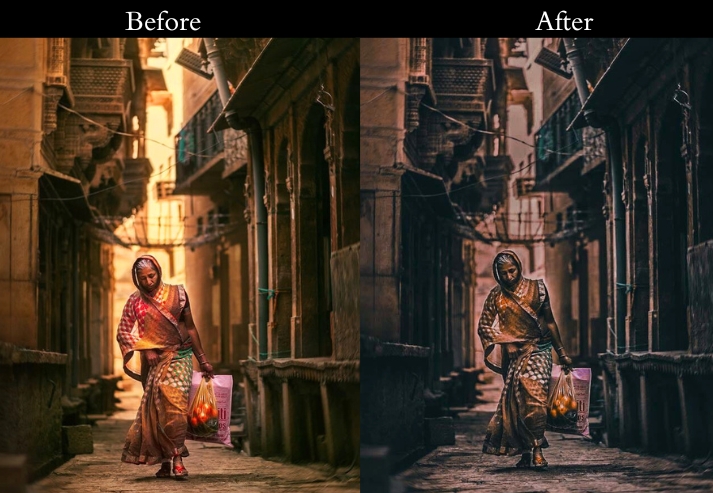
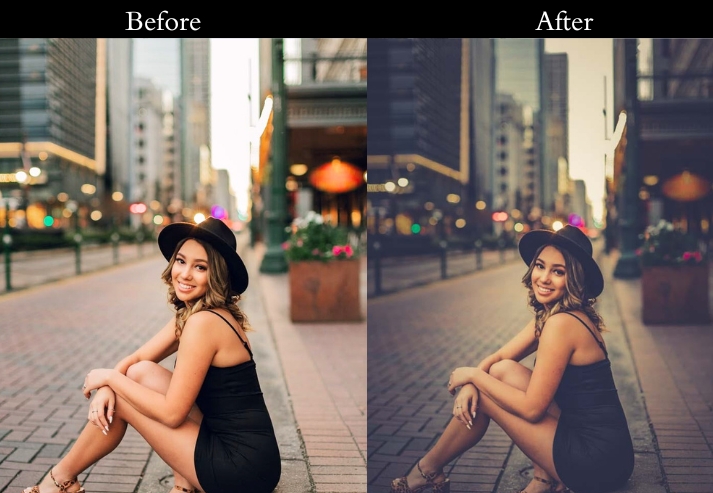
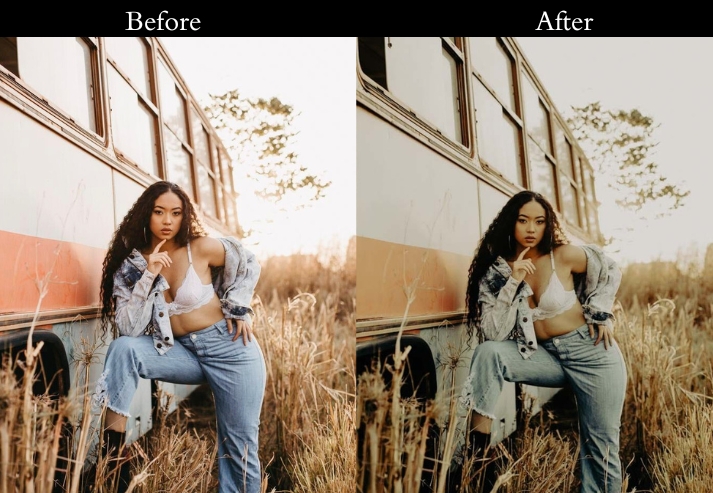
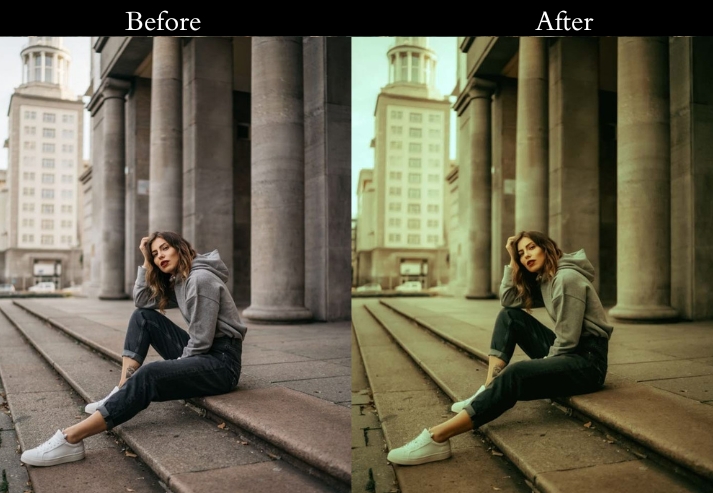
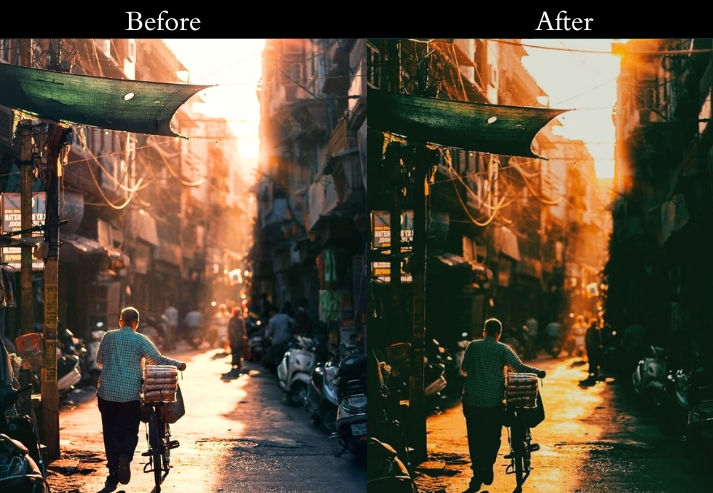
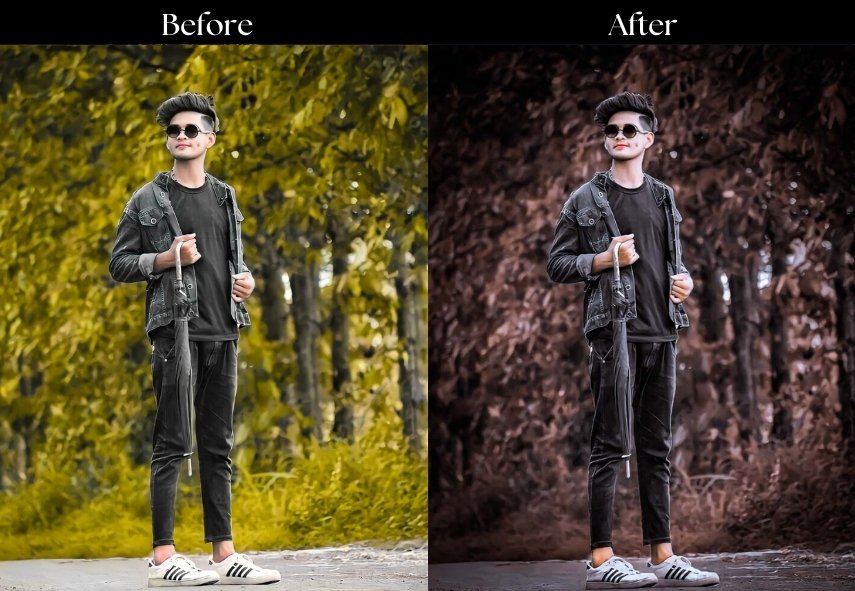
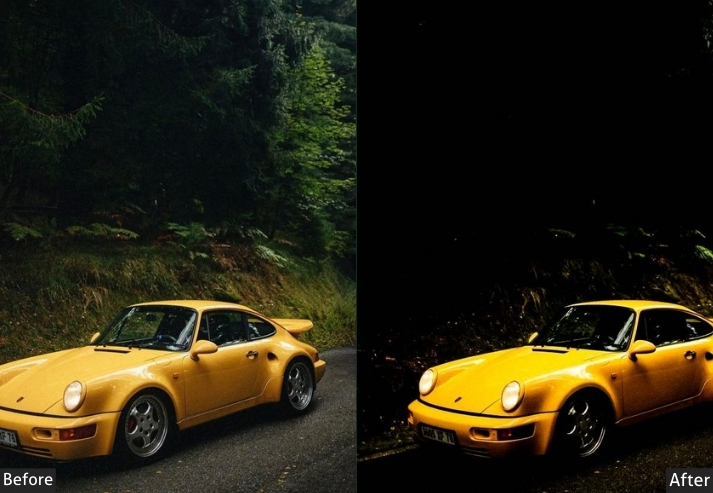
- Purpose: A rich, emotional layer to your images.
- Best For: Portraits that tug at the heart, misty landscapes, or gritty urban shots.
- Usage: tweak exposure and contrast to fit your photo’s mood.
- Style: Dark, atmospheric, and oh-so-feeling.
2. Film Noir Preset
The Film Noir converts your images into high-contrast black-and-white scenes that feel pulled directly from a 1940s crime drama. Strong shadows and crushed blacks create defined light-and-dark separation, while added grain texture mimics the organic imperfection of analog film. This is not a standard desaturation filter. The B&W mix is tuned to prioritize skin tones and architectural edges for maximum drama.
Best applied to street photography, dramatic portraits, and stark architecture. After applying, use the B&W mix panel to further darken or brighten specific color channels as needed for your scene.
Light Panel: Exposure −15% | Contrast +40% | Highlights −50% | Shadows +30% | Whites −20% | Blacks −30%.
Color Panel: B&W (Saturation −100%) | B&W Mix: High Contrast Shadows.
Effects Panel: Clarity +20% | Grain +15%.
Detail Panel: Sharpening +20%.
- Purpose: Crafts a timeless, dramatic.
- Best For: Street snaps, moody portraits, or stark architecture.
- Usage: play with the B&W mix to spotlight your fave tones.
- Style: Cinematic, vintage, and dripping with drama.
3. Dark Fantasy Preset
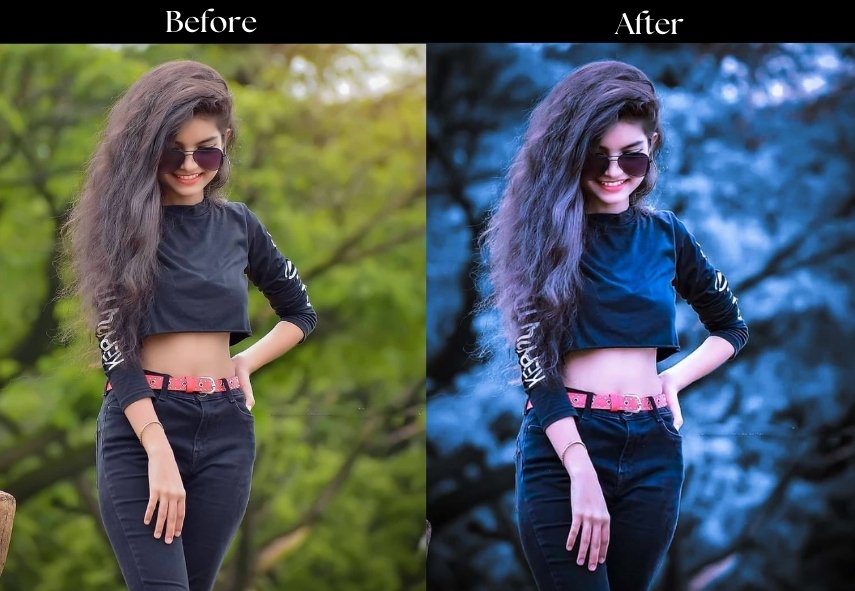
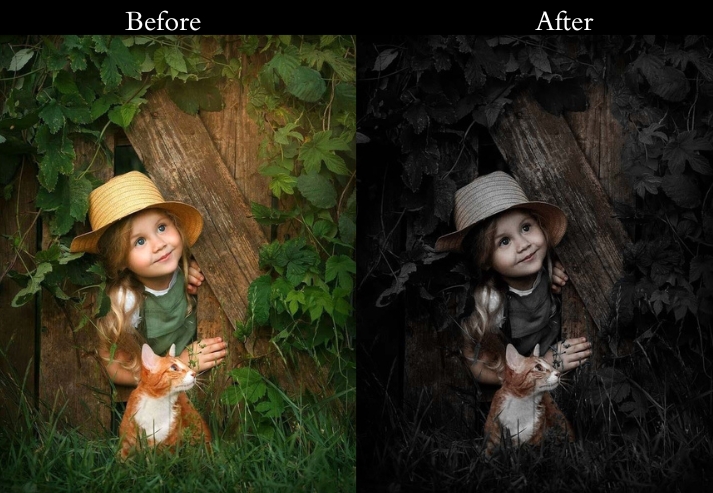
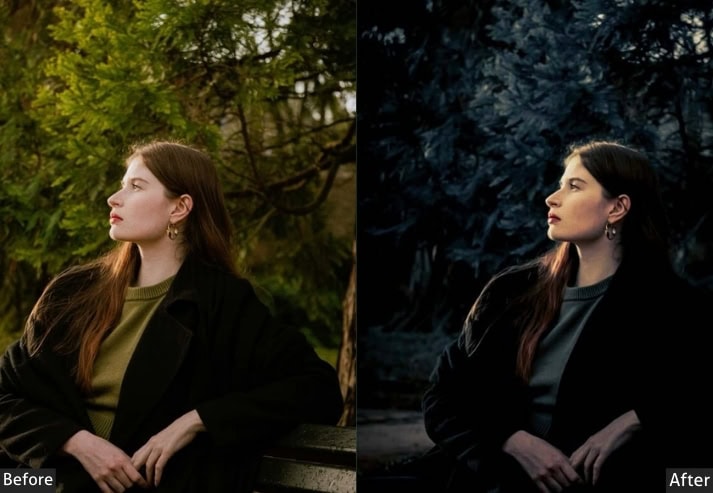
This one shifts photos into a cool, otherworldly atmosphere with blue-toned shadow grading and a slight reduction in overall saturation. The combination of a moderate vignette, controlled clarity, and split toning in the shadows creates a depth that feels magical without becoming unrealistic. Think enchanted forest, gothic castle, or dramatic night sky.
This preset performs best on wide outdoor shots, environmental portraits, and conceptual creative work. The split-toning blue shadows can be deepened or shifted toward purple in the color grading panel for a more intense fantasy look.
Light Panel: Exposure −20% | Contrast +25% | Highlights −40% | Shadows +25% | Whites −10% | Blacks −20%.
Color Panel: Vibrance +10% | Saturation −15% | Temp −10%.
Effects Panel: Clarity +10% | Vignette −25% | Split Toning: Blue Shadows.
Detail Panel: Sharpening +15% | Noise Reduction +10%.
- Purpose: a mystical, otherworldly glow.
- Best For: Epic landscapes, whimsical portraits, or creative experiments.
- Usage: tweak split toning for that extra magic.
- Style: Dreamy, fantastical, and a little bit spooky.
4. Gothic Glam Preset
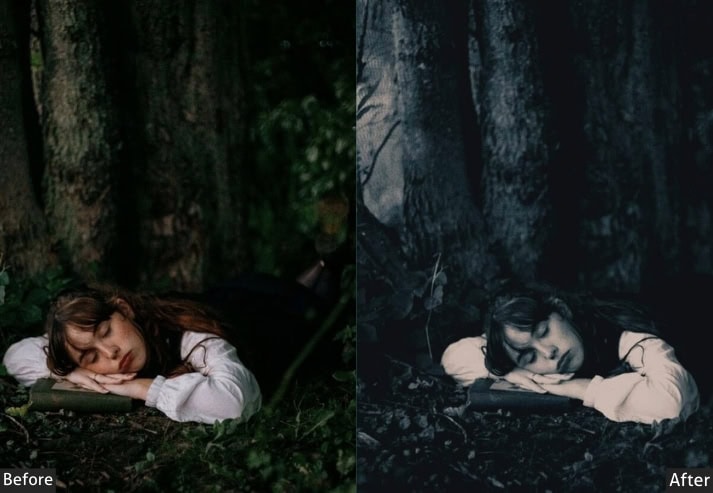
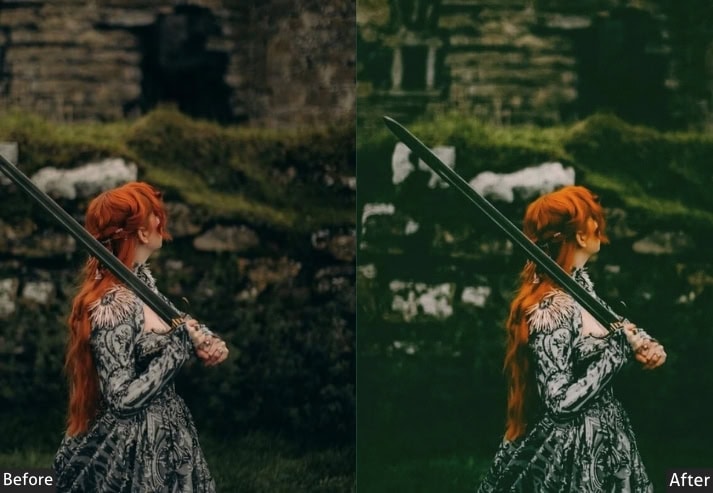
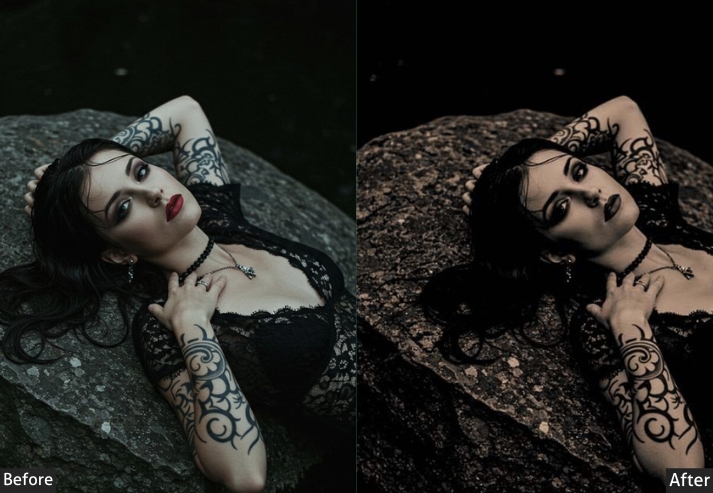
Gothic blends darkness with luxury. By warming the overall temperature while simultaneously deepening the blacks and adding strong texture and clarity, it creates a richly detailed look that feels both shadowy and ornate. The result is closer to a fine-art portrait than to a simple dark filter.
Apply this to fashion photography, editorial portraits, and ornate architecture. Bump the texture slider up by +5 to +10 for shots with intricate detail: jewelry, fabric, stone walls, and the preset rewards you with extraordinary depth.
Light Panel: Exposure −10% | Contrast +30% | Highlights −20% | Shadows +15% | Whites −10% | Blacks −25%.
Color Panel: Vibrance −20% | Saturation −15% | Temp +10% (warm rich tone).
Effects Panel: Clarity +25% | Vignette −30% | Texture +10%.
Detail Panel: Sharpening +20% | Noise Reduction +10%.
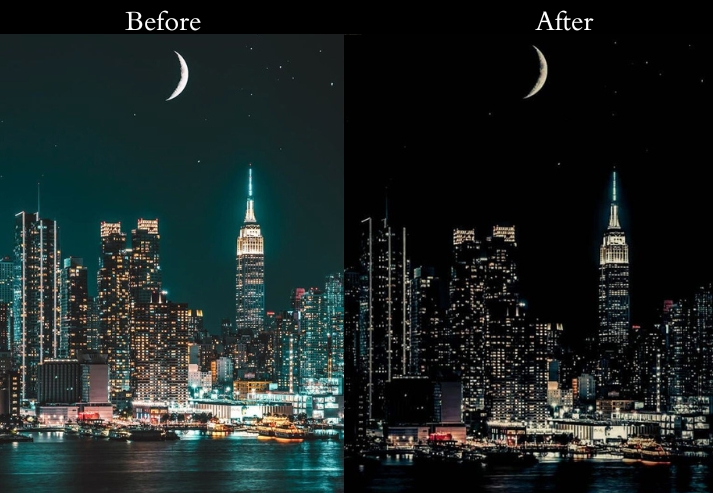
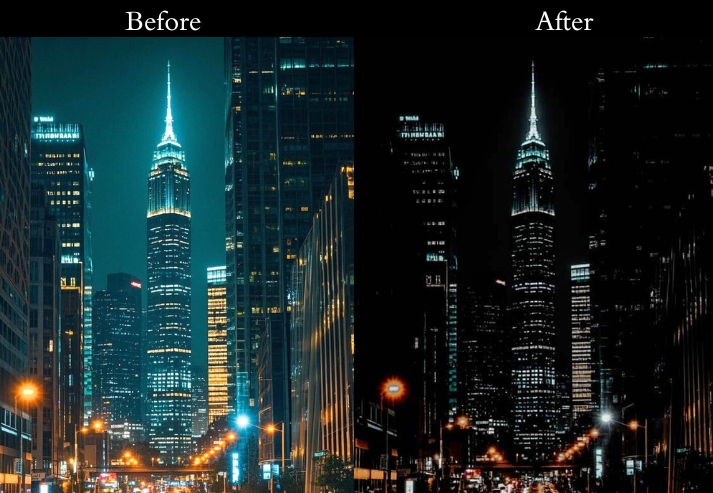
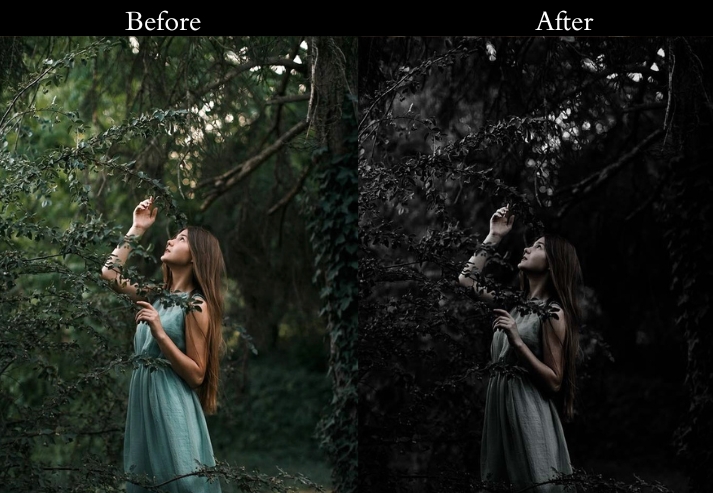
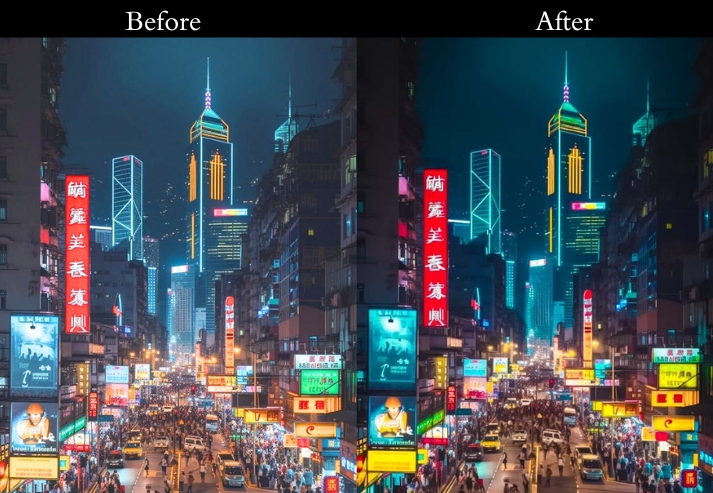
- Purpose: Infuses dark elegance with a touch of luxury.
- Best For: Fashion shots, regal portraits, or architectural beauties.
- Usage: boost clarity and texture to make details sing.
- Style: Rich, intricate, and darkly glamorous.
5. Urban Nightlife Preset
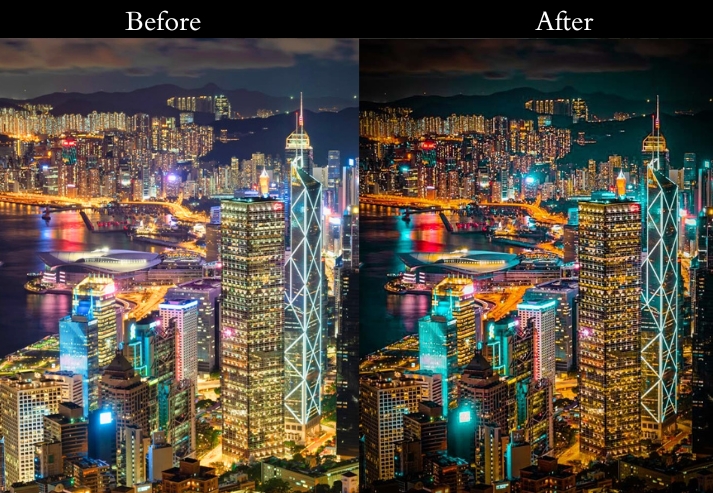
This is built for city-after-dark photography. It slightly lifts exposure to preserve detail in low-light scenes, boosts vibrance to make neon lights and street glow pop, and uses a slight blue temperature shift to reinforce that cool urban ambiance. The HSL panel specifically enhances blues and purples, turning ordinary streetlights into vivid color accents.
This preset is one of the few in this collection that increases exposure rather than lowers it, making it uniquely suited for night cityscapes, light-trail photography, and rain-soaked street scenes where preserving ambient light is critical.
Light Panel: Exposure +10% | Contrast +20% | Highlights −30% | Shadows +20% | Whites +10% | Blacks −20%.
Color Panel: Vibrance +20% | Saturation +10% | Temp −5% (cool urban tone) | HSL: Boost Blues & Purples.
Effects Panel: Clarity +15% | Vignette −15%.
Detail Panel: Sharpening +15% | Noise Reduction +20%.
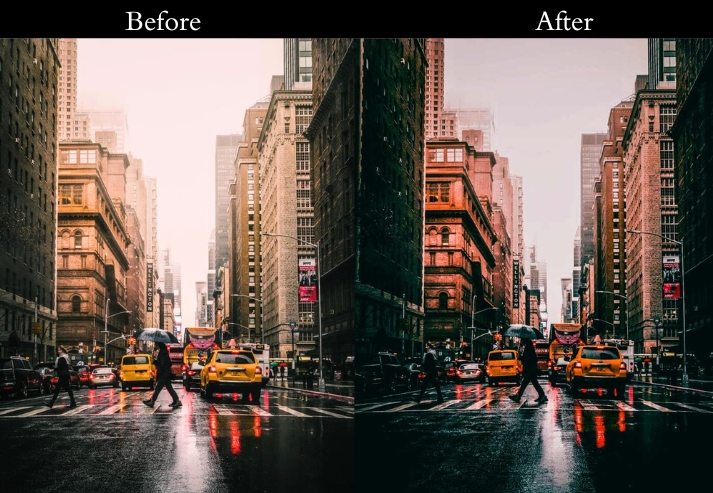
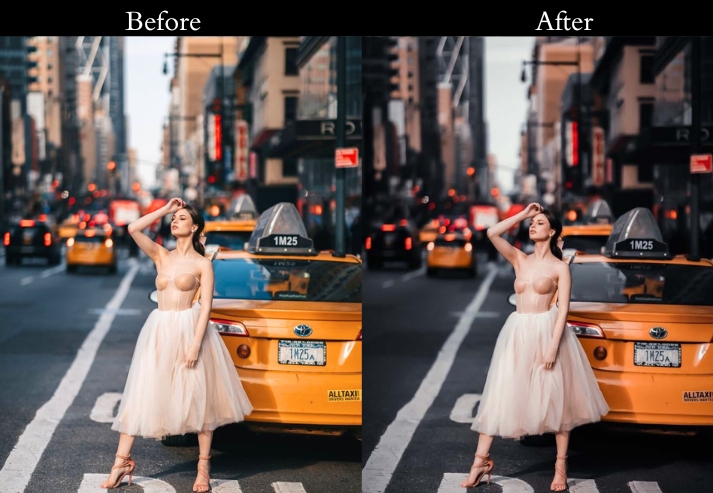
- Purpose: Boosts the life and depth of nighttime city scenes.
- Best For: Cityscapes, street candids, or late-night portraits.
- Usage: tweak HSL to make those colors dance.
- Style: Vibrant, dynamic, and totally urban.
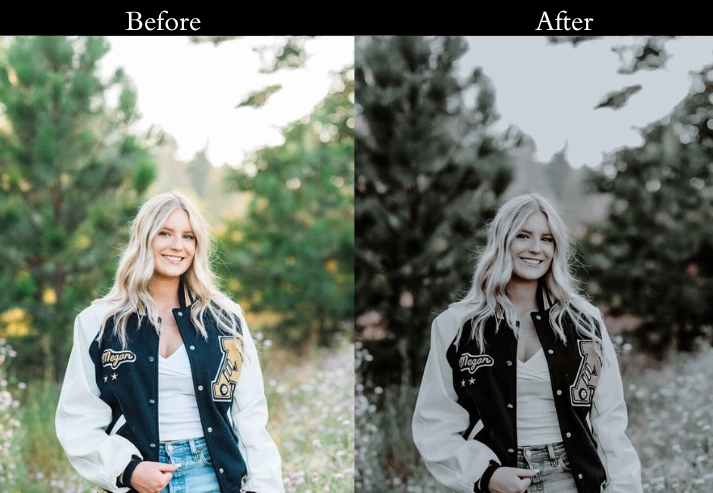
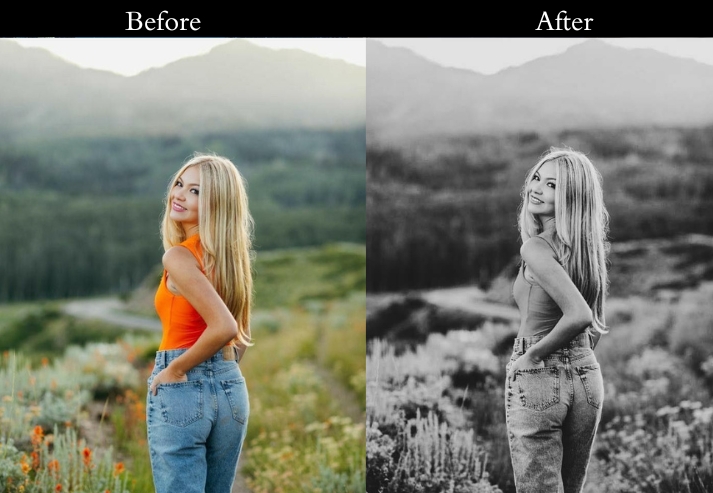
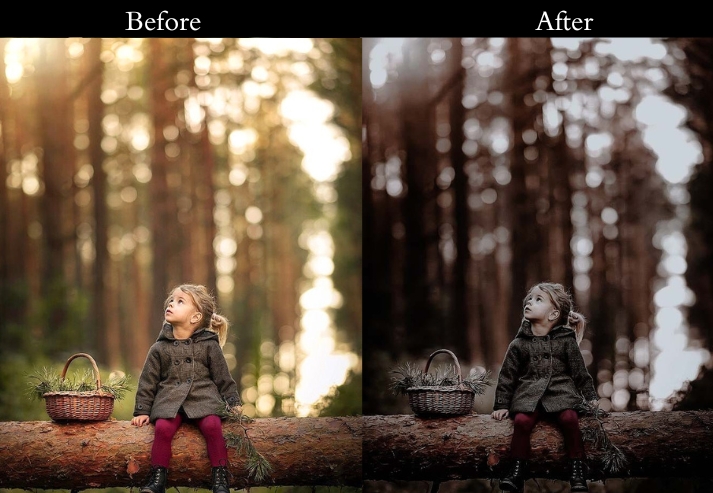
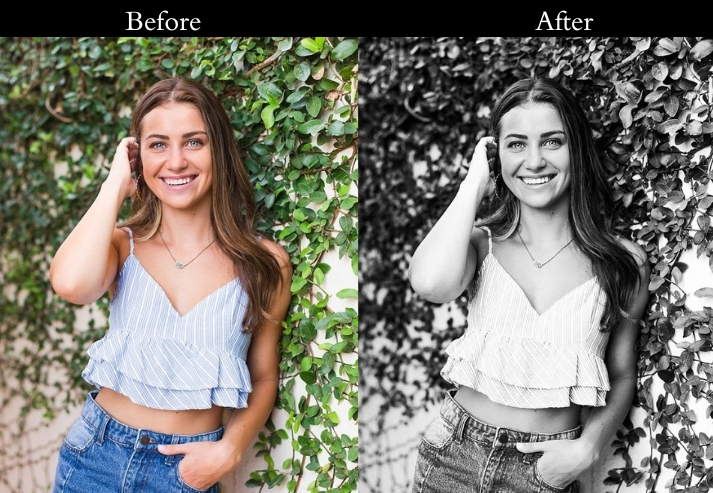
6. Vintage Fade Preset
The preset replicates the soft, slightly overexposed quality of aged color film: faded but warm, with muted tones and a lifted black point that prevents true deep blacks from forming. The grain addition reinforces the analog feel without looking digital or artificial. This is a dark preset in that it draws energy from the image, creating a quiet, contemplative mood rather than dramatic tension.
Ideal for lifestyle portraits, wedding candids, and nostalgic travel photography. If your scene is already warm, reduce the temperature offset by 3–5 to avoid an orange cast.
Light Panel: Exposure −5% | Contrast −10% | Highlights −20% | Shadows +10% | Whites −15% | Blacks +10%.
Color Panel: Vibrance −20% | Saturation −25% | Temp +10% (warm cozy tone).
Effects Panel: Clarity −10% | Vignette −10% | Grain +20%.
Detail Panel: Sharpening +5% | Noise Reduction +15%.
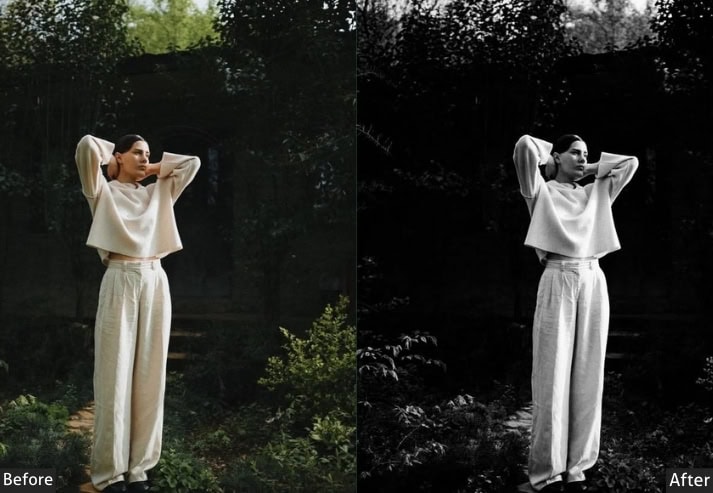
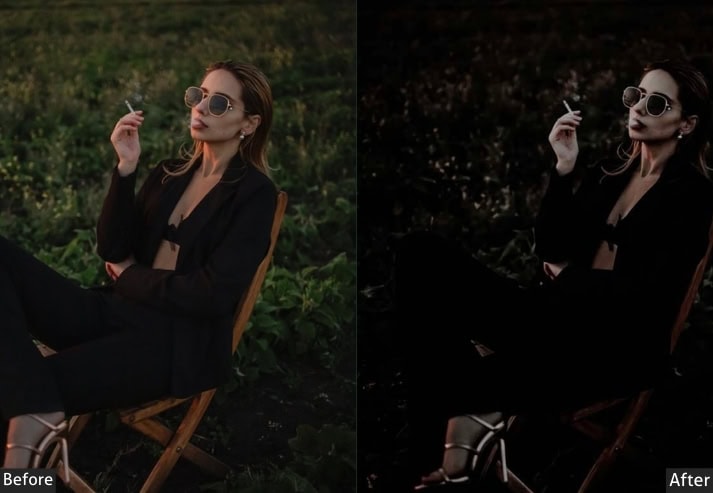
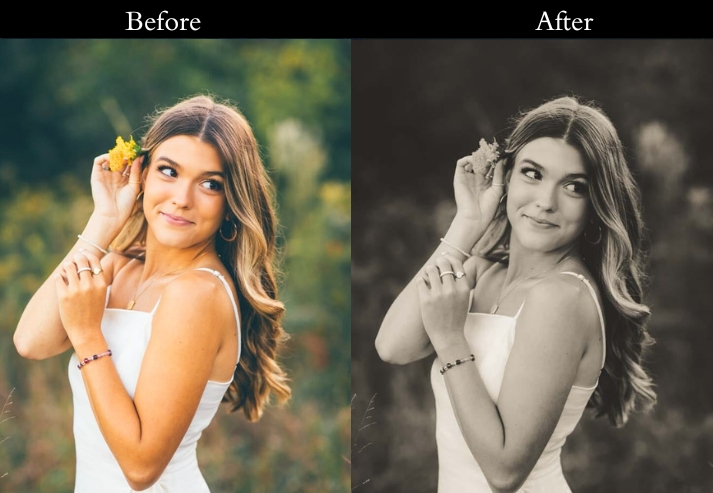
- Purpose: Softens your shots with nostalgic flair.
- Best For: Tender portraits, weddings, or laid-back lifestyle pics.
- Usage: adjust grain and vignette for that retro kick.
- Style: Faded, soft, and beautifully old-school.
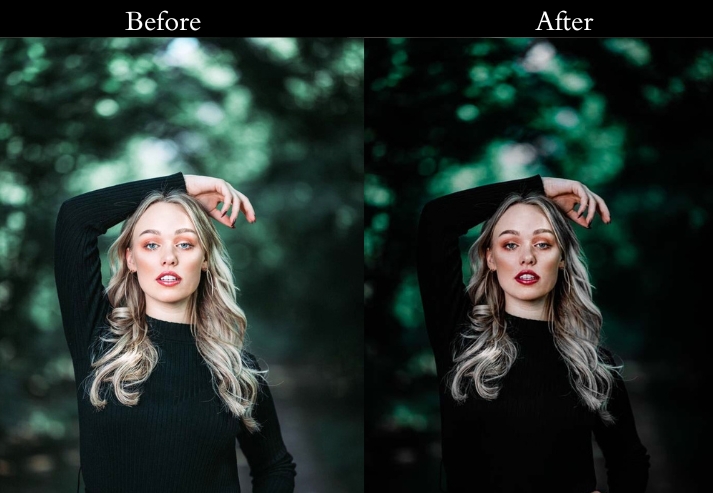
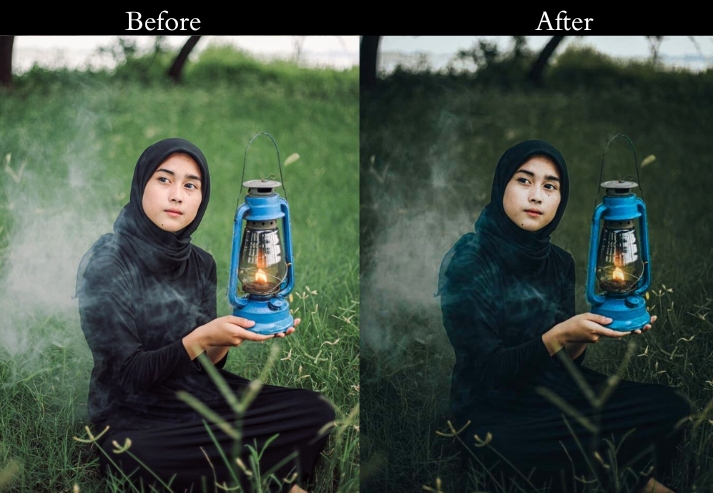
7. Dark Photography Preset
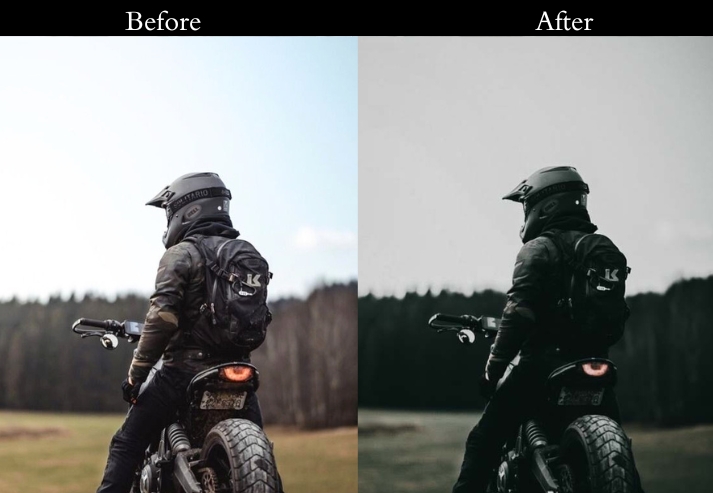
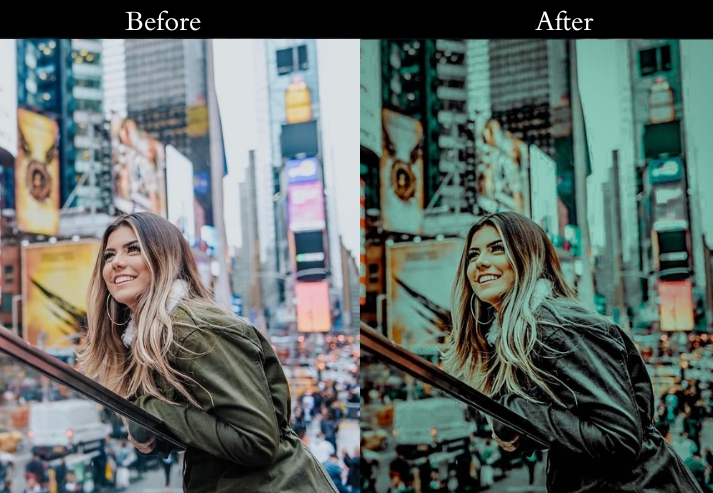
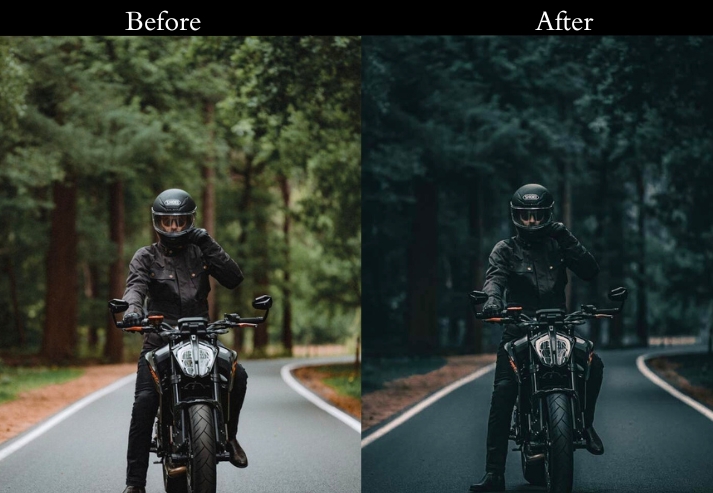
This one is a versatile, general-purpose dark editing look designed for photographers who want a consistent low-key aesthetic across diverse subjects. It drops exposure and blacks firmly, adds strong contrast, and applies a teal-orange split tone. a combination popularized by Hollywood color grading that works equally well on faces and landscapes.
This is one of the most adaptable presets in the collection. It works well on outdoor portraits, dramatic nature shots, HDR-style architecture, and night photography. The teal-orange split tone can be neutralized in the Color Grading panel if you prefer a cleaner monochromatic dark look.
Light Panel: Exposure −15% | Contrast +30% | Highlights −40% | Shadows +20% | Whites −10% | Blacks −30%.
Color Panel: Vibrance +10% | Saturation −10% | Temp −5% (cool sleek tone).
Effects Panel: Clarity +20% | Vignette −20% | Split Toning: Teal Shadows / Orange Highlights.
Detail Panel: Sharpening +15% | Noise Reduction +10%.
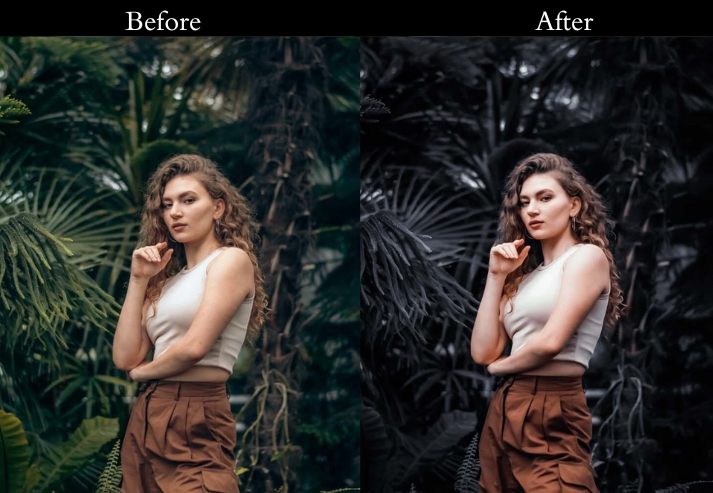
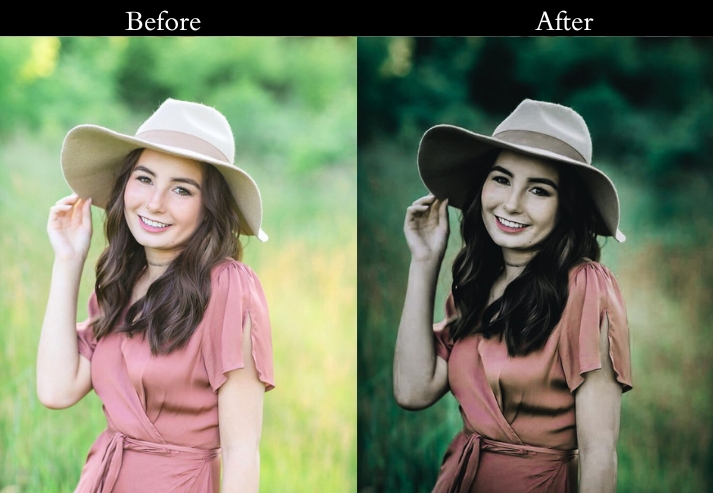
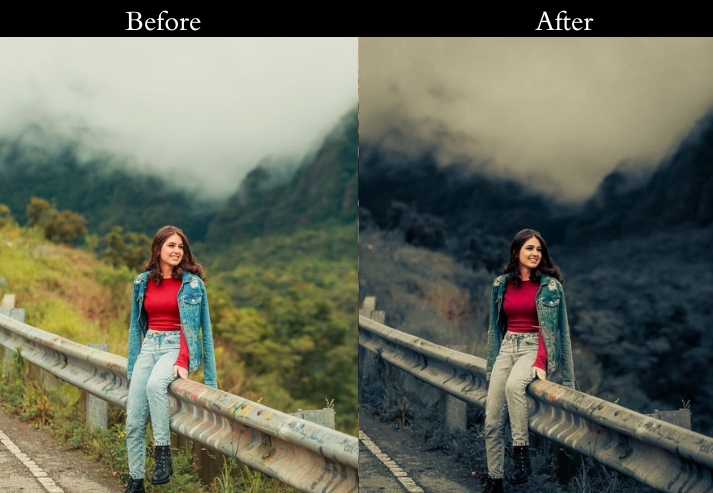
- Purpose: A gripping, film-like punch.
- Best For: Sweeping landscapes, intense portraits, photography, or action shots.
- Usage: fine-tune split toning for that Hollywood glow.
- Style: Bold, dramatic, and straight-up cinematic.
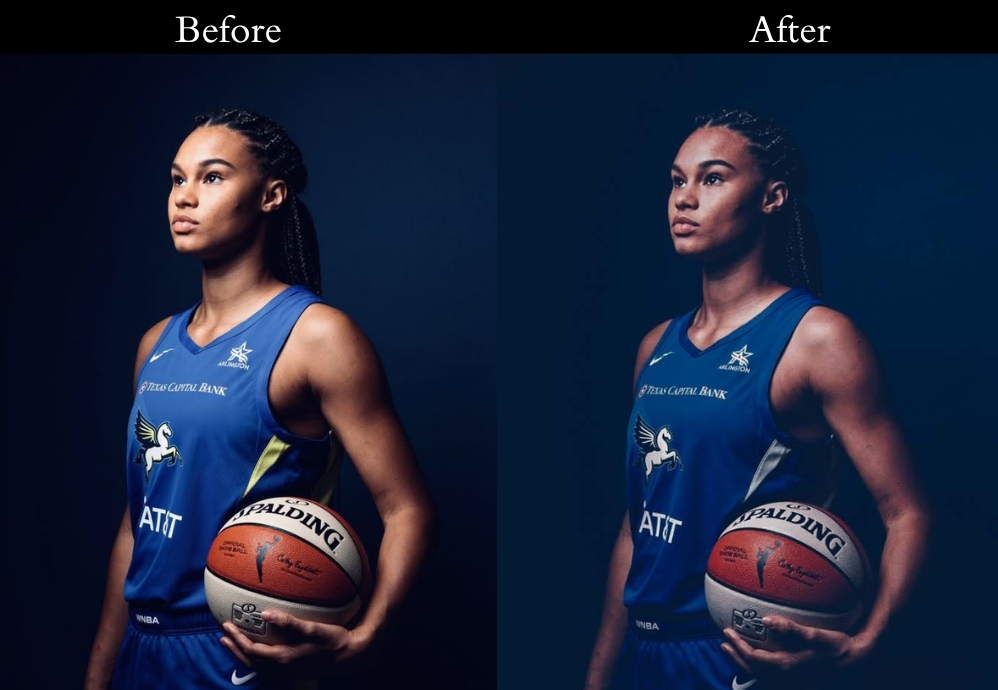
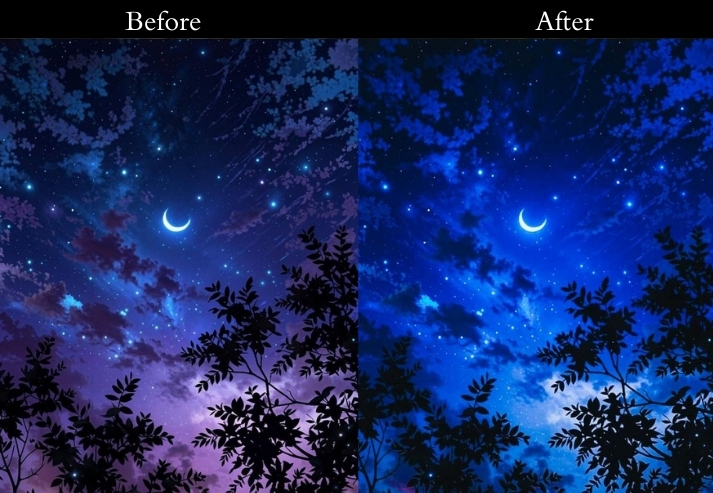
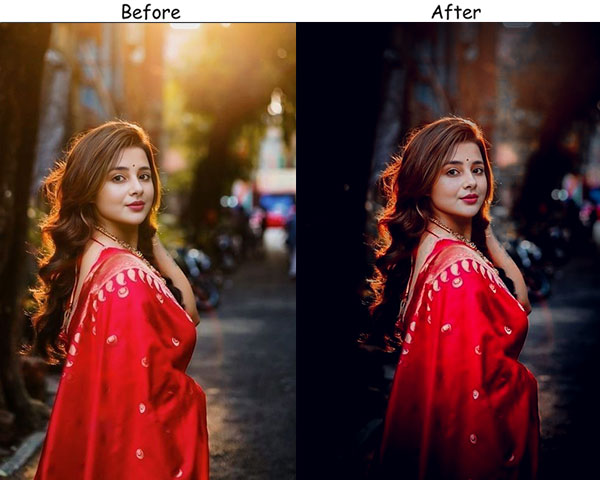
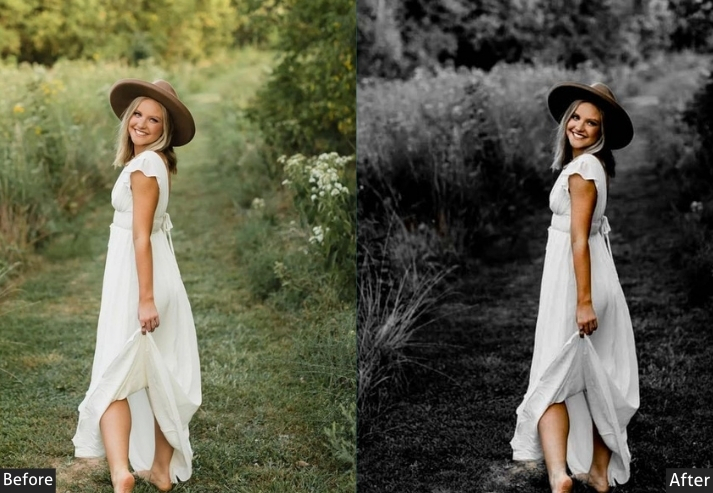
8. Shadow Play Preset
The preset is the darkest in this collection. By crushing both blacks and whites and pulling highlights to nearly -50%, it creates images in which only the brightest elements of the scene remain visible, everything else recedes into deep, inky shadow. The heavy texture boost adds tactile depth to whatever remains lit.
This is a specialist preset best used on images where you want significant detail loss: dramatic studio portraits with hard lighting, silhouette scenes, and architectural detail shots where selective shadow plays a compositional role. Avoid applying it to already-dark or underexposed photos.
Light Panel: Exposure −20% | Contrast +25% | Highlights −50% | Shadows +10% | Whites −20% | Blacks −40%.
Color Panel: Vibrance −10% | Saturation −20% | Temp +5% (slight warm tone).
Effects Panel: Clarity +15% | Vignette −25% | Texture +10%.
Detail Panel: Sharpening +20% | Noise Reduction +15%.
- Purpose: Highlights shadows for a moody, artistic edge.
- Best For: Portraits with soul, still life, or abstract vibes.
- Usage: adjust blacks and shadows to control depth.
- Style: Shadowy, artistic, and quietly intense.
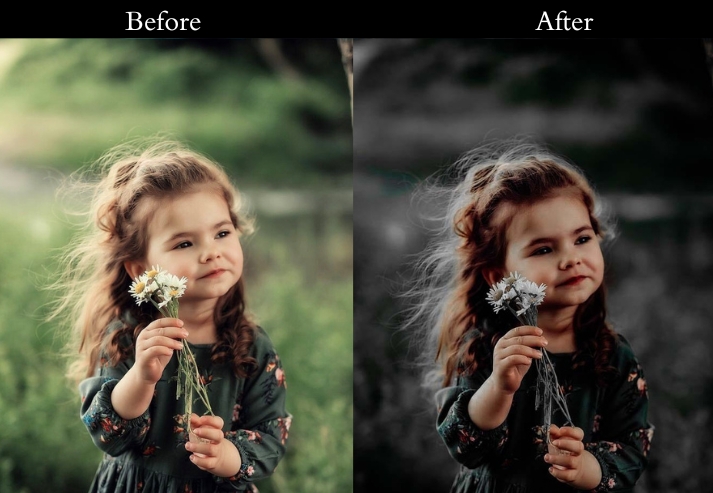
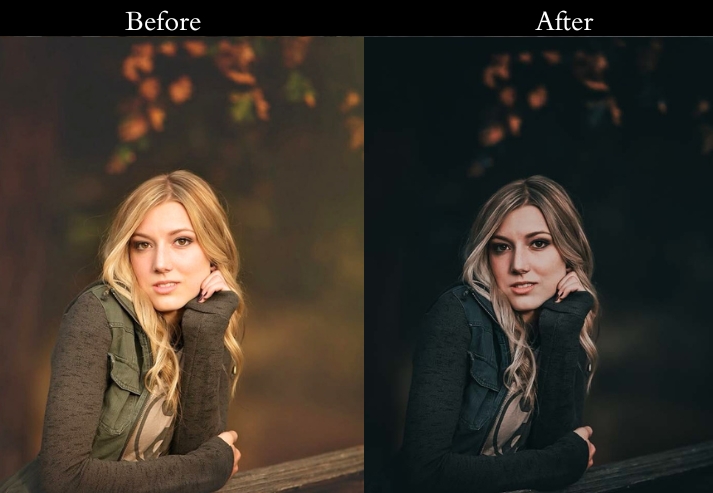
9. Dark and Dreamy Preset
This occupies a unique middle ground: it’s dark in tone but soft in texture. Negative clarity and reduced sharpening give the image a gentle, slightly blurred softness reminiscent of large-aperture film photography. Combine this with the cool temperature shift and controlled grain, and you get an effect that feels both intimate and cinematic.
This is for romantic portrait sessions, engagement and wedding photography, and misty outdoor environments. The negative clarity can be reduced slightly for subjects that need more facial definition.
Light Panel: Exposure −10% | Contrast +10% | Highlights −30% | Shadows +20% | Whites −10% | Blacks −20%.
Color Panel: Vibrance +5% | Saturation −15% | Temp −10% (cool calm tone).
Effects Panel: Clarity −10% | Vignette −15% | Grain +10%.
Detail Panel: Sharpening +10% | Noise Reduction +20%.
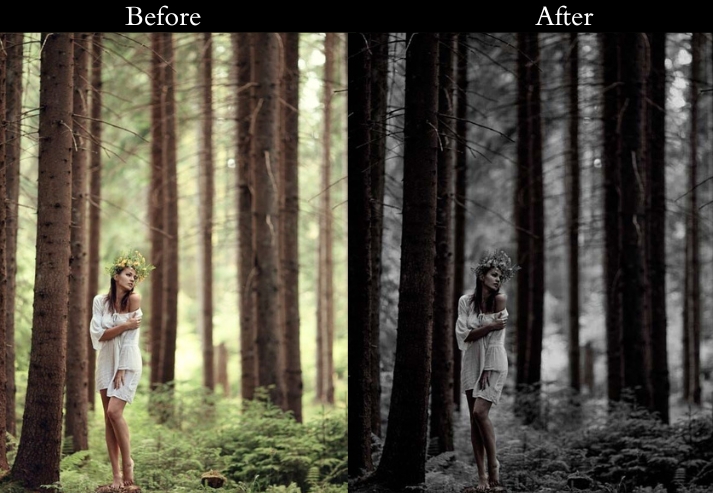
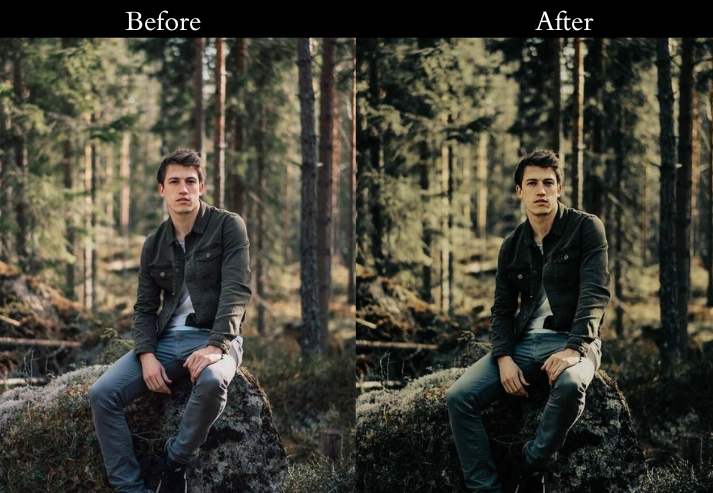
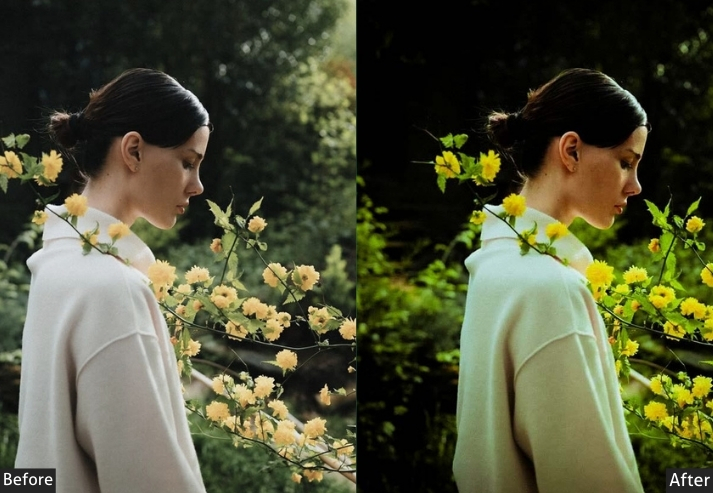
- Purpose: Softens your shots into an ethereal dreamscape.
- Best For: Romantic portraits, weddings, or misty nature shots.
- Usage: tweak clarity and grain for extra dreaminess.
- Style: Gentle, romantic, and oh-so-dreamy.
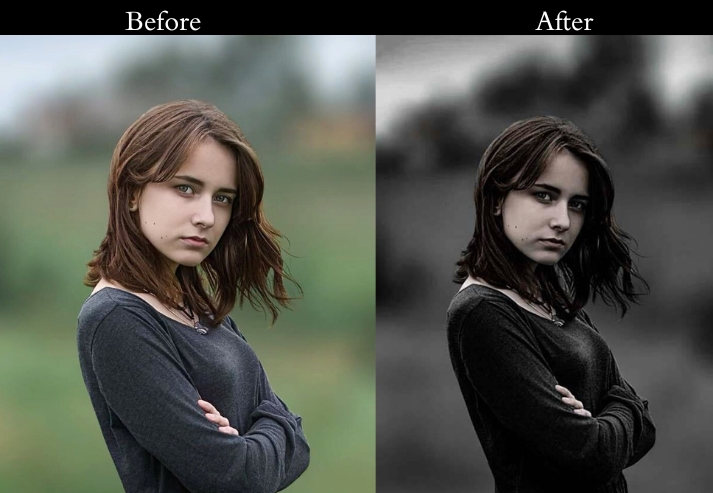
10. Dark Aesthetic Preset
The Dark Aesthetic is the most textured and raw of all ten styles. Heavy grain, elevated texture, and a warm-gritty color tone create a weathered, unpolished look that works perfectly for alternative fashion, underground music photography, urban decay, and documentary work. The high clarity and texture values mean that fine details: rough concrete, worn fabric, weathered skin are rendered with almost uncomfortable sharpness.
Use this on editorial lifestyle shots, urban environments, and any subject matter that benefits from a raw, unfiltered aesthetic. Reduce the grain setting for cleaner subjects where the texture would become distracting.
Light Panel: Exposure −15% | Contrast +30% | Highlights −20% | Shadows +15% | Whites −10% | Blacks −30%.
Color Panel: Vibrance −20% | Saturation −10% | Temp +10% (warm gritty tone).
Effects Panel: Clarity +25% | Vignette −20% | Grain +25% | Texture +15%.
Detail Panel: Sharpening +20% | Noise Reduction +10%.
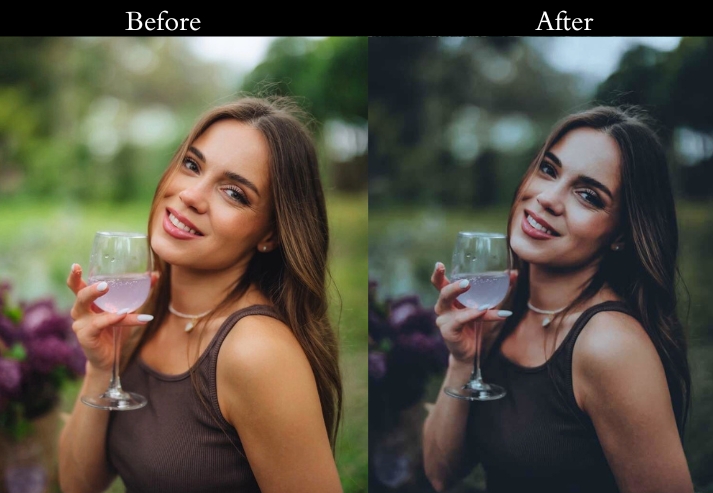
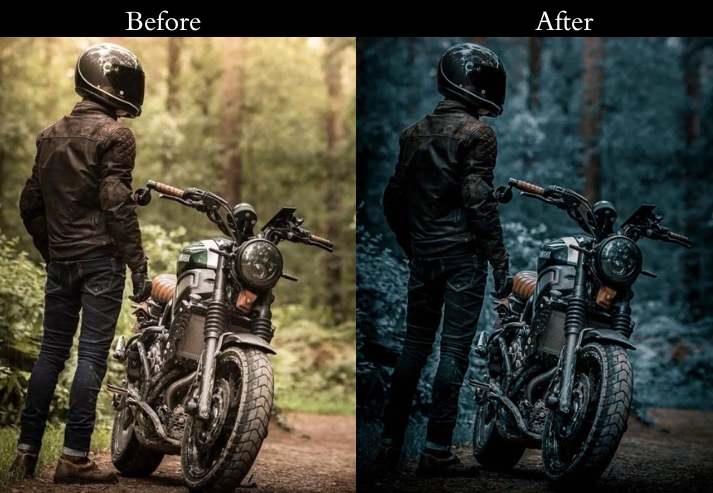
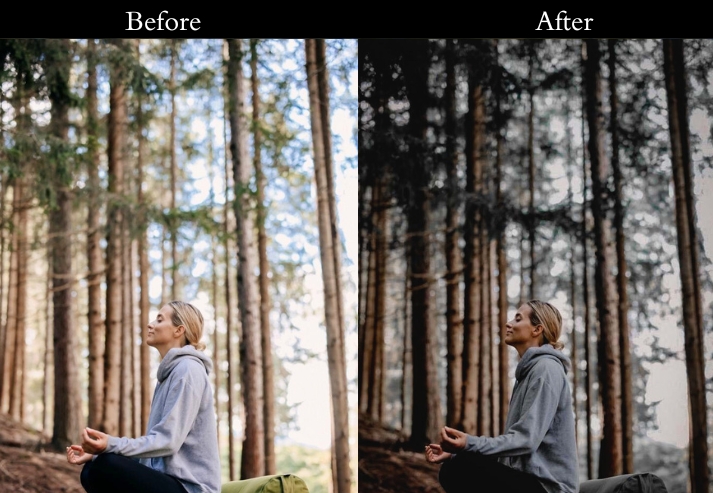
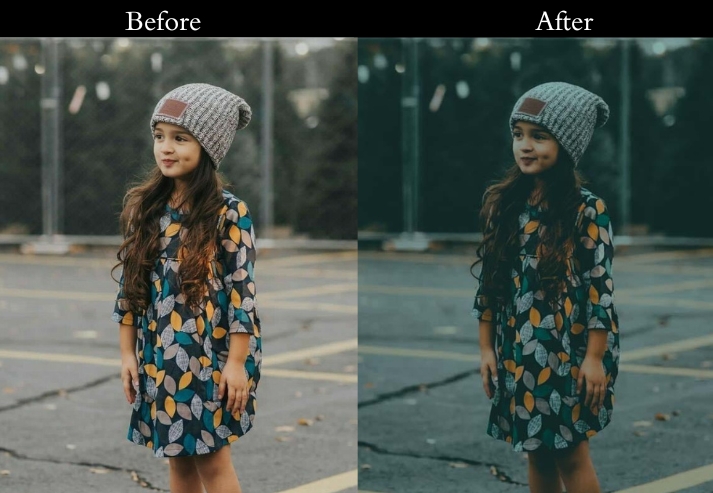
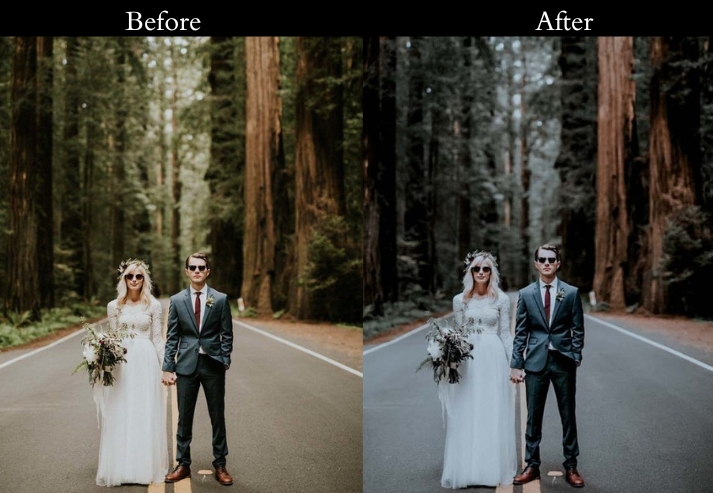
- Purpose: Adds a rebellious, textured edge.
- Best For: Urban grit, fierce portraits, or lifestyle with attitude.
- Usage: crank grain and texture for max grunge.
- Style: gritty and totally badass.
5 Pro Tips for Getting the Most from Dark Lightroom Presets
- Start with a properly exposed photo. Dark presets are designed to work on correctly exposed or slightly overexposed images. Applying them to already underexposed photos will result in muddy, detail-less shadows with no room for recovery.
- Use the Tone Curve to fine-tune shadow depth. After applying any preset, open the Tone Curve and drag the bottom-left anchor point slightly upward. This lifts the shadow floor and prevents pure blacks from clipping. a common issue with aggressive dark presets.
- Adjust the white balance before applying. Dark presets amplify your base color cast. A cool preset on an already cool photo can make it look unpleasantly blue. Set your white balance first, then apply the preset for predictable results.
- Use local adjustments for faces in portraits. Dark presets can make skin tones look dull. Use an Adjustment Brush with +Exposure +Highlights on the face to retain detail and warmth in your subject while keeping the background dark.
- Reduce Vignette on wide-angle shots. The vignette in these presets is calibrated for standard focal lengths. On wide-angle shots (16–24mm), the vignette can look heavy. Reduce it by 30–50% to keep it subtle and natural.
How to Install Dark Lightroom Presets?
On Lightroom Classic / CC (Desktop & XMP files)
- Download the XMP file and unzip it if needed.
- Open Lightroom Classic and go to the Develop module.
- In the left panel, right-click anywhere in the Presets section.
- Select “Import Presets…” and navigate to your XMP file.
- Click Import. The preset will appear in your Presets panel instantly.
- Click any photo and click the preset to apply it.
On Lightroom Mobile (DNG files)
- Download the DNG file to your phone.
- Open the DNG file inside the Lightroom Mobile app.
- Tap the three-dot menu (⋮) in the top right corner.
- Select “Copy Settings”.
- Open the photo you want to edit, tap the three-dot menu again, and select “Paste Settings”.
For details: Lightroom Installing Guide With Settings Tutorial
Final Touch
These presets cover the full spectrum of low-key editing styles from the subtle melancholy of the Moody Vibes preset to the deeply textured intensity of Shadow Play. Each one is designed as a strong starting point, not a final answer. Use the settings breakdown for each preset to understand exactly what it’s doing, and adjust the key sliders to fit your specific photo and creative vision.
More Presets For You:
Night Lightroom Presets Free Download
Orange Teal Lightroom Presets Free Download