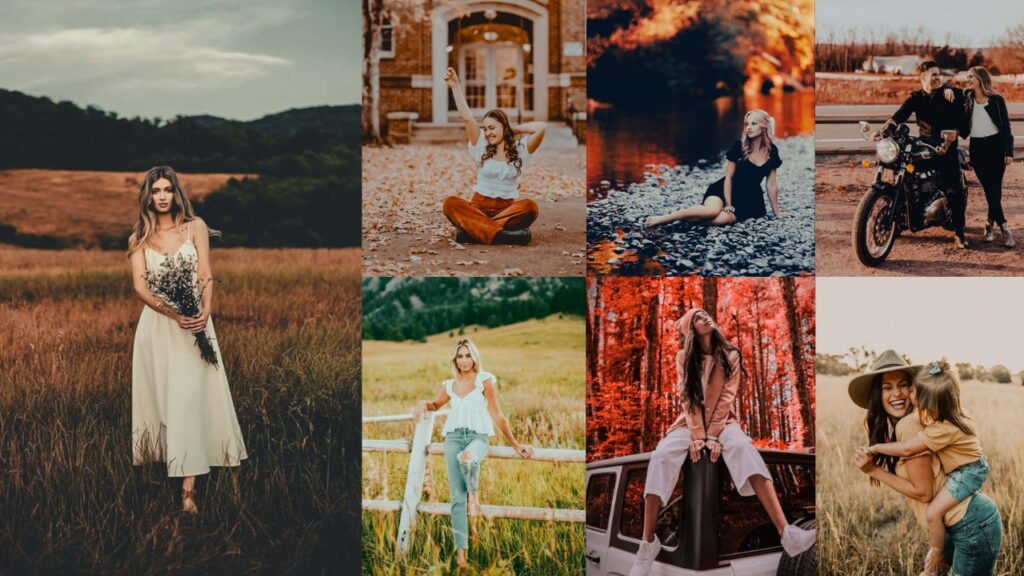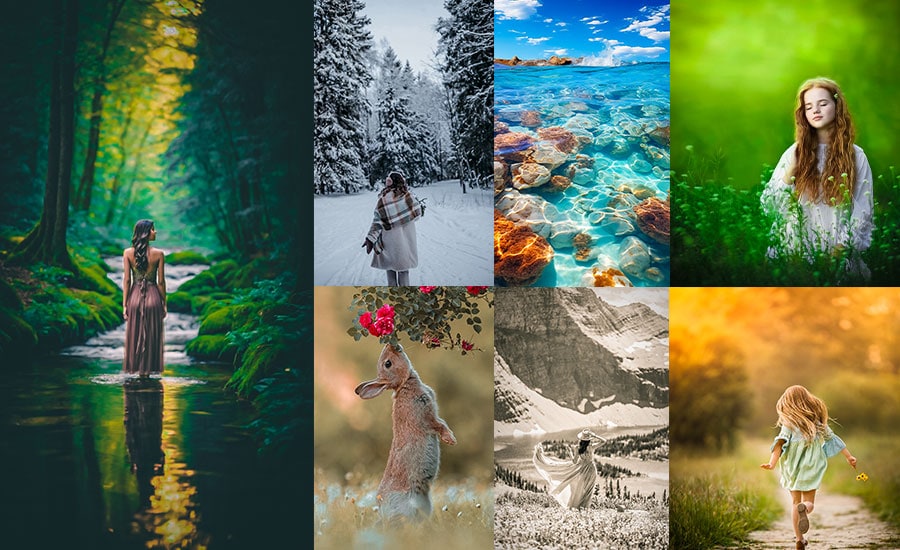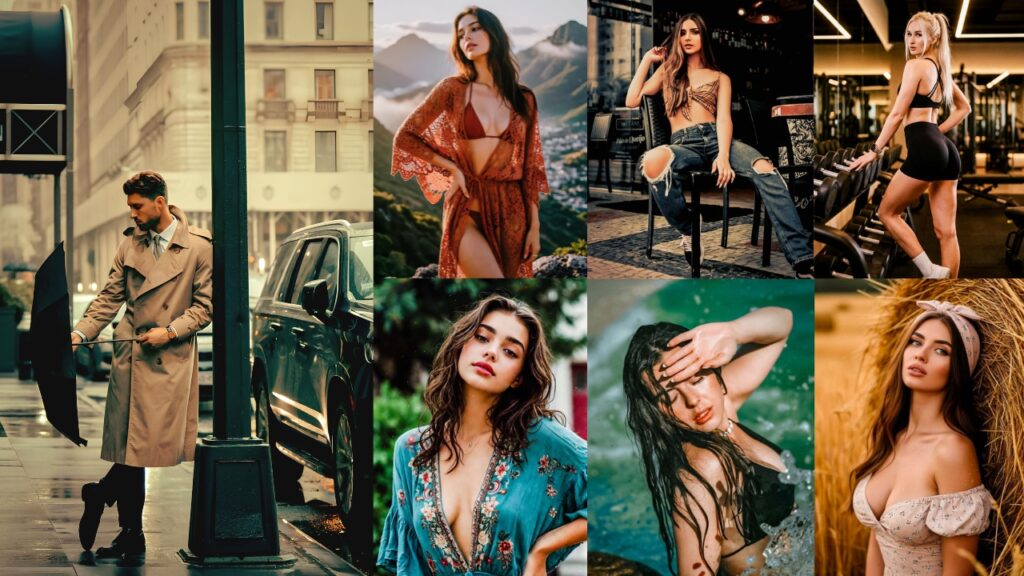
You know that dangerous little moment when you’re scrolling TikTok and suddenly stop because someone’s completely ordinary café photo looks like a movie scene?
The coffee is still coffee. The street is still the same street. And no, they probably didn’t secretly hire a Hollywood colorist. Very often, the magic is simply good Lightroom color grading.
TikTok LR presets have grown far beyond one particular filter. Some creators love creamy beige feeds. Others want aggressively dark shadows, early-2000s digicam flash, faded film grain, pink Coquette tones, tropical blues, or skin that looks beautifully natural rather than suspiciously orange.
That’s why I’ve created this guide differently. Instead of giving you a preset name and saying, “Tap it and hope for the best,” I’ll show you what each look is actually doing inside Lightroom.
You can download a preset, recreate it manually, modify these recipes, or save your finished settings as your own custom Lightroom preset.
And one small photographer-to-photographer warning: no preset works perfectly on every photograph. Lighting, camera, skin tone, white balance, location, and exposure all change the result. Think of a preset as the opening sentence of your edit, not the entire story. 😉
- TikTok Lightroom Preset Finder
- 60 TikTok Lightroom Preset Styles (14 Categories), Downloads & Settings
- 1. Viral TikTok Aesthetic Preset
- 2. Clean Face TikTok Preset
- 3. Bright & Airy TikTok Preset
- 4. Dark & Moody TikTok Preset
- 5. Cinematic TikTok Preset
- 6. Vintage Film Preset
- 7. Y2K Digicam / 2000s Flash TikTok Preset
- 8. Golden Hour TikTok Preset
- 9. Beige / Cream TikTok Preset
- 10. Portrait & Natural Skin Tone Preset
- 11. Neon Night / City Glow Preset
- 12. Beach / Tropical TikTok Preset
- 13. Black & White Noir Preset
- 14. Cool Blue / Winter TikTok Preset
- How to Apply These TikTok Lightroom Preset Settings Correctly
- Final Thoughts
TikTok Lightroom Preset Finder
Not sure which TikTok preset fits your photo? Choose your photo type, mood and lighting below. We’ll match you with one of the 14 styles in this guide and show the Lightroom settings you can use to recreate it. 📸
Suggested Lightroom Settings
Quick tip: Exposure and White Balance depend on your original photo. Apply the recipe first, then fine-tune those two controls before changing the creative color settings.
Compare With Another TikTok Look
60 TikTok Lightroom Preset Styles (14 Categories), Downloads & Settings
TikTok moves fast, and your photos often get only a second or two to catch someone’s attention. That’s where presets become useful. Instead of spending 20 minutes adjusting exposure, colors, shadows, skin tones, and effects for every photo, you can apply a preset and get a polished starting point almost instantly. ✨
The biggest advantage is consistency. If you’re posting a photo carousel, travel diary, fashion shoot, café pictures, or a weekly photo dump, presets can help every image share the same color mood. Your feed starts to feel intentional rather than looking like five different photographers borrowed your phone. 😄
Why do creators use TikTok Lightroom presets?
- Faster editing: Create a strong starting look in seconds.
- Consistent aesthetics: Keep multiple photos visually connected.
- Trend-inspired styles: Easily experiment with viral looks such as Y2K, Cinematic, Moody, Vintage, Clean Girl, Coquette, and Old Money.
- Easy customization: Adjust individual Lightroom settings after applying the preset.
- Better photo storytelling: Color and tone can help communicate a specific mood or atmosphere.
- Beginner-friendly: You don’t need advanced color-grading knowledge to start.
- Reusable: Once you find or create a style you love, you can save it and use it again.
Lightroom lets you apply the preset, then fine-tune Exposure, White Balance, HSL, Color Grading, Effects, and other settings.
| # | TikTok Lightroom Preset | Look / Style | Best For |
|---|---|---|---|
| 1 | Viral TikTok Aesthetic Preset | Soft, balanced, trendy, social-ready | Everyday photos, selfies, lifestyle, photo dumps |
| 2 | Clean Face TikTok Preset | Clean, bright, natural skin, minimal | Selfies, beauty, skincare, portraits |
| 3 | Bright & Airy TikTok Preset | Light, soft, luminous, creamy | Indoor photos, lifestyle, family, fashion |
| 4 | Dark & Moody TikTok Preset | Deep shadows, muted colors, dramatic mood | Fashion, streets, portraits, rainy scenes |
| 5 | Cinematic TikTok Preset | Movie-inspired contrast and color grading | Travel, cars, portraits, city photography |
| 6 | Vintage Film Preset | Warm, faded, grainy, nostalgic | Travel, friends, lifestyle, memories |
| 7 | Y2K Digicam / 2000s Flash TikTok Preset | Flashy, colorful, crunchy digital look | Parties, nightlife, fashion, photo dumps |
| 8 | Golden Hour TikTok Preset | Warm sunlight, glowing skin, golden tones | Portraits, couples, travel, outdoor photos |
| 9 | Beige / Cream TikTok Preset | Warm neutral, creamy, minimalist | Fashion, cafés, interiors, flat lays |
| 10 | Portrait & Natural Skin Tone Preset | Natural, flattering, skin-focused | Selfies, headshots, couples, beauty |
| 11 | Neon Night / City Glow Preset | Blue-purple glow, vibrant night color | Night streets, neon signs, clubs, city portraits |
| 12 | Beach / Tropical TikTok Preset | Turquoise, sunny, fresh, vibrant | Beaches, resorts, pools, vacations |
| 13 | Black & White Noir Preset | Dramatic monochrome, deep contrast | Portraits, architecture, fashion, street |
| 14 | Cool Blue / Winter TikTok Preset | Cool, crisp, blue, atmospheric | Winter, snow, cloudy days, architecture |
1. Viral TikTok Aesthetic Preset
This is the “I didn’t really edit it” edit that definitely required some editing. The Viral Aesthetic look keeps skin believable, softens harsh digital contrast, slightly mutes distracting colors, and creates that polished lifestyle finish commonly seen in TikTok photo dumps. It should feel relaxed, not heavily filtered.
Explore these free Aesthetic Lightroom Presets.
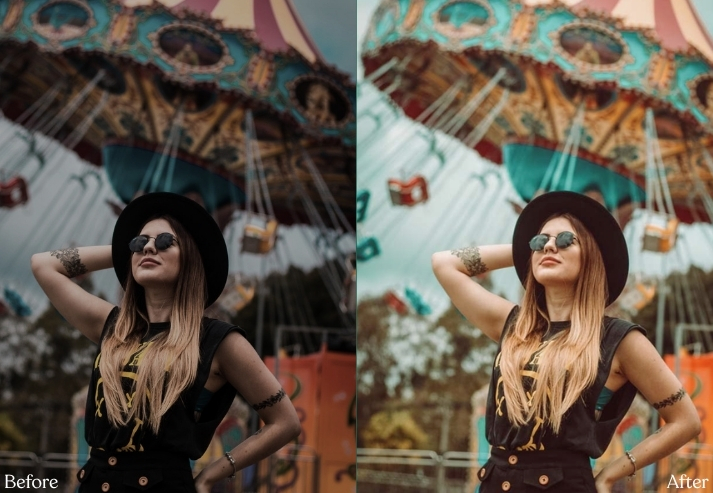
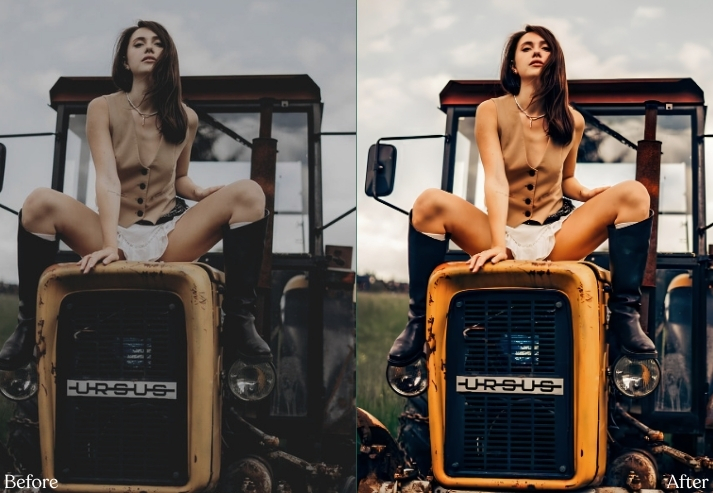
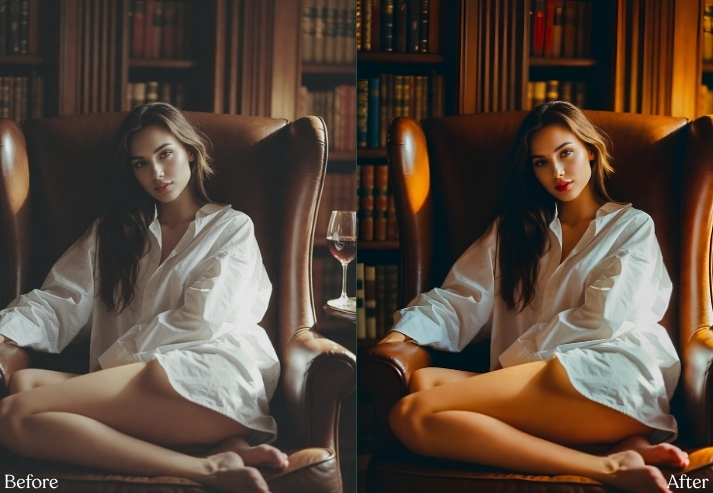
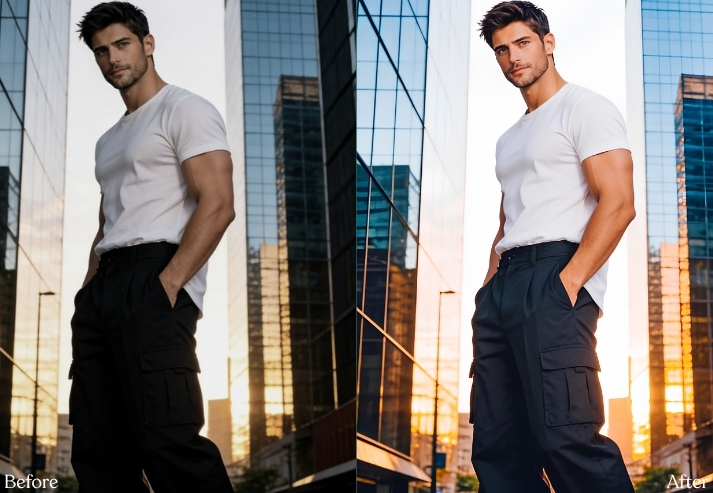
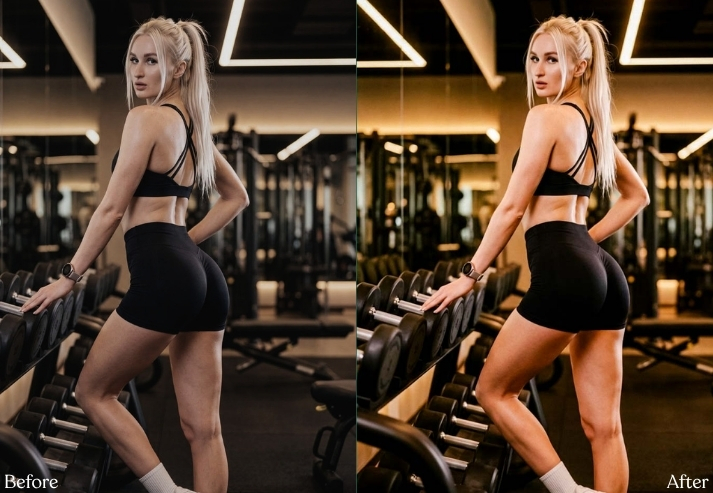
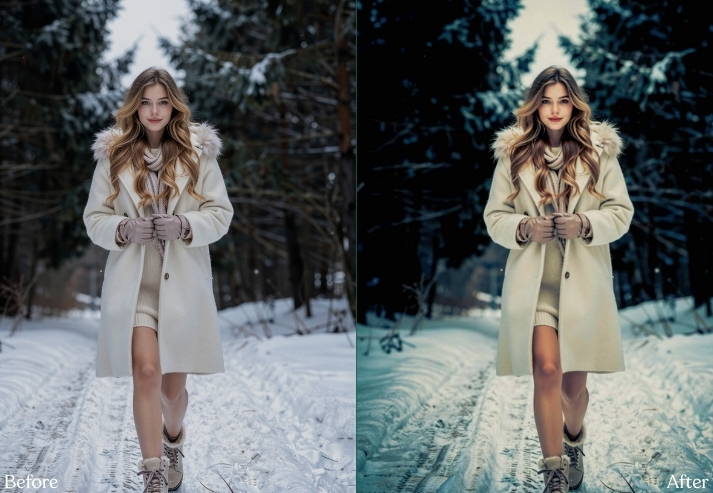
Purpose: Make normal phone photography feel more intentional and polished.
Best For: Lifestyle, outfits, cafés, selfies, casual travel.
Usage: TikTok slideshows, Instagram, Reels thumbnails, and photo dumps.
Style: Soft, modern, neutral, and effortless.
2. Clean Face TikTok Preset
This is basically visual whispering. Nothing screams for attention: whites stay white, skin stays natural, shadows are gentle, and colors behave themselves. It works brilliantly when your photograph already has decent window light and a simple background.
For more bright, subtle edits, try our Light & Airy Lightroom Presets.
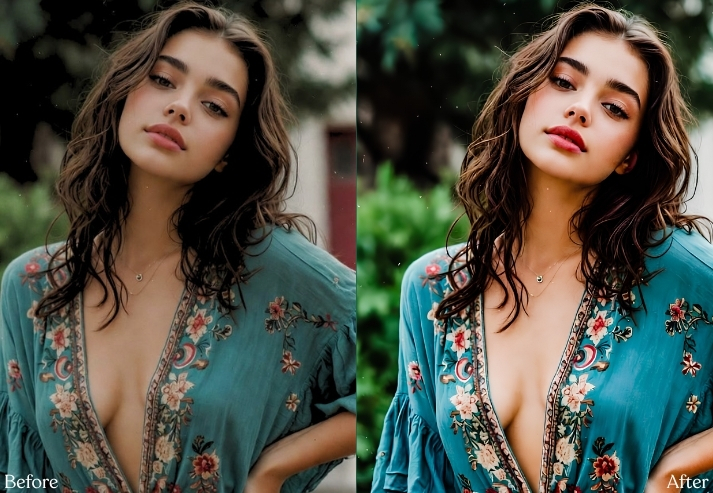
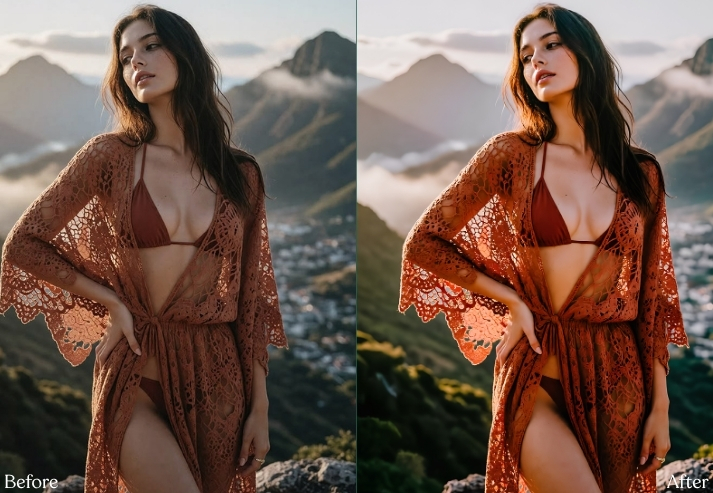
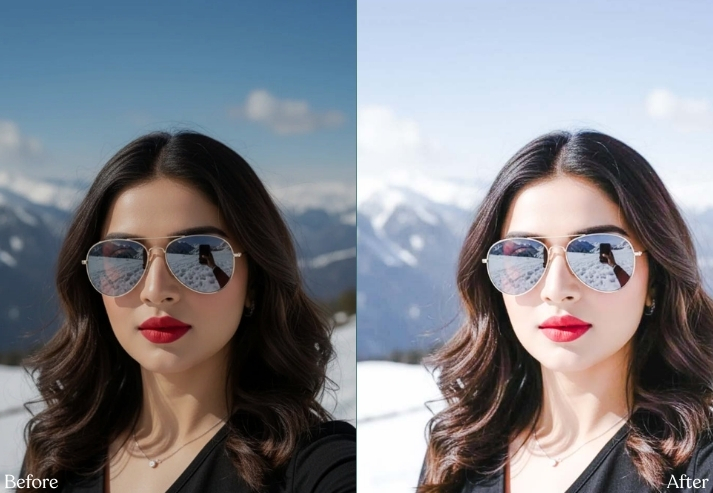
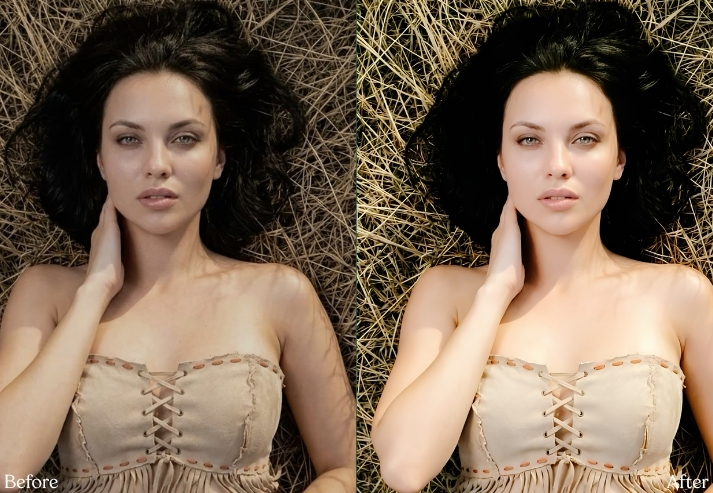
Purpose: Produce clean, expensive-looking images without obvious filtering.
Best For: Skincare, beauty, fashion, white interiors, and selfies.
Usage: Minimal feeds, GRWM content, and influencer photography.
Style: Neutral, bright, smooth, and refined.
3. Bright & Airy TikTok Preset
This edit raises the overall luminance while protecting highlights and opening shadows. The secret is brightness without murdering every white detail.
You can find dozens of additional variations in our free Light and Airy preset collection.
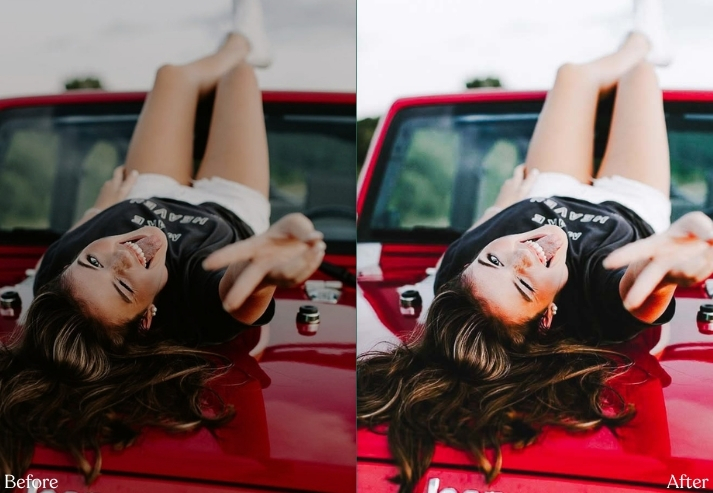
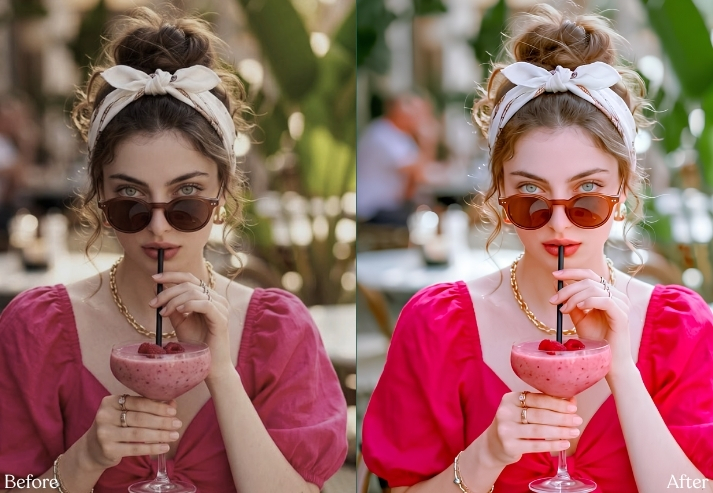
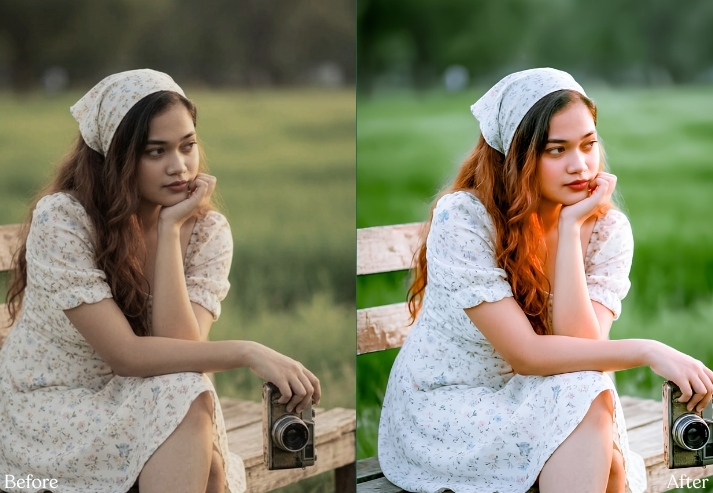
Purpose: Turn flat or slightly dark photos into cheerful, light-filled imagery.
Best For: Family, maternity, interiors, weddings and lifestyle.
Usage: Pinterest-style content, bright feeds and blogger photography.
Style: Soft, luminous, creamy and cheerful.
4. Dark & Moody TikTok Preset
Some photographs don’t want sunshine and happiness. Sometimes they want to sit in a corner wearing black and listening to dramatic music. 🖤 Dark & Moody editing deepens blacks, controls highlights, quiets greens and yellows, and introduces cool or earthy shadow tones.
If this dramatic style is your thing, explore our 150 free Moody Lightroom Presets.
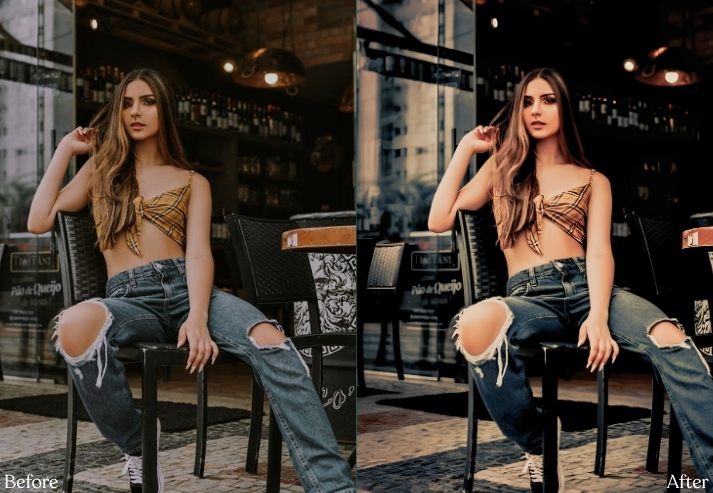
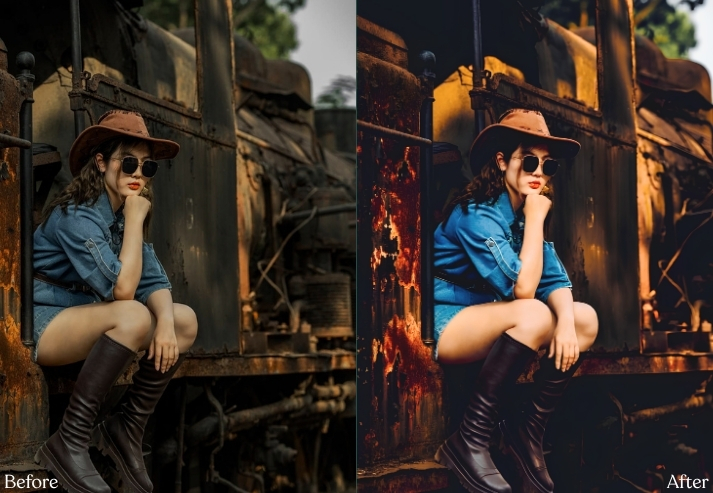
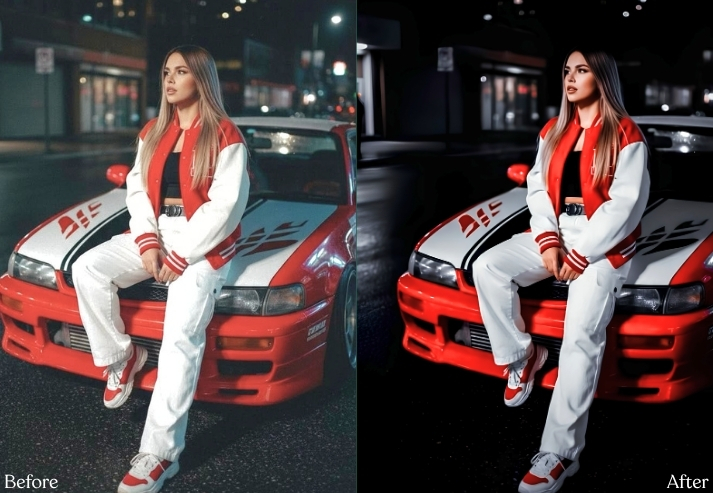
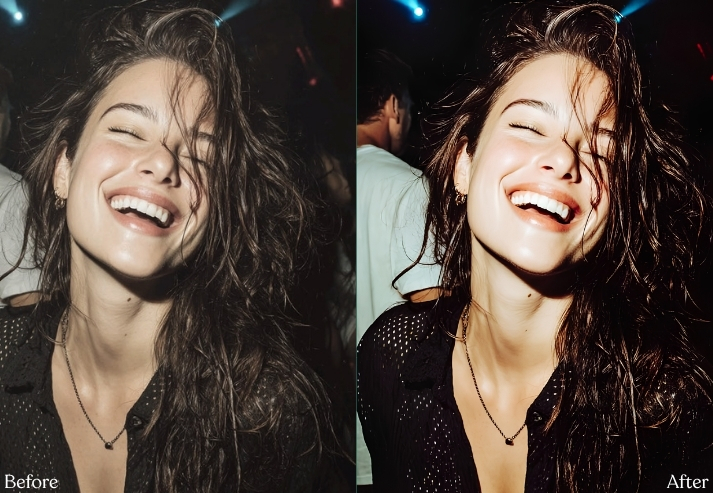
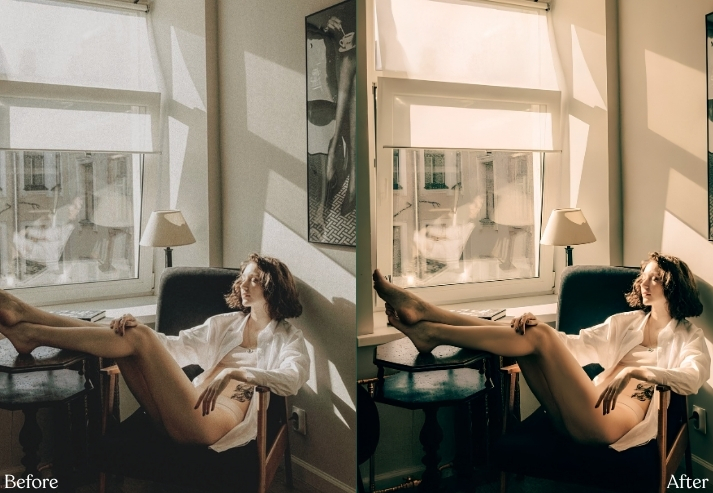
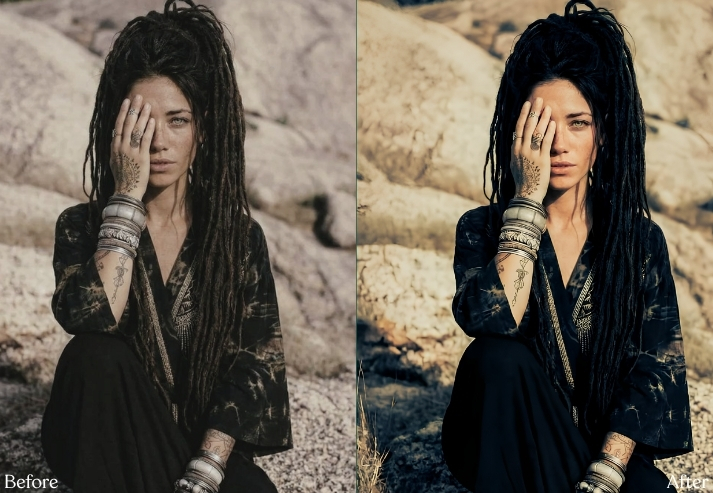
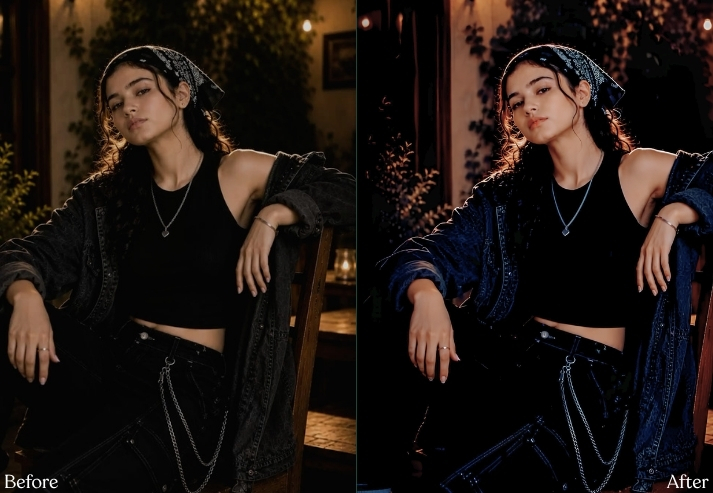
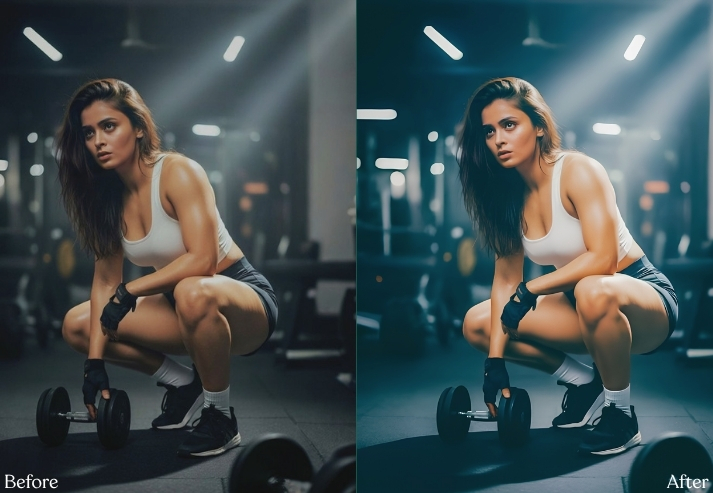
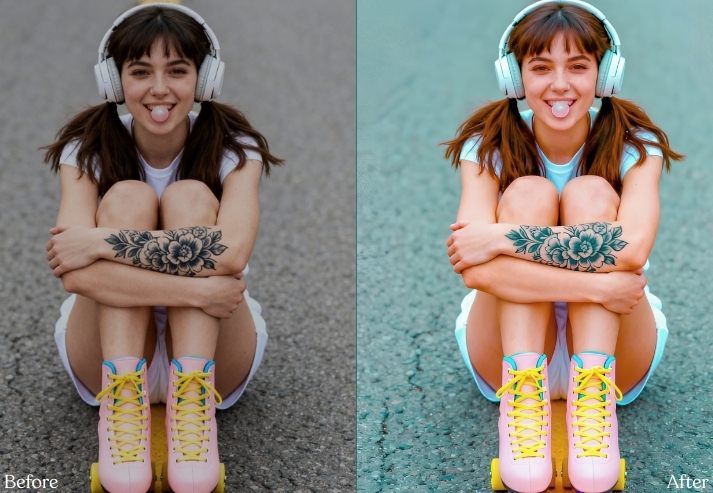
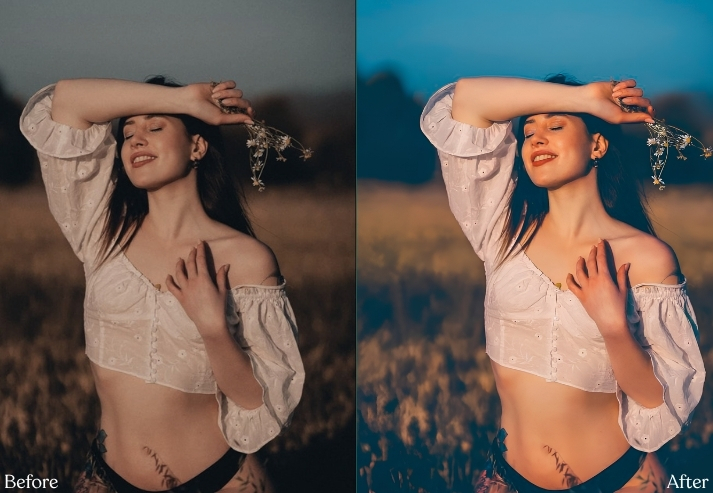
Purpose: Add depth, emotion and visual mystery.
Best For: Fashion, portraits, rain, interiors and street photography.
Usage: Storytelling posts, dramatic TikTok slides and editorial content.
Style: Brooding, cinematic, desaturated and emotional.
5. Cinematic TikTok Preset
This is color theory having fun. Skin and warm objects stay orange/amber, while shadows, water, glass, and skies shift toward teal. The separation immediately makes an ordinary scene feel more movie-like.
You’ll find many other film-inspired color grades in our free Cinematic Lightroom Presets collection.
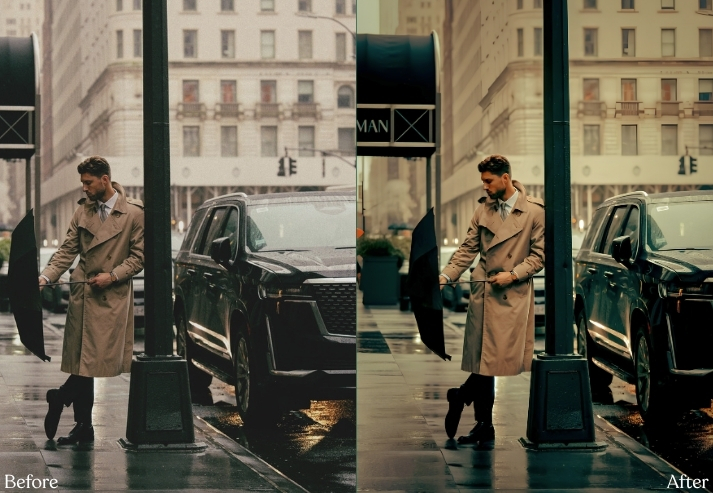
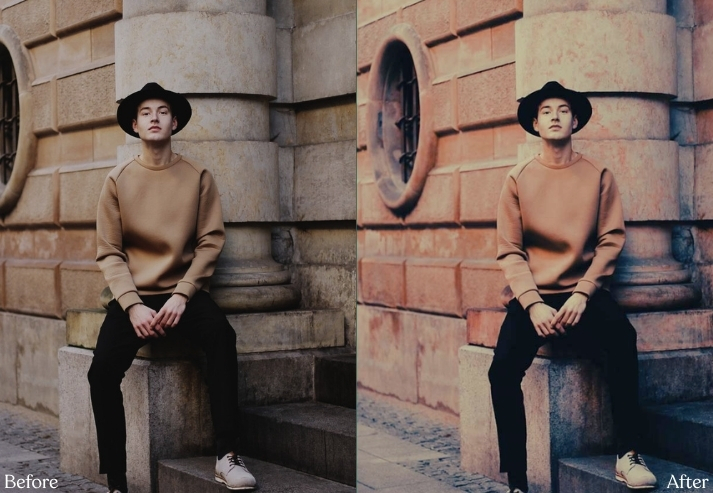
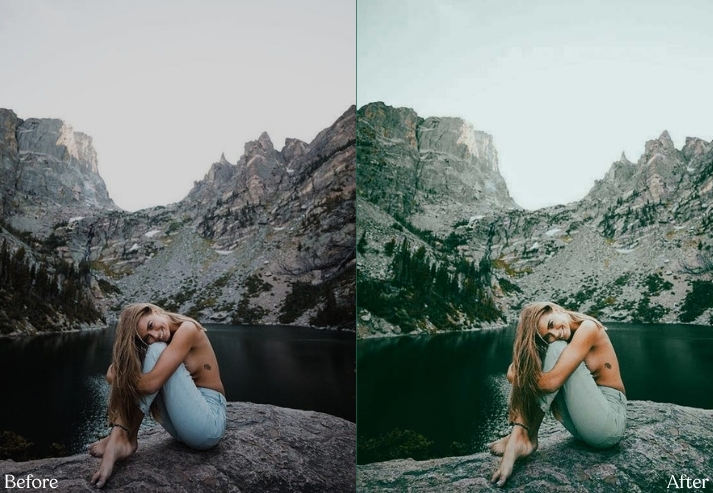
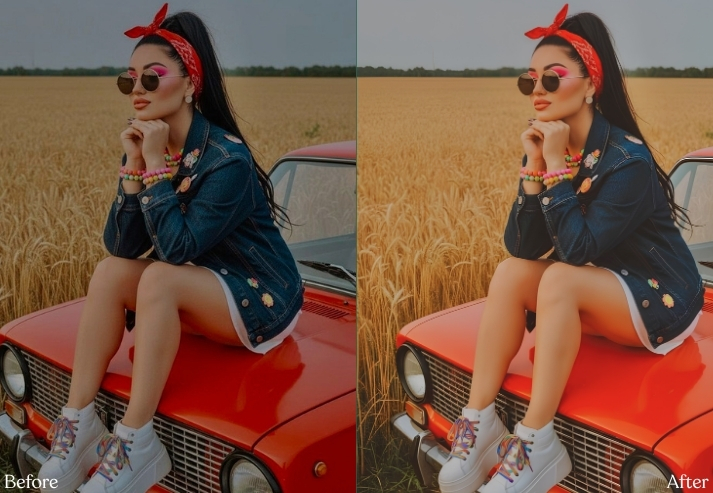
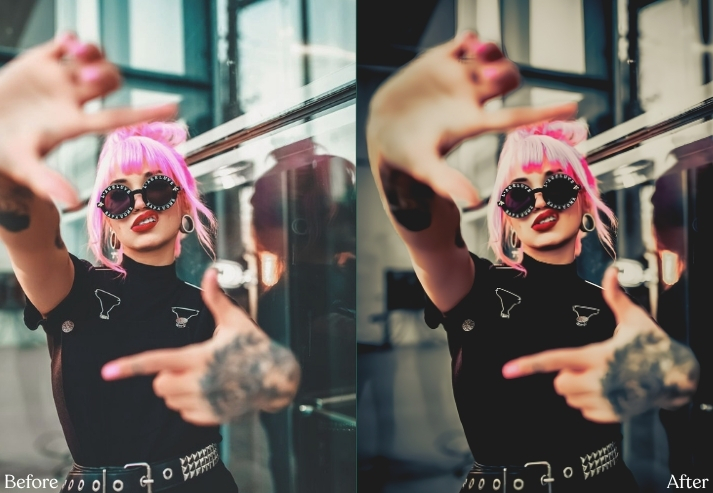
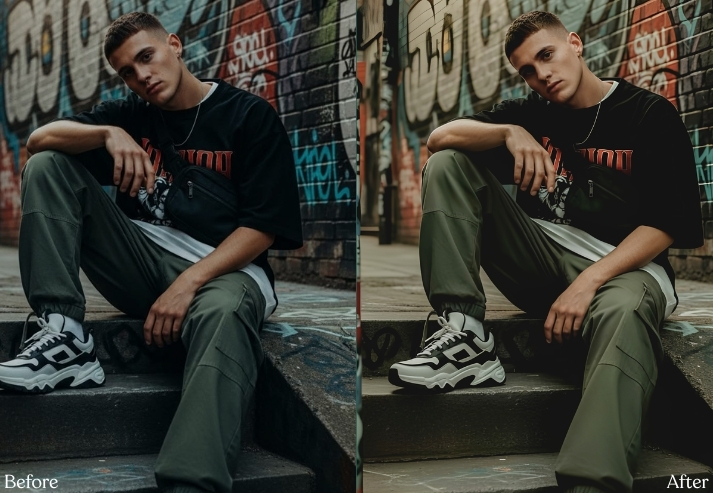
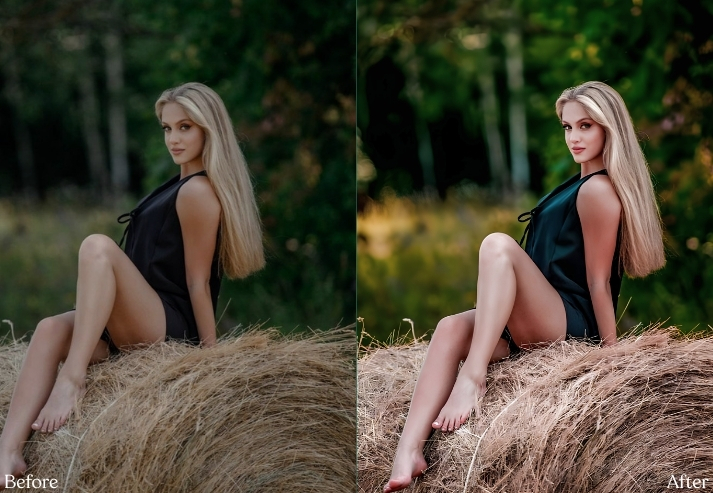
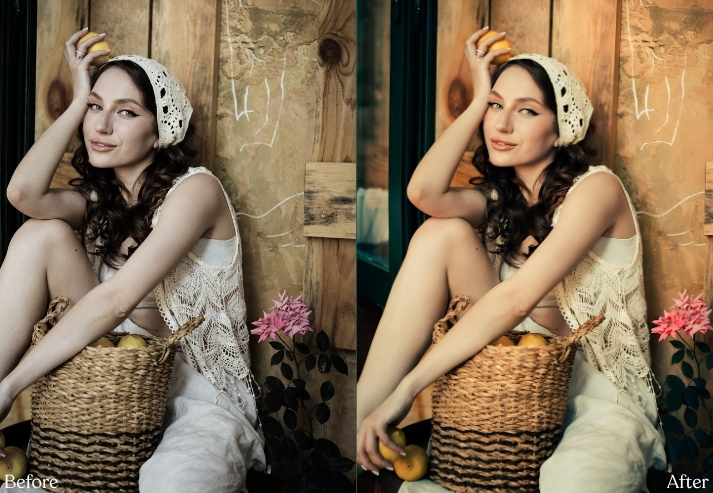
Purpose: Create warm/cool cinematic color separation.
Best For: Travel, cars, architecture, portraits and city scenes.
Usage: Cinematic TikTok stories, thumbnails and photography reels.
Style: Bold, cinematic, punchy and modern.
6. Vintage Film Preset
Digital photographs are technically brilliant. Sometimes that’s exactly the problem. Vintage Film deliberately removes a little perfection by fading blacks, warming highlights, and adding visible grain.
Love analog colors? Browse our 100 free Vintage Lightroom Presets.
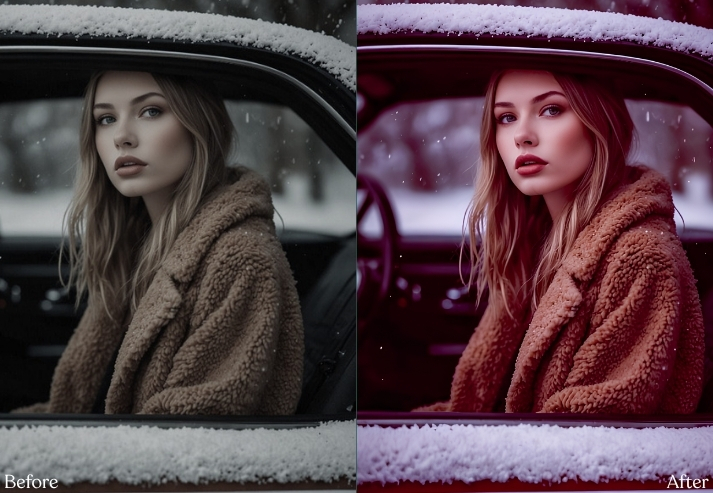
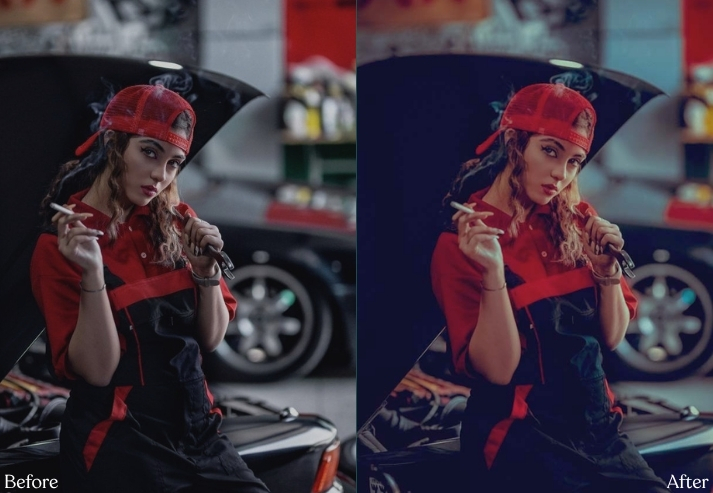
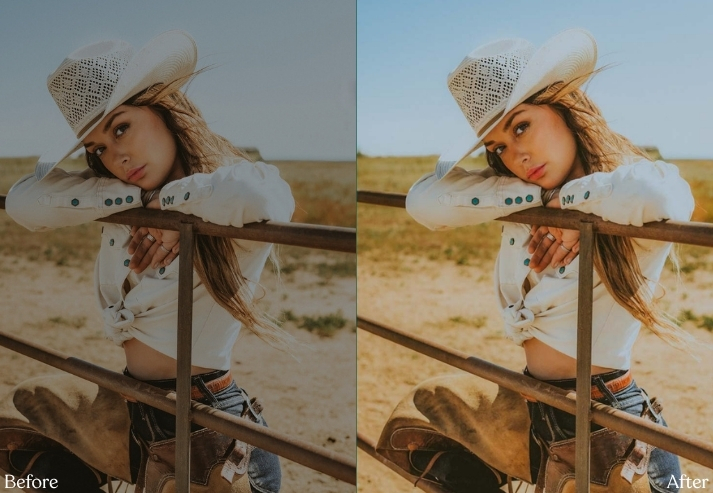
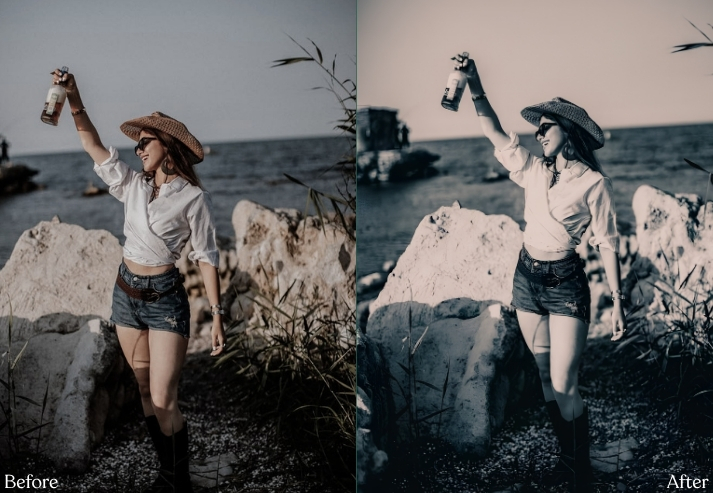
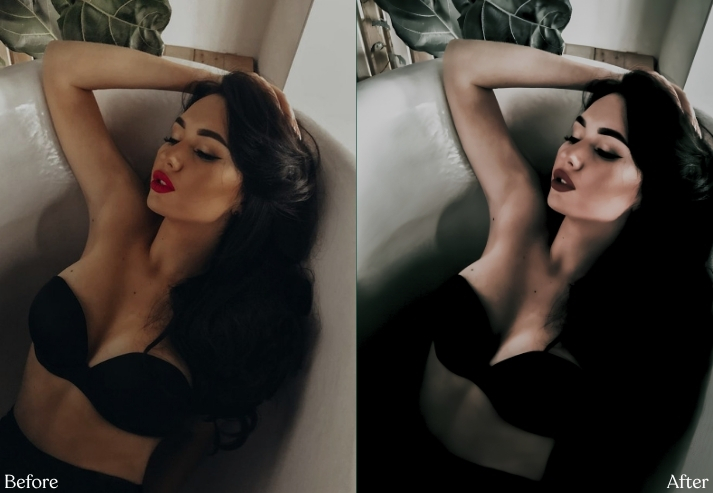
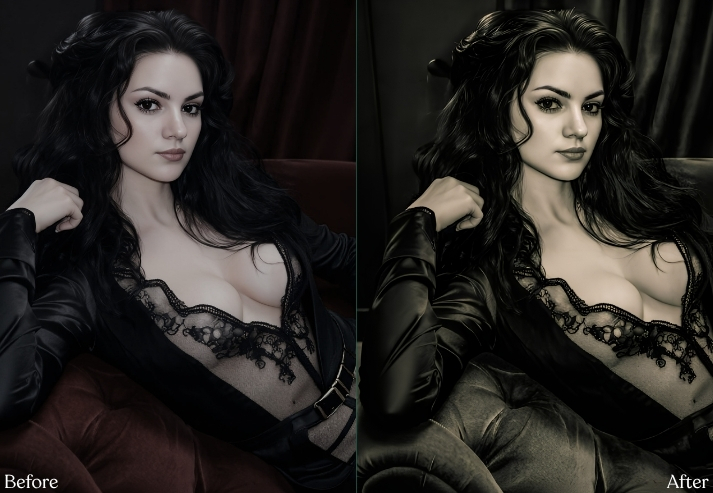
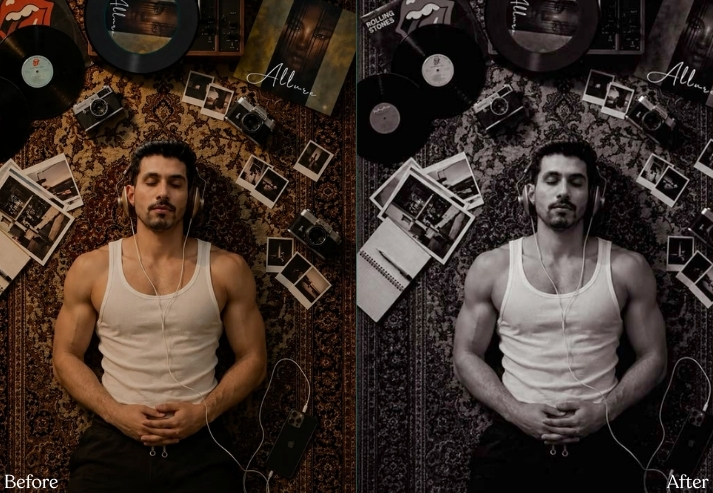
Purpose: Recreate imperfect analog character.
Best For: Travel, friends, street photos and everyday memories.
Usage: Nostalgic TikTok carousels and film-style feeds.
Style: Warm, faded, grainy and nostalgic.
7. Y2K Digicam / 2000s Flash TikTok Preset
Y2K Digicam is different from film. It recreates the quirks of early compact digital cameras: bright direct flash, slightly clipped whites, punchy reds/blues, and crunchy digital detail. In other words, the camera your family stopped using in 2008 is suddenly fashionable again.
If Y2K nostalgia is your thing, our Retro Lightroom Presets collection includes several throwback styles.
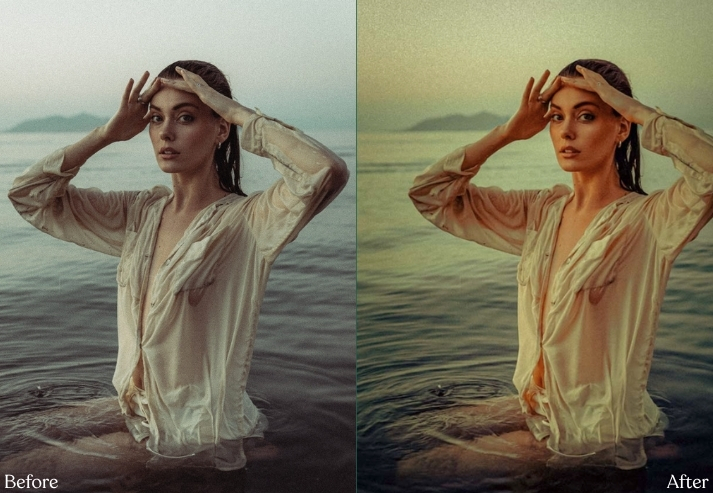
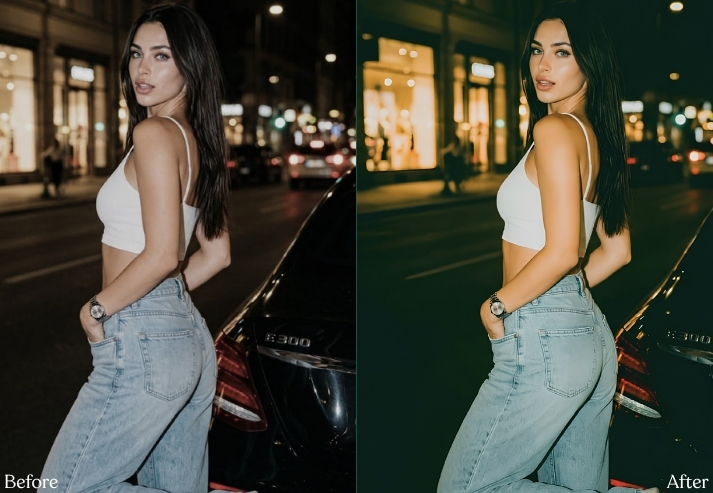
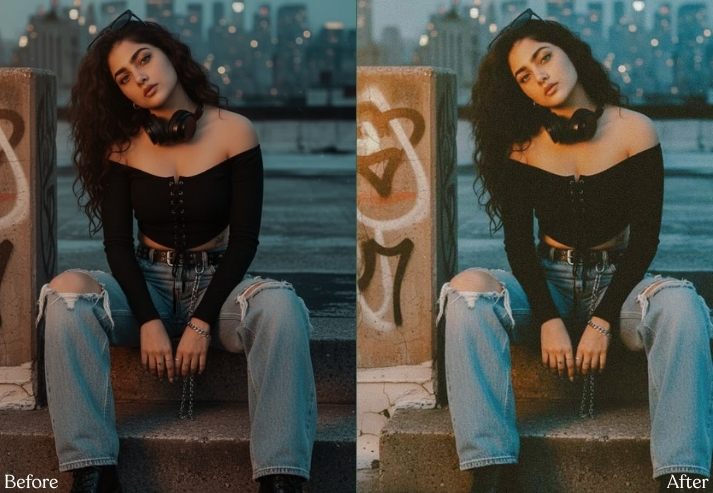
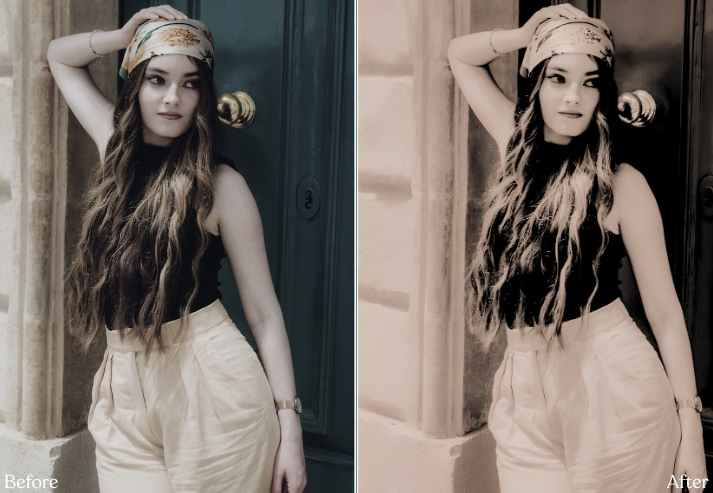
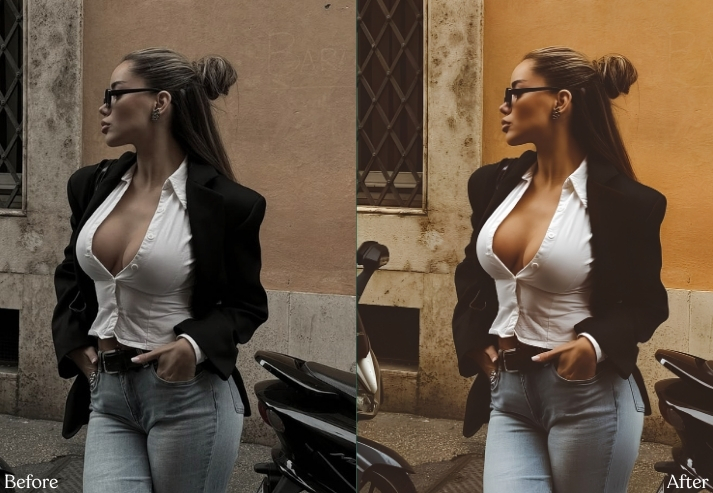
Purpose: Recreate early-2000s point-and-shoot digital character.
Best For: Flash portraits, nightlife, outfits and parties.
Usage: Y2K TikTok content, fashion edits and nostalgic photo dumps.
Style: Bright, crunchy, colorful and unapologetically digital.
8. Golden Hour TikTok Preset
Golden Hour shouldn’t simply turn everything yellow. A better trick is to warm highlights while keeping shadows reasonably neutral, so skin glows instead of turning orange.
For sunrise, sunset, warm portraits and backlit shots, check our Golden Hour Lightroom Presets.
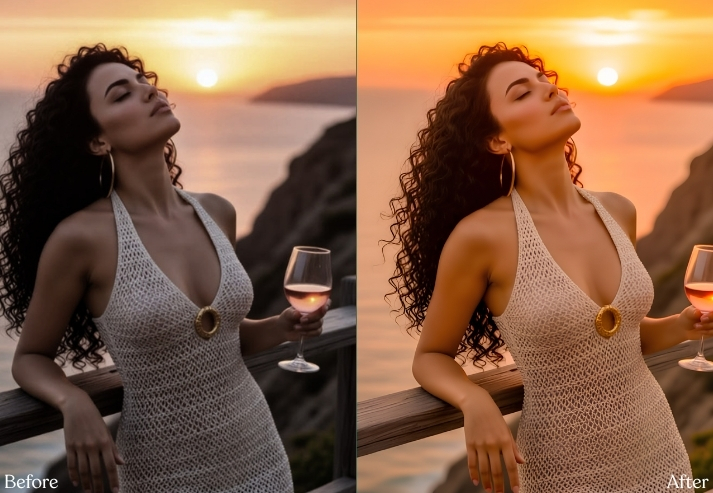
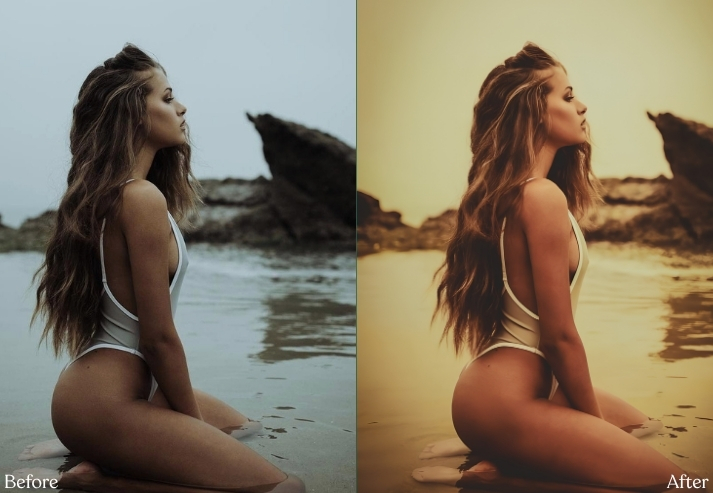
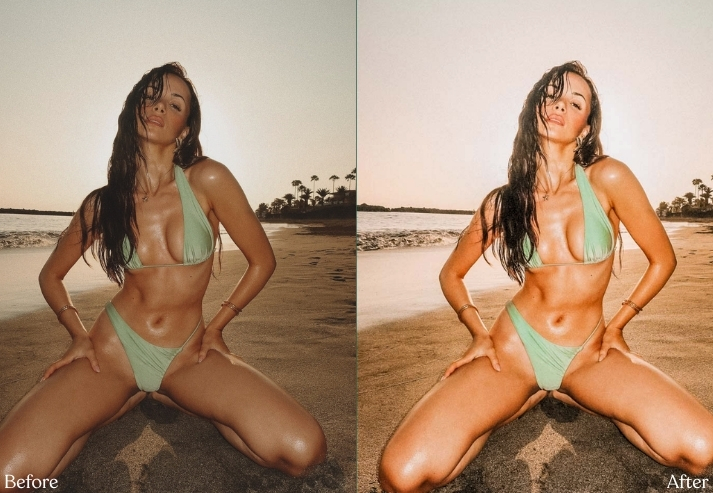
Purpose: Enhance natural sunset/golden sunlight.
Best For: Portraits, couples, beach photos and travel.
Style: Sunny, glowing and romantic.
9. Beige / Cream TikTok Preset
Beige editing is surprisingly difficult because “make everything brown” is not the assignment. A good beige preset suppresses noisy blues and greens while turning bright neutrals into warm cream.
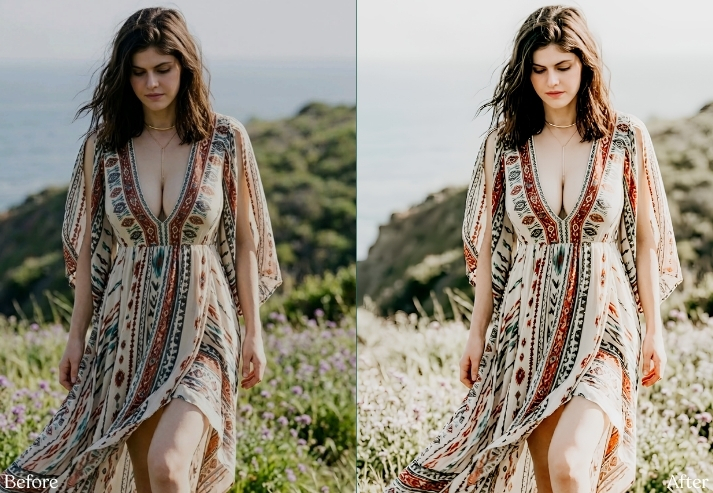
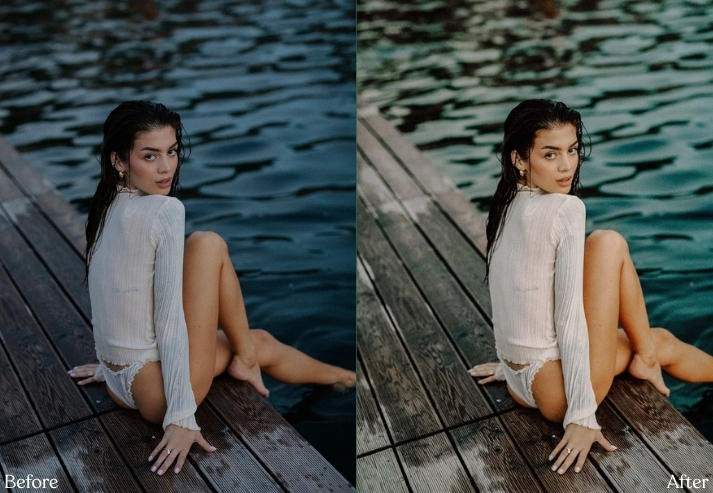
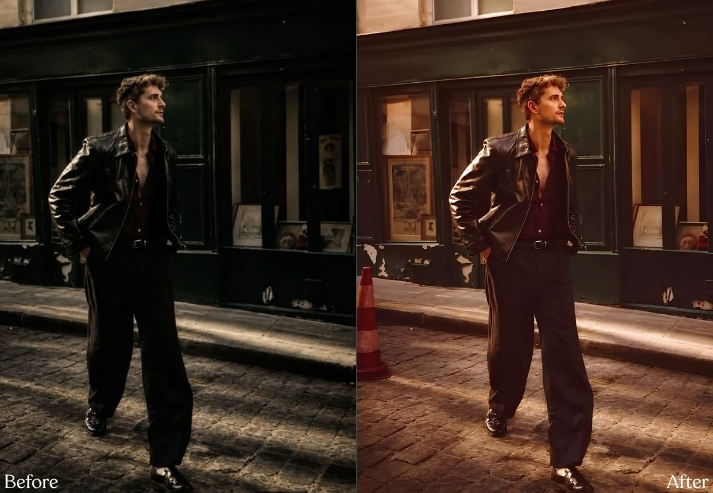
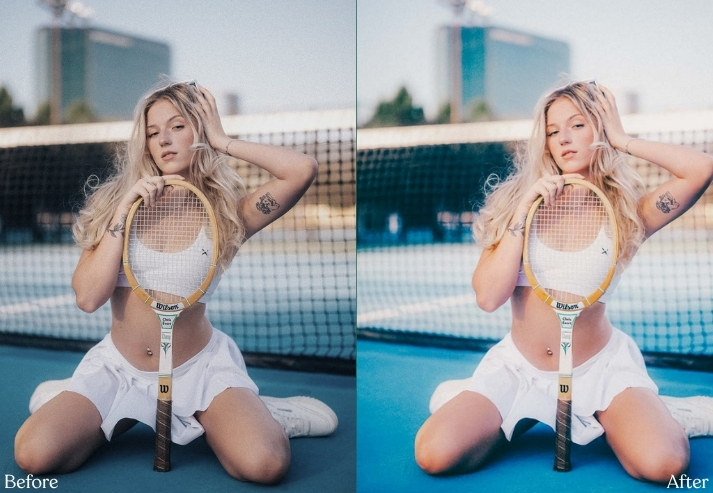
Purpose: Unify distracting colors into warm neutral harmony.
Best For: Fashion, homes, cafés and flat lays.
Style: Creamy, minimalist and cozy.
10. Portrait & Natural Skin Tone Preset
Faces are where aggressive presets go to embarrass themselves. Skin is extremely sensitive to orange, red, and yellow adjustments, so portrait presets need restraint.
Editing faces? Explore our complete collection of free Portrait Lightroom Presets for more skin-tone-friendly looks.
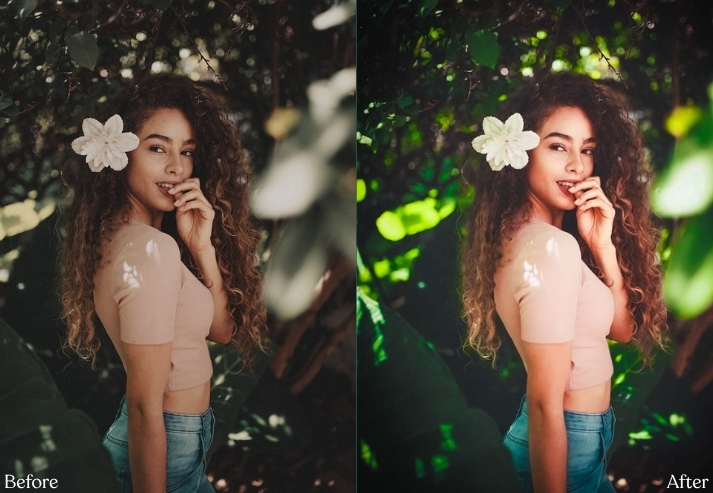
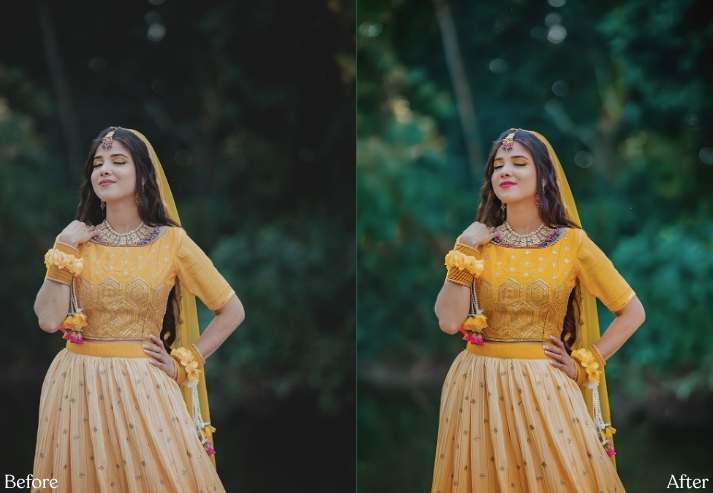
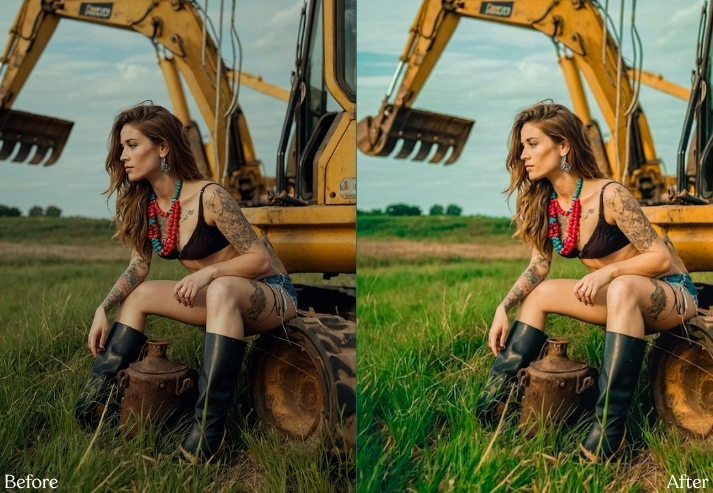
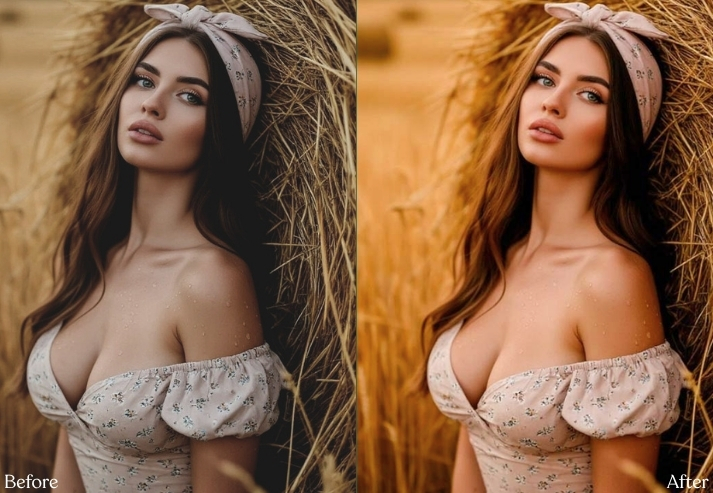
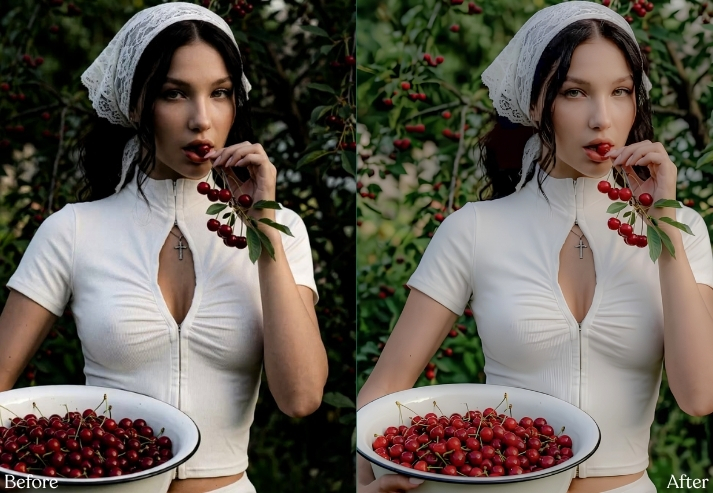
Purpose: Improve skin without looking filtered.
Best For: Selfies, headshots, beauty, weddings and couples.
Style: Natural, flattering, clean and professional.
11. Neon Night / City Glow Preset
Night editing is a balancing act between glowing signs and noisy shadows. The trick is protecting neon highlights while cleaning the dark areas rather than simply raising Exposure until the whole scene turns gray.
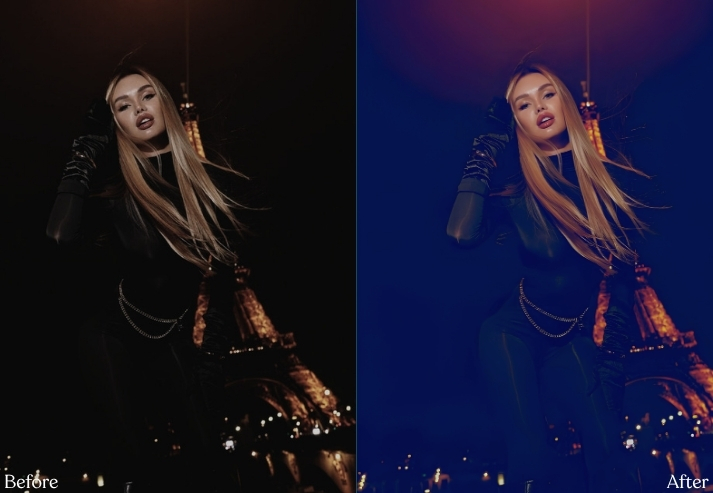
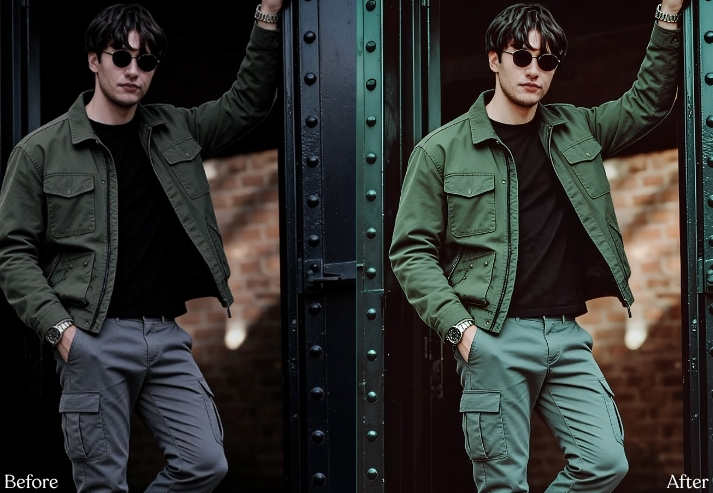
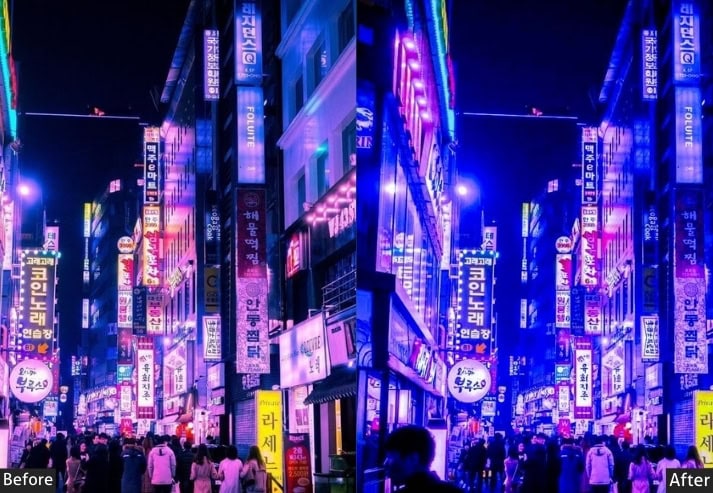
Purpose: Control bright lights while preserving nighttime atmosphere.
Best For: Neon streets, clubs, cityscapes and night portraits.
Style: Electric, blue-purple, glossy and futuristic.
12. Beach / Tropical TikTok Preset
A tropical preset should make the ocean inviting without turning everyone orange. The main job is separating aqua water, blue sky, warm sand, and natural skin.
For turquoise water, warm sand, and vacation photography, explore our Beach Lightroom Presets.
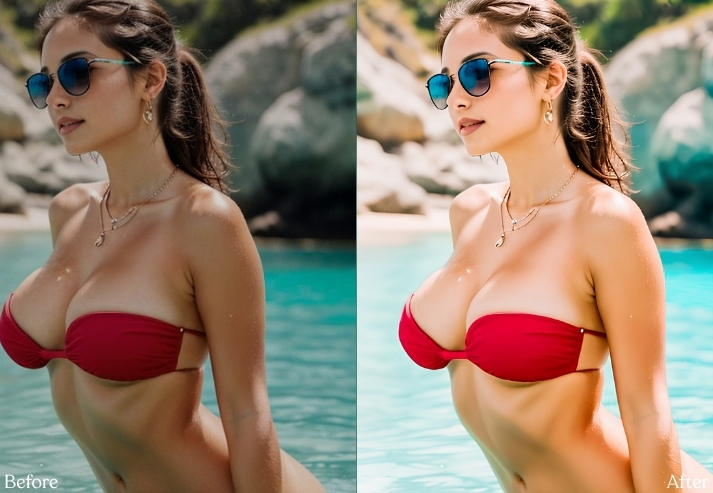
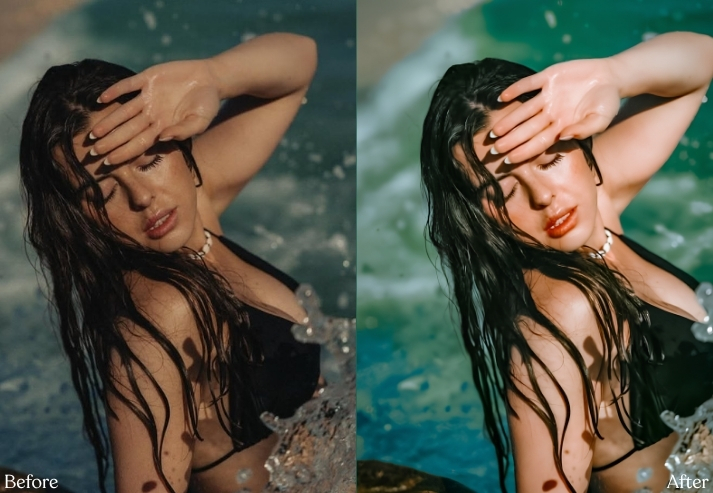
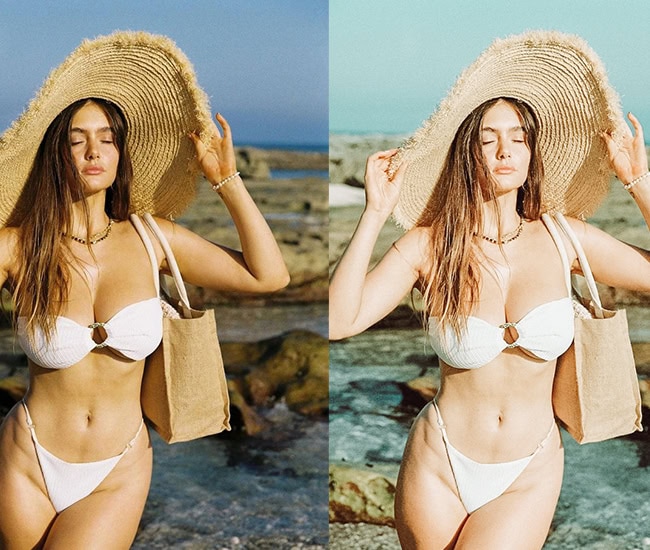
Purpose: Enhance tropical water, sky and sunshine naturally.
Best For: Beaches, resorts, swimming pools and vacations.
Style: Bright, turquoise, fresh and summery.
13. Black & White Noir Preset
Removing color doesn’t automatically create a good black-and-white image. Great monochrome photography depends on how individual colors convert into brightness.
For softer monochrome, film noir, and high-contrast variations, explore our Black and White Lightroom Presets.
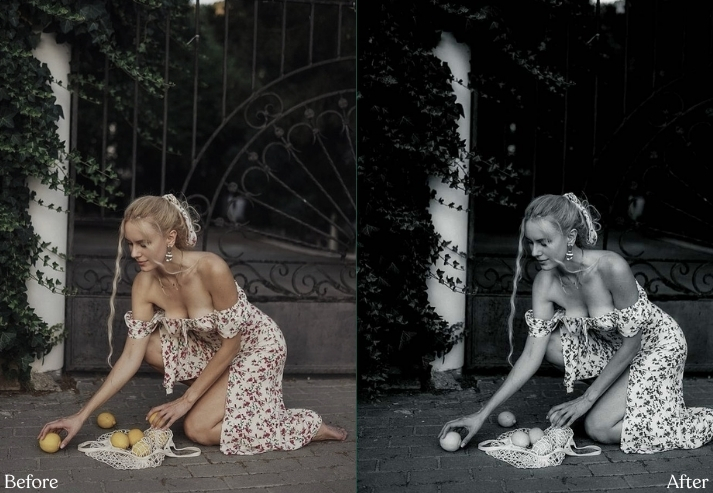
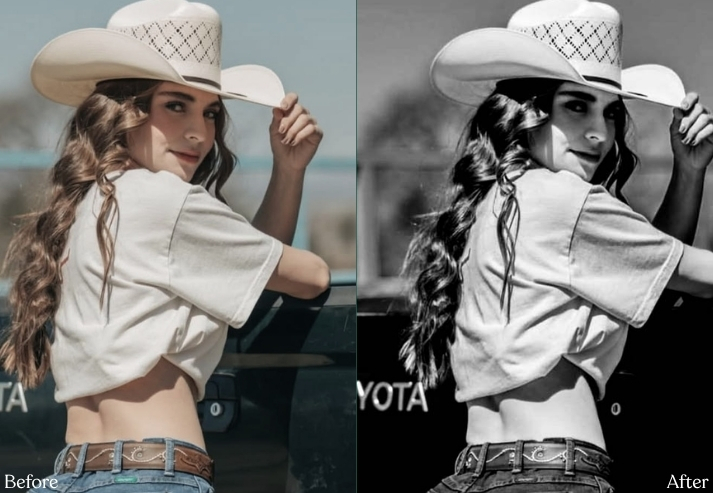
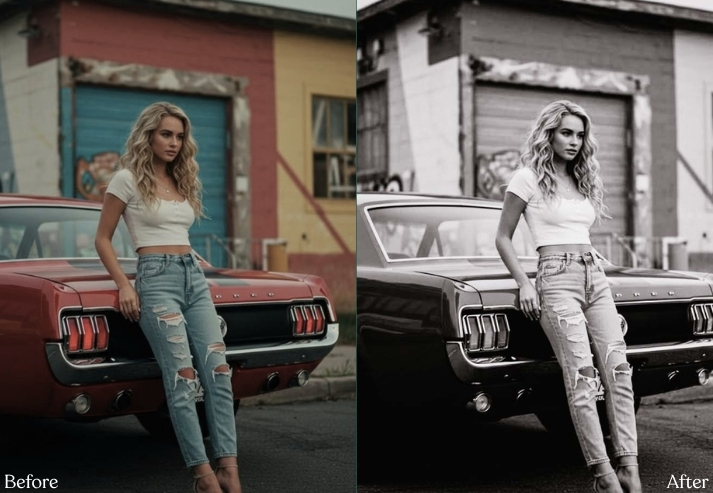
Purpose: Emphasize light, shape and emotion over color.
Best For: Portraits, architecture, street and fashion.
Style: Timeless, intense and cinematic.
14. Cool Blue / Winter TikTok Preset
Cool Blue edits work beautifully when a photograph already contains steel, snow, glass, cloudy skies, or city architecture. The challenge is cooling the environment while preventing people’s skin from becoming Smurf blue. 😄
For icy blues, snow, cloudy conditions and winter portraits, explore our Winter Lightroom Presets.
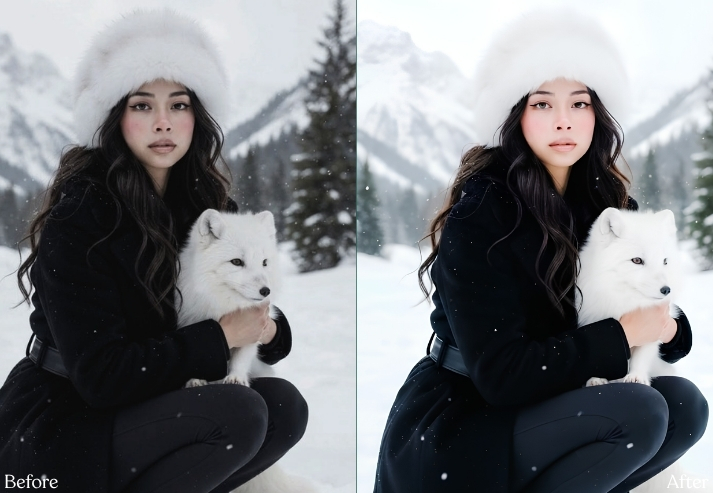
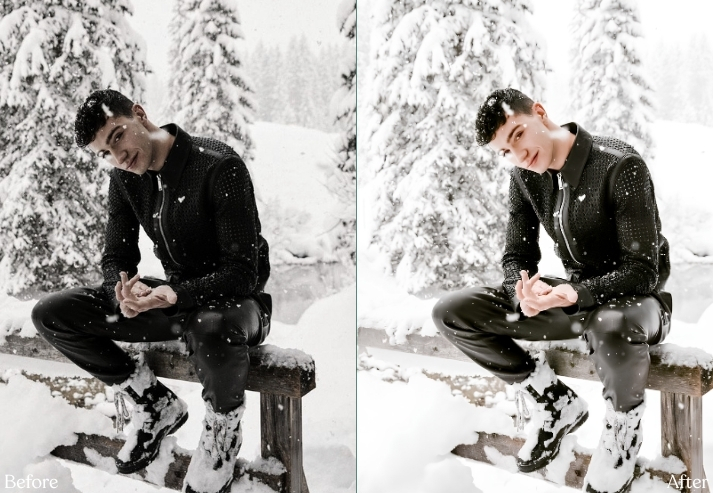
Purpose: Create crisp cold atmosphere while protecting skin.
Best For: Winter, snow, city architecture, night and cloudy days.
Style: Cold, clean, blue and atmospheric.
How to Apply These TikTok Lightroom Preset Settings Correctly
Here’s the part many preset tutorials skip.
Fix Exposure before judging the preset.
If a recipe looks terrible immediately, don’t panic and delete Lightroom from your phone. 😂 Your original photo may simply be brighter or darker than the image the preset was designed around.
Apply the settings, then adjust Exposure first.
After that, check White Balance. A photograph captured under yellow indoor bulbs might need Temperature reduced by −10 even when your preset normally uses +8.
Then check skin.
If someone suddenly resembles an orange traffic cone, reduce Orange Saturation by around −5 to −15. If skin looks dull, raise Orange Luminance around +5 to +15.
Finally, adjust the preset’s intensity. Lightroom’s Preset Amount slider is fantastic for this. A strong cinematic look at 100% may look beautifully natural at 65–80%.
Final Thoughts
The most interesting thing about TikTok Lightroom presets isn’t the preset itself. It’s learning why the photograph changed.
Once you understand that lowering green saturation creates a calmer background, lifting orange luminance improves skin, raising the black point creates a matte finish, or combining cool shadows with warm highlights creates cinematic separation, you stop depending entirely on other people’s presets.
You start creating your own style. And that’s much more valuable than downloading another folder named:
“10000+ VIRAL MEGA PRESETS FINAL.zip.” 😂
Experiment with these recipes. Reduce them. Break them. Mix the Golden Hour color grading with the Vintage Film curve. Add Y2K grain to your Coquette photos. Create something without a trendy name.
Because the best TikTok preset isn’t necessarily the one everyone else is using. It’s the one that makes someone stop scrolling and wonder:
“Wait… how did they edit that?” 📸✨