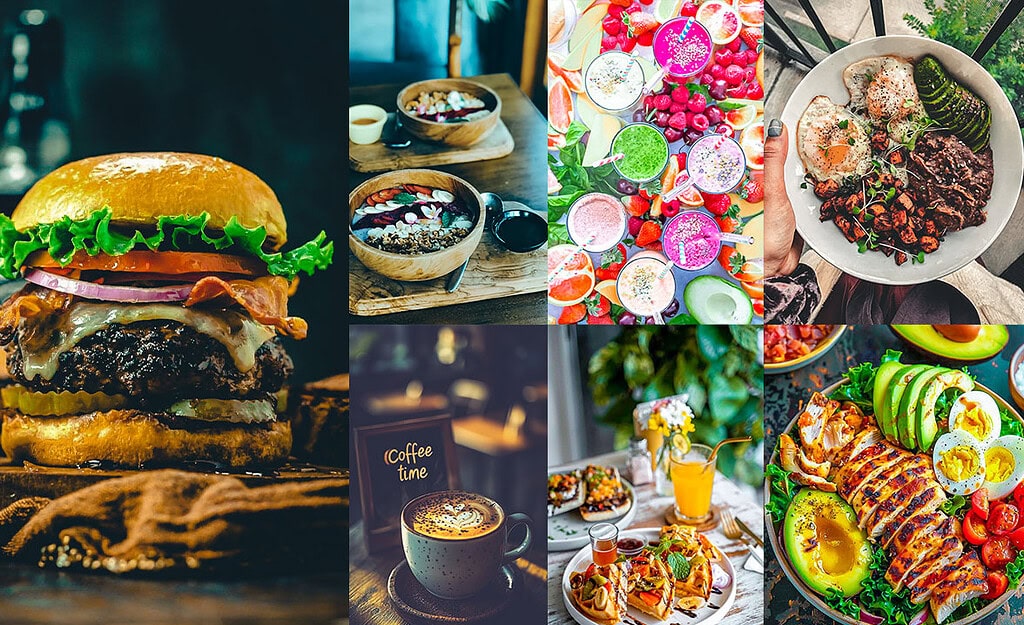
Food photography looks effortless on Instagram, but getting that perfect “mouthwatering” edit is harder than it looks. Flat lighting, dull colors, and inconsistent white balance can ruin an otherwise great shot. That’s where these food presets come in.
Below you’ll find the best presets, spanning styles from bright and airy to dark and moody. each with specific settings and best-use scenarios. Whether you’re a food blogger, restaurant owner, or Instagram creator, these presets will cut your editing time and give your feed a consistent, professional look.

Pauline Jackson
I’m a professional photographer and Lightroom educator at Presetpedia. I specialize in food and lifestyle photography, with work featured in restaurant menus, on food blogs, and in social media campaigns.
50 Food Lightroom Presets Free Download
The best part about food is all the vibrant, rich colors. But sometimes, those colors don’t show up as well on camera. With presets, you get an instant boost of vibrancy and contrast that brings out the richness in your food. Want those reds in your strawberries to glow? Preset. Need that golden glow on your crispy fries? Preset. It’s like magic, but real.
If food photography is part of your business or blog, these presets can be a game-changer. They help give your brand an instantly recognizable style. Every shot you share will have that signature look that makes your audience go, “Wow, this is so their vibe!” Plus, they make your food look even more mouthwatering, which can seriously boost your engagement.
- Pauline Jackson
- 1. Bright & Airy Preset
- 2. Moody & Dark Preset
- 3. Vintage Film Food Preset
- 4. Vibrant & Bold Preset
- 5. Minimalist Clean Preset
- 6. Warm & Cozy Preset
- 7. Food Sharp Lightroom Preset
- 8. Fresh Greens Preset
- 9. Soft Pastel Preset
- 10. Rustic & Earthy Preset
- 11. Juicy & Tropical Preset
- 12. Golden Hour Preset
- 13. Urban & Street Preset
- 14. High Contrast & Crisp Preset
- 15. Neon Pop Preset
- On Lightroom Desktop (Classic & CC)
- On Lightroom Mobile (iPhone & Android)
1. Bright & Airy Preset
The Bright & Airy gives food photos a clean, fresh, and modern look that brings out natural colors. It communicates freshness and energy: wellness brands, salad spots, and any shoot done near a window in natural light.
Light Panel: Exposure +30% | Shadows +20%.
Color Panel: Temp +10% (warm) | Vibrance +20%.
Effects Panel: Clarity +5%.
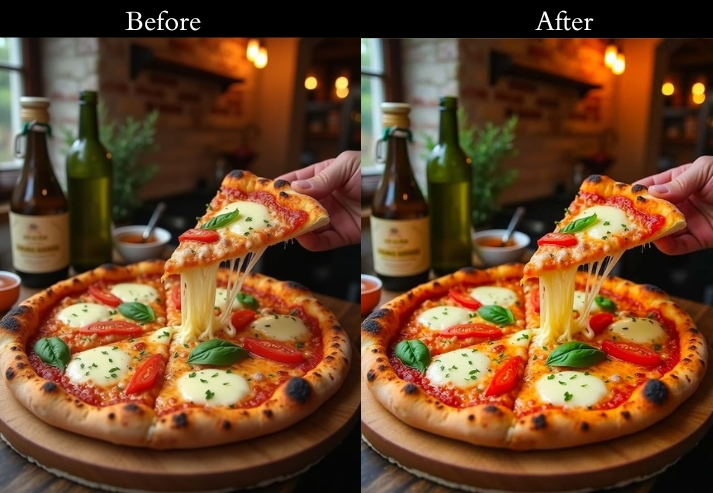
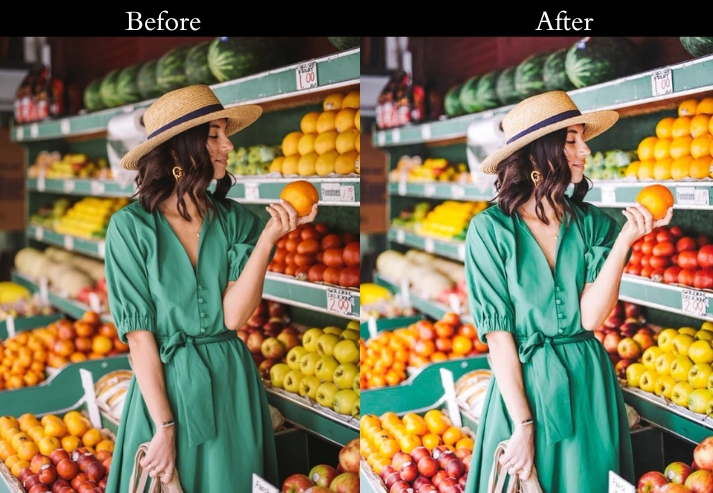
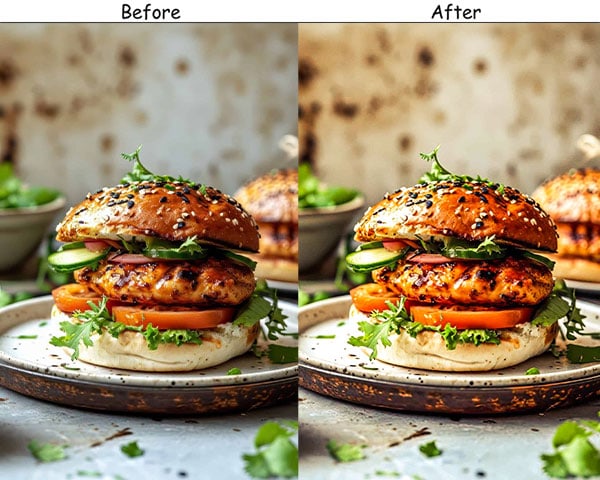
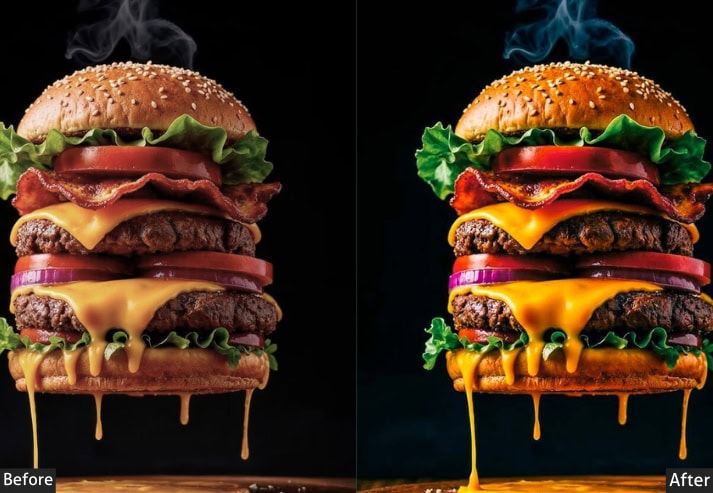
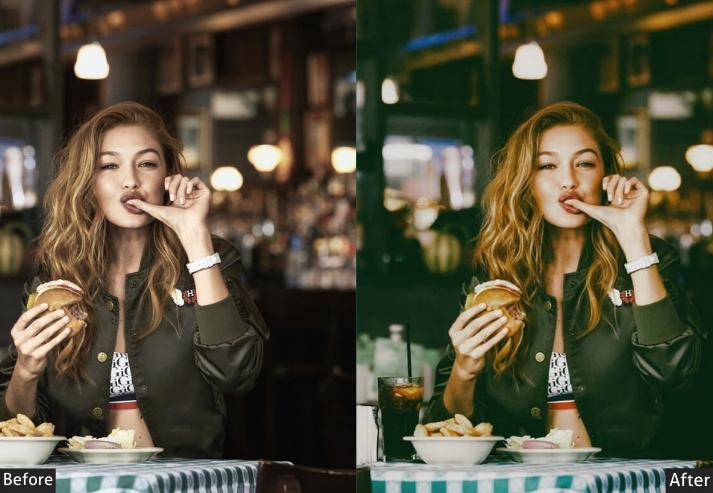
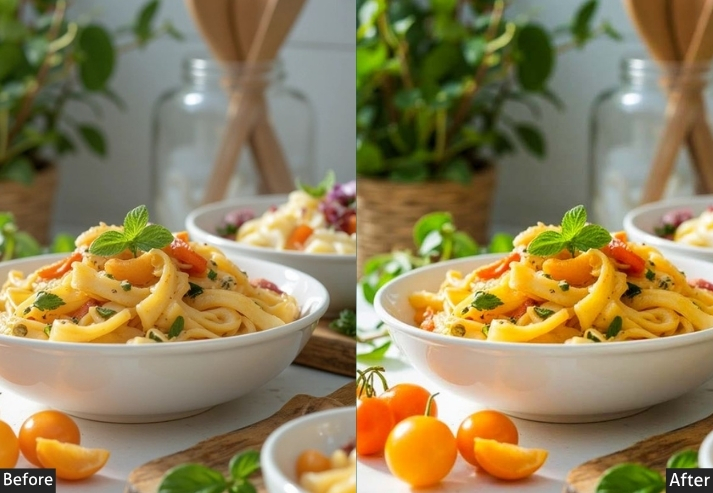
Purpose: a fresh, inviting look that draws viewers in.
Best For: Juice bars, health cafés, and brands focused on fresh, organic foods. Breakfast bowls, fruit salads, and anything colorful.
Usage: Best in natural light, like near a window.
Style: Clean, vibrant, and healthy vibes.
2. Moody & Dark Preset
The Moody & Dark preset adds depth, luxury, and intimacy to food photography. Dark shadows and muted tones create a “treat yourself” atmosphere that’s perfect for indulgent, premium food brands.
Light Panel: Exposure −15% | Shadows −20%.
Color Panel: Saturation −10%.
Effects Panel: Clarity +20% | Vignette −15%.
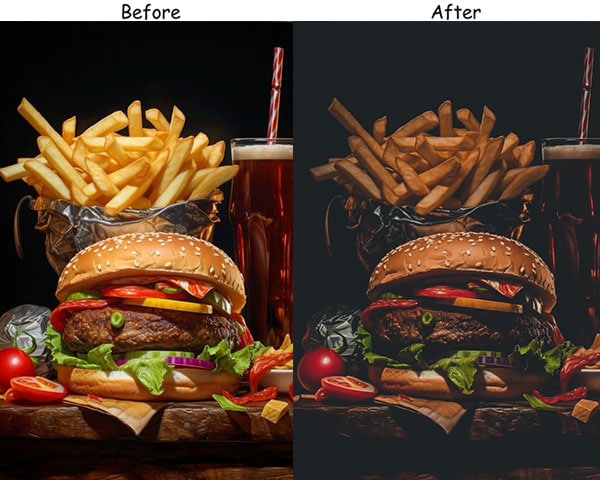
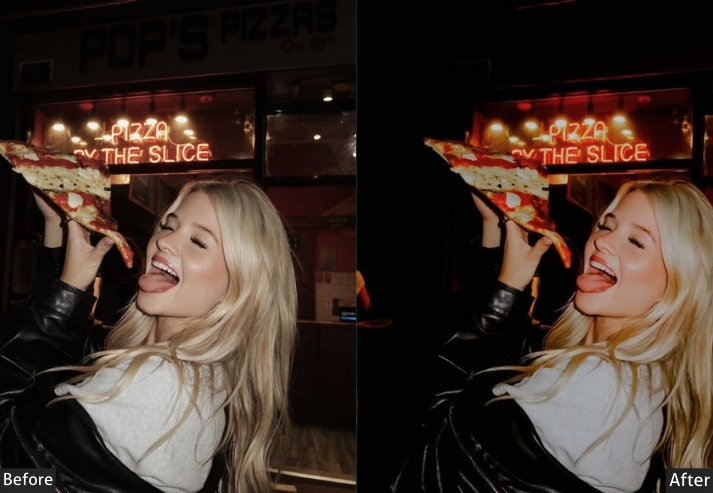
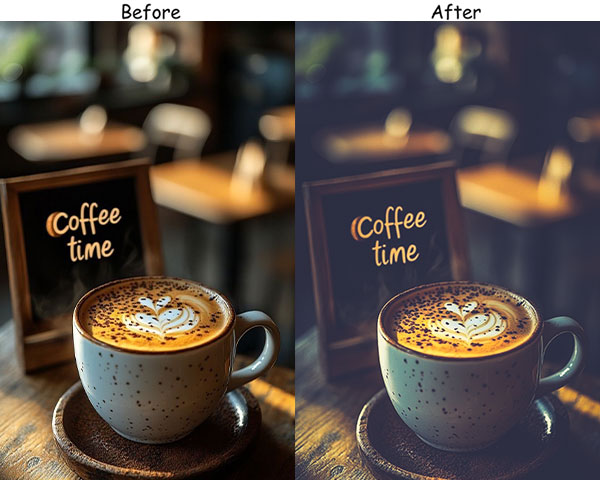
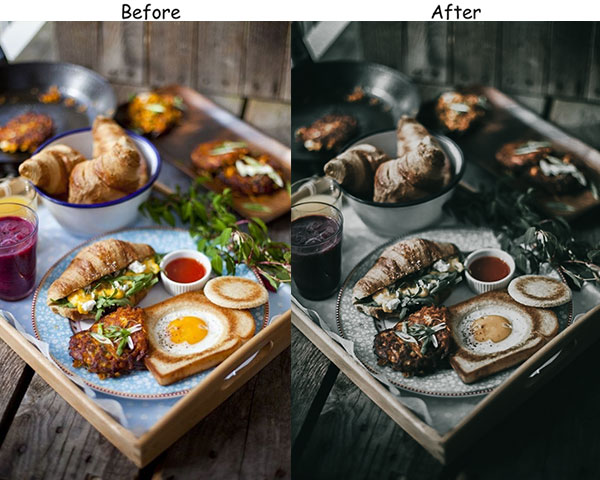
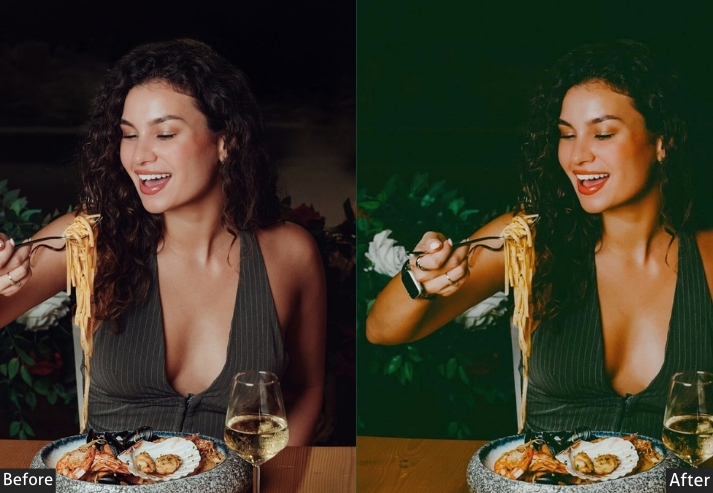
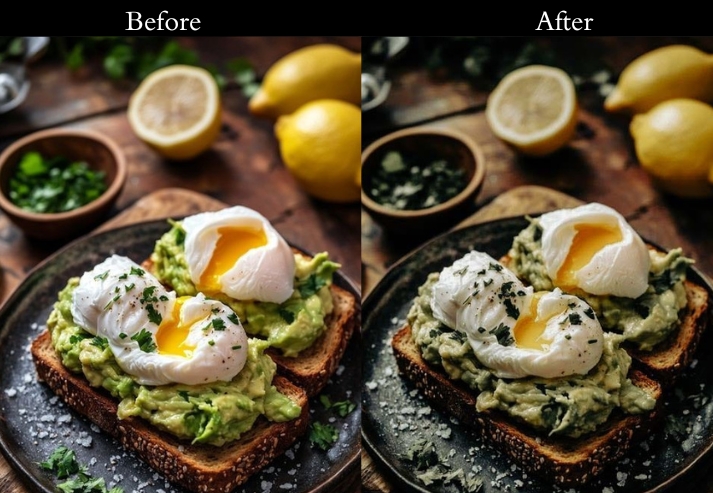
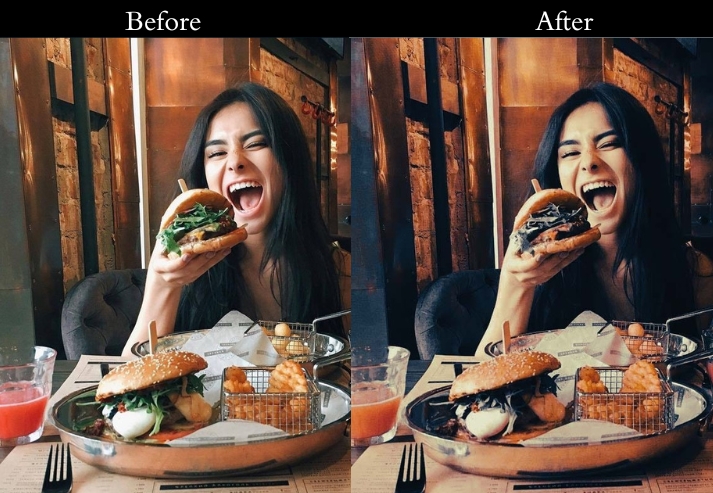
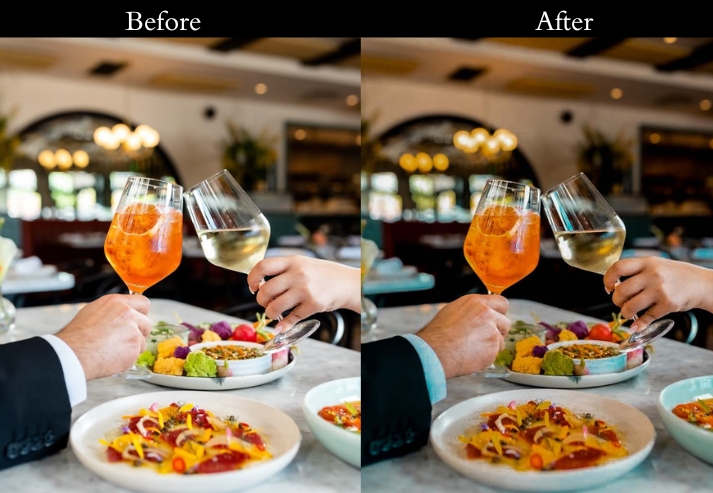
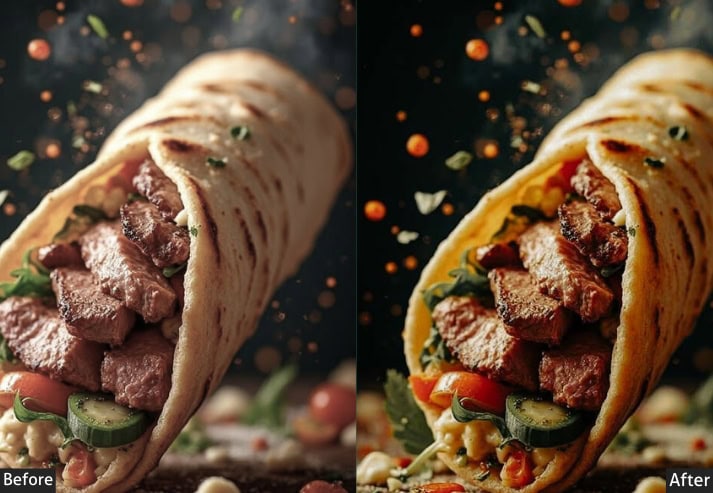
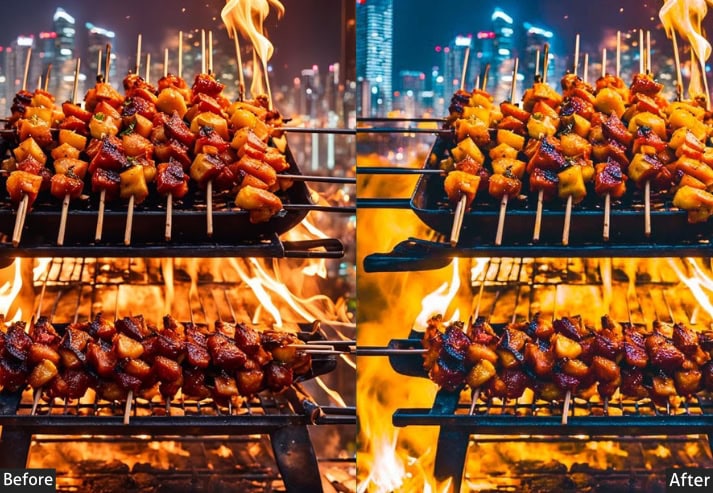
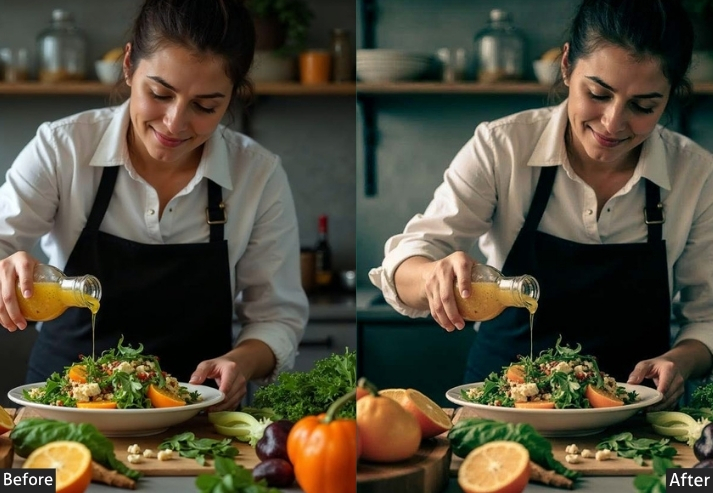
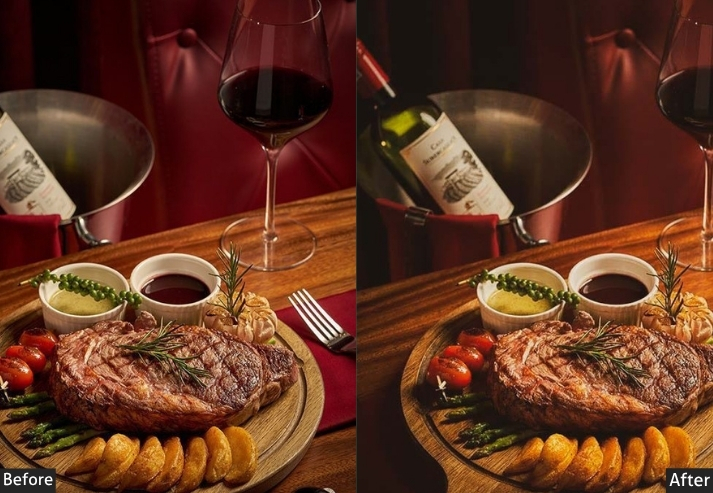
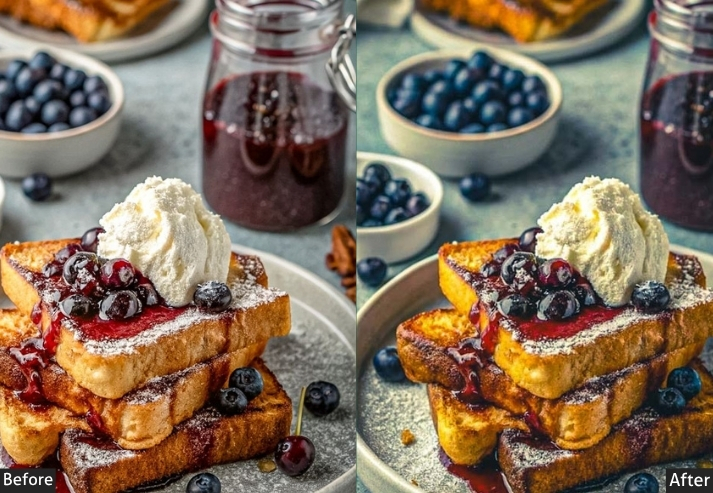
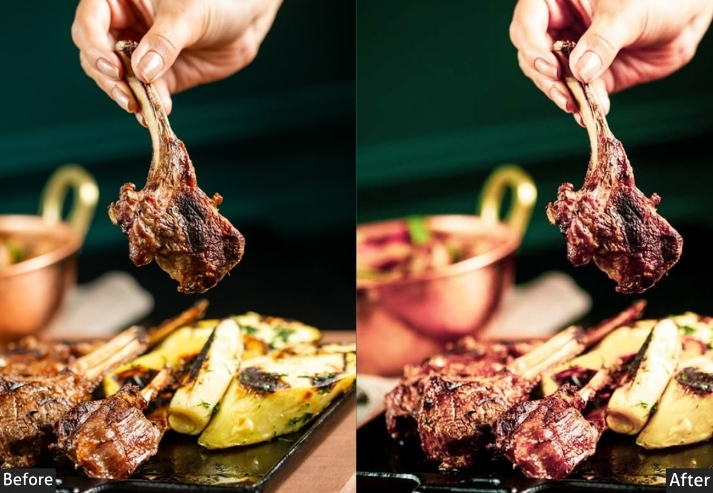
Purpose: warm, intimate feel to your food shots.
Best For: Chocolate, coffee, pasta, or rich desserts.
Usage: Best in low or controlled light settings.
Style: Bold, dramatic, and full of flavor.
3. Vintage Film Food Preset
Vintage Film gives food photos a timeless, homey feel. Suitable for brands that evoke nostalgia, warmth, and tradition. Faded tones and added grain create that beloved analog look.
Light Panel: Contrast −10% | Highlights −15%.
Color Panel: Temp +15% (warm) | Saturation −10%.
Effects Panel: Grain +15% | Clarity −5%.
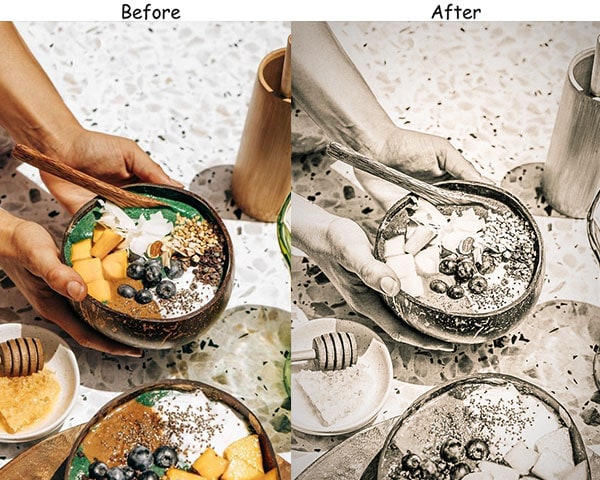
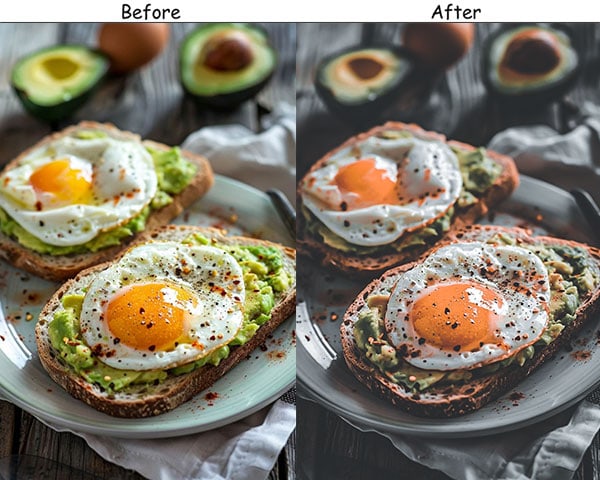
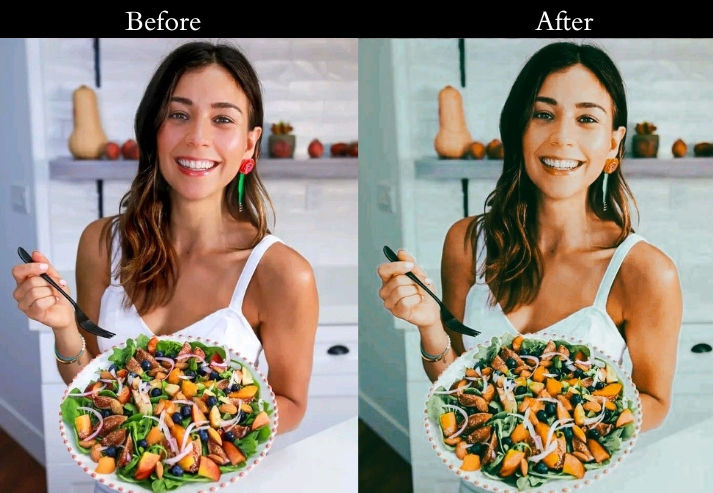
Purpose: a charming, old-world vibe in your photos.
Best For: Bread, pastries, holiday feasts, and any rustic dish.
Usage: natural or golden-hour lighting.
Style: Nostalgic, cozy, and inviting.
4. Vibrant & Bold Preset
If your food is loud, colorful, and full of energy, this preset is for it. Vibrant & Bold enhances every hue, making colorful foods jump off the screen. Perfect for social-first brands.
Light Panel: Exposure +10% | Contrast +15%.
Color Panel: Vibrance +25% | Saturation +20%.
Effects Panel: Clarity +10%.
Detail Panel: Sharpening +5%.
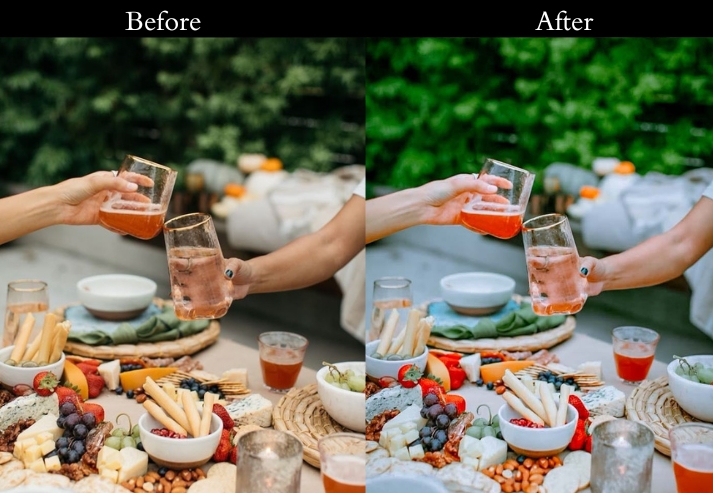
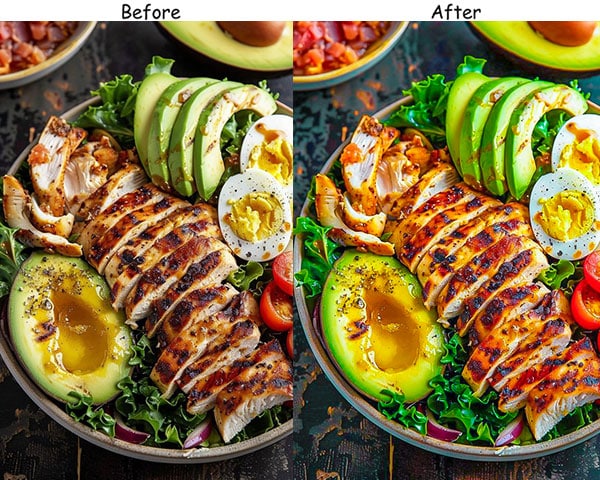
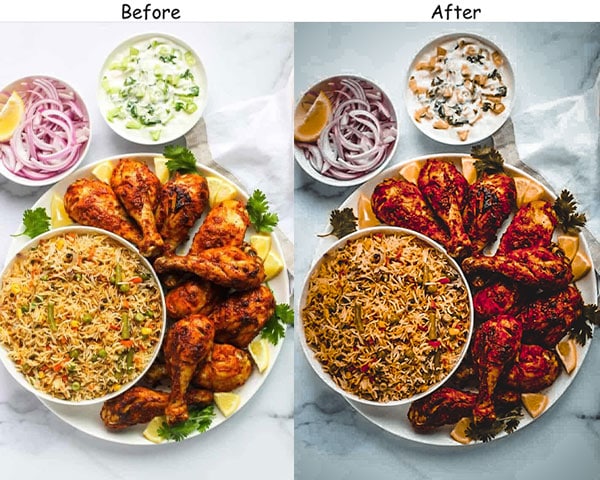
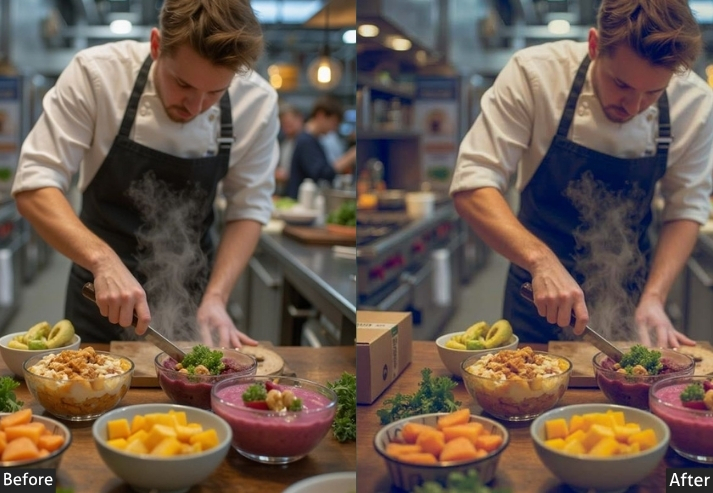
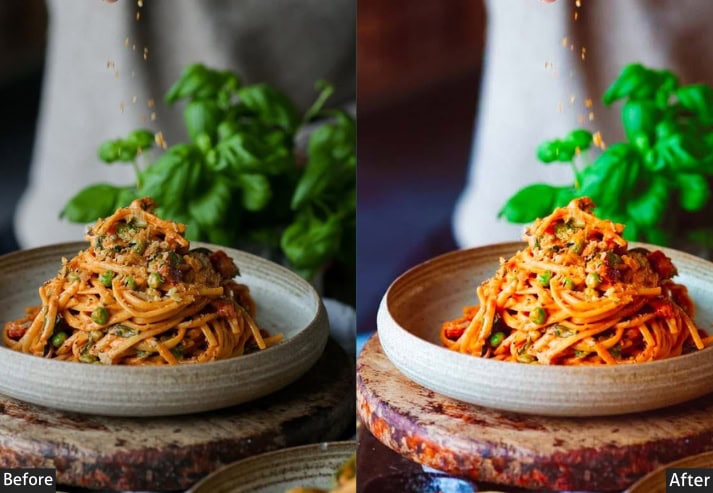
Purpose: vibrant colors that draw viewers in.
Best For: Colorful foods like fruits, tacos, and smoothies.
Usage: Works best in bright, natural light.
Style: Fun, energetic, and eye-catching.
5. Minimalist Clean Preset
Clean, modern, and distraction-free… the Minimalist is designed for when the food is the only star. Works exceptionally for studio or well-lit kitchen settings where quality speaks for itself.
Light Panel: Exposure +15% | Shadows +10%.
Color Panel: Temp −5% (cool neutral).
Effects Panel: Clarity −10% | Noise Reduction +10%.
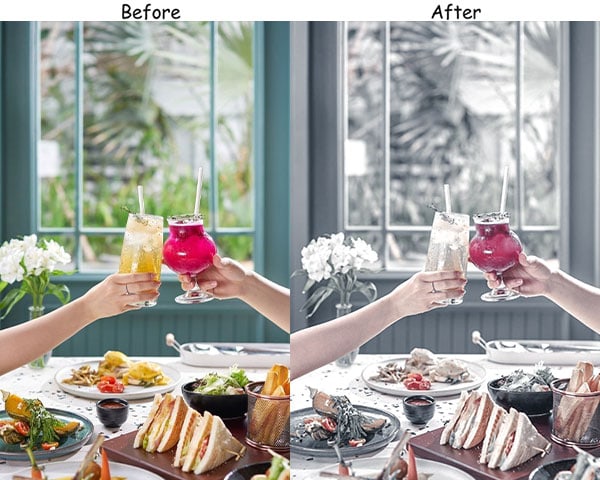
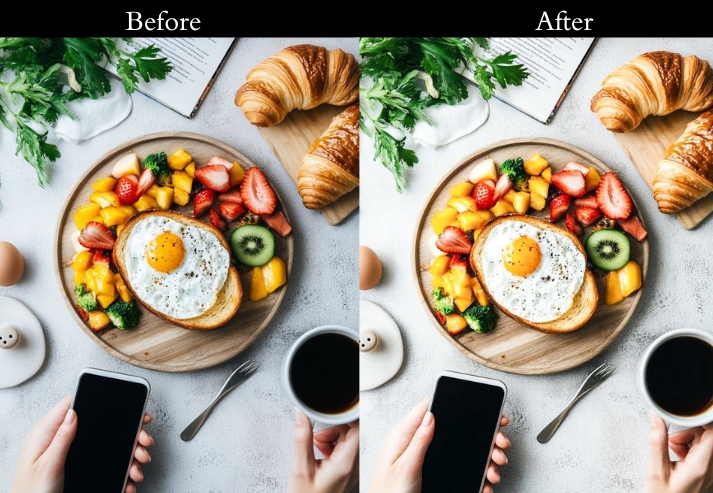
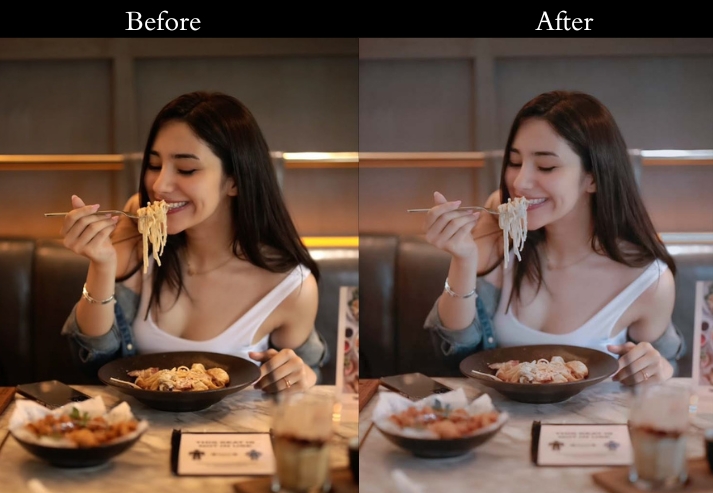
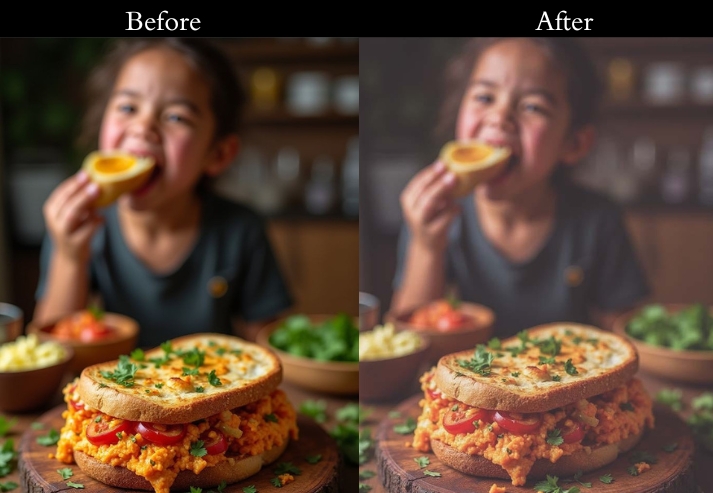
Purpose: A sleek, modern look that’s all about the food.
Best For: Simple dishes like sushi, pasta, or plated desserts.
Usage: Works well in studio or well-lit kitchen settings.
Style: Clean, modern, and elegant.
6. Warm & Cozy Preset
The Warm & Cozy preset adds that “made with love” feeling to every photo. Rich, warm tones and softened highlights create an inviting glow that works perfectly for comfort-food brands and home-cooking content.
Light Panel: Shadows +10% | Highlights −10%.
Color Panel: Temp +20% (warm) | Saturation +5%.
Effects Panel: Grain +10% | Clarity −5%.
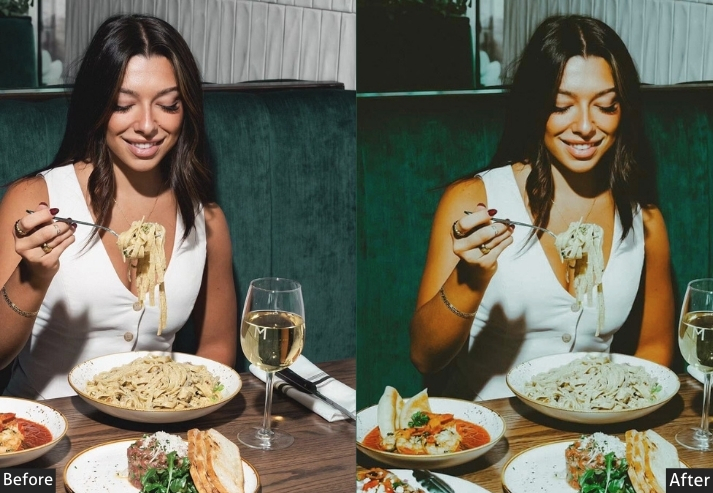
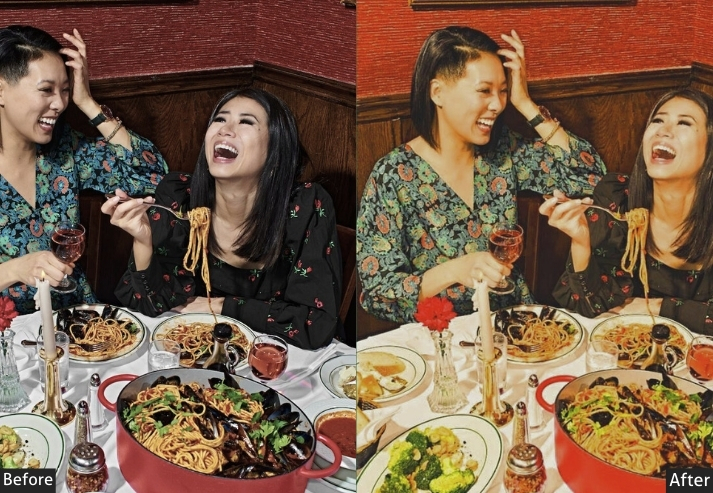
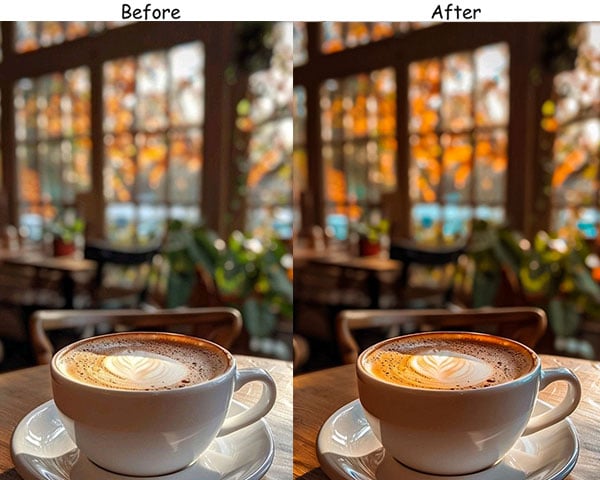
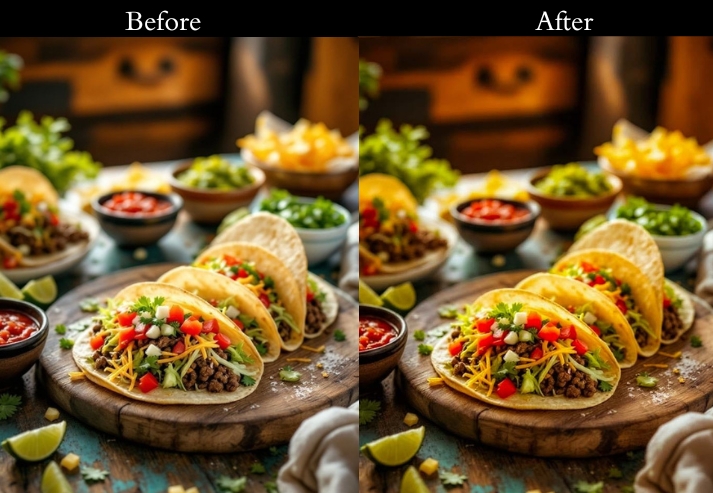
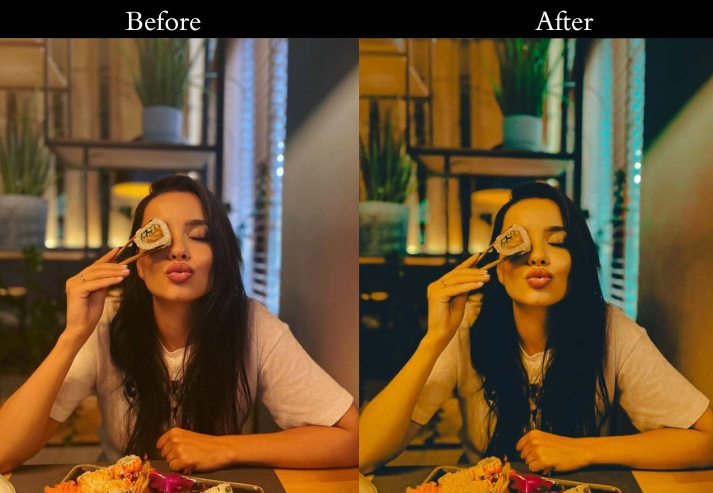
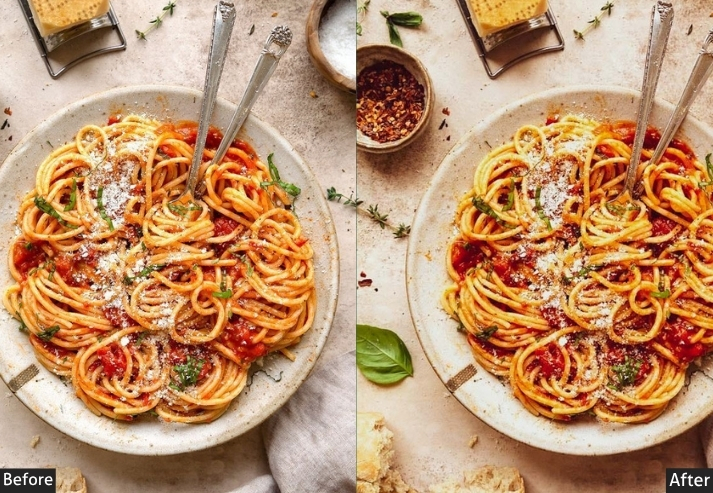
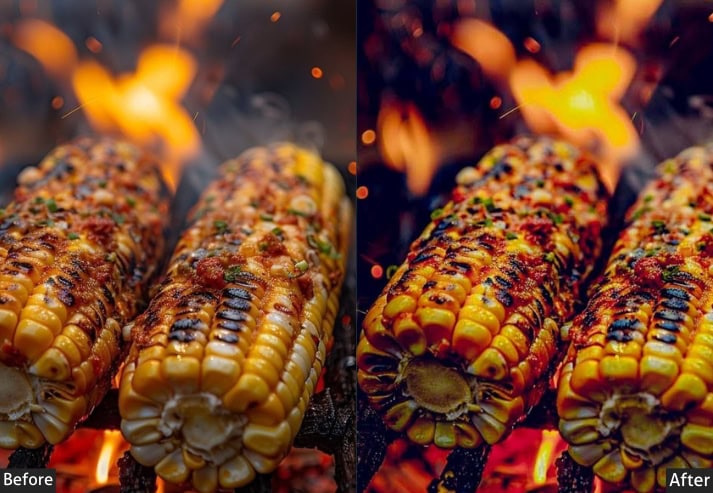
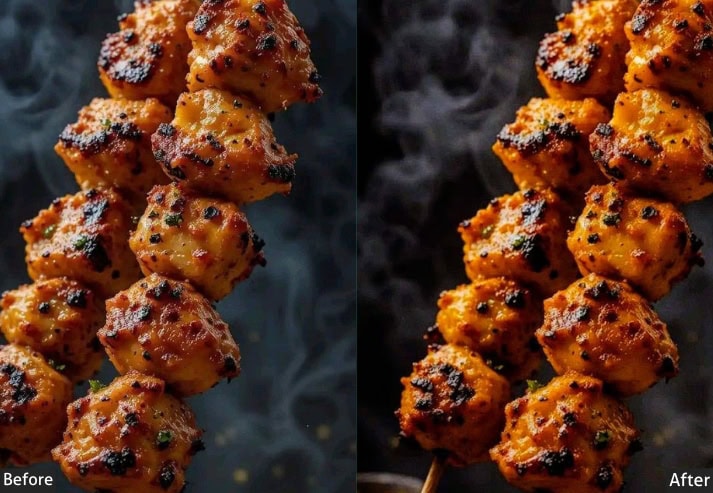
Purpose: A warm, inviting glow.
Best For: Comfort foods, hot drinks, baked treats.
Usage: Best in soft indoor lighting.
Style: Cozy, inviting, and homey.
7. Food Sharp Lightroom Preset
This one is built for high-definition food photography where every grain, drizzle, and crumb deserves its moment. Clarity and sharpening are pushed to reveal the full texture of the dish without making it look over-processed.
Light Panel: Contrast +20% | Exposure +5% | Highlights −5% | Shadows +10%.
Color Panel: Vibrance +10% | Saturation 0% | Temp ±5%.
Effects Panel: Clarity +30% | Dehaze +10% | Vignette −5%.
Detail Panel: Sharpening +40% | Noise Reduction +5%.
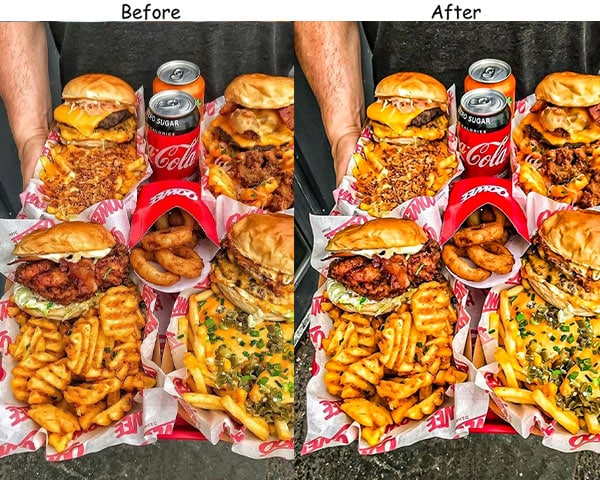
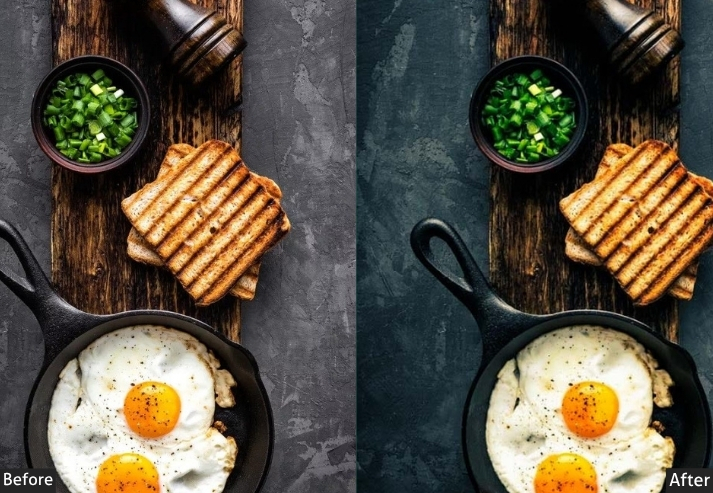
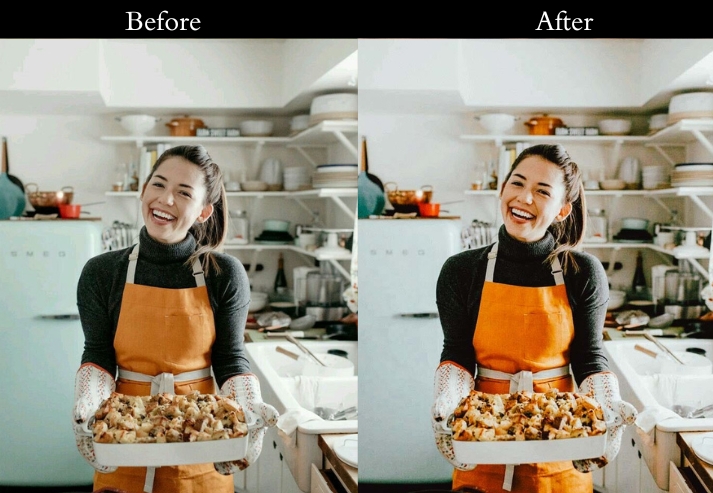
Best For: Foods that have intricate textures or high visual contrast, like pastries, meats, sushi, and gourmet dishes where detail is essential.
8. Fresh Greens Preset
This preset makes greens look lush and vibrant for health-focused food brands and any shoot featuring vegetables or plant-based dishes. The green channel gets a targeted boost that looks natural rather than oversaturated.
Light Panel: Exposure +15% | Shadows −10%.
Color Panel: Greens +30% | Vibrance +10%.
Effects Panel: Clarity +5%.
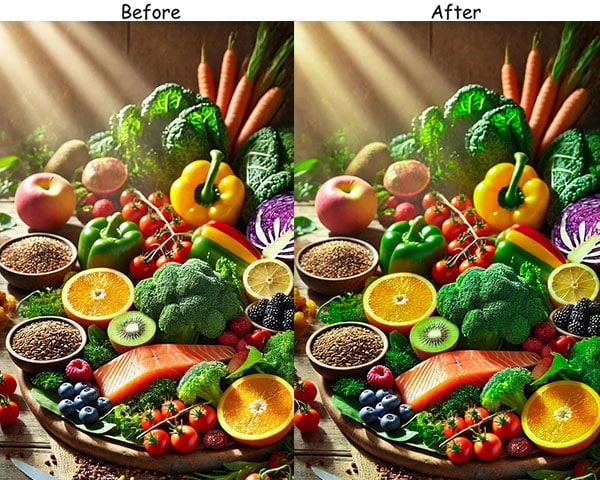
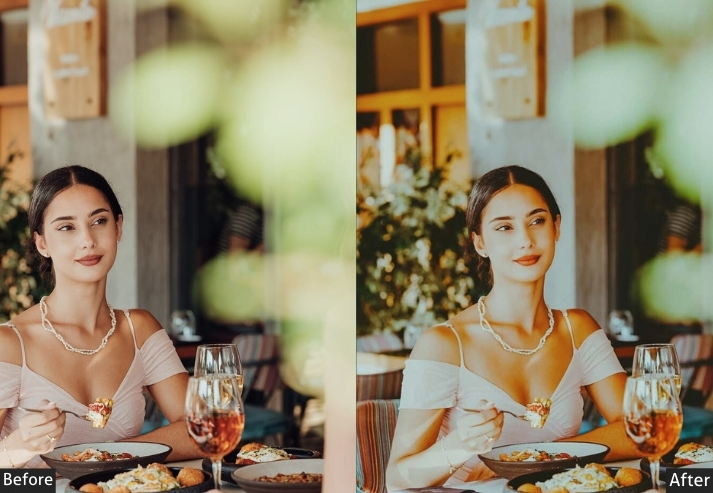
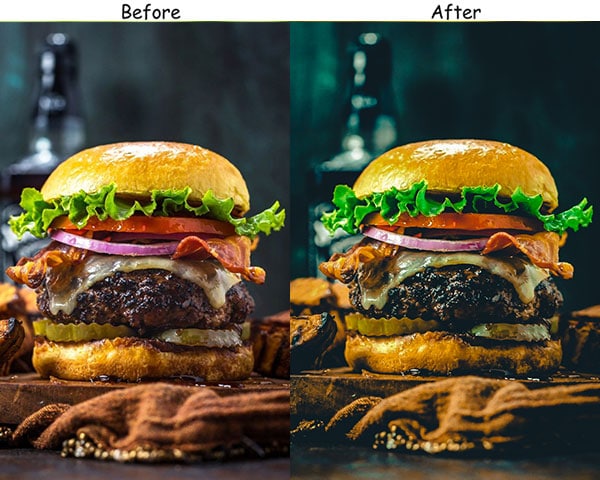
Purpose: a fresh, crisp vibe.
Best For: Salads, green smoothies, veggie platters.
Usage: Works best in natural light, like outdoors or near windows.
Style: Lively, vibrant, and earthy.
9. Soft Pastel Preset
Soft, whimsical, and romantic! The Pastel preset desaturates slightly and lifts shadows, creating a dreamy, light-filled look. Popular with dessert bloggers and brands targeting a young, trend-forward audience.
Light Panel: Shadows +20% | Exposure +10%.
Color Panel: Saturation −15% | Temp +5% (warm).
Effects Panel: Grain +10% | Clarity −5%.
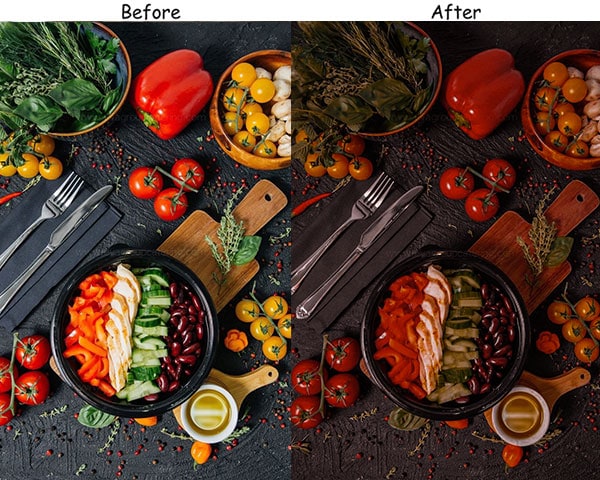
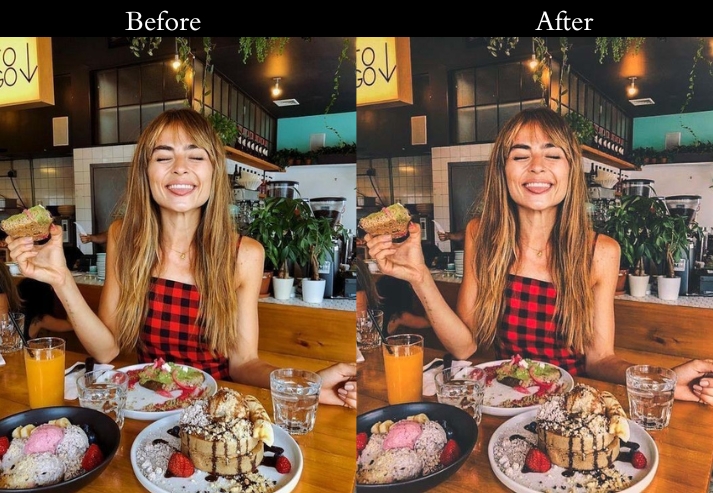
Purpose: soft, dreamy effect to food photos.
Best For: Desserts, pastries, brunches, and pastel-colored dishes.
Usage: Works beautifully with soft, natural light for that delicate feel.
Style: Light, romantic, and gentle.
10. Rustic & Earthy Preset
Browns, oranges, and warm tones are the heroes of this preset. It gives food a grounded, natural feel that’s perfect for farm-fresh brands, autumn menus, or any dish that belongs on a wooden table with a linen napkin.
Light Panel: Highlights −15% | Shadows −10%.
Color Panel: Temp +15% (warm) | Oranges/Browns +20%.
Effects Panel: Grain +10% | Clarity −10%.
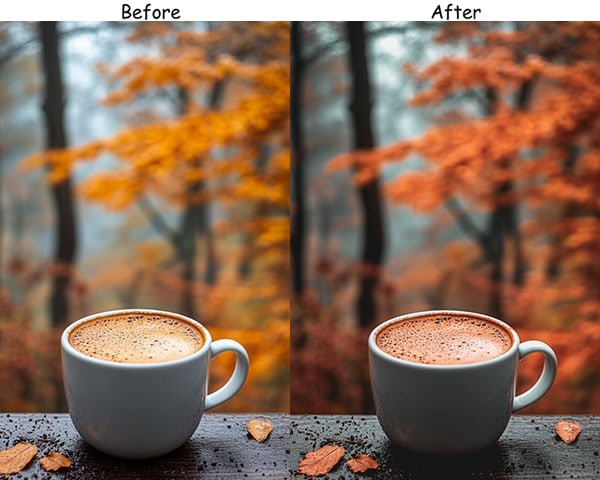
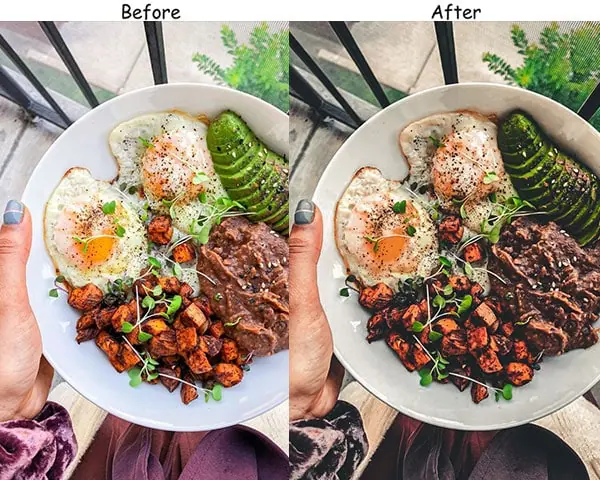
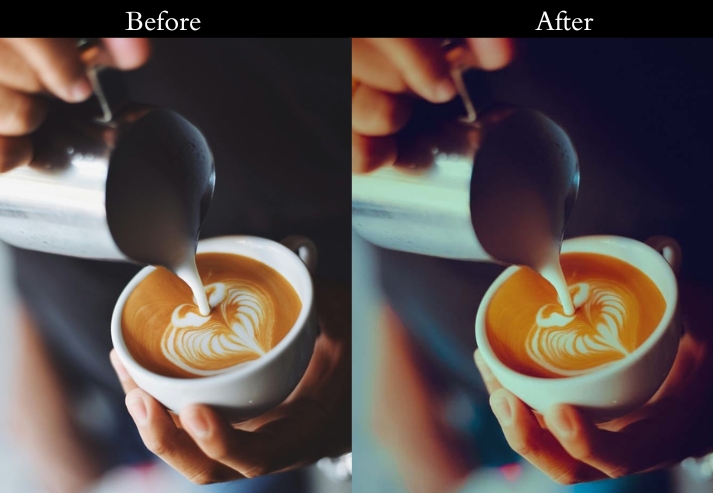
Purpose: a warm, rustic feel.
Best For: Farm-to-table dishes, hearty fall foods, and artisan breads.
Usage: natural, cozy lighting indoors with diffused light.
Style: Warm, natural, and grounded.
11. Juicy & Tropical Preset
Yellows, oranges, and reds get a vibrant boost in this preset. It’s the perfect summer food edit: sun-soaked, fresh, and full of life.
Light Panel: Exposure +10% | Contrast +5%.
Color Panel: Yellow/Orange +25% | Vibrance +20%.
Effects Panel: Clarity +10%.
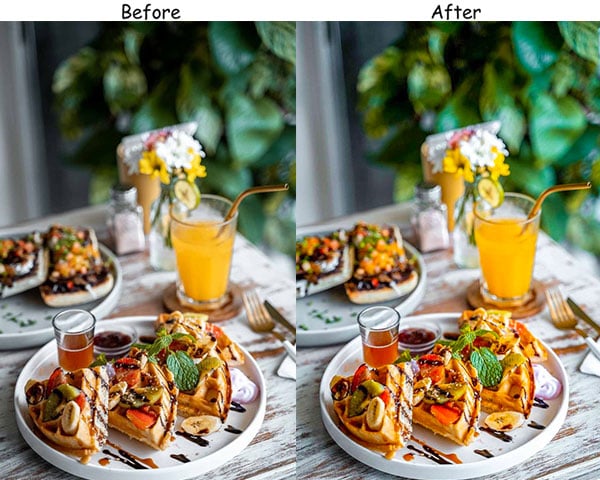
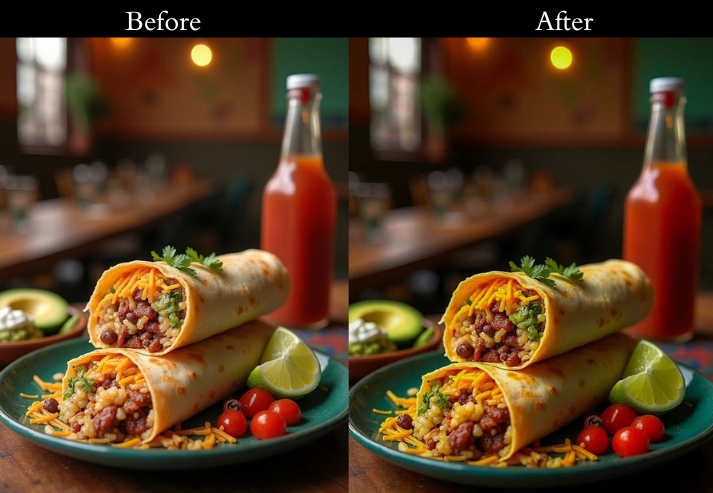
Purpose: bright, fruity vibes in your food shots.
Best For: Tropical fruits, summery salads, and colorful cocktails.
Usage: Works best outdoors or in spaces with plenty of natural light to capture a tropical feel.
Style: Vibrant, fresh, and fruity.
12. Golden Hour Preset
This replicates the soft, warm glow of early-morning or late-afternoon light. It’s one of the most universally flattering food presets. almost any dish looks better bathed in gold.
Light Panel: Exposure +10% | Shadows +10%.
Color Panel: Temp +20% (warm golden) | Saturation +10%.
Effects Panel: Grain +5%.
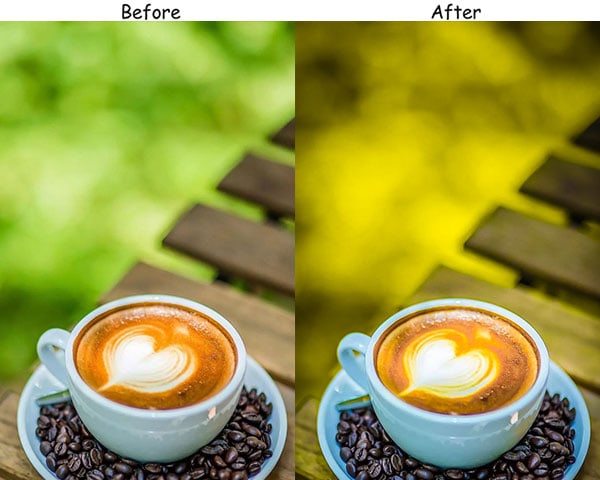
Best For: Breakfasts, coffee shots, golden foods, and comfort foods.
Usage: Best in natural light, especially near windows or during sunrise/sunset.
Style: Warm, soft, and inviting.
13. Urban & Street Preset
Cooler tones and elevated contrast give this preset an edgy, metropolitan feel. It’s the go-to for any food that belongs on a city corner: burgers, tacos, kebabs, ramen.
Light Panel: Contrast +20% | Highlights −10%.
Color Panel: Saturation −10% | Temp −5% (cool).
Effects Panel: Clarity +15% | Vignette −5%.
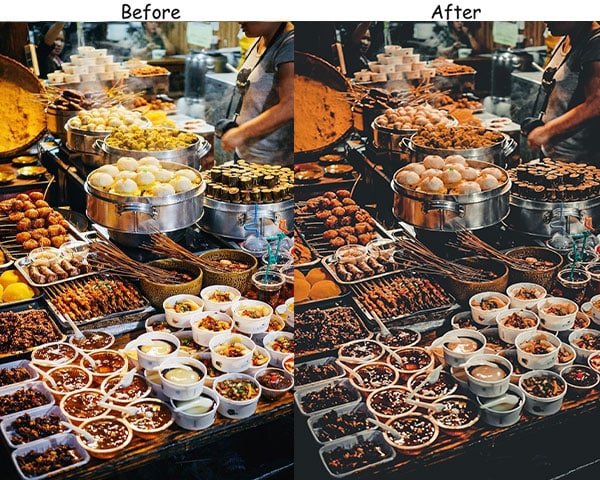
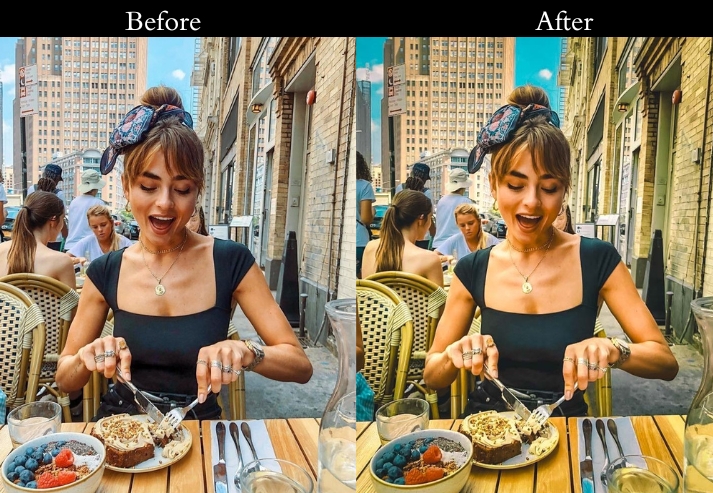
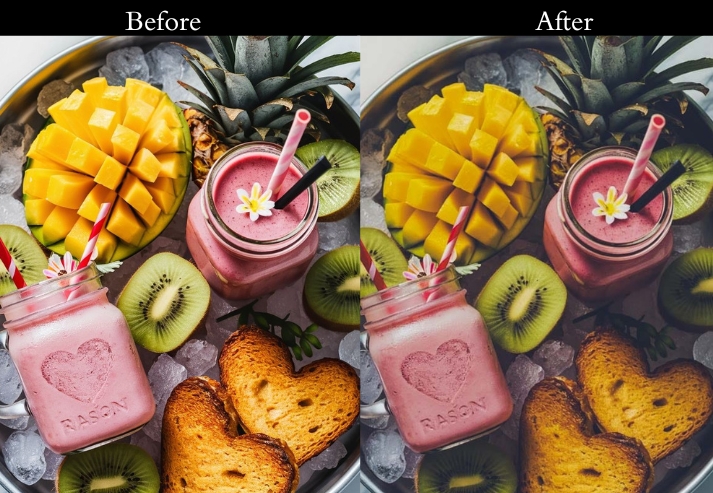
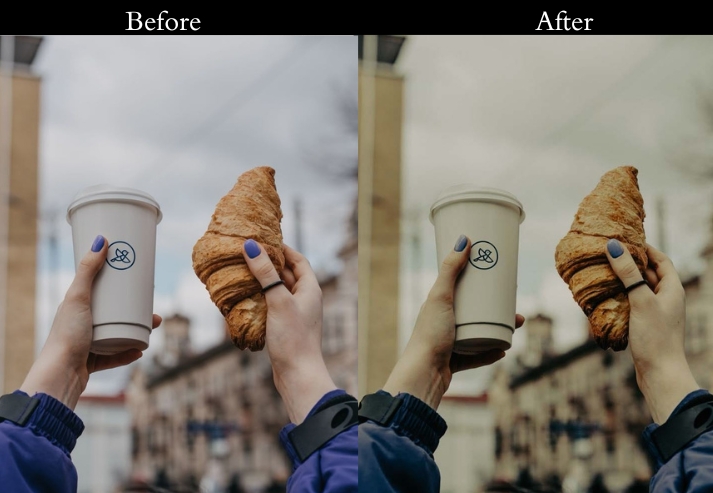
Purpose: a sleek, urban vibe.
Best For: Street food, trendy restaurants, and fast food shots.
Usage: both natural and artificial light to capture the urban essence.
Style: Bold, edgy, and contemporary.
14. High Contrast & Crisp Preset
This preset is about clarity and realism. Every texture, line, and color in the frame is sharpened and defined, making it best for professional food photography where detail is the whole story.
Light Panel: Contrast +30% | Shadows −10%.
Color Panel: Saturation +5%.
Effects Panel: Clarity +20%.
Detail Panel: Sharpening +10%.
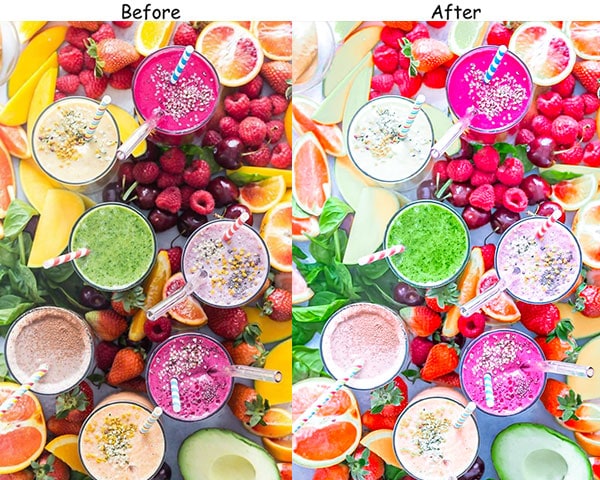
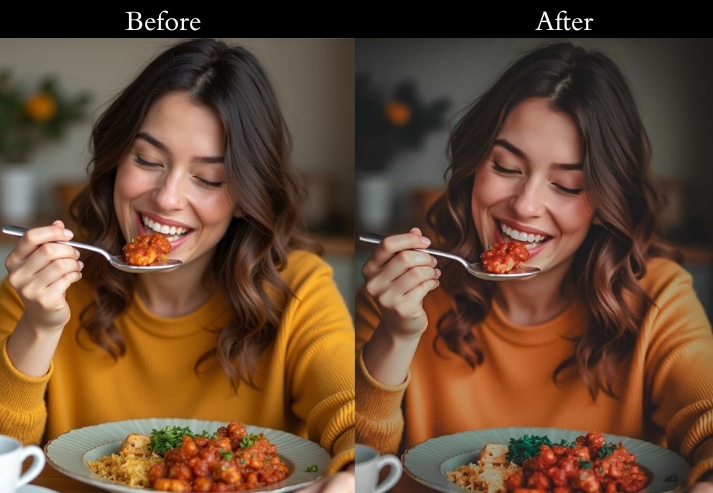
Purpose: clear and realistic.
Best For: Close-up shots of dishes with rich texture.
Usage: Ideal for well-lit areas to capture all the fine details.
Style: Sharp, crisp, and true-to-life.
15. Neon Pop Preset
Bold, electric, and unapologetically fun! Neon Pop cranks up color contrast and vibrancy for a youthful, attention-grabbing style. Perfect for brands that want their feed to stop thumbs mid-scroll.
Light Panel: Exposure +10% | Contrast +15%.
Color Panel: Vibrance +30% | Reds/Blues/Greens (boost).
Effects Panel: Vignette −10% | Clarity +10%.
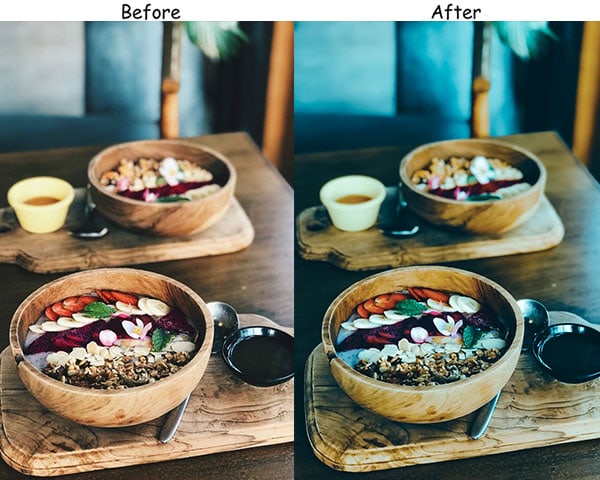
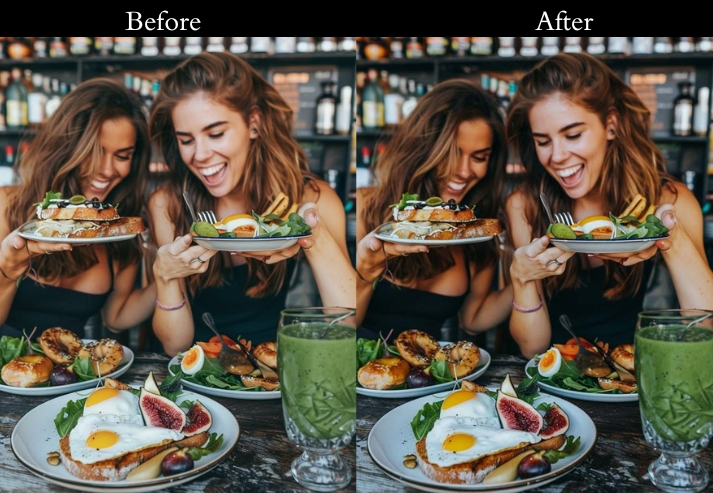
Purpose: bold, colorful photos that catch attention.
Best For: Street food, trendy café dishes, or Instagram-friendly foods.
Usage: nighttime shots or brightly lit scenes with lots of colors.
Style: Fun, bold, and electric.
How to Install Food Lightroom Presets
On Lightroom Desktop (Classic & CC)
- Download the ZIP file and extract it — you’ll find .XMP preset files inside.
- Open Lightroom and go to the Develop module.
- In the left panel, find the Presets section and click the + icon.
- Select Import Presets and choose the .XMP files.
- The presets will appear in your preset list — click any photo and apply instantly.
On Lightroom Mobile (iPhone & Android)
- Download the .DNG files to your phone’s camera roll.
- Open Lightroom Mobile and import the DNG files into your library.
- Open a DNG file → tap the three-dot menu → Copy Settings.
- Open your food photo → tap the three-dot menu → Paste Settings.
- Done! Adjust exposure or white balance as needed for your specific photo.
More Details: Lightroom Presets Installing & Import Guide.
Last Words
These presets cover every style a food photographer or food blogger could need: from bright and airy breakfast shots to dramatic, moody dessert photography. Each preset is fully adjustable, so you can dial in the exact look you want in seconds.
More Presets:
Instagram Lightroom Presets Free Download
Product Lightroom Presets Free Download
Lightroom Portrait Presets Free Download