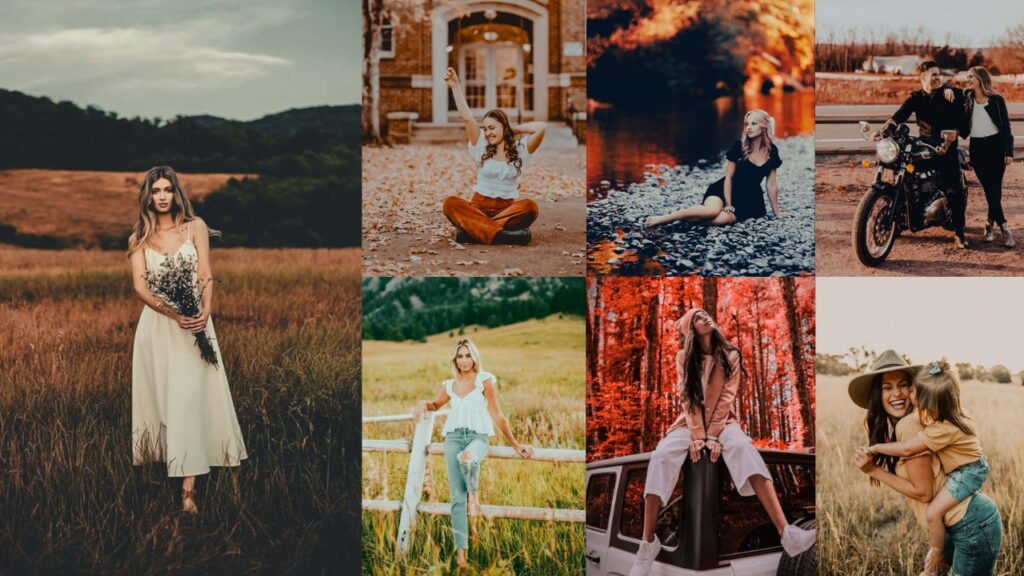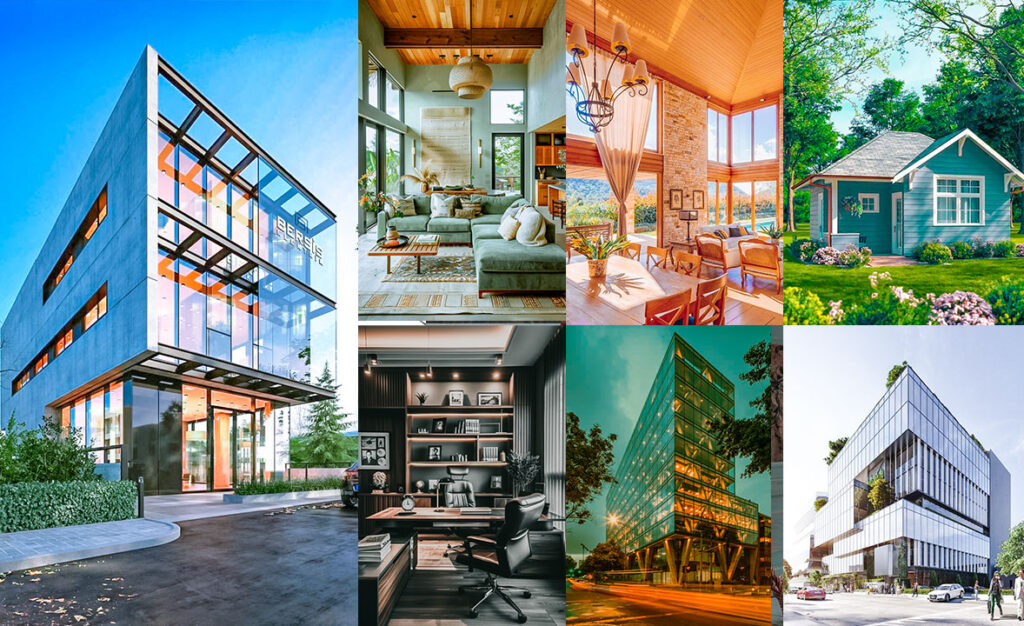
Real estate photography lives or dies on first impressions. A dark, flat photo of a beautiful kitchen can kill a listing’s engagement before a buyer even reads the price. These real estate presets are engineered specifically for property photography: interior and exterior. So every room looks as open, bright, and inviting in photos as it does in person.
Whether you’re a real estate agent editing your own listing photos, a professional property photographer, or an Airbnb host sprucing up your profile, these presets work in Lightroom Classic, Lightroom CC, and Lightroom Mobile (iPhone & Android) via both XMP and DNG formats.
I recently used the Bright Interior preset on a farmhouse listing that felt lifeless on camera despite being stunning in person. Within seconds, the wood tones came alive, the greenery looked lush, and the photos felt straight out of a home décor magazine. The client was thrilled, and the listing saw a measurable boost in inquiries that week.

Pauline Jackson
I develop and curate preset collections, write practical editing tutorials, and test every preset on real images to ensure dependable results. My goal is to make photo editing faster, simpler, and more effective for creators at any level.
50 Real Estate Lightroom Presets Free Download
You’re fighting with shadows in a tiny bathroom that somehow looks like a closet on camera. It’s no joke trying to make every shot look pro-level, especially when every listing counts. That’s where these real estate (interior/exterior) presets come in to save the day! They boost brightness, balance color, or give an empty space that cozy vibe. Your editing time and sanity will thank you! Let’s make the building amazing!
| Preset Name | Best For | Tone | Lighting Type |
|---|---|---|---|
| Bright Interior | Living rooms, open-plan spaces | Warm & airy | Natural light |
| Luxury Real Estate | High-end homes, hotels | Rich & dramatic | Mixed / flash |
| Modern Minimalist | Contemporary & Scandinavian interiors | Cool & clean | Diffused natural |
| Cozy Cottage | Vacation rentals, rustic homes | Warm & earthy | Soft / golden hour |
| HDR Real Estate | Large rooms, tricky mixed lighting | Bold & sharp | Soft/golden hour |
| Twilight | Exterior shots at dusk | Warm + cool shadows | Twilight / dusk |
| Vintage Charm | Historic homes, period interiors | Faded & nostalgic | Soft / moody |
| Clean White | Kitchens, bathrooms, all-white spaces | Crisp & minimal | Soft/moody |
| Warm Sunset Glow | Wooden accents, earthy décor | Golden & dreamy | Late afternoon |
| Industrial Edge | Lofts, studios, exposed brick | Cool & gritty | Urban / artificial |
| Natural Light Boost | Bright rooms, large windows | Fresh & vibrant | Strong natural |
| Exterior Showstopper | Curb appeal, gardens, patios | Crisp & vivid | Daylight exterior |
| Bold Contrast | Modern architecture, structured rooms | Sharp & punchy | Any |
| Soft Pastels | Nurseries, bedrooms, light décor | Delicate & soft | Soft natural |
| Woodland Retreat | Cabins, lodges, nature-themed spaces | Earthy & warm | Forest / indoor |
- Pauline Jackson
- 1. Bright Interior Preset
- 2. Luxury Real Estate Preset
- 3. Modern Minimalist Preset
- 4. Cozy Cottage Preset
- 5. HDR Real Estate Preset
- 6. Twilight Real Estate Preset
- 7. Vintage Charm Preset
- 8. Clean White Preset
- 9. Warm Sunset Glow Preset
- 10. Industrial Edge Preset
- 11. Natural Light Boost Preset
- 12. Exterior Showstopper Preset
- 13. Bold Contrast Preset
- 14. Soft Pastels Preset
- 15. Woodland Retreat Preset
- Lightroom Mobile (iPhone & Android) – DNG Format
- Lightroom Classic – XMP Format
- Lightroom CC (Cloud) – XMP Format
1. Bright Interior Preset
The Bright Interior is your best friend for small or poorly-lit rooms. It lifts exposure, recovers shadows, and adds just enough warmth to make a space feel alive without blowing out the whites. A cramped bedroom photographed with this preset can look open, airy, and worth touring, which translates directly into more listing inquiries.
Light Panel: Exposure +30% | Highlights +20% | Shadows −10%.
Color Panel: Temp +10% (warm) | Saturation +5%.
Effects Panel: Vignette −5%.
Detail Panel: Sharpening +10%.

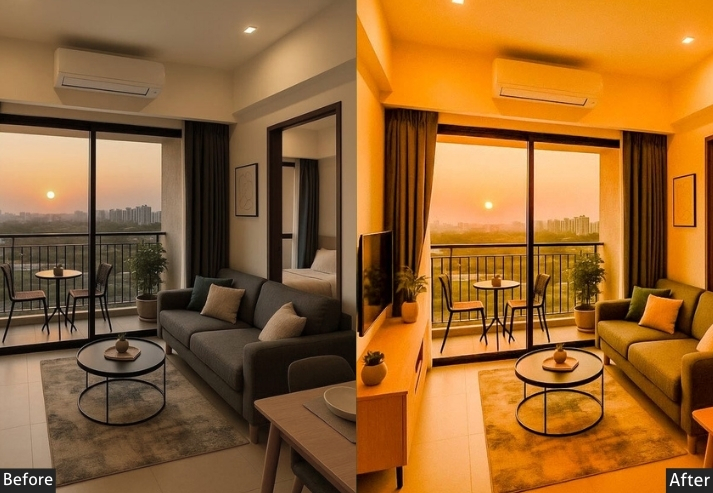

I used a bright interior on a recent listing with a tiny bedroom that was tricky to photograph, and it looked bigger and brighter, which actually attracted more interest. Win-win!
Purpose: make interiors feel open and inviting.
Best For: Rooms with good natural light, especially for residential listings.
Usage: a clean, polished look.
Style: Bright, natural, and fresh.
2. Luxury Real Estate Preset
When you’re photographing a high-end property, standard brightening just doesn’t cut it. The Luxury preset deepens shadows, adds tonal richness, and pulls out the fine textures in materials like marble, polished wood, and stone. the exact details that justify a premium price tag. Think of it as the difference between a snapshot and an editorial shoot.
Light Panel: Highlights −20% | Shadows +10%.
Color Panel: Temp +15% (warm) | Vibrance +20%.
Effects Panel: Texture +10% | Clarity +15%.
Detail Panel: Sharpening +20%.
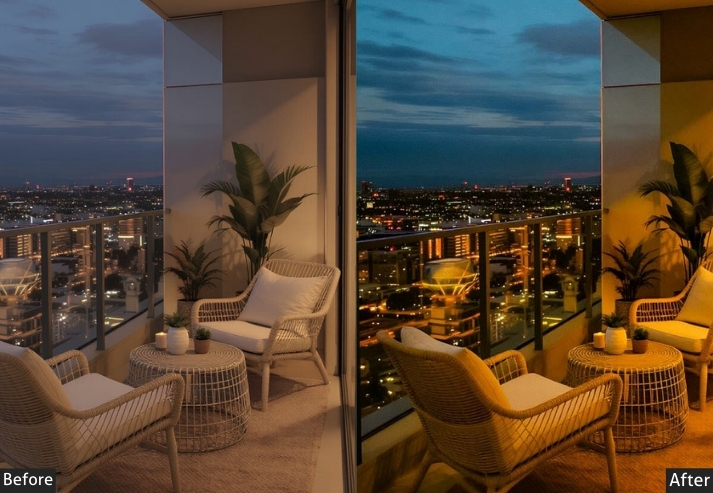
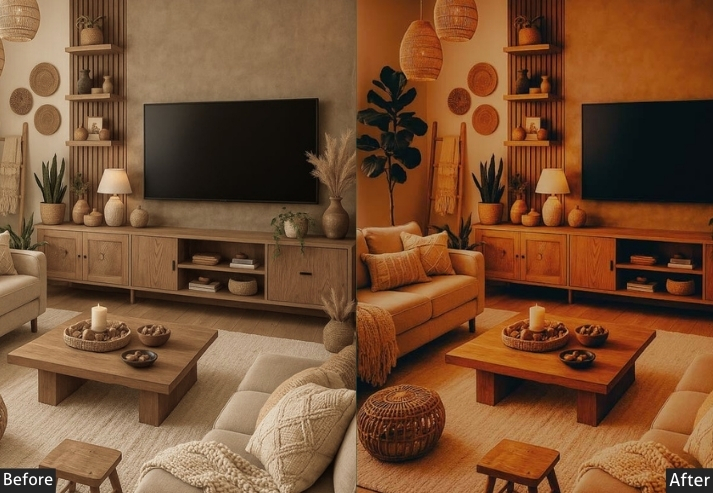
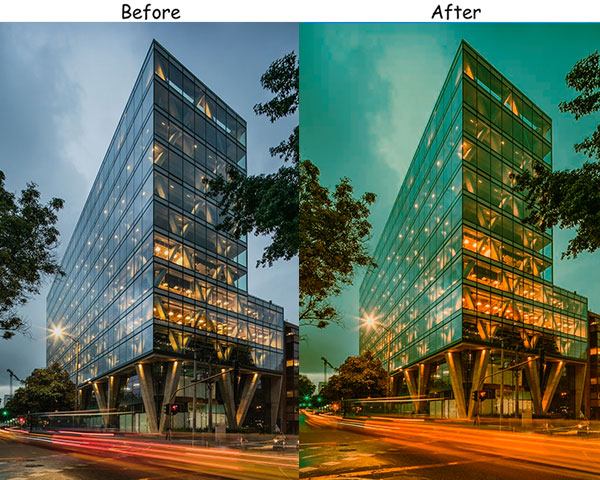
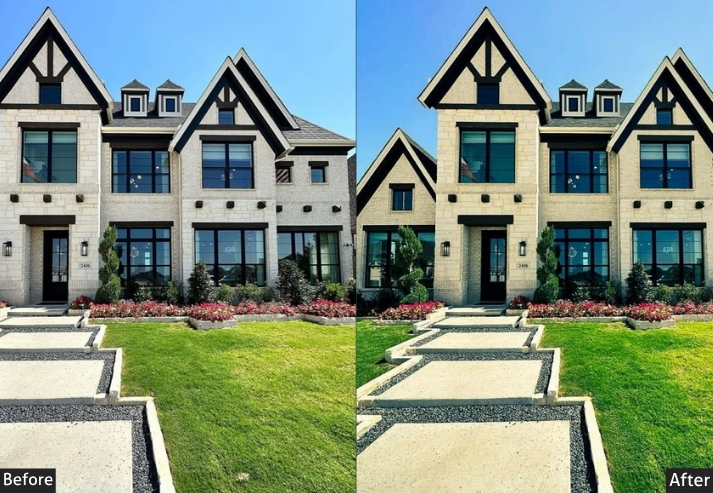
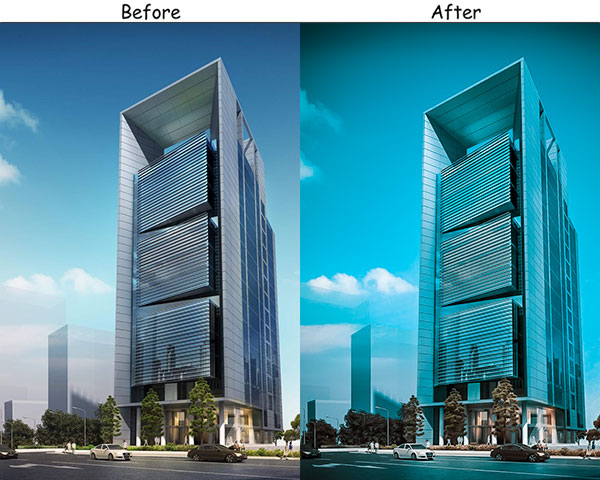
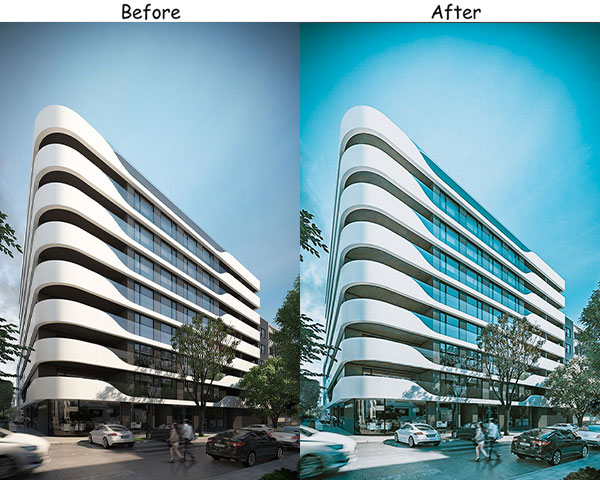
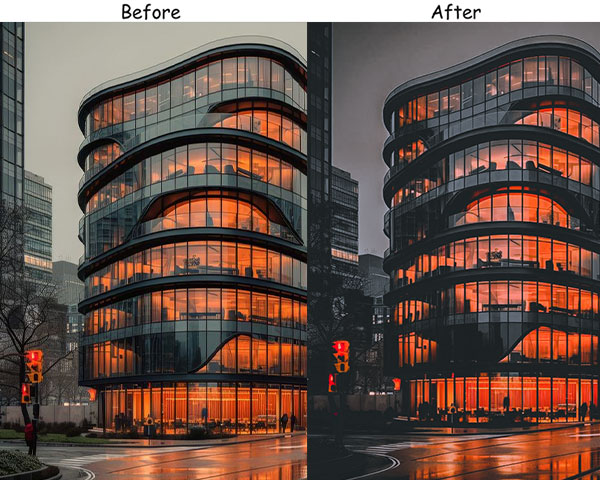
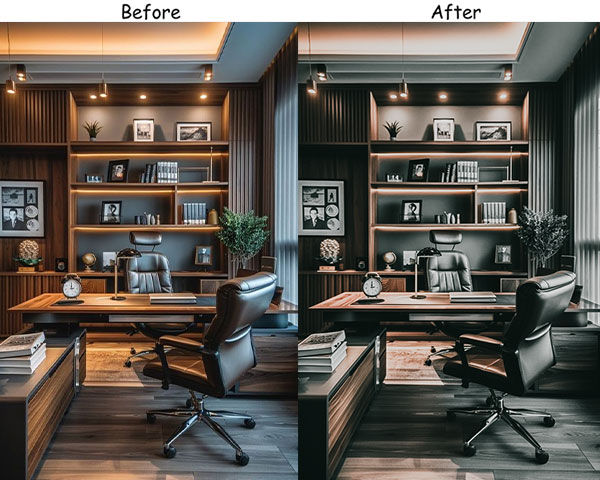

Purpose: Adds richness and a high-end feel, making every room look like it belongs in a luxury catalog.
Best For: Luxury properties, hotels, or any high-end listings with lavish interiors.
Usage: quality materials and fine details, like polished wood and marble.
Style: Elegant, sophisticated, and striking.
3. Modern Minimalist Preset
Minimalist interiors often look sterile or flat in photos. This preset corrects that by softening contrast and slightly cooling the tones, giving clean-lined spaces a refined, editorial quality. It lets the architecture speak, perfectly suited to Scandinavian, Japandi, and contemporary design styles that dominate today’s market.
Light Panel: Exposure +20% | Contrast −15% | Shadows −10%.
Color Panel: Saturation −15% | Tint +5% (cool).
Effects Panel: Clarity −5% | Vignette −10%.
Detail Panel: Sharpening +5%.
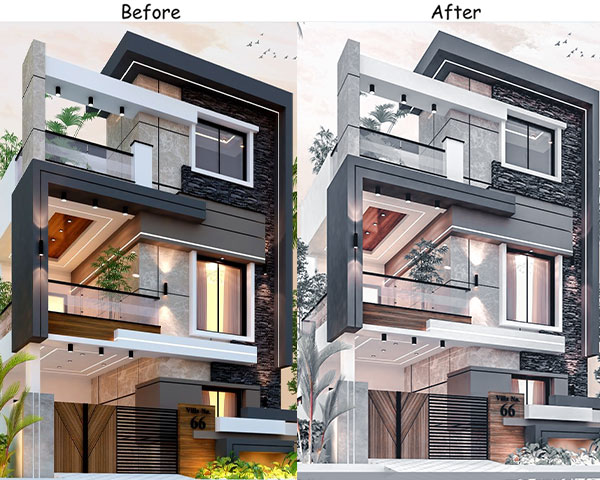

Purpose: Highlights clean lines and open space.
Best For: Minimalist homes, offices, and modern architecture.
Usage: simple spaces, neutral tones, and minimal decor.
Style: Clean, soft, and understated.
4. Cozy Cottage Preset
Vacation rental and Airbnb photos need to do one job above all else: make the viewer feel comfortable there. The Cozy Cottage preset does exactly that. It saturates earthy tones, warms the highlights, and gives wooden textures and soft furnishings a tactile, inviting quality that makes people want to book immediately.
Light Panel: Exposure +10% | Highlights −10%.
Color Panel: Temp +15% (warm) | Saturation +5%.
Effects Panel: Texture +5% | Vignette −10%.
Detail Panel: Sharpening +5%.
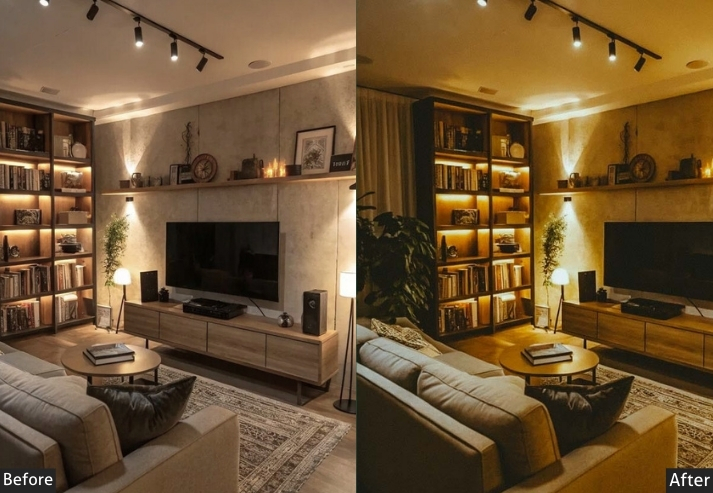
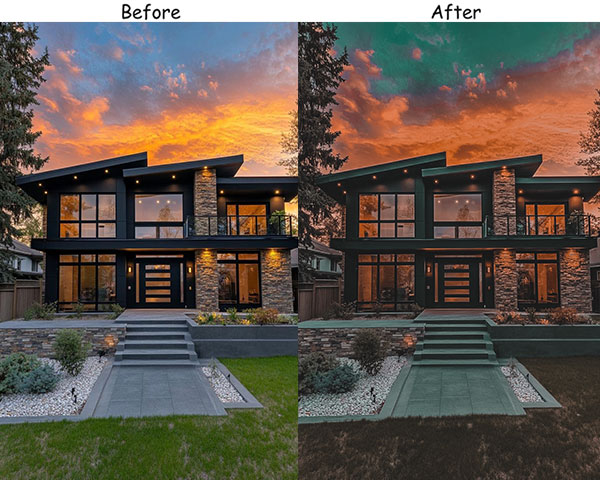
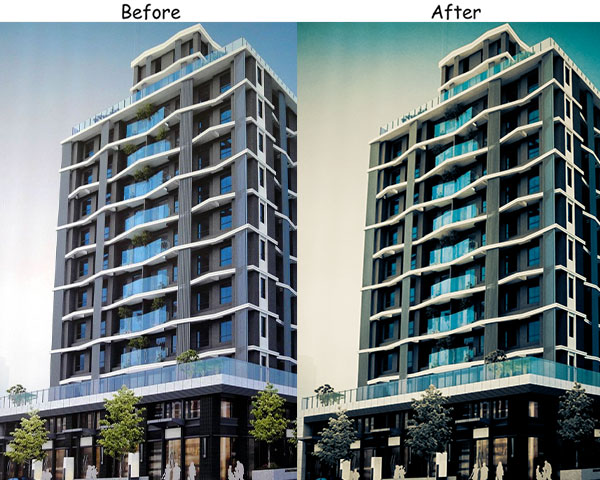

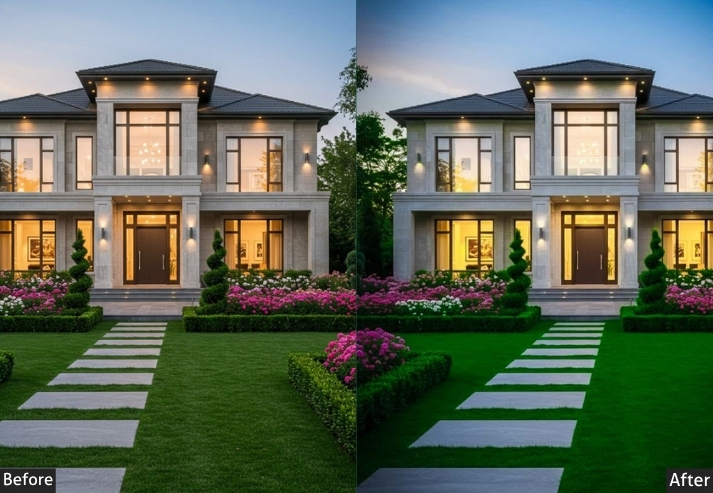
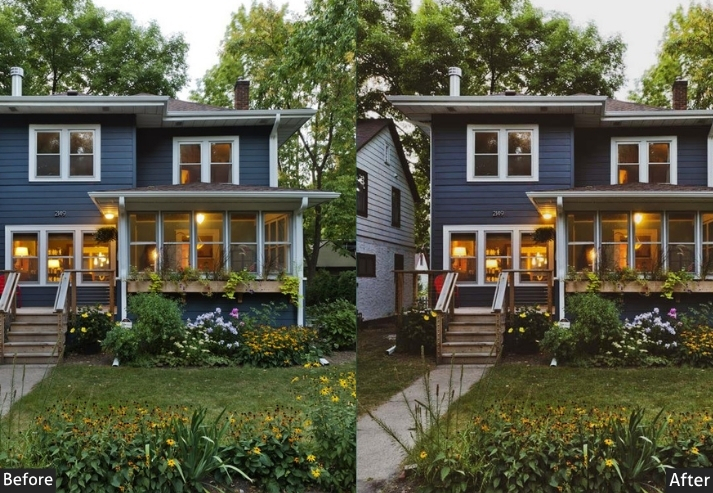
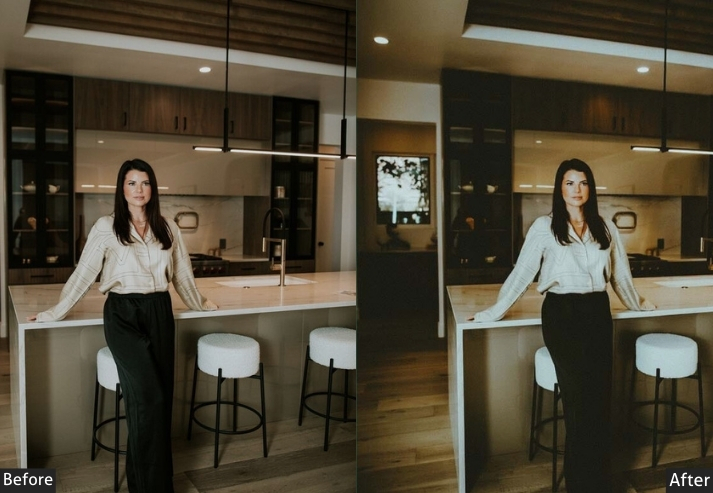
Purpose: a warm, homey feeling to interior shots.
Best For: Older homes, vacation rentals, and listings with a rustic or vintage vibe.
Usage: a welcoming look that makes viewers feel right at home.
Style: Warm, inviting, and comfortable.
5. HDR Real Estate Preset
Mixed lighting is the biggest challenge in real estate photography. A bright window next to a dim corner can ruin an otherwise great shot. The HDR preset pushes contrast and clarity to balance the full tonal range, ensuring both your sunlit windows and your shadowed corners show detail simultaneously. It’s the professional standard for MLS and property listing photos.
Light Panel: Exposure +10% | Contrast +20% | Shadows +15%.
Color Panel: Vibrance +10%.
Effects Panel: Clarity +25% | Dehaze +15%.
Detail Panel: Sharpening +25%.
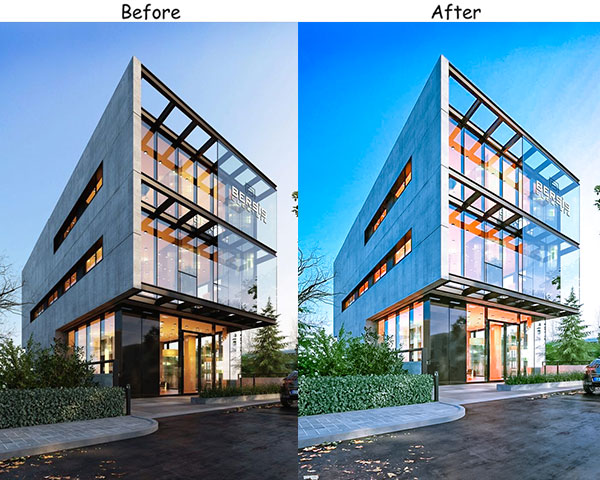

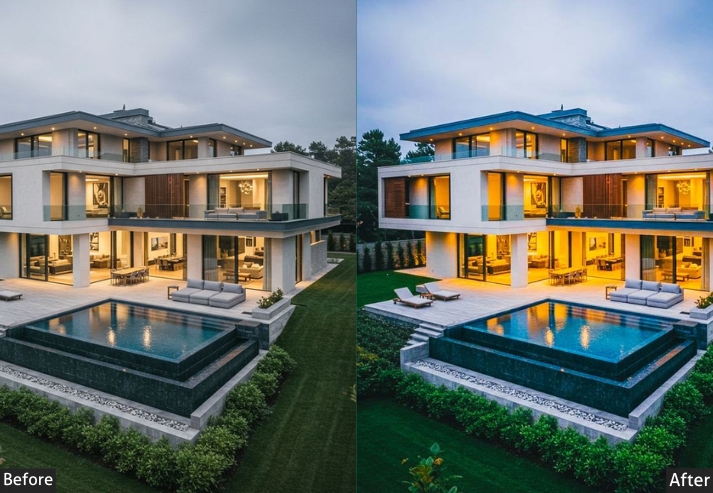
Purpose: Captures and balances light and dark areas, making every detail crystal clear.
Best For: Listings with lots of architectural detail or large rooms.
Usage: when you need every inch of the room visible and clear, perfect for online listings.
Style: Bold, sharp, and detailed-the HDR preset pulls no punches!
6. Twilight Real Estate Preset
Exterior shots taken during the 20-minute golden window after sunset are some of the most sought-after images in real estate photography and among the hardest to edit. The preset preserves the warm glow of interior lights spilling out of windows while keeping the sky rich and defined. The result is that an irresistible “home is lit up and waiting for you” feeling that gets listings saved and shared.
Light Panel: Exposure −15% | Shadows +15% | Highlights −10%.
Color Panel: Temp +10% (warm) | Saturation +15%.
Effects Panel: Dehaze +20% | Vignette −10%.
Detail Panel: Sharpening +10%.
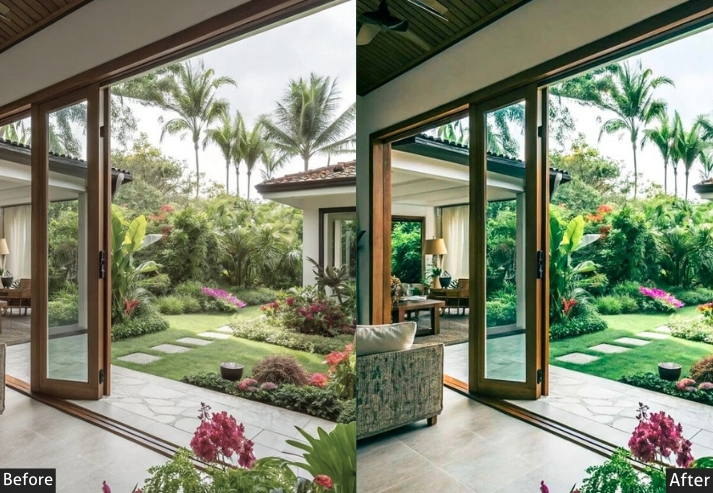
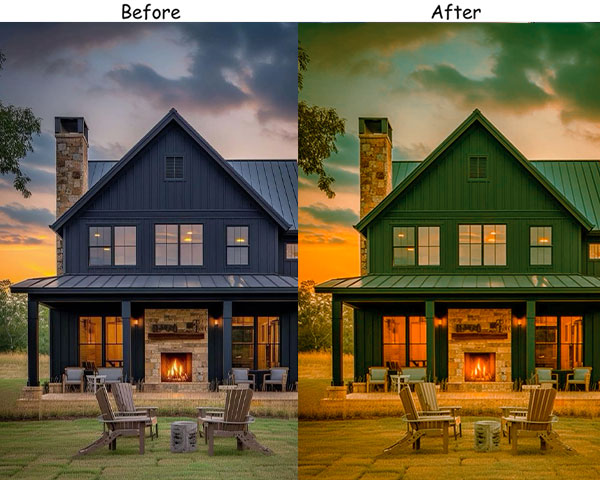


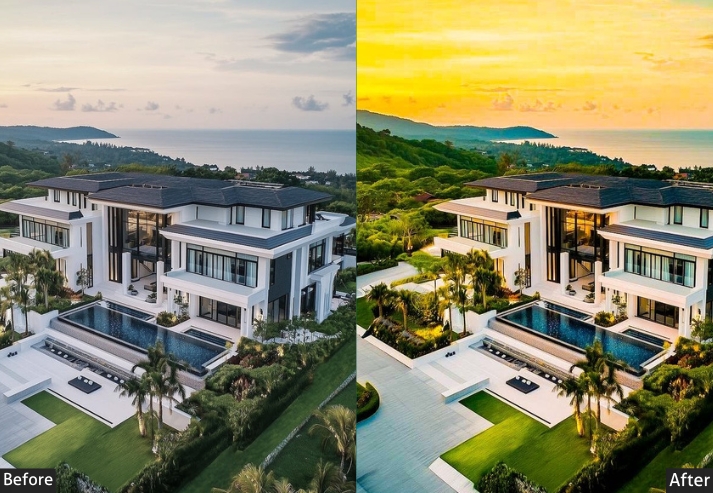
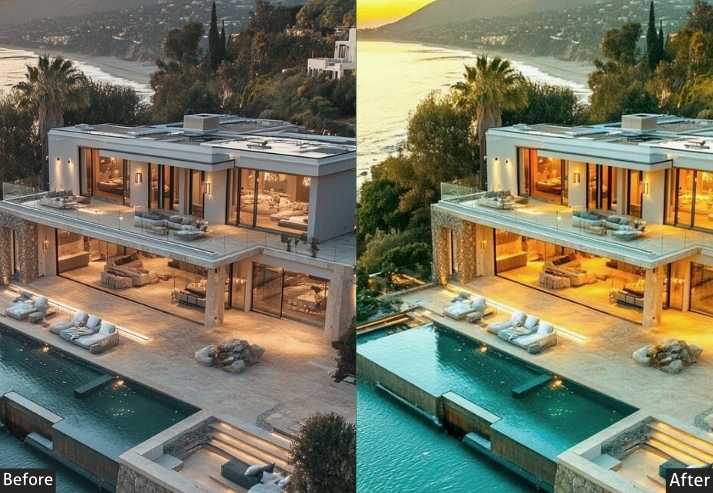
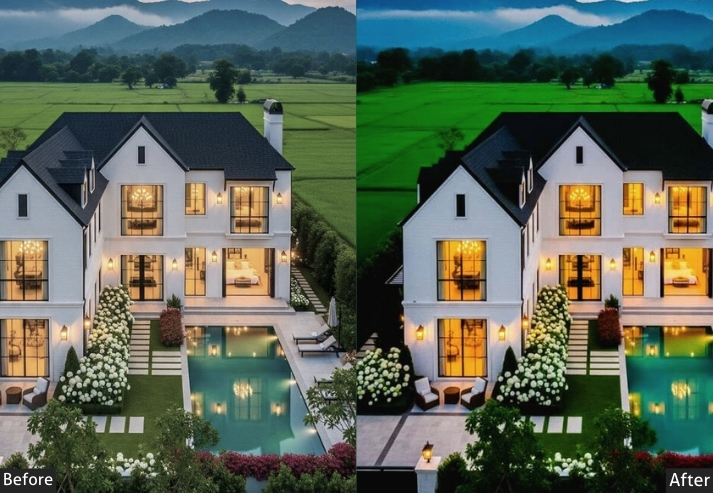
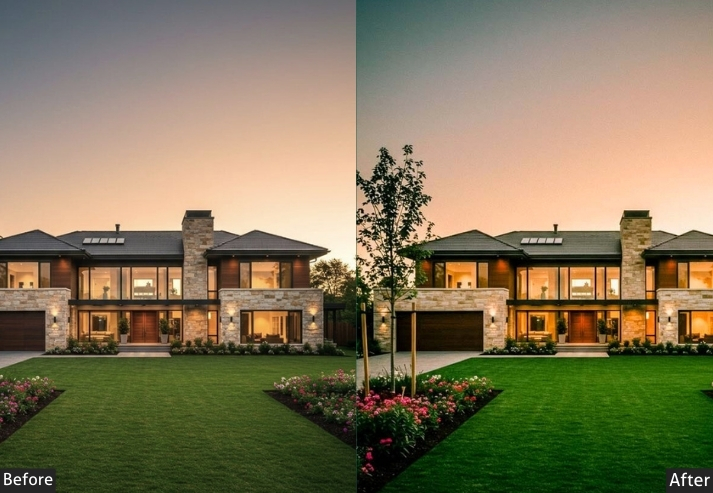
Purpose: cozy, sunset-like feel, and adds depth to exteriors.
Best For: Outdoor shots during dusk or early evening.
Usage: properties with lovely exteriors, gardens, or lighting.
Style: Soft, warm, and inviting.
7. Vintage Charm Preset
Not every property should look brand-new. Character homes, Victorian terraces, and period cottages actually sell better when their age feels like a feature rather than a flaw. The Vintage Charm fades highlights, warms the mid-tones, and adds subtle grain, turning antique wooden floors, exposed beams, and original fireplaces into visual selling points.
Light Panel: Exposure −10% | Highlights −20% | Contrast +15%.
Color Panel: Temp +15% (warm) | Vibrance −10%.
Effects Panel: Grain +15% | Clarity −5%.
Detail Panel: Sharpening +10%.
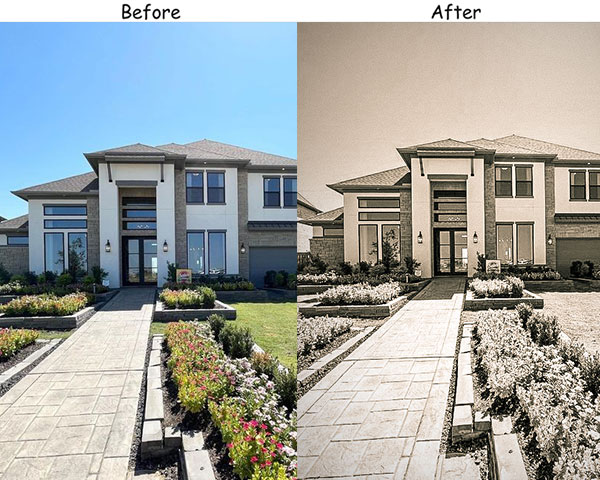

Purpose: Adds a classic, timeless look to photos.
Best For: Historic homes, older interiors, or rustic lodges.
Usage: Great for photos that make viewers feel like they’re stepping back in time.
Style: Warm, textured, and cozy with a hint of nostalgia.
8. Clean White Preset
Kitchens and bathrooms are consistently the two rooms that make or break a sale, and they’re almost always white. This preset pushes whites to their crispest without blowing out the highlights, desaturates distracting color casts, and sharpens edges so tile grout, cabinet lines, and countertop edges look precise and spotless.
Light Panel: Exposure +30% | Highlights +25%.
Color Panel: Saturation −20%.
Effects Panel: Texture +10% | Vignette −5%.
Detail Panel: Sharpening +20%.

Purpose: a bright, clean look.
Best For: Modern, minimalist interiors with lots of natural light.
Usage: light, airy feel, like kitchens, bathrooms, and living spaces.
Style: Crisp, pure, and clutter-free.
9. Warm Sunset Glow Preset
Spaces with warm-toned materials, such as honey-colored hardwood, terracotta tile, and amber brickwork, can look dull and muddy under standard white-balance corrections. Warm Sunset Glow leans into those tones intentionally, bathing the room in a late-afternoon golden quality. It’s especially powerful for open-concept living and dining areas where that “family home” feeling matters.
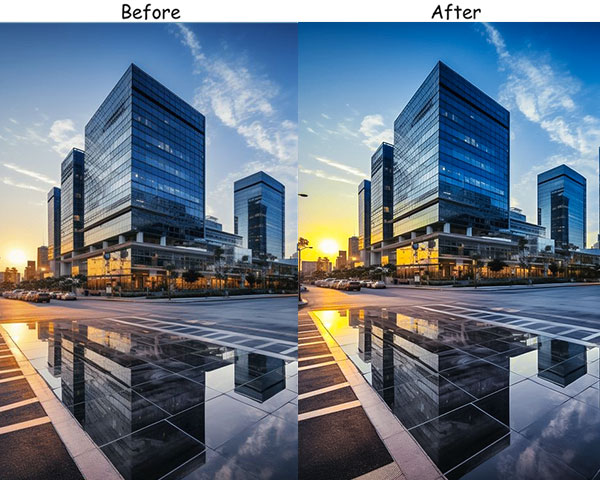


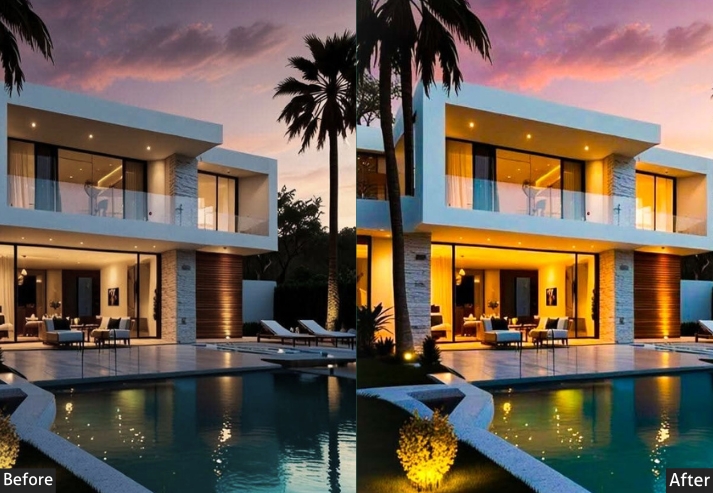
Light Panel: Highlights −15% | Shadows +10% | Contrast +5%.
Color Panel: Temp +20% (warm) | Saturation +10%.
Effects Panel: Dehaze +10% | Vignette −5%.
Detail Panel: Sharpening +10%.
Purpose: a cozy, sunset-kissed look.
Best For: Rooms with natural wood, warm lighting, or rustic elements.
Usage: Works wonders in spaces where you want a soft, inviting vibe.
Style: Warm, golden, and full of life.
10. Industrial Edge Preset
Urban lofts and converted warehouse apartments attract a specific buyer, one who values rawness and character over polish. The Industrial Edge preset cools the overall temperature, strips back excess saturation, and cranks Texture and Clarity to pull every exposed brick face, steel beam, and concrete surface into sharp focus. It makes character properties look intentional rather than unfinished.
Light Panel: Contrast +20% | Shadows +10%.
Color Panel: Temp −10% (cool) | Saturation −10%.
Effects Panel: Clarity +20% | Texture +25% | Grain +5%.
Detail Panel: Sharpening +25%.
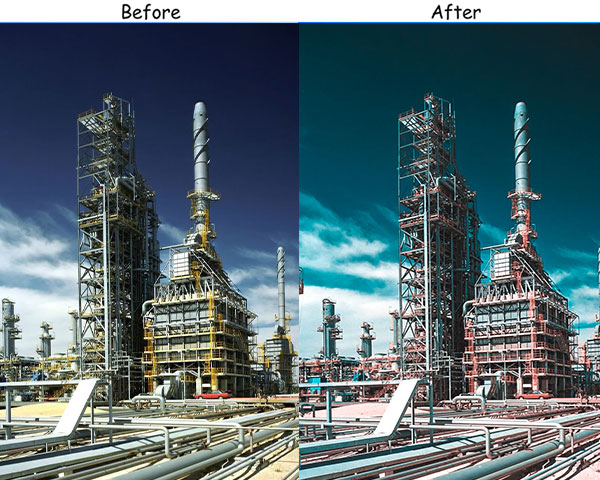
Purpose: Gives spaces an urban, gritty vibe.
Best For: Lofts, studios, and any space with exposed brick or metallic accents.
Usage: mood and personality to city properties or converted warehouse spaces.
Style: Cool, bold, and unapologetic.
11. Natural Light Boost Preset
If your property is blessed with big windows and good natural light, don’t fight it. amplify it. Natural Light Boost enhances exposure and vibrance, making rooms feel flooded with sunlight without creating the harsh, bleached-out look of over-editing. It works especially well on south-facing rooms photographed mid-morning, and it pairs beautifully with light-colored flooring and furniture.
Light Panel: Exposure +25% | Highlights +15%.
Color Panel: Vibrance +10%.
Effects Panel: Texture +5% | Vignette −5%.
Detail Panel: Sharpening +10%.
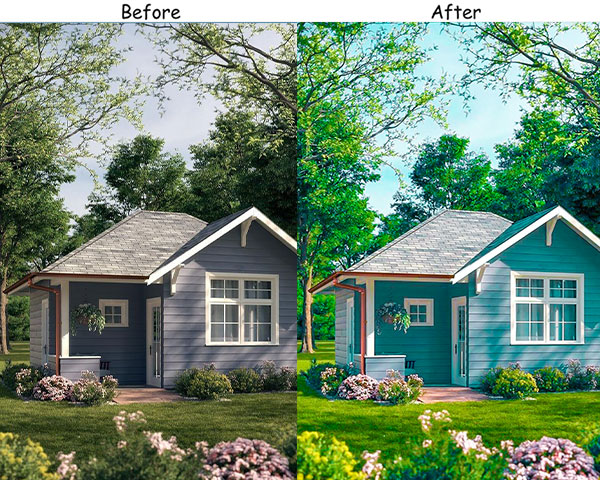

Purpose: make rooms look airy and welcoming.
Best For: Bright rooms with large windows or open spaces.
Usage: sunlit kitchens, living rooms, or any space that benefits from natural light.
Style: Light, fresh, and natural.
12. Exterior Showstopper Preset
Curb appeal photos are the first images most buyers see on a listing, and studies consistently show they’re the single biggest factor in whether they click through. The Exterior Showstopper preset deepens sky blues, enriches lawn greens, and sharpens architectural lines, making even a modest façade look welcoming and impressive. This is the preset to use on your hero listing shot.
Light Panel: Exposure +15% | Contrast +10% | Shadows +5%.
Color Panel: Saturation +10% | Vibrance +15%.
Effects Panel: Dehaze +15% | Vignette −5%.
Detail Panel: Sharpening +20%.

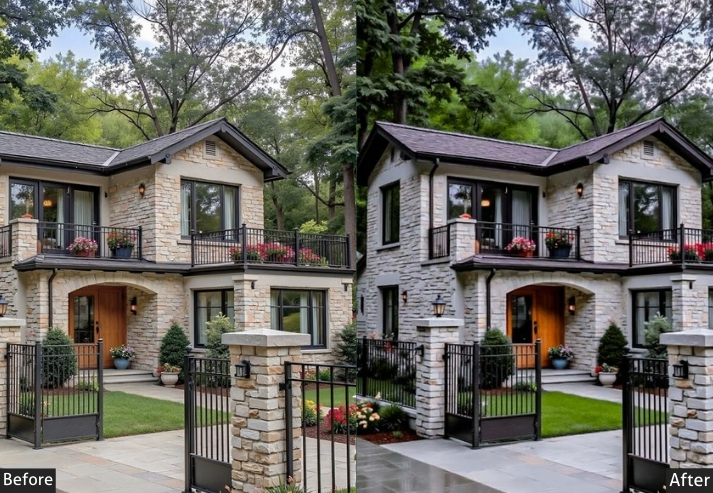
Purpose: capture every detail, from landscaping to architectural lines.
Best For: Exterior shots of properties with gardens, patios, or unique architecture.
Usage: a home’s curb appeal in listings or real estate brochures.
Style: Crisp, vibrant, and bold.
13. Bold Contrast Preset
Modern open-plan homes with strong architectural lines. think floor-to-ceiling windows, concrete features, or designer staircases can look flat in standard photos. Bold Contrast cranks up the shadow depth and clarity, giving these structural elements a sense of three-dimensionality. It makes the design feel considered and intentional, which is exactly how architects and developers want their projects to look.
Light Panel: Contrast +30% | Highlights +20% | Shadows −15%.
Color Panel: Vibrance +10%.
Effects Panel: Clarity +25% | Dehaze +10%.
Detail Panel: Sharpening +25%.
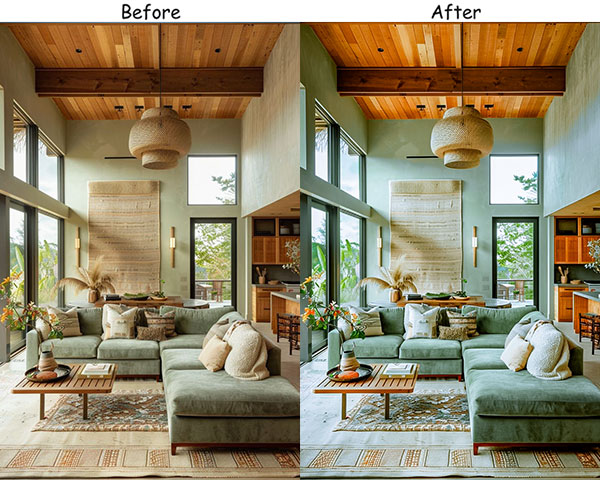


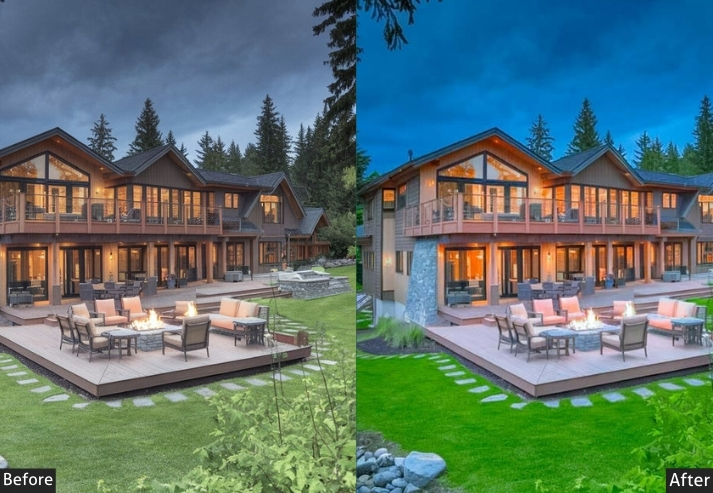
Purpose: architecture and interior lines stand out and feel crisp.
Best For: Modern buildings, sleek interiors, or properties with lots of texture and structure.
Usage: a home’s unique features and layout.
Style: Bold, sharp, and eye-catching.
14. Soft Pastels Preset
Nurseries, guest bedrooms, and styling-forward spaces with pale color palettes need a gentle touch, not the aggressive sharpening or contrast boost you’d use elsewhere. Soft Pastels subtly lifts exposure, reduces harshness, and gives the whole image a watercolor-like softness that makes light-decor spaces look like they belong in a magazine spread. It also handles skin tones beautifully, making it a good choice for lifestyle staging shots with people.
Light Panel: Exposure +15% | Contrast −10%.
Color Panel: Saturation −15% | Tint +10% (pastel tone).
Effects Panel: Vignette −10%.
Detail Panel: Sharpening +5%.
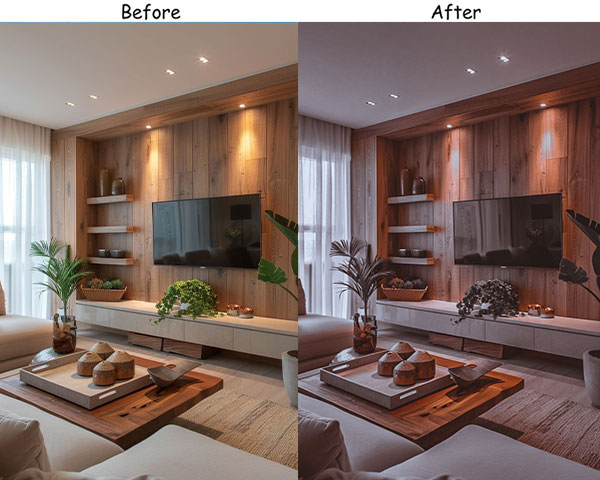

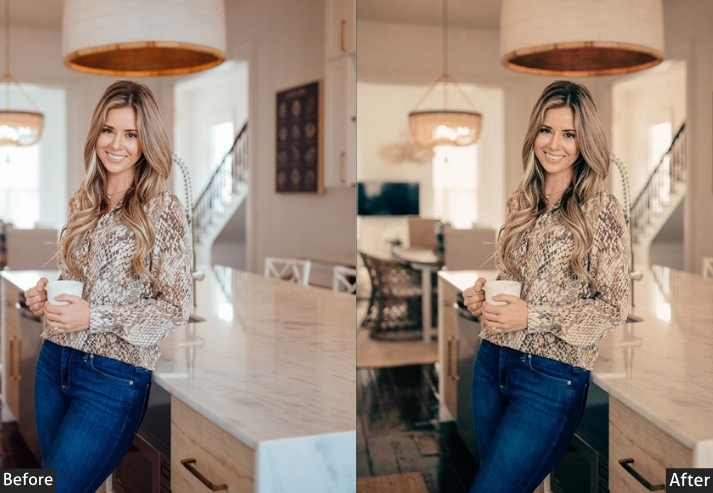
Purpose: a soft, delicate look.
Best For: Nurseries, bedrooms, and any room with light, airy decor.
Usage: an inviting, cozy feel that’s easy on the eyes.
Style: Soft, delicate, and calming.
15. Woodland Retreat Preset
The short-term rental market is flooded with generic cabins, which makes the best listings stand out with a strong sense of place. The Woodland Retreat preset deepens forest greens, saturates amber wood tones, and adds enough shadow depth to make interior spaces feel nestled into their natural surroundings. Use it on both interior and exterior cabin shots for a consistent, atmosphere-driven photo set that commands premium nightly rates.
Light Panel: Exposure −10% | Shadows +20% | Contrast +15%.
Color Panel: Temp +10% (warm) | Vibrance +10%.
Effects Panel: Texture +15% | Vignette −15%.
Detail Panel: Sharpening +15%.
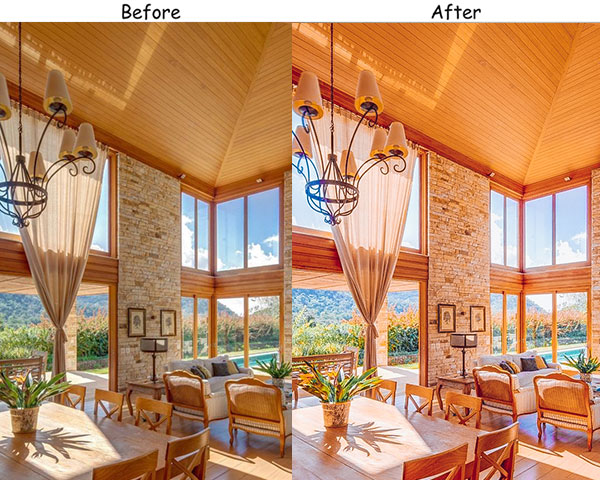

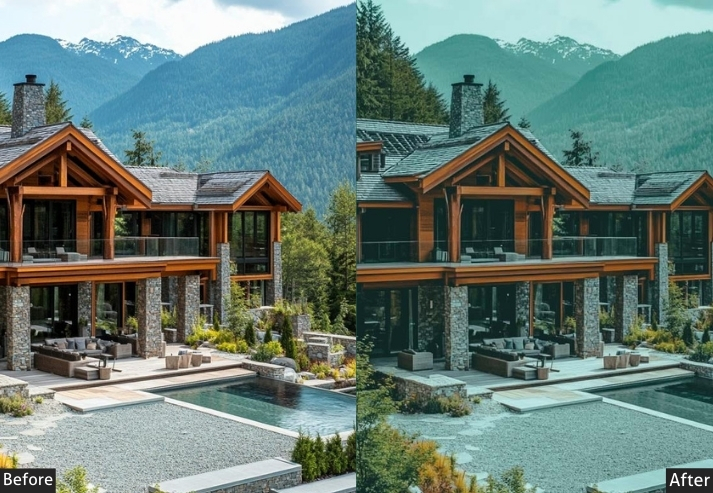
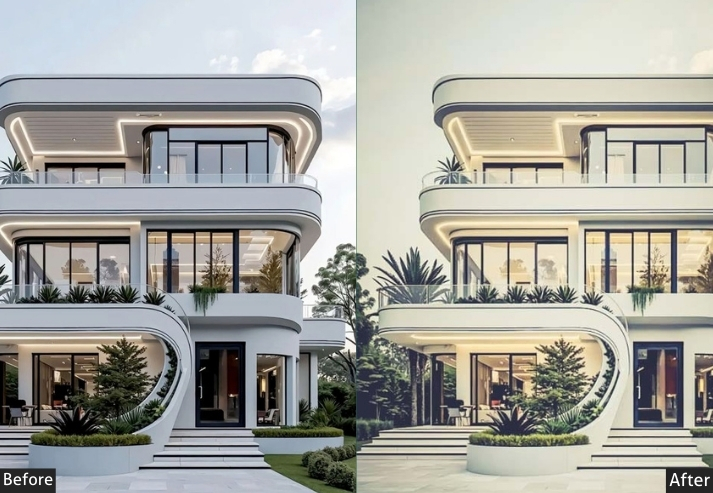
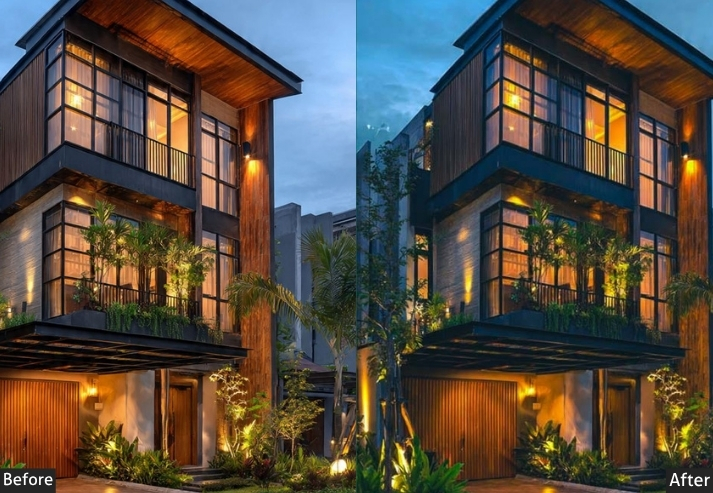
Purpose: warmth and coziness to woodsy, nature-inspired interiors.
Best For: Cabins, lodges, and spaces with rustic or nature-based decor.
Usage: the natural beauty and cozy vibe of wood-heavy interiors.
Style: Warm, earthy, and inviting.
How to Install These Presets?
Lightroom Mobile (iPhone & Android) – DNG Format
- Download the DNG file for the preset you want.
- Open Adobe Lightroom Mobile and tap the + icon to create a new album, or tap your camera roll.
- Import the DNG file into Lightroom Mobile as a photo.
- Open the DNG image, tap the three-dot menu (⋯) → Create Preset.
- Name your preset and save. It will now appear in your User Presets panel for any photo.
Lightroom Classic – XMP Format
- Download the XMP file.
- In Lightroom Classic, go to the Develop module.
- In the Presets panel (left side), click the + icon → Import Presets.
- Select the XMP file. The preset appears instantly in your panel.
Lightroom CC (Cloud) – XMP Format
- Download the XMP file.
- Open Lightroom CC → click File → Import Profiles & Presets.
- Select the XMP file and click Import.
- Your preset appears under Presets → User Presets.
Details: Lightroom Presets Import And Installing Settings.
Last Words
A well-edited listing photo isn’t a luxury! It’s a competitive necessity. Buyers scroll through dozens of properties before clicking on one, and photo quality is what stops them. These presets give you a professional editing starting point for any type of property, any lighting condition, and any aesthetic.
Start with the preset that matches your lighting (natural vs. artificial) and the property’s overall vibe (modern, rustic, luxury), then fine-tune from there. Most of the time, you’ll need no more than two or three small adjustments after applying the preset.
More Presets:
Beach Lightroom Presets Download Instantly
Automobile Lightroom Presets Free Download Now