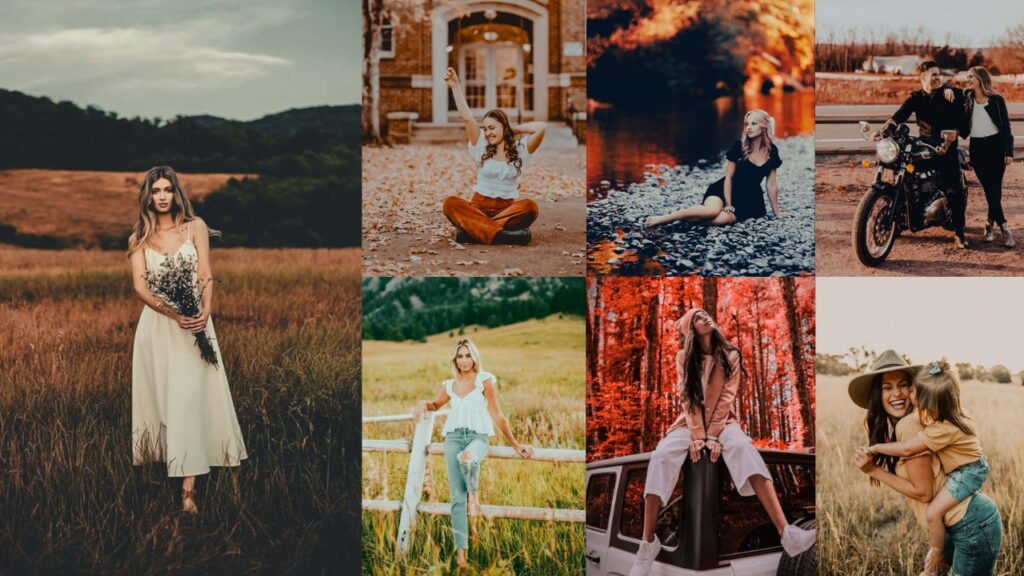
Autumn is the most photogenic season of the year, but your camera doesn’t always capture those fiery reds, deep oranges, and golden yellows the way your eyes see them. These autumn presets bridge that gap in one click. Each preset is available in both XMP (Lightroom Classic & Camera Raw) and DNG (Lightroom Mobile) formats, so they work on every device you shoot with.
Whether you shoot landscapes, portraits, or street photography in the fall, you’ll find a style below that ranges from golden-hour warmth to dark, moody, cinematic tones. Every preset includes its recommended settings, so you can fine-tune them for your specific shot.

pauline Jackson
I create presets designed to deliver consistent colors, balanced tones, and professional-looking results across a wide range of photography styles. My mission is to make editing faster, easier, and more enjoyable for photographers of all skill levels.
50 Autumn Lightroom Presets Free Download
Sometimes, when you upload your photos, they look a bit flat. With presets, you can instantly bring out the richness and warmth of those colors. Just one click, and suddenly your photos are bursting with the same vibrancy that you saw through your lens. It’s like cranking up the cozy factor to max! Just pick a preset that fits the vibe of your photo, make a few small adjustments to suit your style, and you’re done. More time enjoying a pumpkin spice latte, less time buried in endless editing! As a professional photo editor, I’m here to help you find the perfect preset to tell your autumn story.
| Your Scene | Recommended Preset |
|---|---|
| Outdoor sunset / golden-hour landscape | Golden Hour |
| Cozy indoor / window-light scene | Warm & Cozy |
| Countryside or farm / natural earthy tones | Rustic |
| Overcast / dramatic / forest scene | Moody |
| Bright foliage / colorful landscape | Vibrant |
| Newborn / maternity / lifestyle session | Soft Pastel |
| Editorial / portrait / narrative photo | Cinematic |
| Pumpkin patch / harvest orange scene | Rustic Orange |
| Instagram / travel content / film look | VSCO |
| Dark forest / silhouette / low-key editorial | Dark |
1. Golden Hour Autumn Preset
The Golden Hour is your best friend for late-afternoon shoots. It replicates the natural warmth of sunlight in the 30 minutes before sunset by boosting orange and yellow tones while gently lifting shadows so dark areas feel warm rather than muddy. Unlike a simple warmth slider, this preset also manages highlights carefully to prevent blown-out skies in outdoor shots.
Light Panel: Exposure +15% | Contrast −10% | Shadows +20%.
Color Panel: Temp +25% (warm golden tone) | Vibrance +20% | Saturation −5%.
Effects Panel: Vignette +10%.
Detail Panel: Sharpening +15%.
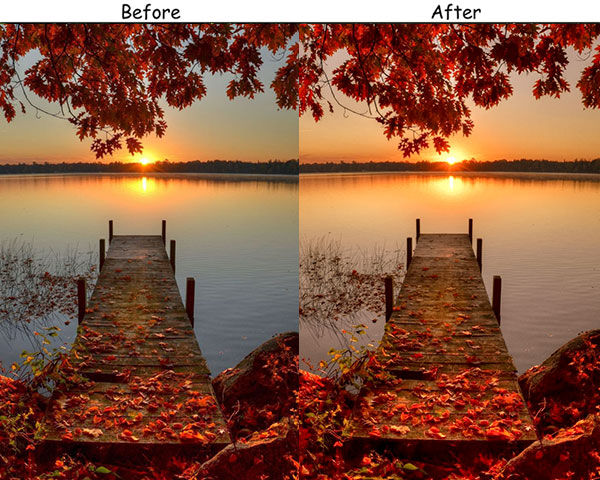
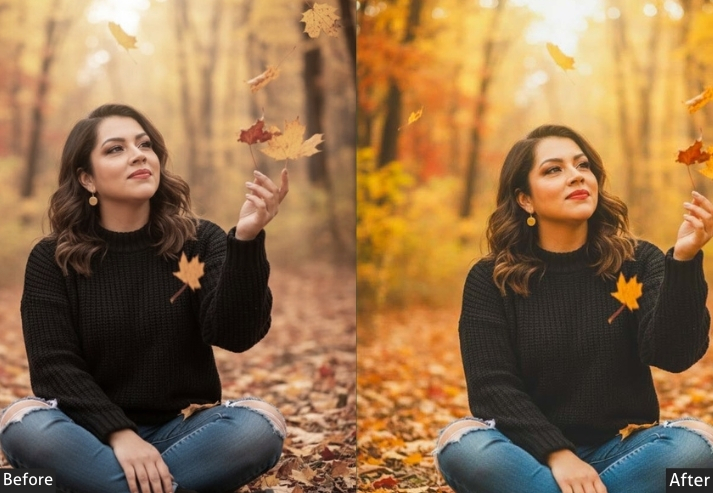
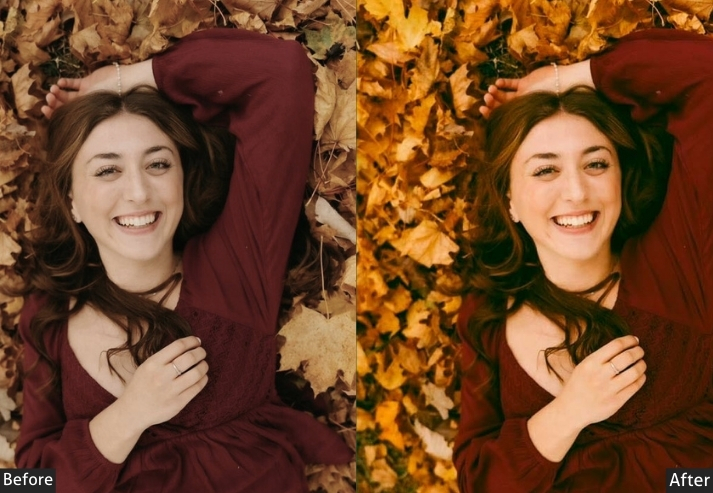
Purpose: warm, glowing autumn photos that feel cozy and inviting.
Best For: Sunset portraits, landscapes, and cozy fall scenes.
Style: Warm, soft, and glowing.
2. Warm & Cozy Autumn Preset
Where Golden Hour works outdoors, Warm & Cozy is optimized for indoor and window-light autumn scenes. It adds a soft amber cast to shadows and midtones, mimicking candlelight. for cozy cabin shots, coffee-and-leaves flat-lays, or fall family portraits shot indoors. It reduces contrast slightly to avoid harsh shadows in low-light indoor environments.
Light Panel: Exposure +10% | Contrast −5% | Shadows +15%.
Color Panel: Temp +20% (warm autumn tone) | Vibrance +15% | Saturation −5%.
Effects Panel: Vignette +15%.
Detail Panel: Sharpening +10%.
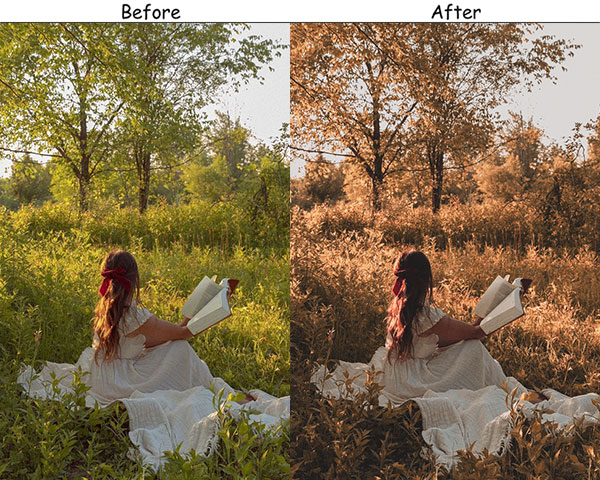
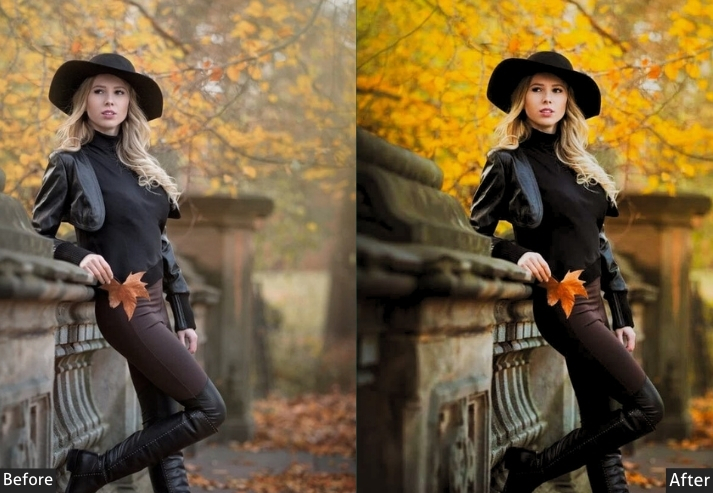
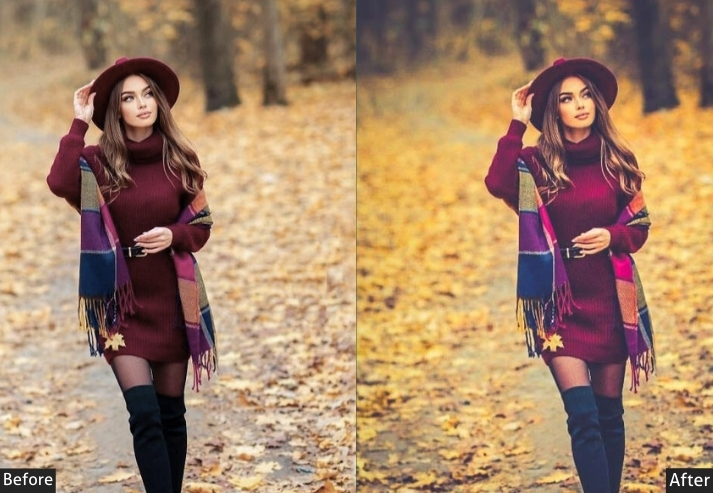
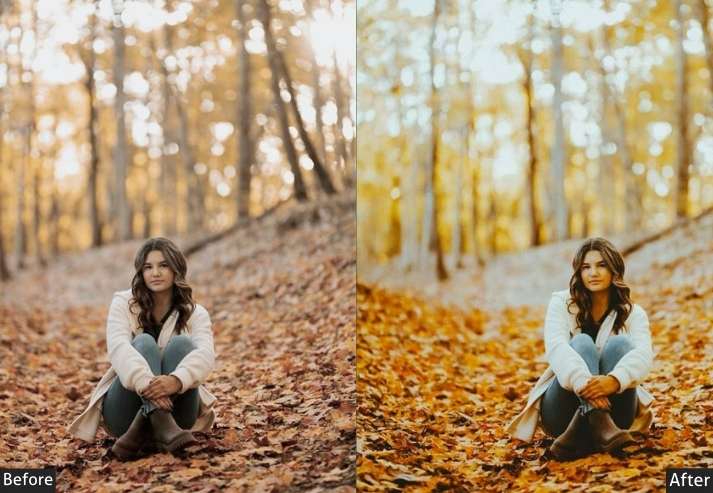
Purpose: warm, inviting photos that capture the essence of autumn.
Best For: Cozy indoor scenes, fall foliage, and portraits.
Style: Warm, rich, and inviting.
3. Rustic Autumn Preset
The Rustic preset specifically targets the brown and orange channels in HSL, deepening earthy tones without oversaturating reds. The result is a natural, film-like quality that suits countryside scenes and barn sessions beautifully. It also adds a very subtle matte lift to shadows: a technique borrowed from analog film, which softens the overall feel without losing texture detail in bark, leaves, and soil.
Light Panel: Exposure +10% | Contrast +15% | Highlights −10%.
Color Panel: Temp +15% (warm earthy tone) | Vibrance +10% | Saturation −10%.
Effects Panel: Vignette +15%.
Detail Panel: Sharpening +20%.
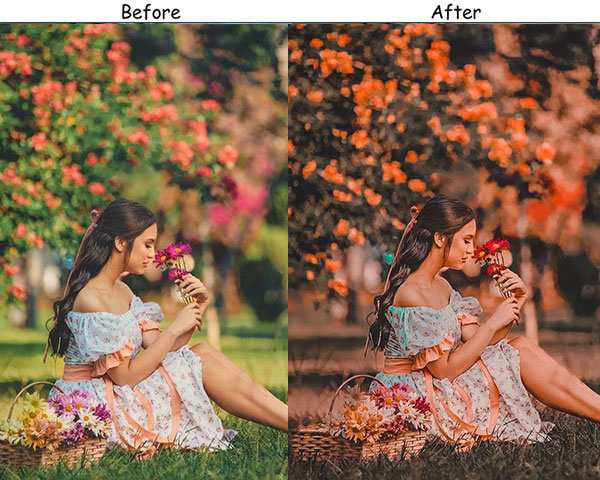
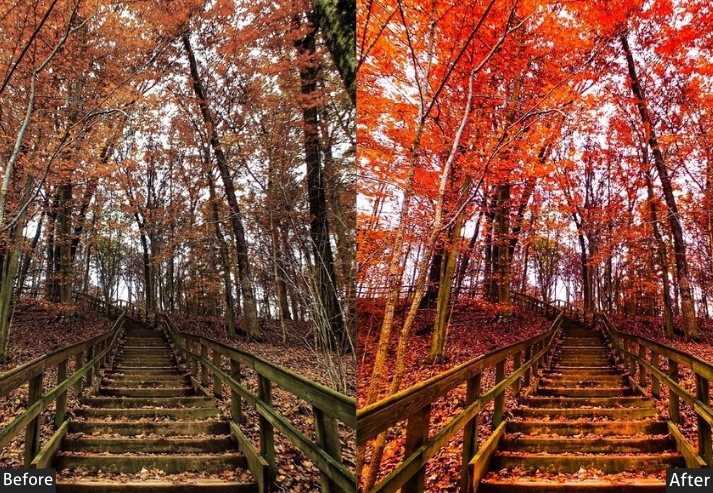
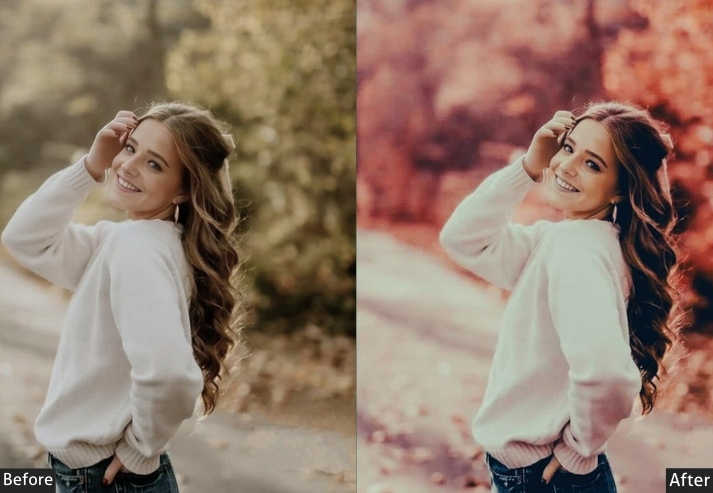
Purpose: earthy, rustic photos that feel natural and authentic.
Best For: Countryside landscapes, farm scenes, and fall portraits.
Style: Earthy, rich, and rustic.
4. Moody Autumn Preset
The Moody preset uses a split-toning approach: cool teal shadows and warm amber midtones – a combination that creates cinematic depth without desaturating the image completely. It works especially well in overcast autumn scenes where flat light would normally produce dull results. The added contrast and pulled highlights turn grey, cloudy skies into dramatic backdrops.
Light Panel: Exposure −10% | Contrast +20% | Highlights −15%.
Color Panel: Temp −10% (cool moody tone) | Saturation −15% | Vibrance +10%.
Effects Panel: Vignette +20%.
Detail Panel: Sharpening +25%.
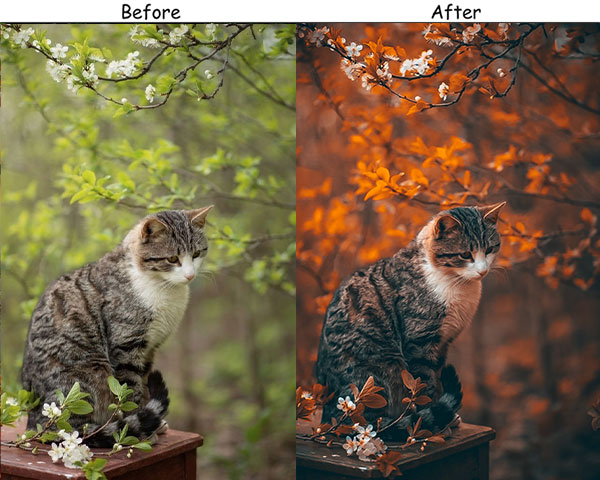
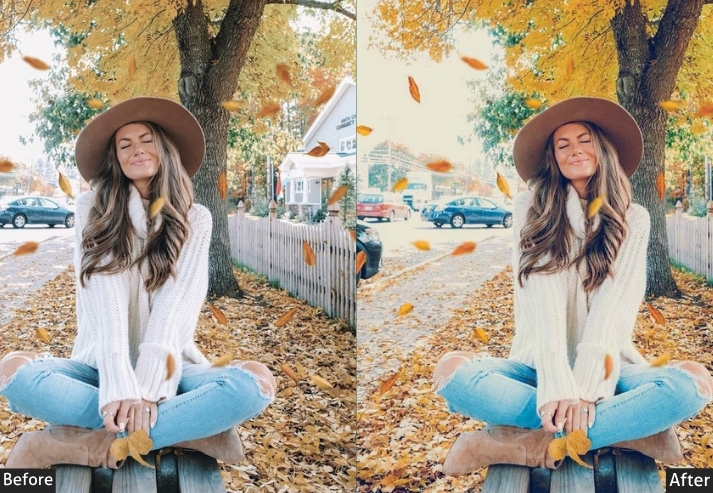
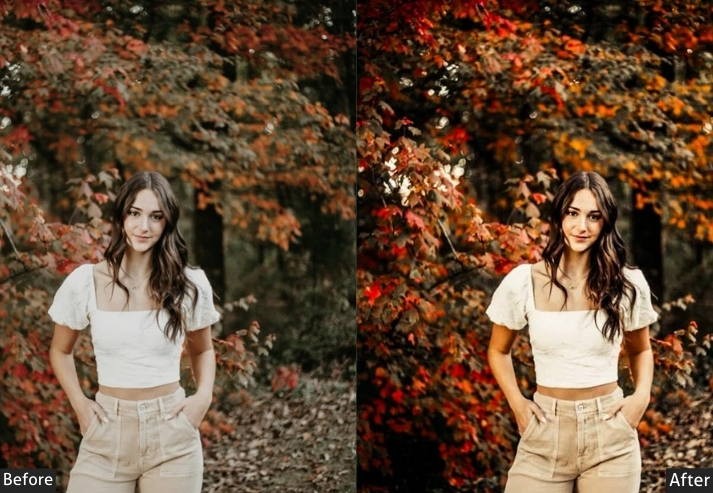
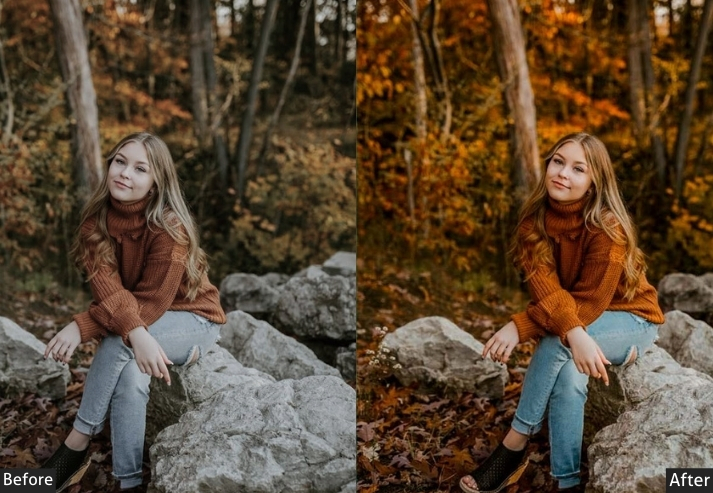
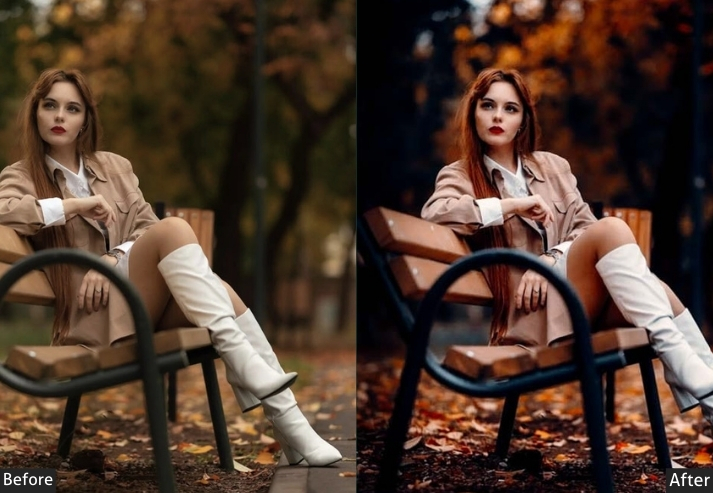
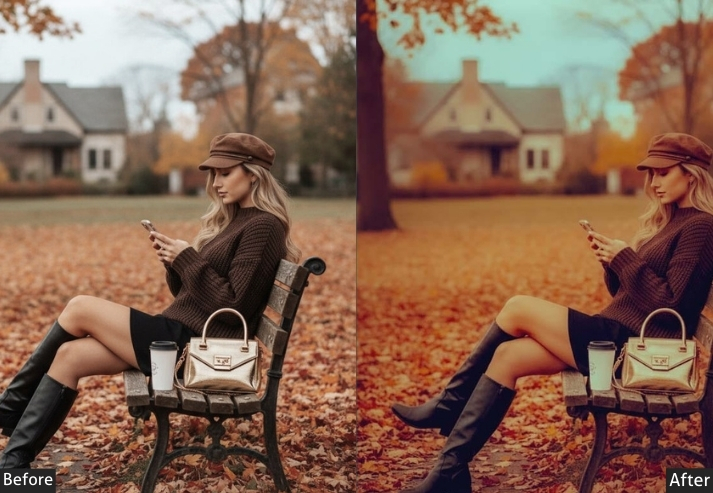
Purpose: Dramatic, moody autumn photos with deep tones.
Best For: Twilight scenes, moody landscapes, and introspective portraits.
Style: Dark, intense, and mysterious.
5. Vibrant Autumn Preset
The Vibrant preset cranks up the intensity of fall foliage without pushing it into unrealistic territory. It targets orange, red, and yellow channels independently, so each color gets the right boost. Use this on bright sunny days with bold foliage.
Tip: Avoid using on skin-heavy portraits. The orange boost will shift skin tones too warm.
Light Panel: Exposure +15% | Contrast +20% | Shadows +10%.
Color Panel: Vibrance +30% | Saturation +20% | Temp +10% (warm fall tone).
Effects Panel: Vignette +10%.
Detail Panel: Sharpening +20%.
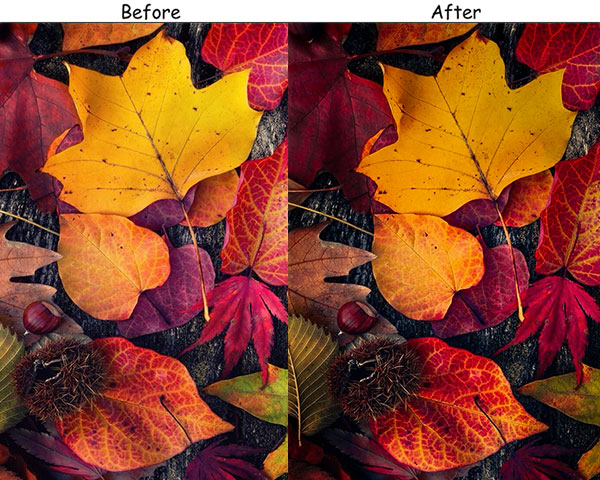
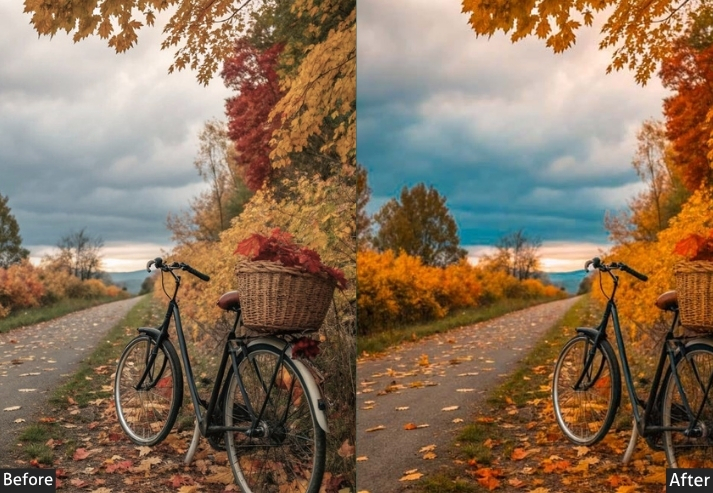
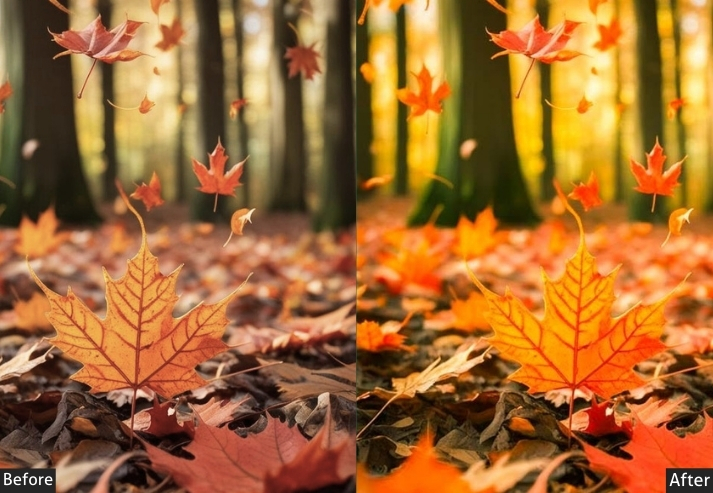
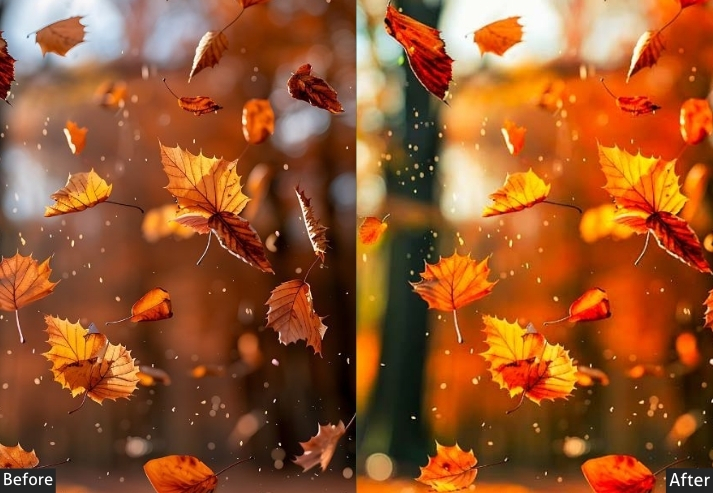
Purpose: bright, vibrant autumn photos full of life and color.
Best For: Fall foliage, festivals, and colorful landscapes.
Style: Bright, bold, and lively.
6. Soft Pastel Autumn Preset
This is a favorite among newborn, maternity, and lifestyle photographers who shoot autumn-themed sessions. The preset desaturates the intense fall colors into muted, creamy hues while adding a gentle luminosity lift. It’s a style that photographs beautifully on wooden floors, pumpkin patches, and styled outdoor setups where you want warmth without the drama of a full autumn color palette.
Light Panel: Exposure +20% | Contrast −10% | Shadows +15%.
Color Panel: Saturation −25% | Vibrance +10% | Temp +5% (soft warm tone).
Effects Panel: Vignette +10%.
Detail Panel: Sharpening +10%.
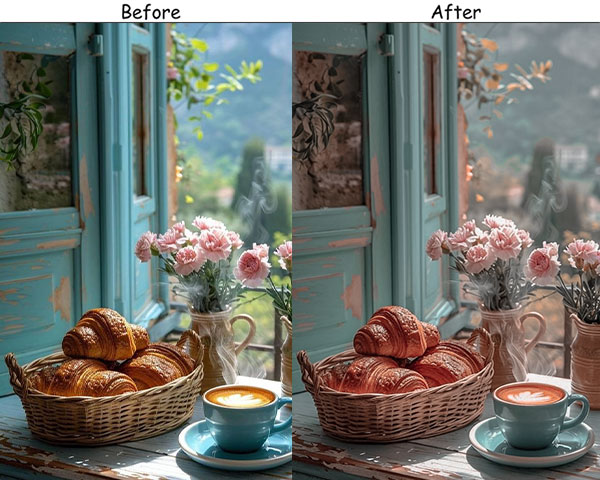
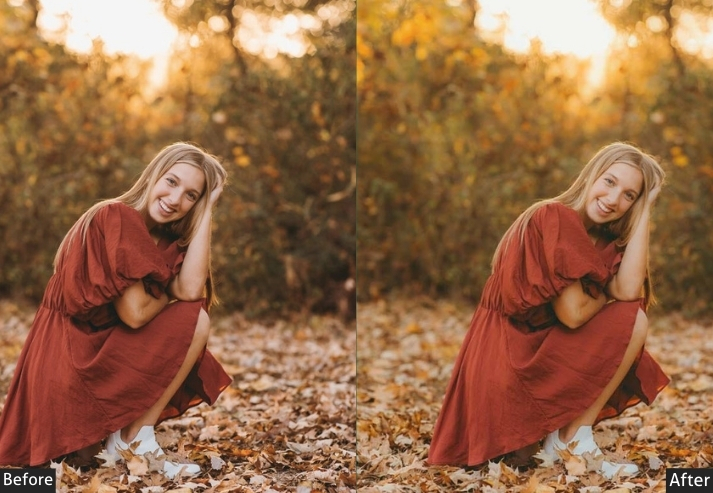
Purpose: light, airy autumn photos with soft pastel tones.
Best For: Quiet scenes, soft portraits, and dreamy landscapes.
Style: Soft, muted, and whimsical.
7. Cinematic Autumn Preset
This is a favorite among newborn, maternity, and lifestyle photographers who shoot autumn-themed sessions. The Soft Pastel preset desaturates the intense fall colors into muted, creamy hues while adding a gentle lift in luminosity. It’s a style that photographs beautifully on wooden floors, pumpkin patches, and styled outdoor setups where you want warmth without the drama of a full autumn color palette.
Light Panel: Contrast +25% | Exposure (adjust for balance) | Highlights −10%.
Color Panel: Vibrance +20% | Temp +15% (warm autumn tone) | Saturation −10%.
Effects Panel: Vignette +15% | Grain +10%.
Detail Panel: Sharpening +20%.
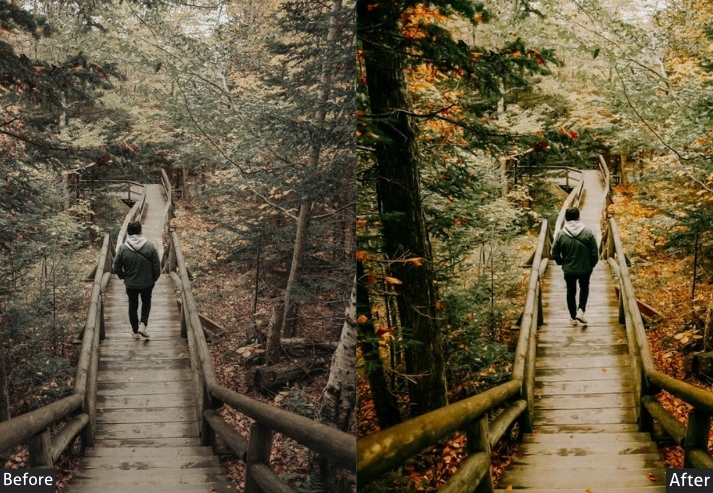
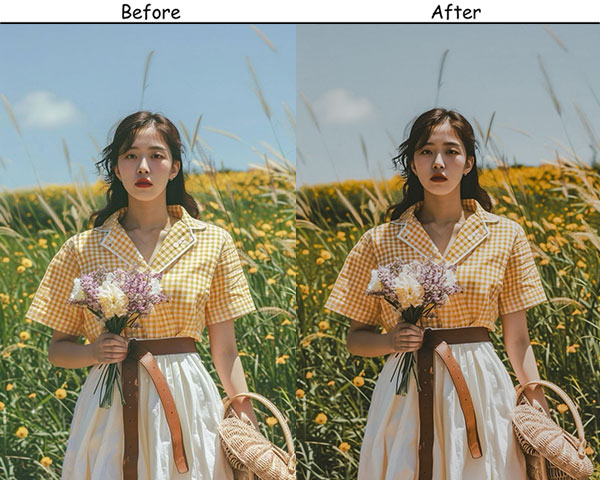
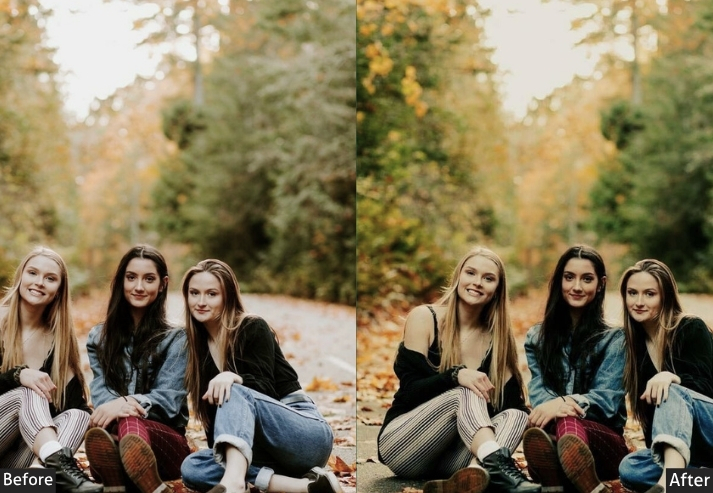
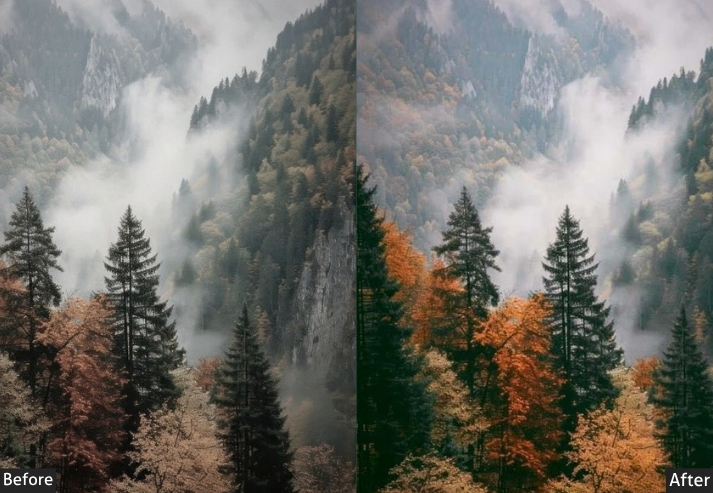
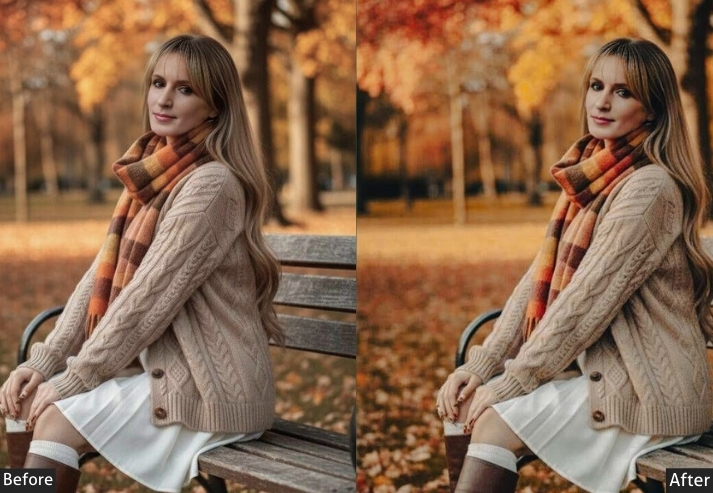
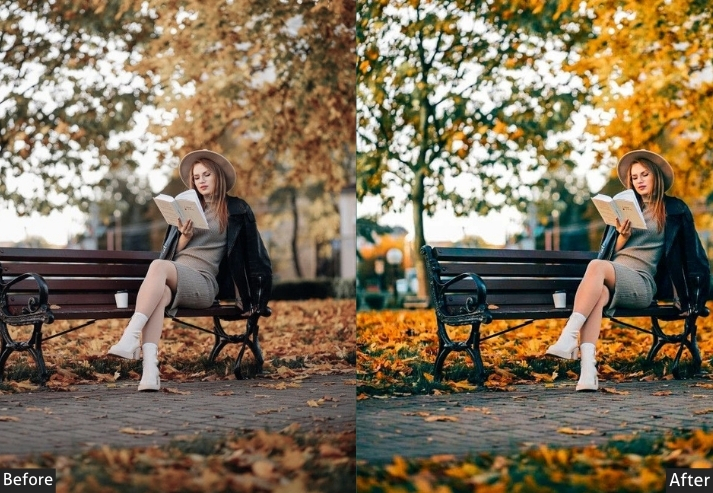
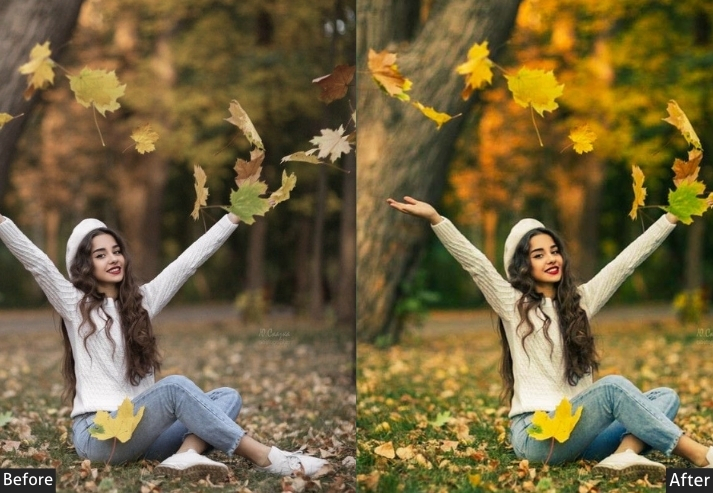
Purpose: cinematic, dramatic autumn photos that tell a story.
Best For: Narrative photography, moody landscapes, and portraits.
Style: Bold, dramatic, and cinematic.
8. Rustic Orange Autumn Preset
While the Rustic preset is balanced across all earthy tones, the Rustic Orange preset centers on orange. It’s purpose-built for pumpkin patches, orange orchard scenes, and Halloween-adjacent shoots where you want that signature harvest-orange to dominate. It also works well in portraits against fall foliage, boosting the background color while keeping skin tones natural through selective HSL masking.
Light Panel: Exposure +10% | Contrast +15% | Highlights −10%.
Color Panel: Temp +20% (warm rustic tone) | Vibrance +10% | Saturation −10%.
Effects Panel: Vignette +15%.
Detail Panel: Sharpening +15%.
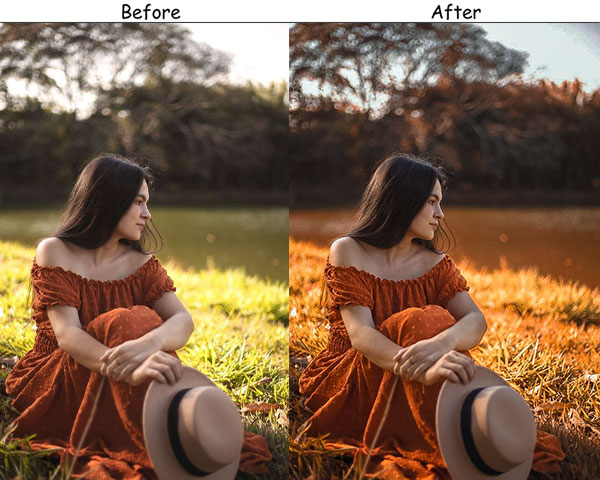
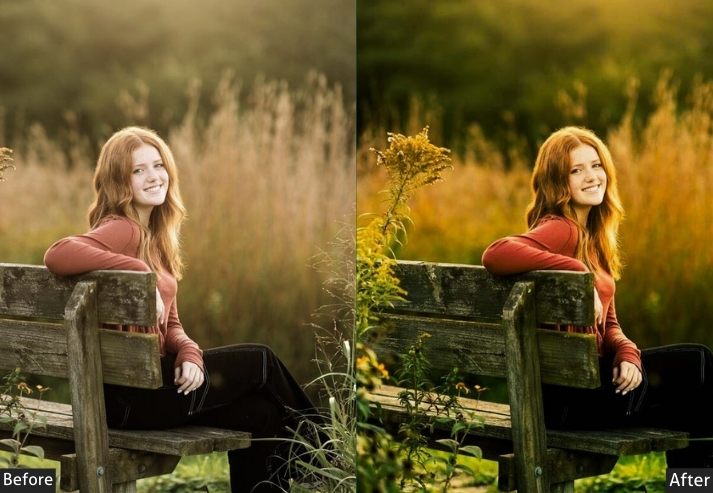
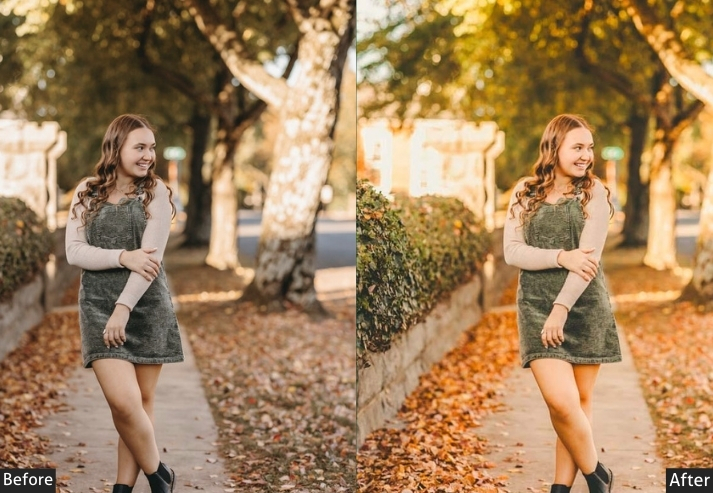
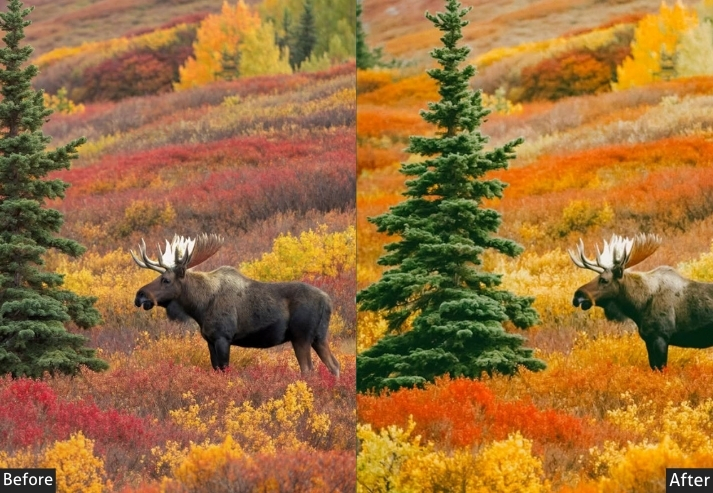
Purpose: Warm, earthy autumn photos that capture the harvest-time feel.
Best For: Countryside scenes, farm landscapes, and fall portraits.
Style: Earthy, rich, and rustic.
9. VSCO Autumn Presets
VSCO film presets are known for two signatures: faded highlights and desaturated greens. This preset replicates both pulling down the highlight luminance to stop them from going pure white and muting greens, so the autumn oranges and yellows become the visual anchor. It’s the same look popularised on Instagram for fall travel content and works best on DNG files shot in natural light.
Light Panel: Exposure +10% | Contrast −10% | Highlights −15%.
Color Panel: Temp +15% (warm autumn tone) | Saturation −10% | Vibrance +10%.
Effects Panel: Grain +15% | Vignette +10%.
Detail Panel: Sharpening +10%.
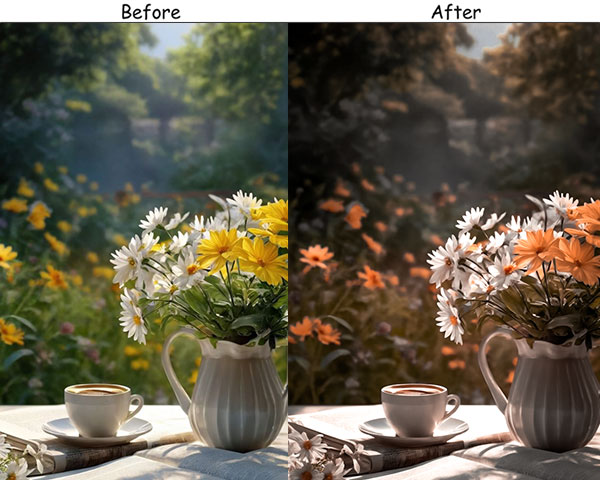
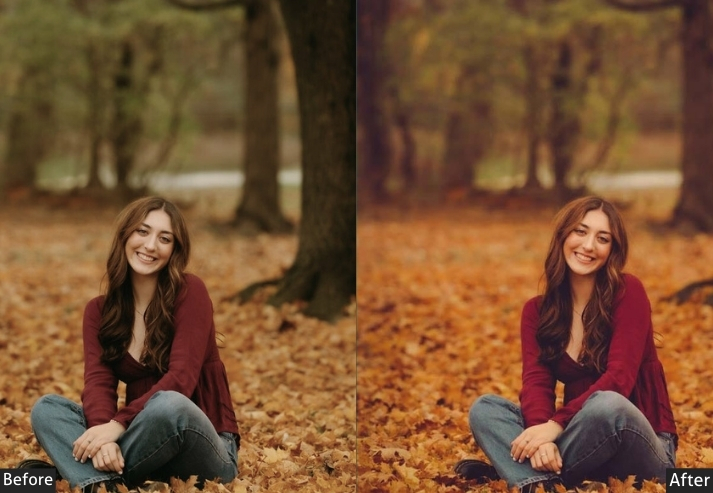
Purpose: soft, nostalgic autumn photos with a warm, vintage feel.
Best For: Cozy moments, candid portraits, and nature scenes.
Style: Warm, soft, and nostalgic.
10. Dark Autumn Presets
The Dark Autumn is more aggressive than Moody. It’s designed for scenes where you want shadow detail to disappear rather than be preserved. While the Moody preset reveals detail in shadows through split-toning, the Dark preset crushes blacks for a high-contrast, low-key look. It’s best for forest scenes with dappled light, silhouettes against autumn skies, or dark editorial photography.
Light Panel: Exposure −10% | Contrast +20% | Highlights −15%.
Color Panel: Temp −10% (cool moody tone) | Saturation −10% | Vibrance +10%.
Effects Panel: Vignette +20% | Grain +10%.
Detail Panel: Sharpening +20%.
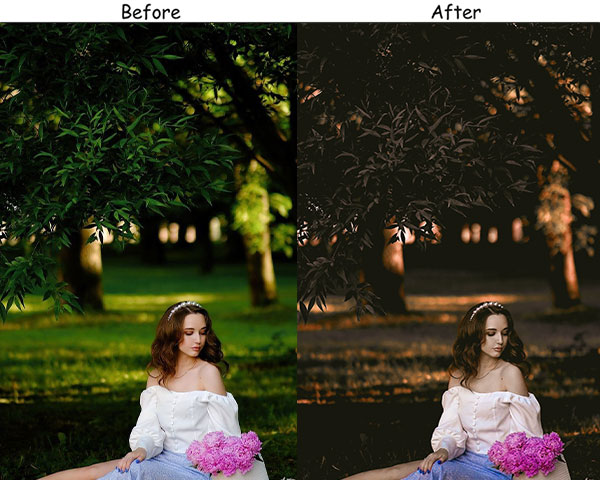
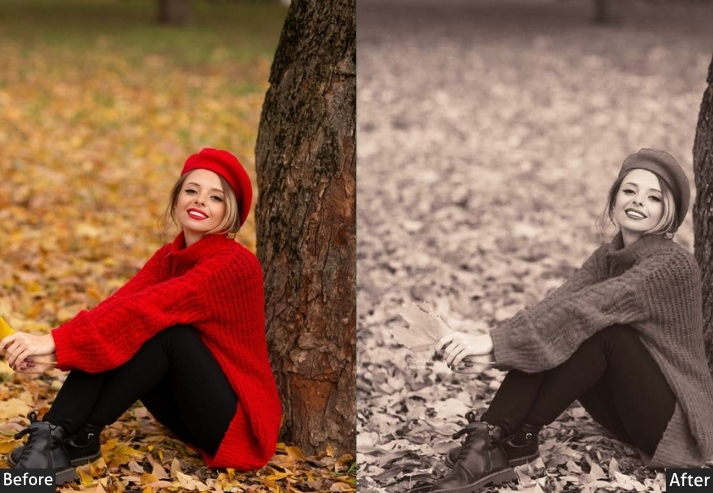
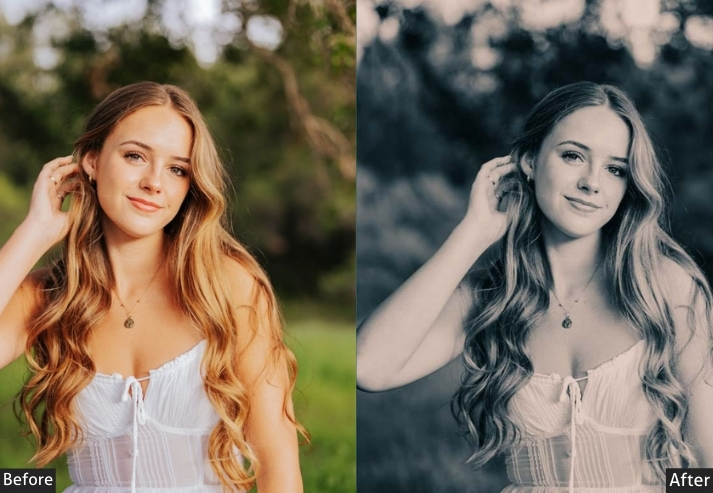
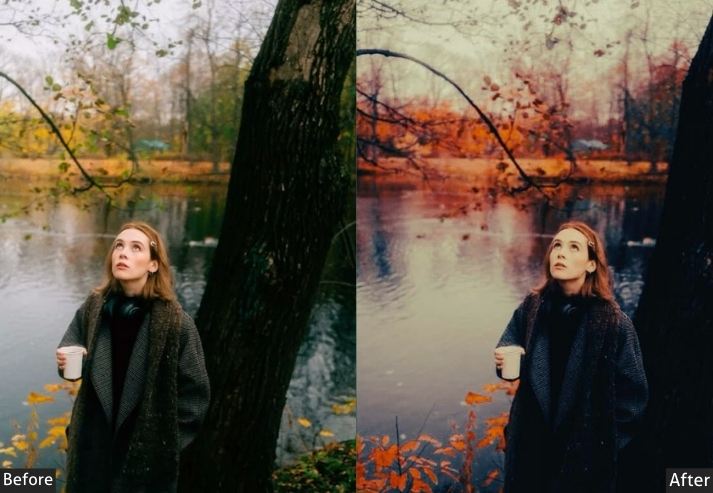
Purpose: moody, dramatic autumn photos with deep, rich tones.
Best For: Twilight scenes, forest landscapes, and introspective portraits.
Style: Dark, intense, and atmospheric.
How to Install Autumn Lightroom Presets?
On Lightroom Mobile (DNG method)
- Download the DNG file to your phone using the link above, then save it to your photo library.
- Open Lightroom Mobile and import the DNG file as you would a normal photo. Tap the “+” icon → Add Photos.
- Open the DNG file in Lightroom. Tap the three-dot menu (⋯) in the top right corner.
- Select “Create Preset”, give it a name (e.g., “Autumn – Golden Hour”), and tap the checkmark to save.
- Apply it to any photo by scrolling to the Presets panel at the bottom of the edit screen.
On Lightroom Classic (XMP method)
- Download the XMP file and note where it’s saved.
- In Lightroom Classic, go to the Develop module and open the Presets panel on the left.
- Click the “+” icon next to “Presets” and select “Import Presets…”
- Go to your XMP file, select it, and click Import. The preset will appear in your panel.
Apply by clicking the preset name while any photo is open in Develop mode.
Few Words
These presets are designed to be a foundation, not a final answer. Every photo is different: the light, the lens, and the subject all affect how a preset performs. Download a few that fit your shooting style, apply them, and spend 30 seconds on the Exposure and Temperature sliders. That’s all the fine-tuning most shots need.
If you found these useful, our Winter and Spring preset collections follow the same approach.
More Presets For You: